MT4 RR Box
- Göstergeler
- Andrej Kidric
- Sürüm: 1.0
- Etkinleştirmeler: 5
MT4 RR Box Tool – Visual Risk Reward Planner for MetaTrader 4
Plan your trades faster and more clearly with a fully visual Risk/Reward Box Tool for MT4.
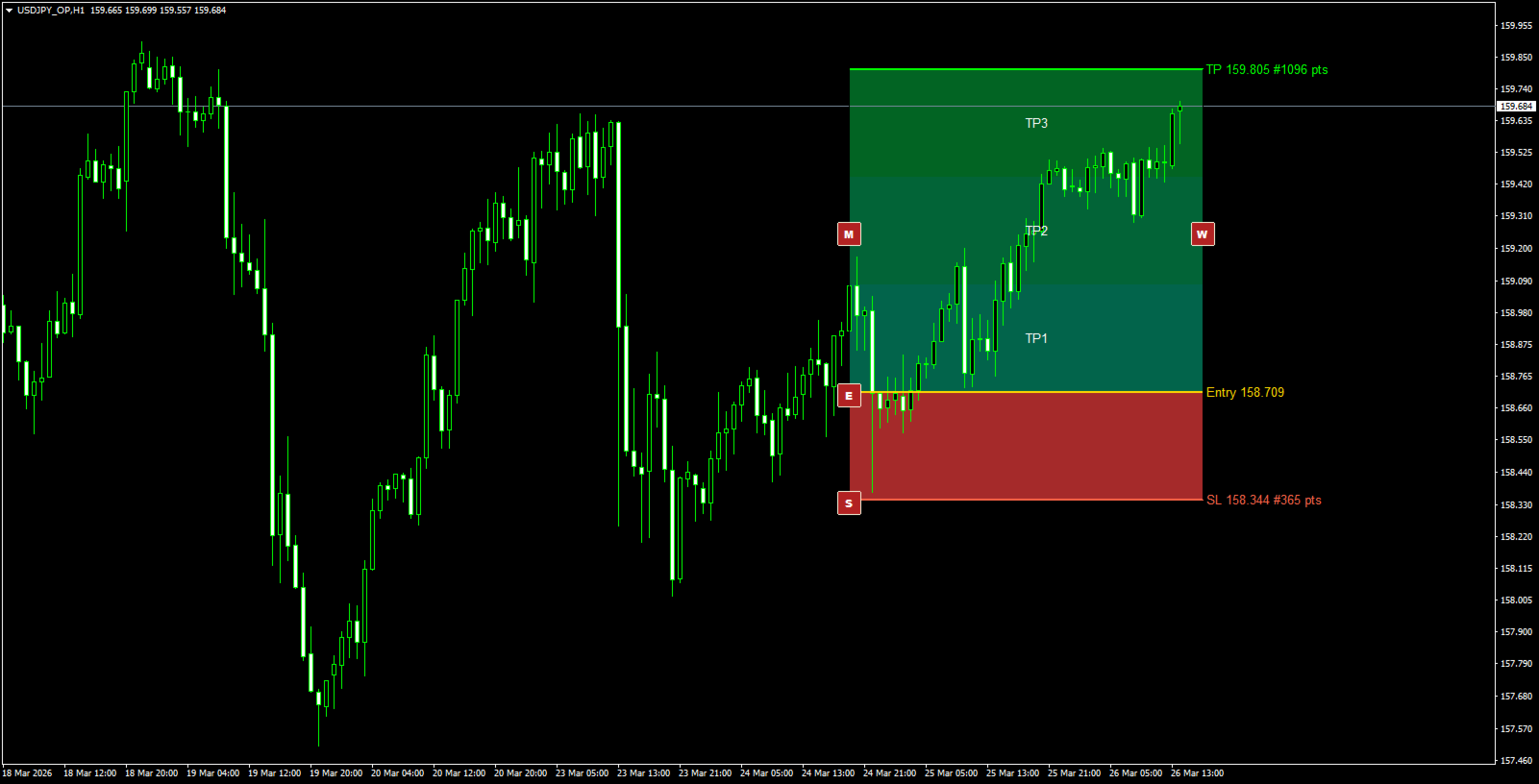
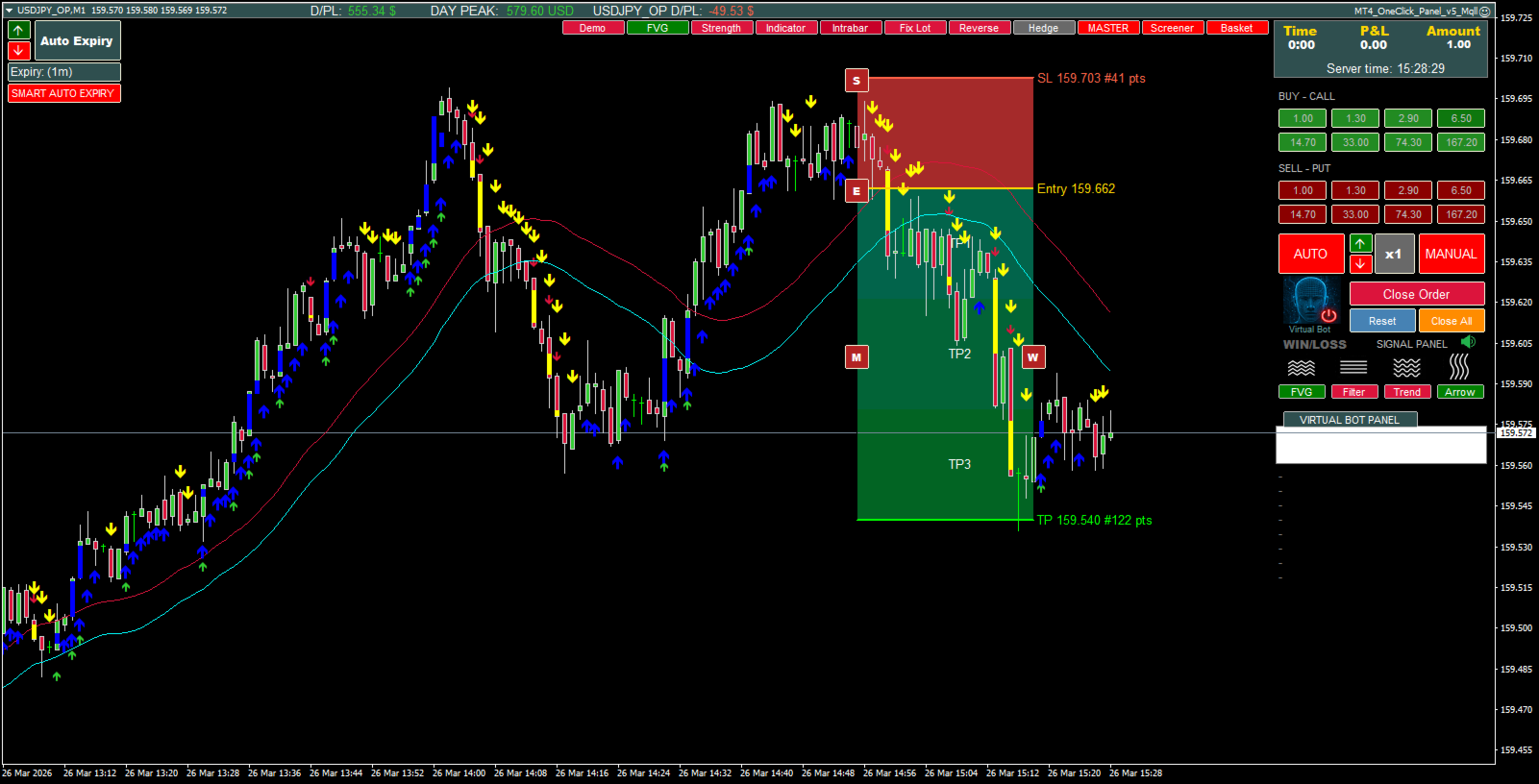
MT4 RR Box Tool draws your complete trade structure directly on the chart:
- Entry
- Stop Loss
- Take Profit
- Risk zone
- Reward zone
- optional TP1 / TP2 / TP3 target sections
It is designed for traders who want a clean and practical way to measure risk, set targets, and adjust the whole setup visually without wasting time drawing everything manually.
https://youtu.be/hUB3ZSvF49M?si=D2jGIBJAO935e5mZ
Main Features
- Visual Risk/Reward box directly on the chart
- Automatic TP calculation from the selected RiskRewardRatio
- Clear Entry, SL, and TP levels
- Optional TP1 / TP2 / TP3 target labels
- Easy adjustment using on-chart control buttons
- Suitable for both Buy and Sell trade planning
- Clean visual layout for trade preparation, analysis, and screenshots
On-Chart Controls
The tool includes 4 simple buttons for fast editing:
- E – move the full Entry structure vertically
Moves Entry, Stop Loss, and Take Profit together - S – adjust Stop Loss only
Take Profit is recalculated automatically from the selected risk/reward ratio - M – move the whole box
Shifts the full structure in price and time - W – change box width
Expands or reduces the horizontal size of the RR box
This makes trade planning fast, flexible, and visual.
How It Works
When attached to the chart, the indicator creates a ready-to-use RR structure based on your selected settings.
You can define:
- initial risk in points
- risk/reward ratio
- box width in bars
- color style
- Buy or Sell starting layout
From there, you simply use the chart buttons to position the structure exactly where you want it.
Input Parameters
- RiskRewardRatio – defines reward distance relative to risk
- InitialRiskPoints – starting Stop Loss distance in points
- InitialWidthBars – starting box width in bars
- RiskBoxColor – risk zone color
- RewardBoxColor – reward zone color
- EntryLineColor – Entry line color
- SLLineColor – Stop Loss line color
- TPLineColor – Take Profit line color
- ShowTPZoneLabels – show or hide TP1 / TP2 / TP3 labels
- StartAsBuy – start in Buy layout or Sell layout
Ideal For
- manual traders
- forex traders
- price action traders
- RR planning before entry
- trade journaling
- chart screenshots and education
- quick visual trade analysis
Important
This is a visual planning indicator.
It does not place trades automatically.
It helps you define the structure of a trade in seconds and see whether the setup makes sense before execution.
Why Use It
Instead of drawing Entry, SL, and TP zones manually every time, you can manage the full risk/reward structure from one compact tool directly on the chart.
That means:
- less manual chart work
- faster planning
- clearer setups
- better visual control