Adaptive Range Scalp Starter
- Индикаторы
- Версия: 1.10
- Обновлено: 12 ноября 2026

RangeScalp Filter Gate Lite
Not every edge deserves a trade.
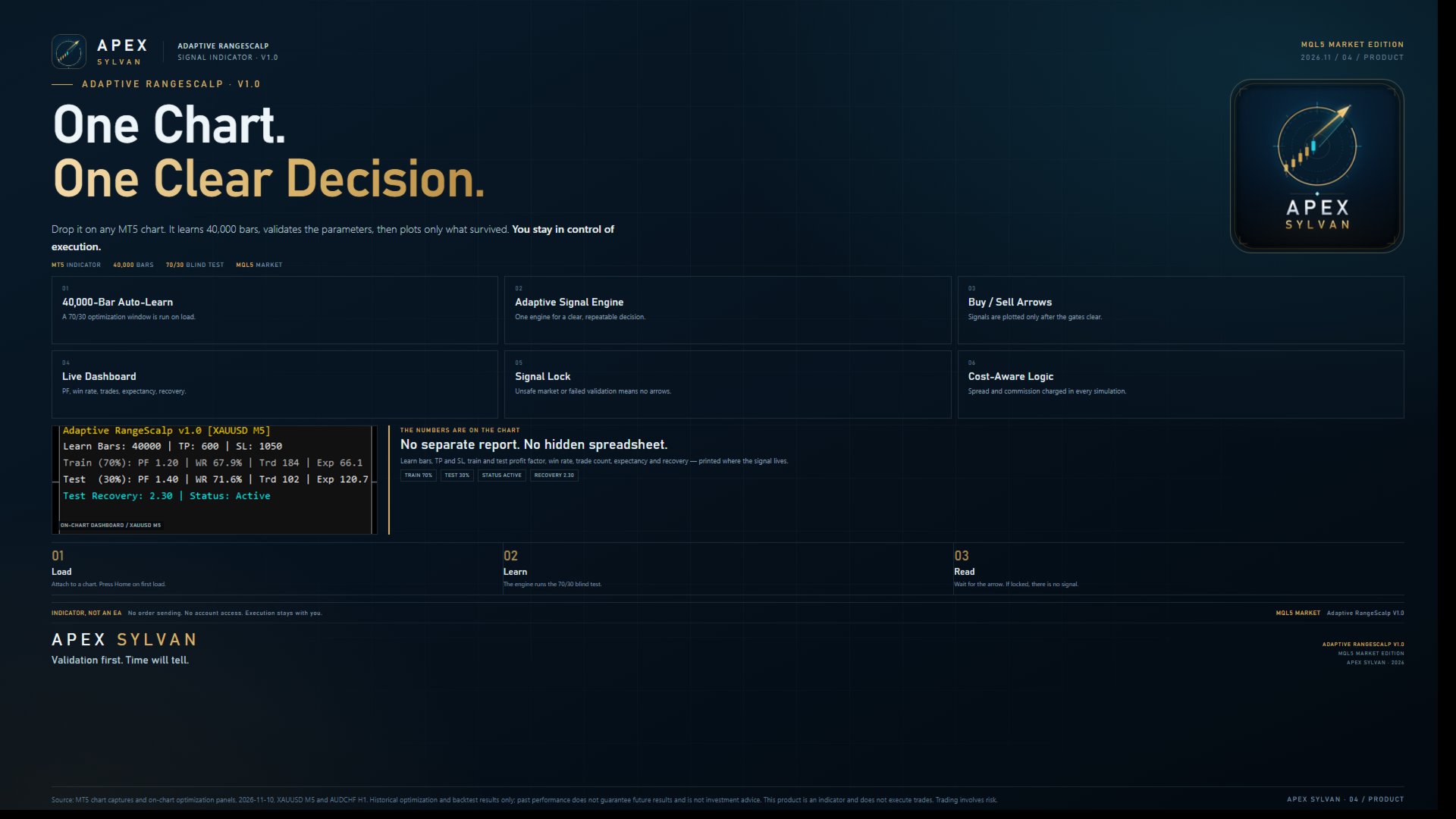
Free Edition / AUDCHF M30 · XAUUSD M5 / MT5 Signal Indicator · Apex Sylvan
Most indicators answer “when do I enter?”
RangeScalp Filter Gate asks a different question first:
“Does this trade deserve to pass?”
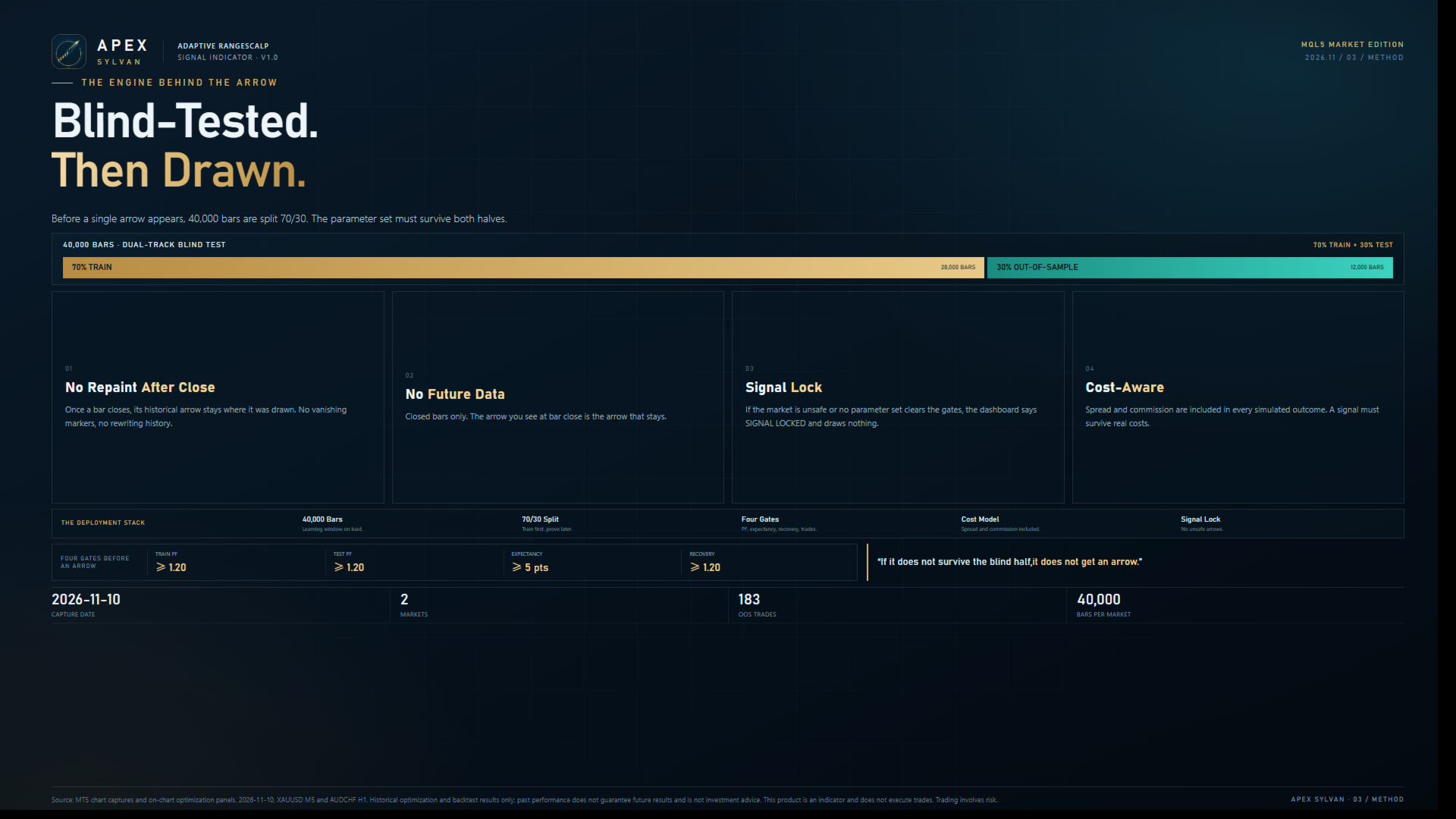
It puts every entry through two gates. First, is the market in a state worth trading? Second, is the edge confirmed? Only when both answers are yes does a signal reach the chart. It does not try to capture every move, and it will not lower the bar just to show you something. It behaves like a gatekeeper: keep the wrong trades out first, then talk about entry.
Filter first. Signal second.
01 / Filter first, signal second
A range edge is not an opportunity by itself.
The opportunity is the edge, the state and the confirmation lining up at the same time. Most of the time, price touching an edge is just price touching an edge. Without context and confirmation, it does not deserve a trade.
The core of RangeScalp Filter Gate is not “earlier.” It is “fewer.”
Fewer forced entries. Fewer chases. Fewer trades taken in the wrong context.
When conditions are unsafe, it would rather lock the signal than hand you a beautiful arrow that should not be traded. For a filter, restraint is the feature.
02 / What the free edition keeps
Lite is not a hollow demo stripped down to a single arrow. It keeps the full decision chain:
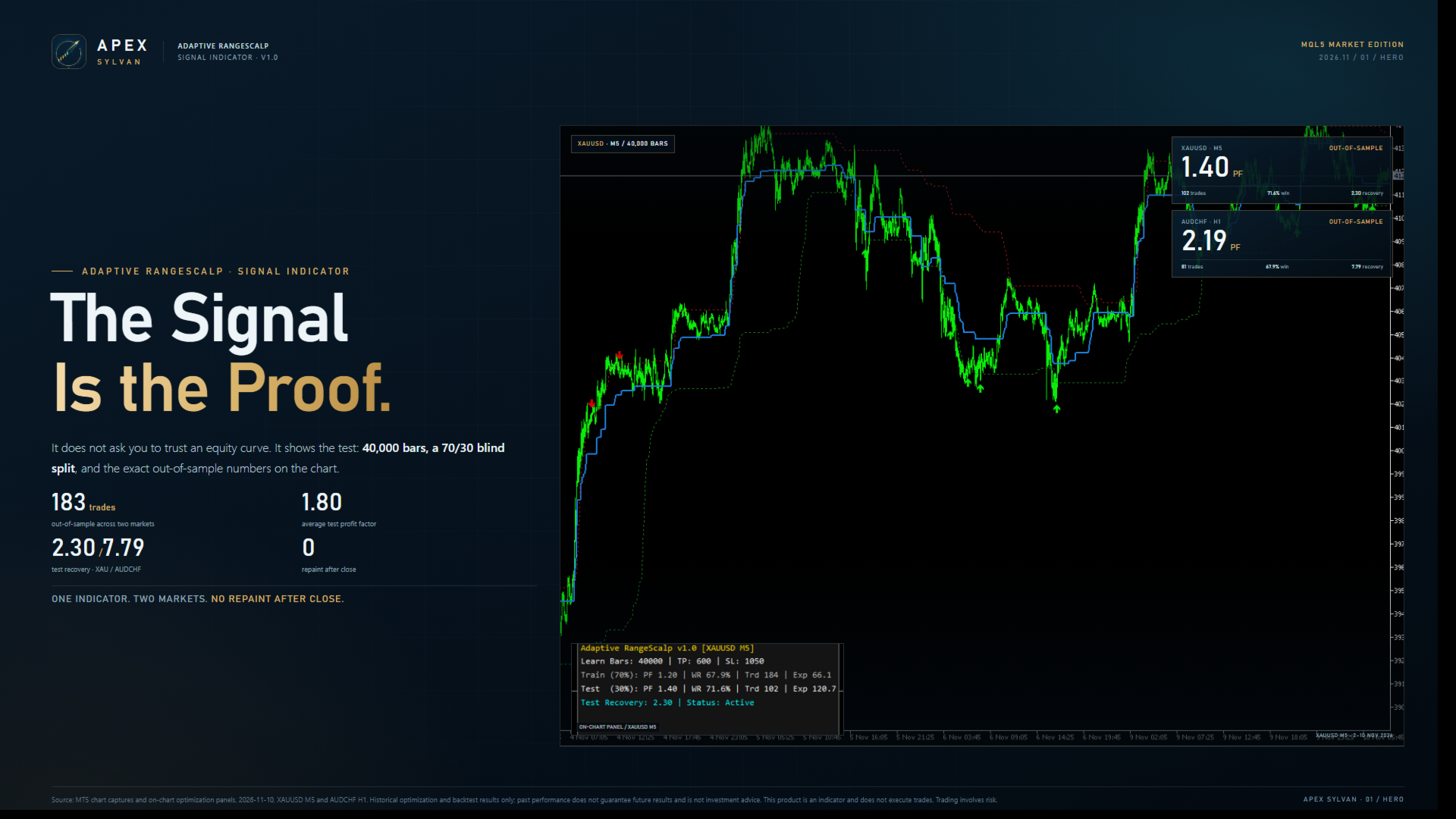
- Dynamic range boundaries — a Range Filter plus upper and lower quantile lines, so price is read inside structure.
- Buy / Sell signals — no signal on the current bar; entries appear only after the bar closes.
- SL / TP reference lines — risk and target made visible, not just a direction.
- Exit markers — a prompt when price reaches SL / TP, or when the holding-time boundary is reached.
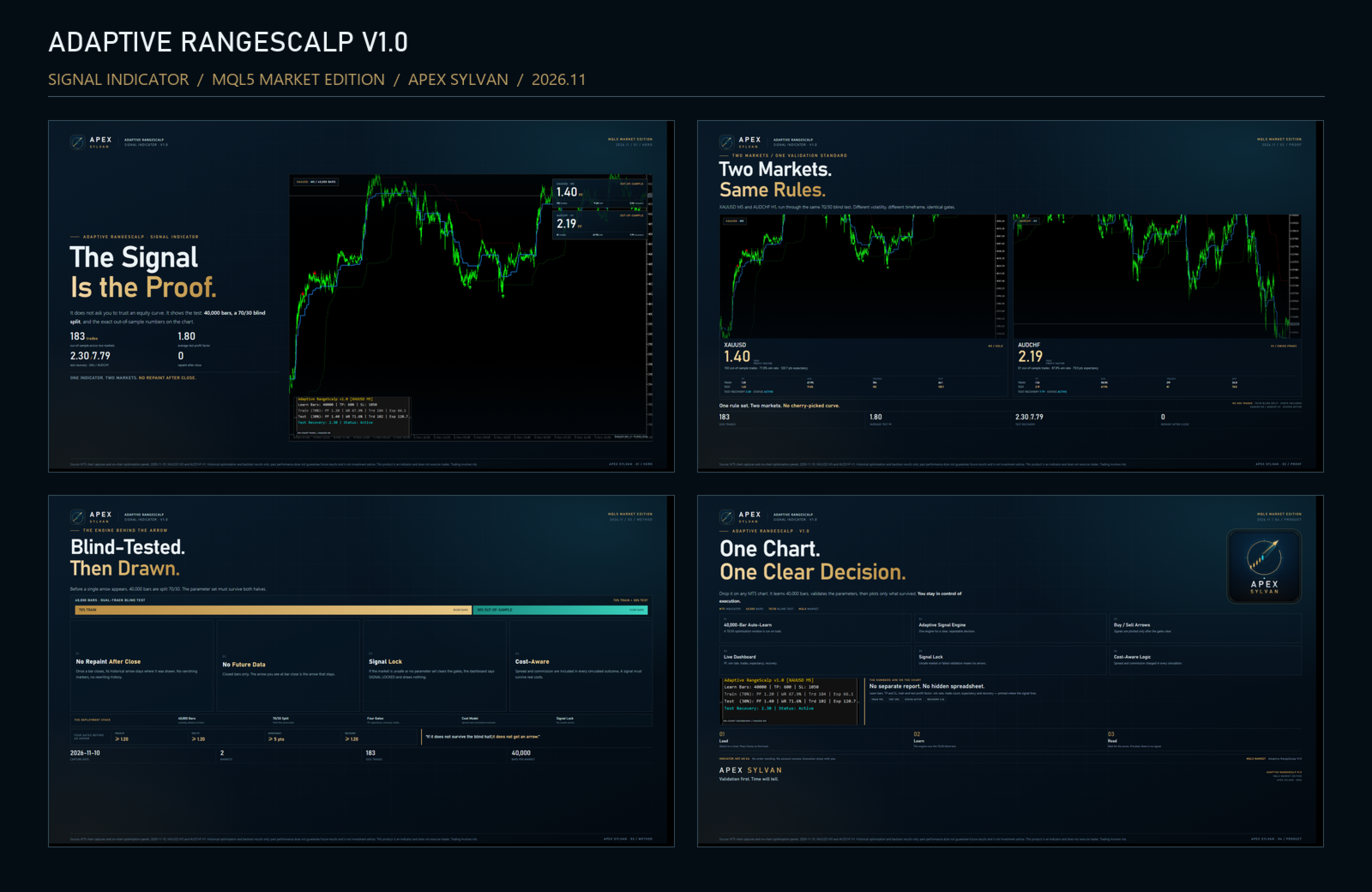
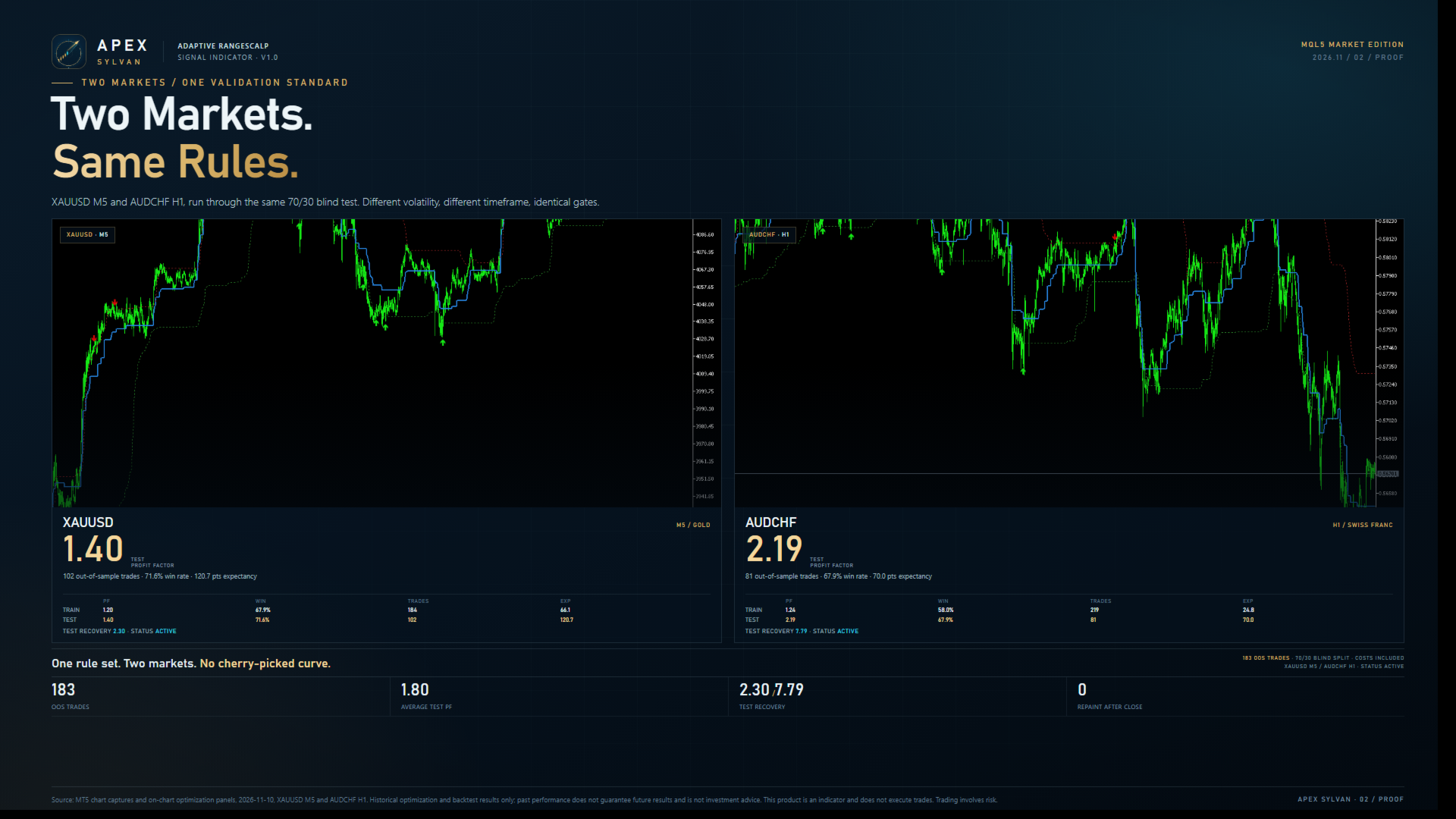
- 70 / 30 Train / Test panel — training and out-of-sample statistics together: PF, WR, trade count and Expectancy.
- Signal Locked state — when conditions are unsafe, the indicator is allowed to do nothing.
It will not open the gate just to give you something to look at.
03 / Two sample markets, two rhythms
The free edition opens exactly two charts:
- AUDCHF · M30 — slower, more patient; it tests whether you can wait for structure.
- XAUUSD · M5 — faster, noisier; it tests whether the filter can keep noise out.
One is calm. One is violent.
One tests patience. One tests discipline.
If the same gate can stay restrained in both rhythms, it has earned the right to travel to more markets.
04 / The free-edition boundaries, stated plainly
- AUDCHF M30 and XAUUSD M5 only (GOLD notation is also supported).
- Other charts show Restricted Chart and an upgrade prompt.
- Same Filter Gate logic as PRO — not a different, simplified algorithm.
- No Auto-Scan — the free edition is chart by chart; PRO provides 20-symbol auto-scanning.
- No automated trading — no account access, no order execution, no risk decisions on your behalf.
- Enough history required — at least 20,000 closed bars; calibration uses up to 40,000 by default.
Clear boundaries are not stinginess. They make the free edition genuinely usable. You do not have to guess why a symbol has no signal; the panel tells you the chart is outside the free scope.
05 / Why free
Because the most important thing about a filter is not how many signals it gives. It is how many bad trades it keeps out.
Most products sell more signals.
RangeScalp Filter Gate sells fewer mistakes.
Start with two markets. Watch what it refuses.
If you agree with that restraint, let PRO cover more of your market.
06 / From Lite to PRO
| Lite / Free | PRO | |
|---|---|---|
| Charts | AUDCHF M30, XAUUSD M5 | 20 symbols, broader market coverage |
| Scanning | Manual, chart by chart | Auto-Scan |
| Core logic | Same lineage as PRO | Full edition |
| Chart signals | Range boundaries, Buy/Sell, SL/TP, Exit | Same, across more symbols |
| Train / Test panel | Included | Included |
| Automated trading | No | No |
| Price | Free | Paid |
PRO is not more arrows.
It is the same gate, carried into the 20 markets you actually trade, with Auto-Scan doing the rotation for you.
07 / How to start
- Open AUDCHF M30 or XAUUSD M5.
- Make sure at least 20,000 closed bars are available so calibration can finish.
- Check the Train / Test panel and the signal state.
- Watch how it filters before you consider following an arrow; treat SL / TP as reference.
- If you agree with its restraint, upgrade to PRO and let Auto-Scan cover 20 symbols.
08 / One line
Start with two markets. See what it refuses. Then let PRO scan the twenty.
Search on MQL5 Market: RangeScalp Filter Gate PRO
Risk disclosure
RangeScalp Filter Gate Lite is a technical analysis indicator. It is not investment advice, does not promise returns, and does not execute trades. Historical calibration and out-of-sample statistics do not guarantee future performance. Any signal can fail; trading decisions and risk control remain the sole responsibility of the user. Trading involves risk.