CopyHam Inside Sender Trade Copier MT5

  • Утилиты
  • Naoto Shimoda
    Naoto Shimoda
    FX.Hamrat - MetaTrader 4/5 indicator and Expert Advisor developer based in Japan.
    Over 10 years of trading experience (discretionary and systematic), and 90+ MT4/MT5 programs built so far - including 30+ custom-made projects for individual traders.
  • Версия: 2.17
  • Активации: 5

Copy trades between MT4 and MT5 terminals on one computer.

CopyHam Inside Sender is the master side of a trade copier. Attach it to the account you want to copy from. It shows a Receiver code (CT-XXXX-XXXX) on its panel. Paste that code into CopyHam Inside Receiver on the other terminals, and they follow every trade of this account.

The Sender and the Receivers exchange data through the common data folder of MetaTrader on the same computer. Nothing is sent over the internet, so there is no URL to allow and no server to depend on. The terminals may be from different brokers, and may be MT4 or MT5.

What is copied

  • Market orders, closes and partial closes
  • SL/TP and their changes
  • Pending orders (limit and stop), their changes and cancellations

Features

  • Up to 10 Receivers per Sender, all with the same code
  • MT5 to MT4, MT4 to MT5, MT5 to MT5 and MT4 to MT4
  • Copy scope: the whole account, market orders only, pending orders only, or only the symbol of the chart the Sender is on
  • Filter by magic number, or exclude trades by comment, when other EAs run on the same account
  • Panel with status, number of sent trades, connected Receivers and Receivers with problems
  • If the Sender stops, the Receivers show it within about 15 seconds and wait. When it comes back, they catch up with the current state

Measured on demo accounts (MT5 and MT4 on the same computer): opens, SL/TP changes, closes and close-all were copied in 0.5 to 1.0 seconds, in both directions.

Requirements

  • The Sender and the Receivers run in terminals on the same computer under the same Windows user (the common data folder is per user). A VPS works when all terminals are on that VPS
  • Keep the terminals running while copying
  • You need CopyHam Inside Receiver for each follower account. Buy the Receiver for the platform of the follower (MT4 or MT5)

Inputs

  • Copy scope
  • Filter by magic number / source magic number
  • Exclude comments
  • Show panel

Strategy Tester

A copier needs a live counterpart, so it cannot copy inside the Strategy Tester. In the tester the EA opens one minimum-lot trade a day during trading hours and closes it about an hour later, only to show that it runs. It never does this on a real or demo account.

This tool copies trades between your own accounts and does not promise any profit. Trading involves risk.

Рекомендуем также
Automated Timeframe cycling with Symbols centered.  Force every timeframe onto one clock window, so the story you see on Daily is the same story you are slicing on H4, H1, and M1.  Traders usually flip timeframes and lose the span. A Daily chart shows a few weeks, then M15 shows a few hours, and the eye treats them as different markets. This indicator locks the window to N bars of the highest enabled timeframe — default 10 Daily — and maps every lower timeframe to that same stretch. You stay ins
FREE
Martingale panel MT5
Mohammadbagher Ramezan Akbari
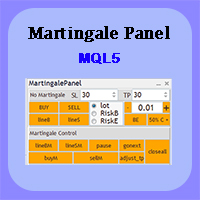
In this article, we would like to introduce the trade panel product with the Martingale panel. This panel is made in such a way that it can meet the needs of traders to a great extent. This trade panel actually consists of two trade panels at the same time, with the first one you can take positions with certain profit and loss limits, and with the second one, you can have positions with profit limits but without loss limits. When positions lose, a new position will be added based on the settings
EA Health Monitor is a free indicator for MetaTrader 5 that shows how each Expert Advisor on your account is doing. It groups the account history by magic number. Every EA gets its own row. Manual trades have a row of their own, and a total sits at the bottom. It only reads the account history and open positions. It never opens, changes or closes a trade. Standalone: Everything is built in. You do not need to buy or install any other product named on this page. Quick start Attach EA Health Monit
FREE
Atlas Trade Desk MT5 Atlas Trade Desk MT5 is a visual trade panel, risk manager and lot calculator for manual MetaTrader 5 traders. Plan market and pending orders directly on the chart, calculate position size from your selected risk, adjust Entry, Stop Loss and Take Profit visually, and manage open positions from one clean dashboard. The tool is built for discretionary traders who want faster order preparation, clearer risk control and safer position management without switching between multipl
Risk Guardian — Ultimate Equity & Drawdown Protection Protect your capital. Stay disciplined. Trade smarter. Risk Guardian is a powerful utility that helps traders automatically control daily risk and secure profits based on equity. Designed for MetaTrader 5, it’s lightweight, efficient, and extremely easy to use. Key Features: Daily Drawdown Limit (% based) Absolute Equity Target (e.g., stop trading after reaching 110,200 USD) Auto-close All Positions, Orders & Charts Visual Dashboard on C
Возьмите под контроль свою торговлю с помощью OGL PositionSizer PRO, лучшего инструмента управления сделками для MetaTrader 5. Разработанная как для профессиональных, так и для начинающих трейдеров, эта панель поможет вам эффективно управлять рисками, позициями и прибылью. Основные функции: Автоматический расчет лотов: Расчет лотов на основе процента риска или фиксированной суммы. Автоматическое пробитие безубыточности всех активных позиций на отображаемом графике. Защита от ожидающих ордер
Indicator Removal Script for MetaTrader 5 (Version 1.4) The Delete  All Indicators Script is a powerful and user-friendly tool designed for MetaTrader 5 (MT5) to instantly remove all indicators from the main chart, sub-windows, or both, with a single click. Developed by Louis MattFX , this script (Version 1.4) simplifies chart management, saving traders time and effort when resetting their workspace for fresh analysis or new trading strategies. Key Features Flexible Removal Options : Choose to c
FREE
Этот маленький инструмент позволяет вам определить счетчик времени в минутах для закрытия ваших позиций в соответствии с количеством минут, которые вы установили. Например, если вы установите значение 30 минут, инструмент закроет каждую открытую позицию через 30 минут после ее открытия. Настройки ACTIVE: активировать инструмент и использовать его для закрытия позиций по истечении определенного количества минут. УПРАВЛЕНИЕ: вы выбираете с помощью символов, управляемых инструментом.
FREE
Product Name MT5 Gold & Silver Multi-Language Trading Panel V17.00 Introduction This is a professional trading panel designed specifically for manual gold and silver traders. It supports five languages: English, Chinese, Spanish, Arabic, and German. The panel automatically detects gold and silver symbols, so users do not need to enter symbol codes manually. It is compatible with most brokers worldwide, including standard accounts, zero spread accounts, and raw spread accounts. Users only need t
Axilgo PipPiper CoPilot
Theory Y Technologies Pty Ltd
5 (2)
Axilgo Pip Piper CoPilot Elevate your trading game with the Axilgo Pip Piper CoPilot, the first in our revolutionary Pip Piper Series. This all-inclusive toolset is meticulously crafted for serious traders, focusing on key areas such as Risk Management, Trade Management, Prop Firm Rule Compliance, and Advanced Account Management . With CoPilot, you’re not just investing in a tool—you’re gaining a strategic partner in the intricate world of trading. Important Notice: To ensure you receive the fu
FREE
Trading Discipline Trend Dashboard считывает только уже закрытую историю сделок вашего собственного счёта и превращает четыре конкретных паттерна в тренд за 7 дней, чтобы вы видели, происходит что-то один раз или повторяется каждую неделю. Инструмент ничего не прогнозирует и не даёт советов. Каждое число на панели - это то, что уже произошло на этом счёте. Как строятся числа: считываются закрытые сделки за последние до 37 дней по всем символам и всем магическим номерам - это картина по всему сч
Exact Time — время на секундном графике. Утилита показывает время открытия выбранной свечи. Это нужно при работе с секундными графиками. Например, можно использовать на секундном графике построенном при помощи утилиты Seconds Chart . Входные параметры Base corner — угол графика, к которому привязан объект. X distance — дистанция от угла графика по горизонтали. Y distance — дистанция от угла графика по вертикали. Text font — название шрифта. Font size — размер шрифта. Color — цвет текста.
FREE
Grid Trading - полуавтоматический советник для торговли по сетке в один клик на хеджевых счетах. Также доступна версия для MetaTrader 4 . *Данный советник предназначен только для счетов с хеджинговой системой учета позиций Обычный режим Вы нажимаете на кнопку Sell или Buy на графике, затем эксперт добавит уровни стоп-лосс, тейк-профит для сделки, а функции трейлинг-стопа и безубытка позаботятся о сделке, если она не сможет достичь цели профита. Хеджирование При выборе торговли с использованием
Orama shows you the whole market at once, and which parts of it move more than usual. Every symbol in your Market Watch, grouped in eight asset classes, as one map on your chart in 2D, 2.5D and free 3D. See which classes lead, which symbols are busier than usual for the time of day, which currencies are strong or weak, and which symbols are already in your book. One click opens the chart. Four views: Market Landscape, Relative Strength Wall, Class Correlation and Currency Strength, each in 2D,
Сессионный Volume Profile с POC, Value Area и отслеживанием naked POC — аукционная карта рынка на вашем графике. • Сессии по любому якорному таймфрейму (по умолчанию — день): для каждой сессии индикатор рассчитывает POC (point of control), VAH/VAL (границы Value Area) и high/low сессии и рисует их как уровни. • Naked POC: непротестированные POC прошлых сессий тянутся вправо, пока цена наконец их не коснётся — магниты, которые рынок помнит. • Живая гистограмма профиля у правого края графика: объё
FREE
Prior Day Breakout is an Expert Advisor for MetaTrader 5 that trades the previous-day high and low breakout on XAUEUR. It uses a fixed 0.01 lot and decides on closed bars. Two presets are included, for H1 and M15. This EA promises no profit. Every result below is a backtest on broker history, not live trading. The tests passed on gold only. Thirty-seven symbols were tested. Quick start Open an XAUEUR chart on H1 or M15 (a prefixed or suffixed name is fine). Attach the EA from the Navigator and k
FREE
ConsistencyGuard
Vanessa Cristina Ribeiro Dos Anjos
Version 7.04 Крупное обновление, направленное на усиление дисциплины внутридневной торговли и защиту торгового счета. • Режим Post-Session Review с настраиваемым временем от 0 до 60 минут. • После завершения разрешенного количества сделок трейдер может оставить MetaTrader 5 открытым для анализа графиков, создания скриншотов и заполнения торгового журнала. • Попытка открыть новую сделку после достижения дневного лимита активирует защиту Emergency Close. • Emergency Close закрывает открытые позици
FREE
Bohemia Gold MT5
Vladislav Taska
4.83 (6)
Bohemia Gold MT5 is  Trend & Volatility EA trading system designed specifically for Gold (XAUUSD) . It combines higher-timeframe trend filtering , trend detection , volatility-based SL management , and advanced trade management to adapt market conditions. It uses style logic focused on trend strength, volatility, and capital protection. NOTE:   Based on backtests, I found better trading results with the following setup: D1/H4/H2 (Trend/ADX/ATR & trade). The SET file can be downloaded here … bohe
FREE
Представляем NAS100 Auto SL и TP Maker для MT5: Никогда больше не пропустите установку StopLoss и TakeProfit с нашим NAS100 Auto SL и TP Maker, незаменимым помощником для трейдеров, работающих на рынке Nasdaq 100 в MetaTrader 5. Этот инструмент предназначен для тех, кто ищет беспроблемное решение для автоматизации управления уровнями StopLoss и TakeProfit. Ключевые особенности: Эффективная автоматизация: Автоматически отслеживает сделки Nasdaq 100 без StopLoss и/или TakeProfit. Динамически ре
FREE
Pluton Trade Panel Pluton Trade Panel — торговая панель для MetaTrader 5, работающая непосредственно на графике и объединяющая планирование сделки, управление риском, исполнение ордеров и сопровождение позиции в одном интерфейсе. Панель предназначена для ручной и полуавтоматической торговли. Она выполняет расчёты и рутинные действия, оставляя все торговые решения за трейдером. Вместо ручного расчёта объёма позиции, проверки риска и маржи, переключения между несколькими окнами терминала и отдельн
CV Guardian Service – Professional MT5 Monitoring & Maintenance System CV Guardian Service is a professional background service for MetaTrader 5 designed for continuous monitoring, diagnostics, and technical maintenance of your MT5 environment. The service runs without a chart in the background and monitors key operational conditions including terminal health, broker connectivity, system resources, execution quality, charts, Strategy Tester resources, and potential technical risks. Features Con
Chart Replay
Abdulkarim Karazon
Этот инструмент позволяет возвращаться в историю на живом графике и повторять её свеча за свечой или заставлять автоматически запускаться с X-скоростью. Инструмент также предоставляет линии TP и SL, которые легко кликать и перемещать; этот инструмент в основном используется для бэктестирования стратегий и изучения поведения рынка. КАК ИСПОЛЬЗОВАТЬ: Переигровка PLAY / PAUSE автоматически воспроизводит такты; слайдер SPEED задаёт темп. < / > шаг первый такт; -100 -10 +10 +100 прыжок; |&lt
Hybrid Assisted Trading Engine Manual Trading. Machine Discipline. The Hybrid Assisted Trading Engine is an institutional-grade manual trade management system designed to protect traders from emotional mistakes — without taking control away from them. You decide when to enter . The engine decides how the trade is managed . What It Does This system continuously monitors your manual trades and enforces professional-level trade management rules in real time: Smart Breakeven logic R-based trai
Are you tired of manually calculating lot sizes for your trades? The Target Lot Calculator is an MQL5 tool that instantly computes and displays the optimal lot size based on your desired profit/loss amount and the price range measured with a crosshair. This tool will make your trading more intuitive and efficient. Key Features Intuitive Operation : Simply move the crosshair to see the optimal lot size for the current price range in real-time. Dynamic Lot Calculation : The tool automatically cal
Hello, This is an easy symbol change panel. This is a full version of Symbol1 2Changer Symbols must be active on your Market Watch list. Parameters: SymbolList - you can add more symbols with a comma(,) ratio - change the size LineNumber - you can set that how many symbols are displayed per line. button_width - modify the button size button_height - modify the button size Thank you.
MT5 History Checker Can you trust the historical data behind your MT5 backtest? MT5 History Checker is a diagnostic utility designed to identify missing periods and coverage problems in the historical data supplied by your MetaTrader 5 broker. Select the symbol and date range you want to examine and run the checker. The utility analyses the available history and provides a clear PASS, WARNING or FAIL result. What it checks Historical tick-hour coverage M1 historical-data coverage Missing periods
FREE
VENIQOR Smart Trade Copier PRO is more than a simple MT5 trade copier. It combines fast local trade synchronization with flexible risk management, Account Protection and optional News Protection for every Receiver account. As with our other VENIQOR products, we welcome useful customer feedback and are happy to implement meaningful improvements and new features whenever possible. The same EA works as both Master and Receiver . One Master can copy trades to multiple Receivers running on the same
Blahtech VWAP - Volume Weighted Average Price (VWAP) is the ratio of price to total volume. It provides an average price over a specified time interval.  Links [  Install  |  Update  |  Documentation   ] Feature Highlights Configurable VWAP Line Sessions, intervals, anchored or continuous Previous day settlement line Standard Deviation bands Alerts at bar close or real time Automatic Broker or Tick volumes Significantly reduced CPU usage Input Parameters Expert Advisor Mode  - Reserved for iCu
FREE
Did you know that buying EURUSD, buying GBPUSD, and selling USDJPY is NOT three separate trades? In reality, it is a single, concentrated 3x leveraged short bet on the US Dollar. When unexpected US inflation data drops or the Federal Reserve issues a surprise statement, all three positions get stopped out simultaneously. What felt like a diversified portfolio turns into a catastrophic 3x multiplied loss that breaches prop firm daily drawdown limits in minutes. The Portfolio Correlation Risk Engi
Telegram Notify MT5 Telegram Notify MT5 is an utility tool to bridge your MetaTrader 5 activities to your Telegram chat/channel. It is useful for monitoring your MetaTrader 5 account by sending a notification to your particular Telegram chat/channel when someone/EA is placing trades, modifying order's TP/SL, closing trades and etc. This EA does not place any trade for your account. This EA also could be a convenient tool for monitoring other's EA trading activities or a tool for publishing your
С этим продуктом покупают
Trade Assistant MT5
Evgeniy Kravchenko
4.43 (216)
Помогает рассчитать риск на сделку, простая установка нового ордера с помощью линий, управление ордерами с функциями частичного закрытия, 7 типов трейлинг-стопа и другие полезные функции. Дополнительные материалы и инструкции Инструкция по установке - Инструкция к приложению Функция Линии   - отображает на графике линию открытия, стоп-лосс, тейк-профит. С помощью этой функции легко установить новый ордер и увидеть его дополнительные характеристики перед открытием. Управление риском   -   функ
Добро пожаловать в Trade Manager EA — лучший инструмент для управления рисками, предназначенный для упрощения, точности и эффективности торговли. Это не просто инструмент для размещения ордеров; это комплексное решение для удобного планирования торгов, управления позициями и усиленного контроля над рисками. Независимо от того, начинающий вы трейдер, опытный специалист или скальпер, нуждающийся в быстром исполнении, Trade Manager EA адаптируется к вашим потребностям и работает с любыми активами:
Farmed Hedge Yield Farming | All Markets (Manual - Hybrid - Semi/Automated EA) VERIFIED TRADING RESULTS - Farmed Hedge Yield Axi Copy:  https://www.mql5.com/en/signals/2356376 - Farmed Hedge Yield Exn Copy:   https://www.mql5.com/en/signals/2356404 - Farmed Hedge Yield V Copy:  https://www.mql5.com/en/signals/2357156 IMPORTANT NOTICE: FarmedHedge is a MANUAL-FOCUSED TRADING UTILITY ,not a fully automated EA. Results shown on this Signal include manual trades and overall strategic management.
Telegram to MT5 Multi-Channel Copier   автоматически копирует торговые сигналы из ваших Telegram- и Discord -каналов прямо в MetaTrader 5. Без ботов, без браузерных расширений, без ручного копирования. Сигнал приходит в Telegram или Discord — и советник открывает сделку в вашем терминале за считанные секунды. А перед тем как копировать канал, встроенный бэктестер покажет, что этот канал сделал бы на вашем счёте. Продукт состоит из двух компонентов: приложения для Windows, которое слушает ваши Te
Копируйте сигналы из Telegram по своим торговым правилам Telegram to MT5 Signal Trader автоматически копирует текстовые торговые сигналы из открытых и закрытых каналов и групп Telegram в MetaTrader 5. Управляйте несколькими поставщиками сигналов и счетами MT5 из одного приложения для компьютера, задавая индивидуальные параметры риска и торговли для каждого поставщика . Для копирования не нужны бот Telegram и настройка API. Просто войдите в свой аккаунт Telegram по номеру телефона или QR-коду и в
TradePanel MT5
Alfiya Fazylova
4.88 (170)
Trade Panel — это многофункциональный торговый помощник. Приложение содержит более 50 торговых функций для ручной торговли и позволяет автоматизировать большинство торговых операций. Инструкция к приложению: https://www.mql5.com/ru/blogs/post/756476 Пробная версия приложения для демо-счета: https://www.mql5.com/ru/blogs/post/750864 Как установить приложение: https://www.mql5.com/ru/blogs/post/750096 Как тестировать приложение в визуальном режиме: https://www.mql5.com/ru/blogs/post/770274 Как уст
================================================================================ POC BREAKOUT - V20.72. Full Professional Grade Toolkit ================================================================================ POC Breakout is a full MetaTrader 5 trading dashboard for discretionary traders who want breakout signals, Point of Control (POC) context, volume profiles, order flow, market structure, news, alerts, and advanced trade planning in one professional workspace. Attached directly to you
MT5 to Telegram Signal Provider — это простой в использовании полностью настраиваемый инструмент, который позволяет отправлять определённые сигналы в чат, канал или группу Telegram, превращая вашу учётную запись в провайдера сигналов . В отличие от большинства конкурирующих продуктов, он не использует импорт DLL. [ Демо ]   [ Руководство ] [ Версия MT4 ] [ Версия для Discord ] [ Канал в Telegram ]  New: [ Telegram To MT5 ] Настройка Доступно пошаговое руководство пользователя . Никаких знаний A
REVDEN AI Desk: ведите свою торговлю в одном разговоре с собственным ИИ на рыночном контексте REVDEN Представьте, что вся ваша торговля ведётся в одном разговоре. REVDEN AI Desk переносит это в MetaTrader 5: вы спрашиваете собственный ИИ, как он читает рынок, и он отвечает на основе полного контекста REVDEN по символам, которыми вы торгуете, с их состоянием, картиной риска и предстоящими релизами. Его предложения приходят с входом, стопом, целью и риском, и вы одобряете те, что вам подходят. Ваш
News Trade EA MT5
Konstantin Kulikov
4.55 (11)
Представляю полезного робота, которым пользуюсь сам уже несколько лет. Может использоваться как в полуавтоматическом, так и в полностью автоматическом режиме. >>> Chat <<< Программа содержит гибкие настройки торговли на новостях экономического календаря. В тестере стратегий проверить нельзя. Только реальная работа. Скачайте последний архив настроек: https://www.mql5.com/en/blogs/post/747929 Мониторинг сигналов: https://www.mql5.com/ru/signals/author/test-standart При создании своих собственных
RETAILBERG FOOTPRINT CHART PRO — Order-Flow Workspace for MetaTrader 5 Version 7.00  |  Professional System  |  31 tools  |  One chart A full 150-page illustrated User Manual is included. Please read the full manual to understand this feature packed footprint chart elements and ui. https://www.mql5.com/en/blogs/post/777982 DEMO / STRATEGY TESTER — PLEASE READ FIRST
The Patch
Mian Rameez Ali
The Patch It never opens a trade. It walks behind the ones that did. Every open position, every pending order — checked twice a second for the one thing that's easy to forget: a stop, a target. Found bare, it doesn't ask. It writes the missing number in, measured in points from wherever the position began, and moves on to the next. No strategy, no opinion on direction. Just the quiet assumption that nothing should ever sit on the market unprotected — not because someone decided it shouldn't,
Следующее обновление — версия 2.52 уже скоро! [НОВОЕ] Приготовьтесь к 4 новым важным функциям, призванным улучшить ваш анализ рынка и торговый процесс. Мы выводим анализ рынка на новый уровень с помощью 4 новых функций, разработанных с учётом ваших потребностей в трейдинге. Представляем: 1. TRADE OVERVIEW DASHBOARD 2. CONFLUENCE AT ZONE 3. STRONG & WEAK HIGH/LOW 4. OTE 1. TRADE OVERVIEW DASHBOARD Панель, которая помогает легче понимать общую картину рынка, предоставляя рекомендации для поддержк
Grid Manual MT5
Alfiya Fazylova
4.73 (22)
Grid Manual — это торговая панель для работы с сеточными стратегиями. Утилита универсальная, имеет гибкие настройки и понятный интерфейс. Работает с сеткой ордеров не только в сторону усреднения убытков, но и в сторону наращивания прибыли. Трейдеру не нужно создавать и сопровождать сетку ордеров, это сделает утилита. Достаточно открыть ордер и Grid manual автоматически создаст ему сетку ордеров и будет сопровождать его до самого закрытия. Полная инструкция и демо-версия здесь . Основные особенно
Anchor Trade Manager
Kalinskie Gilliam
5 (8)
Your EAs cannot see each other, but Anchor can. Anchor gives you one place to coordinate your EAs, manage risk, and decide when trading is allowed. It works alongside the trading bots you already use without any changes to them. The Problem One EA opens a trade. Then another starts trading. The next thing you know, you wake up to multiple grids built across your account. Each EA may be doing exactly what it was designed to do, but together they can place far more risk on your account than you in
EA Portfolio Control & Cloud Monitoring for MetaTrader 5 Your EAs manage trades. KONTROL_01 manages your EAs. A control system for traders running multiple Expert Advisors on the same account. Coordinate EA activity, manage trading risks and monitor your setup remotely. A detailed User Manual is available via DM after purchase. IN PRACTICE Multiple EAs. No coordination. Your EAs trade independently, unaware of each other's activity. KONTROL_01 coordinates them, limits simultaneous activity a
The product will copy all telegram signal to MT5 ( which you are member) , also it can work as remote copier.  Easy to set up, copy order instant, can work with almost signal formats, image signal,  s upport to translate other language to English Work with all type of channel or group, even channel have "Restrict Saving Content", work with  multi channel, multi MT5 Work as remote copier: with signal have ticket number, it will copy exactly via ticket number. Support to backtest signal. How to s
Floor Watch
Syed Tauqeer Hussain Shah
Floor Watch One number, watched every thirty seconds: how far equity has fallen since the day began — or since its highest point, if it's told to trail the peak instead of the open. Cross the line and it doesn't argue. Every open position closes, every pending order vanishes, and anything that slips through afterward gets shut the moment it appears. Not asked. Removed. The floor holds until the clock turns 5 AM Pakistan time — then, and only then, does the day start over. One rule. No except
Power Candles Strategy Scanner — самооптимизирующийся инструмент для поиска настроек по нескольким инструментам Power Candles Strategy Scanner использует тот же самооптимизирующийся движок, что и индикатор Power Candles — для всех символов в вашем Market Watch, одновременно. На одной панели отображается информация о том, какие символы в данный момент являются статистически торгуемыми, какая стратегия выигрывает на каждом из них, оптимальная пара Stop Loss / Take Profit, а также отправляется увед
Trader Evolution
Siarhei Vashchylka
5 (7)
"Trader Evolution" - Утилита, предназначенная для трейдеров, которые используют в своей работе волновой и технический анализ. Одна вкладка утилиты способна управлять капиталом и открывать ордера, а другая - помогать в построении волн Эллиотта, уровней поддержки и сопротивления, а также линий тренда. Инструкция/Мануал ( Обязательно читайте перед приобретением ) | Версия для МТ4 Преимущества 1. Торговля в несколько кликов. В панели доступны немедленные и отложенные ордера 2. Управление капиталом
MT5 Professional Copy Trading System (Версия MT5) MT5 Professional Copy Trading System — это промышленный сверхбыстрый LOCAL копировщик сделок , разработанный для профессиональных трейдеров, поставщиков сигналов и институционального управления несколькими счетами. В отличие от типичных розничных или облачных решений, данная система построена на LOCAL-архитектуре, оптимизированной для работы нескольких терминалов в одной среде Windows. Промышленная LOCAL-архитектура LOCAL-дизайн позволяет термин
Trade Manager DaneTrades
Levi Dane Benjamin
4.13 (31)
Trade Manager, который поможет вам быстро входить и выходить из сделок, автоматически рассчитывая риск. Включает функции, которые помогут предотвратить чрезмерную торговлю, торговлю из мести и эмоциональную торговлю. Сделками можно управлять автоматически, а показатели эффективности счета можно визуализировать в виде графика. Эти функции делают эту панель идеальной для всех трейдеров, занимающихся ручной торговлей, и помогают улучшить платформу MetaTrader 5. Многоязычная поддержка. Версия для МТ
Trade Manager DashPlus
Henry Lyubomir Wallace
4.85 (13)
DashPlus – это продвинутое средство для управления торговлей, разработанное для повышения эффективности и результативности торговли на платформе MetaTrader 5. Оно предлагает широкий набор функций, включая расчет рисков, управление ордерами, продвинутые системы сеток, инструменты на основе графиков и аналитику производительности. Основные функции Восстановительная Сетка Внедряет систему усреднения и гибкую сетку для управления сделками в неблагоприятных рыночных условиях. Позволяет стратегически
EA Auditor
Stephen J Martret
5 (6)
EA Auditor is an independent analysis tool for traders evaluating Expert Advisors and trading signals on MetaTrader 5. It audits backtest reports, reviews posted developer signals, and cross-verifies the two against each other to help traders assess strategies before committing capital. The MQL5 market offers a wide range of Expert Advisors from many developers, with varying approaches, quality, and transparency. EA Auditor provides a consistent, data-driven framework for reviewing them, answer
YuClusters
Yury Kulikov
4.93 (43)
Внимание: Ознакомиться с работой программы можно с помощью бесплатной версии  YuClusters DEMO . YuClusters это профессиональная система анализа рынка. Для трейдера открываются уникальные возможности анализа потока ордеров, объемов торговли, движения цены используя различные графики, профили, индикаторы, графические объекты. YuClusters оперирует данными на основе ленты сделок или тиковой информации, в зависимости от того, что доступно в котировках финансового инструмента.  YuClusters позволяет с
DrawDown Limiter
Haidar Lionel Haj Ali
5 (23)
DrawDown Limiter v5.0 — Расширенный контроллер защиты торгового счёта DrawDown Limiter v5.0 — это клиентский контроллер защиты торгового счёта, предназначенный для мониторинга вашей торговли и автоматической реакции при достижении настроенных лимитов риска, прибыли, новостей, расписания, ролловера или количества позиций. Он может контролировать ручные сделки, автоматические стратегии, несколько советников, отложенные ордера и открытые позиции с одного отдельного графика. Он может защищать весь т
Master Your Trading Discipline   Stop losing your hard-earned gains to overtrading and emotional decisions. The Discipline Tool is your ultimate trading assistant, ensuring strict risk management in real-time. Key Protection Features: Advanced Drawdown Defense : Automatically halts trading if your daily drawdown exceeds a preset threshold (percentage or dollar amount). Real-Time Equity Lock : Safeguard profits by referencing peak equity, ensuring drawdown stays within control. Hard Profit Target
Dealer's Panel No signal decides anything here — a hand does. One click, and the panel calculates what's underneath: lot size from risk, target from a 30-step balance ladder that remembers exactly how far an account has climbed. Toggle between market and pending without touching an input field. Set a stop, and the take-profit can write itself — a fixed share of the balance, translated into price with no arithmetic left for the trader to get wrong. One trade live at a time; it won't let a seco
Нужна поддержка? Как настроить? Есть вопросы? Спрашивайте здесь на своём языке, быстрый ответ: https://www.mql5.com/en/market/product/139088/comments Скачать рабочую демо-версию Copy Cat More (Копи Кэт Мор) — копировщик сделок (Trade Copier) MT5 — это локальный копировщик сделок и полноценная система управления рисками и исполнения, созданная для современных торговых задач. От челленджей проп-фирм (prop firm) до управления личным портфелем — он адаптируется к любой ситуации благодаря сочетанию
Trade Indicator Assistant   is a powerful MT5 utility designed to turn indicators into automated trading systems. Its main feature is the ability to automatically detect an indicator’s   BUY and SELL signal buffers , without requiring you to know the buffer numbers, search through indicator settings, or modify the indicator source code. Bonus Indicator:   After purchasing Trade Indicator Assistant, contact me to receive   Trade Signal Pro   completely free as a bonus indicator. [Download Demo V
Другие продукты этого автора
See the Dow Theory direction of six timeframes in one panel. DowgatorPro2 judges the current trend direction (up or down) automatically by Dow Theory, using closed bars only. It carries over the features of the earlier e-DowgatorPro and puts first that even a beginner can read the direction without confusion. The direction of six timeframes (M1 to D1) is shown on the panel in color. Features Check direction mismatch: see on the panel whether your chart's timeframe agrees with the higher timefram
The levels of higher timeframes, on the chart you are watching. LineTraderPro2 finds swing highs and lows with Dow Theory rules and draws horizontal lines at the levels the market watches, for any of 20 timeframes from M1 to W1. Each line is labeled with its timeframe (H1, D1 and so on) and the date of the swing, so you can see at a glance which timeframe a level belongs to without switching charts. What you see on the chart Horizontal lines: the swing highs above the price and the swing lows be
See the market's fear level on the chart you trade. VixChecker shows the VIX (the volatility index often called the fear index) in a sub-window as one bar per day, colored by level: normal (blue), caution (yellow, 20 or above by default) and fear (red, 30 or above). The current value, the change from the previous close and the time of the value are shown in a small panel, and the value can also be shown on the main chart. Where the VIX values come from (please read before buying) The indicator d
Round numbers on your chart, and a notice when the price gets close. RoundNumberAlert draws horizontal lines at round numbers (150.000, 150.500 ...) and watches them for you. When the price enters the touch range, only that line blinks and you get one notification. Major round numbers stand out in gold, and a small panel shows how many pips are left to the next round number above and below. Features Round-number lines: the step starts at 10 pips (for example 50 pips: 150.000, 150.500 ...). Major
Entry signals as finger marks: yellow for trend-following, pink for counter-trend. SignRAMB combines RSI, ATR, MACD, a moving average, Dow theory and the candles, and marks the places where the price may turn up or down, based on past chart patterns. A finger pointing up is a buy, pointing down is a sell. Signals are decided on closed bars and never repaint. Signals are not always right. Use them as one indicator, together with your own reading of the chart. They are meant for the move right aft
Which currency is strong right now — in one panel. CurrencyStrength takes the RSI of the 28 pairs of USD, EUR, JPY, GBP, AUD, CHF, CAD and NZD, turns it into a score from −100 to +100 for each currency, and shows them as bars, strongest first. Features Strength ranking: strong currencies in green, weak ones in red, scored from −100 to +100. Automatic symbol detection: the pairs are found from each symbol's base and profit currency, so suffixes and prefixes (EURUSD#, EURUSD.pro, m.EURUSD, EURUSDm
Trendlines drawn for you — and a good shape kept as your basis. TrendLineSnap finds the swing highs and swing lows on your chart, joins them and draws one high trendline and one low trendline. Triangles, channels, wedges and horizontal levels used in line trading show up as lines. Automatic trendlines are redrawn whenever a new swing forms. When you see a shape you want to trade, save it. The saved line does not move. When the price comes near it again, show the saved line next to the current li
Where is the price inside the range — in one panel. BoxRangeSnap looks for price zones where the highs and lows touched the same top and bottom again and again, and draws them as a big box and a small box. The panel keeps showing the distance from the price to the top and bottom of the current box. Features Automatic range boxes: a big box and a small box, newest first. The current box is highlighted and extends to the last closed bar. Adjustable detection: minimum touches on the top and bottom,
The Dow Theory structure of the chart — in one look. DowTheoryVisual labels every swing high and low as HH, HL, LH or LL and draws a zigzag colored by the trend: blue for an uptrend, red for a downtrend, gray for a range. The panel keeps showing the trend of the current chart and of two higher timeframes side by side. Features HH / HL / LH / LL labels: each swing high and low is compared with the previous one. Trend-colored zigzag: up blue, down red, range gray. The color changes on the bar wher
Key levels on nine timeframes, and an alert the moment the price breaks out. Prices that were stopped again and again are levels many traders watch. BreakerDetectPro finds the zones where swing highs and swing lows gather and draws one level above and one below the price for each timeframe you select, from M1 to MN1. Higher-timeframe levels are drawn on the chart you are looking at. Features Automatic key levels: one level above and one below the price, from swing highs and lows that gather in t
A small, rule-based edge from the Japanese calendar. For traders who want an EA that never averages down, and for GoldHam users looking for a second EA. It trades only on Gotobi mornings with a stop placed with every order, so its trading days and hours rarely overlap with GoldHam, which trades gold every day (use separate accounts). In Japan, the 5th, 10th, 15th, 20th, 25th and the last day of the month are called "Gotobi". Many Japanese importers settle their dollar payments on these days, so
A gold 1-minute basket EA, profit-seeking type. For traders who want to grow a small account. You pick only the multiplier and the lot grows with your balance. It trades heavier than its sister GoldHam Shield and grows faster; if you would rather keep drawdowns shallow, choose Shield instead. GoldHam Blade trades gold on the 1-minute chart. When price moves against the first entry it adds positions in the same direction, and closes all of them together once the basket is back in profit. Blade gr
A gold 1-minute basket EA, steady type. For traders who want shallow drawdowns and a long run. You choose fixed or compounding lots; at multiplier 1.0 fixed, the deepest drawdown over two years was 6%. It enters on the same signals as GoldHam Blade, only lighter, so pick one of the two rather than both. GoldHam Shield uses the same gold 1-minute basket logic as GoldHam Blade, with lighter positions and a cap on the deepest levels. You choose fixed lots or compounding, and a multiplier of 1.0 (re
A gold 1-minute EA, aggressive type, tuned to today's gold market. You choose two things: the multiplier and how far the balance may dip for a while (the accepted drawdown). At start-up the EA works out how many grid levels fit inside that drawdown; with 3.5 and 50 percent it is 17 levels. When price moves against the first entry, it adds positions in the same direction and closes the whole basket together once it is back in profit. How it differs from the other GoldHam EAs Blade and Shield keep
Copy trades between MT4 and MT5 terminals on one computer. CopyHam Inside Sender is the master side of a trade copier. Attach it to the account you want to copy from. It shows a Receiver code (CT-XXXX-XXXX) on its panel. Paste that code into CopyHam Inside Receiver on the other terminals, and they follow every trade of this account. The Sender and the Receivers exchange data through the common data folder of MetaTrader on the same computer. Nothing is sent over the internet, so there is no URL t
Follow a master account from another terminal on the same computer. CopyHam Inside Receiver is the follower side of a trade copier. Paste the Receiver code shown on CopyHam Inside Sender (CT-XXXX-XXXX) into its inputs, and this account opens, modifies and closes the same trades as the master. The data is exchanged through the common data folder of MetaTrader on the same computer. Nothing is sent over the internet. The master may be MT4 or MT5 and may be with a different broker. What is copied Ma
TradeHam Manager is a trade panel for manual traders. You decide when and where to trade. The panel takes care of the lot size, the order and the clean-up. It does not open trades on its own. It has no entry logic and does not promise any profit. Main features Risk-based lot size. Set the risk as a percent of balance, a fixed amount of money or a fixed lot. Drag the stop-loss line on the chart and the lot is recalculated. One-click orders. BUY / SELL buttons place the order with stop loss and ta
SignalHamToEA reads a signal indicator that draws arrows on the chart and places orders exactly as the arrows say. No programming is needed. Enter the indicator name and the buffer numbers that hold the buy and sell arrows, and it runs. The EA has no trading method of its own. Whether it enters is decided by the arrows of the indicator you connect, so you can try as many signal tools as you like. Four ways to read signals Buy/sell buffers (arrows), the basic mode One buffer that turns + / - (tre
See the Dow Theory direction of six timeframes in one panel. DowgatorPro2 judges the current trend direction (up or down) automatically by Dow Theory, using closed bars only. It carries over the features of the earlier e-DowgatorPro and puts first that even a beginner can read the direction without confusion. The direction of six timeframes (M1 to D1) is shown on the panel in color. Features Check direction mismatch: see on the panel whether your chart's timeframe agrees with the higher timefram
The levels of higher timeframes, on the chart you are watching. LineTraderPro2 finds swing highs and lows with Dow Theory rules and draws horizontal lines at the levels the market watches, for any of 20 timeframes from M1 to W1. Each line is labeled with its timeframe (H1, D1 and so on) and the date of the swing, so you can see at a glance which timeframe a level belongs to without switching charts. What you see on the chart Horizontal lines: the swing highs above the price and the swing lows be
Know exactly how long until the next release, and what came out. EconomicStopper shows the time to each economic release as a countdown, lists the upcoming events with their importance, and shows the actual value and the surprise against the forecast after the release. Everything is in one panel on the chart. It reads the economic calendar built into MetaTrader 5, so it needs no DLL and no web requests. How it behaves over time More than 5 minutes before: the timer counts down every second and t
See the market's fear level on the chart you trade. VixChecker shows the VIX (the volatility index often called the fear index) in a sub-window as one bar per day, colored by level: normal (blue), caution (yellow, 20 or above by default) and fear (red, 30 or above). The current value, the change from the previous close and the time of the value are shown in a small panel, and the value can also be shown on the main chart. Where the VIX values come from (please read before buying) The indicator d
Round numbers on your chart, and a notice when the price gets close. RoundNumberAlert draws horizontal lines at round numbers (150.000, 150.500 ...) and watches them for you. When the price enters the touch range, only that line blinks and you get one notification. Major round numbers stand out in gold, and a small panel shows how many pips are left to the next round number above and below. Features Round-number lines: the step starts at 10 pips (for example 50 pips: 150.000, 150.500 ...). Major
Entry signals as finger marks: yellow for trend-following, pink for counter-trend. SignRAMB combines RSI, ATR, MACD, a moving average, Dow theory and the candles, and marks the places where the price may turn up or down, based on past chart patterns. A finger pointing up is a buy, pointing down is a sell. Signals are decided on closed bars and never repaint. Signals are not always right. Use them as one indicator, together with your own reading of the chart. They are meant for the move right aft
Which currency is strong right now — in one panel. CurrencyStrength takes the RSI of the 28 pairs of USD, EUR, JPY, GBP, AUD, CHF, CAD and NZD, turns it into a score from −100 to +100 for each currency, and shows them as bars, strongest first. Features Strength ranking: strong currencies in green, weak ones in red, scored from −100 to +100. Automatic symbol detection: the pairs are found from each symbol's base and profit currency, so suffixes and prefixes (EURUSD#, EURUSD.pro, m.EURUSD, EURUSDm
Trendlines drawn for you — and a good shape kept as your basis. TrendLineSnap finds the swing highs and swing lows on your chart, joins them and draws one high trendline and one low trendline. Triangles, channels, wedges and horizontal levels used in line trading show up as lines. Automatic trendlines are redrawn whenever a new swing forms. When you see a shape you want to trade, save it. The saved line does not move. When the price comes near it again, show the saved line next to the current li
Where is the price inside the range — in one panel. BoxRangeSnap looks for price zones where the highs and lows touched the same top and bottom again and again, and draws them as a big box and a small box. The panel keeps showing the distance from the price to the top and bottom of the current box. Features Automatic range boxes: a big box and a small box, newest first. The current box is highlighted and extends to the last closed bar. Adjustable detection: minimum touches on the top and bottom,
The Dow Theory structure of the chart — in one look. DowTheoryVisual labels every swing high and low as HH, HL, LH or LL and draws a zigzag colored by the trend: blue for an uptrend, red for a downtrend, gray for a range. The panel keeps showing the trend of the current chart and of two higher timeframes side by side. Features HH / HL / LH / LL labels: each swing high and low is compared with the previous one. Trend-colored zigzag: up blue, down red, range gray. The color changes on the bar wher
Key levels on nine timeframes, and an alert the moment the price breaks out. Prices that were stopped again and again are levels many traders watch. BreakerDetectPro finds the zones where swing highs and swing lows gather and draws one level above and one below the price for each timeframe you select, from M1 to MN1. Higher-timeframe levels are drawn on the chart you are looking at. Features Automatic key levels: one level above and one below the price, from swing highs and lows that gather in t
A small, rule-based edge from the Japanese calendar. For traders who want an EA that never averages down, and for GoldHam users looking for a second EA. It trades only on Gotobi mornings with a stop placed with every order, so its trading days and hours rarely overlap with GoldHam, which trades gold every day (use separate accounts). In Japan, the 5th, 10th, 15th, 20th, 25th and the last day of the month are called "Gotobi". Many Japanese importers settle their dollar payments on these days, so
Фильтр:
Нет отзывов
Ответ на отзыв