PivotForge MTF
- Индикаторы
-
Noel Anjao Alube
 Dedicated to developing smart, data-driven trading solutions with a strong focus on performance, risk management, and innovation. Committed to transforming trading ideas into automated strategies.
 - Версия: 1.0
- Активации: 5
PivotForge MTF — The Multi-Method Pivot Suite Serious Traders Have Been Missing
Most pivot indicators give you one formula and call it a day. PivotForge MTF gives you all four professional pivot calculation methods — Standard, Fibonacci, Camarilla, and Woodie — in a single indicator, calculated simultaneously across Daily, Weekly, and Monthly timeframes, with a full alert engine built in. This isn't a redraw of the stock pivot indicator with a new color scheme. It's a complete confluence tool built for traders who use pivot levels as the backbone of their entry, exit, and bias decisions.
Why Multiple Methods Matter
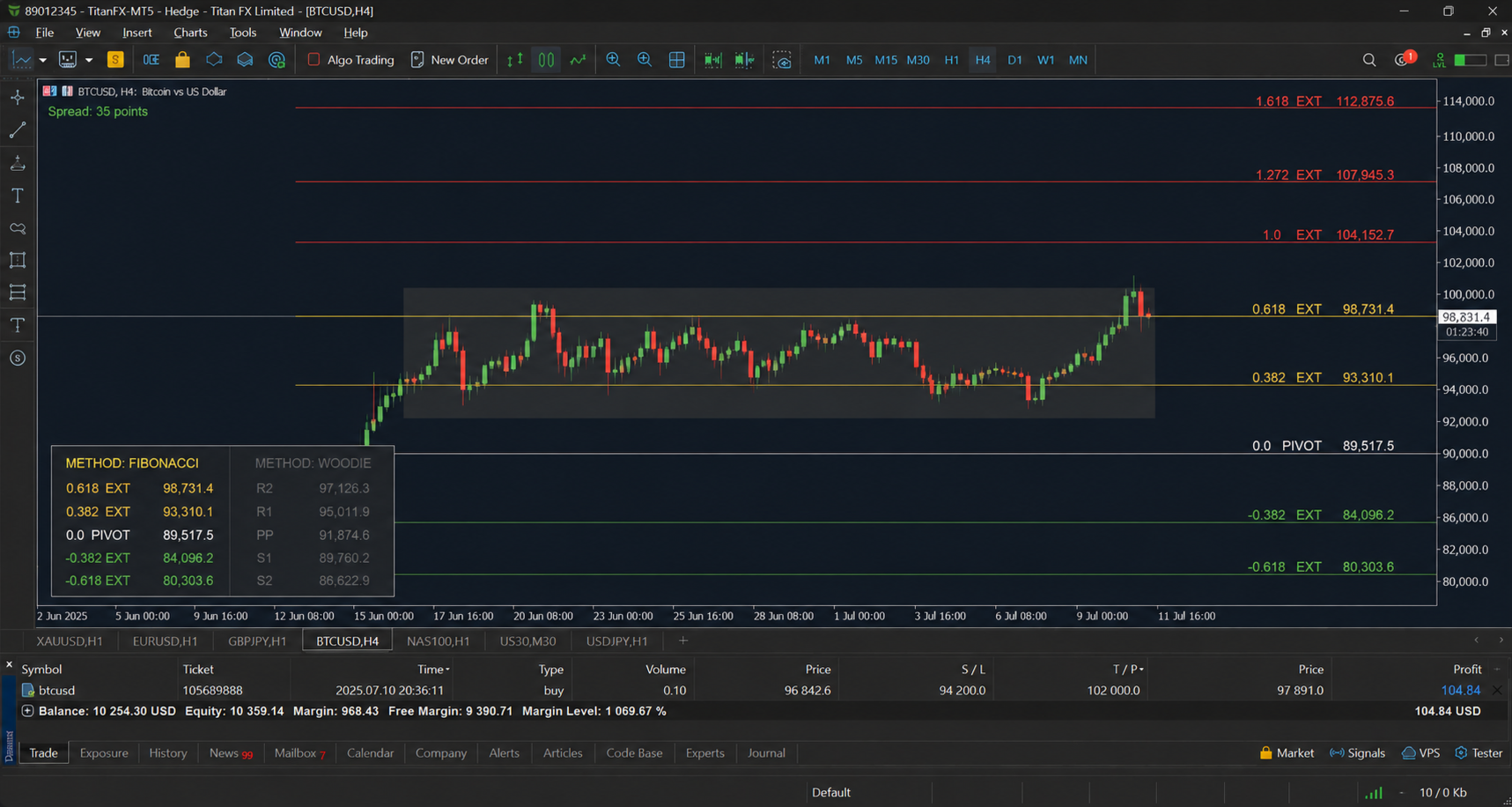
Standard pivots (the classic floor-trader formula) work well in average volatility conditions. Fibonacci pivots use golden-ratio extensions (0.382, 0.618, 1.0, 1.618) and tend to catch reaction points in trending markets that Standard pivots miss. Camarilla pivots use a tighter, compressed formula built specifically for mean-reversion and intraday scalping around R3/R4 and S3/S4. Woodie pivots weight the previous close more heavily, shifting the pivot point closer to recent price action, which many day traders prefer for fast-moving pairs and indices. Instead of running four separate indicators and manually cross-referencing levels, PivotForge MTF calculates all of them from the same engine and lets you switch instantly, or use the levels as confirmation against each other.
Multi-Timeframe by Design
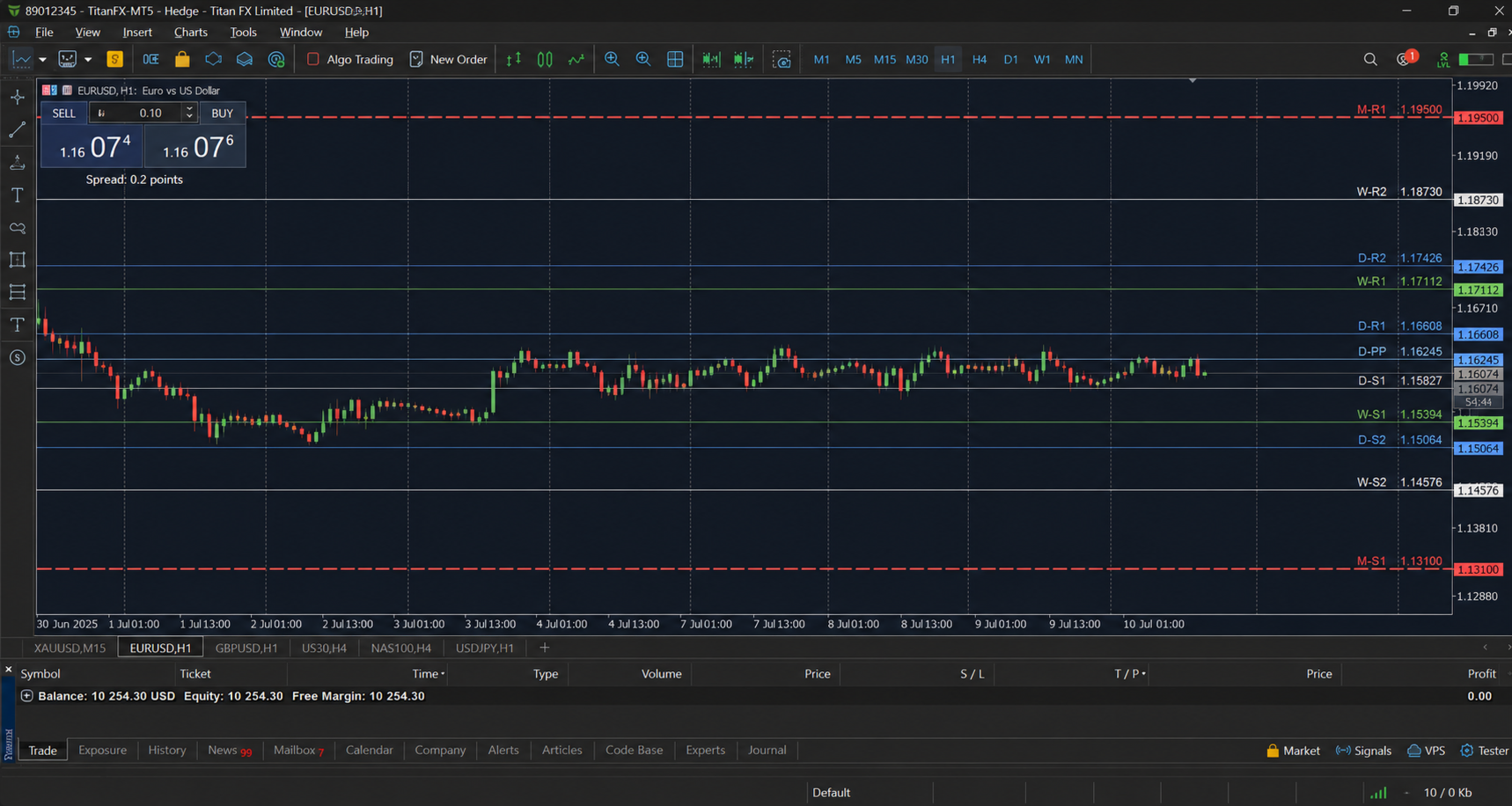
Daily pivots reset every session and are the bread and butter of intraday traders. Weekly pivots hold up as stronger structural levels that often act as the "big picture" support/resistance zone institutional desks watch. Monthly pivots are wide, slow-moving levels ideal for swing traders and position traders looking for macro turning points. PivotForge MTF plots all three simultaneously (each toggle independent), so a scalper working M5 charts can still see exactly where the weekly R1 or monthly pivot sits without switching charts or timeframes.
Full Level Set, Not Just PP/R1/S1
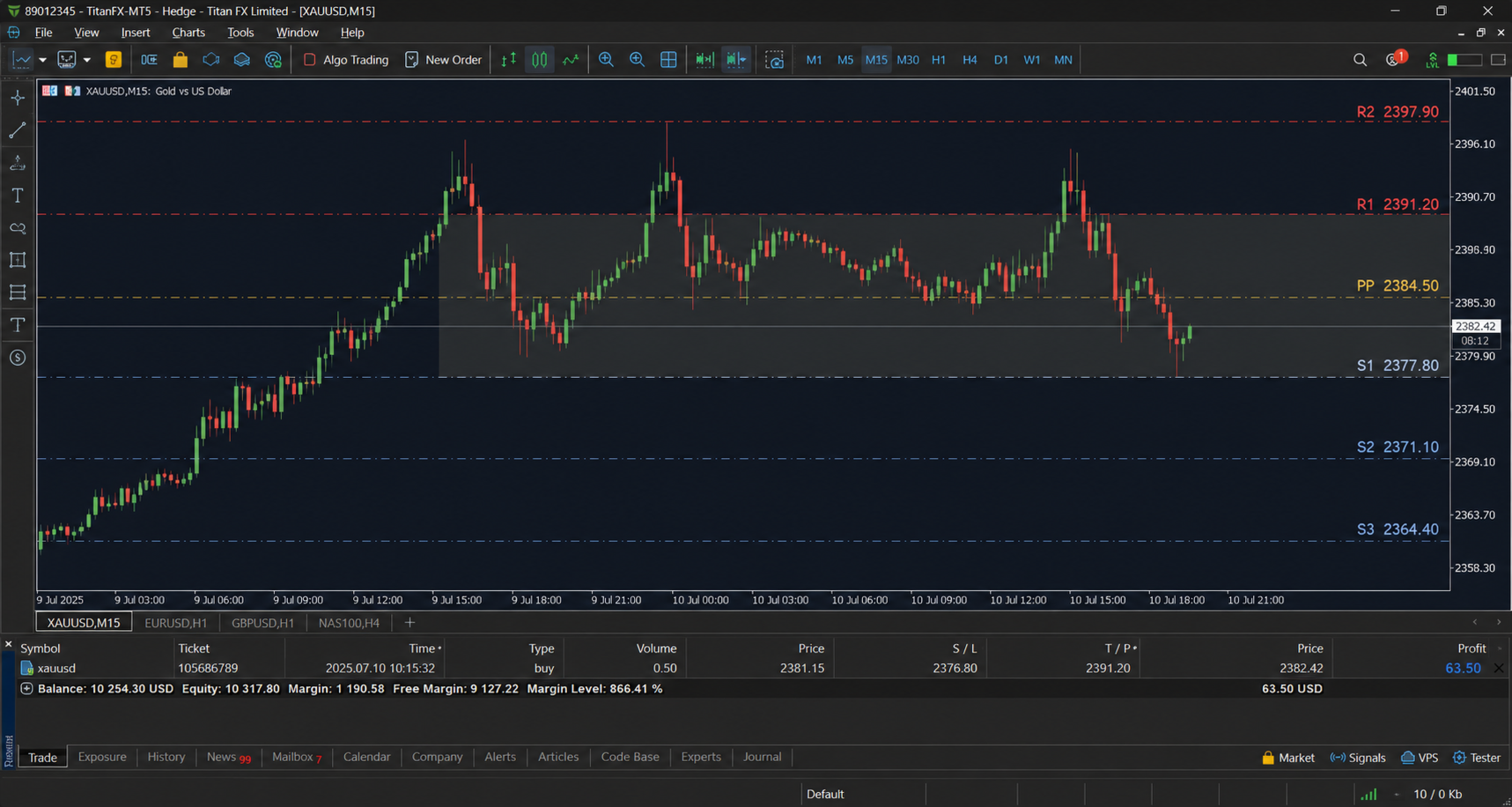
Every pivot set includes the Pivot Point, R1 through R4, S1 through S4 (count adjustable), and two mid-level lines (the "half levels" many traders use as tighter reaction zones between the main levels). Levels are color-coded by role — gold for the pivot, crimson for resistance, blue for support, gray for mid-levels — with live price labels printed directly on the chart so you always know the exact level without hovering.
Current Range Highlight
PivotForge MTF shades the active trading range (between the nearest resistance and support band) directly on the chart, so at a glance you can see whether price is inside, approaching, or breaking out of the current pivot range — without doing any mental math.
Built-In Alert Engine — Never Miss a Level Touch or Breakout Again
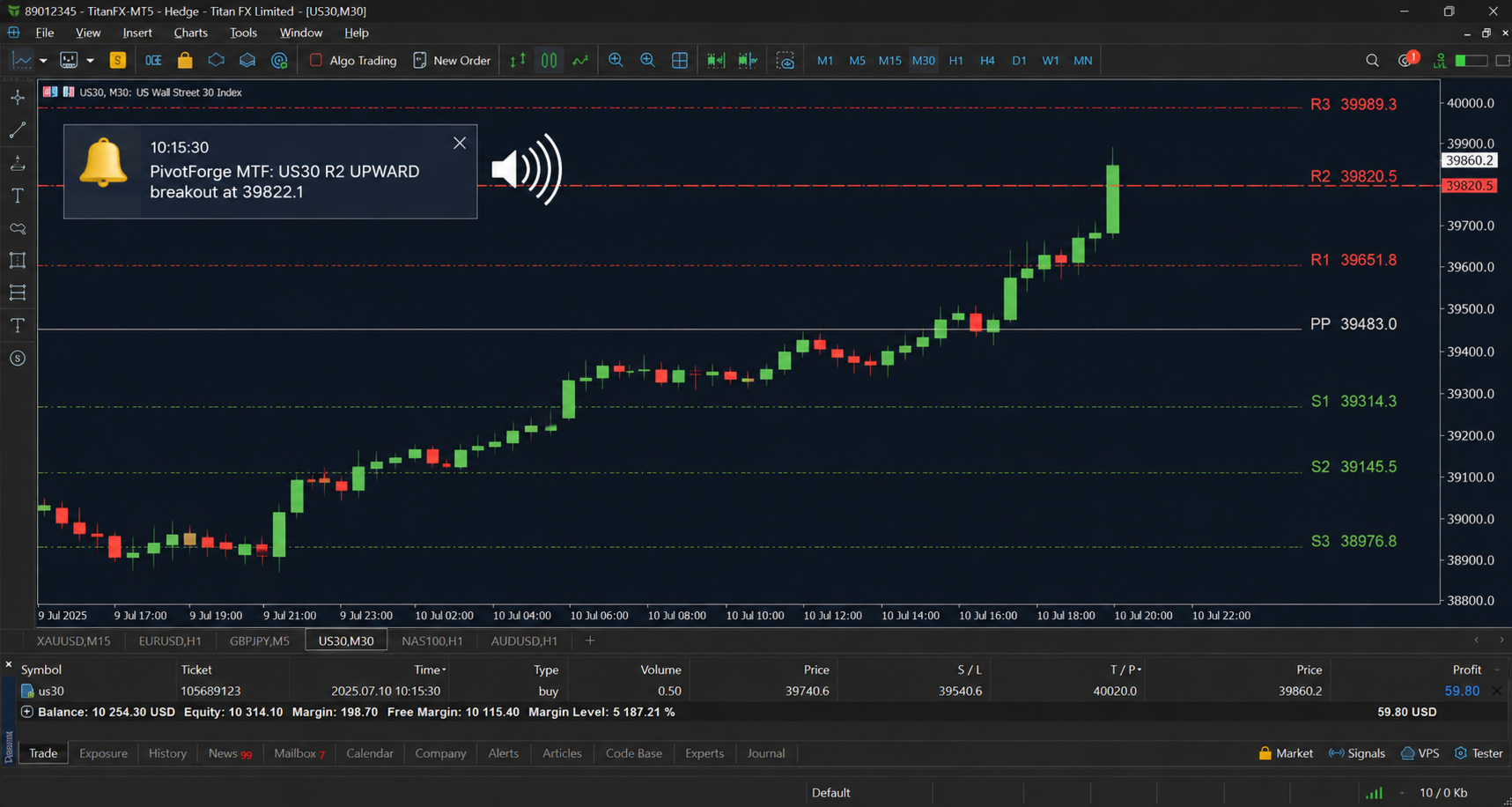
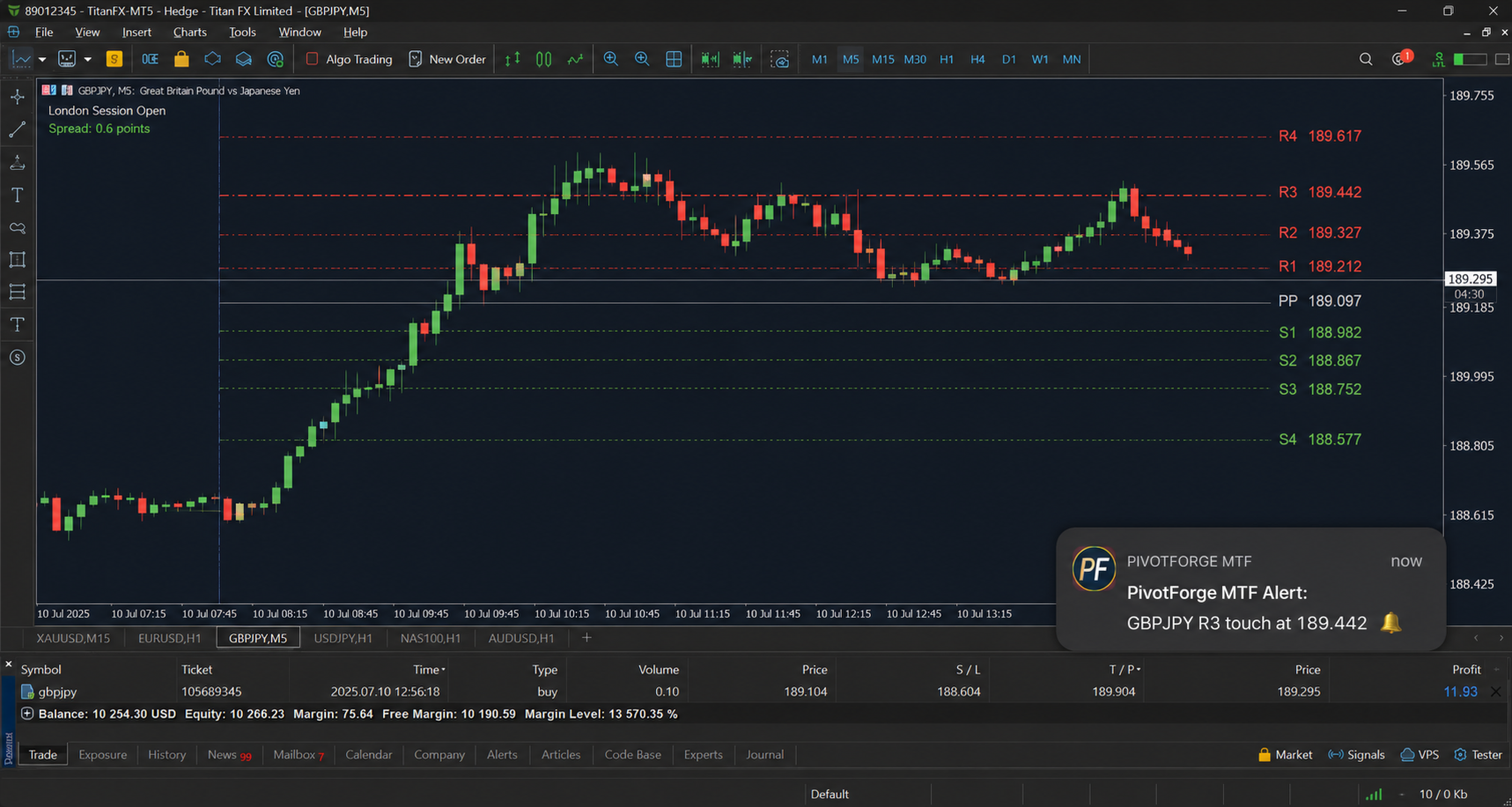
This is where PivotForge MTF earns its keep for traders who can't watch the charts all day. The indicator continuously monitors live price against every plotted level and fires alerts in four channels simultaneously:
- Popup alert inside the terminal
- Push notification straight to your phone via the MetaTrader mobile app
- Email alert (if your terminal's mail settings are configured)
- Sound alert with a customizable .wav file
You choose whether alerts fire on touch (price approaching within your defined pip tolerance), breakout (price crossing and closing on the other side of a level), or both. A configurable cooldown timer per level prevents alert spam when price is chopping right at a level — you get notified once, not fifty times.
Fully Customizable
Line color, style (solid/dash/dot), width, label visibility, line extension into future bars, range highlight color and toggle, touch tolerance in pips, alert cooldown in seconds, and how many R/S levels to display (1 to 4) — all exposed as inputs. No code editing needed to make it fit your exact trading style.
Who This Is For
Day traders who trade session opens off Daily pivots. Swing traders who use Weekly/Monthly levels as macro bias filters. Scalpers who want Camarilla's tight compression around price. Price-action traders who want confluence between multiple pivot methods before taking a trade. Anyone tired of running four indicators to get what PivotForge MTF does in one.
Works On
Any symbol, any timeframe — Forex, Metals (XAUUSD), Indices, Crypto CFDs. Pivot calculations use the underlying higher-timeframe closed bar data, so accuracy is maintained regardless of what chart timeframe you're viewing.