RiskOneMT5panel
- Утилиты
- Версия: 1.2
- Обновлено: 11 июня 2026
- Активации: 5

Professional Risk Control Software Designed Exclusively for Forex Traders
Real-time monitoring of account profit/loss, intelligent stop-loss protection, batch order management – keep every trade under your control.
Feature List (MT4/MT5 compatible, unrestricted functionality):
1. Global P&L Risk Control – Close all at total profit / total loss
2. Symbol-Level Independent Risk Control
3. Supports USD & Cent Accounts
4. Smart Close Profit / Close Loss Operations
5. Trailing Protection (Level 1 & Level 2 Protection)
6. Auto-add Stop Loss & Take Profit for New Orders
7. Real-Time Global Position Statistics
8. Batch Set Stop Loss & Take Profit for Buy/Sell Orders
9. Close All Buy Orders or Close All Sell Orders
10. Close All Positions Across All Symbols
11. Close All Positions for Current Symbol Only
12. Save User Settings
13. Collapsible / Expandable Panel – Does Not Occupy Chart Space
14. Free Upgrades with More Features in Future Releases
Newly Added Features:
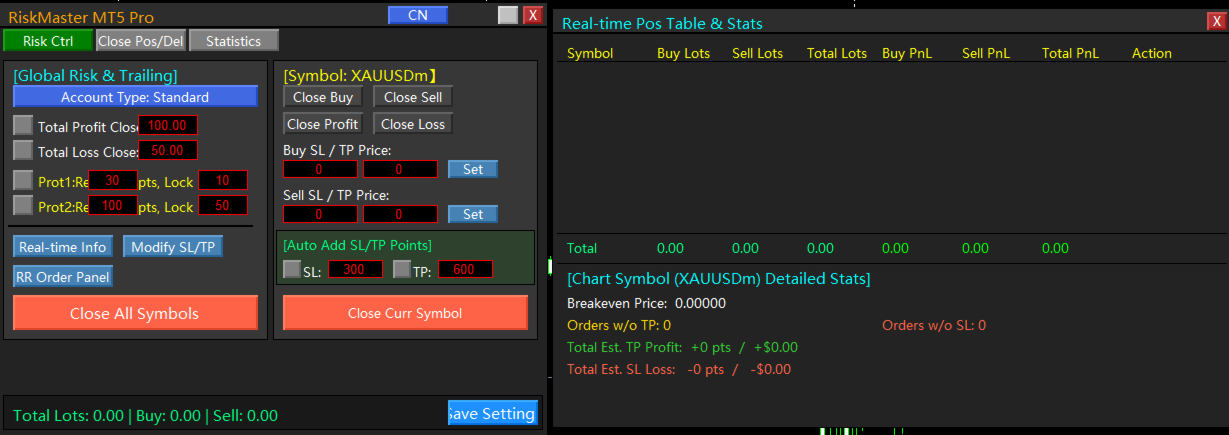
1. Real-Time Info Panel – Displays all current positions, position statistics, profit/loss, and close operations
2. Breakeven Price for Current Symbol – Alerts when price reaches breakeven level
3. Count of Orders Without TP / Without SL for Current Symbol
4. Estimated Loss (Points & Amount) if Stop Loss Triggers
5. Estimated Profit (Points & Amount) if Take Profit Triggers
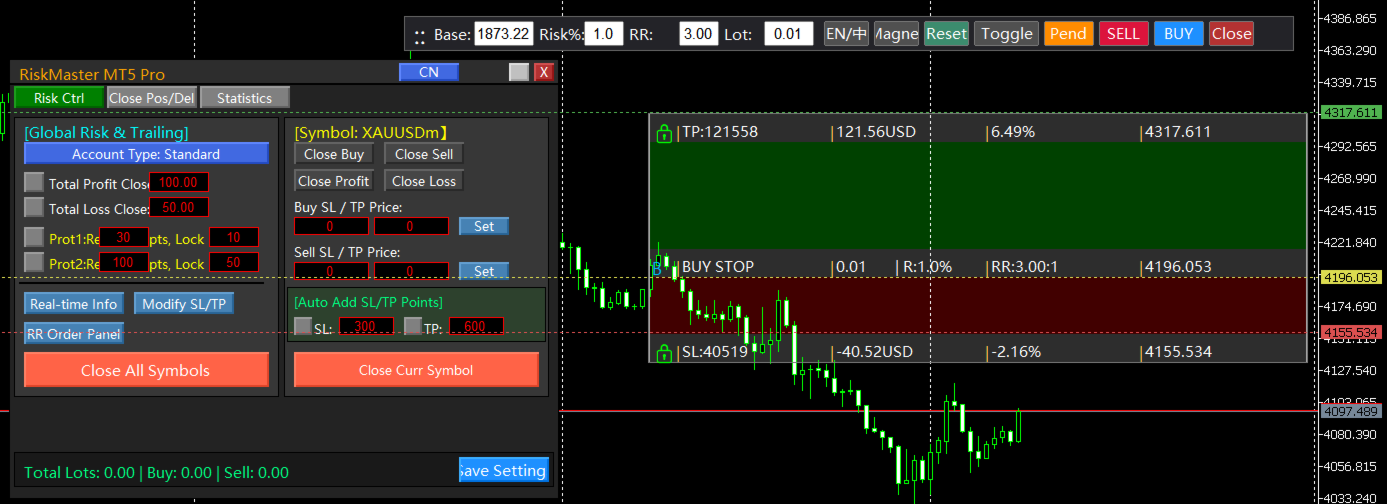
6. Risk-to-Reward (RR) Order Entry – Adjustable RR toolbar and panel for placing market & pending orders – WYSIWYG with real-time position size, risk, and RR calculation. Know your risk before entering.
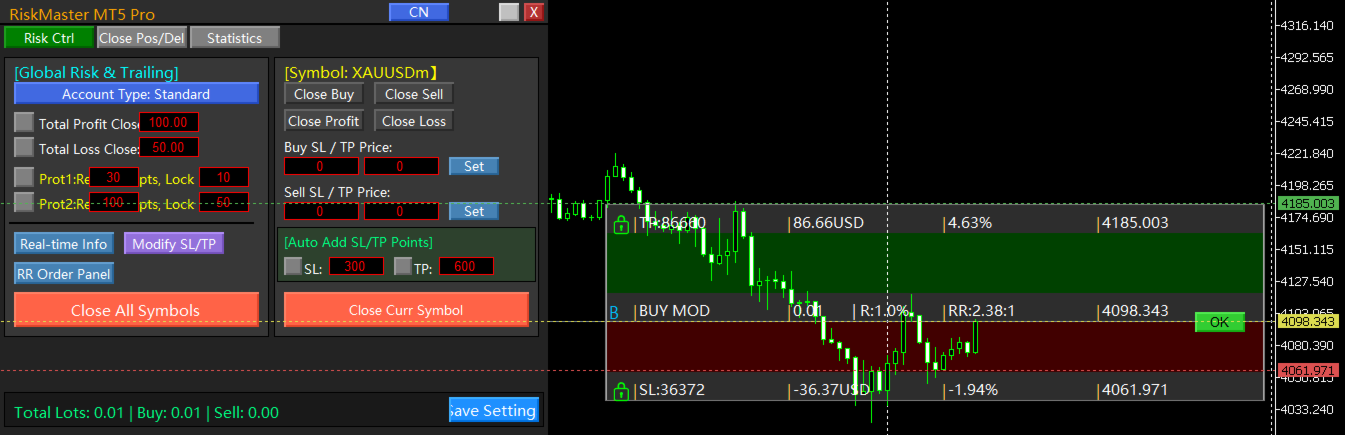
7. Modify SL/TP on Existing Positions – Also WYSIWYG. Drag directly on position price line to open SL/TP panel; position, risk, and RR shown clearly. Click OK to modify. If original position had no SL/TP, easily add them.
8. Batch Close Positions & Pending Orders – Per current symbol or globally. Full control over your trade risk. Supports partial close by position size ratio, number of orders, or keep a base number of orders. Preserve profits while letting profits run.
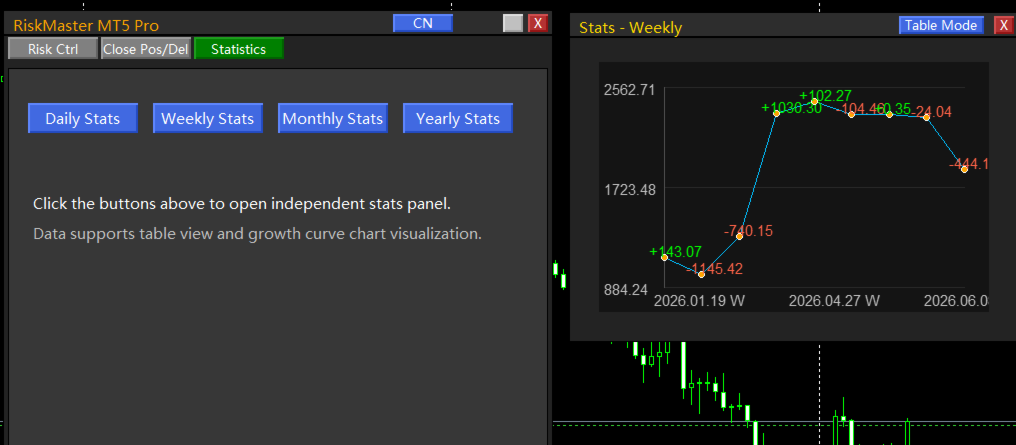
9. Historical Trade Statistics – Data grouped by day, week, month, or year. Display as table or switch to curve chart.
How to Use:
Drag the EA onto a K-line chart and enable Algorithmic Trading. No configuration parameters required.