GRGEsystem
- Experts
- Versão: 1.14
- Ativações: 5

made in japan🇯🇵
“An EA that adapts to ever-changing markets and continues to evolve.”
This system was not originally intended for sale. However, we have decided to offer a limited number of licenses to fund further research and trading operations.
Once this limited license sale ends, the system will never be offered for sale again.
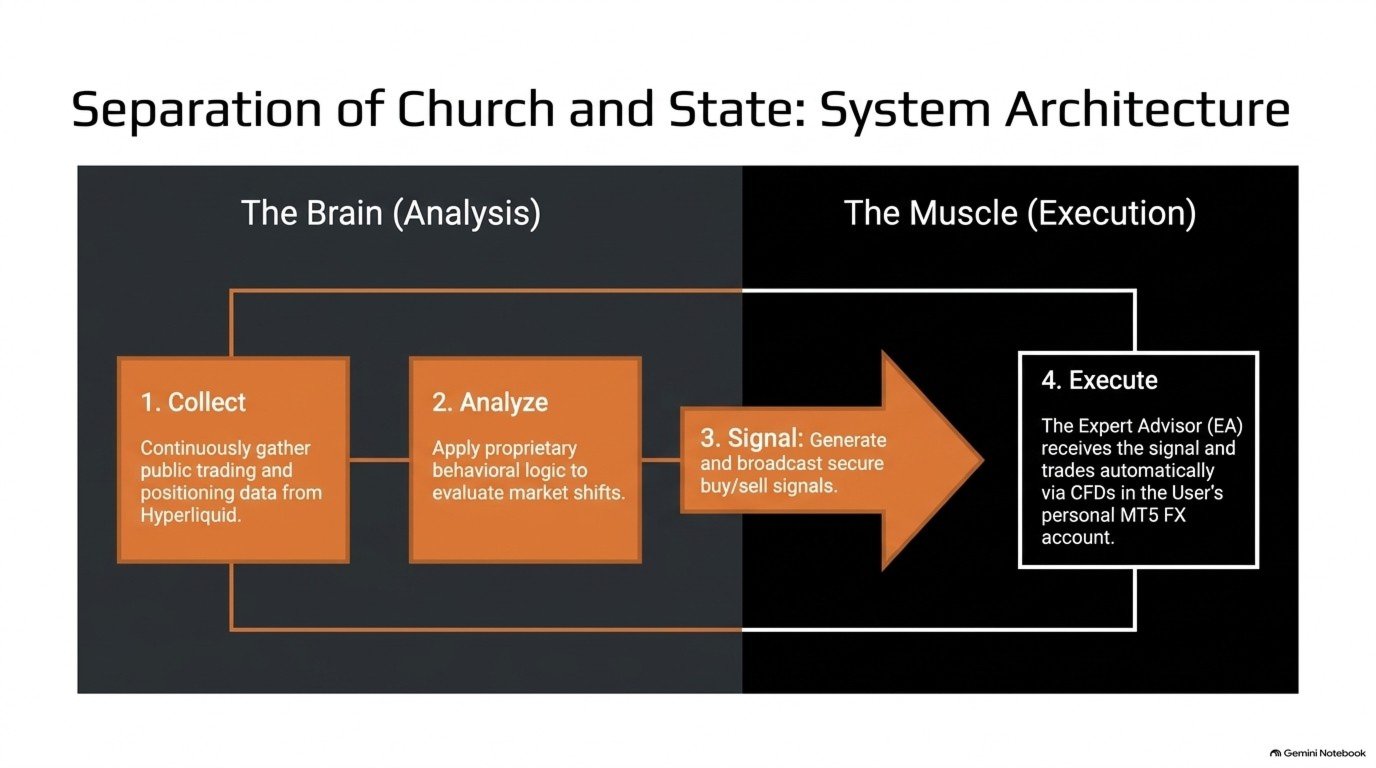
GR-GE SYSTEM analyzes publicly available blockchain trading activity and changes in positions, then executes trades automatically in the user’s own MT5 account.
How are multiple market participants positioning themselves, and how are those positions changing? The system analyzes their behavior using a proprietary approach and identifies trading opportunities based on predefined conditions.
The entire process is automated—from data collection and analysis to signal delivery, order execution, and position closing. Users do not need to continuously monitor public information or manually place each trade.
■ Limited to 100 Lifetime Licenses
GR-GE SYSTEM lifetime licenses are limited to a total of 100.
Once all 100 licenses have been sold, no additional lifetime licenses for this product will be offered.
The price will increase in stages after every 10 licenses sold. The price at each stage and the number of licenses remaining before the next price increase will be displayed on the product page.
If the price increases after your purchase, you will not be charged the difference for a license you already own.
■ Analyzing Market Participants’ Behavior
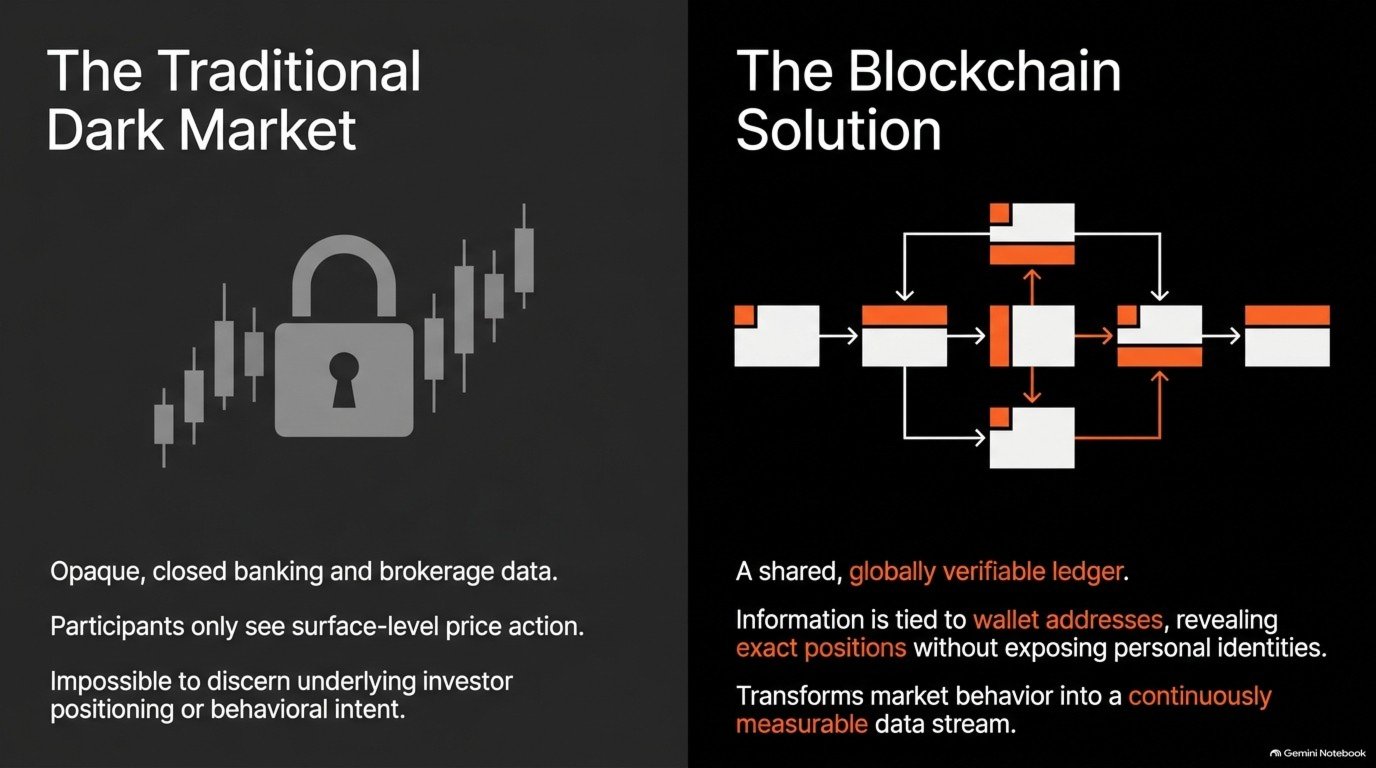
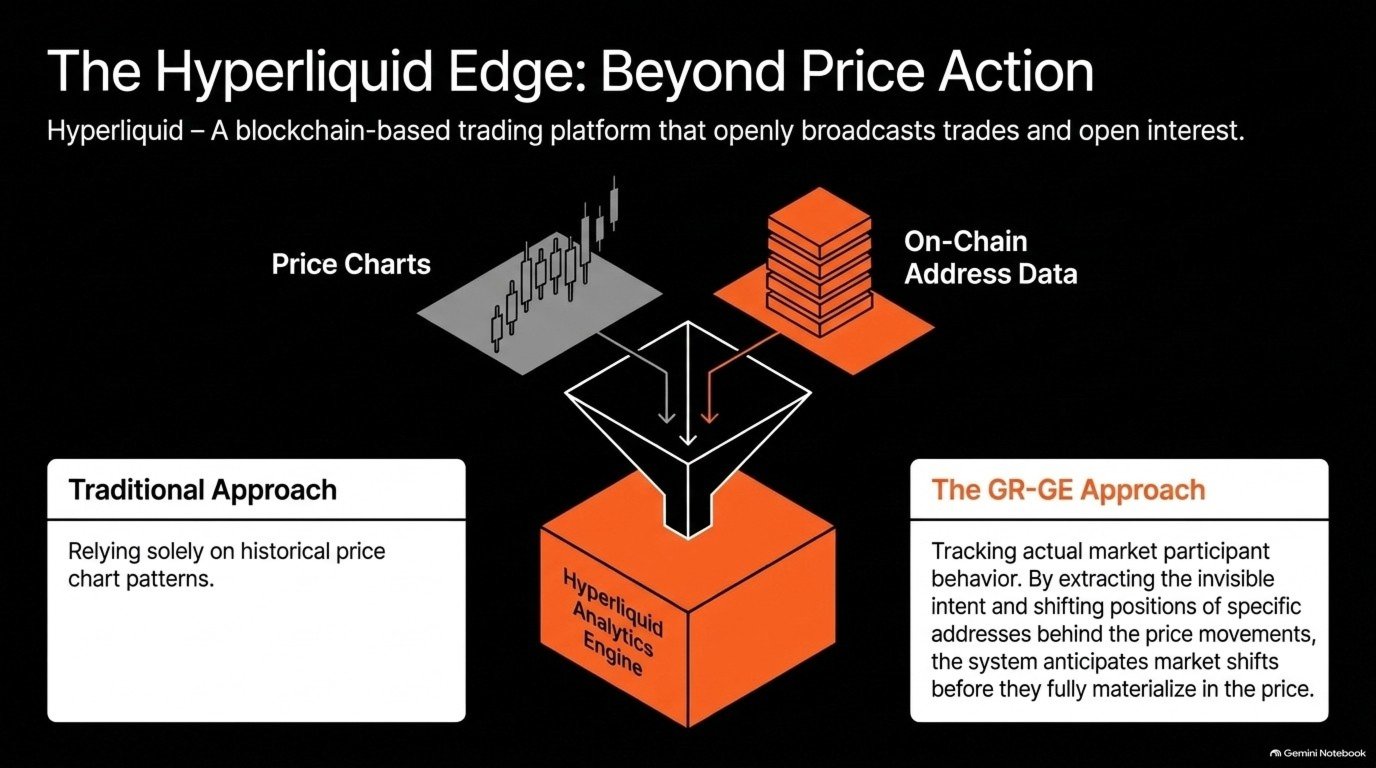
In addition to the price movements visible on charts, the system focuses on the trading behavior of the market participants behind those movements.
The analysis uses publicly available trade and position data from Hyperliquid. By combining information from multiple participants, the system continuously evaluates changes in trading behavior.
It analyzes activity observable through public data and generates trading signals when its proprietary conditions are met.
The selection criteria for the participants being analyzed and the specific signal conditions are proprietary and are not disclosed.
■ An Analytical Approach Developed Through Testing
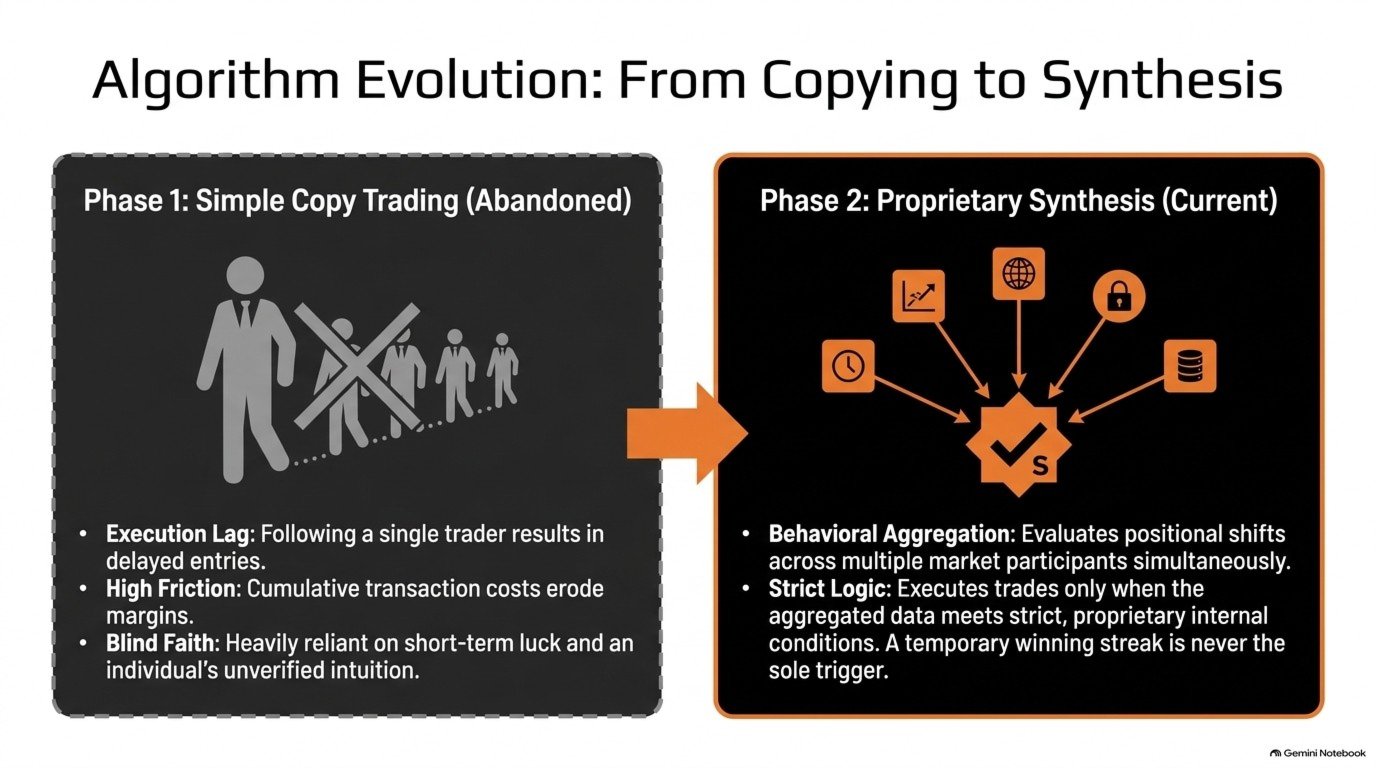
Development began by testing an approach that followed the trades of individual traders.
This revealed several challenges: delays in following trades, trading costs, and the difficulty of understanding the intention behind each trade.
Through this testing, the system evolved into its current approach, combining public information from multiple market participants and making trading decisions based on proprietary conditions.
The system is designed to analyze changes in trading behavior without relying solely on short-term strong performance.
■ Automation from Analysis to Execution
An external analysis system works together with the EA running on MT5.
1. Collect publicly available trade and position data.
2. Analyze the data using proprietary logic and evaluate trading conditions.
3. Deliver trading signals to the EA.
4. The EA checks the account settings and order requirements before executing trades.
Although the analysis uses data from Hyperliquid, actual trades are executed in the user’s own supported MT5 account.
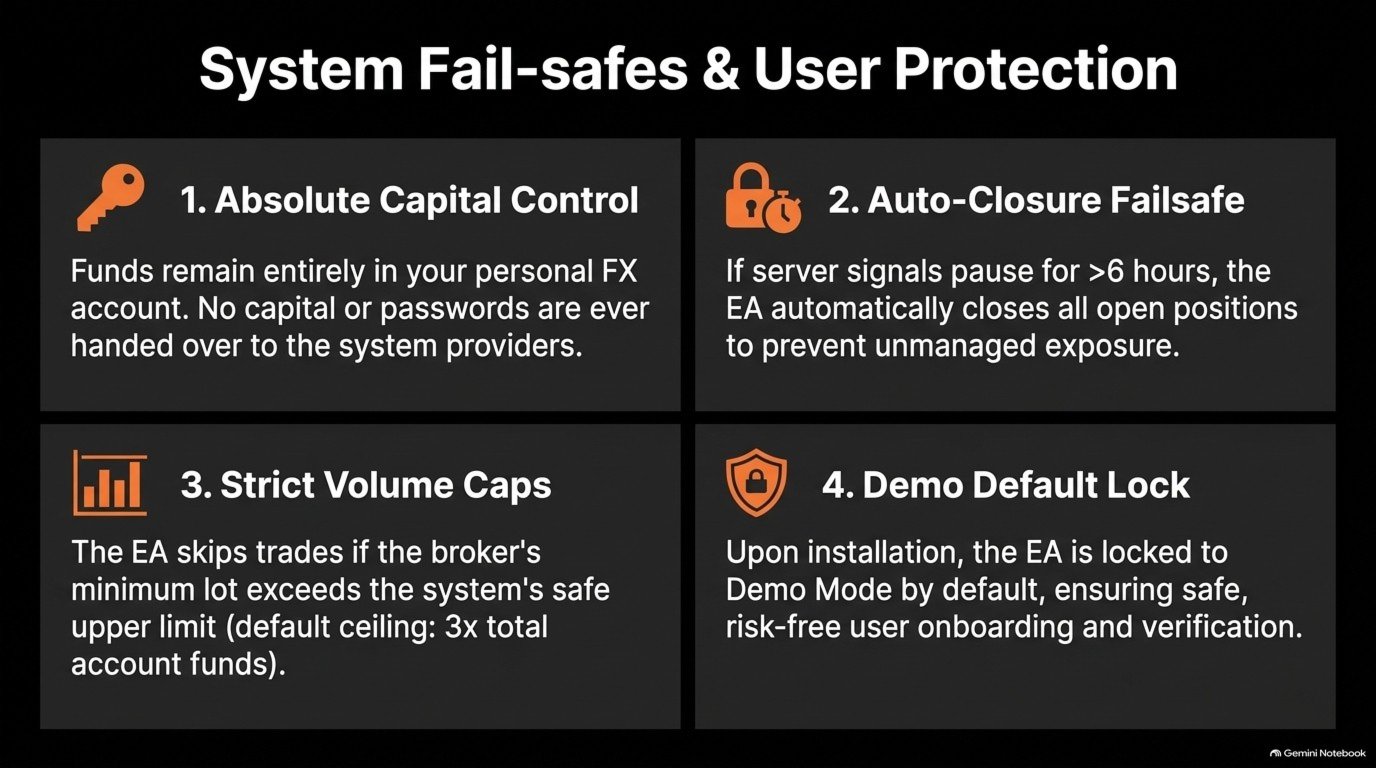
You retain control of your funds in your own account. There is no need to entrust your trading capital or account password to the provider.
■ Simple Setup — Multiple Instruments from a Single Chart
Setup is straightforward. Allow communication with the specified API URL in MT5, then attach the EA to a single chart of any instrument to monitor multiple instruments.
1. In MT5, open “Tools → Options → Expert Advisors.”
2. Enable “Allow WebRequest for listed URL” and add the specified API URL.
3. Attach GR-GE SYSTEM to a single chart of any instrument.
4. Select your trading mode and setting level, then enable algorithmic trading.
The EA uses WebRequest to receive trading signals from the external analysis system.
There is no need to open a separate chart or attach the EA for each instrument. From a single chart, the EA monitors all supported instruments included in the selected mode and automatically trades those that meet both the trading conditions and the account’s order requirements.
Trading is not limited to the instrument of the chart to which the EA is attached.
The default configuration is intended for demo accounts. Before using the system on a live account, verify its operation and change to the appropriate live-account settings.
■ Three Trading Modes and Five Setting Levels
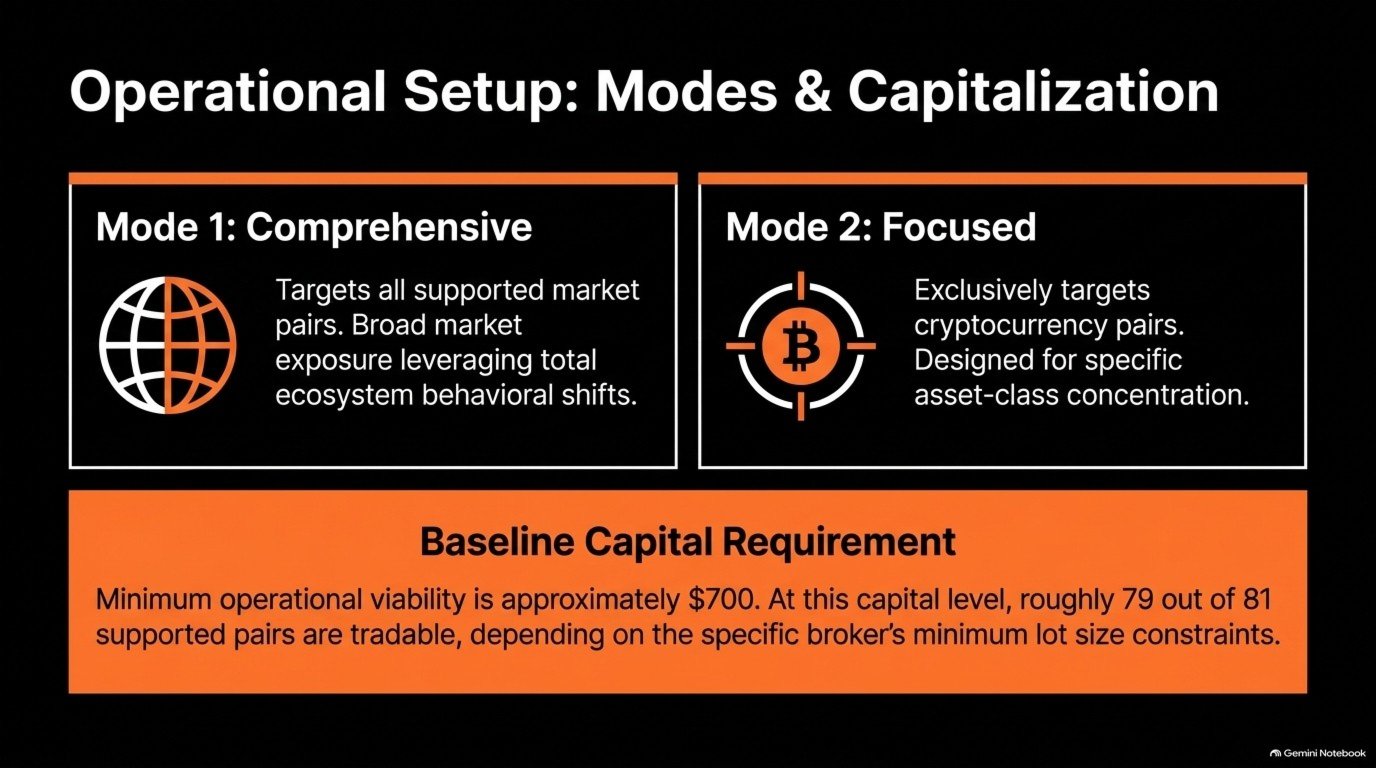
Choose from three modes according to the instruments you want to trade.
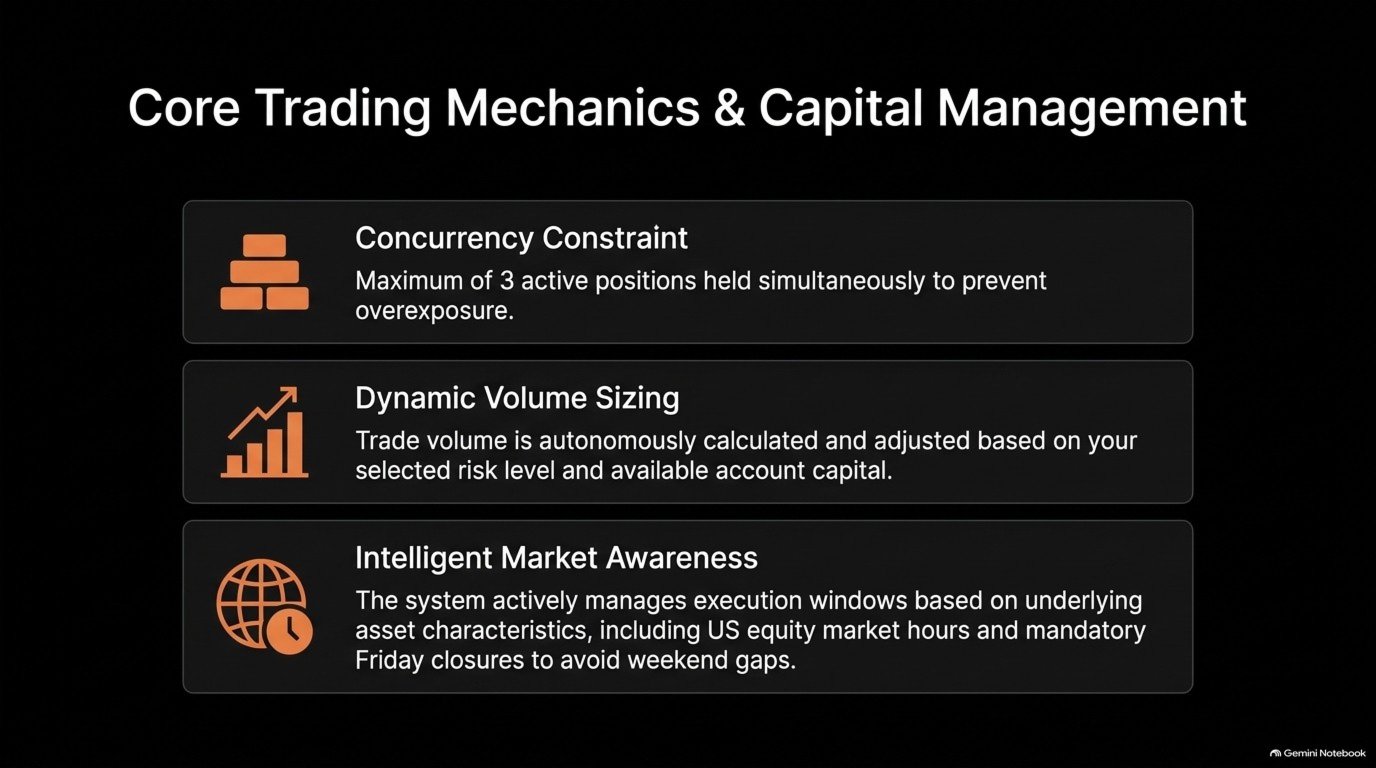
All three modes follow the same principle: hold positions in up to three of the highest-ranked instruments available through your broker.
The differences are which instruments are included and when stocks are traded.
Mode 1 — All Instruments, Stocks During Market Hours Only
• Instruments: All supported instruments, including cryptocurrencies, stocks, gold, and stock indices.
• Stock trading: Only while the U.S. stock market is open, with updates at 1:00 a.m. and 5:00 a.m. Japan Standard Time.
• Friday evening: Close all non-cryptocurrency positions to avoid holding them over the weekend.
• Suitable brokers: Conventional brokers, such as XM.
• Position size per instrument: 19–103% of account funds, depending on the selected level from 1 to 5.
Mode 2 — Cryptocurrencies Only
• Instruments: Cryptocurrencies only.
• Trading: 24 hours a day, including weekends.
• Friday evening: Positions are not closed; trading continues over the weekend.
• Suitable brokers: Any broker.
• Position size per instrument: 17–95% of account funds, depending on the selected level from 1 to 5.
Mode 3 — All Instruments, Including Round-the-Clock Stock Trading
• Instruments: All supported instruments, as in Mode 1.
• Stock trading: At any time, including nights and weekends.
• Friday evening: Stock positions remain open. Positions in gold, stock indices, and other instruments apart from stocks and cryptocurrencies are closed.
• Suitable brokers: Brokers that support round-the-clock stock trading, such as Vantage.
• Position size per instrument: The same as Mode 1.
Cryptocurrency Trading Is the Same Across All Modes
Cryptocurrencies are traded 24 hours a day, including weekends.
Choosing a Mode
• For a conventional broker, choose Mode 1.
• For a broker that supports round-the-clock stock trading, choose Mode 3 to act on stock signals sooner.
• If you want to trade cryptocurrencies only, choose Mode 2. This mode is intended for users who do not want exposure to stocks or gold.
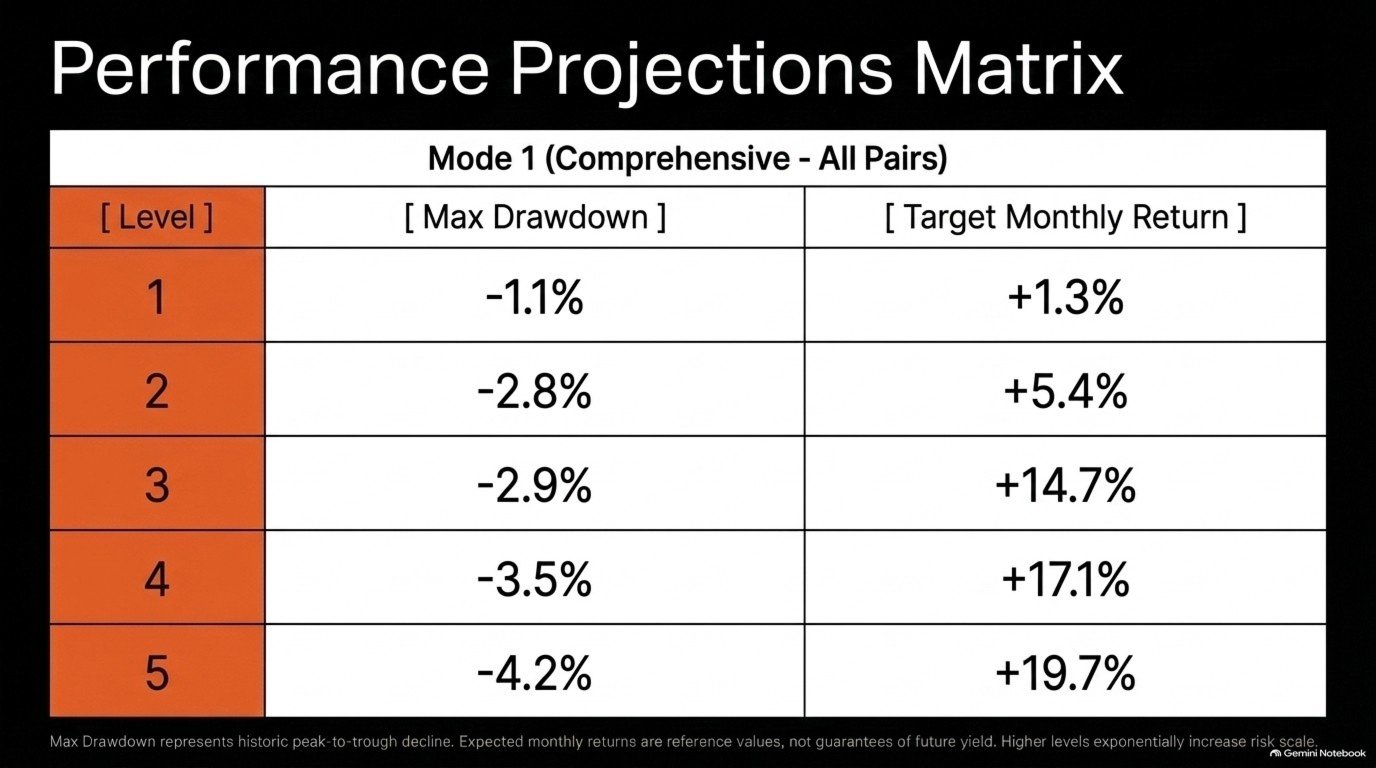
Trade sizes are further adjusted according to the selected setting level, from 1 to 5, and the funds in the account. The system holds positions in a maximum of three instruments simultaneously.
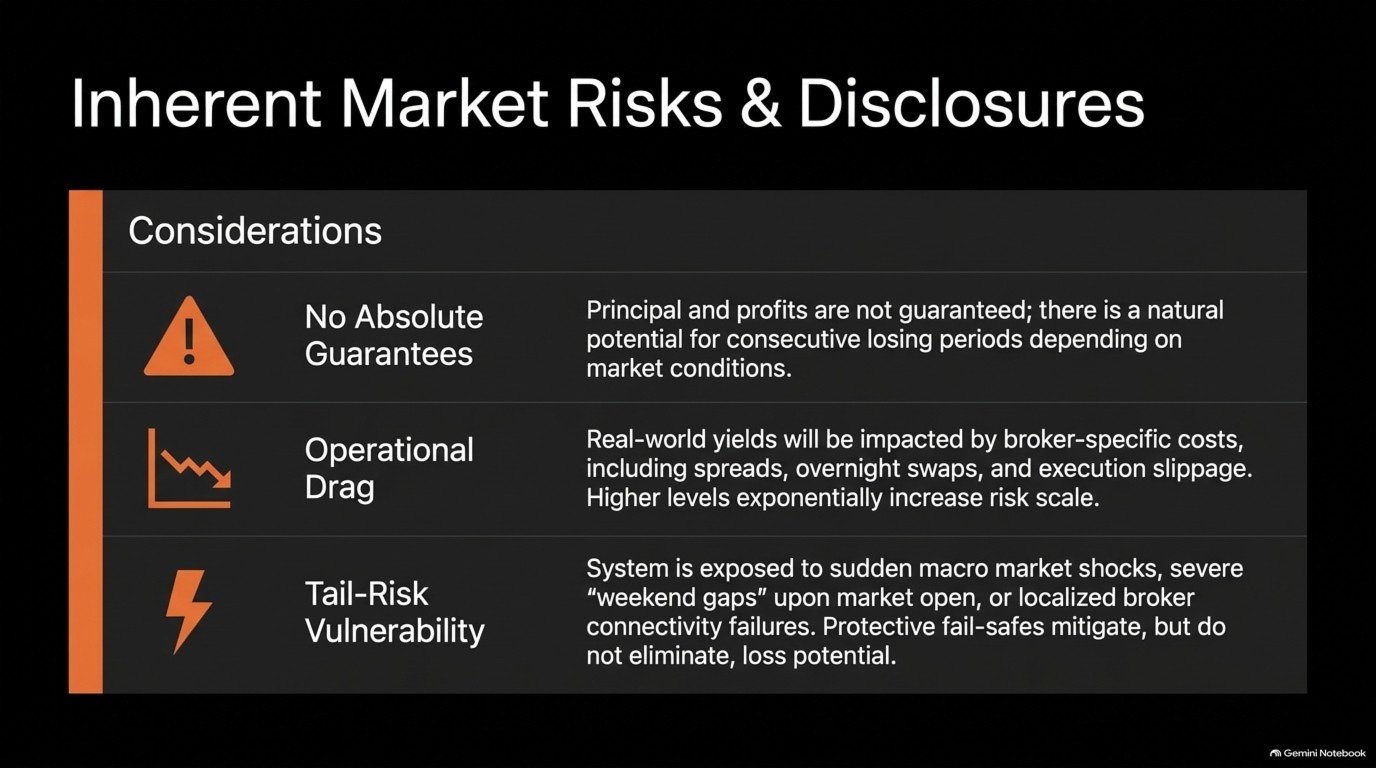
Higher setting levels increase the size of both potential profits and losses resulting from price movements. These levels do not guarantee a maximum loss.
Even if an instrument is supported, the system may skip a trade depending on the broker’s instrument availability, minimum order size, account funds, and other conditions.
■ Trade Management Designed for Live Operation
Signal Update Monitoring
If signal updates stop for six hours or more, the EA is designed to close the positions it manages.
Minimum Order Size Checks
The system skips instruments when the trade value corresponding to the minimum order size exceeds the configured limit. The default limit is three times the account funds.
This figure is a limit on trade value. It does not represent a maximum loss or the required margin. Minimum order size requirements may also result in a trade value larger than the amount calculated under the normal settings.
Market-Specific Management
The system manages trades according to market conditions, including instrument trading hours and Friday position closing for markets that shut over the weekend.
Separation of Managed Trades
The EA manages only the trades it places. Manually placed trades are not included.
These functions require MT5 and the EA to remain running, with the necessary communication and trading access available. Communication failures, market closures, or other conditions may prevent positions from being closed at the intended time.
■ Minimum Requirements and Recommendations
• Platform: MetaTrader 5.
• Recommended brokers: XM, Titan FX, and Vantage. Other brokers are also supported. Please contact us to confirm compatibility with your preferred broker.
• Account type: Any. The system is designed to be relatively insensitive to spreads.
• Minimum initial deposit: $700.
• Recommended account funds: $1,000 or more.
• Minimum leverage: 1:500.
• VPS: Recommended for stable, continuous operation. Trading cryptocurrencies over the weekend requires an environment that remains running throughout the weekend.
• Connectivity: A stable internet connection and WebRequest permission for the specified API URL are required.
The stated funding amounts are guidelines for starting operation. They do not guarantee that all supported instruments can be traded or that losses will be prevented. Actual instrument availability for trading depends on the broker’s contract sizes, minimum order sizes, account conditions, and the selected setting level.
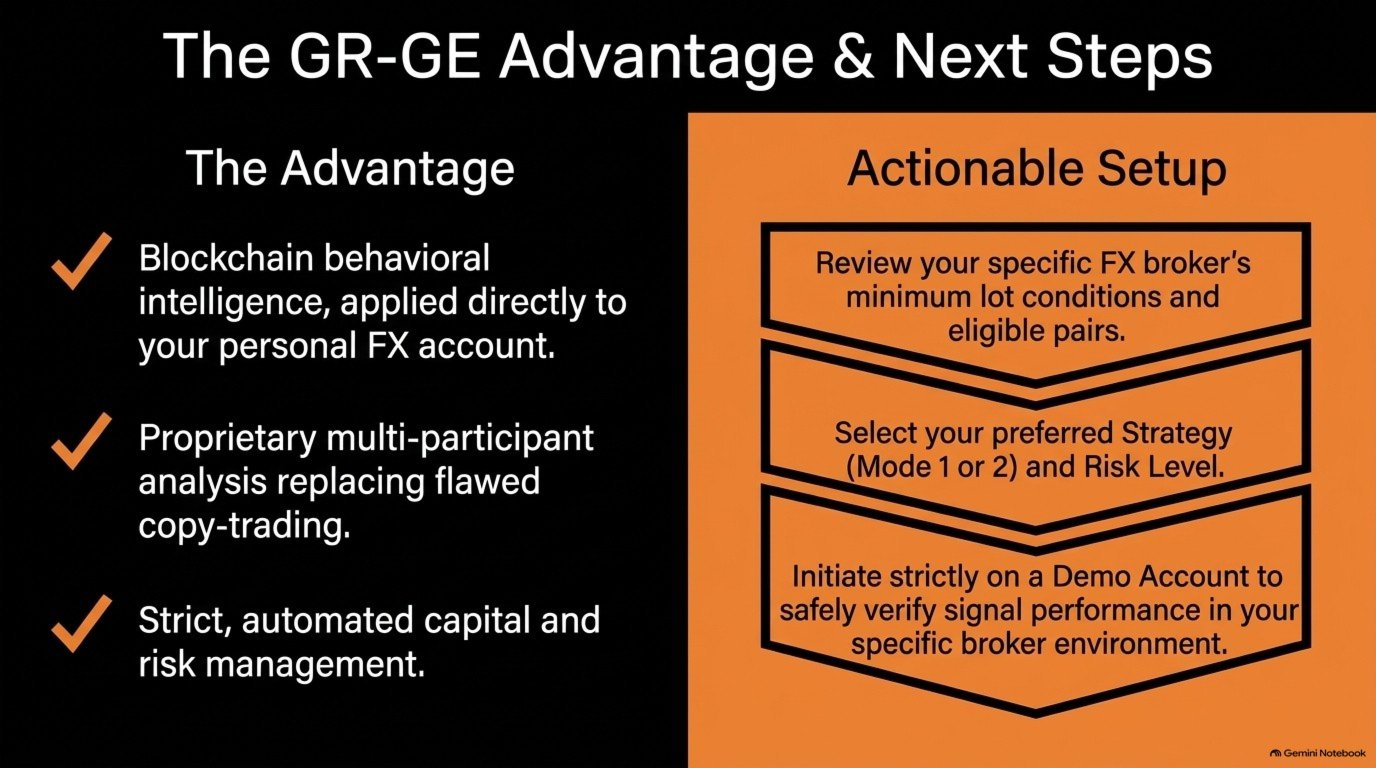
Before using the system on a live account, verify signal reception, order sizes, order execution, and position closing on a demo account.
■ Testing and Operational Considerations
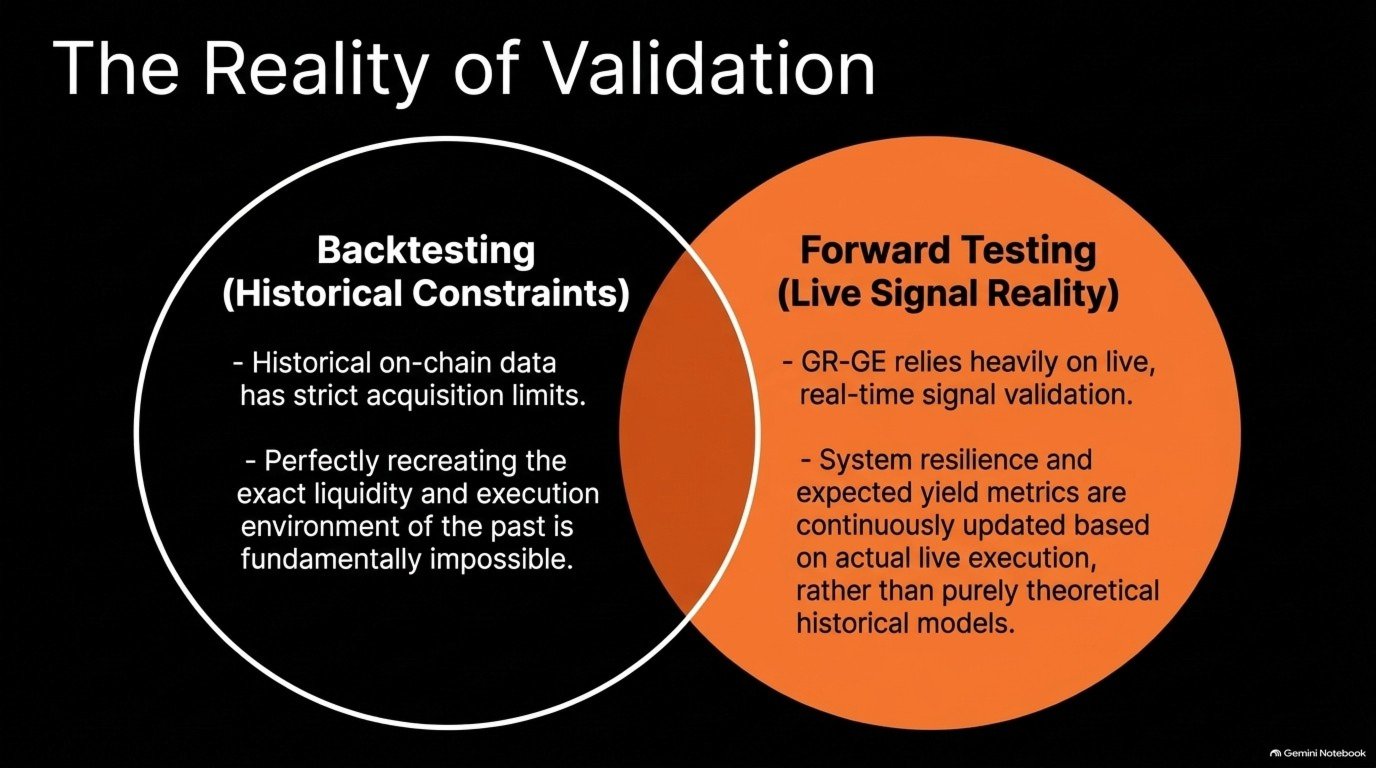
GR-GE SYSTEM is evaluated through a combination of historical testing and forward testing.
There are limitations to fully reproducing historical public information and the operating conditions that existed at the time. Historical testing alone cannot establish how the system will perform in live trading.
This product does not guarantee the protection of your capital or any profit. Trading results are affected by market conditions, spreads, commissions, swaps, slippage, and price differences between the analysis source and the execution venue.
The product also depends on an external analysis system. Signal delivery interruptions, communication failures, or the shutdown of MT5 or the EA may prevent orders from being placed or positions from being closed.
Trade management functions do not guarantee a maximum loss. Monitor the system’s operating status and your account while it is in use.
■ Initial Setup
After purchasing, please contact us through the product’s comments section on MQL5 or by direct message.