Assistant Manager FX
- Utilitários
-
Sabrina Hellal
 Welcome to my profile. As an independent trader and expert developer of automated trading systems, I combine a deep understanding of the dynamics of the financial markets with advanced programming skills to create custom trading tools (Expert Advisors) and indicators that reflect the true pulse of
- Versão: 3.37
- Ativações: 5
Complete On-Chart Visual Trade & Risk Management Panel for MT5
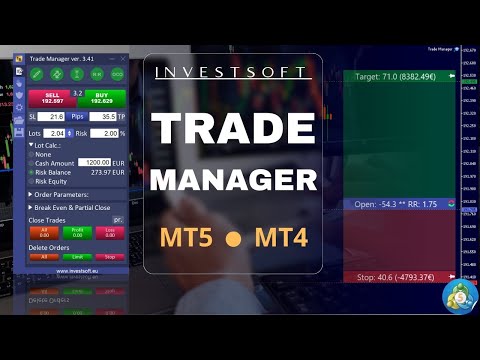
Assistant Manager FX is an all-in-one visual trading assistant and risk management panel for MetaTrader 5. Designed for precision execution and strict capital protection, it allows traders to plan trades visually on the chart, automatically calculate exact position sizes based on risk percentage or cash amount, and automate multi-level partial closes, break-even, and trailing stops.
Whether you are a fast-paced scalper, day trader, swing trader, or prop firm challenger, Assistant Manager FX eliminates manual calculation errors and streamlines your entire workflow into an intuitive 4-tab dashboard and interactive on-chart visual bars.
Key Features & Capabilities
-
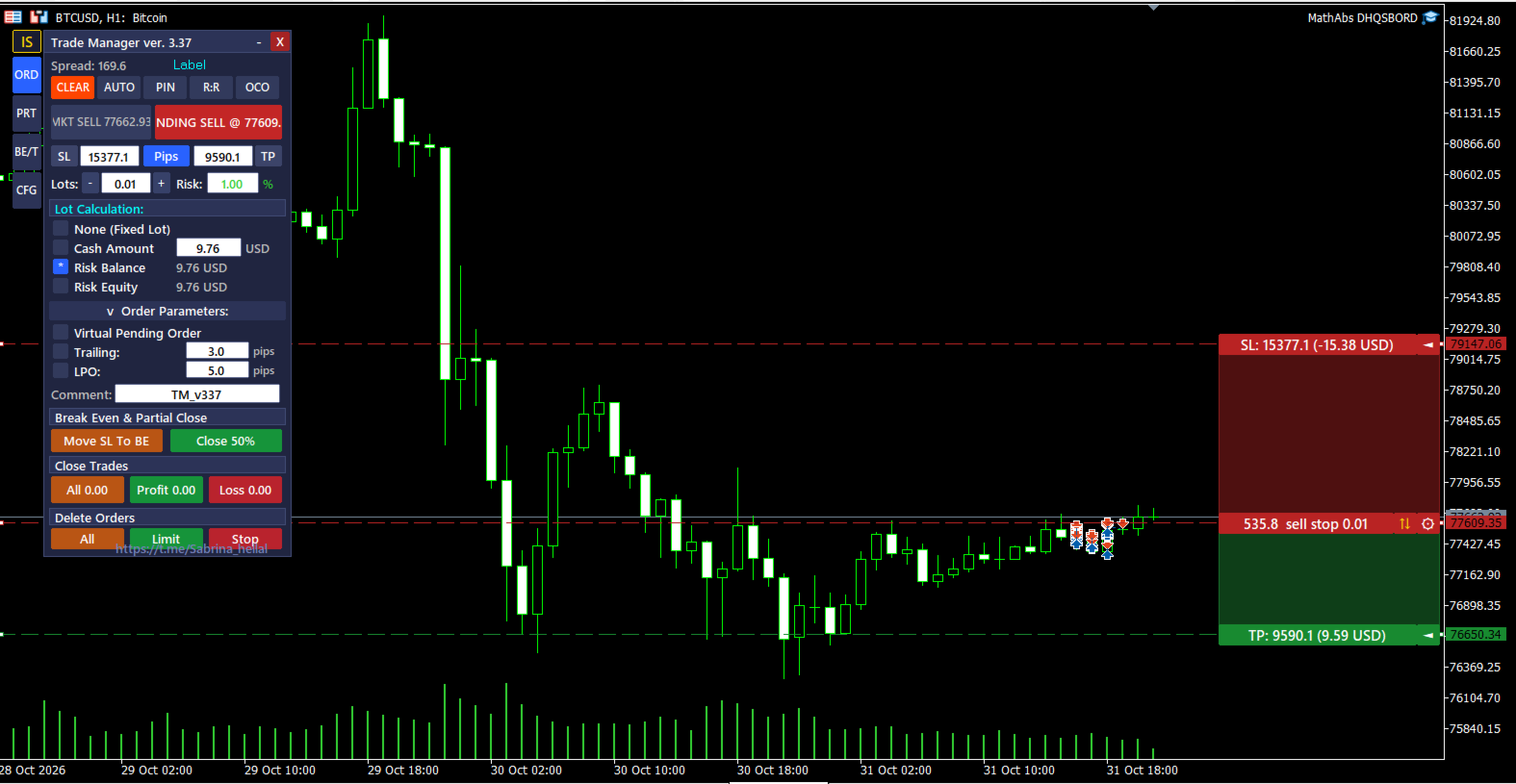
Interactive On-Chart Trade Planning (DRAW Mode): Plot your entry, Stop Loss, and Take Profit levels directly on the chart with shaded profit/loss zones. Drag the Open, TP, or SL bars with your mouse and watch lot size, pip distance, cash profit/loss, account risk %, and Reward-to-Risk (R:R) ratio update in real time.
-
Dynamic Lot Size & Risk Calculator (4 Modes): Automatically compute exact lot sizes based on Risk % of Balance, Risk % of Equity, Fixed Cash Amount, or Manual Lot Size—accounting for broker commission per lot and spread multipliers.
-
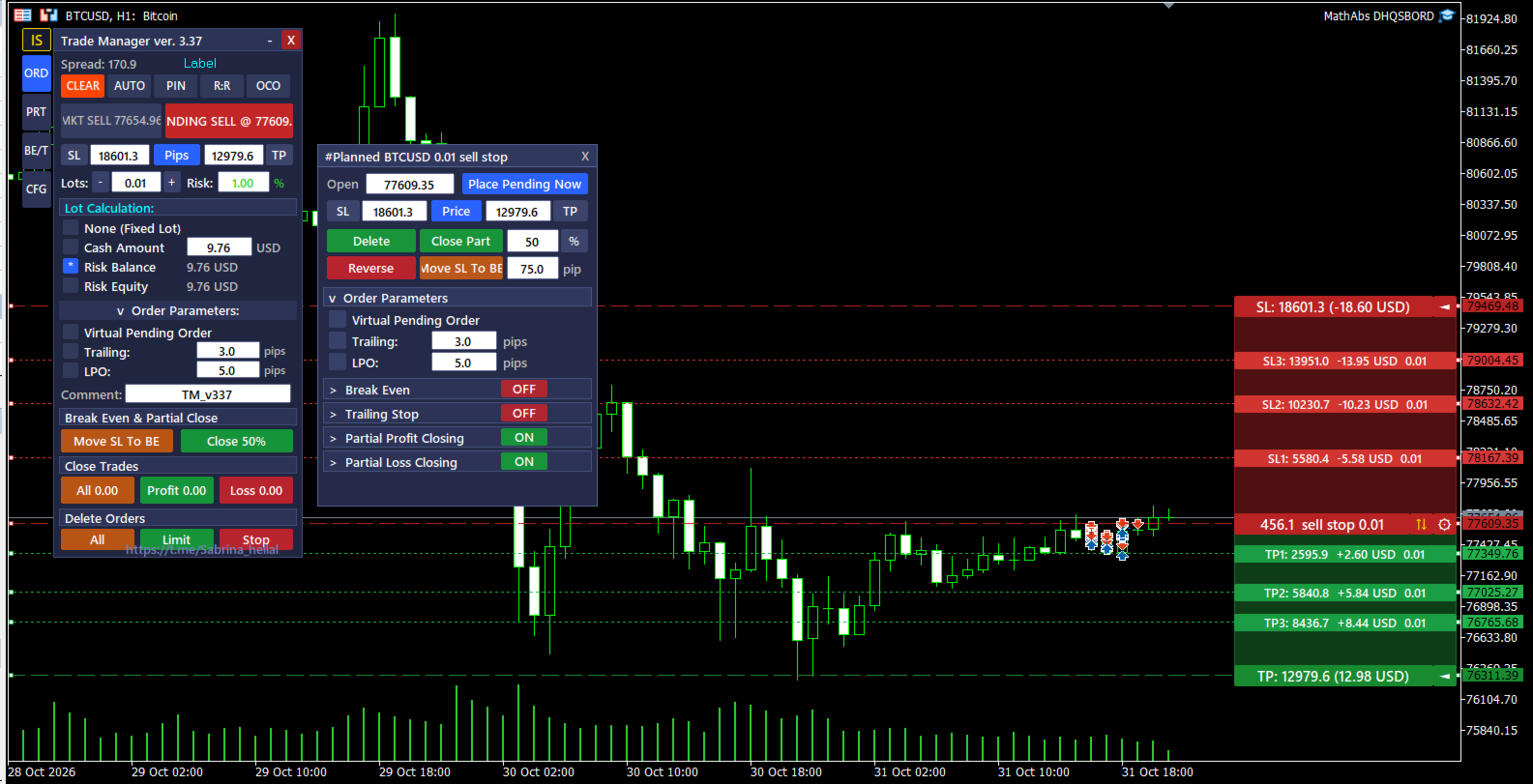
On-Chart Order Info Bars & Gear Popup Window ([⚙]): Every active position and pending order displays an interactive on-chart info bar with a dedicated Gear button (⚙). Click the Gear icon right on the order line to open a floating modification popup (#Ticket Symbol Lots Type) where you can edit Open, SL, and TP, close a partial percentage (Close Part), reverse the trade (Reverse), move SL to Break-Even (Move SL to BE), or convert between a standard broker order and a Virtual Pending Order (VPO).
-
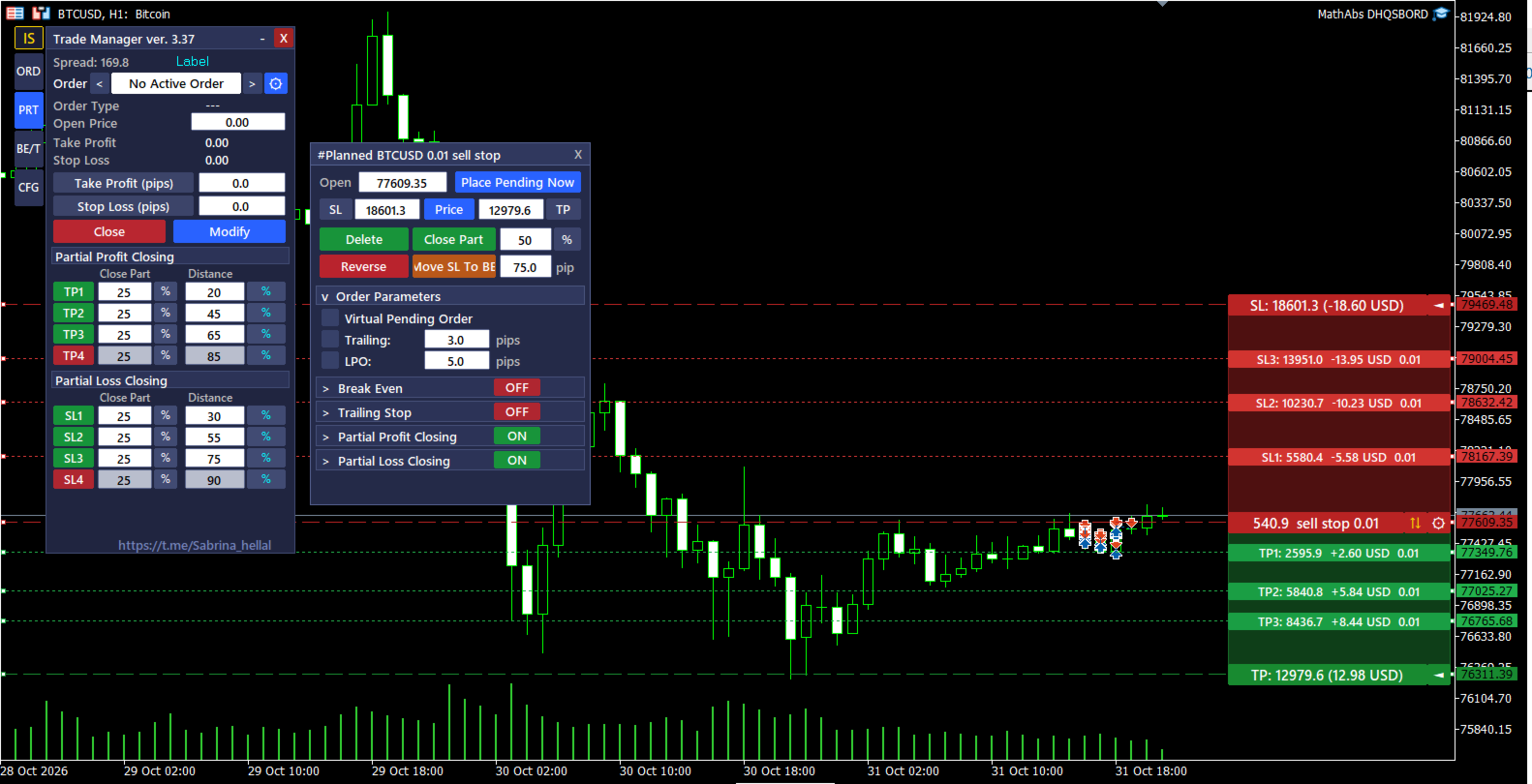
4-Level Partial Profit & Loss Closing (TP1–TP4 & SL1–SL4): Scale out of winning or losing positions across up to 4 independent Take Profit levels and 4 Stop Loss levels. Switch seamlessly between percentage of total distance (%) or fixed points (pip), and adjust each partial level directly on the chart using draggable visual bars.
-
Advanced Pending Order Engine (VPO, TPO, LPO & OCO):
-
Virtual Pending Orders (VPO): Hide pending entry levels from the broker and trigger market execution locally when price crosses your target level.
-
Trailing Pending Orders (TPO): Automatically trail pending orders behind market price with configurable step and maximum distance.
-
Limit Pullback Orders (LPO): Arm a pending entry only after price reaches a trigger zone and pulls back by a defined pip distance.
-
One Cancels the Other (OCO): Automatically cancel remaining pending orders as soon as one pending order is triggered.
-
-
Stealth SL/TP & Auto Slippage Correction:
-
Stealth Mode: Keep your Stop Loss and Take Profit levels hidden from the broker server and execute exits internally.
-
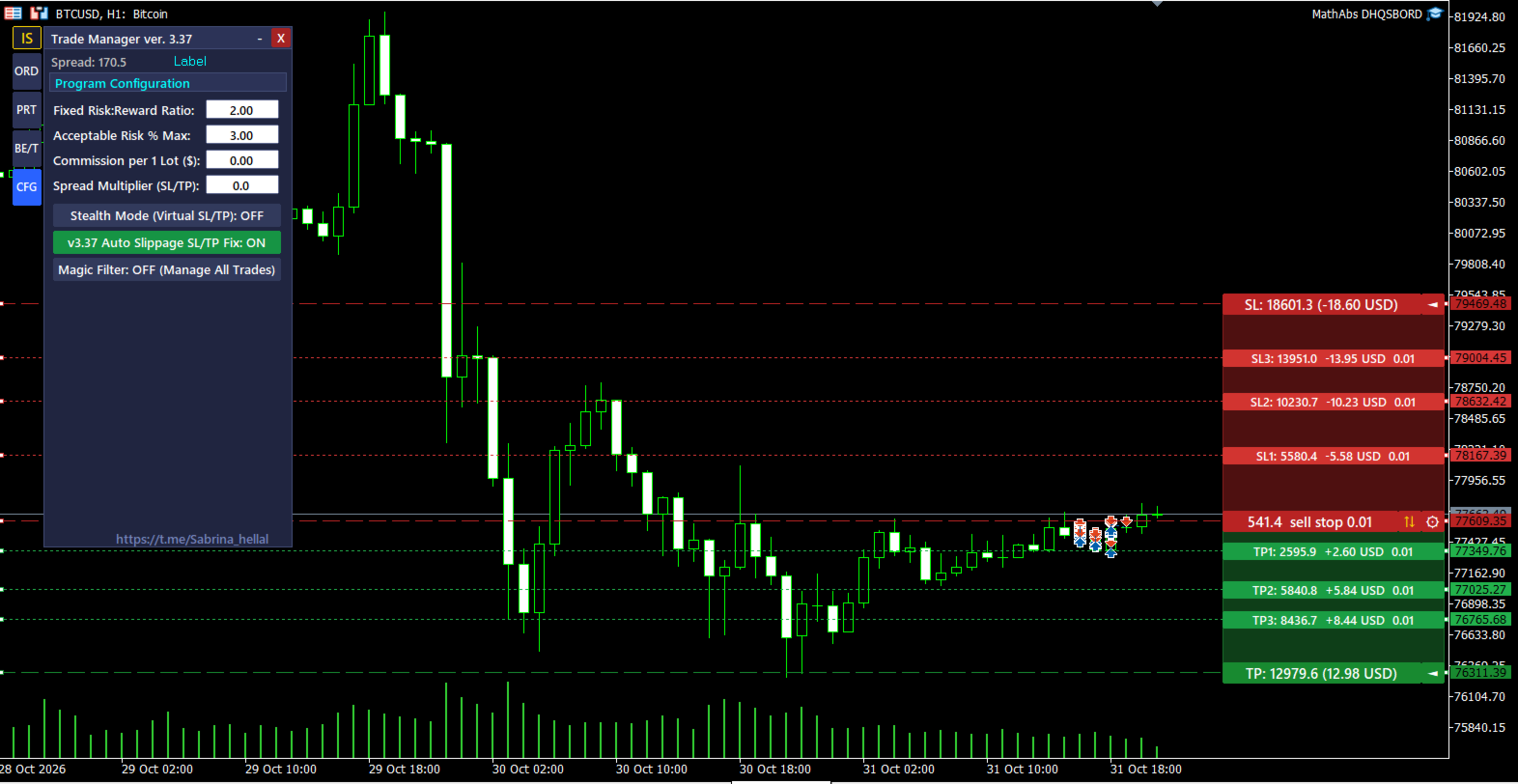
Auto Slippage SL/TP Fix: Automatically adjusts placed SL and TP levels if market execution experiences slippage, preserving your exact planned risk distance.
-
-
Multi-Mode Break-Even, 4 Trailing Stop Engines & Equity Protection:
-
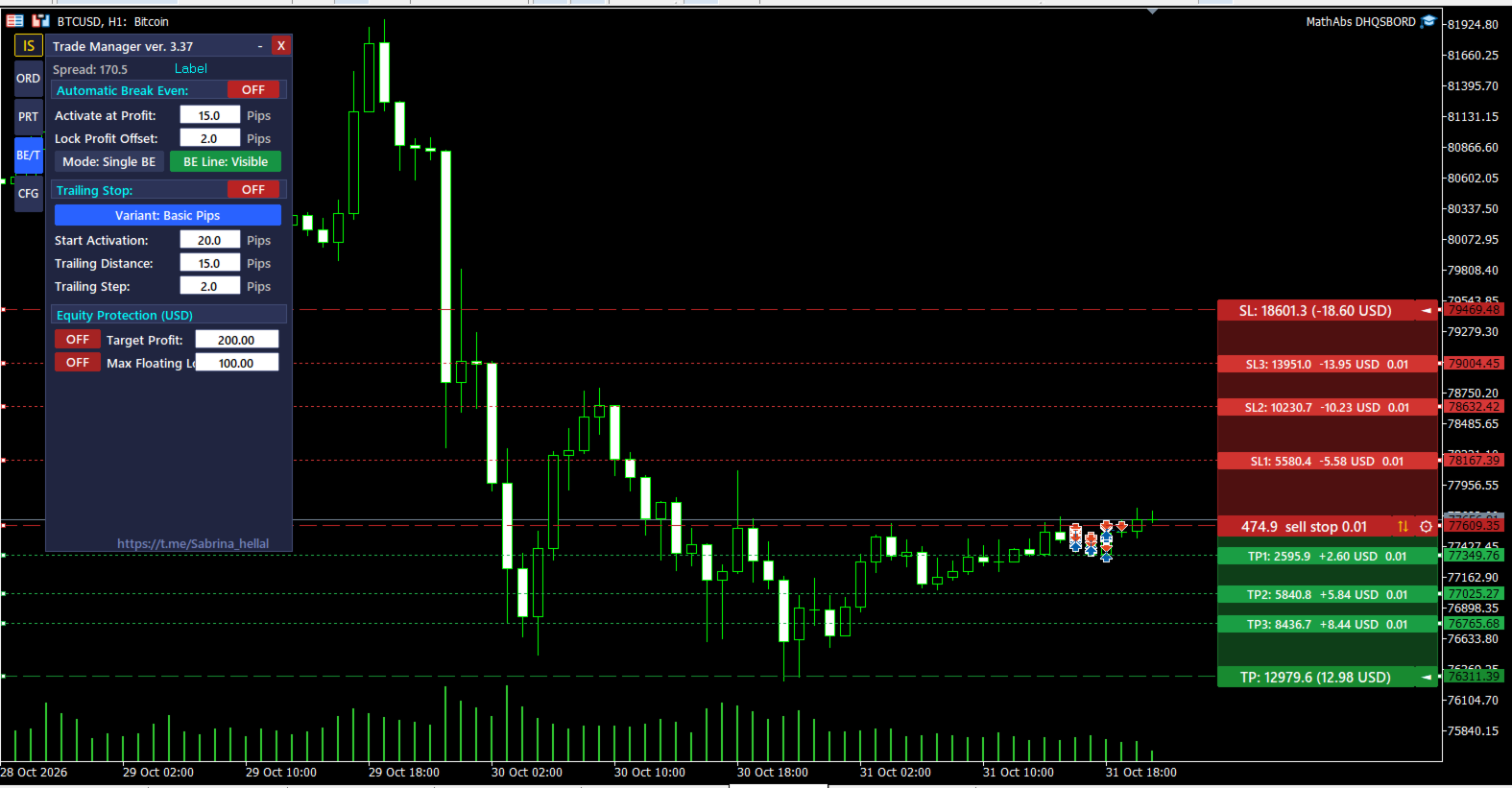
Break-Even: Choose between Single BE (per individual trade) or Common BE (weighted basket break-even price with an on-chart BE line).
-
4 Trailing Stop Modes: Trail stops by Basic Pips, High/Low Candlestick Bars, Moving Average (MA), or ATR Indicator.
-
Equity Protection: Automatically close all open positions and cancel pending orders when your account reaches a daily Target Profit or Max Floating Loss limit.
-
Overview of the 4 Dashboard Tabs
-
ORD (Order Execution & Visual Planning): Quick-access top toggles (DRAW/CLEAR, AUTO, PIN, R:R, OCO), one-click Market SELL/BUY and PENDING @ Price execution buttons, SL/TP in Pips or Price, Stealth toggle, 4 Risk/Lot calculation modes, collapsible VPO/TPO/LPO parameters, Move SL To BE, Close 50%, bulk Close Trades (All, Profit, Loss), and bulk Delete Orders (All, Limit, Stop).
-
PRT (Ticket Inspector & 4-Level Partial Close): Cycle through active positions and pending orders (<, #Ticket, >, ⚙), inspect or modify individual Open, TP, and SL levels, and configure 4-stage Partial Profit (TP1..TP4) and Partial Loss (SL1..SL4) rules with live on-chart bars.
-
BE/T (Break-Even, Trailing Stop & Equity Guard): Configure automatic Break-Even (Single or Common), select from 4 Trailing Stop algorithms (Pips, Bars, MA, ATR), and enable account-wide Equity Protection thresholds.
-
CFG (Global Configuration & Risk Safeguards): Set your default Fixed RR Ratio, Acceptable Risk % Max safety cap, Commission per 1 Lot, Spread Multiplier, Slippage SL/TP Fix, and Magic Number filter (Magic Only vs. All Trades).
Input Parameters Guide
| Parameter Group | Input Name | Description |
| General Settings | InpMagicNumber | Unique Magic Number assigned to trades opened by the panel (773370 by default). |
| General Settings | InpDefaultComment | Default trade comment attached to new orders. |
| General Settings | InpSlippagePoints | Maximum allowed price deviation in points during order execution. |
| Risk & Lot Defaults | InpDefaultLots | Default manual position size in lots. |
| Risk & Lot Defaults | InpDefaultRiskPct | Default risk percentage (%) used when Risk Balance or Risk Equity mode is active. |
| Risk & Lot Defaults | InpMaxRiskPct | Safety cap preventing accidental execution above the specified risk percentage. |
| Risk & Lot Defaults | InpCommissionPerLot | Round-turn broker commission per 1.0 lot included in risk and PnL calculations. |
| SL / TP Defaults | InpDefaultSLPips | Initial Stop Loss distance in pips when plotting visual planning lines. |
| SL / TP Defaults | InpDefaultTPPips | Initial Take Profit distance in pips when plotting visual planning lines. |
| SL / TP Defaults | InpFixedRRRatio | Default Reward-to-Risk ratio enforced when the R:R lock button is active. |
| Visual Customization | InpPanelX / InpPanelY | Initial X/Y screen coordinates of the Trade Manager panel on the chart. |