Neuron Chart
- Indicadores
-
Muhammad Hassaan
 I'm a quant-minded trader and developer. I build MetaTrader tools the way a quant builds models — deterministic, rules-based and non-repainting. No black boxes and no hype: every level and signal comes from defined price-structure logic you can see, tune and verify.
 - Versão: 1.0
- Ativações: 5
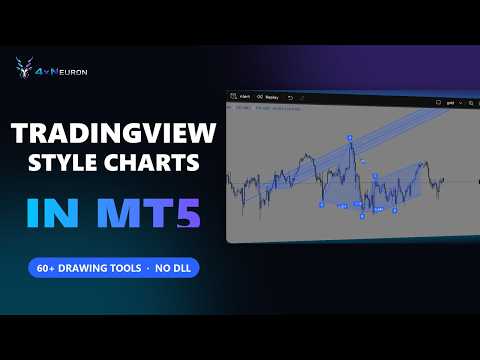
Neuron Chart is a complete charting workspace for MetaTrader 5 from Neuron Systems. It turns the standard chart into a modern, web-style workspace: a top toolbar, a drawing toolbar on the left, a panel bar on the right, indicator panes inside the chart, price alerts, bar replay, a watchlist, a screener, the economic calendar and more, all on the chart you already use.
It is an indicator for chart analysis only: it draws on the chart, it does not place, modify or close trades, it does not send orders, and it does not manage positions or accounts. Its Trade panel shows your positions and switches on MetaTrader's own One-Click Trading panel.
Native MQL5, no DLLs, no web requests. Works on any symbol (forex, gold and metals, indices, crypto, stocks) and any timeframe.
=== HOW IT WORKS ===
Attach Neuron Chart to a chart. It restyles the chart, hides MetaTrader's own scales and draws its own price scale, time scale, legend, price tag and frame. Every tool sits on the frame around the chart. Drag the chart to move it, drag the price scale to stretch prices, drag the time scale to zoom, double-click the price scale to fit prices again. When you remove Neuron Chart, the chart's original settings are put back.
=== WHAT IS INCLUDED ===
| Module | What it does |
|---|---|
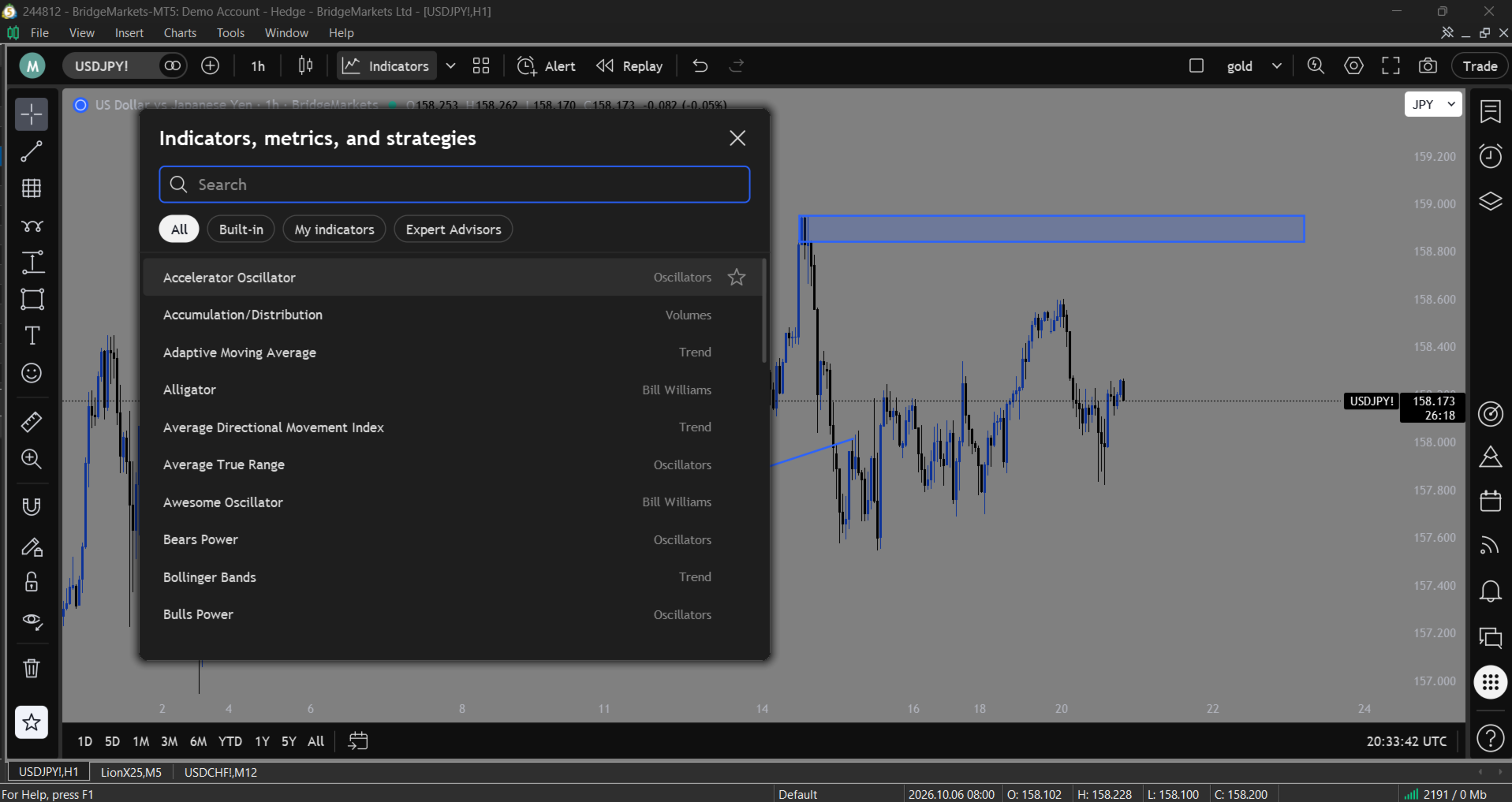
| Top toolbar | Symbol search (also by typing on the chart), compare symbols, intervals with favourites, 21 chart types, indicators with favourites and templates, Create Alert, Bar Replay, undo and redo, multi-chart layouts, saved layouts, Quick Search, chart settings, snapshot, Trade. |
| Chart types | Bars, candles, hollow candles, volume candles, line, line with markers, step line, area, HLC area, baseline, columns, high-low, footprint, TPO, session volume profile, Heikin Ashi, Renko, line break, Kagi, point and figure, range. |
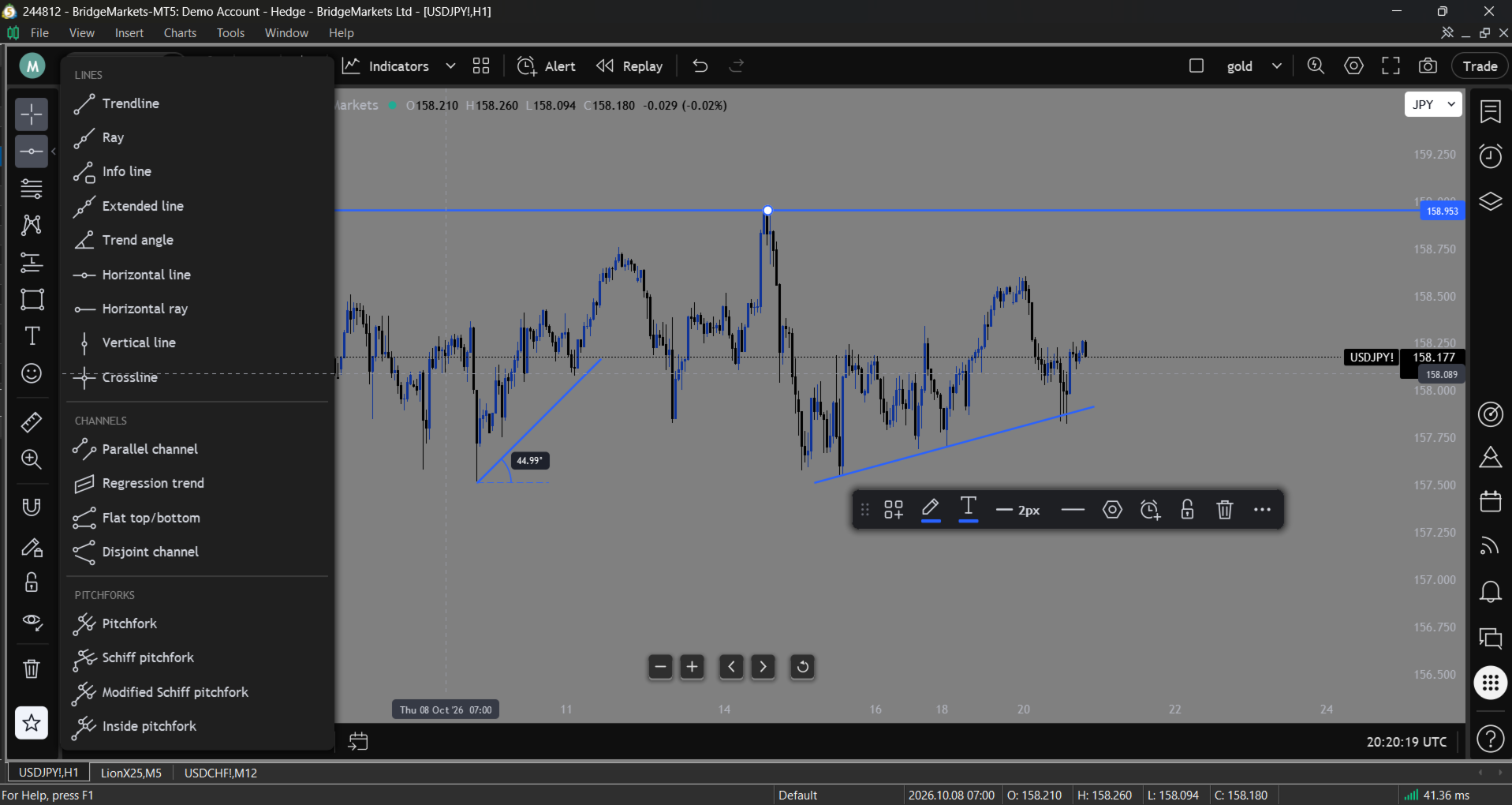
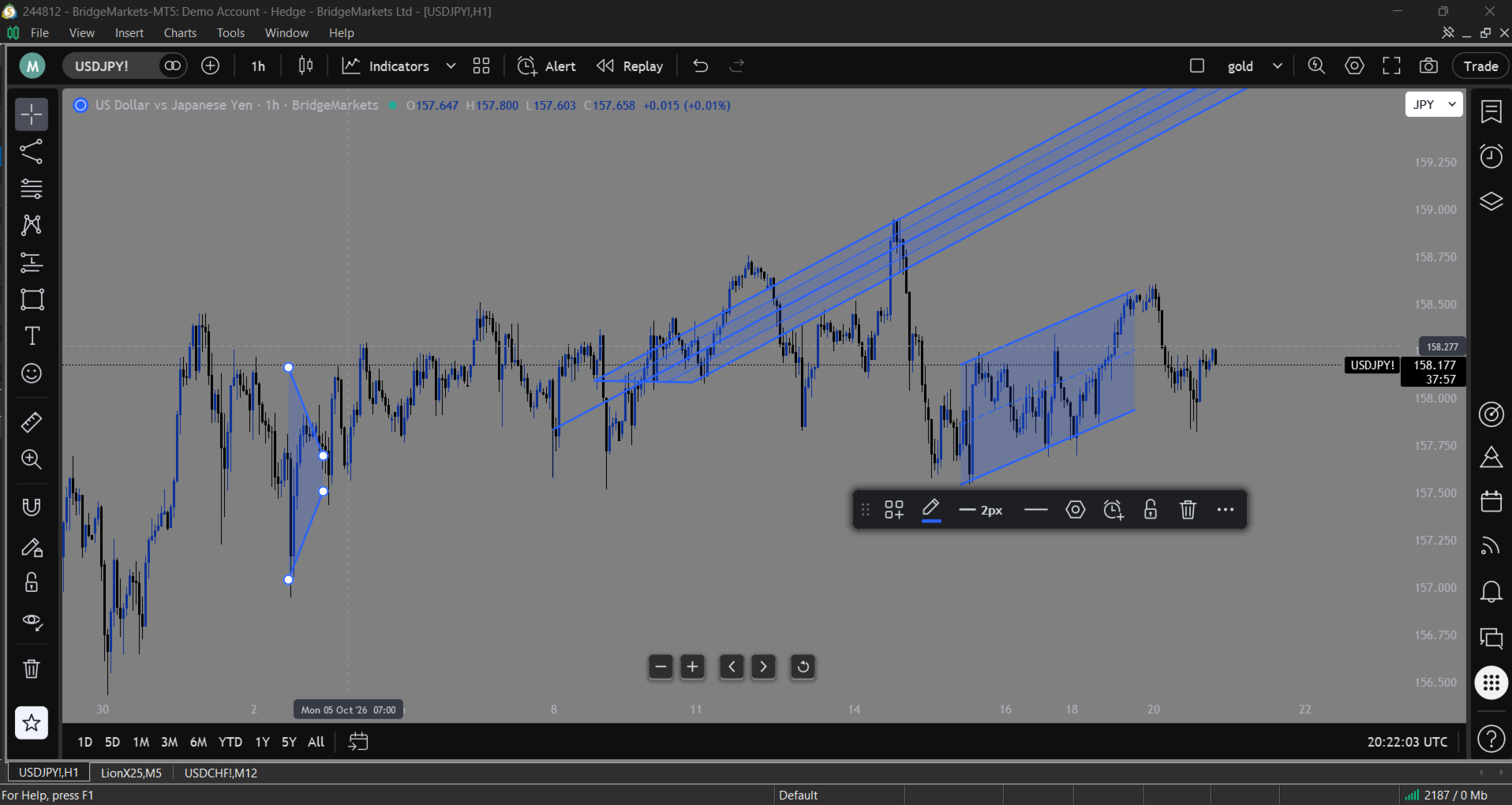
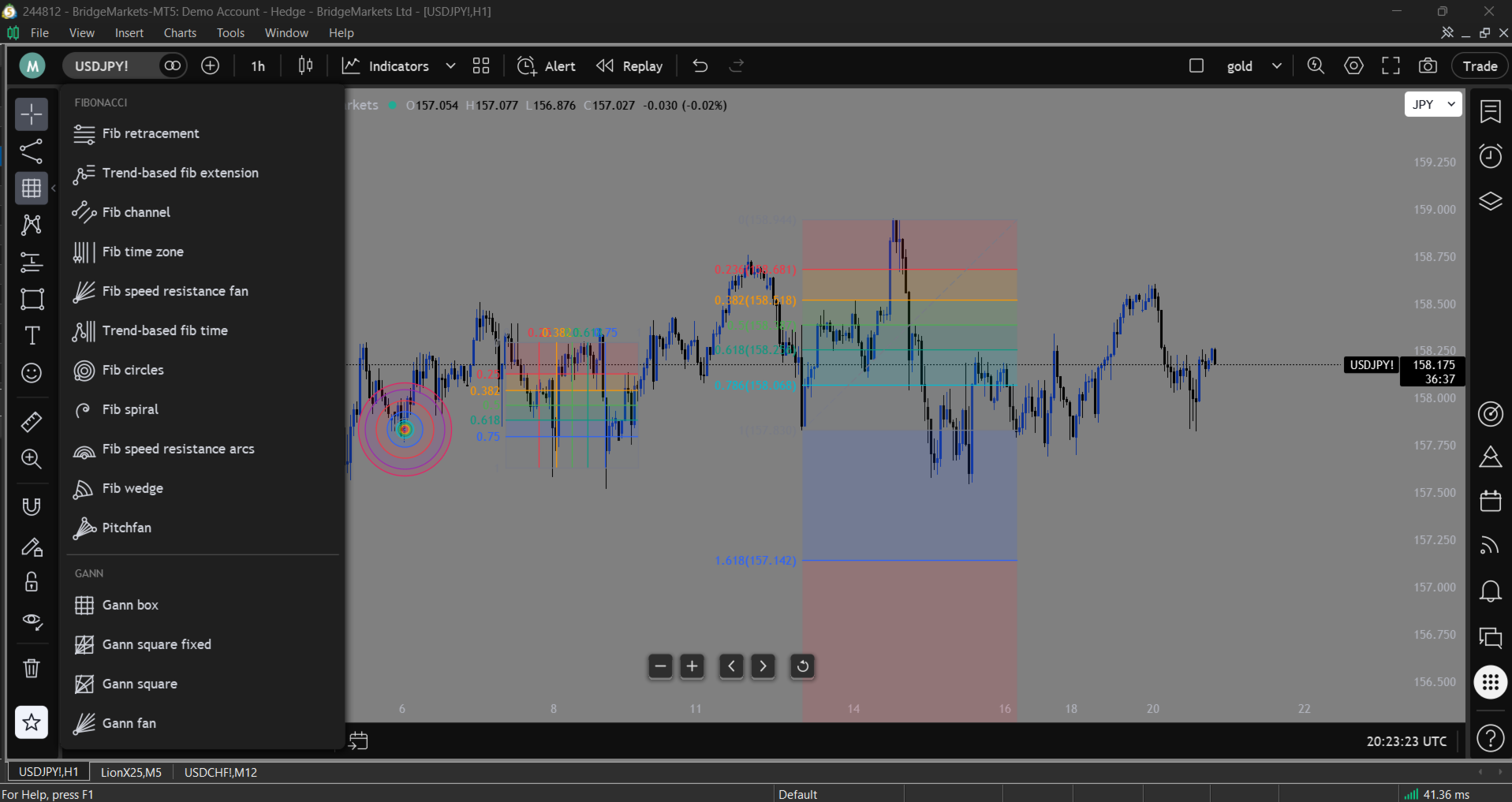
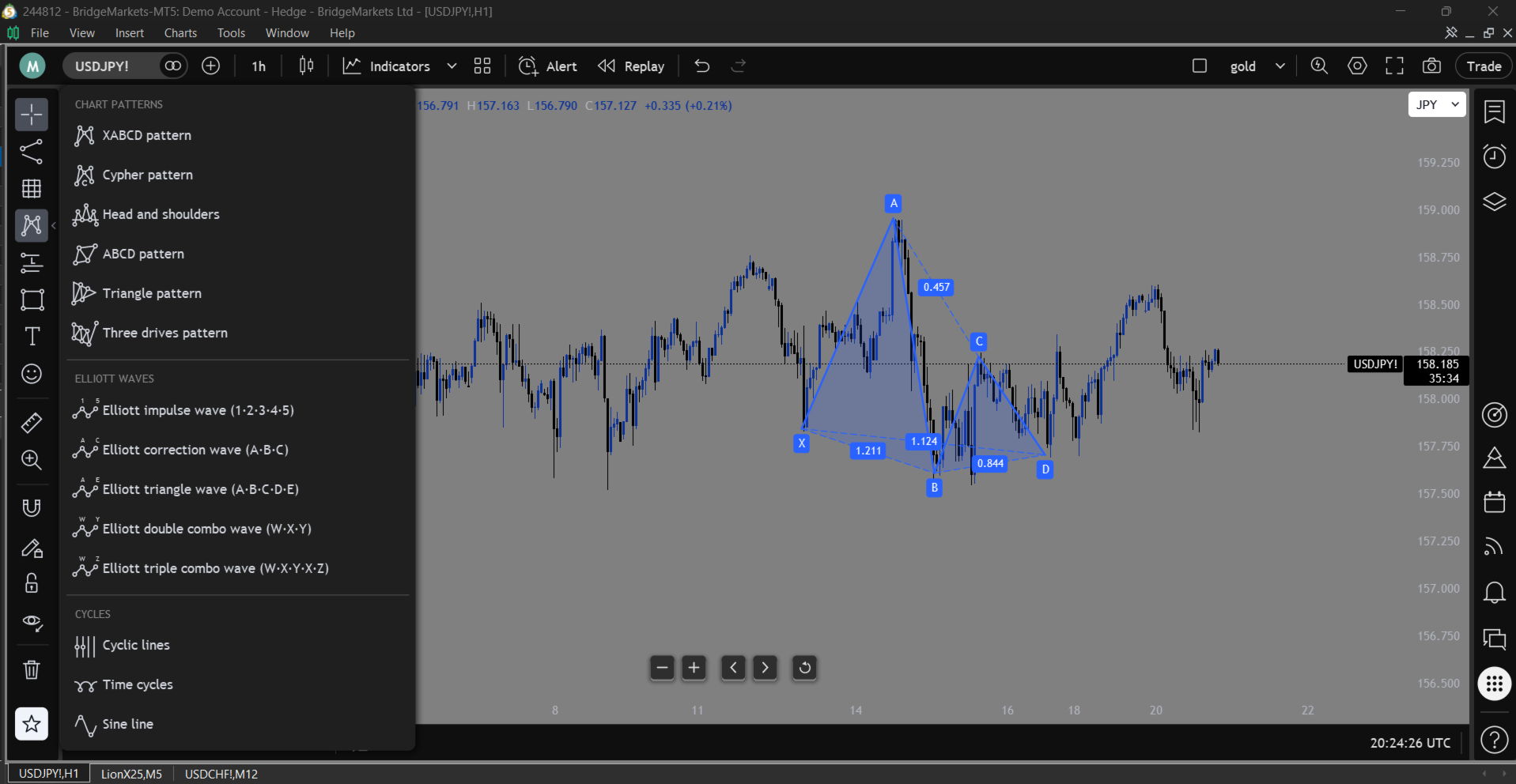
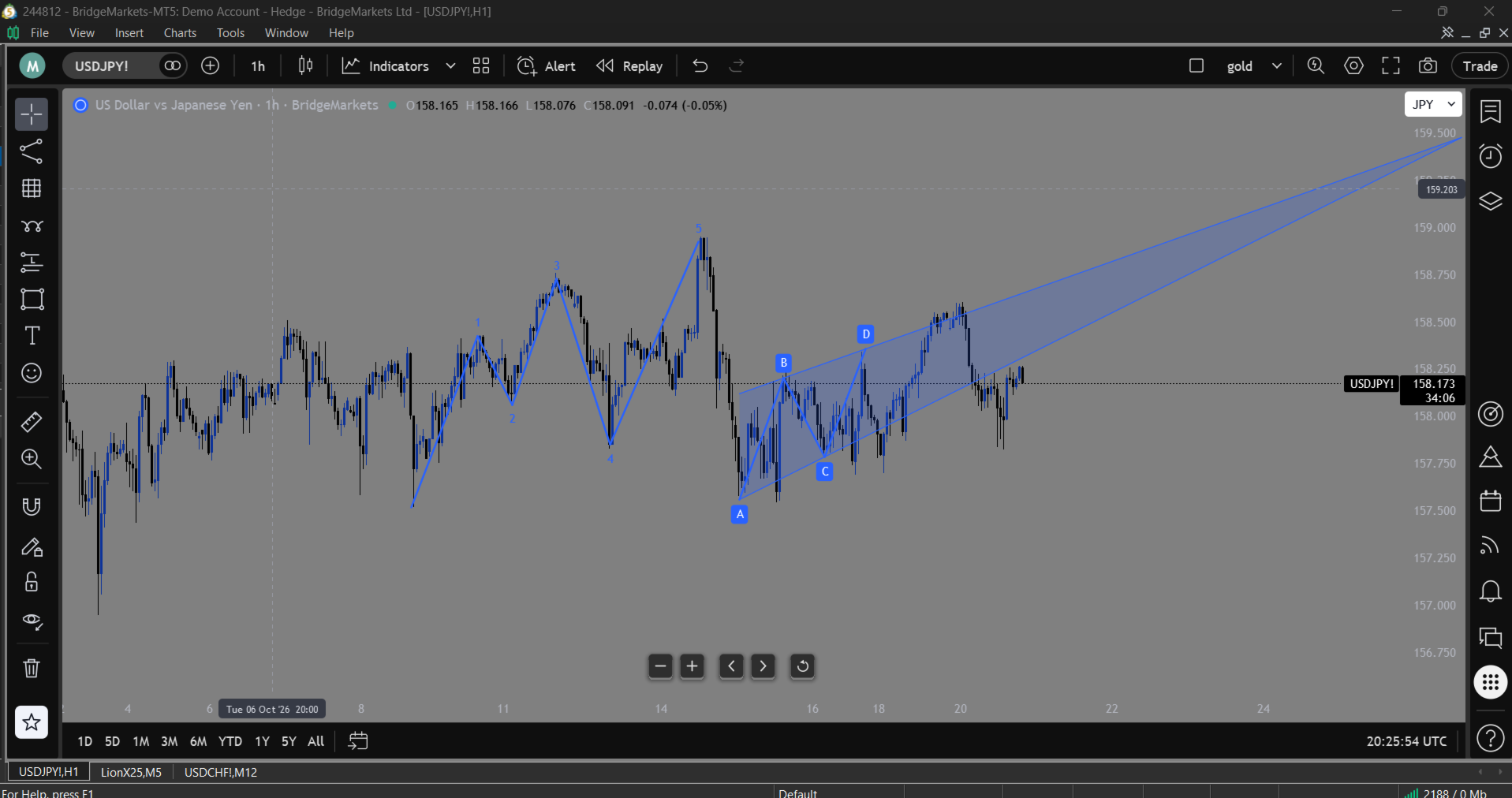
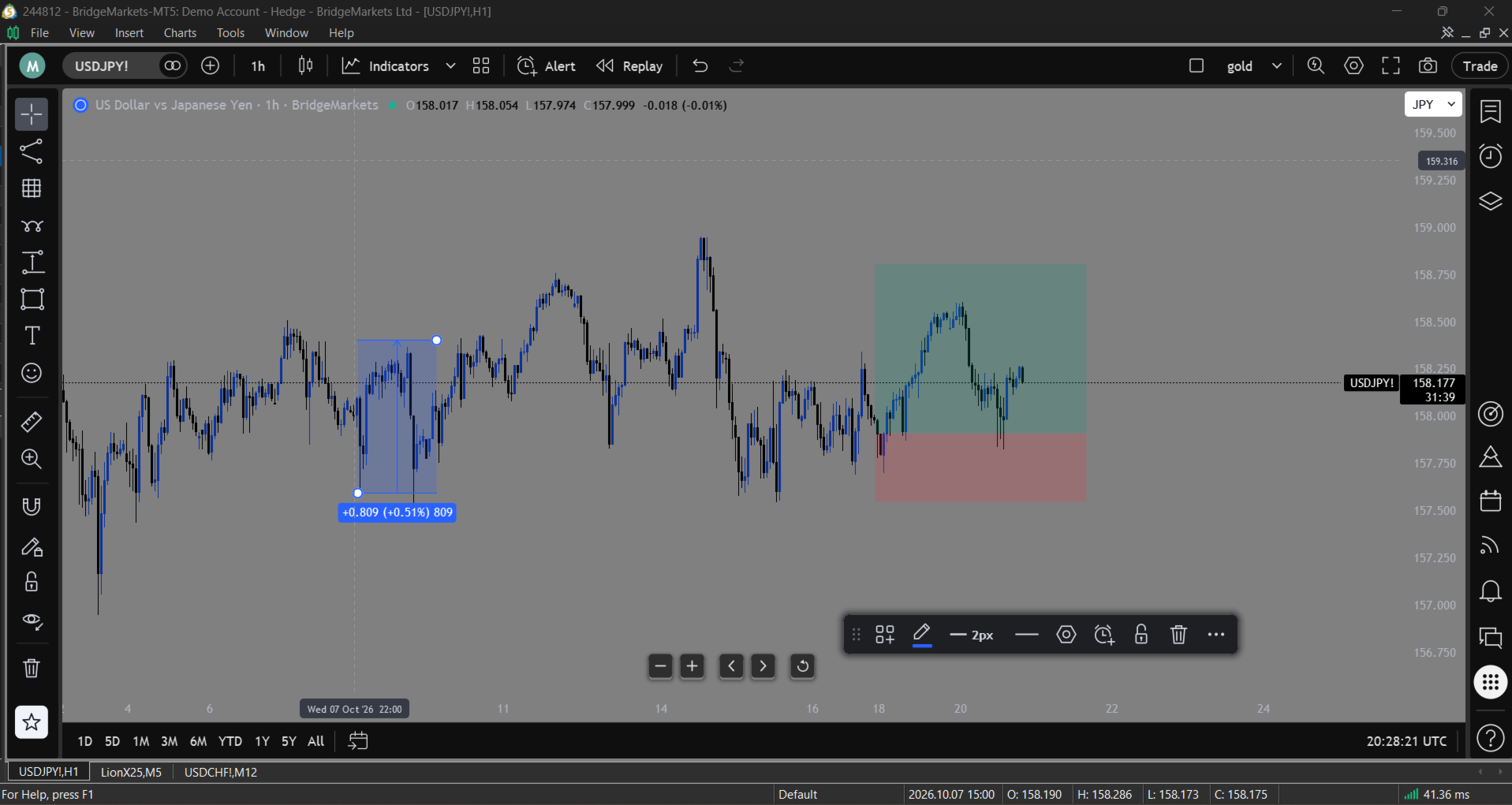
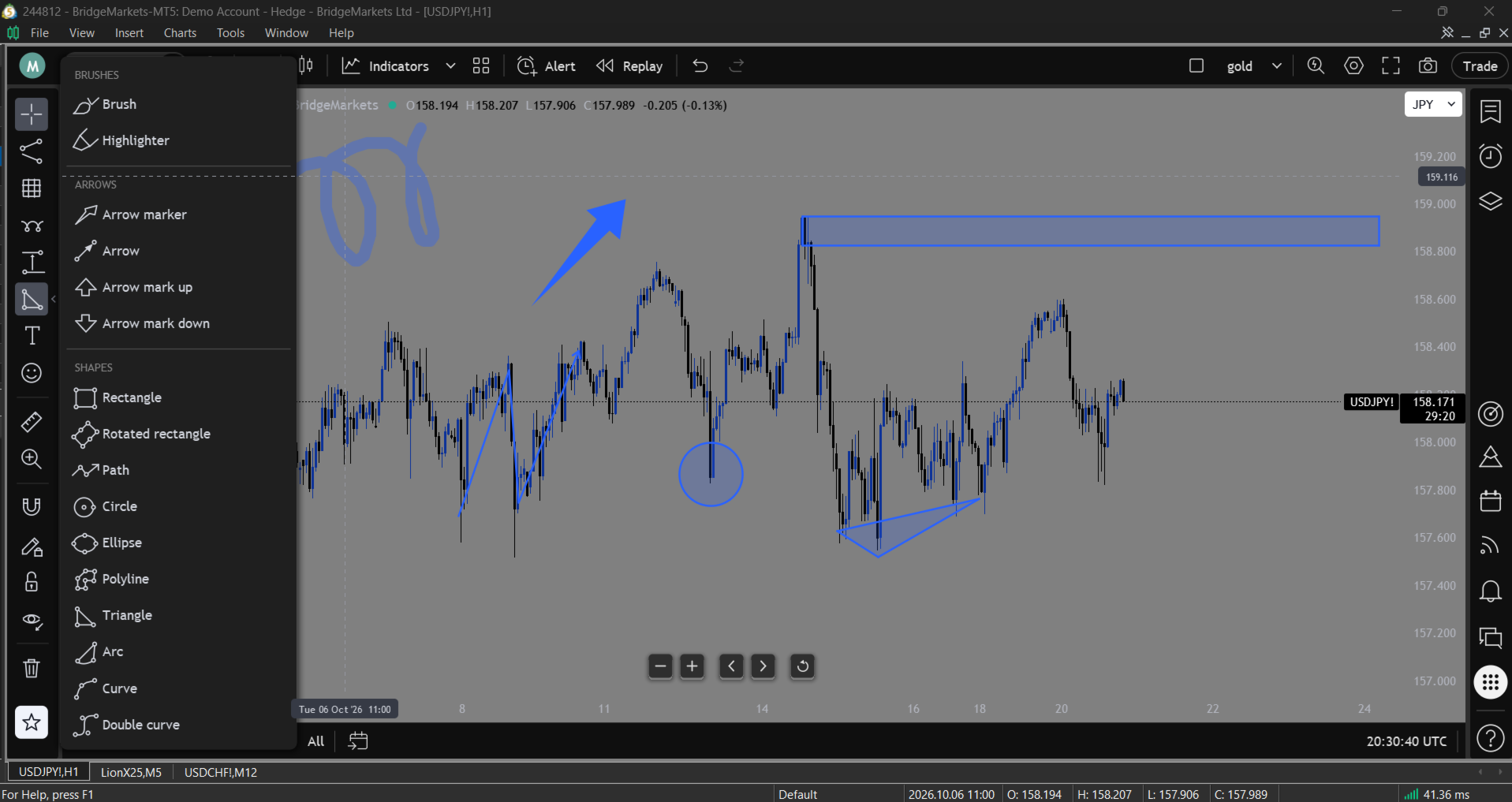
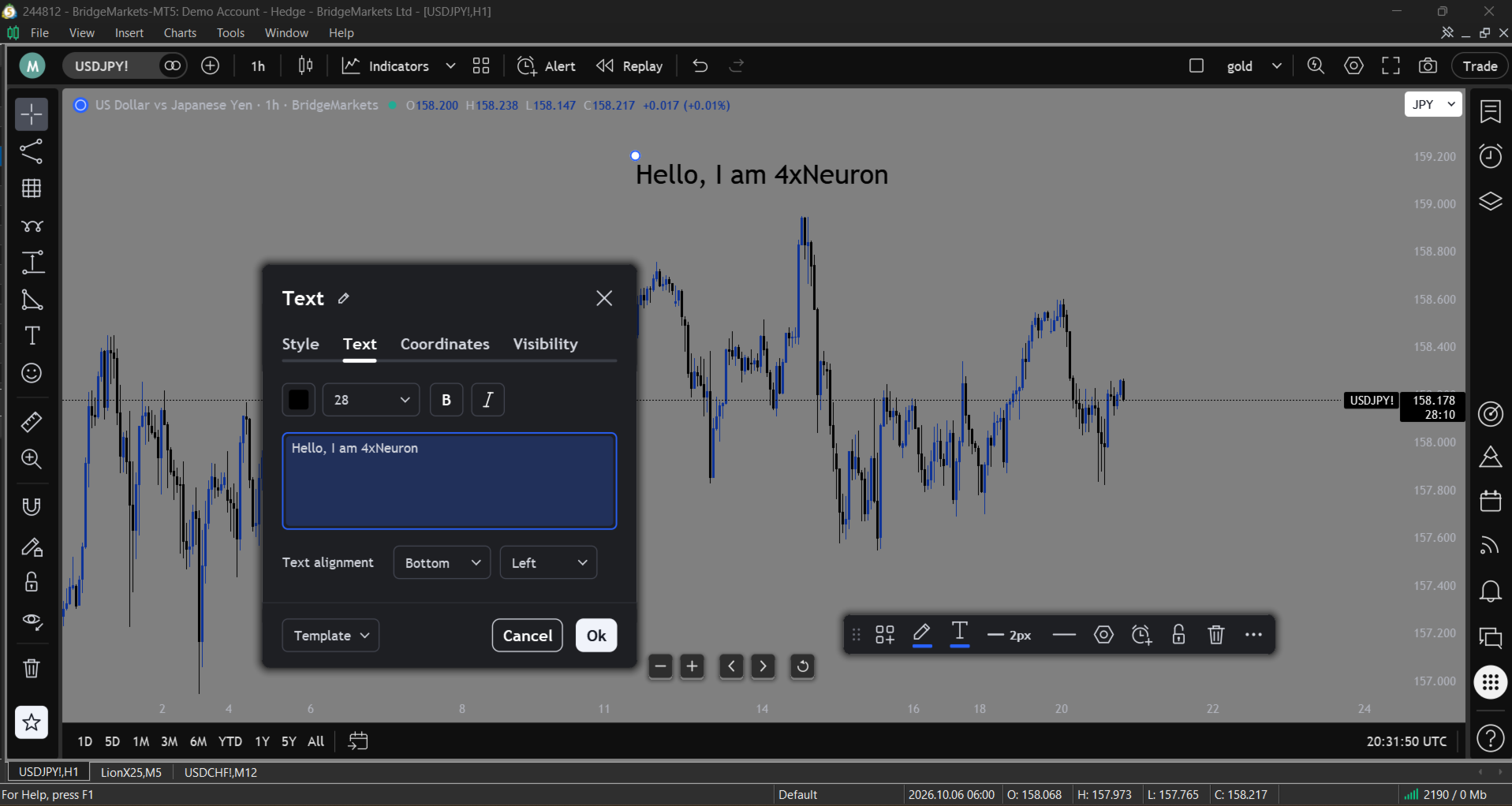
| Drawing toolbar | Trend lines, rays, channels, pitchforks, Fibonacci and Gann tools, chart patterns, Elliott waves, cycles, long and short position, forecasts, price and date ranges, brushes, shapes, text, notes, callouts, icons and stickers, ruler, zoom, magnet, lock, hide and remove. Drawings are smooth, anti-aliased, with their own settings, and are kept on the chart. |
| Indicator panes | An indicator that needs its own window (RSI, MACD, Stochastic and others) opens as a pane inside the chart, with its own scale, values and legend. Drag a pane's top edge to resize it. |
| Indicator legend | Every indicator on the chart is listed under the title, with hide, settings and remove buttons. Click an indicator's line to open its settings. |
| Price alerts | Crossing, crossing up, crossing down, greater than, less than; only once, once per bar or once per bar close; an expiry; popup, sound, push notification and email. Alerts show as lines with tags on the price scale. |
| Bar Replay | Pick a bar and replay the market from there: play at 0.3x to 20x, step bar by bar, jump back to real time. |
| Compare | Up to five other symbols drawn over the chart as lines, each moving by its own percentage from the first bar in view. |
| Right panels | Watchlist with symbol details, Alerts with a log, Object tree and Data window, Screener, Hotlists, Economic calendar, News flow, Notifications, Chart notes, Help. |
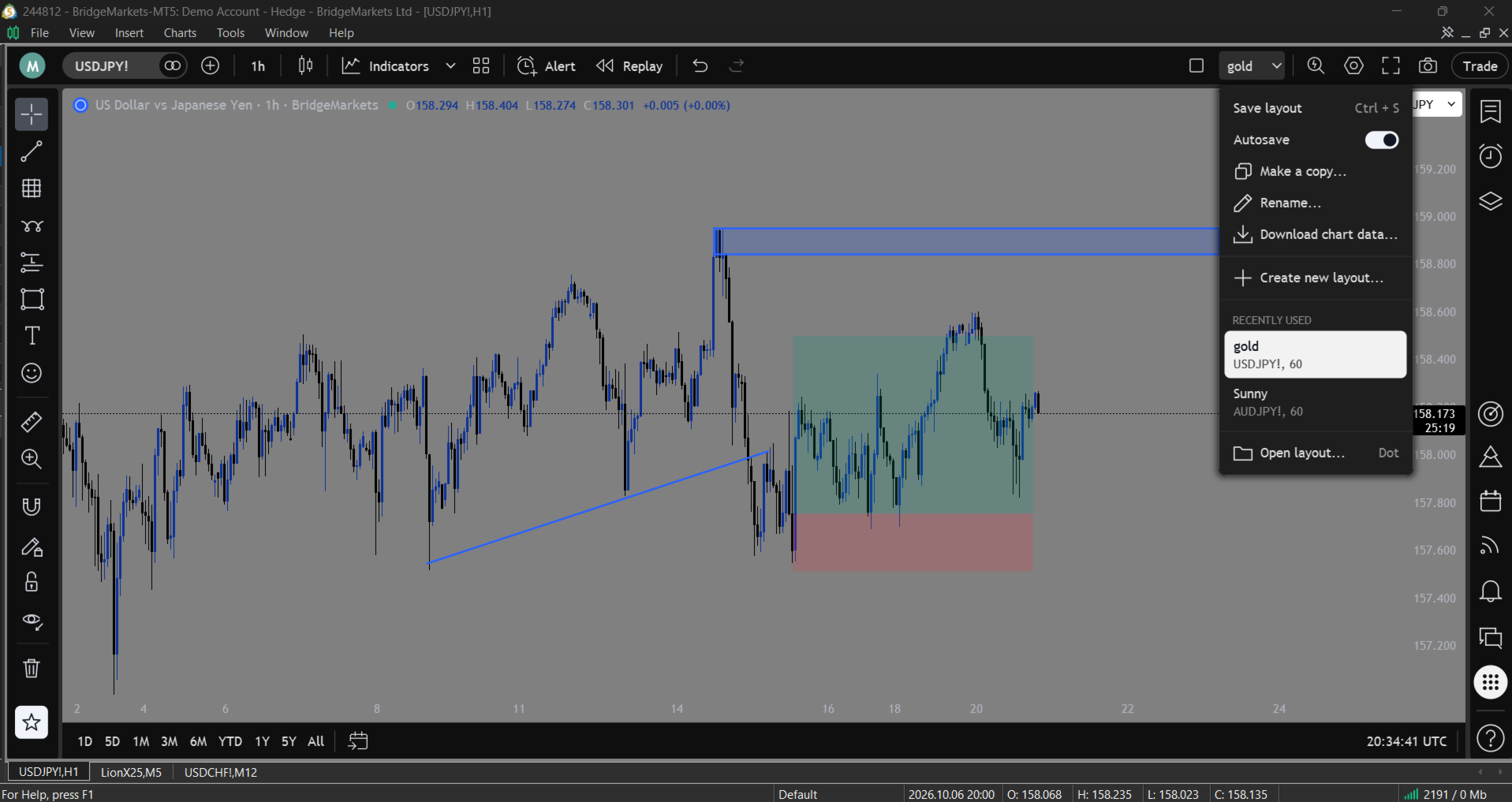
| Layouts | Save, rename and load whole chart layouts; show 1 to 8 charts in a grid with symbol and interval sync. |
| Settings | Themes (grey, dark, light, your own colours), candle bodies, borders and wicks, status line, scale labels, countdown, price line, grid lines, navigation buttons, trade levels. |
=== HOW TO USE IT ===
- Find a symbol. Start typing on the chart, or click the symbol on the top bar.
- Add indicators. Click Indicators. Star the ones you use most; they appear in the arrow menu beside it. Save a set of indicators as a template and put it on any chart in one click.
- Draw. Pick a tool on the left toolbar and click on the chart. Hover a drawing to move it or its points; its floating toolbar changes its colour, width, style and more. Ctrl + Z undoes a change.
- Set an alert. Click Alert on the top bar, choose the condition and the value, and how you want to be told. The Alerts panel on the right lists them and keeps a log.
- Replay the past. Click Replay, then click the bar to start from. Use the replay bar at the bottom of the chart to play, step and change the speed.
- Open a panel. Click an icon on the right bar: watchlist, alerts, object tree, screener, hotlists, calendar, news, notifications, notes or help. Drag the panel's left edge to make it wider.
- Find anything. Press Ctrl + K for Quick Search: every action, panel, chart type, interval, drawing tool, indicator and symbol.
=== KEYBOARD ===
| Keys | Action |
|---|---|
| Typing on the chart | Symbol search |
| Ctrl + K | Quick Search |
| Ctrl + Z / Ctrl + Y | Undo / redo a drawing change |
| Ctrl + S | Save the layout |
| . (dot) | Open a saved layout |
| Delete | Delete the selected drawing |
| Shift + Right | Bar Replay: one bar forward |
| Esc | Close a menu, a window or a tool |
=== SPECIFICATIONS ===
| Type | Indicator (chart window), chart analysis and workspace tool |
| Platform | MetaTrader 5 |
| Symbols | Any |
| Timeframes | Any |
| DLL | None |
| Web requests | None |
| Trading | None (the Trade panel shows positions and MetaTrader's own One-Click panel) |
| Data | MetaTrader's own quotes, history and economic calendar |
| Saved files | Layouts, alerts, notes and panel settings in the terminal's MQL5\Files\NeuronChart folder |
=== INPUTS ===
| Group | Input | Default | Purpose |
|---|---|---|---|
| Look | Theme | Grey | Grey, Dark, Light or My colours. The Settings window can change it per chart. |
| Look | My colours: background, rising candles, falling candles, scale text | Grey layout | Used by the My colours theme. |
| Price scale | Symbol name beside the price | true | The symbol's name next to the price tag. |
| Price scale | Time left in the bar | true | A countdown under the price tag. |
| Size | Size, % | 100 | Scales the whole frame (60 to 200) on top of your screen's own scaling. |
| Drawing | Drawing toolbar | true | The left drawing toolbar. |
| Drawing | New drawings: colour, width, fill opacity | Blue, 2, 20 | The style a new drawing starts with. |
=== GOOD TO KNOW ===
- Bar Replay covers the newer bars. MetaTrader draws its own candles and indicator lines; during a replay the bars after the chosen one are covered, and the price tag, legend, panes and compare lines stop at the replay's bar.
- Indicator panes are painted by Neuron Chart. Their lines, histograms and levels are shown; objects an indicator draws in its own window are not.
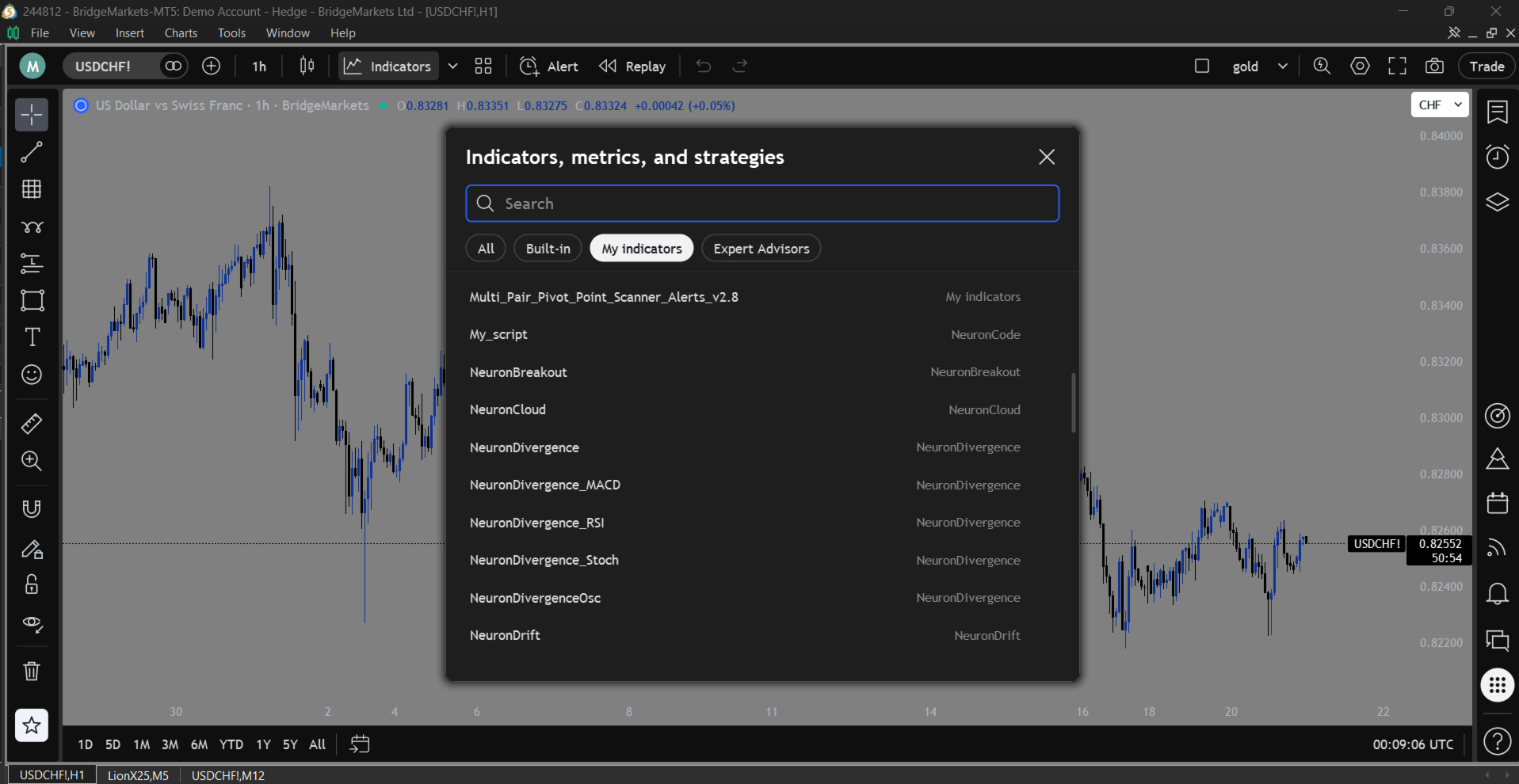
- Your own indicators and EAs. MetaTrader lets Market products read no program folders, so the Indicators window lists the built-in indicators plus every program you have used on any chart. Drag one from the Navigator once, or use Add by name, and it stays listed. To list every program at once, the Indicators window offers Show all: an optional one-minute setup that lets Neuron Chart see your Indicators and Experts folders (nothing is copied or changed).
- Other programs stay inside the chart. Panels and tables of your other indicators and EAs that sit at a chart corner are moved in from the toolbars and scales, and put back when Neuron Chart is removed (Settings, Canvas). An EA dashboard that tracks the mouse itself is left where its EA puts it.
- Currency. The price scale's currency box converts the shown prices at the current rate.
- News flow. MetaTrader gives programs no news feed; the News flow panel shows the latest releases from MetaTrader's economic calendar.
- Multi-chart layouts place the charts as floating windows over the terminal; choose 1 chart to dock them back.
- Alerts fire while MetaTrader 5 runs with Neuron Chart on at least one chart. Push notifications and email use the terminal's own settings (Tools, Options).
- Strategy Tester. The visual tester shows the chart's look; MetaTrader sends no mouse or keyboard events there, and the calendar, alerts and templates are not available in the tester.
=== COMPATIBILITY ===
- MetaTrader 5, any broker, any account type.
- Works next to your EAs: Neuron Chart is an indicator, so the chart's EA slot stays free.
- Works with standard and custom indicators.
- Screens of any resolution and Windows display scaling.
=== PAIRS WITH THE NEURON SUITE ===
Use Neuron Chart as the workspace for the other Neuron Systems indicators, such as NeuronCloud, NeuronBreakout, NeuronTrend and NeuronStructure: add them from the Indicators window, keep them in an indicator template, and see them in panes and in the legend.
=== CREDITS ===
- Emoji: Twemoji by Twitter, Inc. and other contributors, licensed CC-BY 4.0.
- Icons: Font Awesome Free by Fonticons, Inc., licensed CC BY 4.0.
- 3D emoji: Fluent Emoji by Microsoft, licensed MIT.
=== SUPPORT ===
Questions, ideas and bug reports are welcome through the Comments section of this product.
NOTE: Neuron Chart is a tool for chart analysis only. It does not place, modify or close trades and gives no trading signals or advice. All trading decisions and execution remain entirely your responsibility.