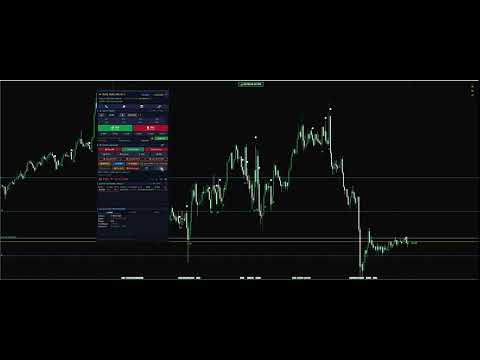
Trade Panel Pro MT5 All in ONE
- Utilitários
- Versão: 6.9
- Atualizado: 17 outubro 2026
- Ativações: 10

Professional Semi-Automated Trading Expert Advisor
Take full control of your trading with an advanced all-in-one trading panel designed for speed, precision, and professional risk management.
TRADE PANEL PRO MT5 is a semi-automated Expert Advisor that combines manual trading flexibility with powerful automated trade management, allowing you to execute trades with a single click while the EA handles your risk automatically.
Whether you trade Forex, Gold (XAUUSD), Indices, Crypto, or CFDs, this panel helps you trade faster, smarter, and with greater confidence.
⭐ Main Features⚡ Ultra Fast One-Click Trading
Open trades instantly with a professional trading interface.
✔ One-click BUY & SELL
✔ Lightning-fast execution
✔ Adjustable lot size
✔ Repositionable floating panel
✔ Modern and intuitive interface
Never worry about forgetting your protection again.
Automatically manage every trade with:
✅ Auto Stop Loss
✅ Auto Take Profit
✅ Break Even
✅ Trailing Stop
✅ Auto SL/TP
✅ Risk-based position sizing
Everything is applied automatically after opening a trade.
💰 Flexible Lot ManagementChoose how you want to calculate your lot size.
Supported Modes
- Fixed Lot
- Auto Risk %
- Manual lot selection
- Quick lot presets
Perfect for both beginners and professional traders.
📰 Built-in Economic News FilterAvoid entering trades during high-impact news.
Features
✔ High / Medium / Low Impact Filter
✔ Pause trading before news
✔ Resume after news
✔ Countdown timer
✔ Visual news alerts
✔ Automatic trade blocking during dangerous market conditions
Protect your account from unexpected volatility.
📈 Professional Trade ManagerManage every position with one click.
Included Functions
- Close All
- Close Profit
- Close Loss
- Break Even
- Move SL to Entry
- Trailing Stop
- Partial Close
- Delete Pending Orders
- Delete SL/TP
- Reverse Position
- Hedge
- Straddle
- Grid Trading
- Auto Partial
- Auto Trail
Everything you need is available directly from the trading panel.
📊 Real-Time P&L MonitorMonitor your account performance in real time.
Displays:
✅ Floating Profit/Loss
✅ Daily Profit
✅ Total Profit
✅ Account Balance
✅ Equity
✅ Margin
✅ Free Margin
✅ Margin Level
Supports all account currencies.
📋 Position MonitorTrack all active positions from one place.
Shows:
- Symbol
- Trade Type
- Lot Size
- Entry Price
- Current Price
- Stop Loss
- Take Profit
- Floating Profit
- Position Counter
Execute commands instantly without clicking.
Examples:
- Quick BUY
- Quick SELL
- Close All
- Close Profit
- Close Loss
Fully customizable keyboard shortcuts.
⏰ Server Time & Trading SessionsStay synchronized with the market.
Includes:
✔ Broker Server Time
✔ Local Time
✔ Trading Session Indicator
✔ Market Session Status
✔ Countdown Timer
🎯 Advanced Auto Close SystemAutomatically close trades based on your rules.
Supports:
- Profit Target
- Loss Limit
- Time Schedule
- Emergency Close
- Account Protection
Evaluate your performance instantly.
Displays:
- Win Rate
- Total Trades
- Average Win
- Average Loss
- Profit Factor
- Performance Summary
Never miss important events.
Includes:
- Sound Alerts
- Visual Alerts
- Trade Confirmation
- Risk Warnings
- Notification Messages
Trade only when market conditions are suitable.
Features include:
✔ Spread Filter
✔ Volatility Filter
✔ Trading Session Filter
✔ Symbol-Specific Settings
✔ Maximum Slippage Protection
✔ Magic Number Management
🔧 Input ParametersTrading
- Lot Size
- Auto Lot
- Risk Percentage
- Magic Number
Risk Management
- Stop Loss
- Take Profit
- Break Even
- Break Even Offset
- Trailing Stop
- Trailing Step
Execution
- Maximum Slippage
- Auto Protection
- Order Validation
Visual
- Panel Position
- Panel Colors
- Button Colors
- Font Colors
- Interface Settings
✔ Gold (XAUUSD) Traders
✔ Forex Traders
✔ Index Traders
✔ Crypto Traders
✔ Scalpers
✔ Day Traders
✔ Swing Traders
✔ Manual Traders
✔ Professional Traders
✔ Beginners
🚀 How To UseStep 1
Attach the EA to your chart.
Step 2
Enable Auto Trading.
Step 3
Configure your preferred settings.
Step 4
Click BUY or SELL.
The EA will automatically manage your:
- Stop Loss
- Take Profit
- Break Even
- Trailing Stop
- Risk Management
Unlike many trading tools, TRADE PANEL PRO MT5 focuses on professional trade management, not dangerous money management systems.
✅ No Martingale
✅ No Forced Grid Strategy
✅ No Hidden Trades
✅ No Account Manipulation
Designed to give traders full control, not to replace their trading decisions.
🌟 Why Choose TRADE PANEL PRO MT5?⚡ Speed
Execute trades in a single click.
🛡 Safety
Automatic professional risk management for every trade.
🎯 Precision
Never miss Break Even, Trailing Stop, or Stop Loss again.
📈 Productivity
Reduce repetitive manual work and focus on market analysis.
💎 Professional Experience
Designed with a clean, modern interface suitable for both beginners and experienced traders.
✅ Key Advantages✔ Professional Trading Dashboard
✔ One-Click Trading
✔ Advanced Trade Manager
✔ Auto Break Even
✔ Trailing Stop
✔ Partial Close
✔ News Filter
✔ Server Time
✔ Trading Sessions
✔ Floating P&L
✔ Account Monitor
✔ Position Manager
✔ Trading Statistics
✔ Keyboard Hotkeys
✔ Spread Filter
✔ Volatility Filter
✔ Multi-Symbol Support
✔ All Timeframes
✔ Forex
✔ Gold
✔ Crypto
✔ Indices
✔ CFDs
📌 Important Notes- Enable Auto Trading before use.
- Test on a Demo Account before trading live.
- Always use proper risk management.
- Configure the settings according to your trading strategy.
Version: 1.0
Platform: MetaTrader 5
Type: Semi-Automated Expert Advisor
Category: Trade Panel • Trade Manager • Risk Management • Manual Trading Assistant
🚀 Trade Smarter. Execute Faster. Manage Risk Like a Professional.TRADE PANEL PRO MT5 is more than just a trading panel—it is a complete trading workstation designed to help you execute faster, manage risk more efficiently, and stay focused on what matters most: making better trading decisions.