
Manual Trading Simulator with Indicators
- Utilitários
-
Conor Mcnamara
 I started learning C programming in 2010. From there I picked up many languages.
I'm working on several indicator projects and EA concepts. - Versão: 1.1
- Atualizado: 20 outubro 2025
Imagine flying a real aircraft without ever stepping into a flight simulator.
That's what trading is like. You have to simulate your strategy before you can take it to a live market. It is good if you can simulate things speedily before even stepping into any live market, or before coming up with an automated system.
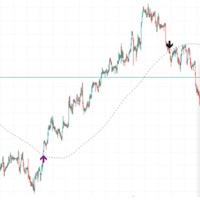
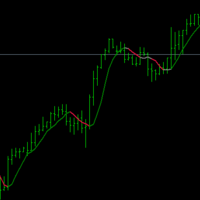
People don't have all day to stare at a higher timeframe chart until the entry signal finally arrives. That's why I built this so that you can simulate your strategy with speed. The speed dial is already part of MetaQuotes visual simulation, but now you have buttons to buy, sell, and close trades, and on top of that, you can load up to four indicators. Either native indicators that come with the software, or your own custom indicators.
Understanding the utility:
- "Buy" button will execute a buy trade, the type of order is controlled in the input section.
- "Sell" button will execute a sell trade, the type of order is controlled in the input section.
- "Close" button will close the last opened trade.
- "Close All" button will close all open trades together.
Note:
The utility is kept simple on purpose, as it is primarily for practicing your skills with entries and exits and to see soon if your strategy is a winning strategy or not in a live simulated environment. It is not a tool which is for getting advanced with risk management or money management.
The "visual" option in the expert advisor strategy tester must be ticked as this product is exclusively for this tester environment.


















































A very good indicator, a must have!