Nas US100 GEX Level Converter Cfd Mapping MT4

ATTENTION:

The Indicator cannot be backtested, as it is generated exclusively from live intraday calculations based on options flow.


GEX Level Converter – Gamma Exposure Mapping for CFD Charts

NASDAQ-100 edition — for US100 · NDX · NAS100 · USTECH and every Nasdaq-100 CFD equivalent

Instantly see professional options-market levels directly on your MetaTrader Nasdaq-100 CFD chart. The GEX Level Converter translates the daily Gamma Exposure (GEX) zones of the NDX options market into precise price levels on your US100 / NAS100 / USTECH CFD. Trade with the same magnet levels that institutional desks watch every day.

Where do GEX Levels Come From?
Gamma Exposure (GEX) originates from the open interest of listed index options. When market makers sell options, they hedge their directional risk by buying or selling the underlying. The aggregate net gamma of all outstanding NDX options creates magnetic price zones – the GEX levels. They are recalculated from exchange-reported open interest and represent billions of dollars in dealer hedging flow. With options now accounting for a large share of the notional traded across global markets, ignoring option-driven price magnets is like driving with a blindfold.

What Can You Read from GEX Levels?
GEX levels act as a real-time map of dealer positioning on the Nasdaq-100:
  • Call / Put OI Walls – the exact price zones where the heaviest option open interest sits. These often cap rallies or floor sell-offs.
  • Long-Gamma zones – price tends to get "pinned" here, creating strong intraday support and resistance.
  • Short-Gamma zones – where dealer hedging turns destabilising; a break frequently triggers accelerated, trending moves.
  • Volatility zones (positive / negative) – high gamma suppresses intraday volatility, low gamma lets price run. Knowing the regime keeps you from fading explosive moves.
  • AA / AAA confluence levels – the highest-grade zones where several signals stack up. These are the levels to respect most.

Why Day Traders Love GEX Levels
Because GEX levels are rooted in actual dealer hedging rather than lagging indicators, they give forward-looking reference points:
  • High-probability magnet targets – price is drawn to large gamma strikes like a magnet during the session.
  • Clear invalidation lines – a break of a Call or Put wall signals a structural change you can trade.
  • Perfect for scalping and intraday swings – especially powerful during the US cash session, when options hedging is most active.
  • Pairs with any strategy – use GEX levels to filter entries, set profit targets, or place your stop just beyond a major gamma wall.

The Problem with Raw GEX Data
GEX data is published for the underlying option product (NDX). But you trade a CFD – and the price scale, tick value and contract differ from broker to broker. Manually converting an NDX gamma wall to your US100 / NAS100 / USTECH CFD is slow, error-prone and impractical while trading.

Our Solution – GEX Level Converter for CFD Mapping
This tool automatically transforms institutional-grade Gamma Exposure levels straight onto your MetaTrader Nasdaq-100 CFD chart. Attach it to your US100 / NAS100 / USTECH symbol and it displays:
  • The exact Call / Put walls, long- and short-gamma zones and volatility zones, recalculated for YOUR CFD's price scale.
  • Clean, labelled horizontal levels with a coloured zone band – no clutter.
  • A live index/CFD ratio so every level sits at the correct CFD price, automatically, all session long.
No spreadsheets, no manual calculations, no guesswork. Just the professional levels that matter, placed where they belong on your own chart.

Key Features

  1. Built for the Nasdaq-100 – NDX options mapped onto US100 / NAS100 / USTECH and all CFD equivalents.
  2. Automatic level updates – refreshed continuously through the session (internet connection required).
  3. Fully customisable colours – set an individual colour for every GEX zone type (OI, long/short gamma, volatility, AA, AAA).
  4. Adjustable transparency – control the zone fill opacity from solid to fully transparent.
  5. Chart Themes– one-click chart styling: None, Dark, Black, Light and the signature Fluxion theme. Your original chart colours are automatically restored when you remove the EA.
  6. Live status panel – shows the connection state and the New York session clock at a glance.
  7. Non-repainting levels – GEX zone levels are sourced from live options flow and refresh throughout the cash session while the options market is open.
  8. Lightweight & CPU-friendly – runs smoothly even with multiple charts open.

One-Time Setup
  1. In MetaTrader open [B]Tools → Options → Expert Advisors.
  2. "Allow WebRequest for listed URL" and add: https://zeroptx.click
Attach the EA to a Nasdaq-100 CFD chart (US100 / NAS100 / USTECH)

Important – Instrument Scope
This product is built exclusively for the Nasdaq-100: US100, NDX, NAS100, USTECH and every broker's CFD equivalent of the Nasdaq-100 index. It is not intended for other indices or instruments.

Trade Smarter – Not Harder

Stop guessing where the "smart money" is positioned. The GEX Level Converter puts the same map used by options desks and professional day traders directly onto your screen. Whether you scalp the open or ride a trend day, you'll know exactly which levels are likely to attract price and which ones will accelerate the move.

After Your Purchase
Please get in touch after buying – I will personally send you a PDF guide with deeper information on the GEX levels: how each zone is calculated, what the grades mean and how you can use them for your daily trading. 

Take control of the invisible options flow. Add the GEX Level Converter to your Nasdaq-100 charts today.
Produtos recomendados
Indicador de força das moedas para MetaTrader 4 Este indicador de força das moedas analisa até 28 pares principais e produz um valor por moeda, para as 8 principais: USD, EUR, GBP, JPY, CHF, CAD, AUD e NZD. Em vez de abrir gráfico após gráfico para saber quem lidera, você lê um único painel no seu gráfico MetaTrader 4 e sabe qual moeda está a ser comprada e qual está a ser vendida. O que o painel mostra Uma barra de força ordenada para cada uma das 8 moedas, com a sua percentagem Uma matriz mult
Automated Timeframe cycling with Symbols centered.  Force every timeframe onto one clock window, so the story you see on Daily is the same story you are slicing on H4, H1, and M1.  Traders usually flip timeframes and lose the span. A Daily chart shows a few weeks, then M15 shows a few hours, and the eye treats them as different markets. This indicator locks the window to N bars of the highest enabled timeframe — default 10 Daily — and maps every lower timeframe to that same stretch. You stay ins
FREE
Hello, This is an easy symbol change panel. This is a full version of Symbol1 2Changer Symbols must be active on your Market Watch list. Parameters: SymbolList - you can add more symbols with a comma(,) ratio - change the size LineNumber - you can set that how many symbols are displayed per line. button_width - modify the button size button_height - modify the button size Thank you.
Forex Candle High/Low Alert Indicator Overview: Forex Candle High/Low Alert Indicator, designed to provide real-time insights and alerts for major currency pairs. This custom-built tool displays key High and Low values over a chosen number of candles and time frame, ensuring you stay informed about critical price movements and trends. (The candles observed are from the 1st candle back - The amount of the chosen number of candles) Key Features: Real-Time High/Low Tracking : The indicator dynamica
Gold Venamax MT4
Sergei Linskii
3 (2)
Gold Venamax   - este é o melhor indicador técnico de ações. O algoritmo do indicador analisa o movimento do preço de um ativo e reflete a volatilidade e as zonas de entrada potenciais. Recursos do indicador: Este é um super indicador com Magic e dois blocos de setas de tendência para uma negociação confortável e lucrativa. O botão vermelho para alternar blocos é exibido no gráfico. Magic é definido nas configurações do indicador, para que você possa instalar o indicador em dois gráficos exibin
Inform Panel For ALL Symbols — Advanced Multi-Instrument Trading Management The Inform Panel For ALL Symbols is a sophisticated trading management tool designed to streamline control over all financial instruments in a trader’s portfolio, eliminating the need to attach it to specific charts. Its core innovation lies in using modifiable virtual levels for stop loss (SL) and take profit (TP), allowing discreet order closure hidden from brokers. The panel automatically detects and lists all active
MACD Divergence Finder Indicator will help you to find Divergences between your typical MACD values and the Chart Prices as potential points of actual Trend Reversion or Pull Backs to increase your positions as per the current Trend. Indicator Windows draws MACD value and Divergence arrows but not MACD Signal as it is not considered relevant to detect this kind of Classic Divergences. In some computer/VPS with old microprocessors or low RAM size, when you launch this Indicator (attach it, change
O indicador Crypto_Forex "Auto FIBO Pro" é uma ótima ferramenta auxiliar na negociação! - O indicador calcula e coloca automaticamente no gráfico os níveis de Fibonacci e as linhas de tendência locais (cor vermelha). - Os níveis de Fibonacci indicam áreas-chave onde o preço pode reverter. - Os níveis mais importantes são 23,6%, 38,2%, 50% e 61,8%. - Pode utilizá-lo para scalping de reversão ou para negociação de grelha de zona. - Existem muitas oportunidades para melhorar o seu sistema atual ut
Scalping Day Trading Support Utility Scalping One for MT4 setting faile (for white Chart)    http://www.emkyuradias.shop/indexenglish.html One position is displayed with one button. View P & L, Lot, and Point in real time. It is possible to switch the display of positions of only chart currencies and all currency pairs.   Supports automatic identification in Japanese and English   Account currency notation corresponds to dollar, euro, pound, yen (automatic identification) Lot, take profit and
Все трейдеры знают, что без статистики работать нельзя и ведут статистику на бумаге или используют интернет ресурсы. Индикатор "VG-Statistics" создает статистику по истории Ваших сделок. Для правильной работы нужно выбрать нужный период в истории сделок и нажать кнопку "Развернуть" в левом углу графика, по умолчанию будут подсчитаны все сделки загруженные в ваш терминал с учетом комиссии и свопа, для подсчета например только "EURUSD" установите индикатор на график "EURUSD" и в настройках изменит
TradeTracker Pro
Ranguni Abdulsamir Abdulmajid
TradeTracker Pro – Smart Trade Tracking & Management Utility Take control of your trading with TradeTracker Pro – the ultimate utility for monitoring, analyzing, and managing your trades in real time . Whether you’re a scalper, day trader, or swing trader, this powerful tool helps you track performance, set smart take profits & stop losses, and visualize every deal directly on your chart . Key Features Real-Time Trade Tracking – Monitor all open and closed trades with full details on profits, lo
MarketFlow Indies MarketFlow Indies is a clean MT5 chart indicator designed to help traders read directional flow, confirmed Buy/Sell signals, market structure, reaction zones, and spread information in one simple visual workspace. The indicator focuses on chart clarity. Signals are displayed directly on the main chart with compact Buy and Sell labels, colored flow lines, optional structure marks, and a small dashboard for quick signal review. Expert Version MT5 :  https://www.mql5.com/en/market

This indicator is a utility that can output spreads to CSV file in three formats. In the case of scalping where the spread greatly affects the trade result, the specification of the spread of the FX Broker you use is an important point to be aware of. Since the spread value changes greatly depending on the time zone, the average value of spreads officially announced by FX Broker is not very helpful. It is very important to investigate the spread specification of each FX Brokers by yourself. This
News Dashboard MT4
Taras Slobodyanik
4.5 (8)
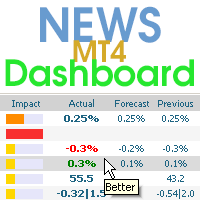
Este painel exibe notícias atuais de três fontes: do site ForexFactory.com (calendário FFC), do site Investing.com e do Calendário Econômico de mql5.com. Você pode classificar as notícias por impacto e por país e exibi-las no gráfico com um clique. Ao manter pressionada a tecla 'Ctrl', você pode selecionar várias 'moedas' ou 'impactos' diferentes para classificar. Além disso, este utilitário mostra não apenas a previsão, mas também os valores reais após aparecerem no site. Você pode definir uma
Description The Panel is designed to select top signals from the terminal database and the MQL5.community website. To allow web requests for the program, you need to enable the "Allow WebRequest for the following URL" option in the terminal settings and explicitly manually specify URL https://www.mql5.com/ . Parameters The terminal tab — selecting signals form the terminal data base. sorting — choose a sorting field to select the best signals from the data base: NONE RATING DATESTART DRAWDOWN G
This indicator helps trader quickly change symbol for all current charts. Help manual: 1-Traders add this indicator to one of the openning chart. Traders can add this to all charts. They all work properly. if SingleChartImpact = true: only chart with indicator can change symbol. If false, all opened charts will be changed 2-From the chart that has this indicator added, traders press one key on the keyboard to show all symbols which are available on market watch window in button form. For example
O   painel de força da moeda com média móvel   é um indicador poderoso e abrangente que fornece uma visão profunda do momento da moeda em vários símbolos e prazos. Essa ferramenta robusta utiliza médias móveis para identificar os pontos de cruzamento mais recentes e rastreia efetivamente a força das moedas até o preço atual. Com seu design intuitivo e interface amigável, este painel oferece uma riqueza de informações para os comerciantes que buscam tomar decisões informadas. Um dos principais
Multicurrency indicator in table format. Signals appear with confirmation, do not redraw. The indicator works on the current (open) timeframe. Notifications come for an open instrument. The strategy includes: price touching the moving average in the direction of the trend, as well as an extraordinary recalculation of the classic ADX indicator to determine the trend as an additional filtering of entries. Entries are displayed on the chart as arrows and, as mentioned above, the arrows are not redr
FVG Zone Indicator
Thushara Dissanayake
O   FVG Zone Indicator   é uma ferramenta poderosa projetada para identificar Fair Value Gaps (FVG) no mercado, destacando desequilíbrios de preço entre o valor justo e o preço de mercado. Essa identificação precisa de gaps permite que os traders identifiquem potenciais pontos de entrada e saída do mercado, aumentando significativamente sua capacidade de tomar decisões comerciais informadas. Com sua interface intuitiva e amigável, o Indicador de Zona FVG escaneia automaticamente os gráficos em b
Price Magnet — Price Density and Attraction Levels Indicator Price Magnet is a professional analytical tool designed to identify key support and resistance levels based on statistical Price Density. The indicator analyzes a specified historical period and detects price levels where the market spent the most time. These zones act as “magnets,” attracting price action or forming a structural base for potential reversals. Unlike traditional Volume Profile tools, Price Magnet focuses on price-time d
InvisibleTakeProfit
TF Lukasz Gasiulewicz
What is InvisibleTakeProfit? InvisibleTakeProfit is a tool designed to allow the trader to hide his/her take profit from other market participants. Unlike the usual take profit attached to an order pernamently and visible to the broker, InvisibleTakeProfit exists only on the MT4 terminal side and is visible only to the trader. How to use it in trading? With the help of the InvisibleTakeProfit you can hide your take profit order from the broker and set it up as a normal take profit. Additionall
Trade History Exporter automatically exports trade history to a CSV (comma separated values) file. Trade History Exporter: - automatically exports trade history every time a trade is closed - allows you to manually force an export by using the "W" key on your keyboard - can use Order Comments as Magic Numbers - useful for instance when using a Trade Copier - calculates the Net Profit per trade
Genesis Matrix Pro is a professional multi-timeframe trend detection indicator designed to help traders identify high-quality market alignment with clarity and structure. It combines 12 different technical indicators into one visual alignment matrix, allowing traders to quickly see when market conditions are bullish, bearish, or neutral. A signal is generated only when the selected strategies are aligned, helping reduce noise and improve decision-making. PLEASE CONTACT ME AFTER PURCHASE TO GET
VR Cub
Vladimir Pastushak
VR Cub é um indicador para obter pontos de entrada de alta qualidade. O indicador foi desenvolvido para facilitar cálculos matemáticos e simplificar a busca por pontos de entrada em uma posição. A estratégia de negociação para a qual o indicador foi escrito tem provado a sua eficácia há muitos anos. A simplicidade da estratégia de negociação é a sua grande vantagem, o que permite que até mesmo os comerciantes novatos negociem com sucesso com ela. VR Cub calcula os pontos de abertura de posição e
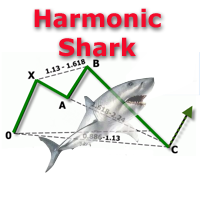
The indicator detects and displays Shark harmonic pattern (see the screenshot). The pattern is plotted by the extreme values of the ZigZag indicator (included in the resources, no need to install). After detecting the pattern, the indicator notifies of that by a pop-up window, a mobile notification and an email. The indicator highlights the process of the pattern formation and not just the complete pattern. In the former case, it is displayed in the contour triangles. After the pattern is comple
Indicador de gestão de risco e monitoramento de limites para traders profissionais e contas de avaliação (Prop) Esta ferramenta apenas exibe, no gráfico, informações precisas de gestão de risco e limites, ajudando você a decidir com mais foco. O indicador não abre/fecha/modifica ordens e não interfere com Expert Advisors (EAs). Recursos Monitoramento do drawdown diário e total Calcula e exibe o drawdown diário e total com base no Saldo (Balance) ou no Patrimônio (Equity) (configurável). Mostra
The PM Ichimoku Dashboard will show you 28 Currencies and 2 metals on a single chart all the timeframes (M1 to Month) with their own status for the indicator. How to understand the status: Zero: Tenkan equal Kijun Green/Red Circle: Price above/below Cloud (Kumo) Green Circle + Down arrow: Price above Cloud but Tenkan below Kijun Red Circle+ Up arrow: Price below Cloud but Tenkan above Kijun Grey Circle: Price inside Cloud Indicator Parameter: Tenkan-sen - Tenkan sen period Kijun-sen - Kijun sen
MA Alignment Scanner
Benedict Jamora
5 (1)
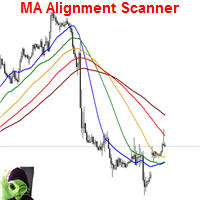
This indicator scans and displays currency pairs that have recently aligned moving averages on a given timeframe. You can configure which pairs the indicator will scan. It also includes all types of alert options. Bullish MA Alignment =  MA1>MA2>MA3>MA4>MA5 Bearish MA Alignment =  MA1<MA2<MA3<MA4<MA5 Features Attach to one chart and scans all the currency pairs configured and visible in the Market Watch Window It can monitor all the available timeframes from M1 to MN1 and sends alerts on every
BOSSTESTER (Binary Option Super System Tester) indicator is a simple tester for BOSS binary options trading system. Its objective is constructing a balance line on history data during CALL and PUT transactions performed by BOSS trading system. The tester requires at least 50 bars in history. Inputs Initial Balance - initial balance. Investment Rate - investment rate. Losses Cover Ratio - loss coverage ratio. Payout - payout in %. Loss - loss in %. Trading Style - trading style: Super_Conservati
FREE
Stealth Mode for TP SL and Trailing MQ4
Petrus Nicolaas Johannes Roets
1 (1)
Hide TP and SL from your broker. Set Use_TP_SL_Stealth_Mode to true to hide your TP or SL from the brokers. Stealth Trailing now avalable in updated version. Set Use_Stealth_Trailing to true   for profit trailing without your broker knowing. This EA can be used on any currency pair and will manage your open orders. Besides the stealth mode EA can also be used for normal order management where actual TP SL levels can be set. Also the EA can trail order by adjusting the Stoploss price.
Os compradores deste produto também adquirem
Local Trade Copier EA MT4
Juvenille Emperor Limited
4.96 (111)
Local Trade Copier EA MT4 é um copiador de operações rápido e flexível para copiar e gerenciar operações entre várias contas MetaTrader 4 no mesmo computador Windows ou Windows VPS. Ele combina a sincronização local de operações com controles no lado do Receiver para tamanho de lote, gerenciamento de risco, filtragem de operações, mapeamento de símbolos, gerenciamento de operações e proteção da conta. Configure seus terminais Transmitter e Receiver em aproximadamente 1 minuto e copie operações
Bem-vindo ao Trade Manager EA—uma ferramenta de gestão de risco criada para tornar o trading mais intuitivo, preciso e eficiente. Não é apenas uma ferramenta para executar ordens, mas uma solução abrangente para planejamento de operações, gerenciamento de posições e controle de risco. Seja você um iniciante, trader avançado ou scalper que precisa de execução rápida, o Trade Manager EA adapta-se às suas necessidades, oferecendo flexibilidade em todos os mercados, desde forex e índices até commodi
Exp COPYLOT CLIENT for MT4
Vladislav Andruschenko
4.69 (65)
Copiador profissional de operações para MetaTrader 4 Copiador de operações rápido, profissional e confiável para MetaTrader 4 . COPYLOT permite copiar operações de Forex entre os terminais MetaTrader 4 e MetaTrader 5 , com sincronização flexível para diferentes tipos de conta e cenários de negociação. A versão COPYLOT MT4 oferece suporte para: MetaTrader 4 → MetaTrader 4 MetaTrader 5 Hedge → MetaTrader 4 MetaTrader 5 Netting → MetaTrader 4   Versão MT5 Descrição completa + DEMO + PDF Como compra
Trade Assistant MT4
Evgeniy Kravchenko
4.43 (197)
Ajuda a calcular o risco por comércio, a fácil instalação de uma nova encomenda, gestão de encomendas com funções de fecho parcial, trailing stop de 7 tipos e outras funções úteis. Materiais e instruções adicionais Instruções de instalação - Instruções para a aplicação   Função de linha Mostra no gráfico a linha de Abertura, Stop Loss, Take Profit. Com esta função é fácil definir uma nova ordem e ver as suas características adicionais antes da abertura.   Gestão de risco A função de cálculo do
PZ Trade Pad Pro MT4
PZ TRADING SLU
3.67 (3)
Este é um painel de negociação visual que ajuda você a realizar e gerenciar operações facilmente, evitando erros humanos e aprimorando sua atividade comercial. Ele combina uma interface visual fácil de usar com uma abordagem sólida de gerenciamento de riscos e posições. [ Guia de instalação | Guia de atualização | Solução de problemas | FAQ | Todos os produtos ] Surpreendentemente fácil de usar Negocie facilmente a partir do gráfico Negocie com gerenciamento preciso de riscos, sem complicações
Trade Manager Pro MT4
Bryan Djoufack Nguessong
Esta é uma utilidade para facilitar a sua negociação, colocando a um clique ou alguns cliques tarefas demoradas como gestão de ordens e gestão de riscos. Características Gestão do risco   Calcula automaticamente os lotes com base no risco especificado em % ou $ no campo de risco e deixa-o entrar apenas colocando linhas para SL TP etc. e exibir a Recompensa de Risco em tempo real. TrueRisk para que inclua comissões ao calcular o tamanho do lote em pares FX apenas para que arrisque 1% com tod
Trade Assistant Pro 36 in 1
Makarii Gubaydullin
4.76 (21)
Ferramenta Multifuncional: Calculadora de Lotes, Ordens Grid, Proporção R/R, Gerenciador de Trades, Zonas de Oferta e Demanda, Price Action e muito mais Versão Demo   |   Manual do usuário O Assistente de Trading não funciona no testador de estratégias: você pode baixar a Versão Demo AQUI para testar a utilidade . Entre em contato para qualquer dúvida / ideias de melhoria / em caso de encontrar um bug Se você precisa de uma versão MT5, está disponível aqui Simplifique, acelere e automatize seu
Shepherd Safety EA
AW Trading Software Limited
4.92 (13)
AW Shepherd Safety EA é um Expert Advisor para gerenciar posições abertas. A primeira ordem é aberta pelo trader no painel, e a partir daí o EA conduz a cesta sozinho: adiciona ordens de recuperação com filtro de tendência, fecha o lado por TakeProfit, trailing ou stop e mostra os níveis de fechamento no gráfico. Compras e vendas são geridas separadamente, e os dois lados podem ficar abertos ao mesmo tempo. A ordem de recuperação não é aberta apenas pelo passo de preço, mas depois de uma reversã
Rhino Chart Drawing Tools oferece um fluxo de trabalho de desenho no estilo TradingView para o MetaTrader 4. Inclui 54 ferramentas de desenho , uma barra de ferramentas personalizável, Favoritos, estilos rápidos, configurações de objetos, modelos e um gerenciador de objetos. Manual do usuário: Como usar o produto Versão demo gratuita: Baixar a demo Versão para MetaTrader 5: Rhino Drawing Tools para MT5 Ferramentas de desenho Grupo Lista de objetos Linhas Linha de tendência, raio, linha estendi
Trading History MT4
Siarhei Vashchylka
5 (9)
Trading History - A program for trading and money management on the history of quotes in stratagy tester. It can work with pending and immediate orders, and is equipped with trailing stop, breakeven and take profit functions. Very good for training and testing different strategies. Manual (Be sure to read before purchasing) Advantages 1. Allows you to test any trading strategy in the shortest possible time 2. An excellent simulator for trading training. You can gain months of trading experience
Trade copier MT4
Alfiya Fazylova
4.62 (37)
Trade Copier é um utilitário profissional projetado para copiar e sincronizar negociações entre contas de negociação. A cópia ocorre da conta / terminal do fornecedor para a conta / terminal do destinatário, instalada no mesmo computador ou vps. Antes de comprar, você pode testar a versão demo em uma conta demo. Versão de demonstração aqui . Instruções completas aqui . Principais funcionalidades e benefícios: Suporta a cópia de MT4> MT4, MT4> MT5, MT5> MT4, incluindo contas "MT5 netting". Os mod
Multi Account Local Trade Copier é um copiador local rápido para MetaTrader: copie operações entre terminais MT4/MT5 no mesmo PC ou VPS Windows, de uma conta master para múltiplas contas receptoras — as suas próprias contas reais, demo ou de prop firm, na mesma corretora ou em várias diferentes. Funciona por eventos : o master publica cada operação no instante em que acontece, e o receptor mede e registra a latência real de cópia de cada operação — tipicamente 50-150 ms . Sem DLLs, sem ponte pel
O Telegram to MT4 Multi-Channel Copier copia automaticamente os sinais de trading dos seus canais de Telegram e Discord diretamente para o MetaTrader 4. Sem bots, sem extensões de navegador, sem copiar à mão. O sinal chega ao Telegram ou ao Discord e o EA abre a operação no seu terminal em poucos segundos. E antes de copiar um canal, o backtester integrado mostra o que esse canal teria feito na sua conta. O produto inclui dois componentes: um aplicativo de Windows que escuta os seus canais de Te
TradePanel MT4
Alfiya Fazylova
4.84 (95)
Trade Panel é um assistente de negociação multifuncional. O aplicativo contém mais de 50 funções de negociação para trading manual e permite automatizar a maioria das tarefas de negociação. Instruções para o aplicativo: https://www.mql5.com/pt/blogs/post/762435 Versão de teste do aplicativo para conta demo: https://www.mql5.com/pt/blogs/post/762547 Como instalar o aplicativo: https://www.mql5.com/pt/blogs/post/762548 Como testar o aplicativo no modo visual: https://www.mql5.com/pt/blogs/post/770
O indicador possui três ferramentas principais: Lupa (gráfico de zoom), Régua (escalas de tempo e preço) e Mira. Você pode mover tudo com o mouse e personalizar diferentes formatos de exibição, personalizar o tamanho e a cor de cada elemento. A Lupa   (gráfico de zoom) permite exibir velas de qualquer período de tempo e em diferentes escalas. Teclas de atalho padrão: 'Q' - período de tempo mais alto, 'A' - período de tempo mais baixo, 'W' - diminui o tamanho da vela, 'S' - aumenta o tamanho da
Telegram to MT4 Coppy
Sergey Batudayev
4.09 (11)
Telegram para MT4:   A solução definitiva para cópia de sinais Otimize suas negociações com   o Telegram para MT4   , o utilitário de última geração desenvolvido para copiar sinais de negociação diretamente de canais e chats do Telegram para sua plataforma MetaTrader 4 — sem a necessidade de DLLs. Esta solução robusta garante a execução perfeita de sinais com precisão incomparável e opções de personalização, economizando seu tempo e aumentando sua eficiência. [ Instructions and DEMO ] Principais
Precisa de suporte? Como configurar? Tem dúvidas? Pergunte aqui no seu idioma, resposta rápida: https://www.mql5.com/en/market/product/139089/comments Baixar versão de teste funcional Copy Cat More (Gato Copião) — Copiador de Trades (Trade Copier) MT4 não é apenas um simples copiador local de trades; é um completo framework de gerenciamento de risco e execução (risk management and execution framework) projetado para os desafios de trading de hoje. De desafios de prop firm ao gerenciamento de
Trade Indicator Assistant is a powerful MT4 utility designed to turn indicators into automated trading systems. Its main feature is the ability to automatically detect an indicator’s   BUY and SELL signal buffers , without requiring you to know the buffer numbers, search through indicator settings, or modify the indicator source code. Bonus Indicator: After purchasing Trade Indicator Assistant, contact me to receive Trade Signal Pro completely free as a bonus indicator. [Download Demo Version]
Copiadora->Interação de interface conveniente e rápida, os usuários podem usá-la imediatamente       ->>>> Recomendado para uso em computadores Windows ou VPS Windows Características: Configurações de negociação de cópias diversificadas e personalizadas: 1. Diferentes modos de lote podem ser definidos para diferentes fontes de sinal 2. Diferentes fontes de sinal podem ser definidas para negociação de cópias direta e reversa 3. Os sinais podem ser definidos com comentários 4. Se deve calibrar o
Trade Manager MT4 DaneTrades
Levi Dane Benjamin
4.09 (11)
Trade Manager para ajudá-lo a entrar e sair rapidamente de negociações enquanto calcula automaticamente seu risco. Incluindo recursos para ajudar a evitar negociações excessivas, negociações de vingança e negociações emocionais. As negociações podem ser gerenciadas automaticamente e as métricas de desempenho da conta podem ser visualizadas em um gráfico. Esses recursos tornam este painel ideal para todos os traders manuais e ajudam a aprimorar a plataforma MetaTrader 4. Suporte multilíngue. Vers
The product will copy all telegram signal to MT4   ( which you are member  ) , also it can work as remote copier.  Easy to set up, copy order instant, can work with almost signal formats, image signal, s upport to translate other language to English Work with all type of channel or group, even channel have "Restrict Saving Content", work with  multi channel, multi MT5 Work as remote copier: with signal have ticket number, it will copy exactly via ticket number. Support to backtest signal. How to
Take a Break
Eric Emmrich
5 (31)
Take a Break pauses your Expert Advisors when trading is a bad idea: before news, after a daily loss, outside your trading hours, or when a rule you wrote yourself says so. When the pause is over, your EAs simply continue. Account protection for all your EAs in one tool: news filter, drawdown and equity protection, time filter and custom rules. One EA on one chart protects the whole account, the free indicator gives every chart its own rules on top. Free demo | What is new in 26.09 | Support Ass
The AlgoKing Lightning Bolt Strategy is a trade manager and has multiple indicators built for a complete trading strategy.  Here is a list of indicators built in. Indicators Auto drawn Support and Resistance signals Auto drawn RSI Divergence signals Auto drawn Fibonacci Retracement signals with buy and sell entry lines. Lightning Bolt reversal signals. Auto drawn trend lines. Trade Management Auto take partials at simple moving average targets. Auto take partial and stop losses at Fibonacci ret
FCK CurrencyStrength Pro
Patel Hitendrakumar Mahendrabhai
Hi Friends, " FCK Currency Strength Pro " is a auto & semi auto trading expert with direction of pair. Buy-Sell separate or multi currency in one click. The strategy of  FCK Currency Strength Pro  is a combination of custom indicator, Trendlines, Support & Resistance levels ( Price Action ) and most important secretive trading algorithm mentioned above. Download News Ex4 and csv file You need the following SDSnews.ex4 in MQL4/Libraries and the daylightsavings.csv in MQL4/Files. Only 4 of 5 copi
News Filter EA: Advanced Algo Trading Assistant News Filter EA is an advanced algo trading assistant designed to enhance your trading experience. By using the   News Filter EA , you can integrate a Forex economic news filter into your existing expert advisor, even if you do not have access to its source code. In addition to the news filter, you can also specify   trading days   and   hours   for your expert. The News Filter EA also includes   risk management   and   equity protection   features
KT Equity Protector MT4
KEENBASE SOFTWARE SOLUTIONS
3.75 (4)
An equity protection EA for MetaTrader that enforces your loss limits and profit target for you: when your account reaches a rule you set, it closes your trades on every symbol, before one bad day turns into a lost account. It suits prop firm challenges and personal accounts alike. Attach it to one chart, answer a few questions in the on-chart setup wizard, and it watches your whole account in the background while you trade by hand or with other EAs. What it protects Daily loss limit: a percenta
Trade Dashboard MT4
Fatemeh Ameri
4.96 (55)
Trade Dashboard simplifies how you open, manage, and control your trades, with built-in lot size calculation. It allows you to execute trades, manage risk, and control positions directly on the chart, with tools such as partial close, breakeven, and trailing stop. Designed to reduce manual work and help you stay focused on your trading decisions. A demo version is available for testing. Detailed explanations of features are provided within the MQL5 platform. Installation instructions are include
Easy Trade Executor es una herramienta para el cálculo rápido del tamaño de posición, la ejecución de operaciones y la gestión de operaciones en MT4. Coloque los niveles de Precio de Entrada, Stop Loss y Take Profit directamente en el gráfico, obtenga el cálculo automático del tamaño de posición y abra operaciones con un riesgo controlado en solo unos clics. ¿Por qué Easy Trade Executor? Easy Trade Executor está diseñado para traders que buscan algo más que simples cálculos de riesgo: quieren g
RS Trade Copier - o local trade copier ultrarrápido com uma interface gráfica verdadeira . Pare de digitar números de conta manualmente. Chega daquela lista enorme de 200+ parâmetros de entrada incompreensíveis. Uma ferramenta confiável e flexível para cópia de operações comerciais entre múltiplos terminais MT4 e MT5. Atende tanto traders experientes e serviços de sinais quanto investidores individuais. Permite sincronizar negociações de um ou múltiplos Provedores para um ou múltiplos Clientes c
EchoTrade Telegram Signal Backtester VALIDATE TELEGRAM SIGNALS IN MINUTES - STOP GUESSING, START BACKTESTING Stop blowing accounts on "VIP" signals that don't deliver. The EchoTrade Telegram Signal Backtester is the professional solution to audit, verify, and optimize any Telegram signal provider's performance on historical data. Most signal providers show you their wins but hide their losses. This tool reveals the naked truth. By combining a powerful Data Manager (included) with an advanced MT4
Mais do autor
ATTENTION: The Indicator cannot be backtested, as it is generated exclusively from live intraday calculations based on options flow. GEX Level Converter – Gamma Exposure Mapping for CFD Charts NASDAQ-100 edition — for US100 · NDX · NAS100 · USTECH and every Nasdaq-100 CFD equivalent Instantly see professional options-market levels directly on your MetaTrader Nasdaq-100 CFD chart. The GEX Level Converter translates the daily Gamma Exposure (GEX) zones of the NDX options market into precise pri
FLUXION — Trade Manager Panel for MT4 A fast, native on-chart trading panel. No DLLs, no external files — just attach it to a chart and take full control of your trades. Fluxion turns any MetaTrader 4 chart into a complete trade-management cockpit. Open, average and manage positions with one click, drag your Stop-Loss and Take-Profit directly on the chart, and always see exactly what every level is worth in your account currency. Built for scalpers, day traders and anyone who manages positio
Tortuga Loonie Raider MT4
Stefan Norbert Rudolf
Tortuga Loonie Raider is an advanced adaptive grid system engineered specifically for the Canadian Dollar crosses AUDCAD and NZDCAD. It is not a blind "hit and miss" grid that survives by stacking averaging orders. It enters on real market structure, manages every basket with adaptive logic, and — new in this version — can actively reduce a basket instead of only waiting for it to recover. How it works On the M15 timeframe the EA looks for statistically stretched, mean-reverting conditions us
Tortuga Loonie Raider MT5
Stefan Norbert Rudolf
Tortuga Loonie Raider is an advanced adaptive grid system engineered specifically for the Canadian Dollar crosses AUDCAD and NZDCAD. It is not a blind "hit and miss" grid that survives by stacking averaging orders. It enters on real market structure, manages every basket with adaptive logic, and — new in this version — can actively reduce a basket instead of only waiting for it to recover. How it works On the M15 timeframe the EA looks for statistically stretched, mean-reverting conditions us
Filtro:
Sem comentários
Responder ao comentário