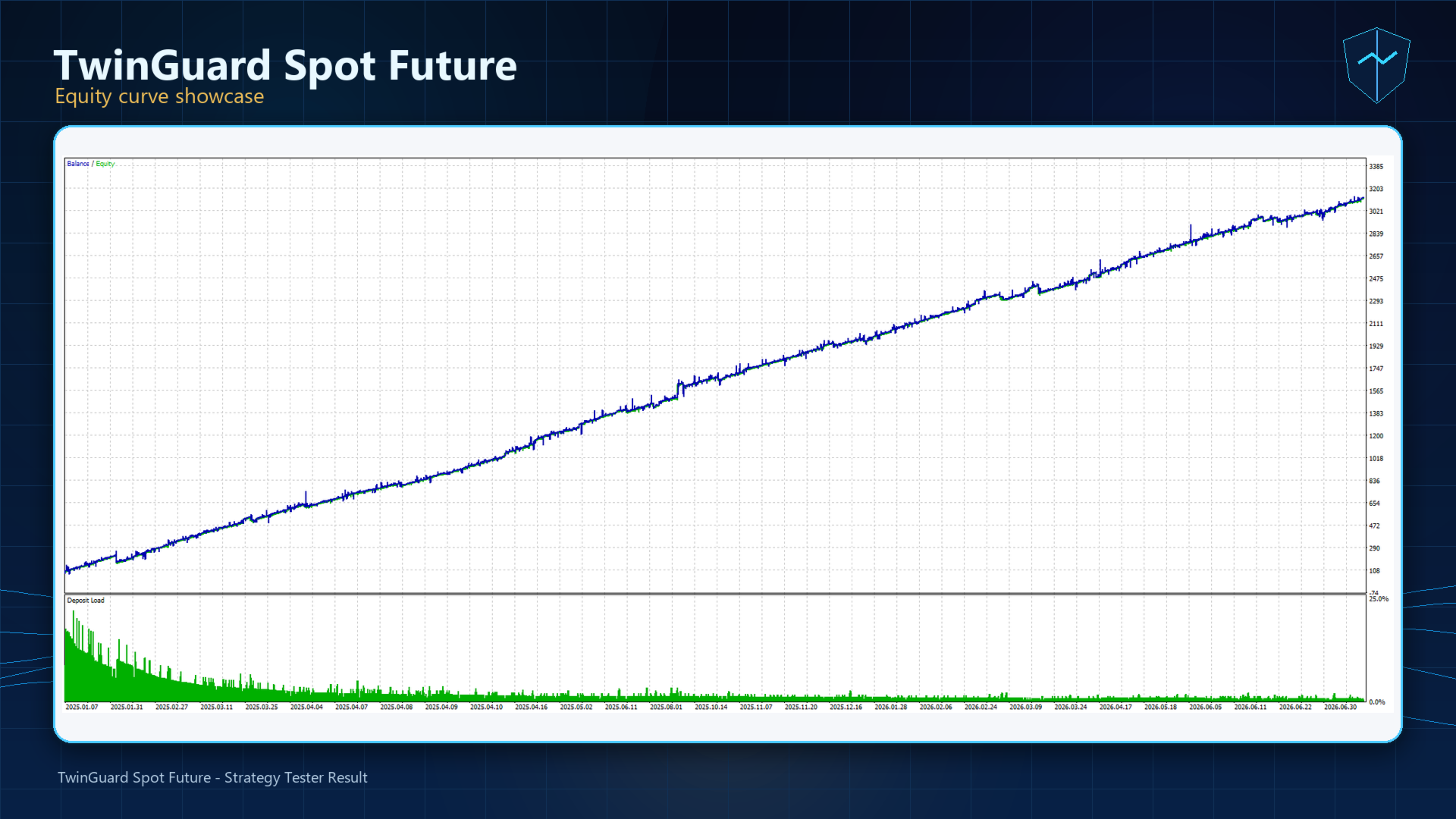
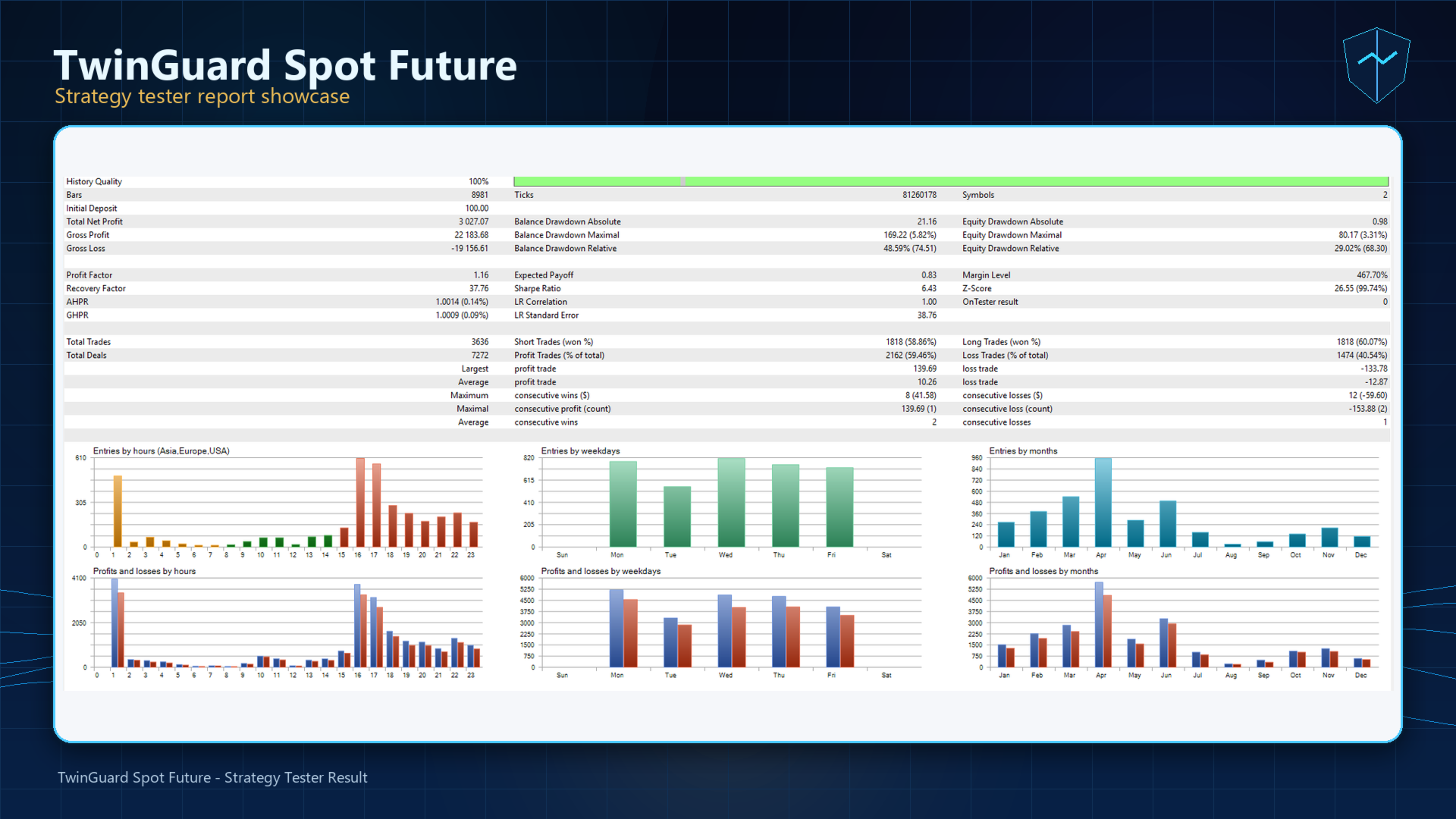
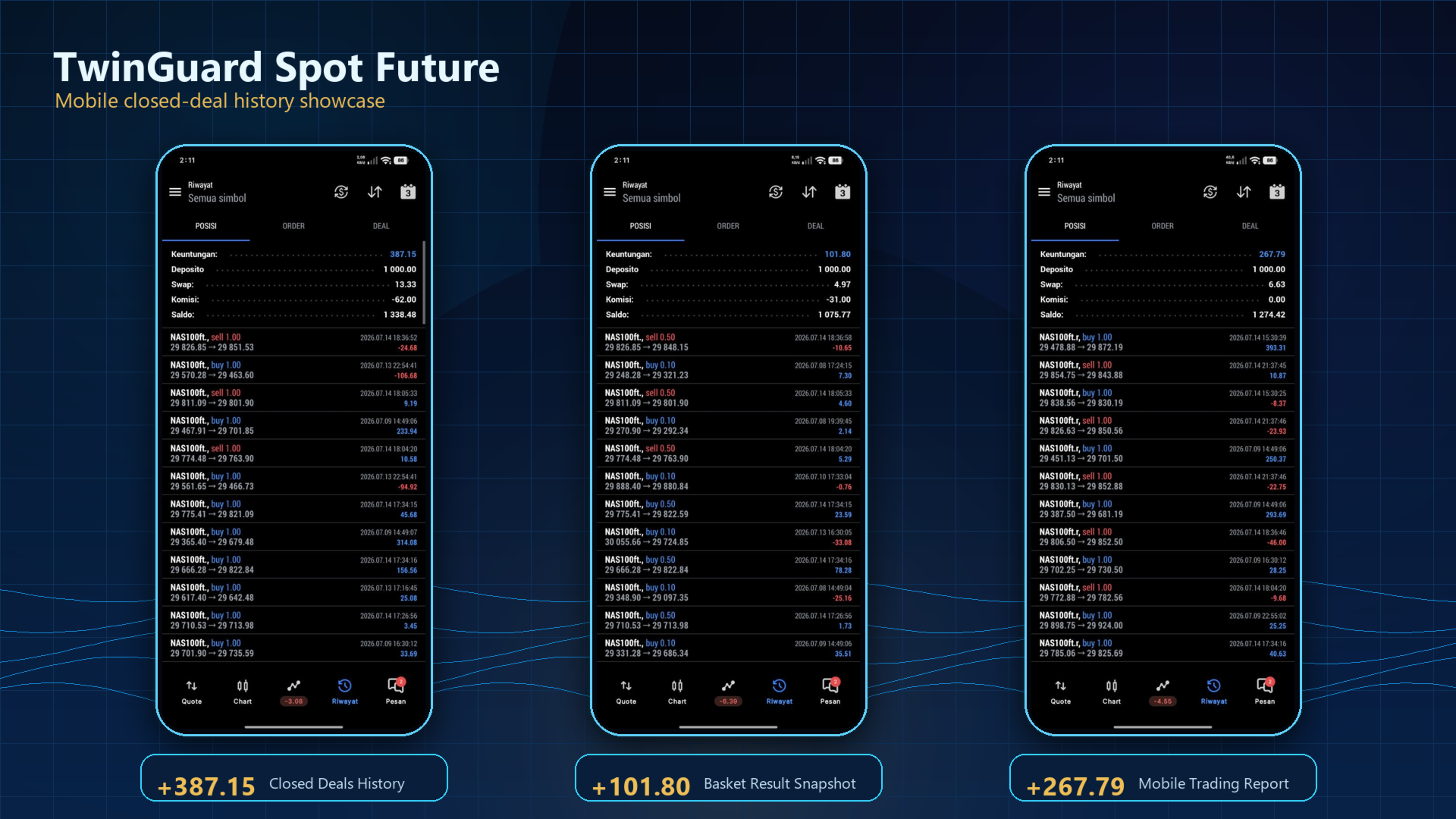
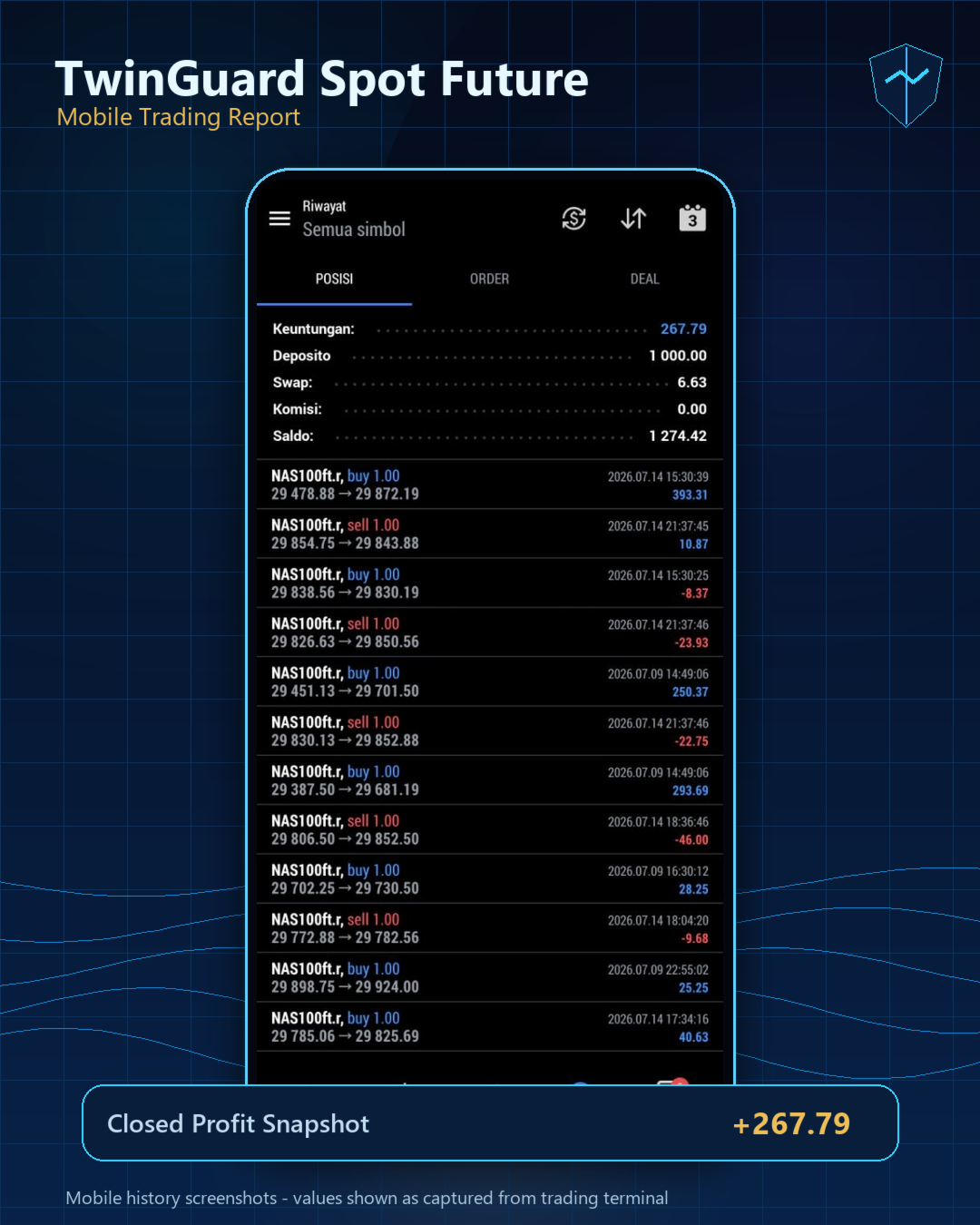
TwinGuard Spot Future EA
- Experts
- Versão: 4.2
- Ativações: 10

TwinGuard Spot Future is a paired spread basket Expert Advisor designed to analyze the price relationship between a spot symbol and its related future/contract symbol.
Unlike many conventional Expert Advisors that rely on common technical indicators such as Moving Average, RSI, MACD, Stochastic, or Bollinger Bands, TwinGuard Spot Future focuses on the spread behavior between two correlated instruments.
The EA opens paired positions, manages them as a basket, and uses spread movement, basket profit, layering logic, and recovery protection to control the trade cycle.
DOWNLOAD PRESET BROKER >>> https://drive.google.com/drive/folders/1U3lLnI19qi4GZJcHzaN3VkjjwAlTT-IB?usp=sharing
Core Concept
TwinGuard Spot Future is built for dual-leg trading.
Example pair:
NAS100. as the spot symbol NAS100ft. as the future symbol
When the spread between the two symbols reaches a defined condition, the EA opens paired positions: one leg on the spot symbol and one leg on the future symbol.
Both positions are managed as one basket, not as separate trades.
The goal is to capture opportunities from the spread movement between two related instruments, instead of relying on direction prediction from a single chart.
Why TwinGuard Spot Future Is Different
1. Not Based on Common Lagging Indicators
Many EAs in the market use standard indicators such as MA, RSI, MACD, Bollinger Bands, or Stochastic.
Most of these indicators are lagging by nature. They react after price movement has already happened.
TwinGuard Spot Future uses a different logic. It focuses on the relationship between two related symbols. This allows the EA to work with spread behavior instead of relying on delayed indicator signals.
2. Spot and Future Relationship
This EA is designed to monitor the spread between a spot symbol and its future/contract version.
Because these two instruments are related, spread movement between them may create trading opportunities that are not visible when looking at only one chart.
This makes the EA different from many single-symbol buy/sell systems.
3. Paired Basket System
The EA opens trades as paired positions.
Instead of opening only one isolated position, TwinGuard Spot Future builds a basket with two legs: spot and future.
This allows the EA to manage the total basket condition rather than judging each trade individually.
4. Layer Management
TwinGuard Spot Future includes layer management based on spread movement.
If the spread moves further from the entry area and the basket conditions are met, the EA can open additional paired layers within the maximum layer limit.
The layering logic is based on spread behavior between the two symbols, not random indicator signals.
5. Basket Profit Management
The EA closes positions based on total basket profit.
One position inside the basket may be negative, while another position may be positive. If the total basket profit reaches the target, the EA attempts to close the entire basket.
This approach is suitable for paired trading because the focus is on the final basket result.
6. Recovery Protection for Unbalanced Positions
One of the main risks in paired trading is when one leg is opened successfully but the second leg fails, is delayed, or becomes unbalanced.
TwinGuard Spot Future includes recovery logic to detect unbalanced basket conditions between the spot and future symbols.
If an imbalance is detected on the same pair and magic number, the EA attempts to handle the recovery according to its internal safety logic.
7. Emergency Protection
The EA also includes emergency protection for certain recovery situations.
If an unbalanced position cannot be closed immediately by market execution, the EA can attempt to place or refresh emergency SL/TP levels as an additional protection layer.
This helps reduce risk during fast market movement, broker execution delays, or temporary trade execution problems.
8. Multi Pair Support
TwinGuard Spot Future supports more than one spot/future pair.
Users can configure multiple pairs in one input, as long as the broker provides the required symbols.
Example:
NAS100.,NAS100ft.;XAUUSD,GCQ26
Each pair can be managed with a different magic number automatically.
9. Designed for Pair Trading, Not Ordinary Single-Symbol Signals
TwinGuard Spot Future is not a simple buy/sell EA based on a single chart.
It is specifically designed to read the relationship between two instruments.
This makes the strategy more specialized compared to many retail EAs that depend only on one-symbol technical indicator signals.
Who Is This EA For?
TwinGuard Spot Future is suitable for traders who:
- want to use a spot-future spread trading approach,
- have a broker that provides compatible spot and future symbols,
- understand that basket trading requires sufficient margin,
- prefer a strategy that does not rely on common technical indicators,
- want a system focused on the price relationship between two instruments,
- need paired basket management with recovery logic.
Important Note
TwinGuard Spot Future cannot be used on every broker.
This EA requires a broker that provides compatible spot and future symbols.
Example:
NAS100. and NAS100ft.
If your broker does not provide spot and future symbols, or if the symbol names are different, you must adjust the InpPairs setting according to your broker’s exact symbol names.
Make sure both symbols are available in Market Watch before running the EA.
Conclusion
TwinGuard Spot Future offers a different approach compared to many conventional indicator-based Expert Advisors.
It uses a paired spread basket concept between spot and future symbols, supported by layer management, basket profit handling, recovery protection, and emergency execution safeguards.
This EA is designed for traders who want a more specialized strategy based on the relationship between two related instruments, instead of relying only on common lagging technical indicators.
If your broker provides compatible spot and future symbols, TwinGuard Spot Future can be an interesting choice for a structured and distinctive pair trading approach.
Strategy Inputs
InpMagicNo: Main magic number used by the EA to identify and manage its own positions.
Use a different magic number if you run the EA on multiple charts, multiple strategies, or different symbol pairs. This helps prevent positions from different setups being mixed together.
InpLots : Initial lot size for each leg.
In paired mode, the EA opens both spot and future legs using the same lot size.
InpMaxSumTwoSpreads: Maximum allowed combined spread of the spot and future symbols.
The EA checks the trading cost of both symbols before opening new trades. If the combined spread is too high, new entries are blocked.
InpTargetProfitDollar: Basket profit target in account currency.
When the total floating profit of all positions in the current basket reaches this value, the EA attempts to close the entire basket.
InpCutLossDollar : Basket cut loss in account currency.
When the total floating loss of all positions in the current basket reaches this value, the EA attempts to close the entire basket. This is a basket-level protection, not a single-position stop loss.
InpMinLossToAddNextLayer: Minimum basket floating loss required before the EA is allowed to open the next layer.
This helps prevent the EA from adding new layers too quickly when the basket is not yet in enough floating loss.
InpMaxLayers : Maximum number of layers allowed in one basket.
A higher value allows the EA to build a larger basket, but it also increases exposure, margin usage, and floating risk.
InpFillingMode: Order filling mode used for trade execution.
Different brokers and symbols may support different filling modes. If orders are rejected because of the filling mode, choose the mode supported by your broker or symbol.
Multi Pair Inputs
InpPairs: Symbol pair configuration.
Use the format SpotSymbol,FutureSymbol . For multiple pairs, separate each pair with a semicolon. Symbol names must match your broker exactly and must be available in Market Watch.
InpMagicStep : Magic number spacing between multiple pairs.
If you use more than one pair, the EA automatically assigns different magic numbers by adding this step to the base magic number.
Session Inputs
InpUseTimeFilter : Enable or disable trading session filtering.
If enabled, the EA only opens new trades during the configured session time. If disabled, the EA can trade without session restriction.
InpSessionStart : Trading session start time based on broker server time.
Use the format HH:MM:SS .
InpSessionExit : Trading session exit time based on broker server time.
After this time, the EA stops opening new entries and manages the basket according to its exit/session logic.
Spread Inputs
InpInitSpreadRange: Initial spread distance from the base spread required to start a new basket.
A smaller value makes the EA more sensitive and may create more frequent entries. A larger value makes the EA more selective.
InpSpreadDiffNextLayer: Additional spread distance required before opening the next layer.
This controls how far the spread must move against the current basket before the EA is allowed to add another layer.
InpSpreadDistanceClose : Spread convergence distance used by the strategy to evaluate basket closing conditions.
This parameter helps define how much the spread needs to move back toward the expected area before the basket is considered favorable for closing.
Broker / Execution Rules
InpMinTimeNewTrade: Minimum waiting time in seconds before the EA is allowed to open a new basket after the previous basket.
This helps avoid immediate re-entry after a basket has just closed.
InpMinTimeNextLayer: Minimum waiting time in seconds before the EA is allowed to add another layer.
This prevents layers from being opened too quickly during fast market movement.
InpMaxSlippage: Maximum allowed slippage in points during trade execution.
Fast-moving symbols such as indices may require a wider slippage value. If this value is too low, trade execution may fail more often.
InpUseRecoveryEmergencyStops: Enable or disable emergency SL/TP placement for recovery positions.
If a paired position becomes unbalanced and the EA cannot close the recovery ticket by market execution, this feature allows the EA to place or refresh emergency stop levels.
InpRecoveryEmergencyDollar : Emergency dollar threshold used during recovery handling.
This is not the basket target profit and not the normal basket cut loss. It is used only for recovery situations when an unbalanced position cannot be closed immediately by market execution.
InpRecoveryStopBufferPoints: Extra safety distance added to the broker’s minimum stop/freeze level when placing emergency SL/TP during recovery.
This helps reduce invalid stop errors from the broker.
Manual Close Protection
InpPauseAfterManualClose : Pause new entries after a manual basket close.
If enabled and all basket positions are closed manually by the user, the EA pauses new entries until the next broker server day.
InpShowInfoPanel: Show or hide the information panel on the chart.
If enabled, the EA displays basic running information on the chart. If disabled, the chart remains clean.