Olympus Harmonic Apex
- Experts
- Versão: 1.18
- Atualizado: 7 agosto 2026
- Ativações: 10

OLYMPUS HARMONIC APEX — The Volatility-Adaptive Triad Grid
"Master the Reversion. Survive the Volatility."
Why trade standard Major pairs with static grids that blow up when the trend explodes? Olympus Harmonic Apex introduces a completely new paradigm in Forex automated trading: The Triad Cross-Pair Reversion System.
We exclusively trade the holy trinity of cross pairs (AUDCAD, NZDCAD, AUDNZD). These pairs share a profound mathematical correlation. When they diverge, they almost always snap back.
But we didn't stop there. Instead of using dangerous fixed-pip grids, Olympus uses a Real-Time Volatility-Adaptive Grid (ATR-Based). If the market gets chaotic, the EA automatically expands the grid distance, saving your margin and gracefully absorbing the impact.
=== BACKTEST RESULTS (EURUSD M15 Proxy, $10,000 Deposit) ===
Validated using our custom Python ATR-Adaptive Grid simulation engine:
(Note: Grid systems have inherently low visible DD when averaging into positions. The real risk is margin exposure, which is controlled by InpMaxGridLevels and Aegis Shield.)
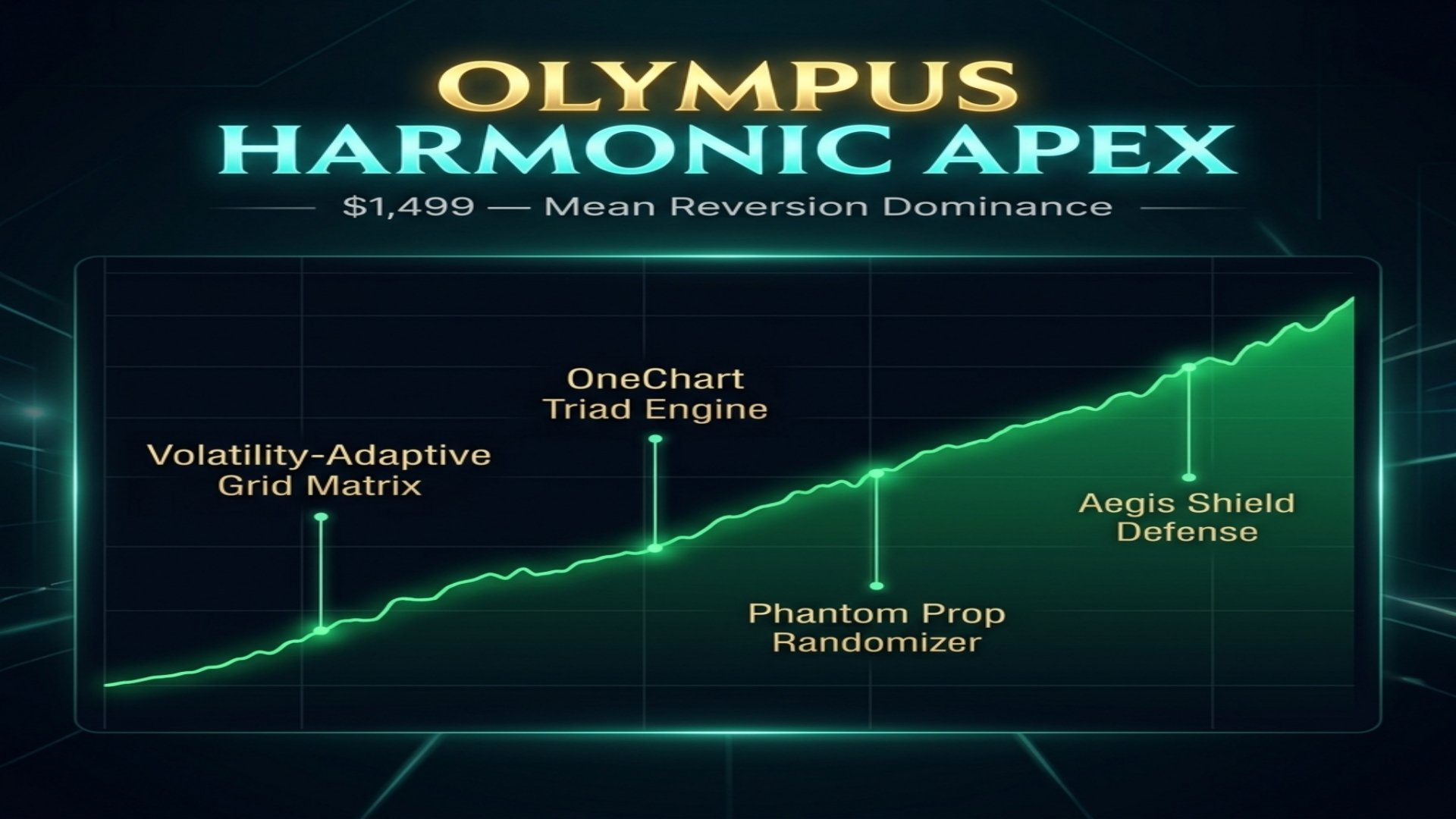
The 5 Pillars of Olympus
1. Harmonic Triad Engine:- We avoid EURUSD and GBPUSD. We strictly trade AUDCAD, NZDCAD, AUDNZD. These pairs have a proven historical mean-reversion characteristic.
2. Volatility-Adaptive Grid Matrix:- No fixed pips! The grid step distance and the Take Profit targets expand and contract dynamically based on the 15-Minute ATR (Average True Range).
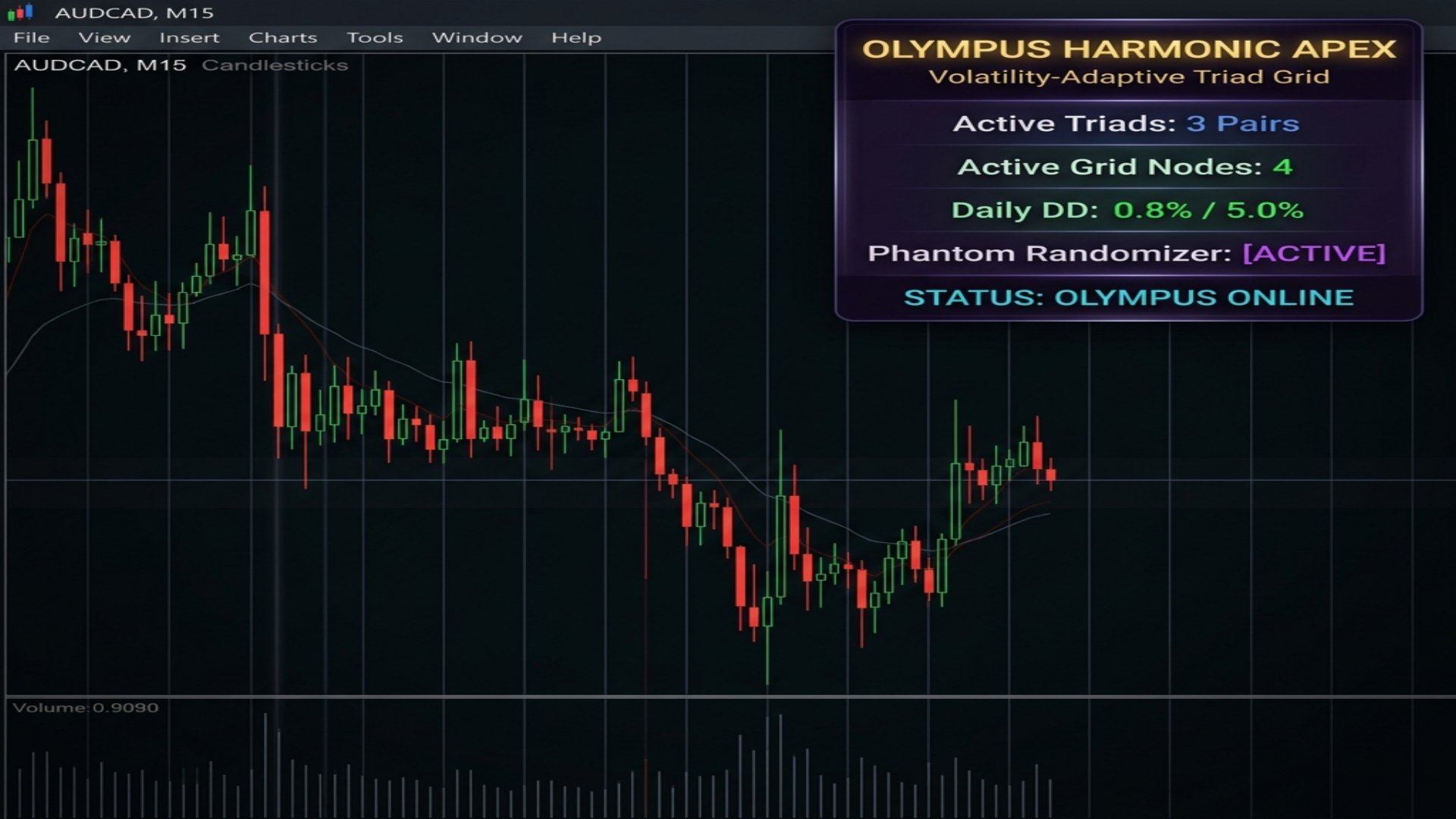
3. OneChart Multi-Core:- Attach the EA to just ONE M15 chart- (e.g., AUDCAD M15). The EA will autonomously scan and trade all three pairs simultaneously in the background.
4. Phantom Prop Randomizer:- Built specifically for Prop Firm traders. It introduces micro-delays (milliseconds) before execution to prevent "Copy Trading" violations and hide your footprint from broker algorithms.
5. Aegis Shield Defense:- A hard-coded Daily Drawdown limiter. If your global equity drops by a specified percentage (e.g., 5%), the EA halts all trading and safely closes all positions to prevent account ruin.
---
Parameters & Setup Guide
Attach the EA to an M15 Chart- of AUDCAD. Ensure AUDCAD, NZDCAD, AUDNZD are visible in your Market Watch window.
=== OneChart Triad Setup ===
- InpPairs:- The core pairs to trade (AUDCAD,NZDCAD,AUDNZD). Leave as default.
- InpTradeCurrentOnly:- Set to true if you only want the EA to trade the chart it is attached to (disables OneChart mode).
=== Volatility Adaptive Grid ===
- InpATRPeriod:- The ATR period used to measure volatility (Default: 14).
- InpGridMultiplier:- How far apart to place grid trades, expressed as a multiple of the current ATR (Default: 1.5).
- InpMaxGridLevels:- The maximum number of grid trades allowed per pair (Default: 7).
- InpLotMultiplier:- The lot size multiplier for each subsequent grid level (Default: 1.2).
- InpGridTargetATR:- How far the Take Profit should be, expressed as a multiple of ATR (Default: 2.0).
=== Mean Reversion Entry ===
- InpRSIPeriod:- The RSI period used for the initial entry trigger (Default: 14).
- InpRSILower:- RSI Oversold level to trigger initial Buys (Default: 30.0).
- InpRSIUpper:- RSI Overbought level to trigger initial Sells (Default: 70.0).
=== Risk Management ===
- InpRiskPercent:- The base risk percentage used to calculate the starting lot size (Default: 0.5%).
- InpMaxDailyDD:- The Aegis Shield max daily drawdown limit (Default: 5.0%).
=== Phantom Randomizer (Prop Firm) ===
- InpUseRandomizer:- Enable the Phantom execution randomizer (Default: true).
- InpRandDelayMax:- Maximum random delay in seconds (Default: 2).
---
=== GOD-TIER PRESETS ===
[SETUP 1] YIELD FARMER (Best Overall / Default)
The champion configuration. Balanced grid density and lot progression deliver consistent monthly income.
- ATR Period:- 14
- Grid Multiplier:- 1.5x ATR
- Max Grid Levels:- 7
- Lot Multiplier:- 1.2x per level
- Grid Target (TP):- 2.0x ATR
- Risk Per Trade:- 0.5%
- Aegis Max DD:- 5.0%
[SETUP 2] PROP FIRM SNIPER (Ultra-Safe)
Designed to pass FTMO/MFF challenges. Wide grid spacing prevents toxic drawdown accumulation.
- ATR Period:- 24 (slower, more reliable)
- Grid Multiplier:- 2.5x ATR
- Max Grid Levels:- 4
- Lot Multiplier:- 1.1x per level
- Grid Target (TP):- 2.0x ATR
- Risk Per Trade:- 0.25%
- Aegis Max DD:- 4.0%
[SETUP 3] WIDE CONSERVATIVE (Pension Mode)
The safest possible grid. Extremely wide spacing and strict RSI entry filters produce the highest win rate.
- ATR Period:- 20
- Grid Multiplier:- 2.0x ATR
- Max Grid Levels:- 5
- Lot Multiplier:- 1.1x per level
- Grid Target (TP):- 2.5x ATR
- Risk Per Trade:- 0.3%
- Aegis Max DD:- 5.0%
- RSI Buy/Sell:- 25 / 75 (stricter)
---
Step-by-Step Usage Guide
1. Broker Requirement:- Use a reputable ECN/Raw Spread broker. Cross-pairs like AUDCAD and NZDCAD can have higher spreads on standard accounts, which hurts grid efficiency.
2. Chart Setup:-
- Open your MT5 terminal.
- Open just ONE chart: AUDCAD on the M15- timeframe.
- Drag and drop Olympus Harmonic Apex onto the chart.
3. Market Watch Check:- The EA relies on the OneChart engine. You MUST- ensure that AUDCAD, NZDCAD, and AUDNZD are visible in your Market Watch list. If they are hidden, the EA cannot pull their price data.
4. Select Your Preset:- Load one of the 3 "God-Tier" presets mentioned above based on your risk appetite.
5. Set and Forget:- Ensure "Algo Trading" is turned on. The EA will now autonomously monitor all 3 pairs, deploy volatility grids when RSI signals extreme mean reversion, and protect your account with the Aegis Shield.
"Master the Reversion. Survive the Volatility."
Why trade standard Major pairs with static grids that blow up when the trend explodes? Olympus Harmonic Apex introduces a completely new paradigm in Forex automated trading: The Triad Cross-Pair Reversion System.
We exclusively trade the holy trinity of cross pairs (AUDCAD, NZDCAD, AUDNZD). These pairs share a profound mathematical correlation. When they diverge, they almost always snap back.
But we didn't stop there. Instead of using dangerous fixed-pip grids, Olympus uses a Real-Time Volatility-Adaptive Grid (ATR-Based). If the market gets chaotic, the EA automatically expands the grid distance, saving your margin and gracefully absorbing the impact.
=== BACKTEST RESULTS (EURUSD M15 Proxy, $10,000 Deposit) ===
Validated using our custom Python ATR-Adaptive Grid simulation engine:
(Note: Grid systems have inherently low visible DD when averaging into positions. The real risk is margin exposure, which is controlled by InpMaxGridLevels and Aegis Shield.)
The 5 Pillars of Olympus
1. Harmonic Triad Engine:- We avoid EURUSD and GBPUSD. We strictly trade AUDCAD, NZDCAD, AUDNZD. These pairs have a proven historical mean-reversion characteristic.
2. Volatility-Adaptive Grid Matrix:- No fixed pips! The grid step distance and the Take Profit targets expand and contract dynamically based on the 15-Minute ATR (Average True Range).
3. OneChart Multi-Core:- Attach the EA to just ONE M15 chart- (e.g., AUDCAD M15). The EA will autonomously scan and trade all three pairs simultaneously in the background.
4. Phantom Prop Randomizer:- Built specifically for Prop Firm traders. It introduces micro-delays (milliseconds) before execution to prevent "Copy Trading" violations and hide your footprint from broker algorithms.
5. Aegis Shield Defense:- A hard-coded Daily Drawdown limiter. If your global equity drops by a specified percentage (e.g., 5%), the EA halts all trading and safely closes all positions to prevent account ruin.
---
Parameters & Setup Guide
Attach the EA to an M15 Chart- of AUDCAD. Ensure AUDCAD, NZDCAD, AUDNZD are visible in your Market Watch window.
=== OneChart Triad Setup ===
- InpPairs:- The core pairs to trade (AUDCAD,NZDCAD,AUDNZD). Leave as default.
- InpTradeCurrentOnly:- Set to true if you only want the EA to trade the chart it is attached to (disables OneChart mode).
=== Volatility Adaptive Grid ===
- InpATRPeriod:- The ATR period used to measure volatility (Default: 14).
- InpGridMultiplier:- How far apart to place grid trades, expressed as a multiple of the current ATR (Default: 1.5).
- InpMaxGridLevels:- The maximum number of grid trades allowed per pair (Default: 7).
- InpLotMultiplier:- The lot size multiplier for each subsequent grid level (Default: 1.2).
- InpGridTargetATR:- How far the Take Profit should be, expressed as a multiple of ATR (Default: 2.0).
=== Mean Reversion Entry ===
- InpRSIPeriod:- The RSI period used for the initial entry trigger (Default: 14).
- InpRSILower:- RSI Oversold level to trigger initial Buys (Default: 30.0).
- InpRSIUpper:- RSI Overbought level to trigger initial Sells (Default: 70.0).
=== Risk Management ===
- InpRiskPercent:- The base risk percentage used to calculate the starting lot size (Default: 0.5%).
- InpMaxDailyDD:- The Aegis Shield max daily drawdown limit (Default: 5.0%).
=== Phantom Randomizer (Prop Firm) ===
- InpUseRandomizer:- Enable the Phantom execution randomizer (Default: true).
- InpRandDelayMax:- Maximum random delay in seconds (Default: 2).
---
=== GOD-TIER PRESETS ===
[SETUP 1] YIELD FARMER (Best Overall / Default)
The champion configuration. Balanced grid density and lot progression deliver consistent monthly income.
- ATR Period:- 14
- Grid Multiplier:- 1.5x ATR
- Max Grid Levels:- 7
- Lot Multiplier:- 1.2x per level
- Grid Target (TP):- 2.0x ATR
- Risk Per Trade:- 0.5%
- Aegis Max DD:- 5.0%
[SETUP 2] PROP FIRM SNIPER (Ultra-Safe)
Designed to pass FTMO/MFF challenges. Wide grid spacing prevents toxic drawdown accumulation.
- ATR Period:- 24 (slower, more reliable)
- Grid Multiplier:- 2.5x ATR
- Max Grid Levels:- 4
- Lot Multiplier:- 1.1x per level
- Grid Target (TP):- 2.0x ATR
- Risk Per Trade:- 0.25%
- Aegis Max DD:- 4.0%
[SETUP 3] WIDE CONSERVATIVE (Pension Mode)
The safest possible grid. Extremely wide spacing and strict RSI entry filters produce the highest win rate.
- ATR Period:- 20
- Grid Multiplier:- 2.0x ATR
- Max Grid Levels:- 5
- Lot Multiplier:- 1.1x per level
- Grid Target (TP):- 2.5x ATR
- Risk Per Trade:- 0.3%
- Aegis Max DD:- 5.0%
- RSI Buy/Sell:- 25 / 75 (stricter)
---
Step-by-Step Usage Guide
1. Broker Requirement:- Use a reputable ECN/Raw Spread broker. Cross-pairs like AUDCAD and NZDCAD can have higher spreads on standard accounts, which hurts grid efficiency.
2. Chart Setup:-
- Open your MT5 terminal.
- Open just ONE chart: AUDCAD on the M15- timeframe.
- Drag and drop Olympus Harmonic Apex onto the chart.
3. Market Watch Check:- The EA relies on the OneChart engine. You MUST- ensure that AUDCAD, NZDCAD, and AUDNZD are visible in your Market Watch list. If they are hidden, the EA cannot pull their price data.
4. Select Your Preset:- Load one of the 3 "God-Tier" presets mentioned above based on your risk appetite.
5. Set and Forget:- Ensure "Algo Trading" is turned on. The EA will now autonomously monitor all 3 pairs, deploy volatility grids when RSI signals extreme mean reversion, and protect your account with the Aegis Shield.