Sessions Duck
- Utilitários
- Versão: 1.24
- Atualizado: 9 outubro 2026

Overview
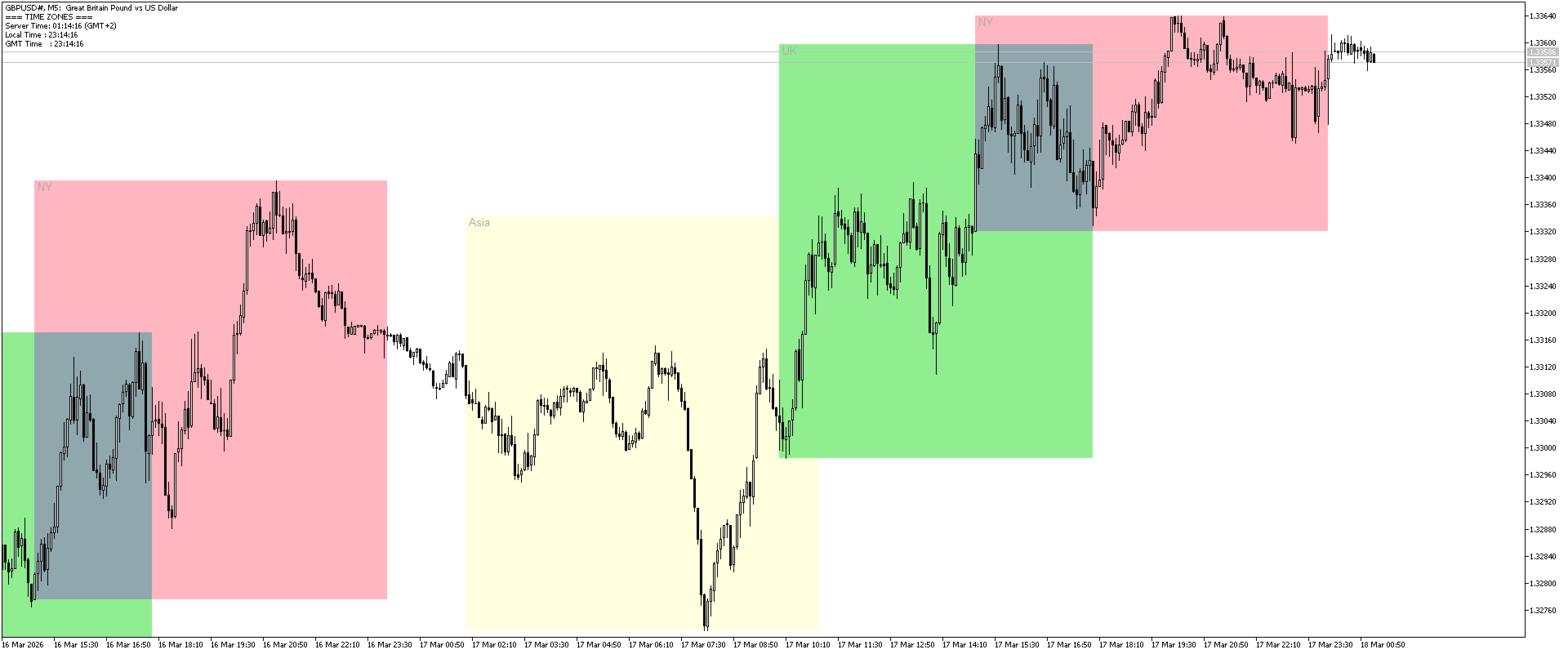
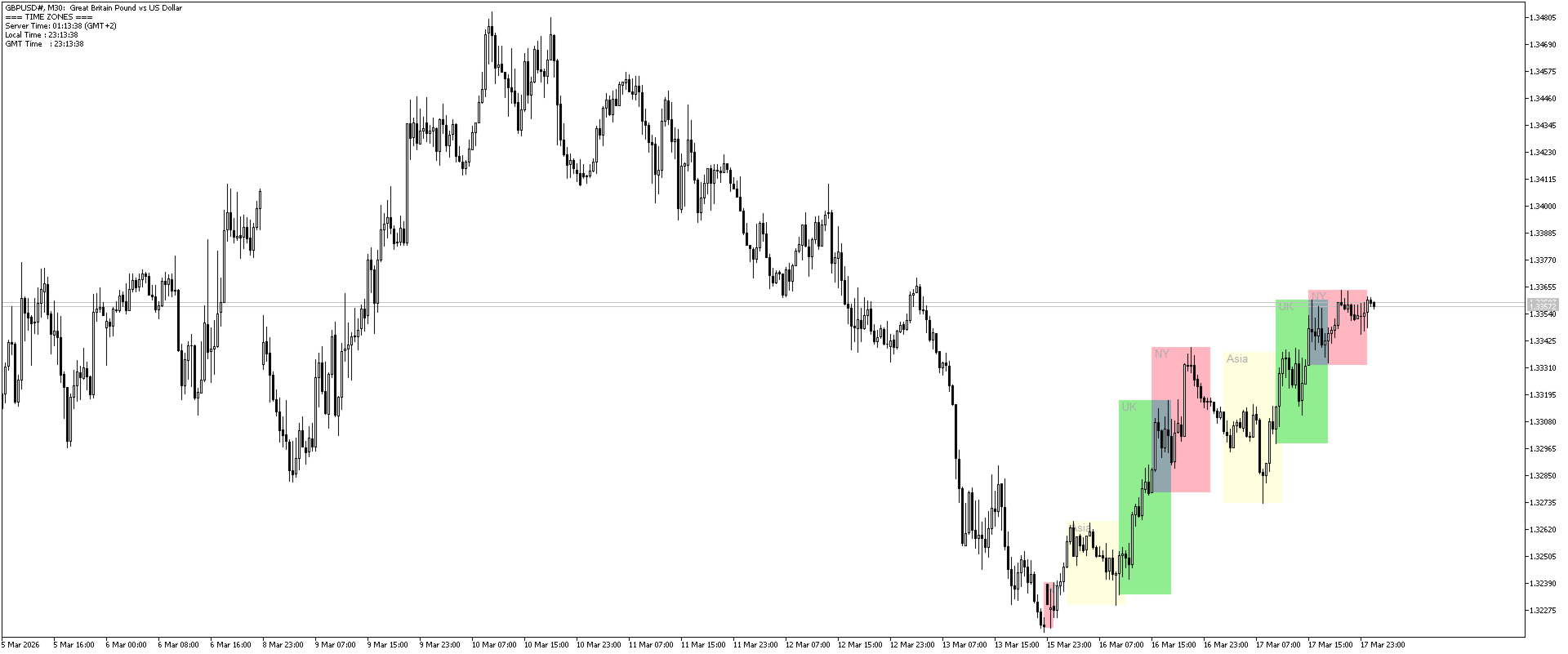
Sessions Duck is a highly optimised, resource-efficient MetaTrader 5 indicator designed to automatically visualise the core global trading sessions (Asian, London, and New York) and display live, synchronised timezone data directly on your chart.
Built specifically for performance, zero lag, and clean chart aesthetics, Sessions Duck provides day traders, scalpers, and session breakout traders with immediate market liquidity context without compromising terminal responsiveness—even when running across multiple charts simultaneously.
Engineered for Maximum Performance
Heavy graphical indicators frequently cause terminal freezing and backtesting slowdowns. Sessions Duck resolves this through lightweight MQL5 object management:
- Smart Tick-Filtering: Completed historical sessions are skipped during tick updates, preventing redundant CPU calculations.
- Automated Object Cleanup: An intelligent rolling lookback system purges older graphical objects daily to keep memory usage ultra-low.
- EA & Indicator Safe: An optional on-chart clock toggle ensures it never conflicts with comments from Expert Advisors or account monitors.
- Macro Timeframe Awareness: Intraday session boxes automatically hide when switching to Daily (D1) or higher timeframes, keeping your long-term chart analysis clean.
Key Features
- Customisable Session Mapping: Accurately visualises Asian, London, and New York market hours with customisable start and end times to match your broker's server time. Individual toggles allow you to display only the sessions you trade.
- Dual Visual Display Modes:
- High/Low Box Mode: Dynamically tracks and wraps the exact high and low price extremes established during each session window—ideal for session breakout and liquidity sweep strategies.
- Background Column Mode: Draws clean, vertical bands behind price action for quick visual timing and session identification.
- High-Contrast Labelling: Session tags automatically match their respective session colour and sit cleanly above price action, ensuring optimal readability on both dark and light chart themes without obscuring candlesticks.
- 24/7 Synchronised Timezone Monitor: An event-driven on-chart panel tracking Server Time (Broker), Local Time (PC), GMT Time, and Calculated Server GMT Offset (auto-synchronised, keeps ticking accurately over weekends and holidays).
- Seamless Midnight Rollover: Handles sessions spanning across midnight (e.g., 22:00–06:00 or 15:00–00:00 / 24:00) without date errors or visual overlapping.
Indicator Parameters
General Settings:
- Show Time Zones Clock: Toggle the on-chart clock HUD on or off.
- Days to show: Number of historical trading days to display (e.g., 3 = past 3 days + today).
- High/Low Box: true for dynamic session High/Low range boxes | false for background columns.
- Show Session Text Labels: Display text tags ("UK", "NY", "Asia") on sessions.
Session Settings (London / New York / Asia):
- Enable [Session]: Turn each session on or off independently.
- [Session] Time: Session start and end time in HH:MM-HH:MM format (supports 00:00 or 24:00).
- [Session] Color: Custom colour for each trading window.