Gold Gold Precision Execution Panel PRO


Gold Precision Execution Panel PRO V5.36

The Ultimate Risk-Controlled Trading Dashboard for XAUUSD

Gold Precision Execution Panel is a professional-grade trading tool specifically engineered for gold traders who prioritize speed, accuracy, and rigorous risk management. In the fast-moving XAUUSD market, one mistake can be costly; this panel eliminates human error by automating complex lot calculations and providing a clear visual preview of every trade before execution.

Key Features

  • Fixed Risk Management: Define your risk in exact Dollar amounts (e.g., $5 per trade). The EA automatically calculates the precise lot size based on your Stop Loss distance, ensuring you never over-leverage your account.

  • Real-Time Trade Preview: See exactly where your SL and TP will sit—including the projected Profit/Loss in Dollars—before you ever hit the Buy or Sell button.

  • One-Click Scalping Interface: Execute trades instantly with pre-set parameters, perfect for capturing quick movements in the gold market.

  • Enhanced Safety (Minimize Mode): Features a dedicated "Minimize" button to hide the execution panel, preventing accidental clicks ("fat-finger" trades) when you are just monitoring the charts.

  • Balanced & Readable UI: A wide, high-contrast dashboard designed for clarity. It supports large numerical values and displays your current Risk:Reward (R:R) ratio at a glance.

  • Exclusive Gold Lock: Built-in security that restricts the EA to XAUUSD/Gold symbols, preventing miscalculations on pairs with different tick values.

    How to Use

    1. Set Your Risk: Input your desired risk in USD and your SL/TP distances in the EA settings.

    2. Monitor the Preview: Check the "Live Preview" text on the chart to see your current entry price and Lot Size.

    3. Execute or Hide: Click BUY or SELL to enter the market instantly, or use the [-] HIDE button to secure the panel when not in use.

    Gold Precision Execution Panel turns your chart into a high-performance trading station, allowing you to focus on the price action while the EA handles the math.

PRO VERSION:


1. Break Even (BE) Feature

BE_Activation: When price reaches this amount of profit, the EA will trigger Break Even.

BE_Secure: The EA does not move the Stop Loss exactly to the entry price, but slightly beyond it (e.g. 0.2 points). This is used to cover commission or swap costs, so if Break Even is hit, you truly do not lose a single cent.

2. Smart Management

The system prioritizes Break Even first to secure the capital.
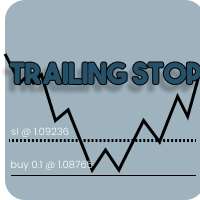
Only after Break Even status is active, the Trailing Stop is allowed to run to pursue maximum profit.

3. Error Handling (Stop Level Detection)

The ModifyStops function now automatically checks broker rules.

If the values you enter violate the broker’s minimum stop level (Stopping Level), the EA will not force the modification (which usually causes continuous MT5 “beep” sounds), but instead will display a warning in the Journal tab.


NOTE:


There are several important strategies to ensure your Trailing Stop activity remains safe and is not considered spamming or High Frequency Trading (HFT) by the broker.

Below are the technical steps:

1. Use the Trailing_Step Parameter

This feature is the primary filter to reduce server load.

How it works:
Without a step, the EA sends a modification request every time price moves by 0.01 points.
With Trailing_Step, the EA only sends a modification when price movement has reached a specified value (e.g., 1.0 point).

Benefit:
Reduces order modification frequency by up to 80–90%, making your trading activity appear normal and broker-friendly.

2. Avoid Distances That Are Too Close (Stop Levels)

Every broker has a minimum distance requirement for placing Stop Loss, known as Stop Levels.

Check:
Ensure your Trailing_Distance is always greater than the broker’s Stop Level.

Risk:
If the distance is too close, the server will repeatedly reject modification requests (Error 130).
If MT5 continuously sends rejected requests within seconds, the broker may classify this behavior as unhealthy automated activity.

3. Activate Break Even First

Use the Break Even feature before enabling Trailing Stop.

Strategy:
Break Even sends only a single modification request to secure the entry price.
This is far more efficient than running trailing immediately, which constantly updates the server from the start.

4. Monitor the Journal Tab Regularly

Always check the activity logs in MetaTrader 5.

Warning signs:
If you see many consecutive red messages such as “Request send failed” or “Invalid Stops”, immediately disable the EA or increase the Trailing_Step value.

Normal condition:
The Journal should only occasionally log “Position Modified” when significant trend movement occurs.

5. Do Not Force Trailing During Sideways Markets

Trailing Stop is most effective in trending markets.
When the market is sideways (flat) with low volatility, it is better to disable trailing or use a wider distance to avoid unnecessary order modifications caused by small price fluctuations.


Produtos recomendados
Quick start (2 minutes) Drag the utility onto the chart of the symbol you trade. "Allow Algo Trading" can stay off: it never sends orders. The mini HUD shows the live spread. Click Open for the full panel. Tabs on top: Session · Trades · News . Small pills below choose the view. News › Broker profile : how far your broker widens the spread on NFP, CPI and rate decisions, ready after about one minute. Details › HTML report : a one-page summary you can open in any browser. Unsure what a value mea
Pro Trade Utility for MetaTrader 5 Pro Trade Utility is a professional manual trading assistant designed for traders who want precision, speed and clarity — without automated strategies. This tool does not trade automatically . It helps you execute and manage trades correctly with proper risk control. Key Features  Risk & Position Management Risk-based automatic lot size calculation Risk shown clearly in account currency Adjustable Stop Loss (points) Fixed Risk:Reward display  Trade Executio
Multi-Level Trading Dashboard - Professional Market Analysis Tool Transform Your Trading Experience with Advanced Multi-Symbol Monitoring The Multi-Level Trading Dashboard is a sophisticated MetaTrader indicator that revolutionizes how you monitor and analyze multiple currency pairs simultaneously. Built with professional traders in mind, this comprehensive tool combines real-time market data, technical analysis, and account management in one intuitive, Windows-style interface. Key Features
Introducing our Trailing Stop Tool, a powerful solution designed to enhance your trading strategy by trailing your trades based on a selected number of candles. This tool provides an advanced feature that allows you to dynamically adjust your stop loss level as the market moves in your favor, aiming to lock in profits while minimizing potential losses. With the Trailing Stop Tool, you have the flexibility to choose the number of candles you want the tool to trail. Whether you prefer a conservat
Premium Risk é uma ferramenta inteligente de gerenciamento de risco e execução de operações, desenvolvida especialmente para traders scalpers. Ela calcula automaticamente a relação risco-recompensa (R:R) e o valor do risco baseado no seu capital , ajudando você a definir com precisão o tamanho e volume da posição. Com o módulo POS , é possível monitorar e gerenciar suas operações automaticamente. A função ímã (magnet) detecta instantaneamente o preço atual do mercado, permitindo entradas rápidas
É necessária a Bridge gratuita do Telegram para Windows O SENDORIQ Telegram Signal Copier MT5 exige a SENDORIQ Telegram Bridge v1.32 gratuita, tanto para Bot API como para MTProto. A Bridge é instalada separadamente no Windows x64 e deve permanecer em execução para receber mensagens. O produto do MQL5 Market é o Expert Advisor (EA) para MetaTrader 5; a Bridge recebe mensagens de fontes autorizadas do Telegram e envia os sinais processados ao EA. O SENDORIQ Control Center não é necessário. Guia d
The utility is designed to display on the chart the margin zones built on the basis of margin requirements for futures of the Chicago Mercantile exchange (CME). These margin zones are good levels of resistance and support, as seen in the screenshots. How to use To trade on margin zones, use the following rules: buy after the day has closed above one of the zones to the next zone; sell after the day has closed below one of the zones to the next zone; after opening a sell trade, place limit sell
Quick trade report separately by symbols 5   The  Quick trade report separately by symbols  advisor will be useful for simultaneous trading on multiple instruments. It provides the ability to assess the effectiveness of trading on each symbol separately. It is possible to set a time period for making the reports. Frequency and time of automatic generation and sending of reports via FTP. The report visualizes the changes in the balance for deals on each symbol. Also, the following key trading par
FX28 Trader MT5
Tsvetan Tsvetanov
3 (1)
Apresentamos o FX28 Trader Dashboard: Seu Gerenciador de Operações Definitivo Desbloqueie todo o potencial de sua experiência de negociação com o FX28 Trader Dashboard, um gerenciador de operações abrangente e intuitivo projetado para elevar o seu trading de Forex a novos patamares. Seja você um trader experiente ou esteja começando sua jornada financeira, esta poderosa ferramenta foi desenvolvida para simplificar suas atividades comerciais e aprimorar seu processo de tomada de decisões. Recurs
Martingale Stochastic Smart
Catur Sulistiyanto A Md Tem
Martingale Stochastic EA MT5 is an advanced automated trading Expert Advisor that combines a step-based martingale strategy with a Stochastic indicator filter and flexible profit & equity management. This EA is designed for traders who want to secure partial profits without disturbing losing positions, while maintaining strict risk and equity control. Trading Logic Entries are based on price distance (step points) and martingale progression Stochastic filter can be applied to every martingal
### Take Control of Your Trading Edge with Manual Strategy Backtester Pro Do you want to achieve years of trading experience in just a few hours? Spending months testing strategies on live or demo accounts is slow, tedious, and expensive. **Strategy Backtester Pro** is a lightweight, ultra-fast manual charting simulator designed to let you backtest any mechanical or discretionary strategy with total control and speed. Whether it is the weekend or after hours, you can instantly spin up a simul
JP2 CoreHedge – Prop Risk Dashboard (Standard Edition) Professional Drawdown Monitor for Prop Firm Traders JP2 CoreHedge STANDARD is a lightweight and precise risk monitoring panel designed for traders working with prop firm rules. It does not open or manage trades — instead, it provides clean, real-time visibility of your account’s risk status. This utility is ideal for challenge accounts, funded accounts, and traders who need to avoid hidden drawdown violations. Key Features Real-time Prop Ris

Smart Trader Bridge turns TradingView webhook alerts into real orders on your MetaTrader 5 account, and then keeps the broker in step with your strategy. Most TradingView-to-MT5 tools send an order and forget it. Smart Trader Bridge tracks every position your strategy holds, executes partial take-profits, moves the real broker stop-loss as targets are hit, and repairs positions that drift out of sync. That is what prop-firm accounts with open-risk limits need. How it works TradingView sends an a
QuAI EA Preflight Check
Rui Fernando Pimentel De Oliveira
QuAI EA Preflight Check is a free MetaTrader 5 utility designed to answer one simple question before you run an Expert Advisor: Is this account, broker and symbol environment compatible with the EA settings you intend to use? Instead of showing only raw account information, the utility performs a practical preflight diagnostic and classifies the most important conditions as PASS, WARN or FAIL. The tool never opens, modifies or closes trades. Main checks - MetaTrader connection - Terminal A
FREE
B2U PRO TRADING -The Ultimate Professional Trading Experience Professional Manual Trading Panel for MetaTrader 5 원클릭 실행 • 고급 거래 관리 • 스마트 리스크 보호 B2U PRO TRADING 은 MetaTrader 5 사용자를 위해 개발된 전문 수동매매 및 포지션 관리 패널입니다 . B2U PRO TRADING is a manual trade execution and position management utility designed to help traders execute orders, manage open positions and protect profits directly from the chart. The product does not generate trading signals and does not open trades automatically. All trading action
ProTrade Control MT5 Buy this product and get a chance to win one of our other products! https://www.mql5.com/tr/users/bilisimprofesoru/seller Your Complete Trade Control Center ProTrade Control MT5 is a comprehensive trade management panel developed for traders who use manual and semi-automated trading methods. It allows you to manage order placement, risk calculation, position management, trailing stop, break-even, partial closing, scheduling, and many other functions through a single profes
UMNi-CMND MT5 Remote Command & Trade Control System UMNi-CMND turns Telegram into a full remote control panel for your MetaTrader terminal. Send commands from your phone to open trades, manage positions, query account status, and receive complete trade telemetry — all without touching the platform. KEY FEATURES Full remote trade execution via Telegram Open, close, and manage positions by command Move SL/TP, set breakeven, partial close Live status, account, and position q
Broker XRay
Joao Jara Carvalho
BROKER XRAY — Auditoria de Qualidade de Execução Veja o que o seu broker esconde. Avaliação de A+ a F. A maioria dos traders nunca sabe se o seu broker está a sangrar silenciosamente o seu edge: alargamento de spread ao rollover, slippage assimétrica, requotes escondidos, picos de latência durante notícias. O Broker XRay dá-lhe um painel ao estilo Bloomberg que monitoriza tudo isto em tempo real e classifica de 0 a 100. Execute durante 24 horas. Tenha a verdade. O que mede (6 dimensões ponderada
ZenEntry Risk Manager MT5
Constant Xorsenyo Tamekloe
Take Control of Your Risk with ZenEntry ZenEntry is a premium, interactive graphical panel designed for MetaTrader 5 that eliminates manual lot-size calculations. By syncing live chart lines directly with a beautiful HUD, ZenEntry allows you to execute mathematically perfect, risk-managed trades in milliseconds. Whether you risk a fixed dollar amount or a percentage of your account equity, ZenEntry automatically shifts your lot sizing dynamically as you drag your Stop Loss and Take Profit lin

EA setSLTP MT5
Windra Fajar Septiawan
General Overview This Expert Advisor (EA) is a semi-automatic trading assistant for MetaTrader 5 that provides a graphical user interface (GUI) panel directly on the chart. It allows traders to quickly place pending orders (Buy Limit, Sell Limit, Buy Stop, Sell Stop), set Stop Loss (SL) and Take Profit (TP) levels for all positions, close all open trades, and delete pending orders. Key Features Interactive Control Panel: Displays input boxes, buttons, and labels on the chart. You can manu
Prop Firm Trade Manager MT5  Managing risk and staying compliant with strict evaluation rules requires absolute precision. The Prop Firm Trade Manager MT5 is a professional trading panel MT5 designed to streamline your manual execution, automate complex calculations, and protect your funding account from rule violations. Click for USER GUIDE & FREE TRIAL VERSION Featuring mt5 advanced dashboards, this tool displays real-time data directly on your main chart. It functions as an all-in-one trade
cara trading forex agar bisa profit secara konsisten Di video kali ini, kita akan membahas sebuah topik yang jadi impian setiap trader: bagaimana cara trading forex agar bisa profit secara konsisten  kirim screnshot berbagi, beserta nama akun trading anda ke : gunawangroup1982@gmail.com  Tag NB : Video ini hanyalah informasi dan tontonan, apapaun hasil pada setiap individu bisa berbeda beda. Video ini bersifat gratis, dan semua keuntungan dan kerugian adalah tangging jawab masing-masing, jad
Reality Engine Standard | Live Spread · Slippage · Latency Monitor What is Reality Engine? Reality Engine is a non-invasive monitoring utility that simulates and logs the real-world execution conditions your algorithmic strategies actually face — spread widening, slippage, and network latency — in real time, on any symbol, for any EA running on your terminal. It does not place trades. It does not interfere with your existing strategies. It attaches silently to a separate chart and watches everyt
Backstage — Preserve the History Behind Your Strategy Decisions MT5 analysis depends on the account history still available from the terminal and broker. When older history disappears, it cannot be reconstructed later simply by choosing an earlier date. Backstage turns the closed-trade history currently available in MT5 into a persistent local CSV source. It maintains the corresponding progress state and daily backup so Castlist, Spotlight and read-only analytical tools can reuse the same histor
Rosy Pro Panel MT5
Theresia Yovitha Herwanda
5 (1)
Download DEMO here  https://www.mql5.com/en/blogs/post/759772 An ultimate panel you've never seen before.  Compact and nice Trade panel with large Total P/L and it's percentage display. Groups for trades summary available: Ticket, Symbol, Type, Category, and Magic. Average price field helps you know your trading average price and direction. Set magic and comment of your trading in a very easy way. Group closing by symbol, type, category or magic - only by one click. Close All button for a quick
[ My Channel ]   ,   [ My Products ]  ,  [ ABOUT ME ]   OMG Market Heat — Scanner multissímbolo de volatilidade e rompimentos O OMG Market Heat é um indicador em formato de painel que analisa até 50 símbolos ao mesmo tempo e mostra o quão "quente" cada mercado está neste momento no timeframe M15, H1, H4 ou D1 . Com um olhar você vê quais símbolos estão se movendo com força, quais estão despertando após um período de calma e quais estão adormecidos, para que você dedique seu tempo apenas aos mer
Aurum Reversion Pro MT5
Olaoluwa Oluwaseun Bamitale
Aurum Reversion Pro Aurum Reversion Pro is a professionally developed Expert Advisor designed for traders who want a structured, automated approach to trading Gold (XAUUSD) . Built with a strong focus on automation, flexibility and risk management, Aurum Reversion Pro combines intelligent trade management with configurable protection features to provide a streamlined trading experience. The EA is optimized for XAUUSD (Gold) and is recommended for the M15 (15-minute) timeframe . For best operatin
Product Description The Ultimate Telegram to MetaTrader Bot is designed for traders who want seamless automation between their Telegram signal channels and the MetaTrader 5 platform. It eliminates the stress of manual copying and pasting signals, ensuring you never miss an entry or exit. This bot can work in three modes: Sender Mode – instantly sends your MT5 trades or indicator alerts to Telegram. Receiver Mode – copies signals from Telegram directly into MT5 and executes them. Both Modes – co
FlemingoFx Scalper pro
Dungrani Nikit Bharatbhai
FlemingoFx Scalper Pro - Smart On-Chart Execution & Risk Management Utility FlemingoFx Scalper Pro is an intuitive, fast-execution trading utility engineered for scalpers, day traders, and prop firm traders who demand millisecond execution precision without manual calculation errors. Designed directly for on-chart trade management, FlemingoFx Scalper Pro automates position sizing based on strict cash risk, dynamic R:R targets, spread compensation, and partial exits all accessible from a compa
Strategy Manager is a  Multi-Time-Frame & Multi-Currency  Dashboard for  Metatrader 4 and 5. Thanks to a free, external graphical user interface, build your own strategy by combining any indicators and loading them into the dashboard to see the result ! In addition, you can precisely  set-up your Auto-trading & Notifications and use indicators for Stop-Loss, partial profit or limit. Filter your automatic trading & notifications with forex calendar and more. Open and Manage your orders directly w
Os compradores deste produto também adquirem
Trade Assistant MT5
Evgeniy Kravchenko
4.43 (216)
Ajuda a calcular o risco por comércio, a fácil instalação de uma nova encomenda, gestão de encomendas com funções de fecho parcial, trailing stop de 7 tipos e outras funções úteis. Materiais e instruções adicionais Instruções de instalação   -   Instruções para a aplicação   Função de linha Mostra no gráfico a linha de Abertura, Stop Loss, Take Profit. Com esta função é fácil definir uma nova ordem e ver as suas características adicionais antes da abertura.   Gestão de risco A função de cálcul
Bem-vindo ao Trade Manager EA—uma ferramenta de gestão de risco criada para tornar o trading mais intuitivo, preciso e eficiente. Não é apenas uma ferramenta para executar ordens, mas uma solução abrangente para planejamento de operações, gerenciamento de posições e controle de risco. Seja você um iniciante, trader avançado ou scalper que precisa de execução rápida, o Trade Manager EA adapta-se às suas necessidades, oferecendo flexibilidade em todos os mercados, desde forex e índices até commodi
O Telegram to MT5 Multi-Channel Copier copia automaticamente os sinais de trading dos seus canais de Telegram e Discord diretamente para o MetaTrader 5. Sem bots, sem extensões de navegador, sem copiar à mão. O sinal chega ao Telegram ou ao Discord e o EA abre a operação no seu terminal em poucos segundos. E antes de copiar um canal, o backtester integrado mostra o que esse canal teria feito na sua conta. O produto inclui dois componentes: um aplicativo de Windows que escuta os seus canais de Te
Local Trade Copier EA MT5
Juvenille Emperor Limited
4.94 (149)
Local Trade Copier EA MT5 é um copiador de operações rápido e flexível para copiar e gerenciar operações entre várias contas MetaTrader 5 no mesmo computador Windows ou Windows VPS. Ele combina a sincronização local de operações com controles no lado do Receiver para tamanho de lote, gerenciamento de risco, filtragem de operações, mapeamento de símbolos, gerenciamento de operações e proteção da conta. Configure seus terminais Transmitter e Receiver em aproximadamente 1 minuto e copie operações
Farmed Hedge Yield Farming | All Markets (Manual - Hybrid - Semi/Automated EA) VERIFIED TRADING RESULTS - Farmed Hedge Yield Axi Copy:  https://www.mql5.com/en/signals/2356376 - Farmed Hedge Yield Exn Copy:   https://www.mql5.com/en/signals/2356404 - Farmed Hedge Yield V Copy:  https://www.mql5.com/en/signals/2357156 IMPORTANT NOTICE: FarmedHedge is a MANUAL-FOCUSED TRADING UTILITY ,not a fully automated EA. Results shown on this Signal include manual trades and overall strategic management.
Copie sinais do Telegram com suas próprias regras de negociação Telegram to MT5 Signal Trader copia automaticamente sinais de negociação em texto de canais e grupos públicos e privados do Telegram para o MetaTrader 5. Gerencie vários provedores e contas MT5 em um único aplicativo para desktop, com configurações individuais de risco e de negociação para cada provedor . Você não precisa de um bot do Telegram nem configurar uma API para copiar sinais. Basta entrar com sua própria conta do Telegram
Strategy Ledger Pro
Abdullah Uygar Tuna
5 (14)
Agora disponível em português. Strategy Ledger Pro é um painel de análise de conta somente leitura para o MetaTrader 5. Ele separa os resultados da conta por Expert Advisor, estratégia, símbolo e número mágico, para que você veja o que cada um realmente contribui. O painel está disponível em 11 idiomas: English, Français, Deutsch, Español, Italiano, Português, Русский, Türkçe, 中文, 日本語 e 한국어. Antes de baixar a demo. O Market executa a demo de qualquer produto pago somente no Testador de Estratég
TradePanel MT5
Alfiya Fazylova
4.88 (170)
Trade Panel é um assistente de negociação multifuncional. O aplicativo contém mais de 50 funções de negociação para trading manual e permite automatizar a maioria das tarefas de negociação. Instruções para o aplicativo: https://www.mql5.com/pt/blogs/post/762435 Versão de teste do aplicativo para conta demo: https://www.mql5.com/pt/blogs/post/762547 Como instalar o aplicativo: https://www.mql5.com/pt/blogs/post/762548 Como testar o aplicativo no modo visual: https://www.mql5.com/pt/blogs/post/770
================================================================================ POC BREAKOUT - V20.72. Full Professional Grade Toolkit ================================================================================ POC Breakout is a full MetaTrader 5 trading dashboard for discretionary traders who want breakout signals, Point of Control (POC) context, volume profiles, order flow, market structure, news, alerts, and advanced trade planning in one professional workspace. Attached directly to you
MT5 to Telegram Signal Provider é uma utilidade fácil de usar e totalmente personalizável que permite o envio de sinais especificados para o chat, canal ou grupo do Telegram, tornando sua conta um fornecedor de sinais . Ao contrário da maioria dos produtos concorrentes, ele não usa importações de DLL. [ Demonstração ] [ Manual ] [ Versão MT4 ] [ Versão Discord ] [ Canal do Telegram ]  New: [ Telegram To MT5 ] Configuração Um guia do usuário passo a passo está disponível. Não é necessário conhec
VirtualTradePad PRO SE MT5 — centro profissional de controle de trading para MetaTrader 5 VirtualTradePad PRO SE é um painel de trading premium baseado no gráfico e um ambiente de gerenciamento de operações para MetaTrader 5 . Ele foi desenvolvido para traders que desejam execução mais rápida, controle de posições mais claro, gerenciamento de trades estruturado, planejamento visual de níveis e um fluxo de trabalho profissional diretamente no gráfico. Não é apenas um painel de COMPRA / VENDA. O P
Trade copier MT5
Alfiya Fazylova
4.61 (57)
Trade Copier é um utilitário profissional projetado para copiar e sincronizar negociações entre contas de negociação. A cópia ocorre da conta / terminal do fornecedor para a conta / terminal do destinatário, instalada no mesmo computador ou vps. Antes de comprar, você pode testar a versão demo em uma conta demo. Versão de demonstração aqui . Instruções completas aqui . Principais funcionalidades e benefícios: Suporta a cópia de MT5> MT5, MT4> MT5, MT5> MT4, incluindo contas "MT5 netting". Os mod
Exp COPYLOT CLIENT for MT5
Vladislav Andruschenko
3.97 (35)
Copiador profissional de operações para MetaTrader 5 Um copiador de operações rápido, profissional e confiável para MetaTrader . COPYLOT permite copiar operações de Forex entre terminais MT4 e MT5 com suporte para contas Hedge e Netting . A versão MT5 do COPYLOT oferece suporte a: - MT5 Hedge → MT5 Hedge - MT5 Hedge → MT5 Netting - MT5 Netting → MT5 Hedge - MT5 Netting → MT5 Netting - MT4 → MT5 Hedge - MT4 → MT5 Netting Versão MT4 Descrição completa + DEMO + PDF Como comprar Como instalar Como
News Trade EA MT5
Konstantin Kulikov
4.55 (11)
Apresento um robô útil que eu mesmo uso há vários anos. Pode ser usado nos modos semiautomático e totalmente automático. >>> Chat <<< O programa contém configurações flexíveis para negociação nas notícias do calendário econômico. Não pode ser verificado no testador de estratégia. Somente trabalho real. Nas configurações do terminal, você precisa adicionar o site de notícias à lista de URLs permitidos. Clique em Serviço > Opções > Conselheiros. Marque com V a caixa "Permitir WebRequest para os
The Patch
Mian Rameez Ali
The Patch It never opens a trade. It walks behind the ones that did. Every open position, every pending order — checked twice a second for the one thing that's easy to forget: a stop, a target. Found bare, it doesn't ask. It writes the missing number in, measured in points from wherever the position began, and moves on to the next. No strategy, no opinion on direction. Just the quiet assumption that nothing should ever sit on the market unprotected — not because someone decided it shouldn't,
Telegram To MT5 Ultra
Mirel Daniel Gheonu
5 (5)
Telegram To MT5 — Copiador de sinais Transforme as chamadas de trading dos seus canais do Telegram em ordens reais no MT5 — automaticamente, em quantas contas quiser, com o risco e as regras totalmente sob o seu controlo. O Telegram To MT5 liga os canais VIP / de sinais que já segue no Telegram ao seu terminal MetaTrader 5. Um aplicativo de desktop complementar gratuito lê as mensagens (mesmo de canais que bloqueiam bots), e este Expert Advisor executa-as na sua conta — aplicando as suas própria
Próxima Atualização — Versão 2.52 em Breve! [NOVO] Prepare-se para 4 Grandes Novos Recursos Projetados para Aprimorar sua Análise de Mercado e seu Fluxo de Trabalho de Trading Estamos levando a análise de mercado a um novo nível com 4 novos recursos desenvolvidos para atender às suas necessidades de trading. Apresentamos: 1. TRADE OVERVIEW DASHBOARD 2. CONFLUENCE AT ZONE 3. STRONG & WEAK HIGH/LOW 4. OTE 1. TRADE OVERVIEW DASHBOARD Um painel que ajuda você a compreender mais facilmente o panoram
Anchor Trade Manager
Kalinskie Gilliam
5 (8)
Your EAs cannot see each other, but Anchor can. Anchor gives you one place to coordinate your EAs, manage risk, and decide when trading is allowed. It works alongside the trading bots you already use without any changes to them. The Problem One EA opens a trade. Then another starts trading. The next thing you know, you wake up to multiple grids built across your account. Each EA may be doing exactly what it was designed to do, but together they can place far more risk on your account than you in
Trader Evolution
Siarhei Vashchylka
5 (7)
" Trader Evolution " - A utility designed for traders who use wave and technical analysis in their work. One tab of the utility is capable of money management and opening orders, and the other can help in making Elliott wave and technical analysis. Manual (Be sure to read before purchasing) | Version for MT4 Advantages 1. Trading in a few clicks. Immediate and pending orders are available in the panel 2. Money management. The program automatically selects the appropriate lot size 3. Simplifies
Grid Manual MT5
Alfiya Fazylova
4.73 (22)
"Grid Manual" é um painel comercial para trabalhar com uma grade de ordens. O utilitário é universal, possui configurações flexíveis e uma interface intuitiva. Ele trabalha com uma grade de ordens não apenas na direção da média das perdas, mas também na direção do aumento dos lucros. O trader não precisa criar e manter uma grade de ordens, tudo será feito pelo ""Grid Manual". Basta abrir um orden e o "Grid manual" criará automaticamente uma grade de ordens para ele e trabalhará com ele até que s

The product will copy all telegram signal to MT5 ( which you are member) , also it can work as remote copier.  Easy to set up, copy order instant, can work with almost signal formats, image signal,  s upport to translate other language to English Work with all type of channel or group, even channel have "Restrict Saving Content", work with  multi channel, multi MT5 Work as remote copier: with signal have ticket number, it will copy exactly via ticket number. Support to backtest signal. How to s
RETAILBERG FOOTPRINT CHART PRO — Order-Flow Workspace for MetaTrader 5 Version 7.00  |  Professional System  |  31 tools  |  One chart A full 150-page illustrated User Manual is included. Please read the full manual to understand this feature packed footprint chart elements and ui. https://www.mql5.com/en/blogs/post/777982 DEMO / STRATEGY TESTER — PLEASE READ FIRST
Timeless Charts
Samuel Manoel De Souza
5 (9)
Timeless Charts é um utilitário de trading tudo-em-um para traders profissionais. Ele combina tipos de gráficos personalizados, como Gráficos por Segundos e Renko , com análise avançada de fluxo de ordens utilizando Footprints , Clusters , Perfis de Volume , estudos VWAP e ferramentas de análise ancorada para uma visão mais profunda do mercado. O gerenciamento de ordens e posições é realizado diretamente no gráfico por meio de um painel integrado de gerenciamento de operações , enquanto o Market
Floor Watch
Syed Tauqeer Hussain Shah
Floor Watch One number, watched every thirty seconds: how far equity has fallen since the day began — or since its highest point, if it's told to trail the peak instead of the open. Cross the line and it doesn't argue. Every open position closes, every pending order vanishes, and anything that slips through afterward gets shut the moment it appears. Not asked. Removed. The floor holds until the clock turns 5 AM Pakistan time — then, and only then, does the day start over. One rule. No except
RS Trade Copier - o local trade copier ultrarrápido com uma interface gráfica verdadeira . Pare de digitar números de conta manualmente. Chega daquela lista enorme de 200+ parâmetros de entrada incompreensíveis. Uma ferramenta confiável e flexível para cópia de operações comerciais entre múltiplos terminais MT5 e MT4. Atende tanto traders experientes e serviços de sinais quanto investidores individuais. Permite sincronizar negociações de um ou múltiplos Provedores para um ou múltiplos Clientes c
Seconds Chart MT5
Boris Sedov
4.61 (18)
Seconds Chart - uma ferramenta exclusiva para criar gráficos de segundos no MetaTrader 5 . Com o Seconds Chart , você pode criar gráficos com períodos definidos em segundos, proporcionando flexibilidade e precisão ideais para análise, indisponíveis em gráficos padrão de minutos ou horas. Por exemplo, o período S15 indica um gráfico com velas de 15 segundos. Você pode usar qualquer indicador ou Expert Advisor com suporte a símbolos personalizados. Trabalhar com eles é tão conveniente quanto negoc
Power Candles Strategy Scanner - Localizador de configurações multissímbolo com auto-otimização O Power Candles Strategy Scanner utiliza o mesmo motor de auto-otimização que alimenta o indicador Power Candles — em todos os símbolos da sua lista de observação, lado a lado. Um painel indica-lhe quais os símbolos que são estatisticamente negociáveis neste momento, qual a estratégia vencedora para cada um, o par ideal de Stop Loss / Take Profit, e avisa-o assim que um novo sinal é emitido. Esta ferr
EA Auditor
Stephen J Martret
5 (6)
EA Auditor is an independent analysis tool for traders evaluating Expert Advisors and trading signals on MetaTrader 5. It audits backtest reports, reviews posted developer signals, and cross-verifies the two against each other to help traders assess strategies before committing capital. The MQL5 market offers a wide range of Expert Advisors from many developers, with varying approaches, quality, and transparency. EA Auditor provides a consistent, data-driven framework for reviewing them, answer
Astro Trade MT5
Indra Maulana
5 (8)
25% discount on the release of the tool: only for the next 3 buyers Send a message to receive a demo version. AstroTrade Trading Assistant AstroTrade is a comprehensive multi-functional trading utility developed for the MetaTrader 5 platform. It integrates essential tools for trade execution, risk management, and technical monitoring into a single unified interface. The application is designed to assist traders in managing their daily operations through a visual and structured environment. Vi
MT5 Professional Copy Trading System (Edição MT5) O MT5 Professional Copy Trading System é um copiador de operações LOCAL de nível industrial e ultra rápido, projetado para traders profissionais, provedores de sinais e gestão multi-conta de estilo institucional. Diferentemente das soluções de cópia retail ou baseadas em nuvem, este sistema é construído sobre uma arquitetura LOCAL otimizada para ambientes onde múltiplos terminais operam no mesmo sistema Windows. Arquitetura LOCAL industrial O d
Mais do autor
Gold Precision Execution Panel V5.3 The Ultimate Risk-Controlled Trading Dashboard for XAUUSD Gold Precision Execution Panel is a professional-grade trading tool specifically engineered for gold traders who prioritize speed, accuracy, and rigorous risk management. In the fast-moving XAUUSD market, one mistake can be costly; this panel eliminates human error by automating complex lot calculations and providing a clear visual preview of every trade before execution. Key Features Fixed Risk Managem
FREE
Filtro:
Sem comentários
Responder ao comentário