Broker Execution Inspector Pro
- Utilitários
-
Bojan Paunovic
 Zvezdaquant builds tools and research for MetaTrader 5 traders and EA developers.
 - Versão: 2.56
- Ativações: 10
Quick start (2 minutes)
- Drag the utility onto the chart of the symbol you trade. "Allow Algo Trading" can stay off: it never sends orders.
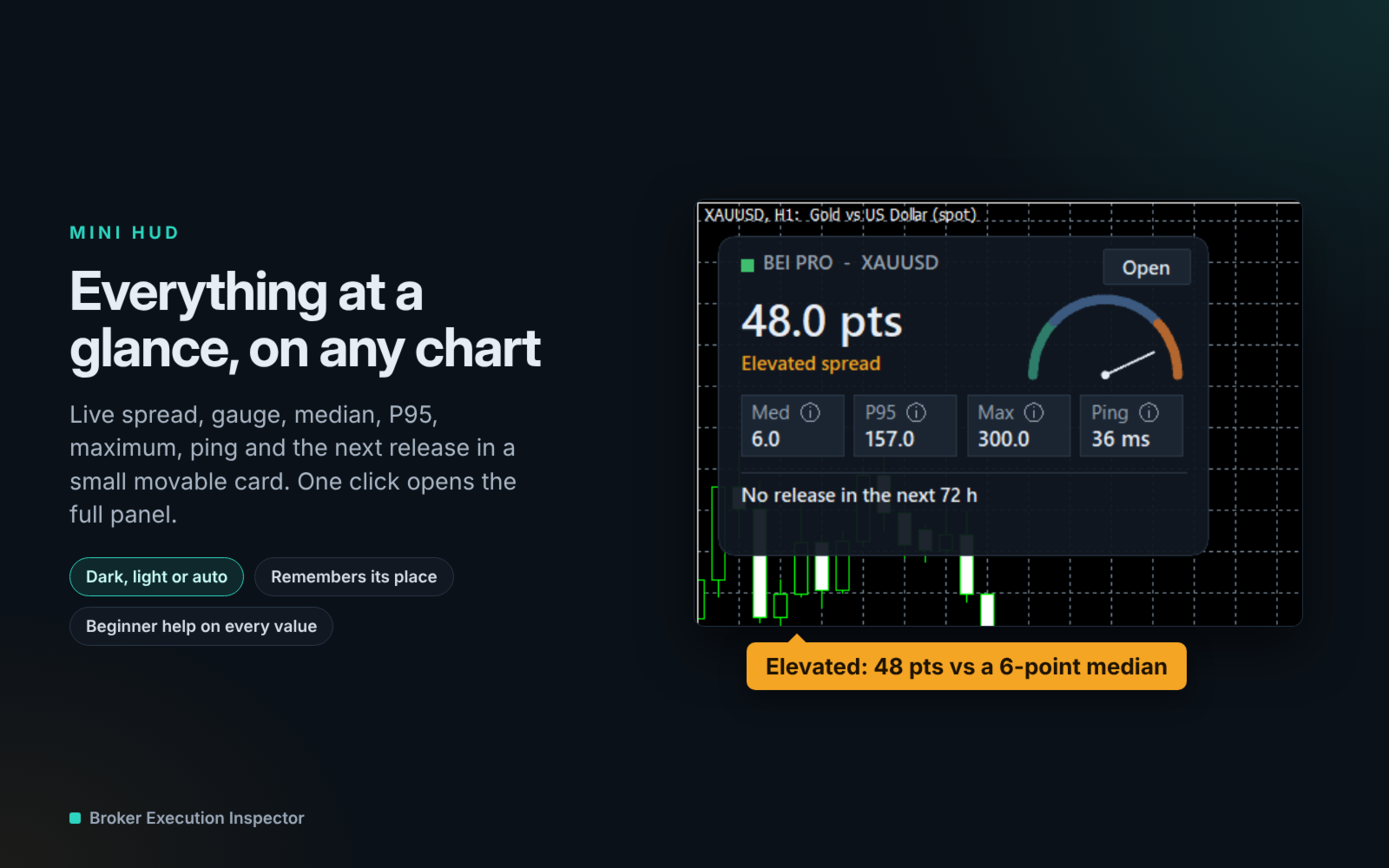
- The mini HUD shows the live spread. Click Open for the full panel.
- Tabs on top: Session · Trades · News. Small pills below choose the view.
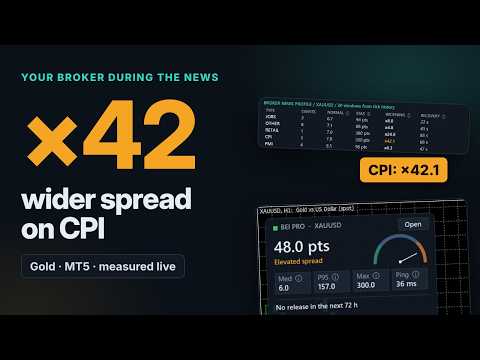
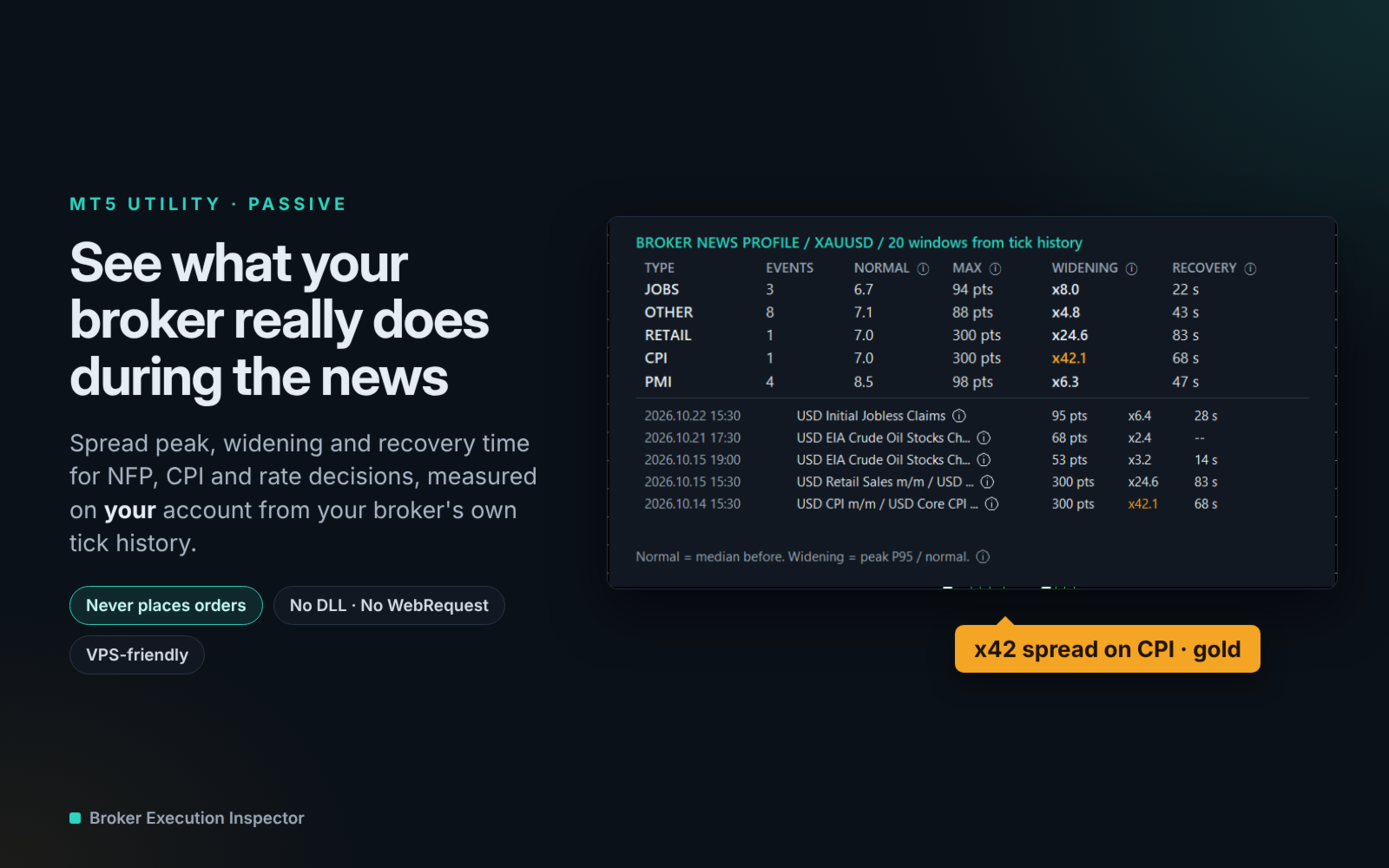
- News › Broker profile: how far your broker widens the spread on NFP, CPI and rate decisions, ready after about one minute.
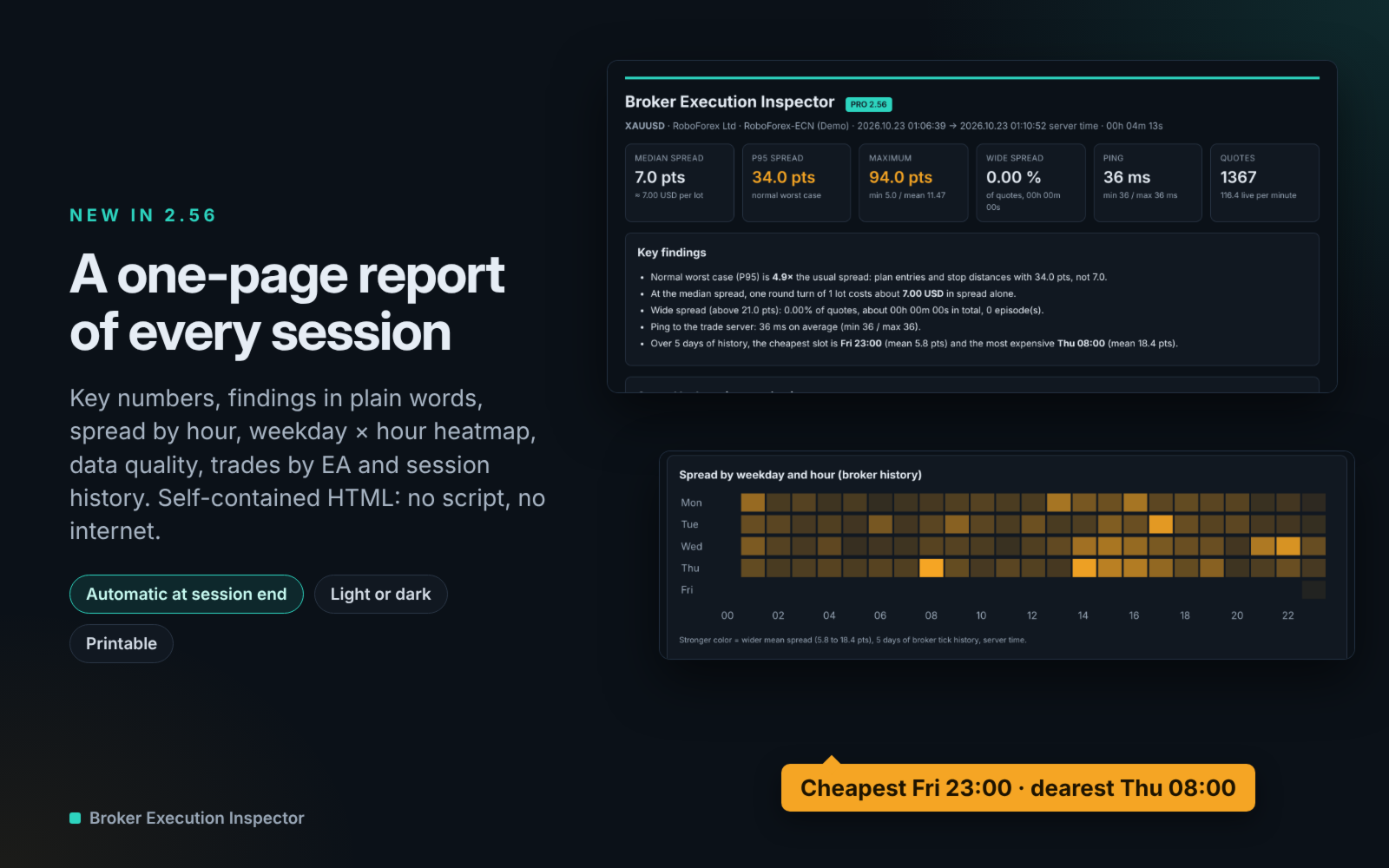
- Details › HTML report: a one-page summary you can open in any browser.
- Unsure what a value means? Click "?" or hover any ⓘ.
See what your broker really does during the news
Broker Execution Inspector measures the spread around every high-impact release (NFP, CPI, rate decisions, GDP, PMI) on your own account and symbol. It also shows the real cost of each trade: commission, swap, spread and slippage, grouped by EA.
The utility is passive. It never places, modifies or closes orders and gives no trading signals.
Your broker's news profile, from the first minute
- The last 20 high-impact releases and the daily rollovers are replayed from your broker's own tick history as soon as you attach the utility. No waiting weeks to collect data.
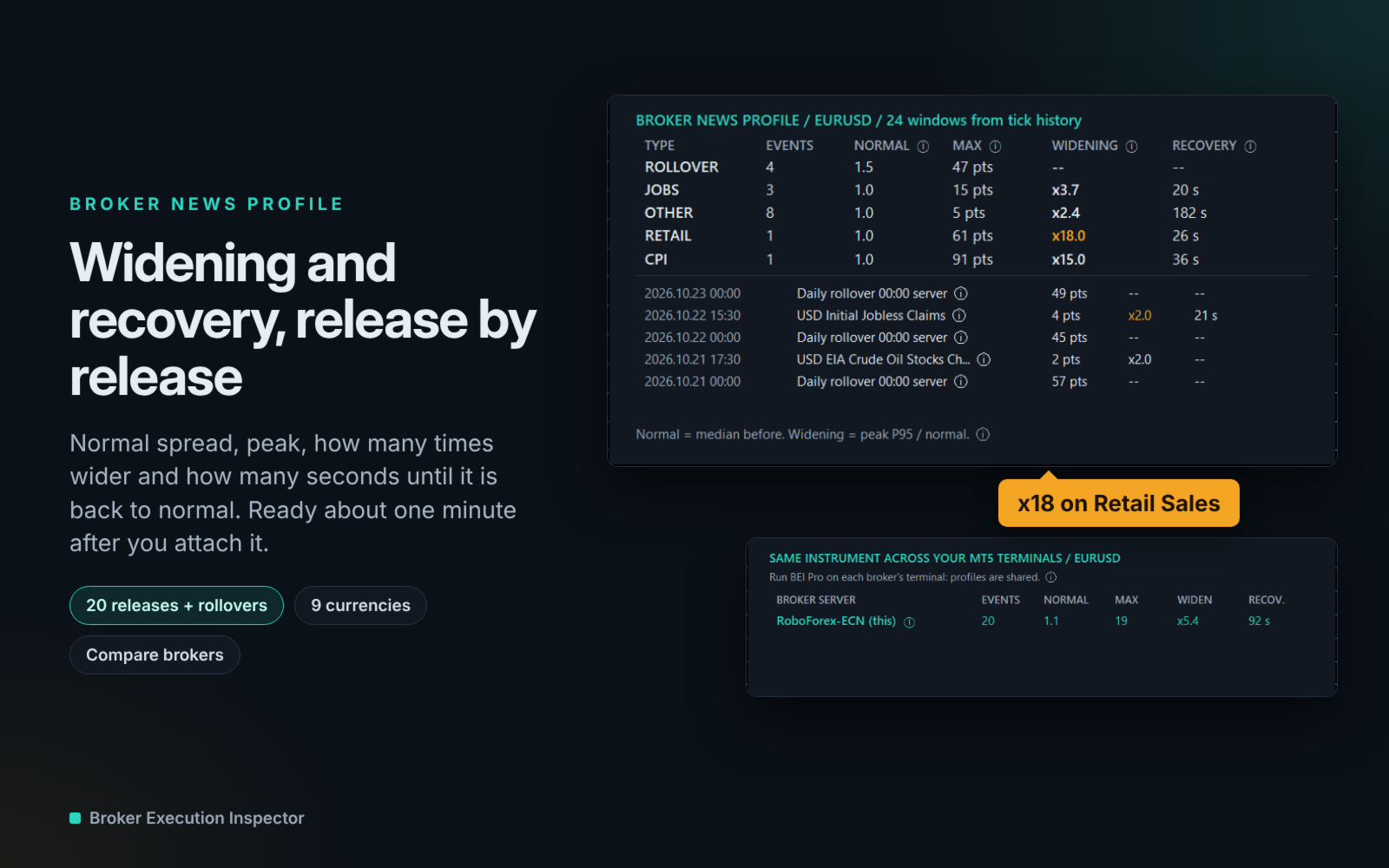
- For each release type: normal spread, peak, widening (how many times wider) and seconds until the spread is back to normal.
- Live window for every upcoming release: 5 minutes before, 2 minutes during, 8 minutes after.
- Alerts a few minutes before the release and when the spread is back to normal (pop-up, push or e-mail).
- Stop-loss check: open positions whose stop is closer than the usual news peak are flagged. Information only, your orders are never touched.
Best and worst hours to trade, from your broker's history
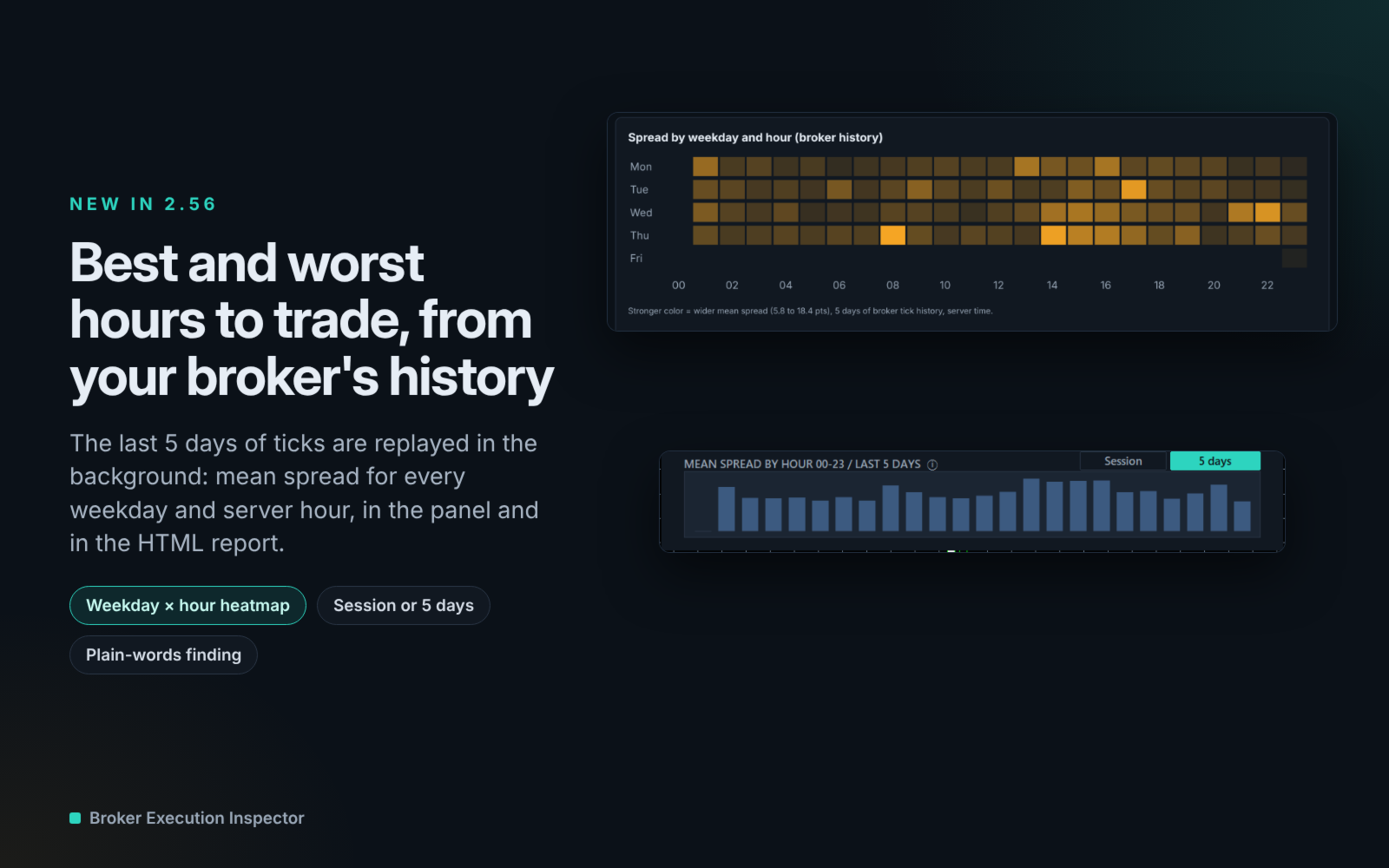
- The last 5 days of ticks (adjustable) are replayed in the background to show the mean spread for every weekday and server hour.
- Switch the hourly chart between this session and the broker history, and see the cheapest and most expensive slot in plain words.
The real cost of every trade
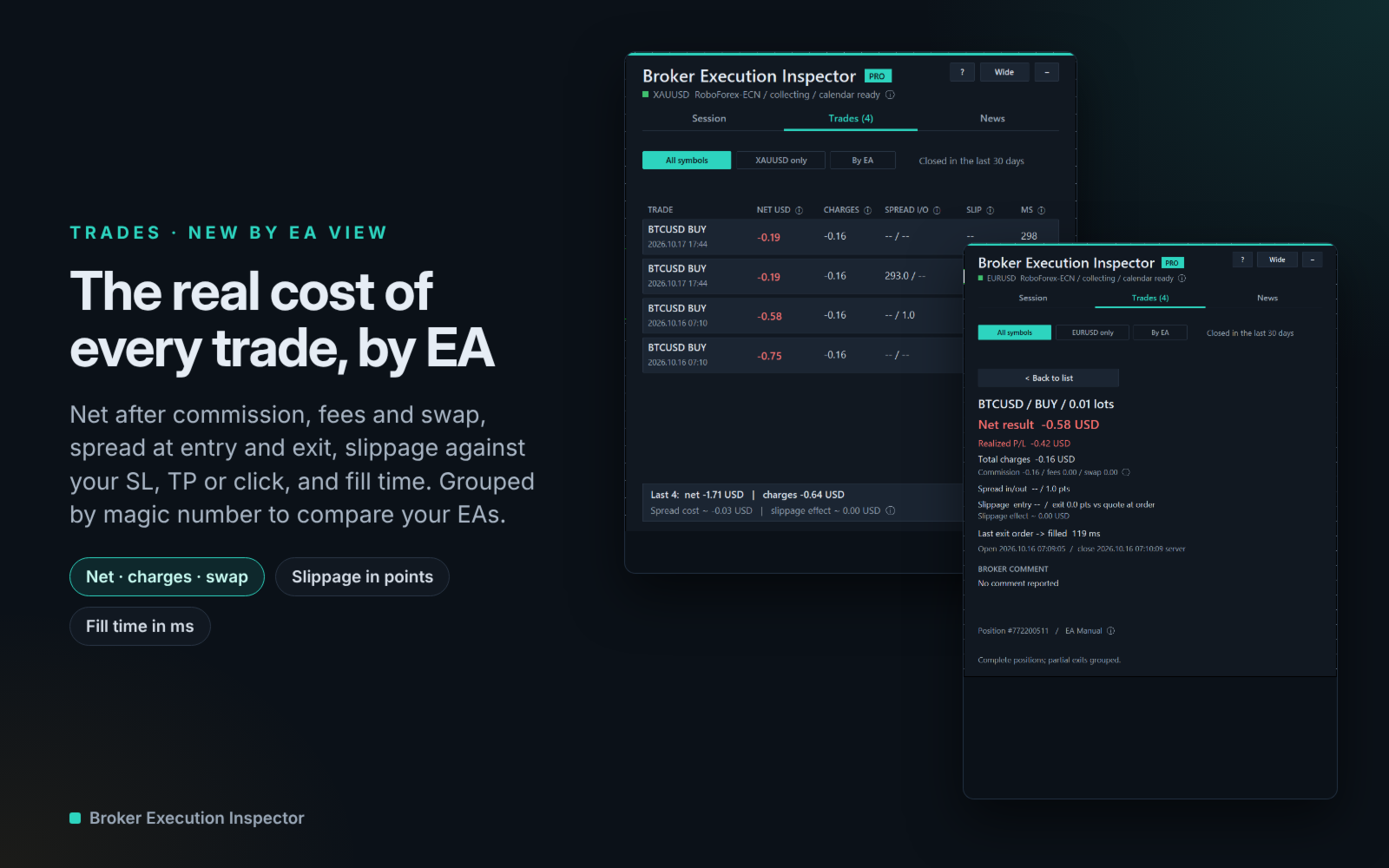
- Recent closed positions with net result after commission, deal fees and swap.
- Entry and exit spread, and the spread cost in your account currency.
- Slippage of each fill compared with your stop loss, take profit, pending price or the quote when you clicked.
- "By EA" view: trades, net result, charges, average slippage and fill time for each magic number. Compare your EAs, or manual trading, on the same account.
A report for every session
- One click on "HTML report", or automatically when a session ends: one self-contained page (no script, no internet), light or dark, printable.
- Key numbers, findings in plain words, spread by hour, weekday × hour heatmap, distribution, data quality, trading conditions, fills, closed positions by EA, session history and news.
- Session history: the last 30 sessions of each symbol, to follow a broker day after day.
- Optional daily session on a VPS: at server midnight the day is closed, reported and a new session starts.
For EA developers
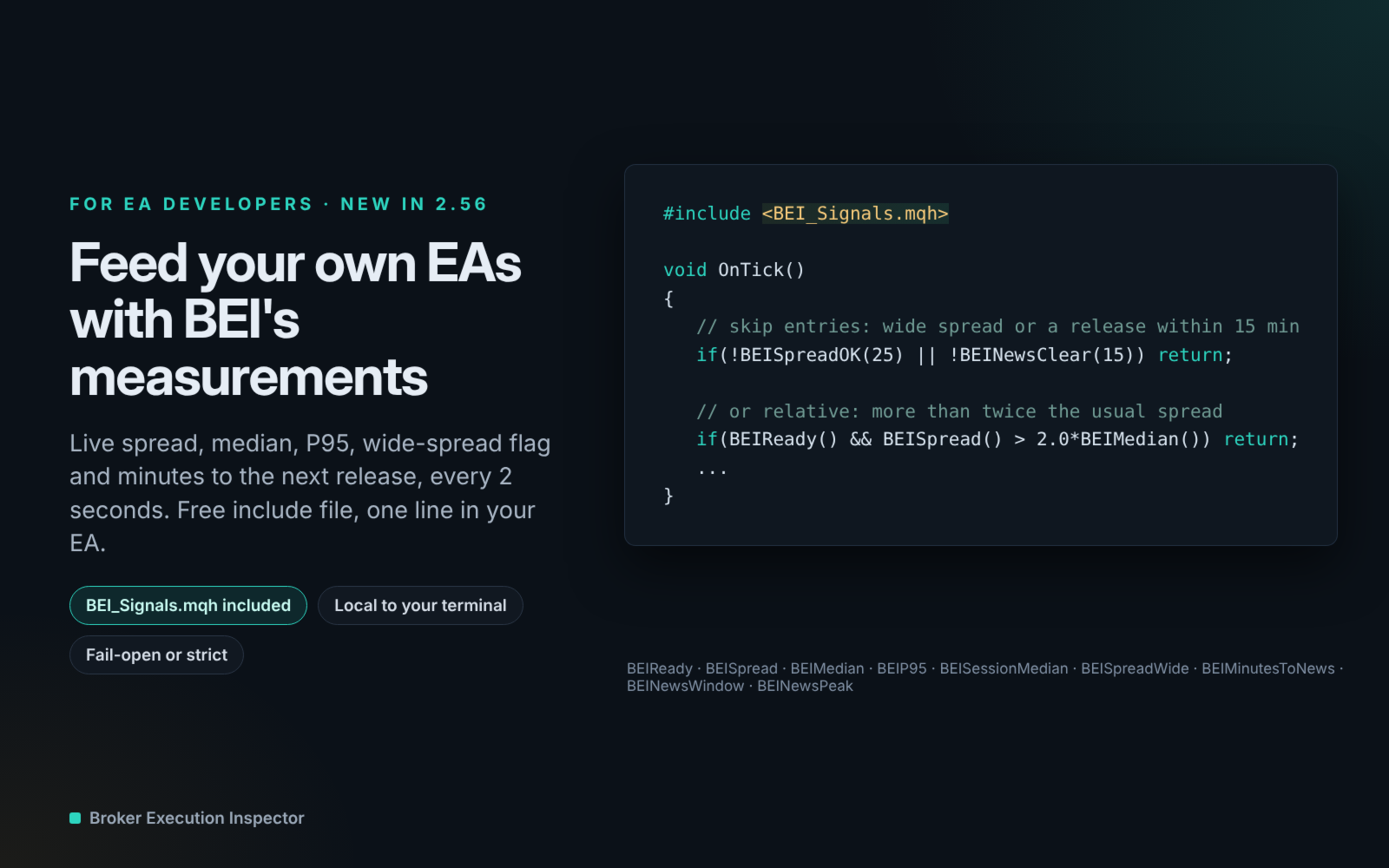
- Signals for other EAs: the live spread, median, P95, wide-spread flag and minutes to the next release are published every 2 seconds. Include the free BEI_Signals.mqh and filter entries in one line:
if(!BEISpreadOK(25) || !BEINewsClear(15)) return; - Strategy Tester: the HTML report is written at the end of each backtest, with a data-quality section (quotes per minute, gaps, longest silence, zero-spread and invalid quotes).
- Raw CSV export (optional): ticks, health, executions and session summary, one folder and one file name per symbol.
Live spread and connection
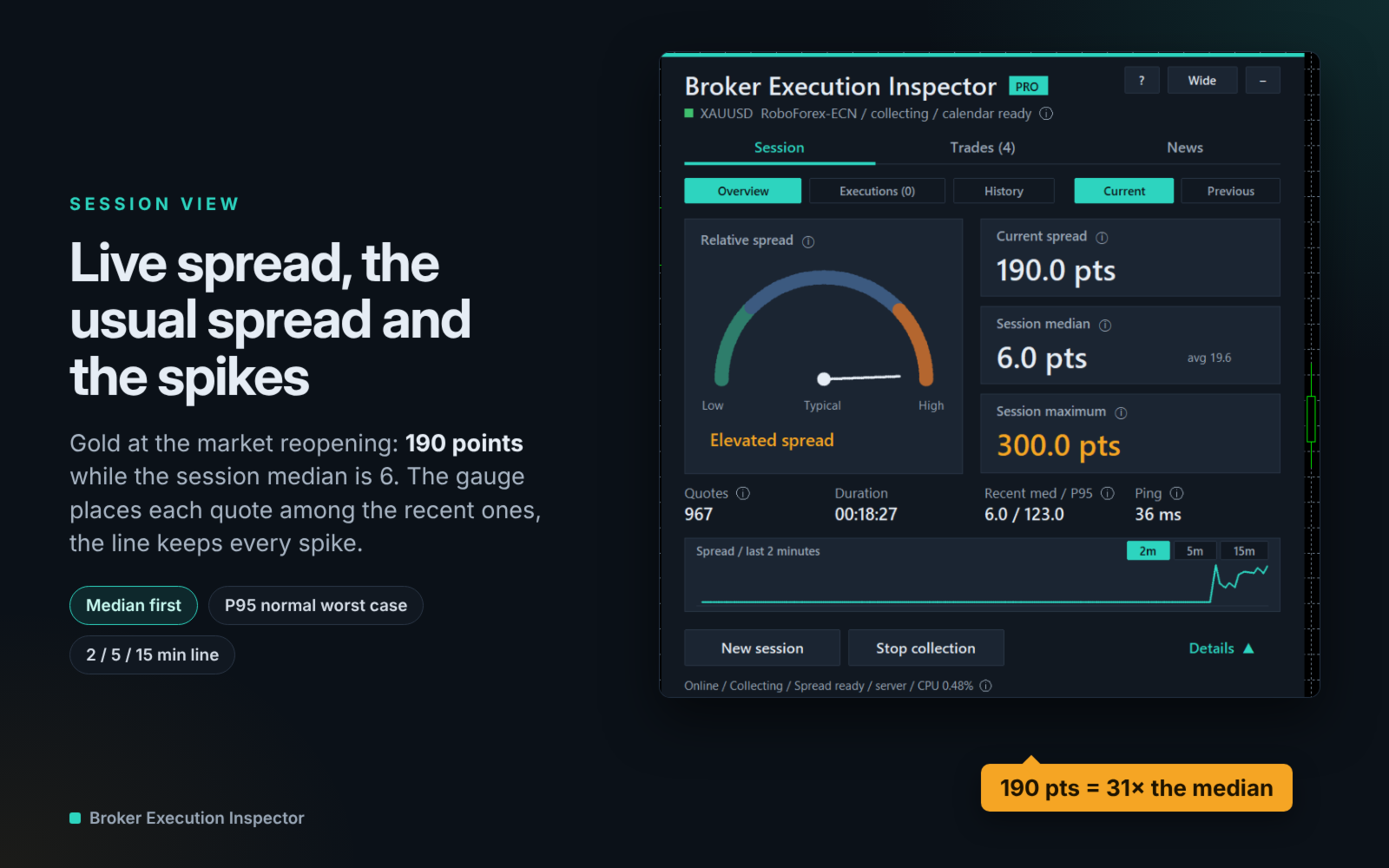
- Movable mini HUD: current spread, relative-spread gauge, median, P95, maximum, ping and the next release.
- The gauge is ready as soon as you attach it: the last 5 minutes of ticks are reloaded from history. When the market is closed it says so.
- Spread line over 2, 5 or 15 minutes (spikes are kept). Spread threshold alert.
Compare brokers on your PC
Run the utility on the MT5 terminals of several brokers: their news profiles for the same instrument appear side by side. Local files only: no server, no account data shared.
Easy to read, light to run
- Beginner friendly: the "?" button explains every view in plain words, and every value marked ⓘ has a tooltip.
- Dark, light or automatic theme, server or local time, compact or wide panel.
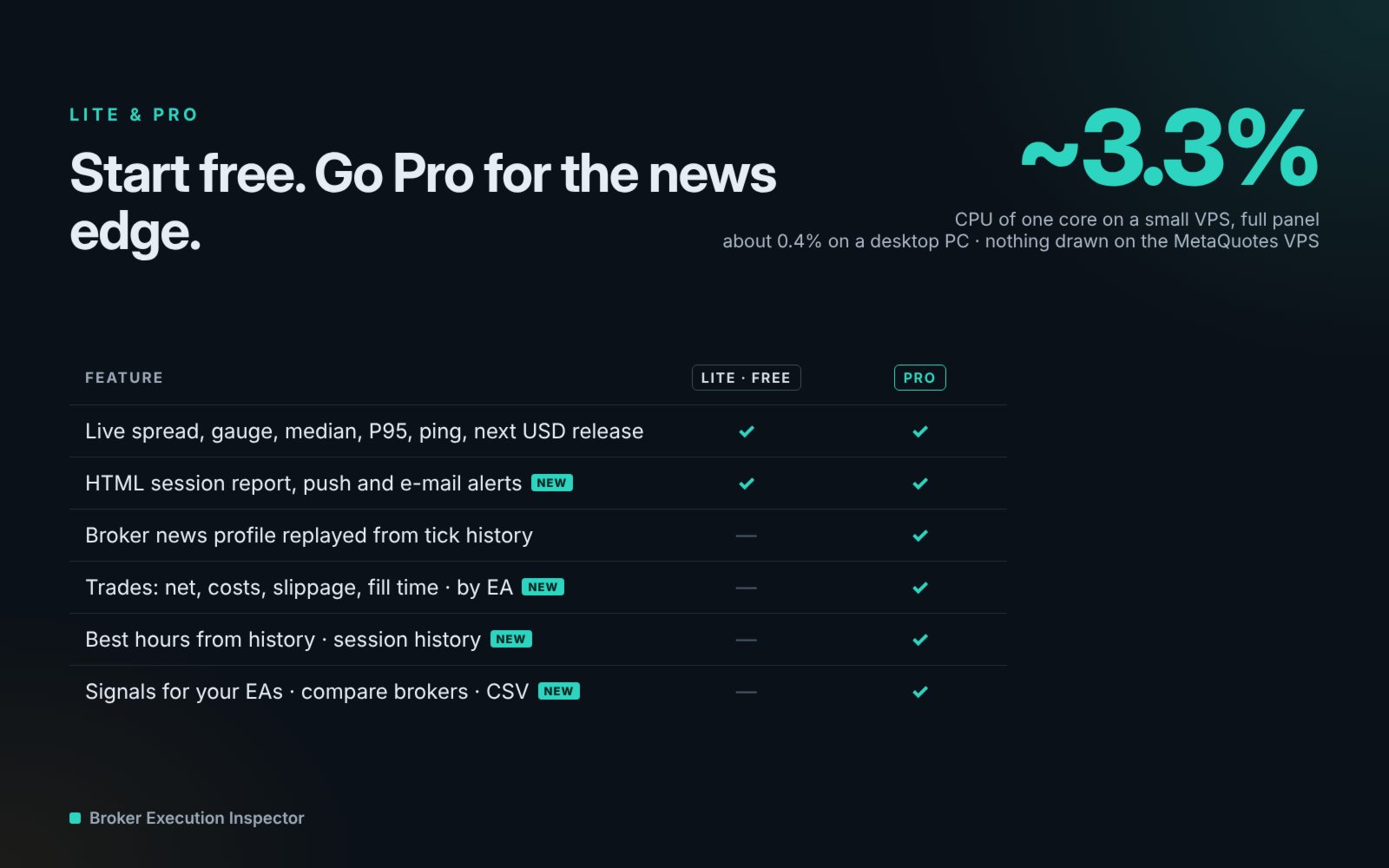
- VPS friendly: about 3.3 % of one CPU core on a small VPS in our tests (full panel open). Use the mini HUD to use less, and check the live figure in the panel status line. The panel only redraws what changed; nothing is drawn on the MetaQuotes VPS.
- Reports go to the folder you choose inside MQL5\Files, or to the Common folder shared by all your terminals.
- Native MT5 calendar and history only: no DLL, no WebRequest, no API key.
Free Lite edition
Try the mini HUD, live spread, next USD release, the before/during/after news window and a simplified HTML report for free with Broker Execution Inspector Lite.
Limits
Spread and slippage come from the quotes and history your broker provides; missing seconds are never filled in. Fill time is based on MT5 order timestamps, not an isolated network latency. The Strategy Tester has no economic calendar: there the utility shows fixed demonstration windows on real tester ticks. MetaTrader only lets an EA write inside MQL5\Files or the Common folder. Results describe past observations and do not predict future execution.
FAQ
Does it trade or change my orders?
No. It only reads quotes, the calendar and your account history.
Do I need to enable Algo Trading or allow WebRequest?
No to both.
Which symbols?
Any symbol of your terminal: forex, gold, indices, crypto. Spreads are shown in points of the symbol.
Why is my news profile empty?
The calendar needs a release in the last NewsHistoryDays for the chosen currencies, and your broker must keep tick history for those days.
Can my EA use the measurements?
Yes, with BEI_Signals.mqh (free, see the user guide). Broker Execution Inspector Pro must run on a chart of the same symbol in the same terminal.
Where are the reports?
File › Open Data Folder › MQL5 › Files › BrokerExecutionInspector › Reports › SYMBOL (or the Common folder if ExportToCommon is on). The folder name is the ExportFolder input.
Can I save to another drive?
MetaTrader does not allow it directly. Create a Windows folder junction (mklink /J) from MQL5\Files\BrokerExecutionInspector to your drive; the user guide shows how.
Does it work on a VPS?
Yes. On the MetaQuotes VPS nothing is drawn; reports and alerts keep working.
Several charts?
Yes. One chart per symbol is enough; a second chart of the same symbol acts as a viewer.
© 2026 ZvezdaQuant