Gold Gold Precision Execution Panel PRO


Gold Precision Execution Panel PRO V5.36

The Ultimate Risk-Controlled Trading Dashboard for XAUUSD

Gold Precision Execution Panel is a professional-grade trading tool specifically engineered for gold traders who prioritize speed, accuracy, and rigorous risk management. In the fast-moving XAUUSD market, one mistake can be costly; this panel eliminates human error by automating complex lot calculations and providing a clear visual preview of every trade before execution.

Key Features

  • Fixed Risk Management: Define your risk in exact Dollar amounts (e.g., $5 per trade). The EA automatically calculates the precise lot size based on your Stop Loss distance, ensuring you never over-leverage your account.

  • Real-Time Trade Preview: See exactly where your SL and TP will sit—including the projected Profit/Loss in Dollars—before you ever hit the Buy or Sell button.

  • One-Click Scalping Interface: Execute trades instantly with pre-set parameters, perfect for capturing quick movements in the gold market.

  • Enhanced Safety (Minimize Mode): Features a dedicated "Minimize" button to hide the execution panel, preventing accidental clicks ("fat-finger" trades) when you are just monitoring the charts.

  • Balanced & Readable UI: A wide, high-contrast dashboard designed for clarity. It supports large numerical values and displays your current Risk:Reward (R:R) ratio at a glance.

  • Exclusive Gold Lock: Built-in security that restricts the EA to XAUUSD/Gold symbols, preventing miscalculations on pairs with different tick values.

    How to Use

    1. Set Your Risk: Input your desired risk in USD and your SL/TP distances in the EA settings.

    2. Monitor the Preview: Check the "Live Preview" text on the chart to see your current entry price and Lot Size.

    3. Execute or Hide: Click BUY or SELL to enter the market instantly, or use the [-] HIDE button to secure the panel when not in use.

    Gold Precision Execution Panel turns your chart into a high-performance trading station, allowing you to focus on the price action while the EA handles the math.

PRO VERSION:


1. Break Even (BE) Feature

BE_Activation: When price reaches this amount of profit, the EA will trigger Break Even.

BE_Secure: The EA does not move the Stop Loss exactly to the entry price, but slightly beyond it (e.g. 0.2 points). This is used to cover commission or swap costs, so if Break Even is hit, you truly do not lose a single cent.

2. Smart Management

The system prioritizes Break Even first to secure the capital.
Only after Break Even status is active, the Trailing Stop is allowed to run to pursue maximum profit.

3. Error Handling (Stop Level Detection)

The ModifyStops function now automatically checks broker rules.

If the values you enter violate the broker’s minimum stop level (Stopping Level), the EA will not force the modification (which usually causes continuous MT5 “beep” sounds), but instead will display a warning in the Journal tab.


NOTE:


There are several important strategies to ensure your Trailing Stop activity remains safe and is not considered spamming or High Frequency Trading (HFT) by the broker.

Below are the technical steps:

1. Use the Trailing_Step Parameter

This feature is the primary filter to reduce server load.

How it works:
Without a step, the EA sends a modification request every time price moves by 0.01 points.
With Trailing_Step, the EA only sends a modification when price movement has reached a specified value (e.g., 1.0 point).

Benefit:
Reduces order modification frequency by up to 80–90%, making your trading activity appear normal and broker-friendly.

2. Avoid Distances That Are Too Close (Stop Levels)

Every broker has a minimum distance requirement for placing Stop Loss, known as Stop Levels.

Check:
Ensure your Trailing_Distance is always greater than the broker’s Stop Level.

Risk:
If the distance is too close, the server will repeatedly reject modification requests (Error 130).
If MT5 continuously sends rejected requests within seconds, the broker may classify this behavior as unhealthy automated activity.

3. Activate Break Even First

Use the Break Even feature before enabling Trailing Stop.

Strategy:
Break Even sends only a single modification request to secure the entry price.
This is far more efficient than running trailing immediately, which constantly updates the server from the start.

4. Monitor the Journal Tab Regularly

Always check the activity logs in MetaTrader 5.

Warning signs:
If you see many consecutive red messages such as “Request send failed” or “Invalid Stops”, immediately disable the EA or increase the Trailing_Step value.

Normal condition:
The Journal should only occasionally log “Position Modified” when significant trend movement occurs.

5. Do Not Force Trailing During Sideways Markets

Trailing Stop is most effective in trending markets.
When the market is sideways (flat) with low volatility, it is better to disable trailing or use a wider distance to avoid unnecessary order modifications caused by small price fluctuations.


Produits recommandés
Pro Trade Utility for MetaTrader 5 Pro Trade Utility is a professional manual trading assistant designed for traders who want precision, speed and clarity — without automated strategies. This tool does not trade automatically . It helps you execute and manage trades correctly with proper risk control. Key Features  Risk & Position Management Risk-based automatic lot size calculation Risk shown clearly in account currency Adjustable Stop Loss (points) Fixed Risk:Reward display  Trade Executio
Multi-Level Trading Dashboard - Professional Market Analysis Tool Transform Your Trading Experience with Advanced Multi-Symbol Monitoring The Multi-Level Trading Dashboard is a sophisticated MetaTrader indicator that revolutionizes how you monitor and analyze multiple currency pairs simultaneously. Built with professional traders in mind, this comprehensive tool combines real-time market data, technical analysis, and account management in one intuitive, Windows-style interface. Key Features
Introducing our Trailing Stop Tool, a powerful solution designed to enhance your trading strategy by trailing your trades based on a selected number of candles. This tool provides an advanced feature that allows you to dynamically adjust your stop loss level as the market moves in your favor, aiming to lock in profits while minimizing potential losses. With the Trailing Stop Tool, you have the flexibility to choose the number of candles you want the tool to trail. Whether you prefer a conservat
Premium Risk
Batuhan Bozoklu
Premium Risk est un outil intelligent de gestion des risques et d’exécution de trades, spécialement conçu pour les scalpers. Il calcule automatiquement votre ratio risque-récompense (R:R) et le montant du risque basé sur votre capital , afin de déterminer la taille et le volume de position les plus précis. Grâce au module POS , vous pouvez suivre et gérer vos trades automatiquement. La fonction magnétique détecte instantanément le prix du marché pour une exécution rapide et précise. En résumé, P
The utility is designed to display on the chart the margin zones built on the basis of margin requirements for futures of the Chicago Mercantile exchange (CME). These margin zones are good levels of resistance and support, as seen in the screenshots. How to use To trade on margin zones, use the following rules: buy after the day has closed above one of the zones to the next zone; sell after the day has closed below one of the zones to the next zone; after opening a sell trade, place limit sell
Quick trade report separately by symbols 5   The  Quick trade report separately by symbols  advisor will be useful for simultaneous trading on multiple instruments. It provides the ability to assess the effectiveness of trading on each symbol separately. It is possible to set a time period for making the reports. Frequency and time of automatic generation and sending of reports via FTP. The report visualizes the changes in the balance for deals on each symbol. Also, the following key trading par
FX28 Trader MT5
Tsvetan Tsvetanov
3 (1)
Présentation du FX28 Trader Dashboard - Votre gestionnaire de transactions ultime Découvrez tout le potentiel de votre expérience de trading avec le FX28 Trader Dashboard, un gestionnaire de transactions complet et intuitif conçu pour élever votre trading Forex à de nouveaux sommets. Que vous soyez un trader expérimenté ou que vous débutiez votre parcours financier, cet outil puissant a été développé pour simplifier vos activités de trading et améliorer votre processus de prise de décision. Car
### Take Control of Your Trading Edge with Manual Strategy Backtester Pro Do you want to achieve years of trading experience in just a few hours? Spending months testing strategies on live or demo accounts is slow, tedious, and expensive. **Strategy Backtester Pro** is a lightweight, ultra-fast manual charting simulator designed to let you backtest any mechanical or discretionary strategy with total control and speed. Whether it is the weekend or after hours, you can instantly spin up a simul
JP2 CoreHedge – Prop Risk Dashboard (Standard Edition) Professional Drawdown Monitor for Prop Firm Traders JP2 CoreHedge STANDARD is a lightweight and precise risk monitoring panel designed for traders working with prop firm rules. It does not open or manage trades — instead, it provides clean, real-time visibility of your account’s risk status. This utility is ideal for challenge accounts, funded accounts, and traders who need to avoid hidden drawdown violations. Key Features Real-time Prop Ris
QuAI EA Preflight Check
Rui Fernando Pimentel De Oliveira
QuAI EA Preflight Check is a free MetaTrader 5 utility designed to answer one simple question before you run an Expert Advisor: Is this account, broker and symbol environment compatible with the EA settings you intend to use? Instead of showing only raw account information, the utility performs a practical preflight diagnostic and classifies the most important conditions as PASS, WARN or FAIL. The tool never opens, modifies or closes trades. Main checks - MetaTrader connection - Terminal A
FREE
B2U PRO TRADING -The Ultimate Professional Trading Experience Professional Manual Trading Panel for MetaTrader 5 원클릭 실행 • 고급 거래 관리 • 스마트 리스크 보호 B2U PRO TRADING 은 MetaTrader 5 사용자를 위해 개발된 전문 수동매매 및 포지션 관리 패널입니다 . B2U PRO TRADING is a manual trade execution and position management utility designed to help traders execute orders, manage open positions and protect profits directly from the chart. The product does not generate trading signals and does not open trades automatically. All trading action
ProTrade Control MT5 Buy this product and get a chance to win one of our other products! https://www.mql5.com/tr/users/bilisimprofesoru/seller Your Complete Trade Control Center ProTrade Control MT5 is a comprehensive trade management panel developed for traders who use manual and semi-automated trading methods. It allows you to manage order placement, risk calculation, position management, trailing stop, break-even, partial closing, scheduling, and many other functions through a single profes
️ UMNi-CMND MT5 Remote Command & Trade Control System UMNi-CMND turns Telegram into a full remote control panel for your MetaTrader terminal. Send commands from your phone to open trades, manage positions, query account status, and receive complete trade telemetry — all without touching the platform. KEY FEATURES Full remote trade execution via Telegram Open, close, and manage positions by command Move SL/TP, set breakeven, partial close Live status, account, and position
Broker XRay
Joao Jara Carvalho
BROKER XRAY — Execution Quality Audit See what your broker hides. Score your broker A+ to F. Most traders never know if their broker is silently bleeding their edge: spread expansion at rollover, asymmetric slippage, hidden requotes, latency spikes during news. Broker XRay gives you a Bloomberg-style dashboard that monitors all of this in real-time, scores it from 0 to 100, and exports everything to CSV for deep analysis. Run it for 24 hours. Get the truth. What it measures (6 weighted dimension
ZenEntry Risk Manager MT5
Constant Xorsenyo Tamekloe
Take Control of Your Risk with ZenEntry ZenEntry is a premium, interactive graphical panel designed for MetaTrader 5 that eliminates manual lot-size calculations. By syncing live chart lines directly with a beautiful HUD, ZenEntry allows you to execute mathematically perfect, risk-managed trades in milliseconds. Whether you risk a fixed dollar amount or a percentage of your account equity, ZenEntry automatically shifts your lot sizing dynamically as you drag your Stop Loss and Take Profit lin

EA setSLTP MT5
Windra Fajar Septiawan
General Overview This Expert Advisor (EA) is a semi-automatic trading assistant for MetaTrader 5 that provides a graphical user interface (GUI) panel directly on the chart. It allows traders to quickly place pending orders (Buy Limit, Sell Limit, Buy Stop, Sell Stop), set Stop Loss (SL) and Take Profit (TP) levels for all positions, close all open trades, and delete pending orders. Key Features Interactive Control Panel: Displays input boxes, buttons, and labels on the chart. You can manu
Prop Firm Trade Manager MT5  Managing risk and staying compliant with strict evaluation rules requires absolute precision. The Prop Firm Trade Manager MT5 is a professional trading panel MT5 designed to streamline your manual execution, automate complex calculations, and protect your funding account from rule violations. Featuring mt5 advanced dashboards, this tool displays real-time data directly on your main chart. It functions as an all-in-one trade manager for mt5, combining a position siz
Reality Engine Standard | Live Spread · Slippage · Latency Monitor What is Reality Engine? Reality Engine is a non-invasive monitoring utility that simulates and logs the real-world execution conditions your algorithmic strategies actually face — spread widening, slippage, and network latency — in real time, on any symbol, for any EA running on your terminal. It does not place trades. It does not interfere with your existing strategies. It attaches silently to a separate chart and watches everyt
Rosy Pro Panel MT5
Theresia Yovitha Herwanda
5 (1)
Download DEMO here  https://www.mql5.com/en/blogs/post/759772 An ultimate panel you've never seen before.  Compact and nice Trade panel with large Total P/L and it's percentage display. Groups for trades summary available: Ticket, Symbol, Type, Category, and Magic. Average price field helps you know your trading average price and direction. Set magic and comment of your trading in a very easy way. Group closing by symbol, type, category or magic - only by one click. Close All button for a quick
Smart Risk Manager Pro — The Last Line of Defense Between You and a Blown Account Stop losing accounts. Start trading with confidence. Every trader knows the feeling. You're in a drawdown, emotions take over, you overtrade, and before you know it, you've blown your daily limit, violated your prop firm rules, or wiped out weeks of profits in a single session. Smart Risk Manager Pro exists to make that impossible. This is not a trading bot. It does not pick entries or manage signals. What it does
Product Description The Ultimate Telegram to MetaTrader Bot is designed for traders who want seamless automation between their Telegram signal channels and the MetaTrader 5 platform. It eliminates the stress of manual copying and pasting signals, ensuring you never miss an entry or exit. This bot can work in three modes: Sender Mode – instantly sends your MT5 trades or indicator alerts to Telegram. Receiver Mode – copies signals from Telegram directly into MT5 and executes them. Both Modes – co
Strategy Manager is a  Multi-Time-Frame & Multi-Currency  Dashboard for  Metatrader 4 and 5. Thanks to a free, external graphical user interface, build your own strategy by combining any indicators and loading them into the dashboard to see the result ! In addition, you can precisely  set-up your Auto-trading & Notifications and use indicators for Stop-Loss, partial profit or limit. Filter your automatic trading & notifications with forex calendar and more. Open and Manage your orders directly w
FastCopyCPpro
Alireza Kalamati
FastCopy CP Pro - Advanced Local Trade Copier Before purchasing, we highly recommend testing the core engine performance, broker compatibility, and execution speed using our free version (fully functional, limited to 10 trades): Download FastCopy CP Free Version Here FastCopy CP Pro is a highly optimized, 100% offline local trade copier designed specifically for MetaTrader 5. Engineered for traders on prop firms, and retail traders managing multiple accounts, it utilizes a sophisticated binary f
MATTRIX Position Monitor An 8x8 currency matrix dashboard that gives you a live overview of all  your open positions across the 28 Forex majors in one compact panel.  Designed for traders who manage multiple currency exposures and want  to see direction, hedging, profit, and risk at a glance. WHAT YOU SEE: The 8x8 matrix is organized by the Big8 currency hierarchy: EUR, GBP, AUD, NZD, USD, CAD, CHF, JPY. - Lower triangle (28 cells): one cell per Forex major pair   Cell color = direction:    
Live Forex Signals est conçu pour le commerce sur les signaux du site   https://live-forex-signals.com/en et https://foresignal.com/en . Live Forex Signal for MetaTrader 4   https://www.mql5.com/en/market/product/81445 Paramètres Username   et   Password   si vous avez un abonnement aux sites live-forex-signals.com/foresignal.com. ensuite, vous devez remplir ces paramètres avec vos informations d'identification; s'il n'y a pas d'abonnement, laissez les champs vides; Comment   commentaire sur l
AdaptiveStats  is a comprehensive and visually stunning performance analysis tool for the MetaTrader 5 (MQL5) platform, featuring a professional "Fintech Dark" (JARVIS-inspired) aesthetic. It is engineered to provide traders with real-time, actionable insights into their trading performance directly on the chart interface. Key features and capabilities include: Multi-Timeframe Performance Tracking : Automatically calculates and aggregates Net Profit, Win Rate, and Total Trades for three critical
FREE
Trade Dashboard MT5
Fatemeh Ameri
4.94 (133)
Trade Dashboard simplifies how you open, manage, and control your trades, with built-in lot size calculation. It allows you to execute trades, manage risk, and control positions directly on the chart, with tools such as partial close, breakeven, and trailing stop. Designed to reduce manual work and help you stay focused on your trading decisions. A demo version is available for testing. Detailed explanations of features are provided within the MQL5 platform. Installation instructions are include
Hermes is a control panel that allows you to easily and effectively open market positions and place pending orders. In addition, thanks to its send and receive functions, Hermes can connect two or more terminals, copying the operations of one to the other or to the others. The send and receive functions for orders and market positions are independent of each other, i.e. it is possible to send positions to be copied to one terminal and orders to another, or to copy positions from one terminal and
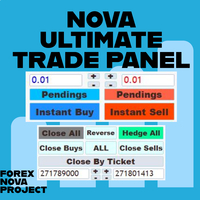
Nova Ultimate Trade Panel vous offre la meilleure et la plus pratique expérience de trading ! Il s'agit d'un panneau auxiliaire qui fonctionne extrêmement rapidement et est codé pour répondre à toutes vos demandes. Vous pouvez facilement l'utiliser dans toutes vos transactions commerciales et profiter de toutes ses fonctionnalités au plus haut niveau. Conçu comme un panneau dynamique, Nova Ultimate Trade Panel peut être glissé, déplacé et réduit en taille. Parlons de ses fonctionnalités i
Prop Firm Shield Full
Pablo Adolfo Cantos
Prop Firm Shield is a risk management panel for MetaTrader 5, built for prop firm traders who need control over their daily limits. You configure each limit and the tool watches the account around the clock, acting automatically when a limit is reached: closing positions, deleting pending orders and blocking new trading until the next day. Features: - Daily Take Profit - three modes: fixed USD, percent of the day-start balance, or target balance - Daily Stop Loss - three modes: fixed USD, percen
Les acheteurs de ce produit ont également acheté
Trade Assistant MT5
Evgeniy Kravchenko
4.43 (216)
It helps to calculate the risk per trade, the easy installation of a new order, order management with partial closing functions, trailing stop of 7 types and other useful functions. Additional materials and instructions Installation instructions - Application instructions - Trial version of the application for a demo account Line function -   shows on the chart the Opening line, Stop Loss, Take Profit. With this function it is easy to set a new order and see its additional characteristics bef

Bienvenue sur Trade Manager EA, l’outil ultime de gestion des risques conçu pour rendre le trading plus intuitif, précis et efficace. Ce n’est pas seulement un outil d’exécution d’ordres ; c’est une solution complète pour la planification des trades, la gestion des positions et le contrôle des risques. Que vous soyez débutant, trader expérimenté ou scalpeur ayant besoin d’une exécution rapide, Trade Manager EA s’adapte à vos besoins, offrant une flexibilité sur tous les marchés, des devises et i
================================================================================ POC BREAKOUT - V20.72. Full Professional Grade Toolkit ================================================================================ POC Breakout is a full MetaTrader 5 trading dashboard for discretionary traders who want breakout signals, Point of Control (POC) context, volume profiles, order flow, market structure, news, alerts, and advanced trade planning in one professional workspace. Attached directly to you
Local Trade Copier EA MT5
Juvenille Emperor Limited
4.94 (149)
Local Trade Copier EA MT5 est un copieur de trades rapide et flexible permettant de copier et de gérer des trades entre plusieurs comptes MetaTrader 5 sur le même ordinateur Windows ou Windows VPS. Il combine la synchronisation locale des trades avec des contrôles côté Receiver pour la taille des lots, la gestion du risque, le filtrage des trades, le mappage des symboles, la gestion des trades et la protection du compte. Configurez vos terminaux Transmitter et Receiver en environ 1 minute et co
TradePanel MT5
Alfiya Fazylova
4.88 (168)
Trade Panel est un assistant commercial multifonction. L'application contient plus de 50 fonctions de trading pour le trading manuel et permet d'automatiser la plupart des tâches commerciales. Instructions d'utilisation + tutoriel vidéo : https://www.mql5.com/fr/blogs/post/772371 Version d'essai de l'application pour un compte démo : https://www.mql5.com/fr/blogs/post/762644 Comment installer l'application : https://www.mql5.com/fr/blogs/post/762645 Comment tester l'application en mode visuel :
Copiez les signaux Telegram avec vos propres règles de trading Telegram to MT5 Signal Trader copie automatiquement les signaux de trading au format texte provenant de canaux et de groupes Telegram publics et privés vers MetaTrader 5. Gérez plusieurs fournisseurs et comptes MT5 depuis une seule application de bureau, avec des paramètres de risque et de trading propres à chaque fournisseur . Aucun bot Telegram ni configuration d'API n'est nécessaire pour copier les signaux. Connectez-vous simpleme
Strategy Ledger Pro
Abdullah Uygar Tuna
5 (2)
Strategy Ledger Pro est un panneau d'analyse de compte en lecture seule pour MetaTrader 5. Il sépare les résultats du compte par Expert Advisor, stratégie, symbole et numéro magique. Manuel  détaillé avec chaque fonction expliquée. MetaTrader affiche un seul solde pour l'ensemble du compte. Quand plusieurs Expert Advisors tradent ensemble, ce solde ne montre pas ce que chacun a apporté. Strategy Ledger Pro lit l'historique du compte, reconstruit les positions clôturées, les attribue à des stra
Telegram to MT5 Multi-Channel Copier   copie automatiquement les signaux de trading de vos canaux Telegram directement vers MetaTrader 5. Pas de bots, pas d'extensions de navigateur, pas de copie manuelle. Un signal arrive sur Telegram et l'EA ouvre le trade dans votre terminal en quelques secondes. Et avant de copier un canal, le backtester intégré vous montre ce que ce canal aurait fait sur votre compte. Le produit comprend deux composants : une application Windows qui écoute vos canaux Telegr
Farmed Hedge Yield Farming | All Markets (Manual - Hybrid - Semi/Automated EA) VERIFIED TRADING RESULTS - Farmed Hedge Yield Axi Copy:  https://www.mql5.com/en/signals/2356376 - Farmed Hedge Yield Exn Copy:   https://www.mql5.com/en/signals/2356404 - Farmed Hedge Yield V Copy:  https://www.mql5.com/en/signals/2357156 IMPORTANT NOTICE: FarmedHedge is a MANUAL-FOCUSED TRADING UTILITY ,not a fully automated EA. Results shown on this Signal include manual trades and overall strategic management.
Premium Trade Manager - Le panneau de trading avec un coach intégré Premium Trade Manager intègre un coach de trading directement dans votre graphique, avec un moteur d'exécution complet en dessous. Configurez le trade comme vous le faites toujours, puis laissez Max, votre coach de trading IA, analyser ce setup exact par rapport à votre compte en direct et vous donner un verdict clair avant de vous engager : le stop est-il discipliné, le risque est-il raisonnable, une publication à fort impact e
Exp COPYLOT CLIENT for MT5
Vladislav Andruschenko
3.97 (35)
Copieur professionnel de trades pour MetaTrader 5 Un copieur de trades rapide, professionnel et fiable pour MetaTrader . COPYLOT permet de copier des trades Forex entre les terminaux MT4 et MT5 avec prise en charge des comptes Hedge et Netting . La version MT5 de COPYLOT prend en charge : - MT5 Hedge → MT5 Hedge - MT5 Hedge → MT5 Netting - MT5 Netting → MT5 Hedge - MT5 Netting → MT5 Netting - MT4 → MT5 Hedge - MT4 → MT5 Netting Version MT4 Description complète + DEMO + PDF Comment acheter Comme
Telegram To MT5 Ultra
Mirel Daniel Gheonu
5 (5)
Telegram To MT5 — Copieur de signaux Transformez les appels de trading de vos canaux Telegram en véritables ordres MT5 — automatiquement, sur autant de comptes que vous le souhaitez, avec le risque et les règles entièrement sous votre contrôle. Telegram To MT5 relie les canaux VIP / de signaux que vous suivez déjà sur Telegram à votre terminal MetaTrader 5. Une application de bureau compagnon gratuite lit les messages (même des canaux qui bloquent les bots), et cet Expert Advisor les exécute sur
The product will copy all telegram signal to MT5 ( which you are member) , also it can work as remote copier.  Easy to set up, copy order instant, can work with almost signal formats, image signal,  s upport to translate other language to English Work with all type of channel or group, even channel have "Restrict Saving Content", work with  multi channel, multi MT5 Work as remote copier: with signal have ticket number, it will copy exactly via ticket number. Support to backtest signal. How to s
Trade Manager DashPlus
Henry Lyubomir Wallace
4.85 (13)
DashPlus est un outil de gestion de trading avancé conçu pour améliorer l'efficacité et la performance de vos transactions sur la plateforme MetaTrader 5. Il offre un ensemble complet de fonctionnalités, incluant le calcul des risques, la gestion des ordres, des systèmes de grilles avancés, des outils basés sur les graphiques et des analyses de performance. Fonctionnalités principales 1. Grille de récupération Implémente un système de grille flexible et de moyenne pour gérer les transactions dan
Astro Trade MT5
Indra Maulana
5 (7)
25% discount on the release of the tool: only for the next 3 buyers Send a message to receive a demo version. AstroTrade Trading Assistant AstroTrade is a comprehensive multi-functional trading utility developed for the MetaTrader 5 platform. It integrates essential tools for trade execution, risk management, and technical monitoring into a single unified interface. The application is designed to assist traders in managing their daily operations through a visual and structured environment. Vi
FUTURES ORDERFLOW FOOTPRINT CHART Professional OrderFlow EA for MetaTrader 5 Version 1.01| Professional tool for real traders | Institutional-Grade Visualization STRATEGY TESTER USERS - PLEASE SELECT EVERY REAL TICK WHEN TESTING AND YOU HAVE DOWNLOADED HISTORICAL DATA. IF YOU SEE A WAITING SCREEN AND IT IS NOT DOWNLOADING, IT MEANS YOU HAVE LOW HISTORICAL DATA. TRY 1 MIN AND 5 MIN FIRST ON 1 DAY DATA. ONE DAY DATA SHOULD BE THE NEWEST AND MOST CURRENT DATE. PLEASE WAIT UNTIL THE MARKET HAS ROL
Timeless Charts
Samuel Manoel De Souza
5 (8)
Timeless Charts est un utilitaire de trading tout-en-un destiné aux traders professionnels. Il combine des types de graphiques personnalisés tels que les graphiques en secondes et Renko avec une analyse avancée du flux d’ordre s utilisant Footprints , Clusters , Profils de Volume , études VWAP et outils d’analyse ancrés pour une compréhension plus approfondie du marché. Le trading et la gestion des positions sont effectués directement depuis le graphique via un panneau intégré de gestion des ord
Trade Copier Ultimate
Janitha Sandaruwan Amaradasa Wickramasingha Arachchilage
5 (5)
Trade Copier Ultimate - Telegram to MT5 Signal Copier Trade Copier Ultimate automatically copies Telegram trading signals into MetaTrader 5. The EA can read signal messages, detect the symbol, order type, entry price, Stop Loss, Take Profit levels and selected update commands, then execute or manage the trade in MT5 using your lot and risk settings. It is more than a basic Telegram to MT5 copier. TCU also supports Bot API and user-account Bridge workflows, Discord signal routing, local MT5 to MT
EA Overfitter
Stephen J Martret
5 (1)
That backtest looks great. But will it still be making money tomorrow, next week, next month? EA Overfitter re-runs your EA on 100 price histories it has never seen. One score tells you if the edge is real. A backtest tells you what an EA did on one price history — the one that happened to occur. What you cannot tell from it is how much of that result was the strategy and how much was the particular path. EA Overfitter answers that. It builds up to 100 synthetic price histories your EA has n
Trade Indicator Assistant   is a powerful MT5 utility designed to turn indicators into automated trading systems. Its main feature is the ability to automatically detect an indicator’s   BUY and SELL signal buffers , without requiring you to know the buffer numbers, search through indicator settings, or modify the indicator source code. Bonus Indicator:   After purchasing Trade Indicator Assistant, contact me to receive   Trade Signal Pro   completely free as a bonus indicator. [Download Demo V
Envoyez-moi un message après l’achat pour recevoir le kit complet du manuel + un essai de 3 jours de l’API OpenAI pour tester les fonctionnalités d’IA + un autre cadeau bonus Le prix actuel est un tarif promotionnel limité pour la mise à jour du relancement d’août — sécurisez votre édition maintenant avant l’augmentation du prix. Prochain prix : $340 C’est complètement différent de tous les panneaux de trading que vous avez pu essayer ou voir sur le marché. C’est l’un des panneaux de trading al
HINN MagicEntry Extra
ALGOFLOW OÜ
4.74 (19)
HINN MAGIC ENTRY – the ultimate tool for entry and position management! SIMPLE. FASTEST. INTUITIVE. MAX AUTOMATED. Place orders by selecting a level directly on the chart! full description   ::  demo-version  :: 60-sec-video-description Key features: - Market, limit, and pending orders - Automatic lot size calculation - Automatic spread and commission accounting - Unlimited partitial take-profits  - Breakeven and trailing stop-loss and take-profit  functions - Invalidation leves - Intuitive, a
Trade Assistant 38 in 1
Makarii Gubaydullin
4.91 (23)
Outil multifonctionnel : Calculateur de Lot, Ordres Grid, Ratio R/R, Gestionnaire de Trades, Zones d'Offre et de Demande, Price Action et bien plus Version Démo   |   Manuel d'Utilisation L'Assistant de Trading   ne fonctionne pas dans le testeur de stratégies : vous pouvez télécharger la   Version Démo ICI  pour tester l' utilitaire . Contactez-moi   pour toute question  / idée d'amélioration / en cas de bug détecté Si vous avez besoin d'une version MT4, elle est disponible ici Simplifiez, acc
Footprint Chart Pro — Professional OrderFlow EA for MetaTrader 5 Version 6.34 | Professional tool for real traders | Institutional-Grade Visualization DEMO USERS - PLEASE SELECT EVERY TICK / REAL TICK WHEN TESTING AND YOU HAVE DOWNLOADED HISTORICAL DATA. IF YOU SEE A WAITING SCREEN AND IT IS NOT DOWNLOADING, IT MEANS YOU HAVE LOW HISTORICAL DATA. TRY 1 MIN AND 5 MIN FIRST ON 1 DAY DATA. ONE DAY DATA SHOULD BE THE NEWEST AND MOST CURRENT DATE. PLEASE WAIT UNTIL THE MARKET HAS ROLLED OVER PERIOD.
Grid Manual MT5
Alfiya Fazylova
4.73 (22)
Grid Manual est un panneau de trading permettant de travailler avec une grille d'ordres. L'utilitaire est universel, possède des paramètres flexibles et une interface intuitive. Il fonctionne avec une grille d'ordres non seulement dans le sens des pertes, mais aussi dans le sens de l'augmentation des profits. Le commerçant n'a pas besoin de créer et de maintenir une grille d'ordres, l'utilitaire le fera. Il suffit d'ouvrir une ordre et "Grid Manual" créera automatiquement une grille de ordres po
Trade copier MT5
Alfiya Fazylova
4.6 (55)
Trade Copier est un utilitaire professionnel conçu pour copier et synchroniser les commandesentre les comptes de trading. Les commandes sont copiées du compte/terminal du fournisseur vers le compte/terminal du destinataire, qui sont installés sur le même ordinateur ou vps. PROMOTION - Si vous avez déjà acquis le "Trade copier MT5", vous pouvez obtenir le "Trade copier MT4" gratuitement (pour la copie MT4 > MT5 et MT4 < MT5). Pour obtenir des informations plus détaillées sur les conditions, veuil
Anchor Trade Manager
Kalinskie Gilliam
5 (9)
Your EAs cannot see each other, but Anchor can. Anchor gives you one place to coordinate your EAs, manage risk, and decide when trading is allowed. It works alongside the trading bots you already use without any changes to them. The Problem One EA opens a trade. Then another starts trading. The next thing you know, you wake up to multiple grids built across your account. Each EA may be doing exactly what it was designed to do, but together they can place far more risk on your account than you in
Seconds Chart MT5
Boris Sedov
4.61 (18)
Seconds Chart - un outil unique pour créer des graphiques en secondes dans MetaTrader 5 . Grâce à Seconds Chart , vous pouvez créer un graphique avec une période définie en secondes, offrant une flexibilité et une précision idéales pour l'analyse, indisponibles sur les graphiques standards en minutes ou en heures. Par exemple, la période S15 indique un graphique avec des bougies d'une durée de 15 secondes. Vous pouvez utiliser n'importe quels indicateurs et experts advisors compatibles avec les
Power Candles Strategy Scanner - Outil de recherche de configurations multi-symboles à optimisation automatique Le Power Candles Strategy Scanner utilise le même moteur d'auto-optimisation que celui qui alimente l'indicateur Power Candles, pour chaque symbole de votre Market Watch, en parallèle. Un panneau vous indique quels symboles sont statistiquement négociables à l'instant, quelle stratégie est la plus performante pour chacun, la paire Stop Loss / Take Profit optimale, et vous alerte dès qu
Le Local Trade Copier EA est une solution pour les commerçants individuels ou les gestionnaires de compte qui ont besoin d'exécuter des signaux commerciaux à partir de sources externes ou qui ont besoin de gérer plusieurs comptes en même temps, sans avoir besoin d'un compte MAM ou PAMM. Il copie jusqu'à 8 comptes maîtres vers un nombre illimité de comptes esclaves [ Guide d'installation | Guide de mise à jour | Dépannage | FAQ | Tous les produits ] 100% auto-hébergé Facile à installer et à util
Plus de l'auteur
Gold Precision Execution Panel V5.3 The Ultimate Risk-Controlled Trading Dashboard for XAUUSD Gold Precision Execution Panel is a professional-grade trading tool specifically engineered for gold traders who prioritize speed, accuracy, and rigorous risk management. In the fast-moving XAUUSD market, one mistake can be costly; this panel eliminates human error by automating complex lot calculations and providing a clear visual preview of every trade before execution. Key Features Fixed Risk Managem
FREE
Filtrer:
Aucun avis
Répondre à l'avis