Ronnie Mansolillo / 뉴스피드
- 정보
|
13+ 년도
경험
|
0
제품
|
0
데모 버전
|
|
0
작업
|
0
거래 신호
|
0
구독자
|
Ronnie
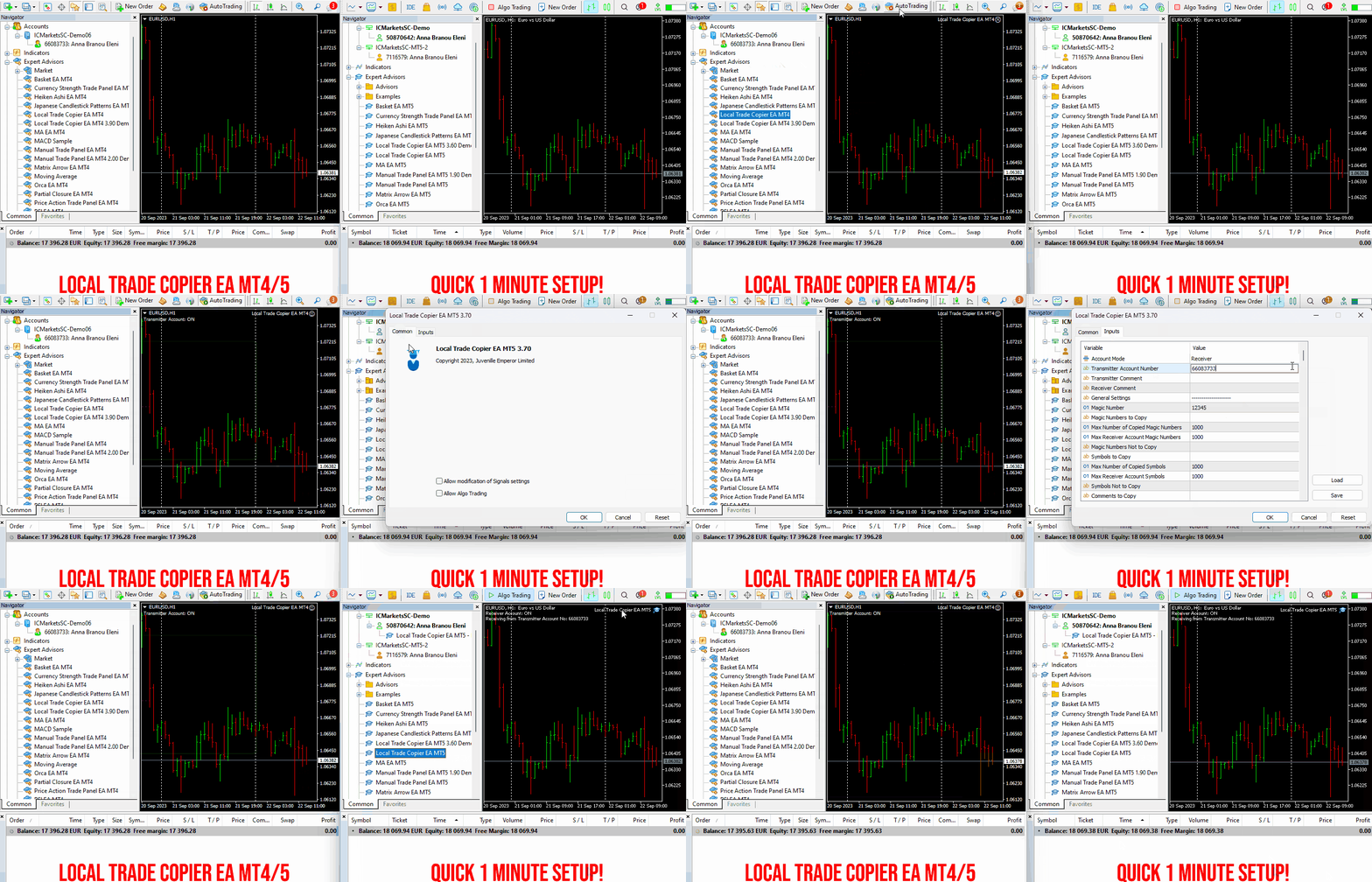
✔️ High-Speed Copying: Achieve transfers under 0.5 seconds between local MT4 and MT5 terminals*.
✔️ Versatile Support: Supports MT4>MT4, MT4>MT5, MT5>MT4, MT5>MT5 copying*.
✔️ User-Friendly Interface: Simple 1-minute setup for straightforward usage.
✔️ Compatibility: Works on Windows computers and Windows VPSs.
✔️ Flexible Copying: Copies between real>real, real>demo, demo>real, and demo>demo accounts, across all brokers.
✔️ Multi-Account Transfers: Allows one or more transmitter accounts to copy to one or more receiver accounts.
✔️ Customizable Lot Sizes and Risk: Offers a diverse range of 18 options for lot size and risk management per trade.
✔️ Read-Only Account Copying: Can copy from a read-only investor password transmitter account.
✔️ Comprehensive Trade Multiplication: Copies and multiplies trades from any source, including manual trades.
✔️ No Conflicts: Enables manual trading or expert advisor use without conflicts.
✔️ Stable Settings: Does not lose settings if connection is lost or terminals are restarted.
✔️ High Accuracy, Low Computing: Ensures high accuracy copying with minimal computing power.
✔️ Comment Options: Provides transmitter and receiver comment options.
✔️ Trade Filtering: Filters copied trades by magic number, symbol, comment, number, or volume.
✔️ Day and Time Control: Allows day and time control settings for copying.
✔️ Flexible Trade Copying: Copies long/short, old/new trades, market trades, or pending orders.
✔️ Take Profit and Stop Loss Handling: Copies or not take profit and stop loss levels from original transmitter trades.
✔️ Customized TP/SL Management: Offers various options for take profit and stop loss management.
✔️ Trade Closure Options: Provides options for synchronized trade closure and correct partial closure on receiver copied trades.
✔️ Trade Reopening: Allows reopening of closed receiver trades if original transmitter trades are still open.
✔️ Advanced Price Management: Offers better price options, reverse copying, and original TP/SL levels.
✔️ Trade Splitting: Splits copied trades automatically or at set smaller parts.
✔️ Risk Control: Implements maximum risk % control per symbol, currency, or account level.
✔️ Lot Size Management: Provides minimum/maximum lot size options for receiver copied trades.
✔️ Flexible Lot Size Ignoring: Can ignore minimum/maximum transmitter or receiver lot size options.
✔️ Account Protection: Offers emergency account protection measures.
✔️ Drawdown Management: Implements maximum daily drawdown and profit settings, with pause options.
✔️ Drawdown Control: No copying if transmitter or receiver drawdown exceeds a certain percentage level.
✔️ Notification Options: Provides email and push notifications for copied trades or receiver balance, equity, and margin levels.
✔️ Broker Compatibility Features: Includes prefix and suffix auto-detection and setup, and mapping of special symbols.
✔️ Activations: Offers 20 activations for installation across multiple terminals, computers, and VPSs.
✔️ Self-Copier Mode: Compatible with MQL5 VPS in self-copier mode.
✔️ Fully Automated: Operates as a 100% automated expert advisor.
* you must purchase both MT4 & MT5 versions of Local Trade Copier EA for copying between MT4<>MT5 terminals
🔥🔥🔥🔥🔥 Watch the Local Trade Copier EA MT4/5© Quick Setup Video: https://vimeo.com/1158003543?fl=tl&fe=ec
⭐️⭐️⭐️⭐️⭐️ Local Trade Copier EA MT4©: https://www.mql5.com/en/market/product/68950
⭐️⭐️⭐️⭐️⭐️ Local Trade Copier EA MT5©: https://www.mql5.com/en/market/product/68951
📥 Download the Local Trade Copier EA MT4© demo version in your demo account now: https://c.mql5.com/6/987/Local_Trade_Copier_EA_MT4_4_50_Demo.ex4
📥 Download the Local Trade Copier EA MT5© demo version in your demo account now: https://c.mql5.com/6/985/Local_Trade_Copier_EA_MT5_4_30_Demo.ex5
✅ Local Trade Copier EA MT4/5© installation guide: https://www.mql5.com/en/blogs/post/745683
✅ Local Trade Copier EA MT4/5© detailed inputs/settings guide: https://www.mql5.com/en/blogs/post/745681
💎💎💎💎💎 Check out all my Expert Advisors, Indicators and Utilities: https://www.mql5.com/en/users/eleanna74/seller
14 September 2026
.
가상 예금 분산과 7개의 훈련된 신경망 앙상블을 갖춘 350개의 내장형 가상 전략이 탑재된 멀티 전략 신경망 어드바이저. XAUUSD, GOLD M15용으로 개발되었습니다. 최적화나 신경망 파일이 필요하지 않으며, 모든 것이 코드에 내장되어 있습니다. 권장 사항: 통화쌍: XAUUSD, GOLD. 시간 프레임: M15. 표준 매개변수(기본 설정) 사용 시 5000 USD 이상의 예금을 권장합니다. 더 작은 예금으로 사용하려면 LotScale을 늘리거나 AutoLotEveryBalance를 줄여야 합니다(예: 500 USD 예금의 경우: LotScale=10, AutoLotEveryBalance=5000 또는 LotScale=1, AutoLotEveryBalance=500). 이 경우 예금 대비 잠재적 수익은 10배 증가하지만, 손실폭도 10배 증가합니다. USD 예금 사용을 권장하지만, 다른 통화를 사용하는 경우 AutoLot=true일 때
MT4 👉 https://www.mql5.com/en/market/product/69521
MT5 👉 https://www.mql5.com/en/market/product/69523
Gold Channel Rider 는 XAUUSD 용 완전 자동 Expert Advisor입니다. 시스템 트레이딩에서 가장 오래되었지만 금에서는 여전히 통하는 아이디어에 기반합니다. 가격이 며칠간의 박스권을 돌파하면 그 방향으로 계속 움직이는 경향이 있다는 것입니다. 5일, 10일, 20일 채널에서 서로 독립된 4개의 돌파 전략 을 동시에 운용합니다. 모든 거래는 채널 가장자리에 놓인 스톱 주문이며, 모든 거래는 진입하는 순간부터 고정 손절(스톱로스)과 익절(테이크프로핏)을 갖습니다 . 그리드 없음 마틴게일 없음 물타기 없음, 복구 랏 없음 전략당 최대 1개 포지션 작동 방식 EA는 최근 마감된 H1 캔들 120개, 240개 또는 480개의 최고가와 최저가를 읽습니다. 채널 위에 buy stop, 아래에 sell stop을 둡니다. 한쪽이 체결되면 다른 쪽은 취소됩니다. 손절과 익절은 ATR 단위로 정해지므로 금의 현재 변동 속도에 맞춰 조정됩니다. 두 전략은 수익이 1 ATR에
✔️ Martingale, Grid, Averaging or other dangerous techniques are not used
✔️ RSI Level Live Bar (once per candle) trade opening
✔️ RSI Level Closed Candle trade opening
✔️ RSI Level Crossing trade opening
✔️ Single or multiple orders per trading session
✔️ Net Asset Risk option, ideal for night scalping
✔️ Moving Average Trend Filter
✔️ SL, TP, BE and Trailing SL levels in Points and in Percentage of the Average Daily Range
✔️ Hard and Virtual Take Profit and Stop Loss levels
✔️ Basket TP, SL, BE and Trailing SL in % for all open positions combined
✔️ Optimized set files for many symbols
✔️ 100% automated Expert Advisor
✔️ MQL5 VPS compatible
🔥🔥🔥🔥🔥 RSI EA MT4/5© Backtests & New Set Files: https://www.mql5.com/en/blogs/post/745685
⭐️⭐️⭐️⭐️⭐️ RSI EA MT4©: https://www.mql5.com/en/market/product/45228
⭐️⭐️⭐️⭐️⭐️ RSI EA MT5©: https://www.mql5.com/en/market/product/67625
💎💎💎💎💎 Check out all my Expert Advisors, Indicators and Utilities: https://www.mql5.com/en/users/eleanna74/seller
12 September 2026
✔️ High-Speed Copying: Achieve transfers under 0.5 seconds between local MT4 and MT5 terminals*.
✔️ Versatile Support: Supports MT4>MT4, MT4>MT5, MT5>MT4, MT5>MT5 copying*.
✔️ User-Friendly Interface: Simple 1-minute setup for straightforward usage.
✔️ Compatibility: Works on Windows computers and Windows VPSs.
✔️ Flexible Copying: Copies between real>real, real>demo, demo>real, and demo>demo accounts, across all brokers.
✔️ Multi-Account Transfers: Allows one or more transmitter accounts to copy to one or more receiver accounts.
✔️ Customizable Lot Sizes and Risk: Offers a diverse range of 18 options for lot size and risk management per trade.
✔️ Read-Only Account Copying: Can copy from a read-only investor password transmitter account.
✔️ Comprehensive Trade Multiplication: Copies and multiplies trades from any source, including manual trades.
✔️ No Conflicts: Enables manual trading or expert advisor use without conflicts.
✔️ Stable Settings: Does not lose settings if connection is lost or terminals are restarted.
✔️ High Accuracy, Low Computing: Ensures high accuracy copying with minimal computing power.
✔️ Comment Options: Provides transmitter and receiver comment options.
✔️ Trade Filtering: Filters copied trades by magic number, symbol, comment, number, or volume.
✔️ Day and Time Control: Allows day and time control settings for copying.
✔️ Flexible Trade Copying: Copies long/short, old/new trades, market trades, or pending orders.
✔️ Take Profit and Stop Loss Handling: Copies or not take profit and stop loss levels from original transmitter trades.
✔️ Customized TP/SL Management: Offers various options for take profit and stop loss management.
✔️ Trade Closure Options: Provides options for synchronized trade closure and correct partial closure on receiver copied trades.
✔️ Trade Reopening: Allows reopening of closed receiver trades if original transmitter trades are still open.
✔️ Advanced Price Management: Offers better price options, reverse copying, and original TP/SL levels.
✔️ Trade Splitting: Splits copied trades automatically or at set smaller parts.
✔️ Risk Control: Implements maximum risk % control per symbol, currency, or account level.
✔️ Lot Size Management: Provides minimum/maximum lot size options for receiver copied trades.
✔️ Flexible Lot Size Ignoring: Can ignore minimum/maximum transmitter or receiver lot size options.
✔️ Account Protection: Offers emergency account protection measures.
✔️ Drawdown Management: Implements maximum daily drawdown and profit settings, with pause options.
✔️ Drawdown Control: No copying if transmitter or receiver drawdown exceeds a certain percentage level.
✔️ Notification Options: Provides email and push notifications for copied trades or receiver balance, equity, and margin levels.
✔️ Broker Compatibility Features: Includes prefix and suffix auto-detection and setup, and mapping of special symbols.
✔️ Activations: Offers 20 activations for installation across multiple terminals, computers, and VPSs.
✔️ Self-Copier Mode: Compatible with MQL5 VPS in self-copier mode.
✔️ Fully Automated: Operates as a 100% automated expert advisor.
* you must purchase both MT4 & MT5 versions of Local Trade Copier EA for copying between MT4<>MT5 terminals
🔥🔥🔥🔥🔥 Watch the Local Trade Copier EA MT4/5© Quick Setup Video: https://vimeo.com/1158003543?fl=tl&fe=ec
⭐️⭐️⭐️⭐️⭐️ Local Trade Copier EA MT4©: https://www.mql5.com/en/market/product/68950
⭐️⭐️⭐️⭐️⭐️ Local Trade Copier EA MT5©: https://www.mql5.com/en/market/product/68951
📥 Download the Local Trade Copier EA MT4© demo version in your demo account now: https://c.mql5.com/6/987/Local_Trade_Copier_EA_MT4_4_50_Demo.ex4
📥 Download the Local Trade Copier EA MT5© demo version in your demo account now: https://c.mql5.com/6/985/Local_Trade_Copier_EA_MT5_4_30_Demo.ex5
✅ Local Trade Copier EA MT4/5© installation guide: https://www.mql5.com/en/blogs/post/745683
✅ Local Trade Copier EA MT4/5© detailed inputs/settings guide: https://www.mql5.com/en/blogs/post/745681
💎💎💎💎💎 Check out all my Expert Advisors, Indicators and Utilities: https://www.mql5.com/en/users/eleanna74/seller
12 September 2026
AW Supply Demand는 고전적인 방식으로 공급 존과 수요 존을 찾습니다: 몇 개의 작은 캔들로 이루어진 베이스와 그 뒤에 이어지는 가격의 강한 이탈입니다. 각 존은 여섯 개의 명시된 구성 요소로 이루어진 0에서 10까지의 공개 점수를 받고, 신선한 상태에서 돌파와 반전 상태까지 이어지는 생애 주기를 거치며, 패널은 존을 바탕으로 진입, 손절, 목표 수준을 갖춘 완성된 셋업을 구성합니다. 이 지표는 최대 세 개 상위 시간대의 존을 하나의 차트에 표시하고, 알림을 전송하며, 모든 데이터를 EA용 버퍼로 전달합니다. 존은 다시 그려지지 않습니다. 존은 베이스 이후 지정된 수의 종료된 바가 지나면 나타나고, 확정된 뒤에는 경계가 변하지 않으며, 이후에는 상태, 점수, 터치 횟수만 변합니다. 매뉴얼과 사용 설명 -> 여기 / MT5 버전 -> 여기 지표로 거래하는 방법: 1단계 - 존 선택 패널은 거래할 가치가 있는 존의 셋업과 그 점수에 따른 판정을 표시합니다
https://www.mql5.com/en/market/product/169576?source=Site+Profile+Seller
This EA works ONLY on a demo account! free
https://t.me/Arman_MT4/2727
Edge Boost Pro is a professional Support and Resistance (SnR) trading system designed to identify important market levels and trade both breakouts and rebounds from these areas. It continuously analyzes current market structure, calculates the most relevant Support and Resistance levels, and combines them with advanced market filters to identify high-probability trading opportunities. +370% Growth LIVE SIGNAL : SIGNAL Take advantage of the current launch promo price . ONLY 48 hours Edge Boost
✔️ Extremely easy and straightforward interface
✔️ Works smoothly on any chart, account type, or broker
✔️ Automatic partial closure of managed trades at specified TP/SL levels, closing independent percentages of the initial lot size across up to 10 TP and 10 SL levels
✔️ Manual partial closure of all managed trades or any individual trade by ticket number, based on a percentage of the lot size
✔️ Option to move the stop loss to break even for the remaining portion of trades automatically partially closed as above
✔️ Option to move the stop loss to break even once a specified profit level (in points) is reached
✔️ Ability to exclude certain magic numbers, comments, or symbol trades from management
✔️ Compatible with MQL5 VPS
⭐️⭐️⭐️⭐️⭐️ Partial Closure EA MT4©: https://www.mql5.com/en/market/product/82356
⭐️⭐️⭐️⭐️⭐️ Partial Closure EA MT5©: https://www.mql5.com/en/market/product/82357
📥 Download the Partial Closure EA MT4© demo version in your demo account now: https://c.mql5.com/6/975/Partial_Closure_EA_MT4_1.30_Demo.ex4
📥 Download the Partial Closure EA MT5© demo version in your demo account now: https://c.mql5.com/6/975/Partial_Closure_EA_MT5_1.30_Demo.ex5
✅ Partial Closure EA MT4/5© installation & user guide: https://www.mql5.com/en/blogs/post/749385
💎💎💎💎💎 Check out all my Expert Advisors, Indicators and Utilities: https://www.mql5.com/en/users/eleanna74/seller
12 September 2026
If you are currently using
Hedging Forex EA1 on MT4, you can use its MT5 version:
🤖 Hedging Forex EA1 MT5 AR
✅ Same EA concept and trading strategy
✅ Same latest updates and developments
✅ Same core functionality
✅ The main difference: this version is designed to work on MT5
📌 Simply:
Hedging Forex EA1 → MT4
Hedging Forex EA1 MT5 AR → MT5
If you use MT5, ask for Hedging Forex EA1 MT5 AR.
When all indicators give a valid buy or sell signal, a corresponding arrow will be printed on the chart, at the opening of the next candle/bar indicating a strong uptrend/downtrend. The user can choose which indicators will use and can adjust the parameters of each indicator separately. Matrix Arrow Indicator MT4/5© gathers information only from the selected indicators and prints the arrow based only on their data. Matrix Arrow Indicator MT4/5© can also send terminal, push notification or email alerts for all new signals. Matrix Arrow Indicator MT4/5© is a super friendly & efficient solution whether you are a scalper, intraday or swing trader!
Matrix Arrow Indicator MT4/5© comes with a free add on, the Matrix Arrow Indicator Multi Timeframe Panel MT4/5© that offers the option to show the Matrix Arrow Indicator signals for 5 customizable timeframes of 16 modifiable symbols/instruments. It gives also the option to change the current chart it is attached onto, by clicking any one of the 16 modifiable symbol buttons. This will allow you to work much faster between different symbols and never miss a trading opportunity again.
✔️ 100% Non-Repainting indicator
✔️ 10 in 1 unique and extremely efficient Matrix and Arrow indicator
✔️ Works on all timeframes and all symbols/instruments
✔️ Super accurate entry Arrow signals that indicate a strong trend
✔️ Exit dot signals define neutral periods with no clear trend
✔️ Equally effective in trending and ranging markets
✔️ Each one indicator can be turned ON/OFF
✔️ Each and every parameter of all 10 indicators are fully adjustable
✔️ Matrix and Arrow colors are fully customizable
✔️ Free add on Panel with Matrix Arrow signals for 16 symbols and 5 timeframes
✔️ Terminal, Push Notification and Email Alerts available
✔️ Ideal for beginners but also a great asset for experienced traders
🔥🔥🔥🔥🔥 Matrix Arrow Indicator MT4/5© Demonstration Video: https://vimeo.com/1157978887?fl=tl&fe=ec
⭐️⭐️⭐️⭐️⭐️ Matrix Arrow Indicator MT4©: https://www.mql5.com/en/market/product/69726
⭐️⭐️⭐️⭐️⭐️ Matrix Arrow Indicator MT5©: https://www.mql5.com/en/market/product/69725
👉 Matrix Arrow Indicator MT4/5© Real Trading Examples: https://www.mql5.com/en/blogs/post/745715
✅ Matrix Arrow Indicator MT4/5© Installation Guide: https://www.mql5.com/en/blogs/post/745711
✅ Matrix Arrow Indicator MT4/5© Settings/Inputs: https://www.mql5.com/en/blogs/post/745707
💎💎💎💎💎 Check out all my Expert Advisors, Indicators and Utilities: https://www.mql5.com/en/users/eleanna74/seller
12 September 2026
For added protection, the EA includes advanced account safeguarding mechanisms. When a specified equity take profit or stop loss level or a maximum drawdown from the account's balance high is reached, the EA can automatically close all open trades, delete any pending orders, and shut down all charts, removing any Expert Advisors running on them. This feature helps protect your capital during unexpected market movements or when reaching your predefined account targets.
✔️ Does not use Martingale, Grid, Averaging, or other high-risk techniques
✔️ Allows exclusion of specific Magic Numbers, trade comments, or symbol trades from management
✔️ Basket Take Profit in % for all managed trades combined
✔️ Basket Stop Loss in % for all managed trades combined
✔️ Basket Break Even in % for all managed trades combined
✔️ Basket Trailing Stop Loss in % for all managed trades combined
✔️ Basket Take Profit in money for all managed trades combined
✔️ Basket Stop Loss in money for all managed trades combined
✔️ Basket Break Even in money for all managed trades combined
✔️ Basket Trailing Stop Loss in money for all managed trades combined
✔️ Basket Take Profit in average points for all managed trades combined
✔️ Basket Stop Loss in average points for all managed trades combined
✔️ Basket Break Even in average points for all managed trades combined
✔️ Basket Trailing Stop Loss in average points for all managed trades combined
✔️ Option to reset all Basket settings after each account balance update or after a Basket target is hit
✔️ Option to close all managed trades at break even after recovering from a drawdown
✔️ Option to close all managed trades at a specific time on a chosen day or daily
✔️ Account protection feature that closes all trades and charts when equity-based TP or SL is reached
✔️ Maximum drawdown % from balance high that closes all trades and charts/EAs if triggered
✔️ Optional on-chart panel to monitor profit/loss and close trades by type or all at once
✔️ Terminal, push notification, and email alerts when any Basket or protection condition is triggered
✔️ 100% automated Expert Advisor
✔️ Fully compatible with MQL5 VPS
⭐️⭐️⭐️⭐️⭐️ Basket EA EA MT4©: https://www.mql5.com/en/market/product/45192
⭐️⭐️⭐️⭐️⭐️ Basket EA EA MT5©: https://www.mql5.com/en/market/product/72782
📥 Download the Basket EA MT4© demo version in your demo account now: https://c.mql5.com/6/988/Basket_EA_MT4_2_20_Demo.ex4
📥 Download the Basket EA MT5© demo version in your demo account now: https://c.mql5.com/6/988/Basket_EA_MT5_2_00_Demo.ex5
✅ Basket EA MT4/5© detailed Settings/Inputs guide: https://www.mql5.com/en/blogs/post/746117
💎💎💎💎💎 Check out all my Expert Advisors and Utilities: https://www.mql5.com/en/users/eleanna74/seller
12 September 2026
✔️ High-Speed Copying: Achieve transfers under 0.5 seconds between local MT4 and MT5 terminals*.
✔️ Versatile Support: Supports MT4>MT4, MT4>MT5, MT5>MT4, MT5>MT5 copying*.
✔️ User-Friendly Interface: Simple 1-minute setup for straightforward usage.
✔️ Compatibility: Works on Windows computers and Windows VPSs.
✔️ Flexible Copying: Copies between real>real, real>demo, demo>real, and demo>demo accounts, across all brokers.
✔️ Multi-Account Transfers: Allows one or more transmitter accounts to copy to one or more receiver accounts.
✔️ Customizable Lot Sizes and Risk: Offers a diverse range of 18 options for lot size and risk management per trade.
✔️ Read-Only Account Copying: Can copy from a read-only investor password transmitter account.
✔️ Comprehensive Trade Multiplication: Copies and multiplies trades from any source, including manual trades.
✔️ No Conflicts: Enables manual trading or expert advisor use without conflicts.
✔️ Stable Settings: Does not lose settings if connection is lost or terminals are restarted.
✔️ High Accuracy, Low Computing: Ensures high accuracy copying with minimal computing power.
✔️ Comment Options: Provides transmitter and receiver comment options.
✔️ Trade Filtering: Filters copied trades by magic number, symbol, comment, number, or volume.
✔️ Day and Time Control: Allows day and time control settings for copying.
✔️ Flexible Trade Copying: Copies long/short, old/new trades, market trades, or pending orders.
✔️ Take Profit and Stop Loss Handling: Copies or not take profit and stop loss levels from original transmitter trades.
✔️ Customized TP/SL Management: Offers various options for take profit and stop loss management.
✔️ Trade Closure Options: Provides options for synchronized trade closure and correct partial closure on receiver copied trades.
✔️ Trade Reopening: Allows reopening of closed receiver trades if original transmitter trades are still open.
✔️ Advanced Price Management: Offers better price options, reverse copying, and original TP/SL levels.
✔️ Trade Splitting: Splits copied trades automatically or at set smaller parts.
✔️ Risk Control: Implements maximum risk % control per symbol, currency, or account level.
✔️ Lot Size Management: Provides minimum/maximum lot size options for receiver copied trades.
✔️ Flexible Lot Size Ignoring: Can ignore minimum/maximum transmitter or receiver lot size options.
✔️ Account Protection: Offers emergency account protection measures.
✔️ Drawdown Management: Implements maximum daily drawdown and profit settings, with pause options.
✔️ Drawdown Control: No copying if transmitter or receiver drawdown exceeds a certain percentage level.
✔️ Notification Options: Provides email and push notifications for copied trades or receiver balance, equity, and margin levels.
✔️ Broker Compatibility Features: Includes prefix and suffix auto-detection and setup, and mapping of special symbols.
✔️ Activations: Offers 20 activations for installation across multiple terminals, computers, and VPSs.
✔️ Self-Copier Mode: Compatible with MQL5 VPS in self-copier mode.
✔️ Fully Automated: Operates as a 100% automated expert advisor.
* you must purchase both MT4 & MT5 versions of Local Trade Copier EA for copying between MT4<>MT5 terminals
🔥🔥🔥🔥🔥 Watch the Local Trade Copier EA MT4/5© Quick Setup Video: https://vimeo.com/1158003543?fl=tl&fe=ec
⭐️⭐️⭐️⭐️⭐️ Local Trade Copier EA MT4©: https://www.mql5.com/en/market/product/68950
⭐️⭐️⭐️⭐️⭐️ Local Trade Copier EA MT5©: https://www.mql5.com/en/market/product/68951
📥 Download the Local Trade Copier EA MT4© demo version in your demo account now: https://c.mql5.com/6/987/Local_Trade_Copier_EA_MT4_4_50_Demo.ex4
📥 Download the Local Trade Copier EA MT5© demo version in your demo account now: https://c.mql5.com/6/985/Local_Trade_Copier_EA_MT5_4_30_Demo.ex5
✅ Local Trade Copier EA MT4/5© installation guide: https://www.mql5.com/en/blogs/post/745683
✅ Local Trade Copier EA MT4/5© detailed inputs/settings guide: https://www.mql5.com/en/blogs/post/745681
💎💎💎💎💎 Check out all my Expert Advisors, Indicators and Utilities: https://www.mql5.com/en/users/eleanna74/seller
12 September 2026
.
🔹 An advanced tool for swing trading on corrective price movements 🔹
MT4 👉 https://www.mql5.com/en/market/product/42172
MT5 👉 https://www.mql5.com/en/market/product/62408
INSTRUCTION AND DESCRIPTION
📌 https://www.mql5.com/en/blogs/post/742819
When all indicators give a valid buy or sell signal, a corresponding arrow will be printed on the chart, at the opening of the next candle/bar indicating a strong uptrend/downtrend. The user can choose which indicators will use and can adjust the parameters of each indicator separately. Matrix Arrow Indicator MT4/5© gathers information only from the selected indicators and prints the arrow based only on their data. Matrix Arrow Indicator MT4/5© can also send terminal, push notification or email alerts for all new signals. Matrix Arrow Indicator MT4/5© is a super friendly & efficient solution whether you are a scalper, intraday or swing trader!
Matrix Arrow Indicator MT4/5© comes with a free add on, the Matrix Arrow Indicator Multi Timeframe Panel MT4/5© that offers the option to show the Matrix Arrow Indicator signals for 5 customizable timeframes of 16 modifiable symbols/instruments. It gives also the option to change the current chart it is attached onto, by clicking any one of the 16 modifiable symbol buttons. This will allow you to work much faster between different symbols and never miss a trading opportunity again.
✔️ 100% Non-Repainting indicator
✔️ 10 in 1 unique and extremely efficient Matrix and Arrow indicator
✔️ Works on all timeframes and all symbols/instruments
✔️ Super accurate entry Arrow signals that indicate a strong trend
✔️ Exit dot signals define neutral periods with no clear trend
✔️ Equally effective in trending and ranging markets
✔️ Each one indicator can be turned ON/OFF
✔️ Each and every parameter of all 10 indicators are fully adjustable
✔️ Matrix and Arrow colors are fully customizable
✔️ Free add on Panel with Matrix Arrow signals for 16 symbols and 5 timeframes
✔️ Terminal, Push Notification and Email Alerts available
✔️ Ideal for beginners but also a great asset for experienced traders
🔥🔥🔥🔥🔥 Matrix Arrow Indicator MT4/5© Demonstration Video: https://vimeo.com/1157978887?fl=tl&fe=ec
⭐️⭐️⭐️⭐️⭐️ Matrix Arrow Indicator MT4©: https://www.mql5.com/en/market/product/69726
⭐️⭐️⭐️⭐️⭐️ Matrix Arrow Indicator MT5©: https://www.mql5.com/en/market/product/69725
👉 Matrix Arrow Indicator MT4/5© Real Trading Examples: https://www.mql5.com/en/blogs/post/745715
✅ Matrix Arrow Indicator MT4/5© Installation Guide: https://www.mql5.com/en/blogs/post/745711
✅ Matrix Arrow Indicator MT4/5© Settings/Inputs: https://www.mql5.com/en/blogs/post/745707
💎💎💎💎💎 Check out all my Expert Advisors, Indicators and Utilities: https://www.mql5.com/en/users/eleanna74/seller
11 September 2026
When all indicators give a valid buy or sell signal, a corresponding arrow will be printed on the chart, at the opening of the next candle/bar indicating a strong uptrend/downtrend. The user can choose which indicators will use and can adjust the parameters of each indicator separately. With Matrix Arrow EA MT5 you can trade the Matrix Arrow Indicator MT4/5© signals, directly from a trade panel on the chart manually or 100% automatically with a 100% algorithmic trading option!
✔️ Martingale, Grid, Averaging or other dangerous techniques are not used
✔️ Features on chart Trade Panel for manual or 100% algorithmic trading
✔️ SL, TP, BE and Trailing SL levels in Points and in Percentage of the Average Daily Range
✔️ New optimized set files for trading 12 popular symbols/instruments
✔️ Based on the 100% Non-Repainting Matrix Arrow Indicator MT5
✔️ Working, Entry & Exit Confirmation timeframes available
✔️ Works on all timeframes and all symbols/instruments
✔️ Super accurate Arrow signals that indicate a strong trend
✔️ Exit dot signals define neutral periods with no clear trend
✔️ Equally effective in trending and ranging markets
✔️ Each one indicator can be turned ON/OFF
✔️ Each and every parameter of all 10 indicators are fully adjustable
✔️ Ideal for beginners but also a great asset for experienced traders
✔️ 100% automated Expert Advisor
✔️ MQL5 VPS compatible
🔥🔥🔥🔥🔥 Matrix Arrow EA MT4/5© Backtests & Optimized Set Files: https://www.mql5.com/en/blogs/post/745695
⭐️⭐️⭐️⭐️⭐️ Matrix Arrow EA MT4©: https://www.mql5.com/en/market/product/70812
⭐️⭐️⭐️⭐️⭐️ Matrix Arrow EA MT5©: https://www.mql5.com/en/market/product/70813
✅ How to Test the Matrix Arrow EA MT4/5©: https://www.mql5.com/en/blogs/post/745701
✅ Matrix Arrow EA MT4/5© Installation Guide: https://www.mql5.com/en/blogs/post/745703
📢📢📢📢📢 ATTENTION: If you want to trade the Matrix Arrow signals with your Matrix Arrow EA MT4/5©, you must purchase the Matrix Arrow Indicator MT4/5© separately! Otherwise the Matrix Arrow EA MT4/5© will work as a manual trade panel only.
Buy now the Matrix Arrow Indicator MT4©: https://www.mql5.com/en/market/product/69726
Buy now the Matrix Arrow Indicator MT5©: https://www.mql5.com/en/market/product/69725
💎💎💎💎💎 Check out all my Expert Advisors, Indicators and Utilities: https://www.mql5.com/en/users/eleanna74/seller
11 September 2026
Eabuilder Bitcoin Breakout is a quantitative trading system engineered specifically for BTCUSD on the H1 timeframe. Designed through multi-threaded genetic optimization with strict 1:1 mathematical parity in MetaTrader 5, it combines dynamic volatility breakout logic with four orthogonal, uncorrelated confirmation filters. Quantitative Performance Metrics (BTCUSD H1 | Score 85/100): • Total Return: +806.9% • Profit Factor: 2.49 (high statistical edge and robustness) • Max Drawdown: -5.6%