Trade Panel Manager and Assistant
- 유틸리티
-
Eugen-alexandru Zibileanu
 ⚡ MeanFX 트레이딩 알고리즘 ⚡
📈 강력한 트레이딩 소프트웨어 개발 (맞춤 프로젝트는 DM 주세요)
🔹 커스텀 지표 : https://www.mql5.com/en/market/product/175255 - 버전: 9.1
- 활성화: 10
Trade Panel Manager and Assistant 2026 - “The trading tool we all wish existed when we started trading.”
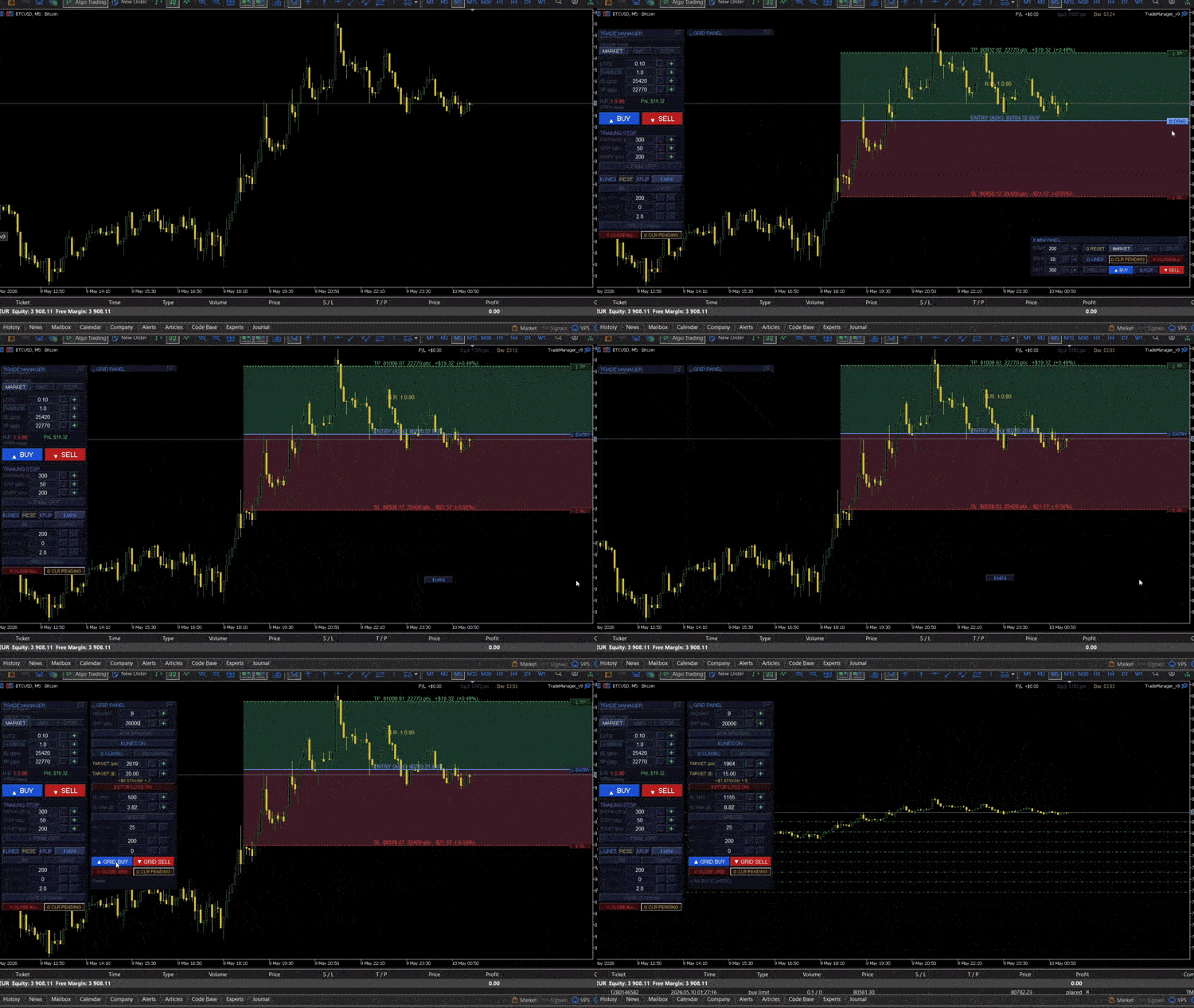
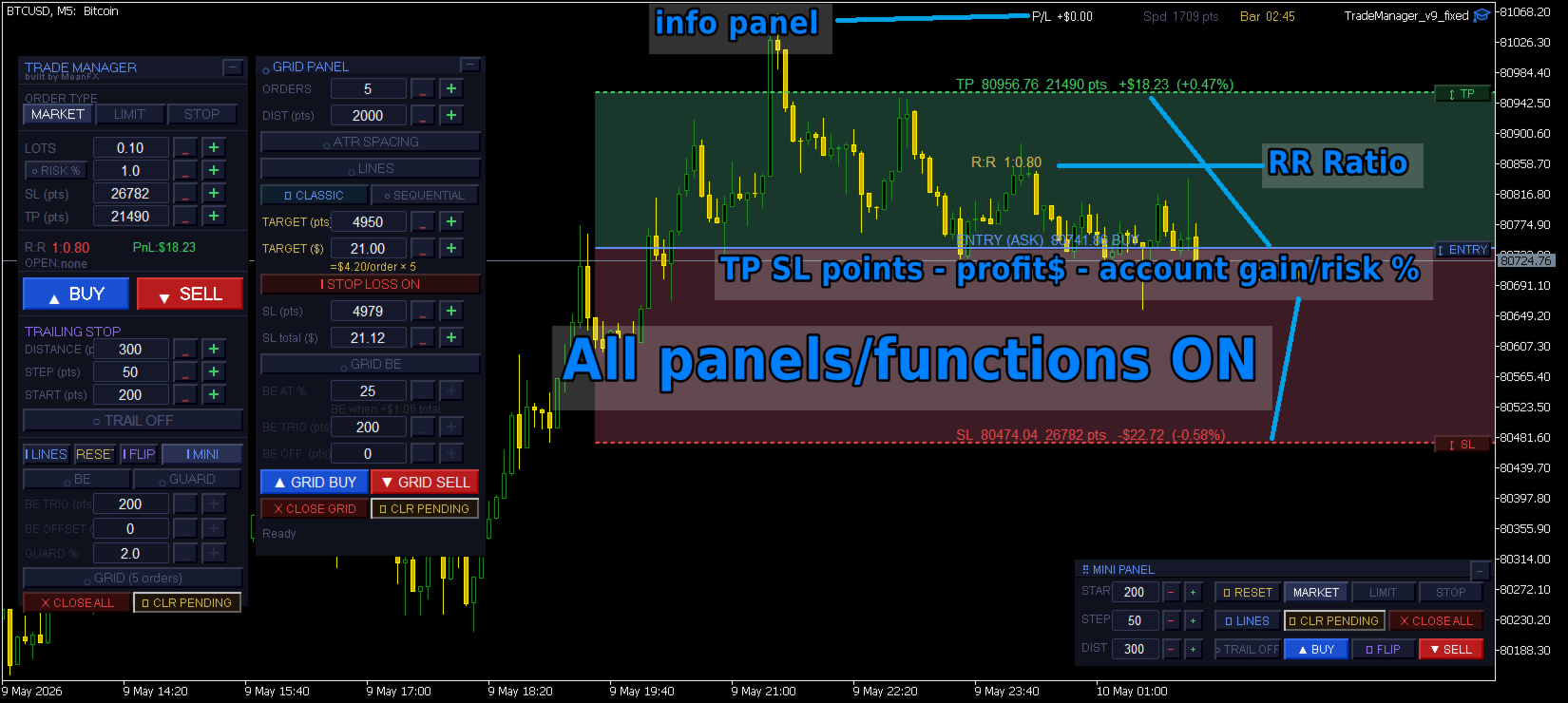
Comes with 3 expansive panels: Main / Grid / Minipanel
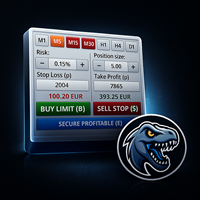
Trade panel manager is a comprehensive trade management panel for MetaTrader 5, designed for traders who want full control over their entries, exits, and risk without leaving the chart. It handles everything from a single market order to complex grid setups, all through a clean drag-and-drop interface built directly on the chart.
The main panel
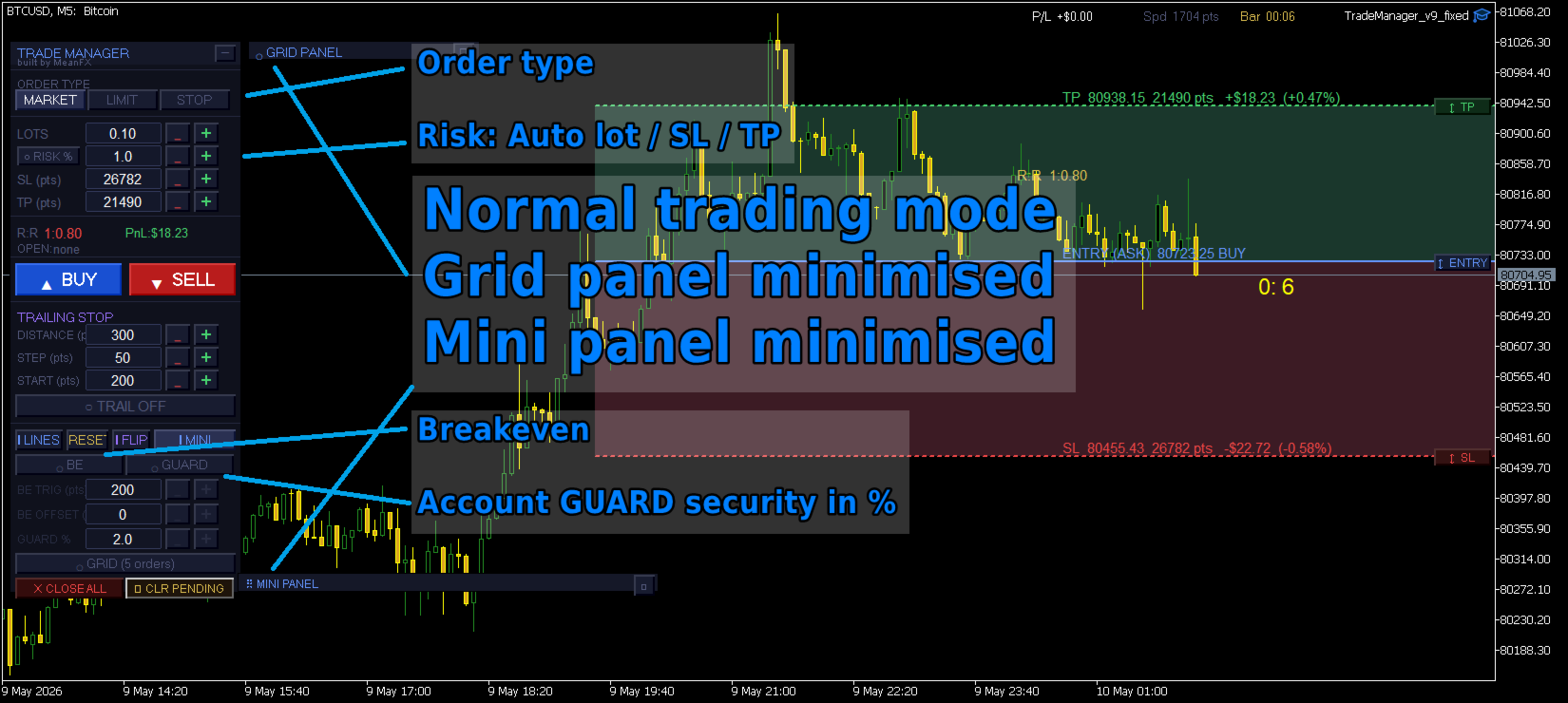
sits wherever you place it and lets you switch between market, limit, and stop order types with a single click. The entry, SL, and TP lines are drawn on the chart and can be dragged freely with your mouse, or adjusted through edit boxes and increment buttons on the panel. Each line has a dedicated handle button on the right edge of the chart that activates a hover drag mode, letting you place levels with precision before committing. The entry line always reflects the actual execution price for the direction you are trading, meaning buy orders anchor to the ask and sell orders to the bid, so the distances you see are the distances you get.
Lot sizing
works in two modes. You can type a fixed lot size directly or use the risk percentage mode, which automatically calculates the correct lot size based on your account balance and your current SL distance. Switching between the two is a single button press, and the lot field locks itself while risk mode is active to avoid confusion.
The SL and TP
lines update their labels live to show the price level, distance in points, dollar value, and percentage of balance, giving you a complete picture of the trade before you send it. The R to R ratio is shown on the chart between the entry and TP zones. All lines, zones, and labels can be hidden with a single button and re-enabled at any time.
The trailing stop
runs automatically in the background once enabled. You configure a distance in points, a step size that controls how often the SL moves, and a start threshold that determines how far in profit a position needs to be before trailing begins. These three values can be edited from both the main panel and the mini panel. Grid positions are intentionally excluded from trailing so the grid logic is not interfered with.
The breakeven
system monitors every open position on the symbol with your magic number and moves the SL to the entry price once a position reaches a defined profit in points. You can add an offset in points above the entry if you want the SL to lock in a small amount of profit rather than moving exactly to entry. The trigger and offset are editable from the panel and can be changed at any time while the EA is running.
The equity guard
is a risk circuit breaker. When enabled it takes a snapshot of your current equity and then monitors continuously. If your equity drops by the configured percentage from that snapshot, every open position on the account is closed immediately and the guard disables itself to prevent re-triggering. The reference equity snapshot resets each time you re-enable the guard, so you can use it to protect a specific session or a specific profit level you want to keep.
The grid system with Grid Panel
fires a set of orders in one action. The first order goes to market and the remaining orders are placed as buy limits or sell limits at evenly spaced levels. Spacing can be set in fixed points or calculated automatically from a 14-period ATR on the current timeframe. You choose how many orders to place, from one to ten, and the panel shows you the dollar value of the SL and TP for each order so you know the exposure before firing.
Two dedicated grid TP modes
Sequential mode - Each grid order can carry its own individual SL and TP, or you can enable Classic mode. In classic mode all orders share a single TP price and a single SL price, both calculated so that the combined profit or loss of the entire grid equals the dollar amount implied by your configured points values. This means all orders close together when the price reaches one level.
The grid breakeven
system works independently from the main breakeven and is designed specifically for grid sessions. There are two layers to it. The first is a collective trigger: you set a percentage of the total grid TP value in dollars, and once the combined floating profit of all open grid positions crosses that threshold, every grid SL is moved to entry simultaneously. The second layer is a per-position trigger that operates individually: each grid position gets its SL moved to entry as soon as it personally reaches a defined profit in points, regardless of what the others are doing. Both layers can run together and the offset setting lets you move the SL to a point above entry rather than exactly to it.
The close and clear buttons
let you end a grid session cleanly. Close grid closes all open positions tagged as grid orders on the current symbol. Clear pending deletes all pending limit orders from the current grid without touching open positions. Both buttons are available in the grid panel and have equivalents in the main panel and mini panel for the full set of open positions and all pending orders on the symbol.
The mini panel
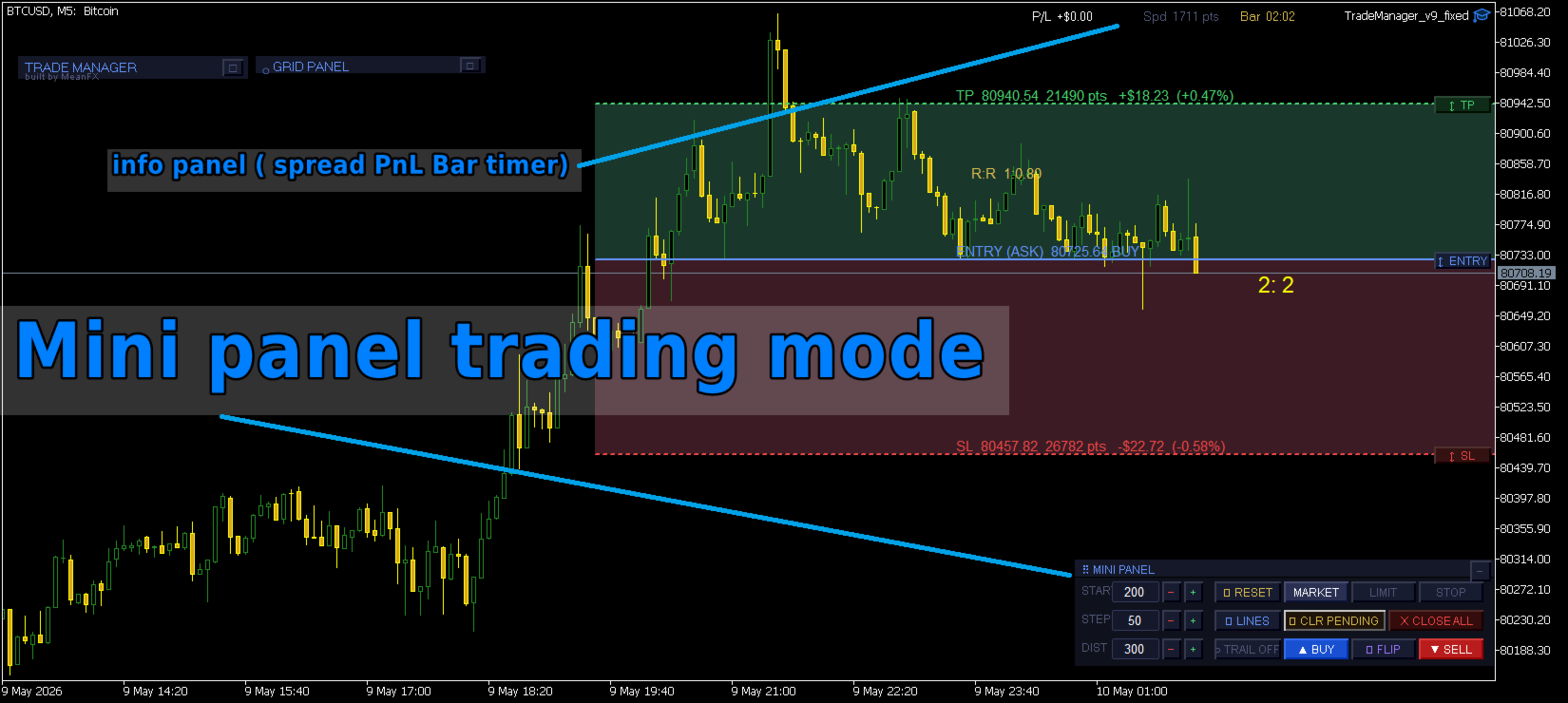
is a separate floating toolbar that can be dragged anywhere on the chart independently of the main panel. It contains one-click buttons for buy, sell, flip direction, toggle trailing stop, toggle chart lines, clear all pending orders, close all positions, reset the entry line to current price, and switch between market, limit, and stop order types. The trail section on the left side of the mini panel lets you edit the distance, step, and start threshold for the trailing stop without opening the main panel. The mini panel also shows a live floating profit and loss figure for all open positions on the symbol, the current spread in points, and a countdown timer to the next candle close. It can be hidden from the main panel and toggled back on at any time.
The info strip at the top
right of the chart is always visible regardless of panel state. It shows the same profit and loss figure, spread, and candle timer in a compact format so you always have those numbers in view even if both panels are minimized.
The tool is built around a magic number so it only interacts with orders it placed. An option to manage all positions on the symbol regardless of magic number is available for traders who want broader control. Both panels are fully minimizable to a title bar when not needed, and all positions, settings, and states persist as long as the EA is attached to the chart.
⚠ DISCLAIMER
This tool is provided strictly for informational and educational purposes. By using TradeManager, you acknowledge and accept that trading financial instruments involves substantial risk of loss and is not suitable for all investors. Past performance is not indicative of future results.
The developer assumes no responsibility whatsoever for any financial losses, damages, or adverse outcomes resulting from the use of this software. It is your sole responsibility to thoroughly test any trading tool — including this one — in a demo environment before deploying it with real capital.
Do not trade with money you cannot afford to lose. Always test first.
By using this product, you confirm that you have read, understood, and accepted these terms in full.