Broker XRay
- 유틸리티
- 버전: 1.85
- 업데이트됨: 28 5월 2026
- 활성화: 20

BROKER XRAY — Execution Quality Audit
See what your broker hides. Score your broker A+ to F.
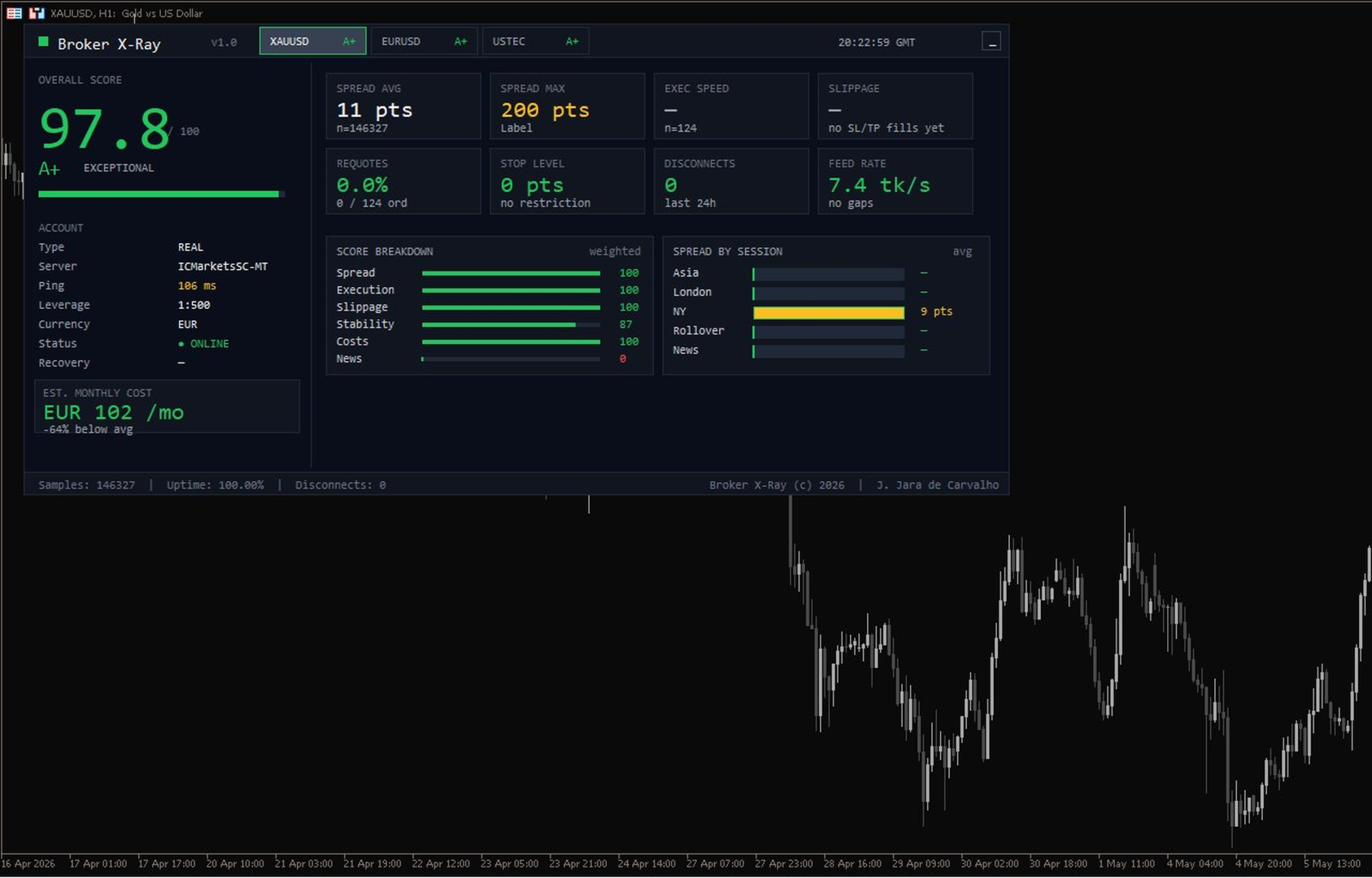
Most traders never know if their broker is silently bleeding their edge: spread expansion at rollover, asymmetric slippage, hidden requotes, latency spikes during news. Broker XRay gives you a Bloomberg-style dashboard that monitors all of this in real-time, scores it from 0 to 100, and exports everything to CSV for deep analysis.
Run it for 24 hours. Get the truth.
What it measures (6 weighted dimensions)
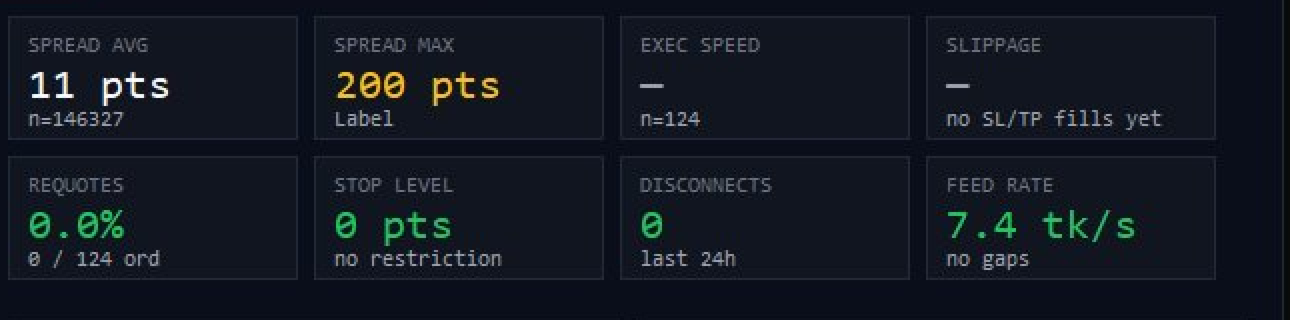
- Spread — average, max, by session (Asia/London/NY/Rollover/News)
- Execution — order latency in milliseconds, p95
- Slippage — SL/TP fill quality + stop hunt detection
- Stability — uptime %, disconnections, ping
- Costs — total spread + commission vs market benchmark
- News Behavior — spread expansion ratio during high-impact news
Key features
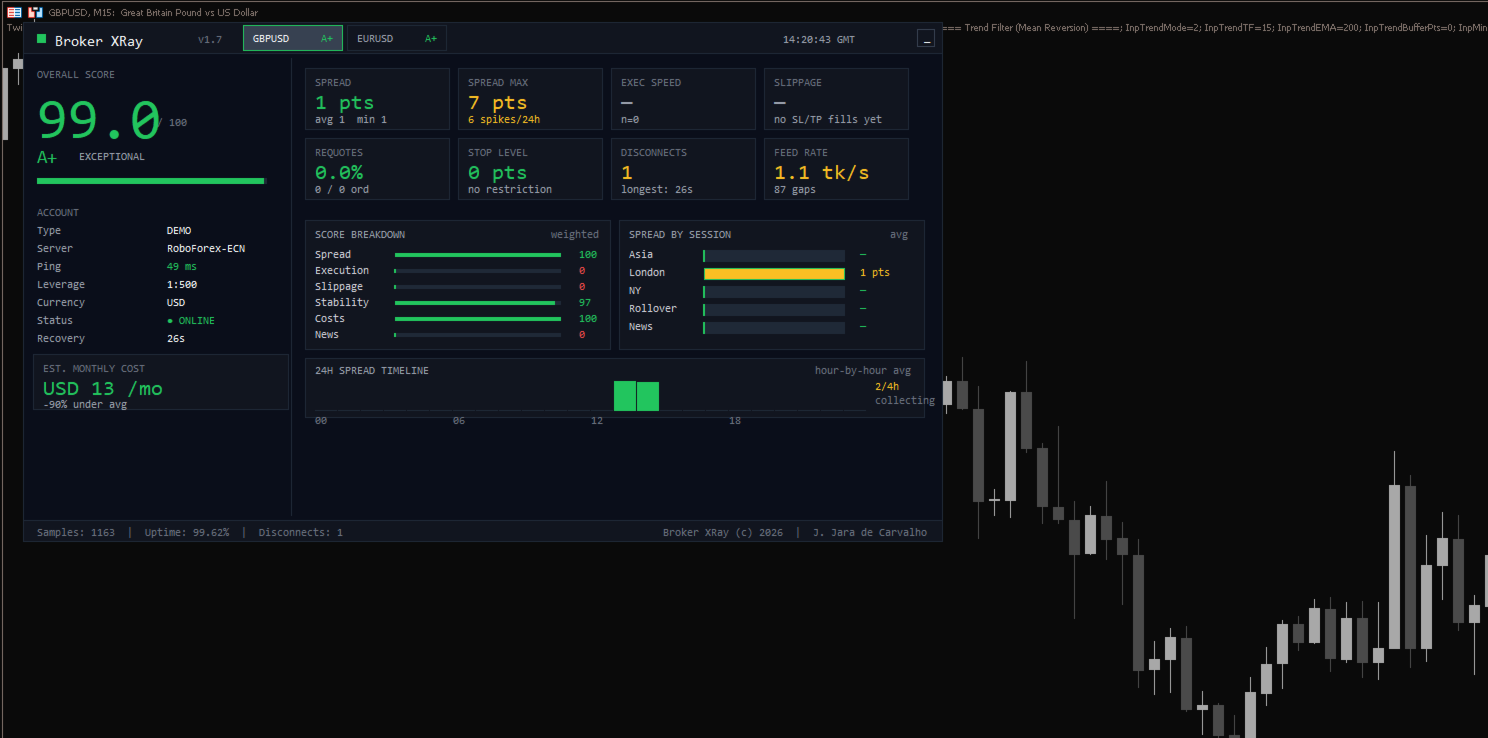
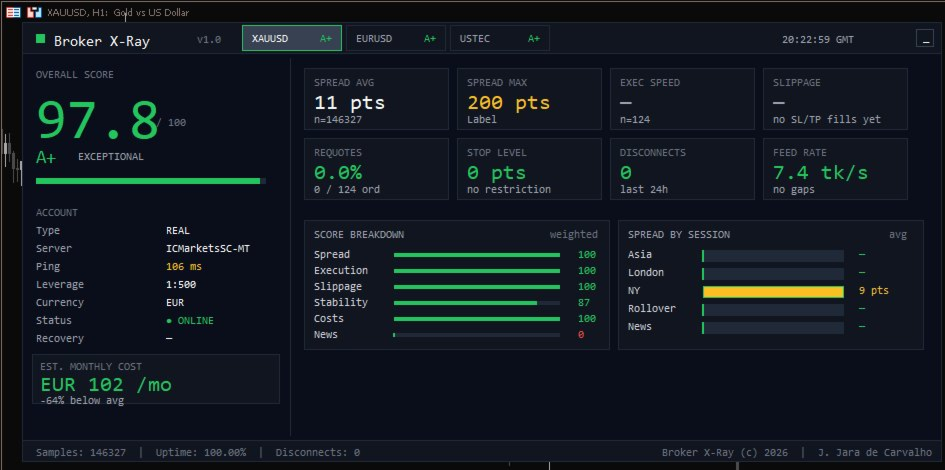
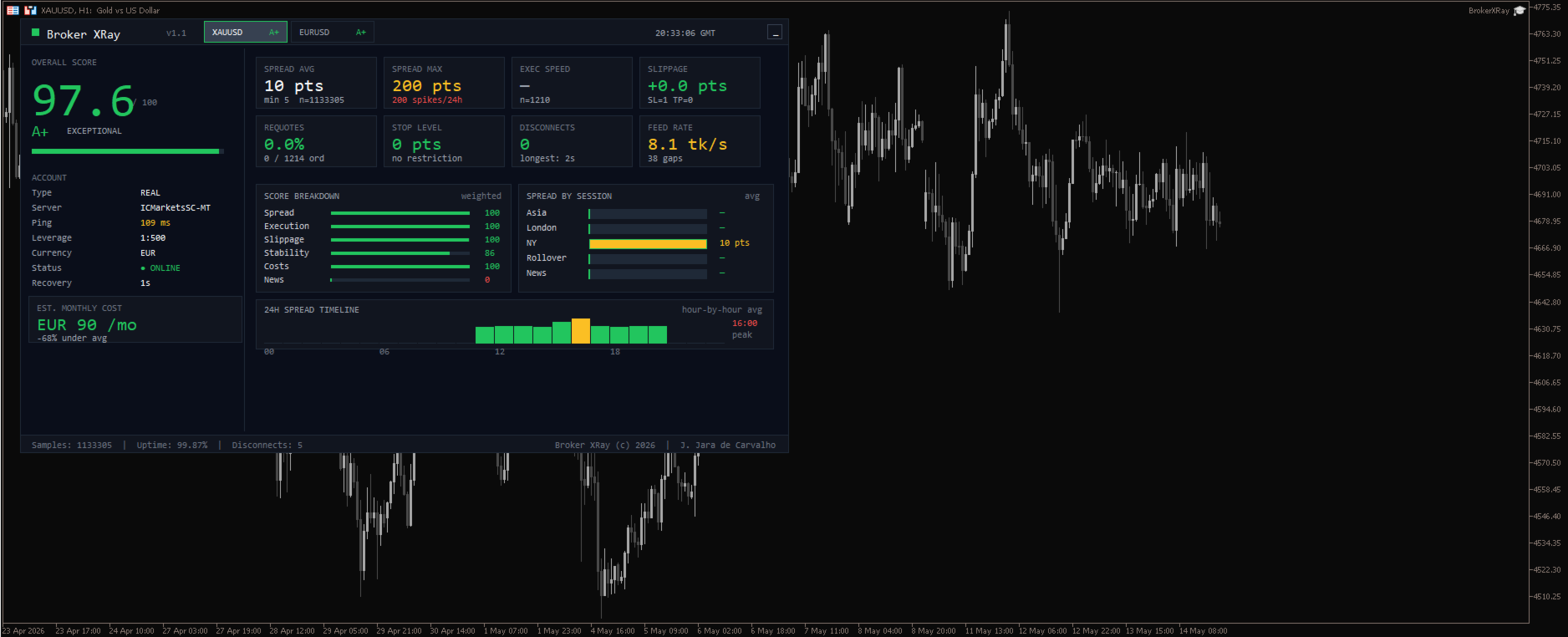
- Bloomberg-style professional dashboard
- Multi-symbol monitoring — 3 instruments simultaneously
- Clickable tabs to switch between symbols
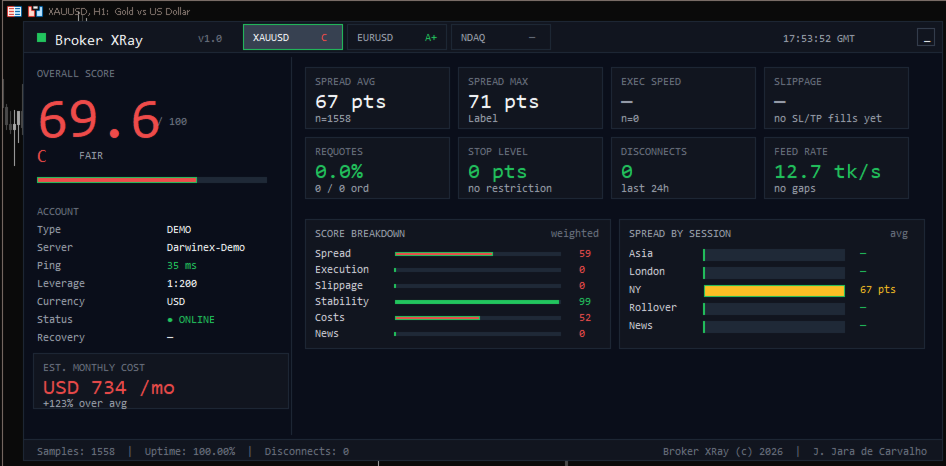
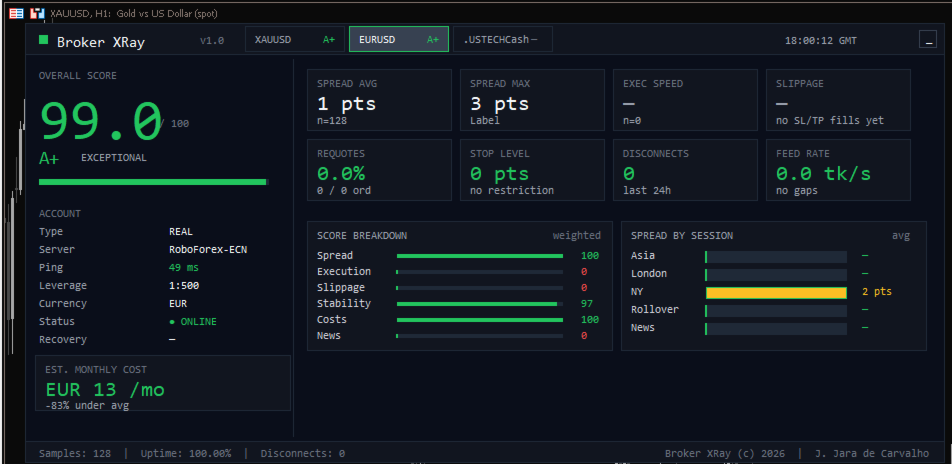
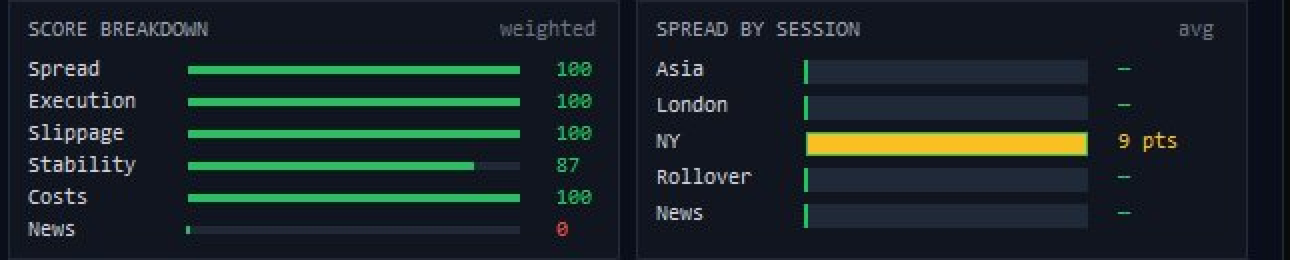
- Score breakdown across 6 dimensions with color-coded bars
- Spread breakdown by trading session
- Hourly CSV snapshots — unlimited history
- State persistence across MT5 restarts
- Stop Hunt Replay — visual markers when broker fills SL adversely
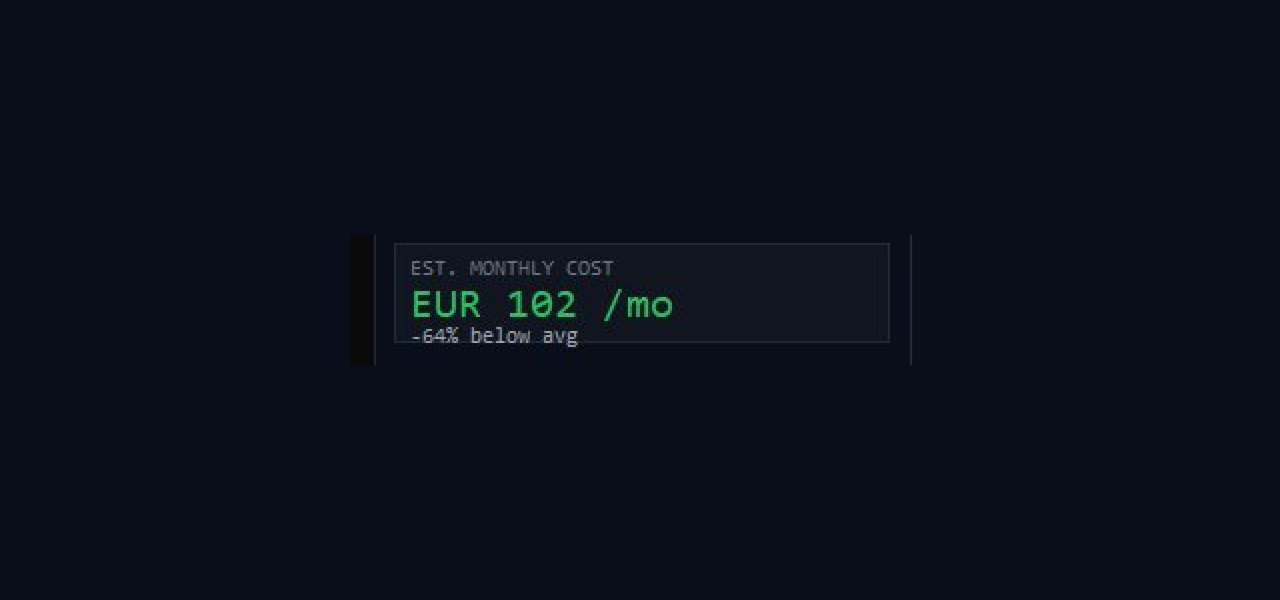
- Cost Calculator — estimated monthly cost vs market average
- Automatic news detection via MT5 native economic calendar
- "Clean Chart" mode — premium dashboard look
- Live disconnect tracking with recovery time
- 100% PASSIVE — does NOT open or modify any orders
How to use — Quick Start
STEP 1 — Install
Drag Broker XRay from Navigator to any chart. Recommended: XAUUSD or your most-traded symbol on H1 timeframe.
STEP 2 — Configure symbols (IMPORTANT)
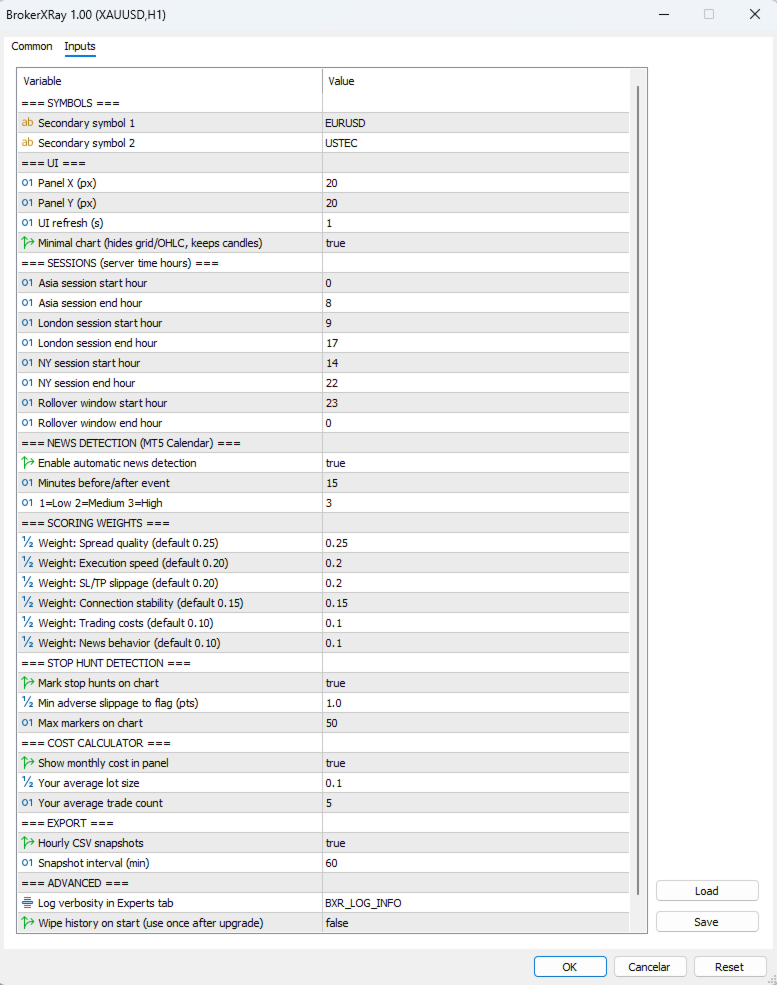
The EA tracks 3 symbols simultaneously: chart symbol + 2 configurable extras (Symbol2 and Symbol3 in inputs).
Default values are EURUSD and US100, but YOUR BROKER MAY USE DIFFERENT NAMES:
• IC Markets: "USTEC" instead of "US100"
• Pepperstone: "NAS100"
• FTMO: "US100.cash" or "USTEC"
To find the correct name: Open Market Watch (Ctrl+M) → right-click → Show All → find your broker's index → type that exact name in InpSymbol2 or InpSymbol3.
STEP 3 — Configure Cost Calculator
For accurate monthly estimates, set:
• InpAvgLotsPerTrade: your typical lot size (default: 0.10)
• InpAvgTradesPerDay: your typical daily trade count (default: 5)
STEP 4 — Wait for data
• 100+ samples (a few minutes): score appears
• 24 hours: reliable scoring
• 1 week: definitive broker assessment
STEP 5 — Interpret the dashboard
• Tabs at top: click to switch between symbols
• Score Breakdown: 6 dimensions (green ≥85, amber 70-85, red <70)
• Spread by Session: see WHEN your broker widens
• Cost Calculator: monthly estimate + comparison
• DISCONNECTS card: 24h count + longest disconnection
• Status: live ONLINE/OFFLINE indicator
Output
CSV file written hourly to MQL5/Files/ with full metric history. Open in Excel for custom analysis, broker comparison, or audit reports.
⚠ Important — Strategy Tester limitation
This EA monitors LIVE broker connection in real-time. The free demo (Strategy Tester) cannot demonstrate full functionality because it uses historical data, not live ticks. To evaluate Broker XRay, please review the screenshots and video on this page.
Ideal for
- Traders evaluating a new broker before depositing
- Prop firm traders monitoring evaluation phase execution
- Algo traders auditing if broker quality is degrading edge
- Multi-broker users comparing execution side-by-side
Requirements
- MetaTrader 5 (any build)
- Live or demo account on a chart (Strategy Tester not supported)
- Recommended: VPS for 24/7 monitoring
- Any timeframe, any symbol