FastCopyCPpro
- 유틸리티
- 버전: 1.0
- 활성화: 10

FastCopy CP Pro - Advanced Local Trade Copier
Before purchasing, we highly recommend testing the core engine performance, broker compatibility, and execution speed using our free version (fully functional, limited to 10 trades):
Download FastCopy CP Free Version Here
FastCopy CP Pro is a highly optimized, 100% offline local trade copier designed specifically for MetaTrader 5.
Engineered for traders on prop firms, and retail traders managing multiple accounts, it utilizes a sophisticated binary file architecture and "Dirty Flag" event-driven logic to ensure near-instant execution (under 50ms) between terminals running on the same PC or Windows VPS.
Core Architecture & Multi-Terminal Routing
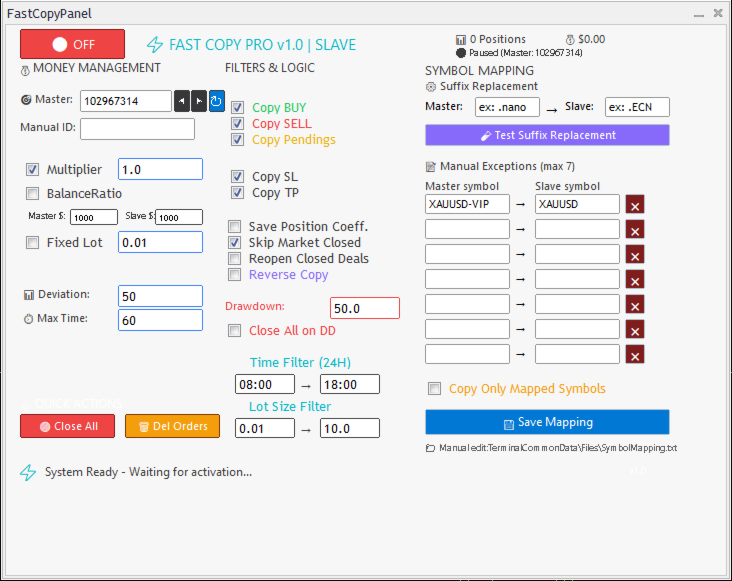
- Advanced Multi-Account Routing: Run multiple MetaTrader terminals on the same PC/VPS simultaneously. A single terminal can act as both a Master and a Slave at the same time by attaching the EA to different charts.
- 1-to-Many Broadcasting: A single Master account can broadcast trades to an unlimited number of Slave accounts. Each Slave can maintain its own independent risk management, lot sizing, filters, and symbol mapping settings.
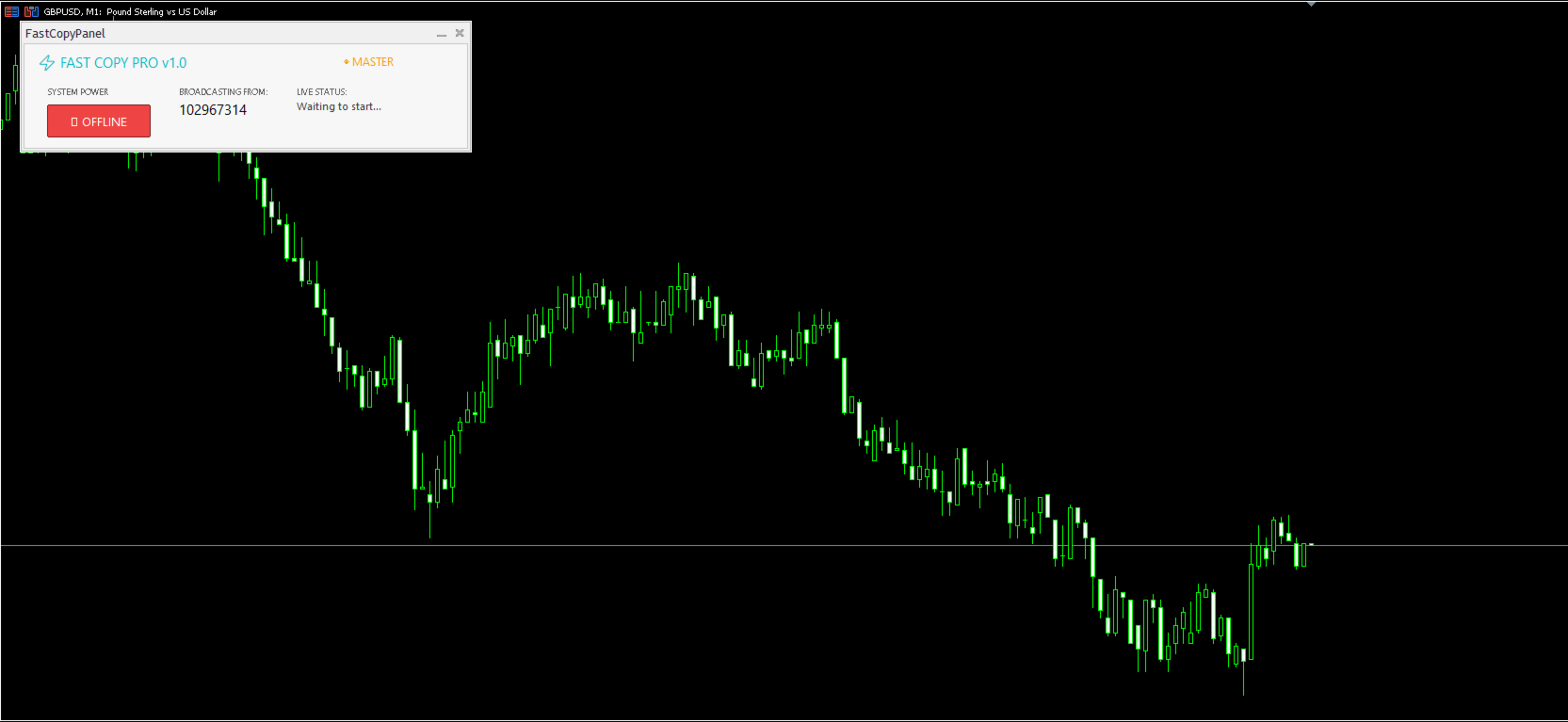
- Unified Deployment: A single expert advisor functions as either the Master (Sender) or Slave (Receiver). No complicated URL lists or DLL imports are required.
- Ultra-Low Latency: Direct binary file exchange through the TerminalCommonData folder minimizes disk I/O, ensuring lightning-fast trade replication.
- Crash Recovery & Persistent Memory: Automatically re-syncs after terminal or VPS restarts without duplicating trades. It utilizes a closed-trade memory system (Blacklist) to ensure manually closed trades are never reopened.
- Startup Protection: Prevents the Slave from opening outdated positions that were already active on the Master before the copier was initialized.
Comprehensive Money & Risk Management
- Flexible Sizing Methods: Scale trading volumes using a direct Multiplier, Fixed Lot, Balance Ratio, or Equity Ratio.
- Grid/Martingale Protection (Save Position Coeff): Intelligently memorizes the initial volume ratio for each symbol. Subsequent grid or recovery trades by the Master are scaled proportionally to the first trade, preventing unintended over-leveraging on the Slave account.
- Drawdown Controller: Define a strict maximum drawdown percentage. If breached, the system executes predefined safety protocols: stop copying, close all active positions, delete pending orders, or completely detach the EA.
- Server Protection: Built-in modification cooldowns (1000ms delay) prevent broker server spamming and Error 130 during rapid Master SL/TP adjustments.
Smart Symbol Mapping
- Intelligent Auto-Mapping: Automatically detects and strips common broker suffixes (e.g., .PRO, .ECN, .RAW) to match standard symbols seamlessly (e.g., matching XAUUSD with GOLD.pro).
- Custom Suffix Replacement: Easily define Master and Slave suffixes for bulk conversion.
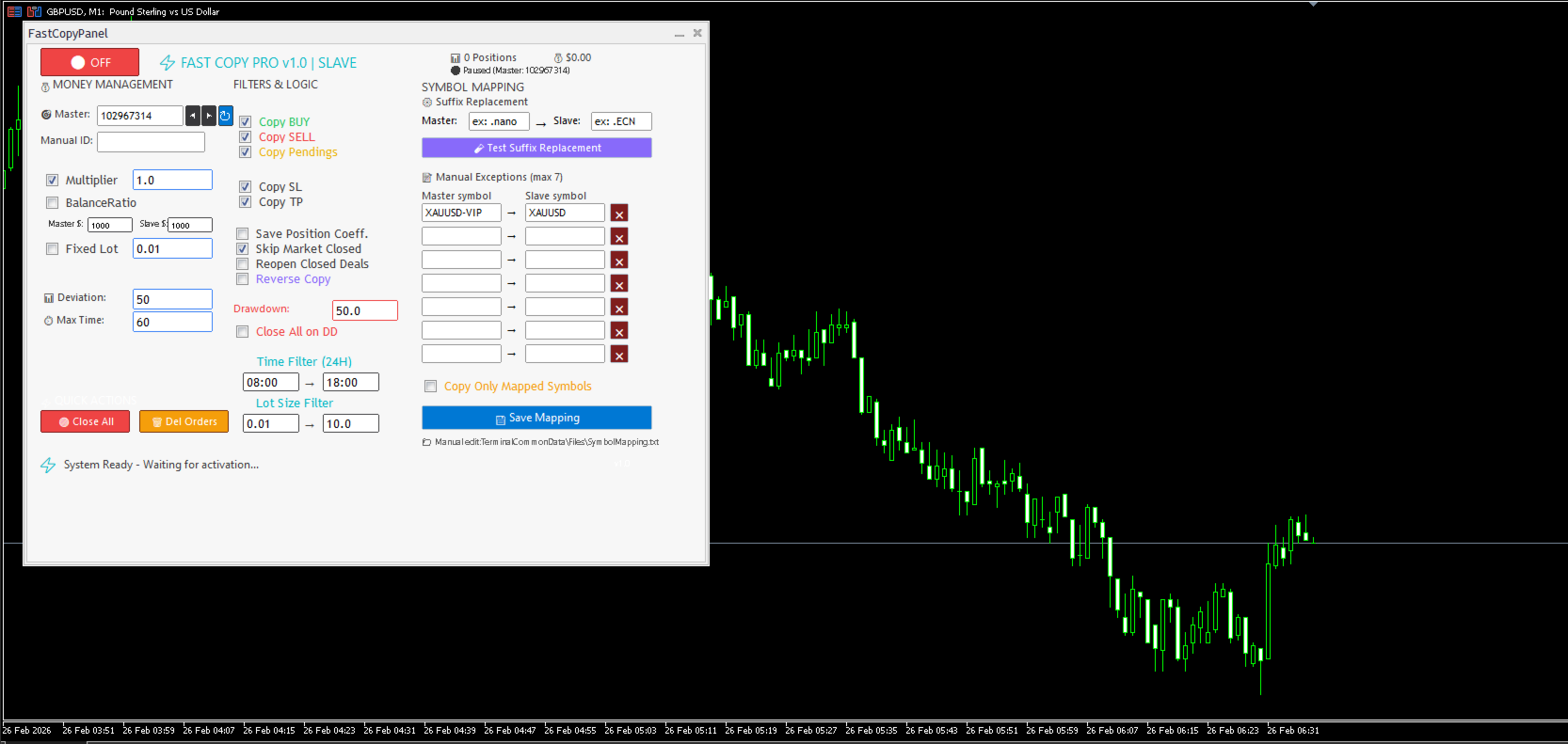
- Manual Exceptions: Define up to 7 distinct manual symbol mappings for completely different ticker names.
- Strict Mode: The "Copy Only Mapped Symbols" option ensures no trades are executed on unverified or mismatched tickers.
Trade Logic & Advanced Filtering
- Selective Replication: Individually toggle the replication of Buy orders, Sell orders, and Pending orders (Limits/Stops).
- Reverse Copying: Invert Master signals (Buys become Sells) for hedging operations.
- Time & Volume Filters: Restrict trading activity to specific operating hours (24H format) and define strict minimum/maximum lot size boundaries.
- Independent SL/TP Control: Mirror the Master's Stop Loss and Take Profit, or enforce local fixed SL/TP parameters calculated in points.
- Deviation Control: Define the maximum allowed slippage in points to prevent execution during high volatility market spikes.
Simple 1-Minute Setup Guide
Step 1: Setup the MASTER (Sender)
1. Attach FastCopy CP Pro to any single chart on the source terminal.
2. Set the "InpRole" input to ROLE_MASTER.
3. Click the Power button on the panel to turn it ON. (Note down this terminal's Account Number).
Step 2: Setup the SLAVE (Receiver)
1. Attach FastCopy CP Pro to any single chart on the destination terminal.
2. Set the "InpRole" input to ROLE_SLAVE.
3. Enter the Master's Account Number in the panel's target ID field.
4. Click the Power button to turn it ON.
Customer Support & Feedback
Your trading experience is my priority. If you encounter the slightest issue, notice a bug, or have a suggestion for a new feature, please contact me immediately via direct message or in the Comments section. I am highly responsive and committed to providing continuous updates to make this the most reliable copier on the market.