Adjustable Chart Background Themes MT5
- 유틸리티
-
AL MOOSAWI ABDULLAH JAFFER BAQER
 To trade successfully we need to go through the proven path that others had gone and reached!
Here are 17 quotes from such successful investors:
1- Limit your size in any position so that fear does not become the prevailing instinct guiding your judgment.
Joe Vidich - 버전: 2.0
- 업데이트됨: 8 8월 2026
- 활성화: 5
|
|---|
| • Please test the product in the Strategy Tester before purchasing to understand how it works. • If you face any issues, contact me via private message—I’m always available to help. • After purchase, send me a screenshot of your order to receive a FREE EA as a gift. |
|---|
Adjustable Chart Background Themes v2 — Chroma Studio
You will stare at this chart for more hours this year than you will spend asleep with your eyes open. You chose its colours in thirty seconds, from a dialog that shows you nothing.
Think about how you actually picked them. You opened Properties. You clicked a small coloured square. You guessed. You closed the dialog, looked at the chart, and it was wrong — the grid too loud, the bear candles too close to the bull candles, the background just bright enough to hurt after midnight. So you opened the dialog again. And again. And eventually you stopped, not because it was right, but because you had a trade to watch.
That chart is still on your screen. You have been reading it that way ever since.
Now you see it before you commit to it.
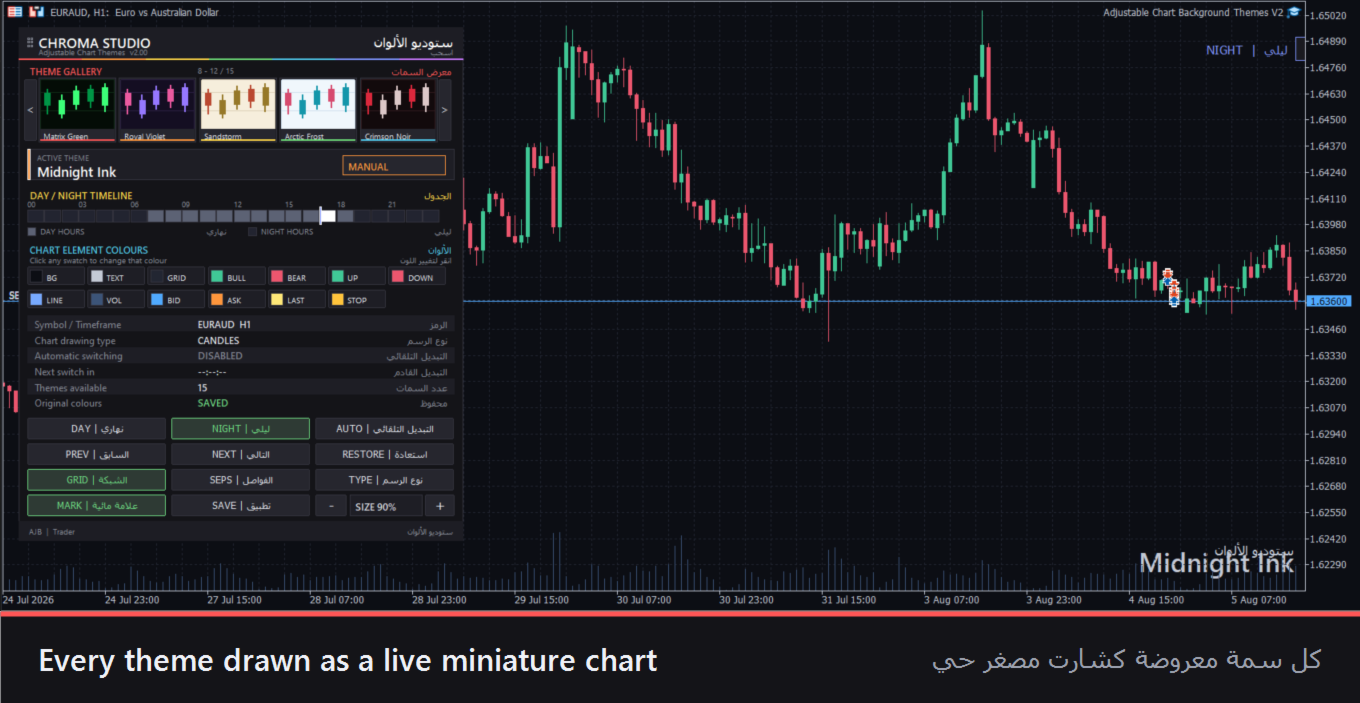
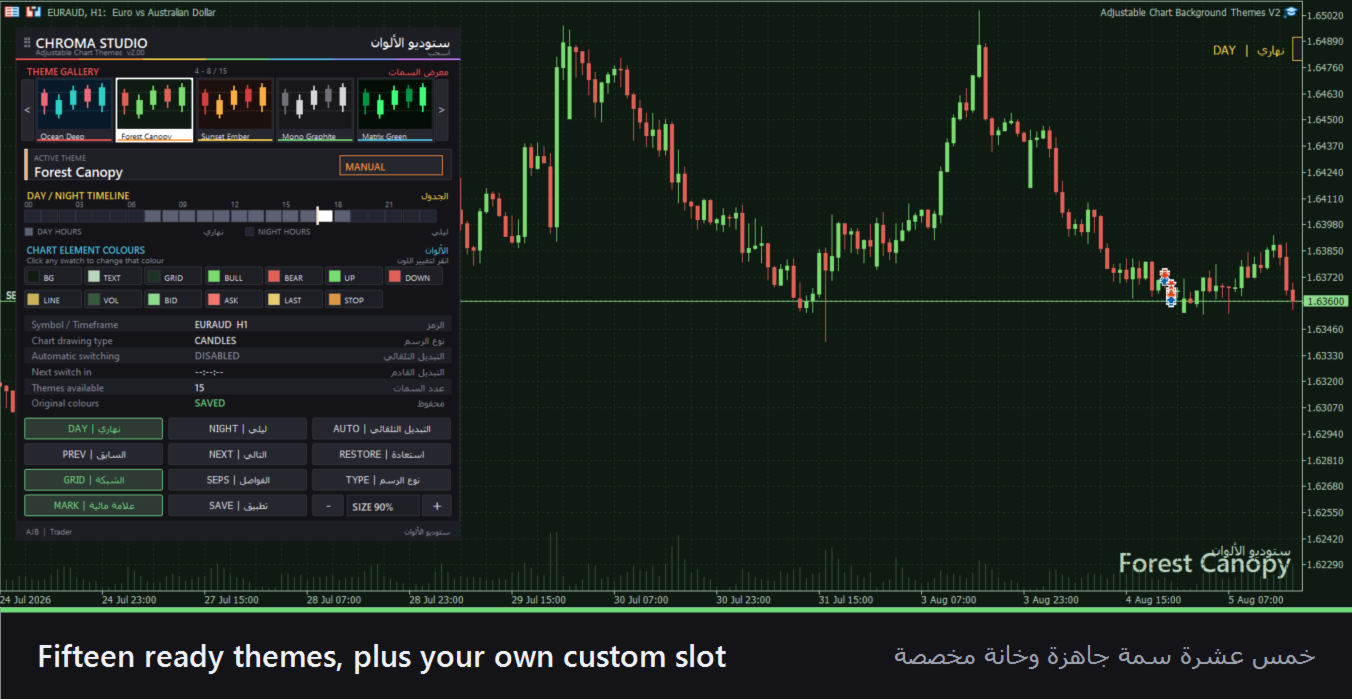
Chroma Studio puts fifteen complete themes on your chart as a gallery of live miniature charts. Not colour names. Not swatches. Actual small charts, with candles and a grid and a background, each painted in that theme's own colours. You look at the row, you see which one reads best to your eye, and you click it. The chart changes instantly.
The guessing is gone. That is the whole idea.
Your chart stops being half-themed
Most colour changes leave the job unfinished. You darken the background and the Ask line is still the same shrill red it was three years ago. You fix the candles and the volume bars stay invisible.
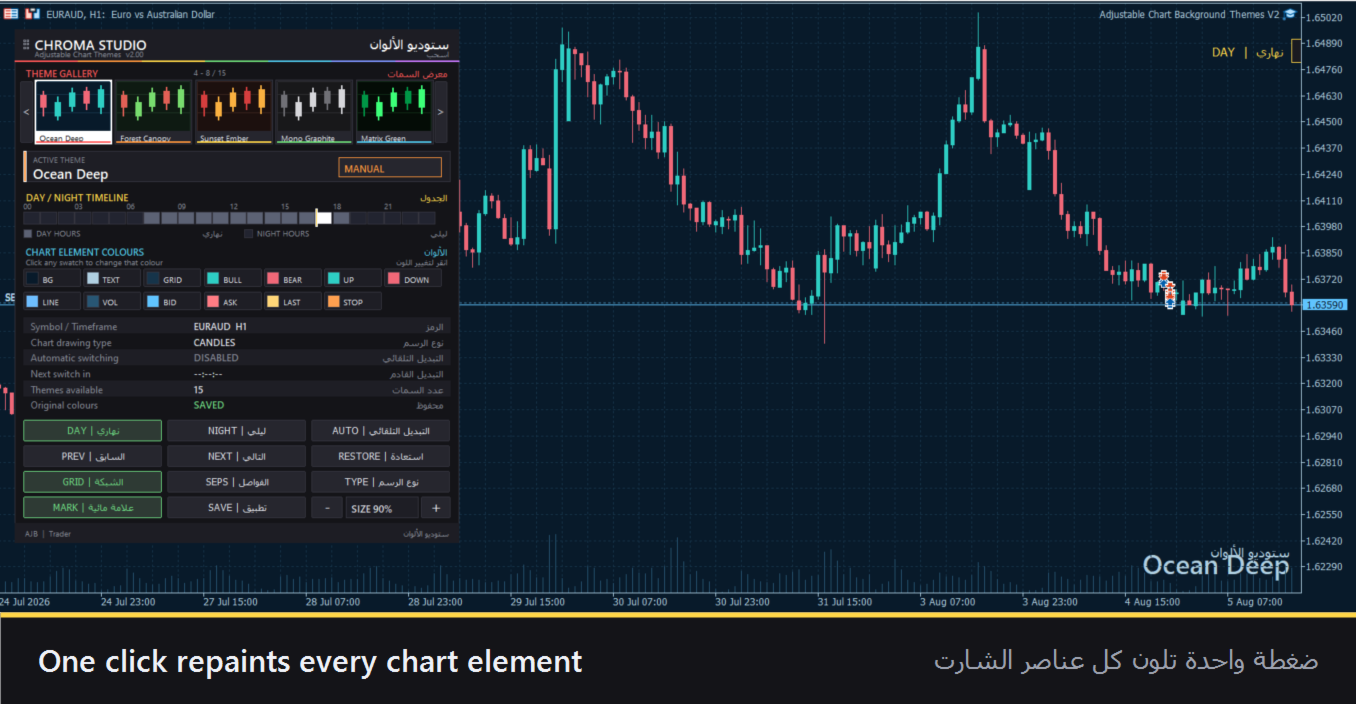
A theme here repaints thirteen elements at once — background, text and axes, grid, bull and bear candles, up and down bars, the line chart, volumes, and the Bid, Ask, Last and Stop-level lines. Everything moves together. Nothing is left behind to look wrong at the worst moment.
It gets dark. Your chart already knows.
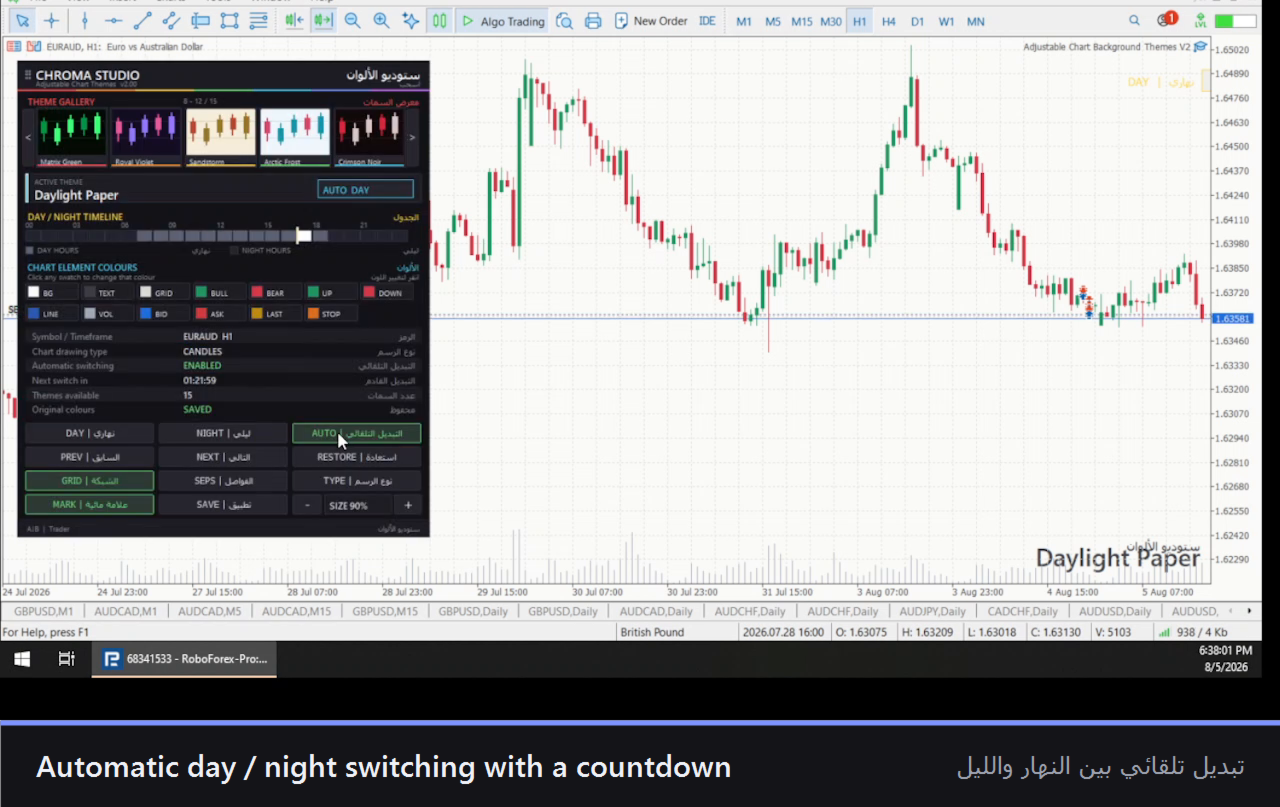
Pick a theme for the day and a theme for the night, set the two hours, and stop thinking about it. When your session rolls into the evening the chart dims itself. When you sit down in the morning it is bright again.
A twenty-four-hour timeline across the panel shows both windows with a marker riding the current hour, and the panel counts down to the next change, so nothing ever surprises you. It runs on an internal timer — not on price ticks — which means it still switches on a dead Sunday or a silent pair at 3 a.m. The old version did not, and that was the first thing rebuilt.
And when one colour is still not right
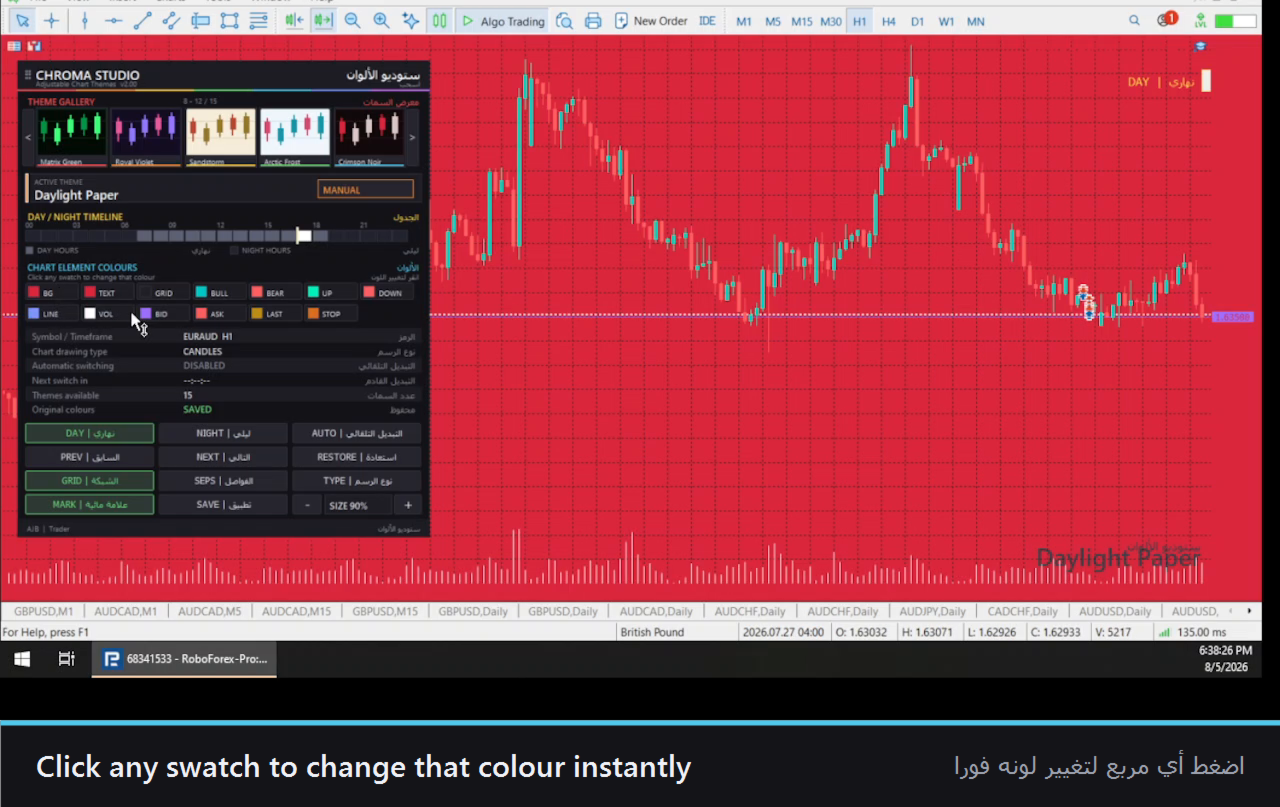
Every one of the thirteen elements has its own swatch in the panel. Click the swatch, the colour steps to the next in a twenty-four-colour palette, and the chart updates as you watch. Click the background swatch four times and watch the whole chart move through four looks in four seconds.
No dialog. No Properties window. No closing anything to see the result.
The part that should decide it for you
You are not reckless with your chart, and you should not be. You have months in that configuration.
So the first thing this tool does — before it changes anything — is save your original colour scheme. Every one of the thirteen values, stored per chart. One button labelled RESTORE puts all of it back exactly as it was, at any time. Remove the tool from the chart and it restores them for you automatically. Change symbol or timeframe and what was saved is not touched.
Try all fifteen themes. Repaint every element. You are one click from where you started, always.
In your language, throughout
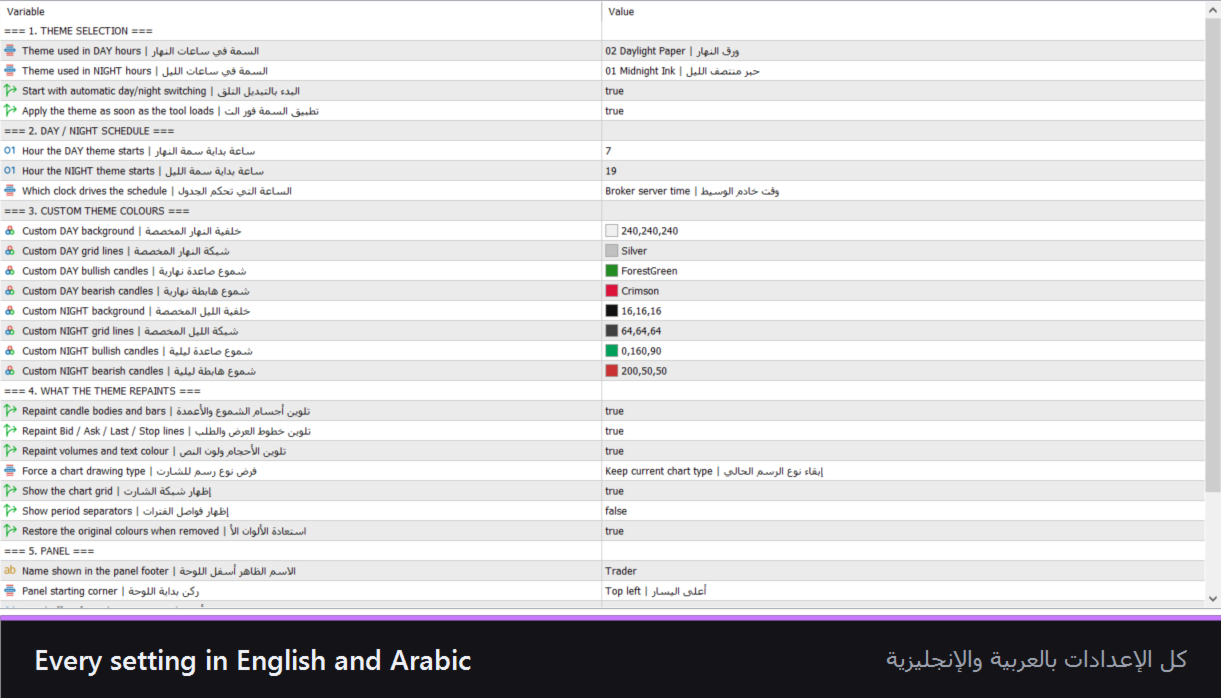
Every label, button and readout on the panel appears in English and Arabic. So does every single setting in the Inputs dialog — not a translated manual, not a separate build, the actual interface.
It fits whatever screen you are on
The panel measures your chart window and scales to it, whether that is a laptop, one pane of a four-chart layout, or a 32-inch monitor. Drag it anywhere by its header. Two buttons take it from 60% to 200% when you want it bigger or out of the way. Its size, position and your chosen theme are remembered for that chart.
Also included — save the finished look as a MetaTrader template in one click; toggle the grid, period separators and chart type from the panel; an on-chart theme watermark and a day/night status chip; works on any symbol and any timeframe.
What it does not do
It does not trade. It does not open, modify or close a position, and it never touches your account or your balance. It changes how your chart looks and nothing else. If you are looking for a system, this is not one.
Requirements — MetaTrader 5. No DLLs, no external files, no internet connection.