EduHeed Prop Firm Guard
- ユーティリティ
- バージョン: 1.20
- アクティベーション: 10

Prop Firm Guard is a risk manager for prop firm challenge and funded accounts. It sizes every trade from your risk %, watches your daily loss and max drawdown limits in real time, and locks trading before a rule breach can fail your account.
Main features
- Correct lot size on any symbol – lots are calculated from contract size when the profit currency matches your account currency, so the panel stays accurate even on brokers that report a wrong tick value for gold or indices. Commission per lot can be included.
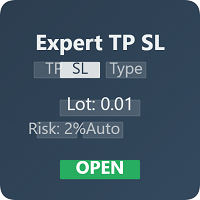
- Drag-to-set stop loss – drag the green (buy) or red (sell) line; the panel instantly shows the lot size for your risk. Take profit is placed automatically at your chosen R multiple.
- Daily loss lock – when only a set part of the daily limit is left (default 20%), new trades are locked. At the limit, all positions are closed (optional).
- Max drawdown guard – static, trailing-balance or trailing-equity drawdown modes.
- Lock enforcement – trades opened while trading is locked (manual or from another EA) are closed within about one second.
- Risk never exceeds what is left – the risk per trade is automatically reduced if your remaining daily or max allowance is smaller.
- Live dashboard – status, balance, equity, today's P/L, daily and max loss left with progress bars, and profit target progress.
- Firm presets – FTMO, The5ers, FundedNext and Alpha Capital style presets, or fully custom rules (daily base: balance, equity or the higher of both; daily reset hour).
- Remembers the day start value and lock state after a terminal restart.
How to use
- Attach to any chart and enable Algo Trading.
- Set "Account start size" to your challenge size (for example 100000) and choose a preset or enter your firm's limits.
- Drag the dashed stop loss line, check the lot size, then press BUY or SELL.
Main inputs
- Firm preset, account start size, daily loss %, max loss %, daily base, drawdown type, profit target %, daily reset hour shift
- Warning buffer %, close all at limit, close trades opened while locked, delete pending orders, lock on target
- Risk %, risk from balance or start size, default SL distance, TP R multiple, commission per lot, magic number, slippage
Important
- Prop firm rules differ and change over time. Presets are a starting point only – always confirm your firm's exact limits and reset time in the inputs.
- MetaTrader 5 cannot stop a manual order before it is sent; Prop Firm Guard closes such trades right after they open while trading is locked.
- In the Strategy Tester the utility opens small demo trades only so the tester can run it; this never happens on a live or demo chart.
- Test on a demo account before using it on a challenge.