Trade Order Manager
- ユーティリティ
- バージョン: 1.0

Trade Order Manager – Order Panel & TP/SL Manager for MetaTrader 5
Trade Order Manager is an on-chart trading panel that helps you place, plan and manage orders faster and with clear risk control. Set your Entry, Stop Loss and Take Profit visually by dragging lines on the chart, see your risk and reward in money before you trade, then execute with one click.
The tool does not open trades on its own. Every order is placed by you. It only automates the management rules you choose to enable.
KEY FEATURES
Visual order placement
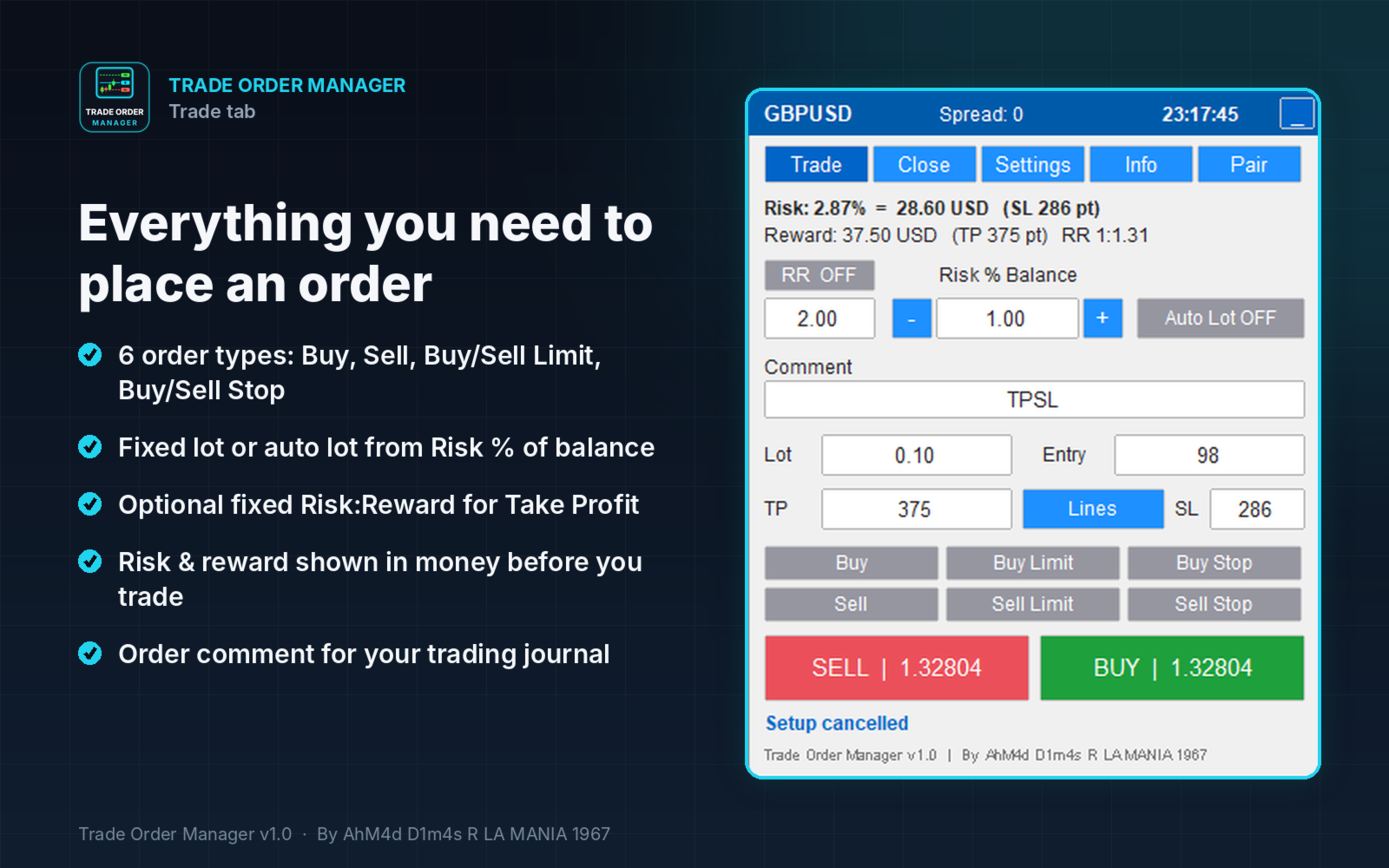
- Choose the order type: Buy, Buy Limit, Buy Stop, Sell, Sell Limit, Sell Stop.
- Entry, SL and TP lines appear on the chart instantly. Drag them to the levels you want.
- Pending entry lines always stay on the valid side of the price. For example, a Buy Limit line cannot be dragged above the current price.
- Live labels show the distance in points, risk and profit in account currency, risk as a % of balance, and the RR ratio.
- Click EXECUTE to place the order, or CANCEL to discard it.
Manage open positions and pending orders directly on the chart
- Drag out from a position’s entry line to create a new SL or TP.
- Drag existing SL/TP lines to modify them.
- Drag a pending order line to move the order. SL and TP move with it.
- Ctrl + drag a pending order line to add SL or TP.
Risk management
- Optional auto lot calculation from Risk % of balance.
- Optional auto TP from a fixed Risk:Reward ratio.
- Risk and reward are displayed in money and percentage before you execute.
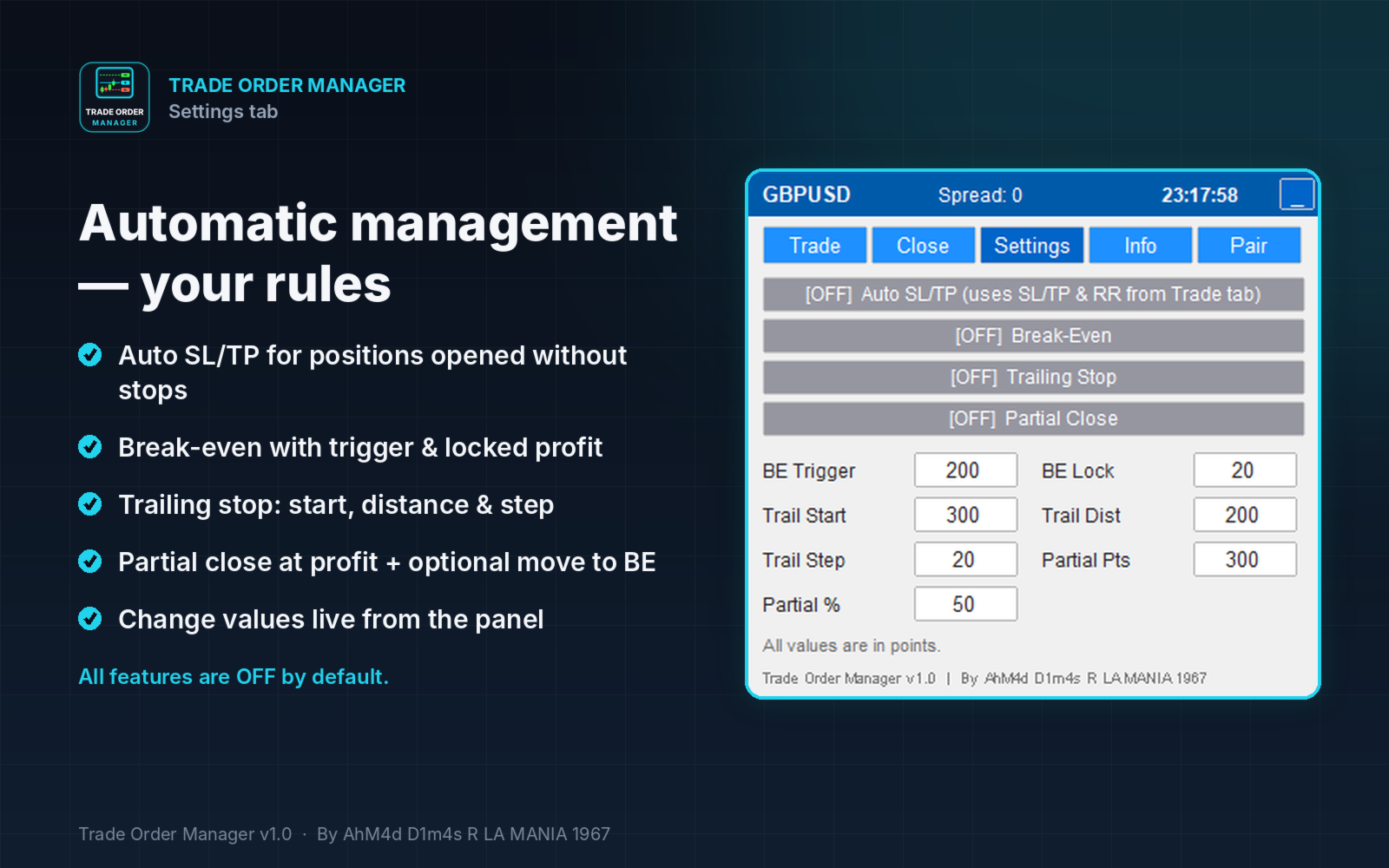
Automatic management (all optional, OFF by default)
- Auto SL/TP for positions opened without SL/TP.
- Break-even with an adjustable trigger and locked profit.
- Trailing stop with adjustable start, distance and step.
- Partial close at a set profit, with an option to move SL to break-even afterwards.
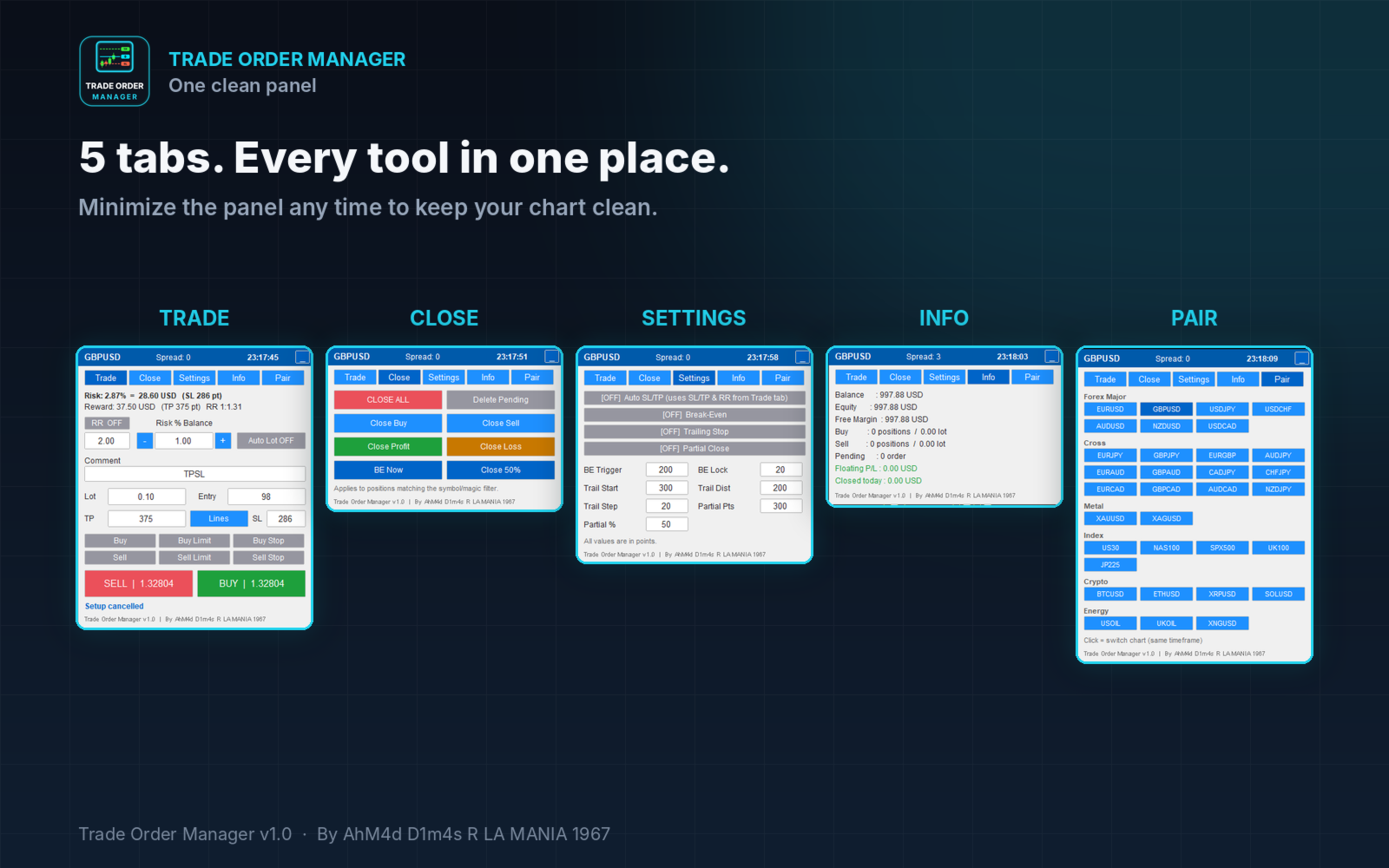
Quick actions (Close tab)
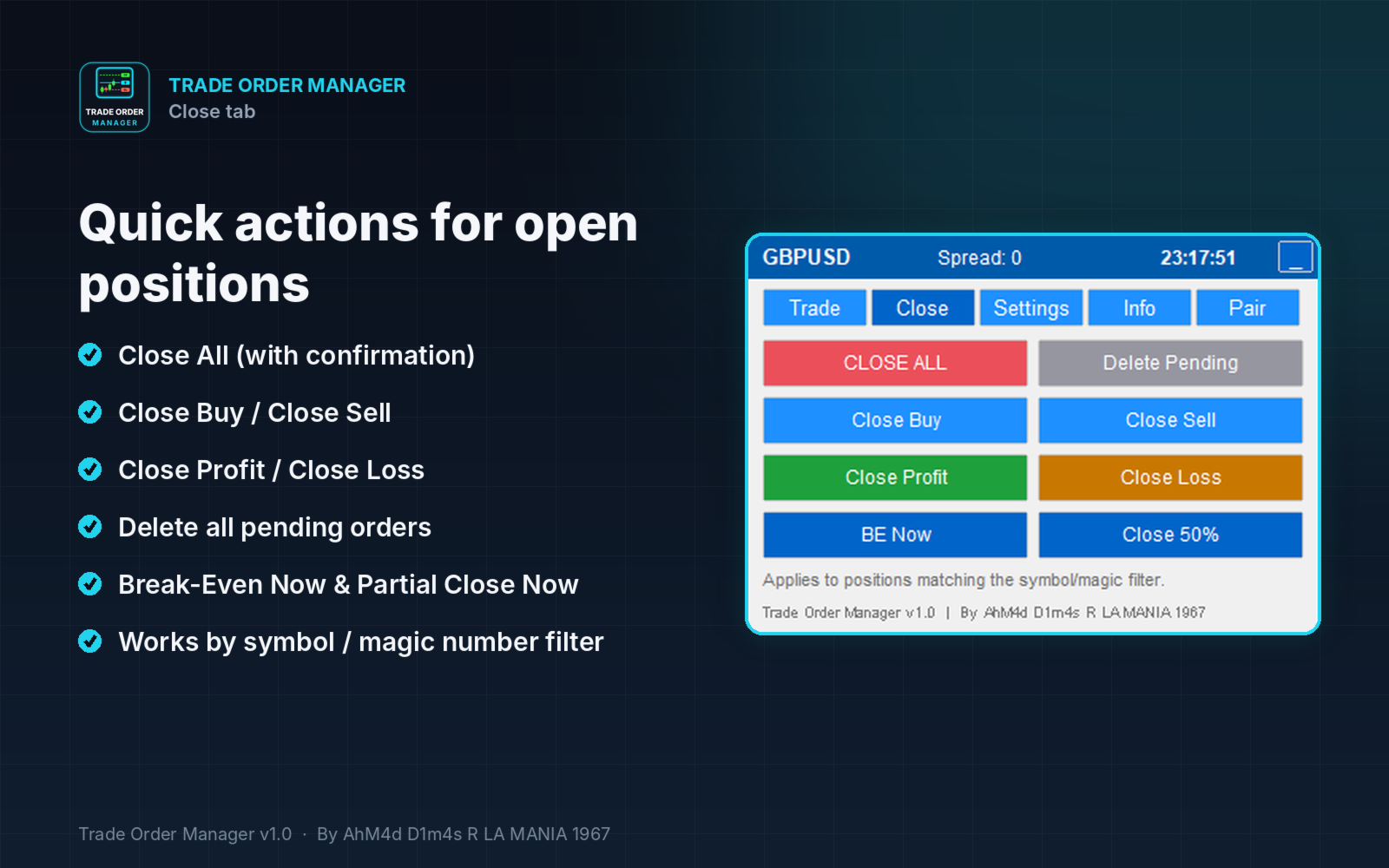
- Close All, Close Buy, Close Sell, Close Profit, Close Loss.
- Delete Pending, Break-Even Now, Partial Close Now.
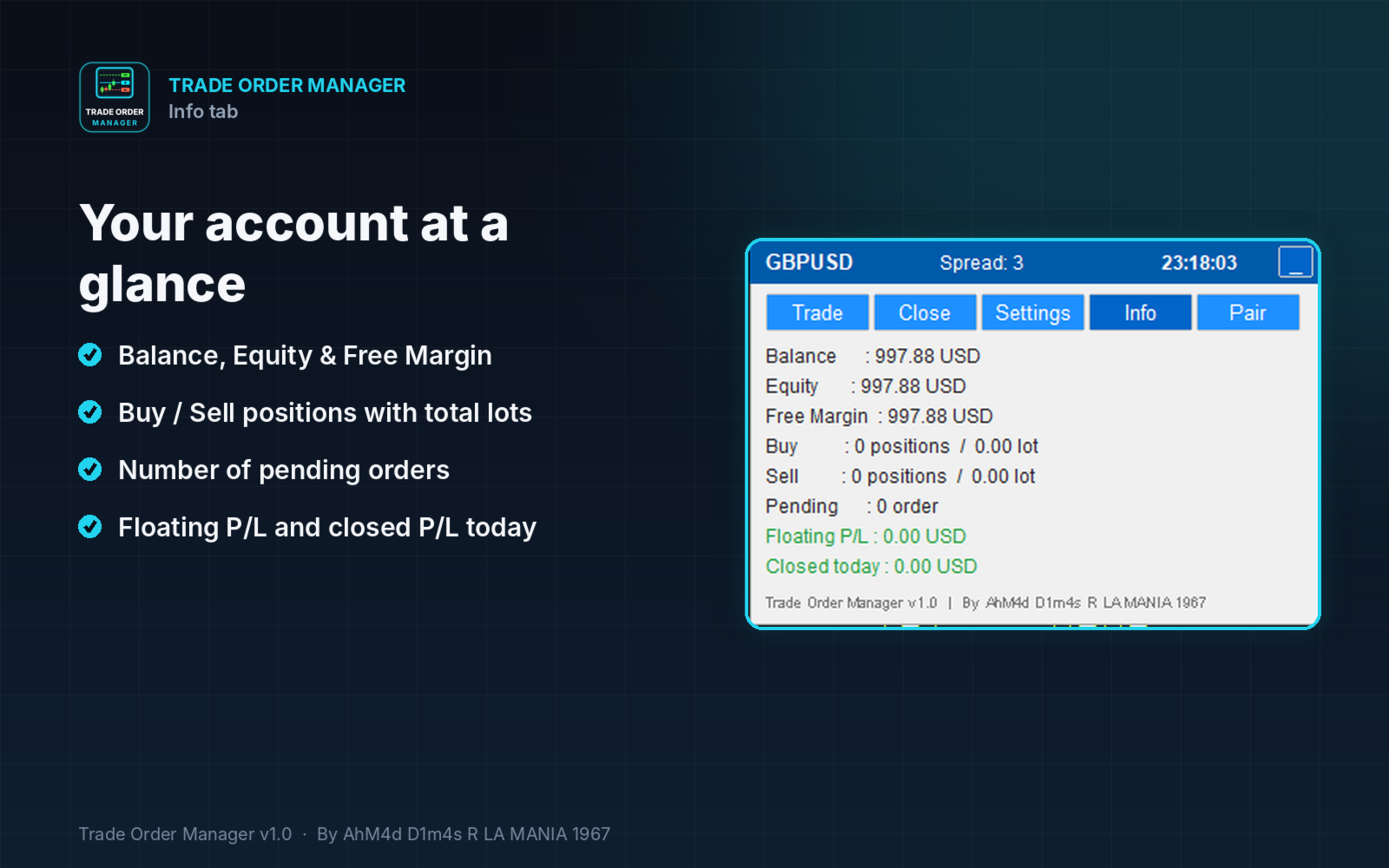
Account information (Info tab)
- Balance, Equity, Free Margin.
- Buy and Sell positions with total lots, number of pending orders.
- Floating P/L and closed P/L for today.
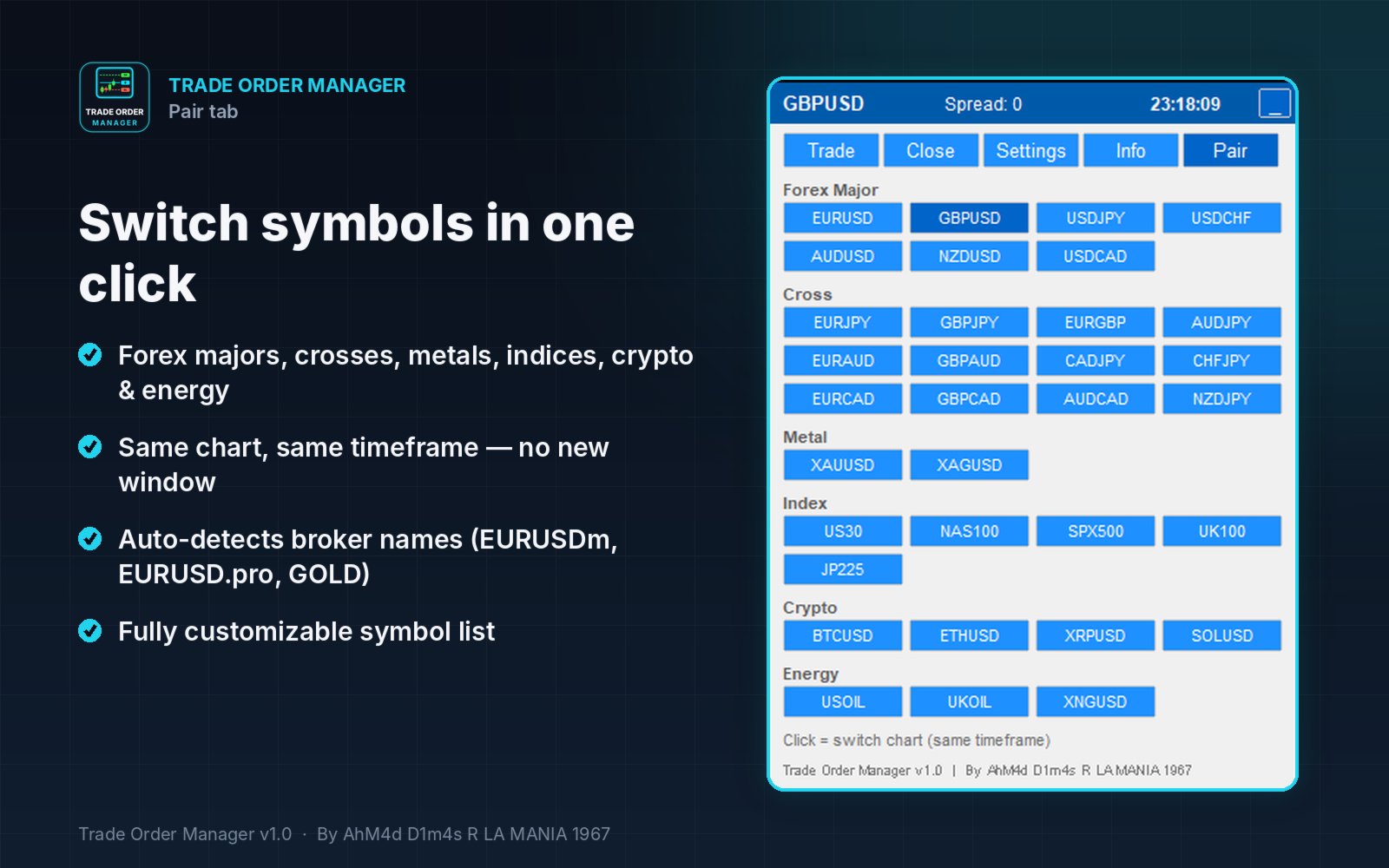
One-click symbol switching (Pair tab)
- Switch the current chart to Forex majors, crosses, metals, indices, crypto and energy without opening a new chart.
- Broker symbol names with suffixes or prefixes are detected automatically (for example EURUSDm, EURUSD.pro, GOLD).
- Symbols added to Market Watch by the tool are removed again when you switch away.
Convenient panel
- Five tabs: Trade, Close, Settings, Info, Pair.
- Minimize button to keep the chart clean.
- All panel settings are kept when you change timeframe or symbol.
- Line colors are customizable. Defaults: Entry Aqua, TP Lime, SL Tomato.
HOW TO USE
- Attach Trade Order Manager to a chart and enable Algo Trading.
- In the Trade tab, set your lot (or Risk %), then choose an order type.
- Drag the Entry, SL and TP lines to your levels.
- Click EXECUTE.
MAIN INPUTS
- Position filter: current symbol only or all symbols, plus a magic number filter.
- Default lot, Risk %, SL/TP in points, RR, pending distance, magic number and comment.
- Auto management settings: Auto SL/TP, Break-even, Trailing, Partial close.
- Display settings: line colors, optional colored zones, panel position.
- Pair list for the Pair tab, customizable with aliases.
NOTES
- This is an Expert Advisor, so Algo Trading must be enabled for it to place or modify orders.
- Works on hedging and netting accounts.
- All distances are in points.
- Stop level, freeze level and filling mode requirements of your broker are respected automatically.