Chart Only Trading Panel MT5
- ユーティリティ
- バージョン: 1.8
- アップデート済み: 9 9月 2026

Chart Only Trading Panel MT5 is a practical manual trading and position-management utility for MetaTrader 5.
The panel is attached directly to a chart and manages only the symbol of that chart. This allows traders to control several instruments independently without affecting positions on other symbols.
Main Features
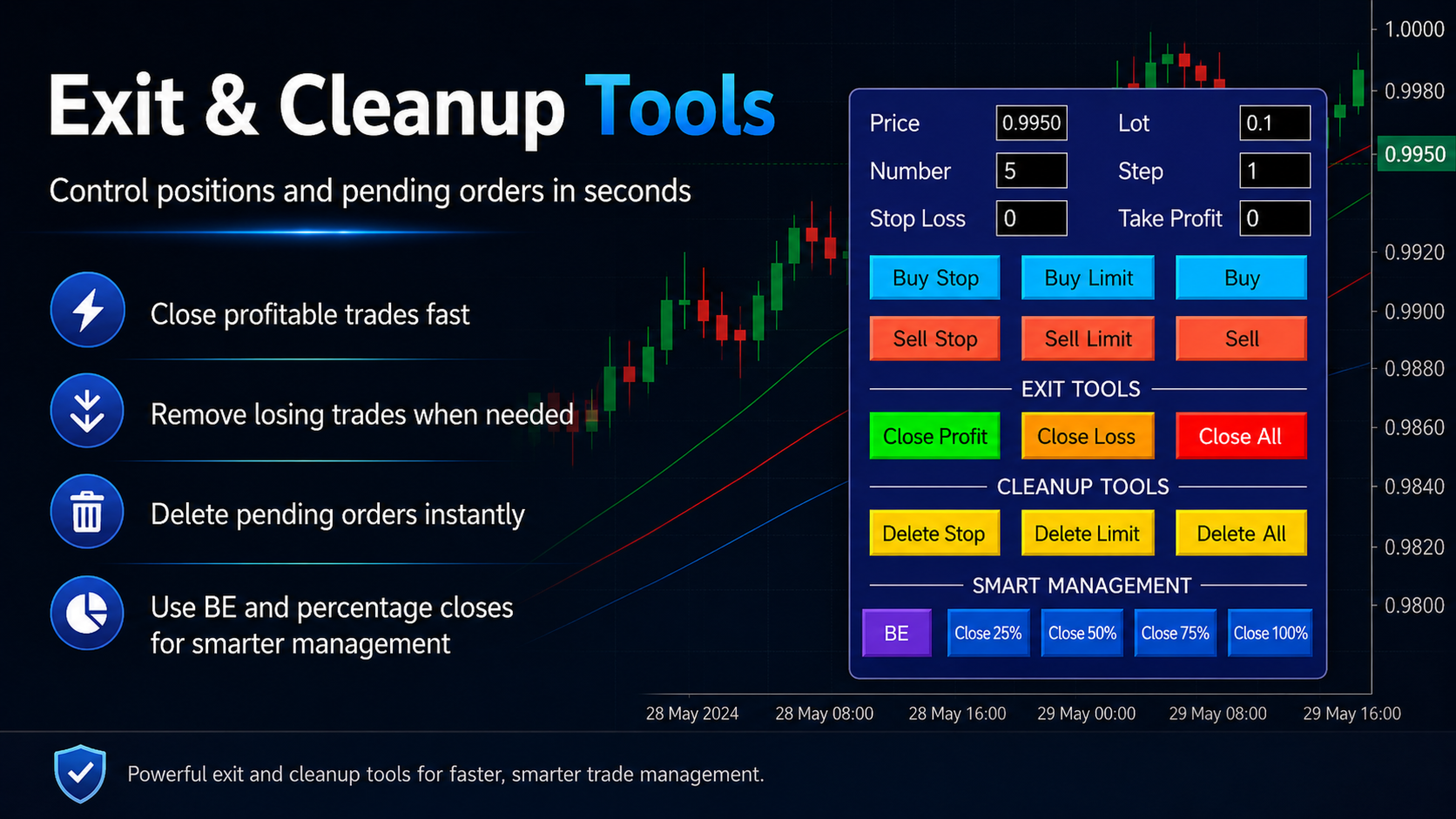
- Open market Buy and Sell positions
- Place Buy Stop, Buy Limit, Sell Stop and Sell Limit orders
- Open multiple orders with adjustable lot size, number and step distance
- Set Stop Loss and Take Profit directly from the panel
- Delete Stop orders, Limit orders or all pending orders
- Close profitable positions
- Close losing positions
- Close all positions on the current chart symbol
- Close 25%, 50%, 75% or 100% of open positions
- Percentage closing uses rounded-up position counting
- Move positions to break-even with a custom pip offset
- Symbol-specific position and order management
- Clear color-coded buttons for fast operation
Percentage Closing
The percentage buttons close a calculated number of complete positions.
The number is always rounded upward. For example, when ten positions are open, the Close 25% button closes three positions.
The buttons work according to the number of open positions, not by reducing the lot size of each position.
Break-Even Function
Enter the desired number of BE pips and press the BE button.
The panel moves the Stop Loss of matching positions to the entry price plus the selected pip offset. Existing Take Profit levels remain unchanged.
Chart-Specific Control
The panel affects only the symbol where it is loaded.
A panel attached to an XAUUSD chart manages XAUUSD positions and orders only. Positions on EURUSD, GBPJPY or other symbols are not affected.
Important Information
This product is a manual trading utility. It does not provide signals, analyze the market or open trades automatically.
Trading actions are executed when the trader presses a panel button. Broker trading conditions, minimum order distances, available margin, spread and execution rules still apply.
For the best results, test all functions on a demo account before using the utility on a live account.