SnapDraw Drawing Panel
- ユーティリティ
-
Tamara Garcia Infantes
 Welcome to QuantEdgeSys, an algorithmic trading studio focused on MetaTrader 4 and MetaTrader 5.
I develop Expert Advisors, indicators and trading utilities, both custom projects for clients and my own systems.
What I offer:
Custom Expert Advisors built exactly from your rules - バージョン: 1.71
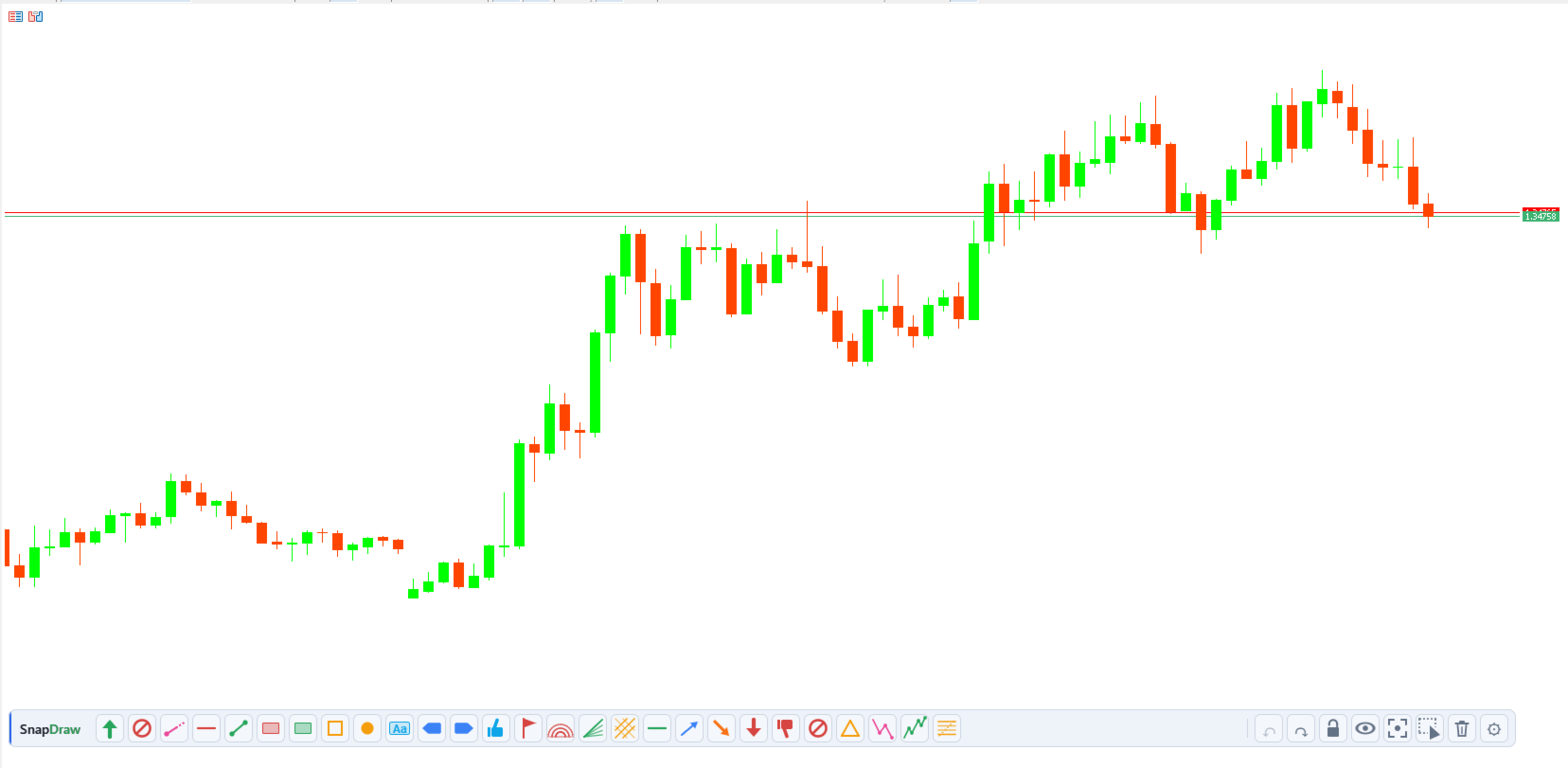
SnapDraw — every MT5 drawing tool in a panel under your chart
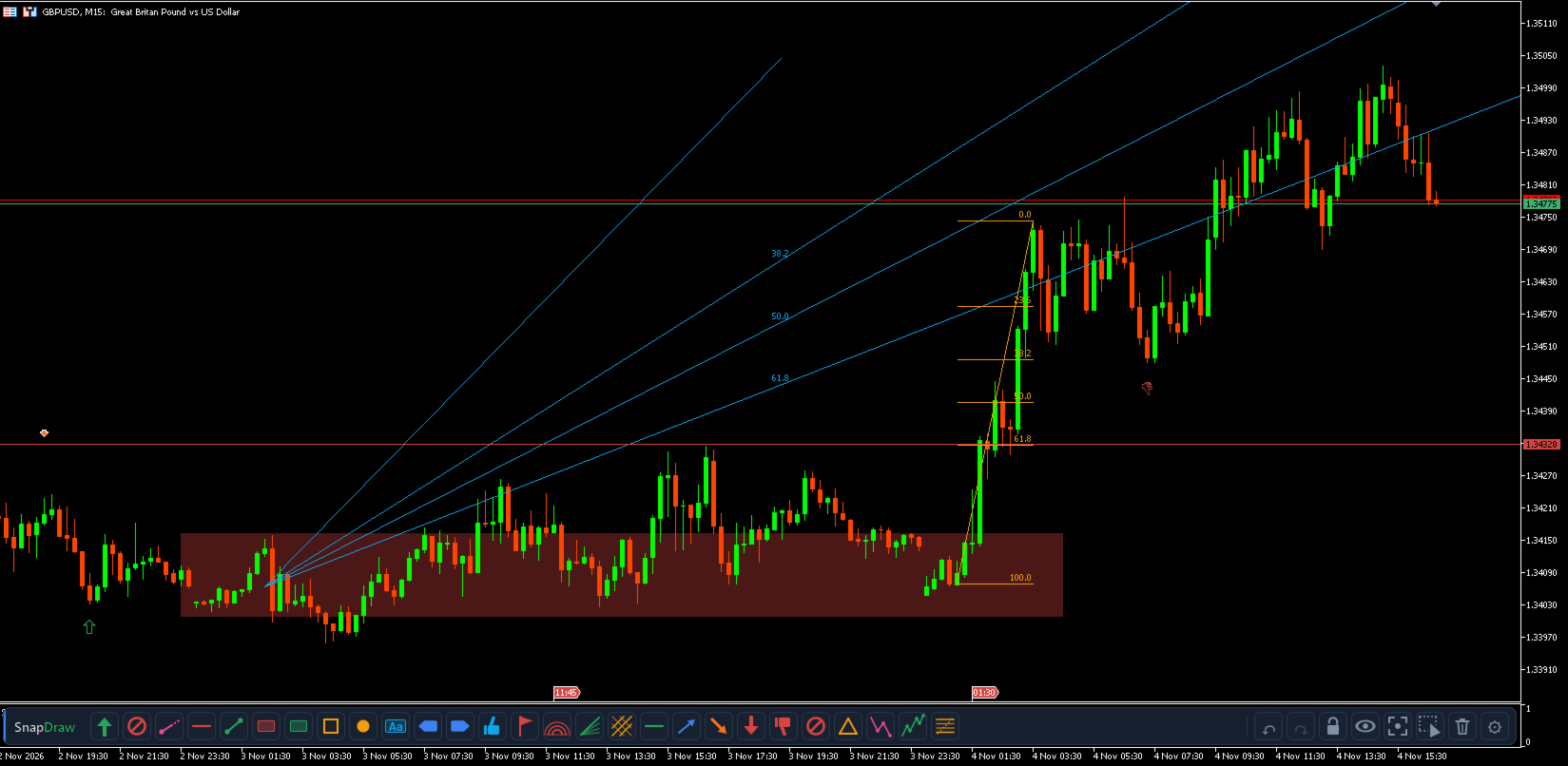
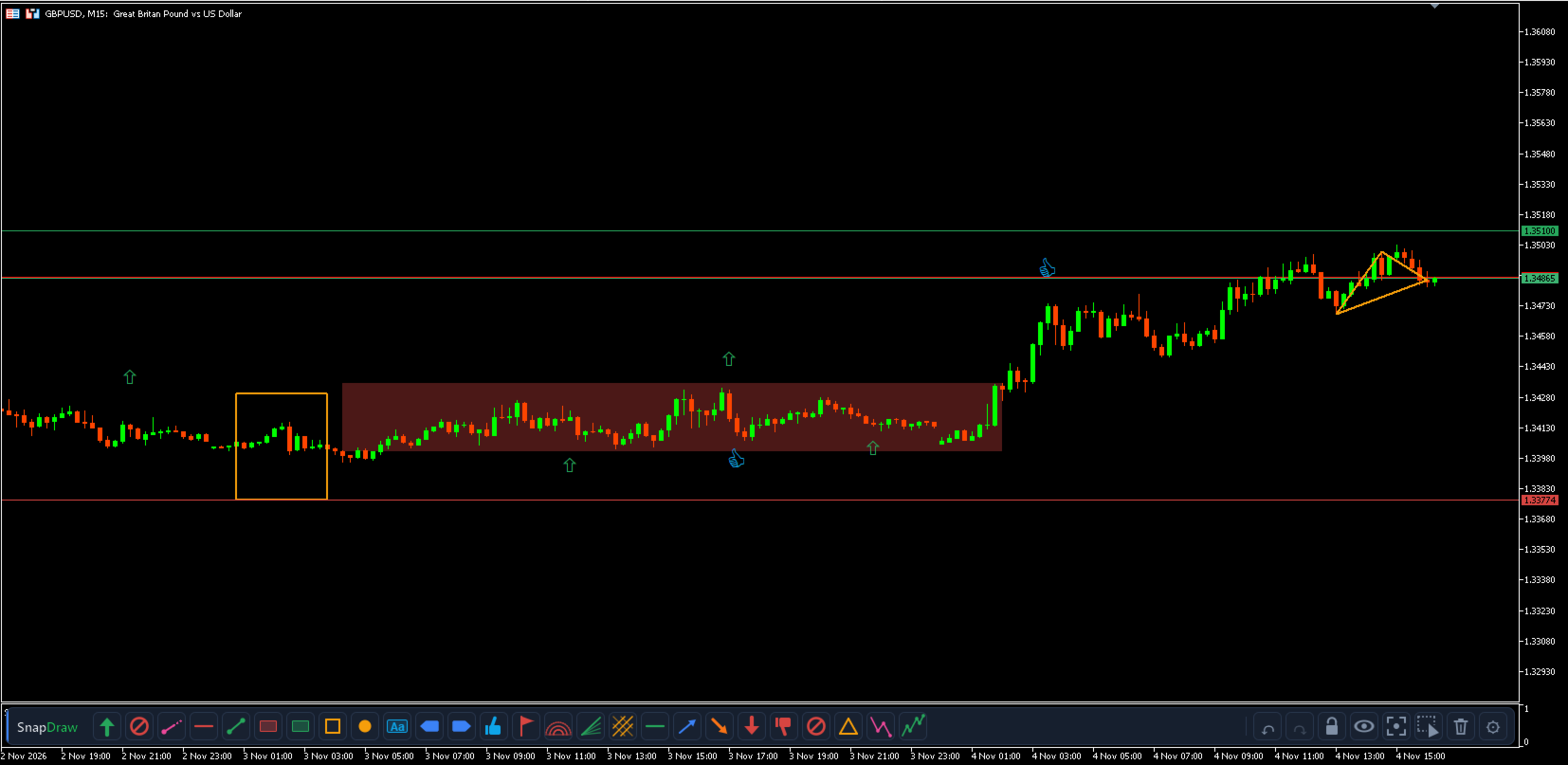
Drawing in MetaTrader means hunting through menus and toolbars, and changing the colour of every line by hand. SnapDraw puts the tools you use in a slim panel docked under the chart: drag one onto the chart, or click it and draw, and it lands in your colour, snapped to the candle.
What it includes
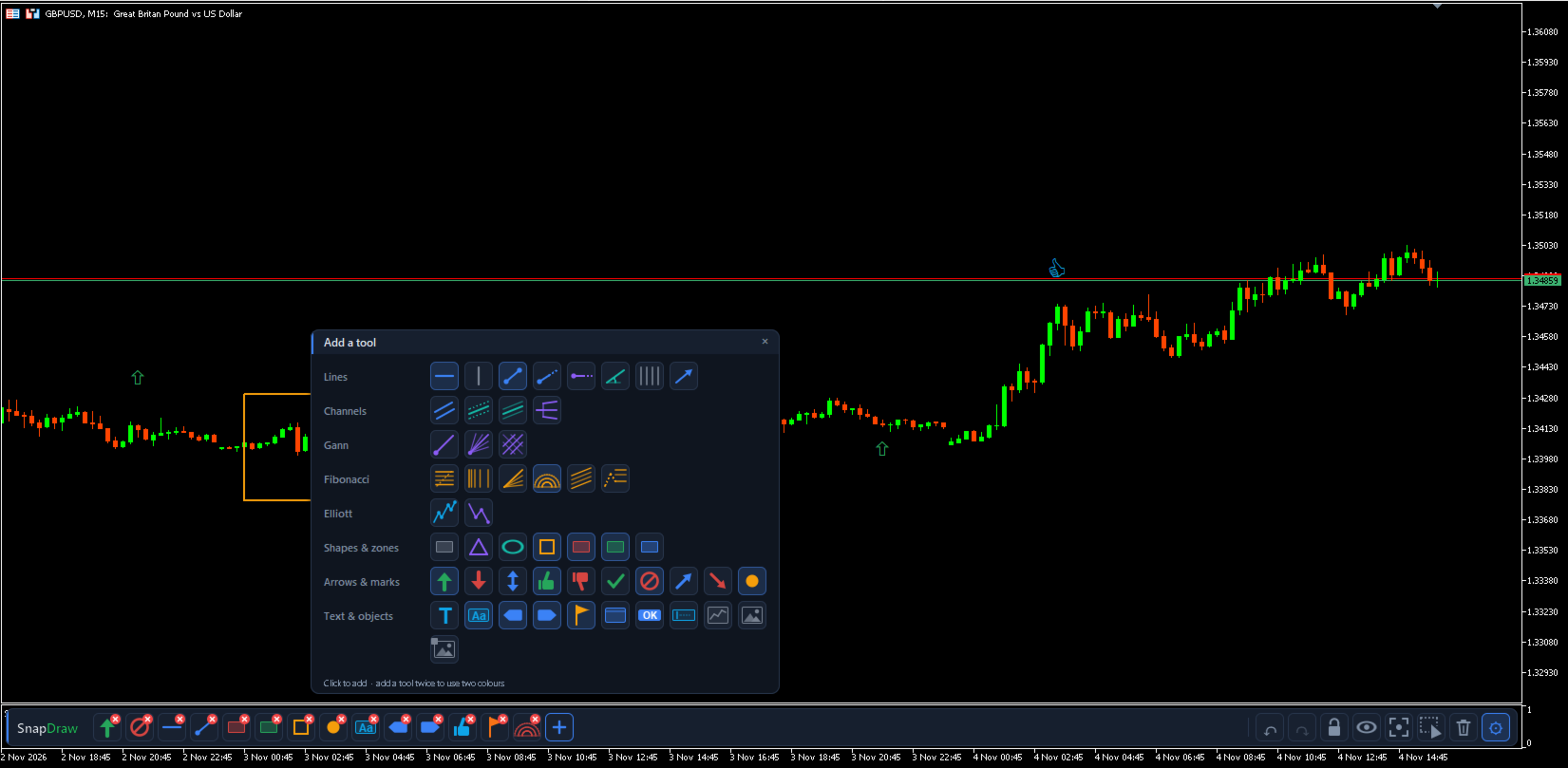
• Every object in the MT5 Insert menu: lines, channels, Gann, Fibonacci, Elliott waves, shapes, arrows, text and graphical objects.
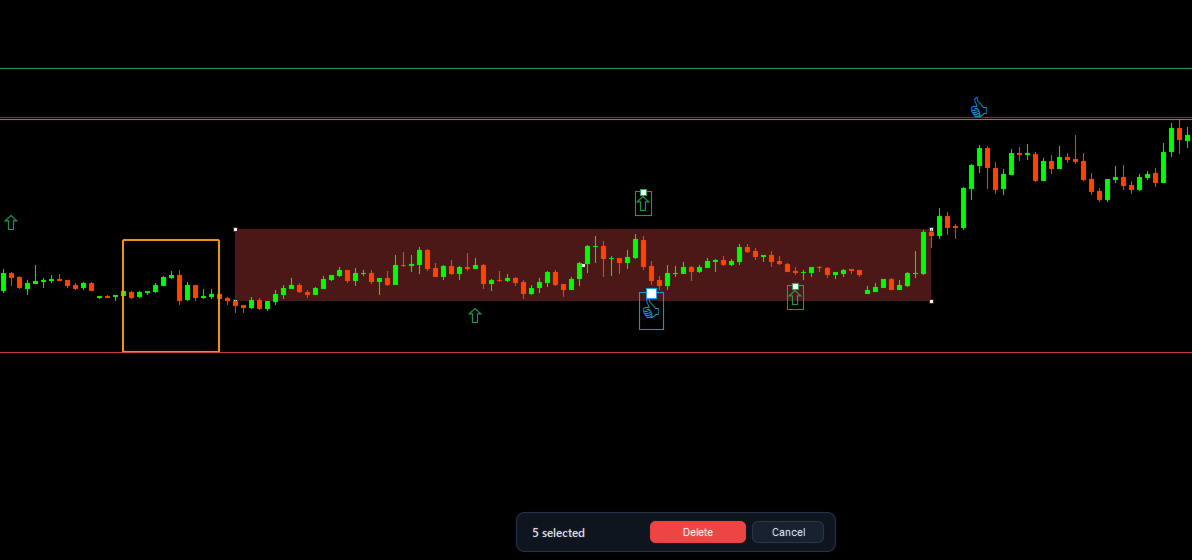
• Extra tools: supply, demand and range zones, square, ray, horizontal ray and double arrow.
• A catalogue grouped like the Insert menu, from which you add only the tools you need.
What you can do
• Drag a tool onto the chart, or click it and then click or drag on the chart. A preview follows the cursor and points snap to the candle; an optional magnet snaps them to high, low, open or close.
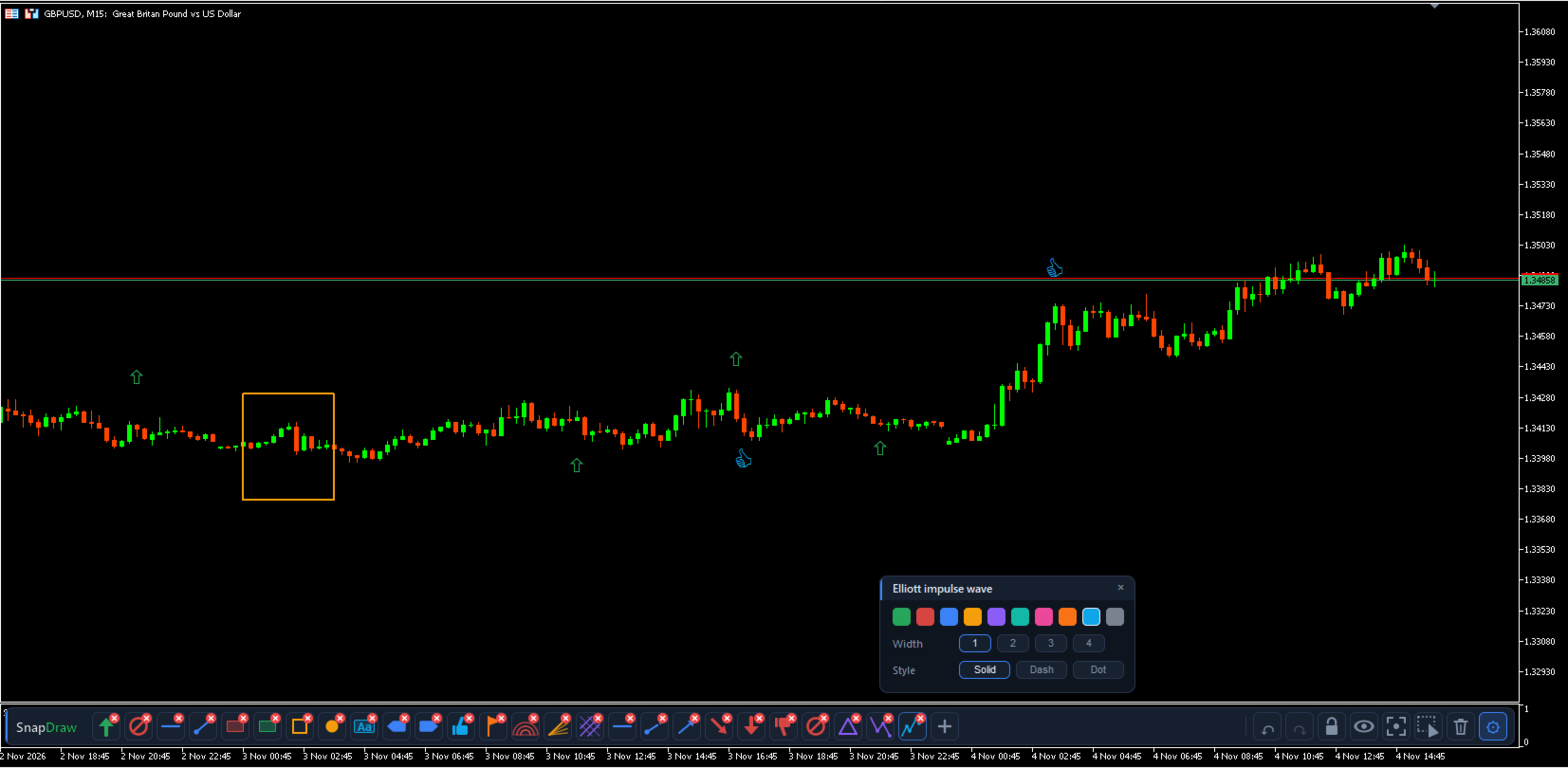
• Build your own panel: add, remove and reorder tools, and give each one its colour, width and line style. Add the same tool several times to have it in different colours.
• Change a drawing's colour with one click: select a tool and click any drawing on the chart, including those made by hand.
• Undo the last drawing and redo it exactly as it was, levels and style included.
• Select several drawings with a box and delete them at once; redo brings them back.
• Lock drawings against accidental moves, hide them, or make them all visible again on every timeframe with Show all.
• Erase everything drawn with SnapDraw in two clicks, without touching other objects.
Designed to be safe
• It only acts on the chart where it is loaded.
• Lock, hide and erase only affect drawings made with SnapDraw.
• If you remove SnapDraw, your drawings stay on the chart as normal MetaTrader objects, unlocked and visible.
• The panel's own objects never appear in MetaTrader's object list.
Panel
• It sits in its own subwindow under the chart, so it never covers the candles.
• Your tools, their order and colours are saved and shared by every chart and terminal on the computer.
• Light and dark theme (automatic, following the chart background) and English or Spanish interface.
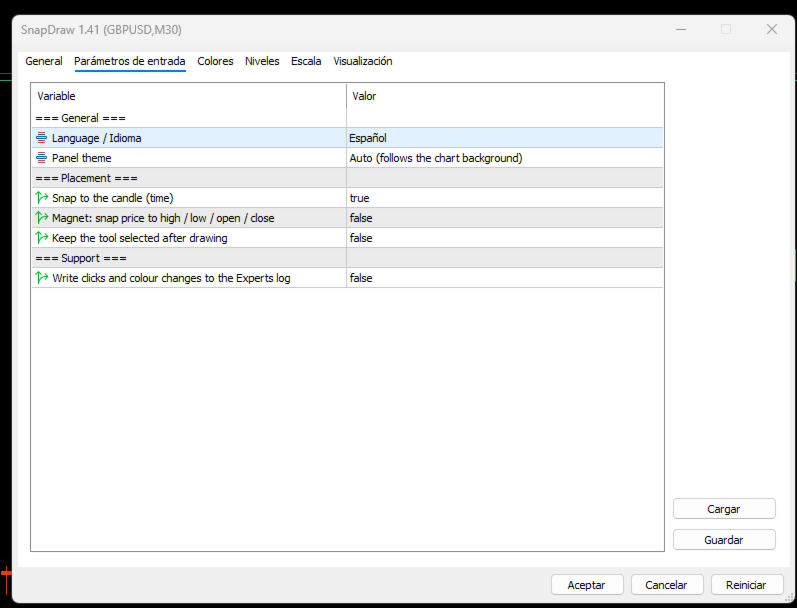
Inputs
• Language: English or Spanish.
• Panel theme: automatic, dark or light.
• Snap to the candle, magnet and keep the tool selected after drawing.
SnapDraw does not open, close or modify trades. It is a chart utility and works on any symbol and timeframe. A full user guide is available in the comments.
Installation: SnapDraw is an indicator, even though it is listed as a utility. After downloading it, you will find it in the Navigator under Indicators → Market. Drag it onto any chart: the panel opens in a subwindow below the candles. It does not take the place of the Expert Advisor running on that chart.