AUTO TP and SL for Averaging MT4

AUTO TP & SL for Averaging

The fastest way to manage Take Profit and Stop Loss for multiple trades.

AUTO TP & SL is a powerful utility designed specifically for averaging, grid, martingale, and scalping traders. Instead of modifying the TP and SL of every order manually, simply enter your desired profit target or maximum loss in USD, and let the EA handle everything automatically.

Free Demo Version = https://c.mql5.com/6/1021/AUTO_TP_SL_DEMO.zip

Key Features

✔ Set Target Profit in USD for all open positions.
✔ Set Maximum Loss in USD to protect your account.
✔ Automatically updates Take Profit & Stop Loss for multiple orders.
✔ Works with both Open Positions and Pending Orders.
✔ No need to modify TP/SL one order at a time.
✔ One-click operation with a simple and intuitive interface.
✔ Ideal for Scalping, Averaging, Grid, and Martingale trading strategies.
✔ Saves time and reduces trading errors.

Perfect For

  • Scalping traders
  • Averaging traders
  • Grid trading
  • Martingale strategies
  • Traders managing multiple positions simultaneously

Trade smarter. Manage your positions faster. Protect your profits automatically with AUTO TP & SL.


おすすめのプロダクト
Trade Dashboard simplifies how you open, manage, and control your trades, with built-in lot size calculation. It allows you to execute trades, manage risk, and control positions directly on the chart, with tools such as partial close, breakeven, and trailing stop. Designed to reduce manual work and help you stay focused on your trading decisions. A demo version is available for testing. Detailed explanations of features are provided within the MQL5 platform. Installation instructions are include
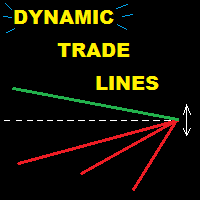
This utility provides a very intuitive, versatile and helpful visual display of the live trades in a chart window - particularly good if you have a basket of live trades. How to use The program runs as a Non-Trading Expert Advisor - it is not an indicator. Therefore it should be placed in the Expert Advisors folder and then attached to a separate chart window, maybe stacked in front of your live EA trading window - see screenshots for many variations. Or you could trade manually in the Dynamic
Avoid SWAP fees EA MT4   This version only supports orders with a single order transaction count of<10. If the single order transaction count is>10, please subscribe to a higher version This EA is not actively profitable, but only uses trading time to increase trading frequency and achieve the goal of saving swap fees.   Working principle: This EA will generate MQL4 Experts Orderhis before the trading deadline of the day_ The today.csv file is used to record the information that has been opened
Its best to have Money and Risk management strategy than not to have any. Those strategy helps to risk low amount in any trade and helps to manage money so that few loosing trade wont have significant impact in your trading balance. The best part is it does all the calculations and places order accordingly. Other things that it does are: Makes sure that only 2% of total balance is risked per trade. Manges money by investing high in low volatile pairs and invest less in high volatile pairs Places
This tool will perform Trailing stop loss and Break even management for orders. Helps you limit or reduce the time spend watching orders on the screen, especially when you need to go to sleep. Just add this EA to 1 chart, you can manage all pairs. You can filter orders by comment, magic number, symbol, and order ticket number. When Breakeven it can add shift/offset pips (to cover the commission...). You can try in strategy tester before purchase. The EA will add Buy and Sell alternately, so yo
The Simple Lot Size Calculator can help you with risk management. Just type risk percentage, stop loss points and click calculate to get required lot size. The Simple Lot Size Calculator calculates a current chart's instrument. It's lightweight. Just load it to your chart then The Simple Lot Size Calculator will apper in the left upper corner of your chart.
Grid Trading EA is a semi-automated one-click trading EA for both Normal Trading and Grid/Martingale Trading . Normal Trading Simply click Buy or Sell directly from the chart. The EA will automatically manage trades by: Setting Stop Loss and Take Profit Managing Trailing Stop Grid / Martingale Trading When Grid Trading mode is enabled, the EA will automatically open additional grid orders at specified distances while increasing the lot size based on your settings. Inputs & Settings Lots — Initia
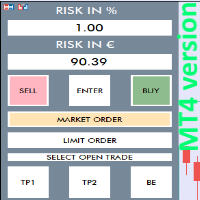
RISK CALCULATOR - TRADING PANEL - CHART OVERLAY with:   PARTIAL TAKE PROFIT  ("virtual TP")   % RISK LOT SIZE  TRAILING STOP LOSS  Fast and simple control of your trades Easy lot size calculation with easy SL/TP setting. Your trading will be much more comfortable with this tool!   Works like any EA, add it to selected chart and trade ! Features: start trade with   calculated lot   based on   % of account balance * that you want to risk/ or based on   how much money you want to risk  *r
OneClick Trades Panel Basic is a utility software created to open and also manage the open orders by closing each trades accordingly right from your charts. This version has few buttons and they are to open Buy and Sell trades, and also buttons to close Buy, Sell and all orders (both Buy and Sell) simultaneously. This is a basic version with minimal features. Features Buy - button used to open a Buy trades. Sell - button used to open Sell trades. Close Buy - button used to close Buy trades. Clo
Trading tool combining a sophisticated equity stop-loss, dynamic take-profit management (Breakeven & Trailing), and symbol-group-based closing logic. It is a complete risk management and trade supervision tool. Features: All features of `Equity Master Stop v1` (floating profit/loss limits, exit protection, skip hours). Take-Profit Override: Can force a TP on any order to lock in a `MAX_FLOATING_PROFIT`. Step Breakeven: Locks in increasing amounts of profit as a trade moves favorably (e.g., aft
TP Splitter Pro MT4 TP Splitter Pro MT4 is an advanced Expert Advisor (EA) designed to optimize your take-profit strategy by automatically placing copy trades with multiple TP levels. It ensures a structured exit plan while maximizing profits and managing risk efficiently. Unlike standard trade copiers, TP Splitter Pro MT4 only executes copy orders when the entry price is more favorable than the master order. It places sell orders at a higher price and buy orders at a lower price. With built-in
Sense
Ivan Stefanov
5 (2)
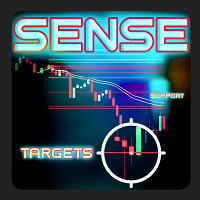
SENSEは、厳選されたGANN手法とフラクタル計算を組み合わせた自動システムです。このシステムは、どこで取引を開始し、どこで決済するかを教えてくれます。もう複雑な計算に時間を費やす必要はありません。インジケータをインストールするだけです。 基本原則: 価格が白い線の上にある時、市場は強気である。 白い線の上で買い、下で止める 緑線は上値目標 白い線より下にあるときは弱気。 白い線より下で売り、上で止める。 赤線は下値目標 緑または赤の線が二重になっている場合は、強いエリアであることを示す。 なぜSENSEなのか? 利益目標 SENSEは自動的に利益確定のターゲットを設定し、取引の成功を最大化するお手伝いをします。 自動適応: このインディケータは、どのような時間枠に対しても自動的に再計算を行い、手動で調整する必要なく、正確で信頼性の高いシグナルを提供します。 スキャルピングにも最適です。 デモをチェック
Giant Trade Panel  comes as a whole package with functionalities that will satisfy all your needs as a manual trader. I created this utility to help you manage your trades from a single chart with just a few clicks . It has a smooth interface which is very responsive.  The utility has sub panels each with different functions: Symbols panel   - This will help you open chart of any symbol with just one click. Timeframes panel - With this you can navigate from M1 timeframe to MN1 timeframe with jus
Telegram Signal Sender MT4であなたの外国為替シグナル共有の能力を高めましょう。この強力なユーティリティは、Telegramチャンネルにトレードシグナルを送信するプロセスを自動化し、簡素化するために設計されており、新進のシグナルプロバイダーから確立されたプロバイダーまで最適です。Forex FactoryやRedditのr/Forexなどのトレーディングコミュニティで広く称賛され、InvestopediaやMQL5フォーラムでの議論でもシグナルの効率的な配信で注目されており、視聴者を増やしたいトレーダーの間で人気のツールです。ユーザーは、タイムリーかつプロフェッショナルなシグナル配信により、フォロワーのエンゲージメントが30-40%増加し、シグナルを手動で投稿する時間が50%削減されたと報告しています。主な利点には、自動シグナル生成、カスタマイズ可能なリスク管理、公開またはプライベートのTelegramチャンネルに高品質のシグナルを簡単に共有できるユーザーフレンドリーなインターフェースが含まれ、信頼できるシグナルプロバイダーとしての評判を高めます。 Telegr
ProfRoboTrading Dashboard MultiSymbol   is   Expert Advisor  a lightweight on-chart control panel that provides a clear overview of your trading account and open positions across multiple symbols. The dashboard displays key account metrics, summarizes open BUY/SELL orders and lots per symbol, calculates profit for Day/Week/Month, and offers quick manual close actions directly from the table. Key features Multi-symbol table   (symbols list configurable). Account metrics panel:   Balance, Equity,
EasyTradePad
Sergey Batudayev
5 (5)
EasyTradePad – MetaTrader 4用取引パネル EasyTradePadは 、手動および半自動取引のためのツールです。パネルでは、注文とポジションを迅速に管理できるほか、リスク管理の計算もワンクリックで行えます。 パネルの機能: 事前に定義されたリスク(%または預金通貨)で取引を開始および終了します SLとTPをポイント、パーセンテージ、または金額で設定します リスクと報酬の比率を自動計算 損切りを損益分岐点に移動する 部分的なポジションのクローズ トレーリングストップ(ポイントまたはローソク足の影による) ポジションの平均化とピラミッディング アクティブな取引のパラメータを変更する [   デモ ] [   説明 ] 追加機能: ピラミッド化 価格がテイクプロフィットに近づくにつれて、段階的に取引を追加します。新規取引ごとのリスクを軽減できます。追加する取引数は簡単に設定できます。 平均化 チャート上のカスタムレベルで追加注文を出すことができます。ポジションは平均エントリー価格で決済されます。 損益分岐点移転 価格が指定された利益幅に達した後、ストップロ
Trade Manager は、リスクを自動的に計算しながら、取引を迅速に開始および終了するのに役立ちます。 過剰取引、復讐取引、感情的な取引を防止する機能が含まれています。 取引は自動的に管理され、アカウントのパフォーマンス指標はグラフで視覚化できます。 これらの機能により、このパネルはすべてのマニュアル トレーダーにとって理想的なものとなり、MetaTrader 4 プラットフォームの強化に役立ちます。多言語サポート。 MT5バージョン  |  ユーザーガイド + デモ Trade Manager はストラテジー テスターでは機能しません。 デモについてはユーザーガイドをご覧ください。 危機管理 % または $ に基づくリスクの自動調整 固定ロットサイズを使用するか、ボリュームとピップに基づいた自動ロットサイズ計算を使用するオプション RR、Pips、または価格を使用した損益分岐点ストップロス設定 トレーリングストップロス設定 目標に達したときにすべての取引を自動的に終了するための 1 日あたりの最大損失 (%)。 過度のドローダウンからアカウントを保護し、オーバートレードを防ぎま
Candle Exit Pro 手動トレーダー向けローソク足ベースの自動決済ツール Candle Exit Proは、指定された本数のローソク足が確定した後に、手動で開いたポジションを自動的に決済する軽量なトレード管理ツールです。 常にポジションを監視する必要はなく、手動でエントリーするだけで、EAがローソク足の本数に基づいて決済タイミングを管理します。 主な機能 ユーザーが設定したローソク足の本数経過後に自動決済 すべての通貨ペアおよび時間足に対応 シンプルで使いやすい設定 エントリー機能やシグナル生成はなし 時間ベースの決済戦略に最適 Buy / Sell 両方のポジションに対応 軽量で低リソース動作 動作方法 チャートに Candle Exit Pro EA を適用します。 保有したいローソク足の本数を設定します。 手動でポジションを開きます。 EAがポジションを監視し、指定された本数のローソク足が確定した時点で自動的に決済します。 例 ローソク足の設定が   2   の場合: 現在のローソク足でエントリーします。 EAはエントリー後に確定したローソク足の本数をカウントします。
This is a DEMO version of the Smarter Trade Manager Smarter Trade Manager  is an advanced trade management tool that can monitor and manage your manual and EA trades according to the settings you choose. It works as an Expert Advisor (EA), it does not open any trades but it closes trades as per the auto closing settings or when manually pressing any of the close buttons. FEATURES: Three-dimensional  interactive  view of your trades Trade Summary, P/L, Alerts, Closure by  Currency Trade Summary,
FREE
This is a script used for placing pending orders. However, this does not create a trivial grid of orders, but a little "thinks and counts" ;) The general idea that guided me when writing this script is the concept of playing the demand and supply zones by setting pending "limits", but with a predetermined level of risk that I accept. Operating principles: - put a rectangle on the graph, which is supposed to reflect the "zone" we are going to play, - drag the Pending_Orders_1v6_Rectangle script t
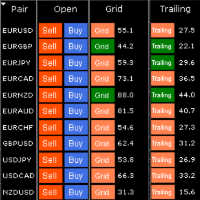
HungrySpiderMulti - is an easy-to-use multi-currency trading panel allowing you to trade 28 trading pairs in one window . The panel also allows you to use grid, and trailing stop. Using this panel trader will receive a push-notification about new events. Opening an order: Opening an order occurs in one click. Near the required currency pair, in the Open section, click on the Sell or Buy button. Grid: Near required pair, there is a Grid button. The button has two states, green - on, orange - off
スマートウォーターマークは、自動的にスケーリングおよびセンタリングしながら、シンボルと時間枠を表示します。また、チャートを他の人と共有するためのカスタム署名を設定することもできます。 パラメーター: パラメータ 説明 フォント 透かしの表示に使用されるフォントタイプ フォントの色 透かしの表示に使用されるフォントの色 フォントスタイル フォントのスタイル。 [なし]、[斜体]、[下線]、または[取り消し線]から選択します。デフォルトはNoneです。 フォントの太さ フォントの太さ。オプションの範囲は、シンからブラックです。デフォルトはNormalです。 フォントスケール率(0〜100) グラフの幅に対するフォントの縮尺の割合。デフォルトは10です。 最小フォントサイズ グラフが小さすぎると、透かしが判読できない場合があります。これにより、透かしが常に判読できるように最小フォントサイズを設定できます。デフォルトは47です。 透明度(0〜255) 透かしの透明度。 0は完全に透明です。デフォルトは255です。 背景の透かし 透かしラベルを背景に配置するかどうか。 falseに設定され
Smarter Trade Manager  is an advanced trade management tool that can monitor and manage your manual and EA trades according to the settings you choose. It works as an Expert Advisor (EA), it does not open any trades but it closes trades as per the auto closing settings or when manually pressing any of the close buttons. FEATURES: Three-dimensional interactive  view of your trades Trade Summary, P/L, Alerts, Closure by Currency Trade Summary, P/L, Alerts, Closure by Magic Number Profit and Loss
デモ口座向けの無料フル機能版のダウンロードはこちら: [ブログリンク] Line Trade Manager は、注文執行(execution)とリスク管理(risk management)を完全にコントロールしたい裁量トレーダー(manual traders)向けの高度なビジュアルツールです。使いにくい注文ウィンドウ(order window)や手計算に頼る必要はなく、チャート(chart)上のすっきりとしたインタラクティブなラインを通じて、複雑な取引ロジックを直接管理できます。「Set & Forget(設定して放置)」の哲学に基づいて設計されており、あらゆるシナリオを事前に計画できるため、感情的なトレードや常時画面を監視するストレスから解放されます。 複数ラインの包括的な管理 Entry、SL、および Multiple TP: 執行価格(execution price)を簡単に設定し、TP1、TP2、TP3のラインを通じてポジションを段階的に利確(スケールアウト)できます。 ブレイクイーブンライン(Break Even / BE Line): 手数料補填(commission c
I started of as a complete novice in trading not understanding what a pip was, not understanding leverage or how to factor in risk to manage my trades. Its been almost 3 years. I am more knowledgeable in trading. My trading continues to improve as I work on my strategy, technical analysis, trading psychology and risk management. One thing I am not worried about though is getting the right volume to match the risk for each trade. Not too long after I began trading, I learned how to code to make m
Trade Shield – Innovative Solution for Automated Trade Management Description: Trade Shield is a powerful and flexible trading expert advisor (EA) for MetaTrader 4 , designed to automatically close trades based on predefined conditions. It analyzes volume sequences , monitors drawdown , and closes trades with specific comments when the conditions are met. The EA is built to enhance trading account security , prevent signific Advantages of Trade Shield Flexible Trade Monitoring Supports trackin
Account Profit & Loss Killer Full Account-Level Intelligent Risk Management EA (MT4) ⸻ Product Introduction Account Profit & Loss Killer is a true "overall account control and risk management tool". It does not participate in any trading strategy; it focuses on only one thing: When the total floating profit or total floating loss of all positions in the account reaches your set amount, it immediately and within milliseconds forcibly closes all orders in the account. This is a true "
FREE
Pomo Panel is a simple panel to help trader using grid strategy. It is designed with grid strategy in mind.  Its features: Open standard transactions Set up pending transactions Delete all pending transactions Modify multiple Stop-Loss and Target-Profit Calculate Lots of all opened transactions Calculate average Open-Close, High-Low Close All Opened Orders
TPSL ドライバー ユーティリティ の紹介。これは、ストップロスとテイクプロフィットの管理を自動化することで取引体験を向上させるように設計された強力なツールです。このユーティリティは、シームレスな注文管理と高度な利益保護技術を望むすべてのトレーダーに対応します。 TPSL ドライバー ユーティリティを使用すると、非表示とビジュアルの 2 つの注文管理モードから柔軟に選択できます。非表示モードを使用すると、利益確定レベルと損切りレベルを非表示にすることができ、慎重なアプローチで取引を管理できます。一方、ビジュアルモードでは、テイクプロフィットレベルとストップロスレベルの従来の表示が提供されます。 ストップロスとテイクプロフィットを設定する複数のオプションを使用して、リスクと利益の目標を管理します。ピップで計算する場合でも、ドル額で計算する場合でも、ユーティリティを使用すると、希望のレベルを正確に制御できます。さらに、利益保護オプションは、取引が特定のピップス数または特定のドル額に達したときにストップロスレベルを自動的に調整することにより、追加のセキュリティ層を追加します。 市場が有利に
Auto Close Manager EA – Equity & Account Protection Utility Overview Auto Close Manager EA is a risk management utility for MetaTrader 4 designed to automatically close all open positions when a predefined floating profit or floating loss level is reached. This Expert Advisor does NOT open trades. It only monitors account equity and manages existing positions. The EA works with manual trades and can optionally include trades opened by other Expert Advisors. How It Works The EA continuously moni
このプロダクトを購入した人は以下も購入しています
Trade Indicator Assistant is a powerful MT4 utility designed to turn indicators into automated trading systems. Its main feature is the ability to automatically detect an indicator’s   BUY and SELL signal buffers , without requiring you to know the buffer numbers, search through indicator settings, or modify the indicator source code. Bonus Indicator: After purchasing Trade Indicator Assistant, contact me to receive Trade Signal Pro completely free as a bonus indicator. [Download Demo Version]
Exp COPYLOT CLIENT for MT4
Vladislav Andruschenko
4.69 (65)
MetaTrader 4向け 高機能トレードコピーソフト MetaTrader 4 用の、高速・安定・高機能なトレードコピーソフトです。 COPYLOT は、 MetaTrader 4 と MetaTrader 5 間でFX取引をコピーでき、さまざまな口座タイプや運用スタイルに合わせて柔軟に同期できます。 COPYLOT MT4版の対応コピー方式: MetaTrader 4 → MetaTrader 4 MetaTrader 5 Hedge → MetaTrader 4 MetaTrader 5 Netting → MetaTrader 4   MT5版 詳細説明 + DEMO + PDF 購入方法 インストール方法 ログファイルの取得方法 テストと最適化の方法 Expforexの全製品 MetaTrader 5版 を使えば、 MetaTrader 5 → MetaTrader 5 および MetaTrader 4 → MetaTrader 5 のコピーにも対応します: COPYLOT CLIENT for MT5 COPYLOT は、2台、3台、さらには10台規模のターミナル環境でも
Local Trade Copier EA MT4
Juvenille Emperor Limited
4.96 (112)
Local Trade Copier EA MT4 は、同一の Windows PC または Windows VPS 上で稼働する複数の MetaTrader 4 口座間で、取引をコピーおよび管理するための高速で柔軟なトレードコピーツールです。 ローカルでの取引同期に加え、Receiver 側でロットサイズ、リスク管理、取引フィルター、シンボルマッピング、取引管理、口座保護を個別に設定できます。 Transmitter と Receiver のターミナルは約 1分 で設定でき、同一ブローカーまたは異なるブローカーの口座間で、手動取引や EA による取引をコピーできます。適切な条件下では、ローカルの MetaTrader ターミナル間で取引情報を 0.5秒未満 で同期できます。実際の約定速度は、ブローカーのレイテンシー、ネットワーク状況、PC/VPS の性能、ターミナルの負荷によって異なります。 ご購入前に無料デモをお試しください Local Trade Copier EA MT4 の完全機能版無料デモ を、MT4 デモ口座で 1回につき4時間 テストできます。 Local Trad
Trade Manager EAへようこそ。これは、取引をより直感的、正確、そして効率的にするために設計された究極の リスク管理ツール です。これは単なるオーダー実行ツールではなく、包括的な取引計画、ポジション管理、リスク管理のためのソリューションです。初心者から上級者、迅速な実行を必要とするスキャルパーまで、Trade Manager EAはあらゆるニーズに対応し、為替、指数、商品、暗号通貨などさまざまな市場で柔軟に対応します。 Trade Manager EAを使用すると、複雑な計算が過去のものになります。市場を分析し、エントリーポイント、ストップロス、テイクプロフィットのレベルをチャート上のラインでマークし、リスクを設定するだけで、Trade Managerが最適なポジションサイズを即座に計算し、SLとTPをピップ、ポイント、口座通貨でリアルタイムに表示します。すべての取引が簡単かつ効果的に管理されます。 主な機能: ポジションサイズ計算機 :定義されたリスクに基づいて取引サイズを瞬時に決定します。 簡単な取引計画 :エントリー、ストップロス、テイクプロフィットを設定するためのド
Trade Assistant MT4
Evgeniy Kravchenko
4.43 (197)
取引 ごとのリスクの 計算、新規注文 の 簡単 な 設置、部分的 な 決済機能 を 持 つ 注文管理、 7 種類 のトレーリングストップなど 、便利 な 機能 を 備 えています 。 追加の資料と説明書 インストール手順 - アプリケーションの手順 - デモアカウント用アプリケーションの試用版 ライン機能 チャート上にオープニングライン、ストップロス、テイクプロフィットを表示します。この機能により、新規注文を簡単に設定することができ、注文を出す前にその特徴を確認することができます。   リスク計算 リスク計算機能は、設定されたリスクとストップロス注文のサイズを考慮して、新規注文のボリュームを計算します。ストップロスの大きさを自由に設定できると同時に、設定したリスクを守ることができます。 Lot calc ボタン - リスク 計算 を 有効 / 無効 にします 。 Risk フィールドでは 、必要 なリスクの 値 を 0 から 100 までのパーセンテージまたは 預金通貨 で 設定 します 。 設定」 タブで 、 リスク 計算 の 種類 を 選択 します :「 $ 通貨」、「 % 残
TradePanel MT4
Alfiya Fazylova
4.84 (95)
Trade Panelは多機能なトレーディングアシスタントです。アプリには手動取引用の50以上のトレーディング機能が搭載されており、ほとんどの取引作業を自動化することができます。 アプリの説明書+ビデオガイド: https://www.mql5.com/en/blogs/post/772452 デモ口座用アプリの試用版: https://www.mql5.com/en/blogs/post/750865 アプリのインストール方法: https://www.mql5.com/en/blogs/post/756239 アプリをビジュアルモードでテストする方法: https://www.mql5.com/en/blogs/post/770277 VPSのMetaTraderにアプリをインストールする方法: https://www.mql5.com/en/blogs/post/770190 取引。 ワンクリックで取引操作を行うことができます: リスクを自動計算して指値注文やポジションを開く。 複数の注文やポジションをワンクリックで開く。 注文のグリッドを開く。 保留中の注文やポジションをグルー
Telegram to MT4 Multi-Channel Copier   は、Telegram チャンネルのトレードシグナルを MetaTrader 4 へ自動コピーします。ボット不要、ブラウザ拡張不要、手動コピー不要。Telegram にシグナルが届くと、EA が数秒であなたのターミナルに注文を出します。 さらに、チャンネルをコピーする前に、内蔵バックテスターでそのチャンネルがあなたの口座でどう動いたかを確認できます。 製品は 2 つのコンポーネントで構成されます:Telegram チャンネルを監視する Windows アプリと、MT4 ターミナルでシグナルを執行する本 EA です。MT5 版もあります   こちら . セットアップガイドとアプリのダウンロード:   https://www.mql5.com/en/blogs/post/768988 現在の価格は今後値上げされます。 仕組み アプリはあなた自身の Telegram アカウントで接続するため、フォローしているすべてのチャンネル、グループ、トピック、ボット(プライベートや VIP を含む)を見ることができます。シグナル
MetaTrader 4 用の通貨強弱インジケーター この 通貨強弱インジケーター は最大 28 の主要通貨ペアを読み取り、USD、EUR、GBP、JPY、CHF、CAD、AUD、NZD の 8 通貨それぞれについて 1 つの数値を出します。どの通貨が主導しているかを調べるためにチャートを次々と開く必要はなく、MetaTrader 4 のチャート上の 1 つのパネルを見るだけで、買われている通貨と売られている通貨が分かります。 パネルに表示される内容 8 通貨それぞれの強弱バーとパーセンテージ(強い順) マルチタイムフレーム マトリクス:通貨ごとに 3 つの時間足を横並びで表示し、M15、H1、H4 が一致しているかをエントリー前に確認できます 各行の強弱履歴。20 から 60 まで上げてきた通貨と、90 から 60 まで下げてきた通貨は同じではありません ベストペア :強弱差が最も大きい組み合わせを並べ替えて表示。クリックするとそのペアのチャートが開きます 避けるペア :2 つの通貨が同じ方向に動くと取引の余地がありません。隠さず一覧に出します ワンクリックで開く 28 ペアパネル。
Partial Closure EA MT4
Juvenille Emperor Limited
5 (3)
Partial Closure EA MT4 は、口座内のあらゆる取引を部分的に決済できます。ロットサイズの選択した割合やチケット番号で手動決済することも、TP/SLレベルの指定された割合で自動決済することも可能で、最大10のテイクプロフィットと10のストップロスレベルで初期ロットサイズの一部を決済します。特定のマジックナンバー、コメント、または銘柄を指定または除外することで、アカウント内のすべてまたは選択した取引を管理できます。。 ヒント:Partial Closure EA MT4 の無料デモバージョンをダウンロードして、デモアカウントで試してみてください: こちら ダウンロードした無料のデモ ファイルを MT4 >> ファイル >> データ フォルダを開く >> MQL4 >> Experts フォルダに貼り付けて、ターミナルを再起動します。  無料のデモ版は、デモ アカウントでのみ、一度に 4 時間完全に機能します。 試用期間をリセットするには、MT4 >> ツール >> グローバル変数 >> Control + A >> 削除に移動します。 この操作は重要ではないデモ口座
The product will copy all telegram signal to MT4   ( which you are member  ) , also it can work as remote copier.  Easy to set up, copy order instant, can work with almost signal formats, image signal, s upport to translate other language to English Work with all type of channel or group, even channel have "Restrict Saving Content", work with  multi channel, multi MT5 Work as remote copier: with signal have ticket number, it will copy exactly via ticket number. Support to backtest signal. How to
TelegramからMT4へ: 究極のシグナルコピーソリューション Telegram to MT4 は、DLLを必要とせず、TelegramのチャンネルやチャットからMetaTrader 4プラットフォームに取引シグナルを直接コピーできる最先端のユーティリティです。この堅牢なソリューションは、比類のない精度とカスタマイズオプションにより、シグナルのシームレスな実行を保証し、時間を節約し、効率性を向上させます。 [ Instructions and DEMO ] 主な特徴 直接的なTelegram API統合 電話番号とセキュアコードで認証します。 ユーザーフレンドリーな EXE ブリッジを使用して、チャット ID を簡単に取得および管理します。 複数のチャネル/チャットを追加、削除、更新して、同時に信号をコピーします。 高度なフィルターによる信号解析 カスタム例外語 (例: 「レポート」、「概要」) を含む不要な信号をスキップします。 柔軟な SL および TP 形式 (価格、ピップ、ポイント) をサポートします。 シグナルが価格ではなくポイントを指定する場合、エントリ ポイントを自動
Trade copier MT4
Alfiya Fazylova
4.61 (36)
Trade Copierは、取引口座間の取引をコピーして同期するように設計された専門的なユーティリティです。 コピーは、同じコンピューターまたはvps にインストールされている、サプライヤーのアカウント/端末から受信者のアカウント/端末に行われます。 キャンペーン - すでに「Trade copier MT4」をご購入の方は、「Trade copier MT5」を無料で入手できます(MT4 → MT5 および MT4 ← MT5 のコピー用)。詳細な条件については、どうぞ個別メッセージでお問い合わせください。 購入する前に、デモ アカウントでデモ バージョンをテストできます。 デモ版 こちら 。 詳細な説明は こちら 。 主な機能と利点: MT5ネッティングアカウントを含む、MT4> MT4、MT4> MT5、MT5> MT4のコピーをサポートします。 高いコピー速度(0.5秒未満)。 ベンダーモードと受信者モードは同じ製品内に実装されています。 チャートから直接リアルタイムでコピーを制御できる、簡単で直感的なインターフェイス。 接続が切断されたり、端末が再起動されたりしても、設定と位
Trailing Stop and Breakeven Manager - Trail Architect MT4 Auto Trailing Stop and Breakeven Manager for MT4. Protect profit with automatic break even, then trail your stop loss using Classic, Step, ATR or Candle trailing - all from one professional panel. Every trader knows the pain: a winning trade turns into a loss because the stop loss was never moved. Watching the chart all day just to move your stop to break even and trail the stop loss by hand is exhausting - and one missed move can wipe o
Shepherd Safety EA
AW Trading Software Limited
4.92 (13)
The work of the utility is directed at opening new market orders, maintaining them, transferring the unprofitable orders into profit using an internal loss handling algorithm, trend filtering and various types of trailing stop and take profit. Suitable for any instruments and timeframes. The algorithm works separately for buys and sells, which allows simultaneously working in both directions as well. For the event when the additional orders opened by the utility do not become profitable, a Stop
Bar Replay MT4
Hoang The Manh
3.43 (7)
Don't purchase before testing the Demo version first. DEMO version:   https://www.mql5.com/en/market/product/76917 __________________________________________________ This EA  - Tool allow you replay bar in Meta Trader 4 for back test. This Tool can back test in multi timeframe in only one chart. This Tool is very useful for Price action trader. It can work with Indicators, some indicators cannot works. So please download Demo to test before purchase.  Demo Version We do not accept refund in any
無料トライアル版ダウンロード Copy Cat More (コピーキャット・モア) MT4 トレードコピー (Trade Copier) は単なるローカルのトレードコピーではありません。今日のトレード課題のために設計された 完全なリスク管理・執行フレームワーク (risk management and execution framework) です。プロップファーム (prop firm) のチャレンジから個人のポートフォリオ管理まで、堅牢な執行、資金保護、柔軟な設定、高度なトレード処理の組み合わせによって、あらゆる状況に適応します。 このコピーは   マスター (Master、送信側) と スレーブ (Slave、受信側)   の両モードで動作し、成行注文・指値注文、トレードの変更、部分決済、そして両建て決済 (Close By) 操作をリアルタイムで同期します。デモ口座と実口座、トレード用ログインと投資家ログインの両方に対応し、永続的トレードメモリ (Persistent Trade Memory) システムにより、EA・端末・VPS が再起動しても復旧を保証します。一意の
コピー機->便利で高速なインターフェースインタラクション、ユーザーはすぐに使用できます     ->>>> WindowsコンピュータまたはVPS Windowsでの使用を推奨 特徴: 多様でパーソナライズされたコピー取引設定:1. 異なるシグナルソースに異なるロットモードを設定できます。2. フォワードコピー取引とリバースコピー取引に異なるシグナルソースを設定できます。3. シグナルはコメントで設定できます。4. 契約ロットに応じてロットを調整するかどうか 多様でパーソナライズされたコピー注文設定2:1.品種ごとに異なるロットモードを設定できます2.順方向コピー注文と逆方向コピー注文に異なる品種を設定できます3.コメントでシグナルを設定できます4.契約ロットに応じてロットを調整するかどうか コメントフィルタリング、MAGICフィルタリング、シグナルロットフィルタリング、ローカル製品フィルタリング 勤務時間設定 逆同期SLAVE終了 注文バインド機能: 任意の注文を設定されたシグナルソース注文にバインドできます (テーブルをダブルクリックして編集します) アカウントリスク管理 基本
King Trade Copier MT4
Mohammed Maher Al-sayed Mohammed Ahmed Saleh
5 (1)
King Trade Copier MT4 – Lightning-Fast Local Trade Copier (Master + Slave in ONE file) King Trade Copier is a professional local trade copier that mirrors every trading action from one Master account to unlimited Slave accounts on the same PC or VPS — with an internal copy latency of just a few milliseconds. It was built by a real trader for daily real-money use, with one goal: whatever happens on the Master must happen on the Slave, instantly and without exceptions. Watch the demo video to s
News Filter EA: Advanced Algo Trading Assistant News Filter EA is an advanced algo trading assistant designed to enhance your trading experience. By using the   News Filter EA , you can integrate a Forex economic news filter into your existing expert advisor, even if you do not have access to its source code. In addition to the news filter, you can also specify   trading days   and   hours   for your expert. The News Filter EA also includes   risk management   and   equity protection   features
Prop Guardian Risk Manager MT4 – Drawdown, Risk & Hedge Protection for Prop Firm and Managed Accounts Prop Guardian Risk Manager is a professional risk-control utility for MetaTrader 4, designed for prop firm traders, money managers and anyone who wants strict account-level risk protection. It does not generate trading signals, strategy entries or trading decisions. Instead, it runs in the background, monitors your account risk and can automatically block new exposure, close managed trades or ac
高速。正確。革新的。テクノロジー駆動。画期的なX2 Copy MT4で、瞬時のトレードコピーを体験してください。わずか10秒の簡単セットアップで、一台のコンピューターまたはWindows VPS上のMetaTrader端末間でトレードをかつてない速度で同期する強力なツールを手に入れられます。 複数の口座を管理している場合、シグナルに従っている場合、または戦略を拡大している場合でも、X2 Copy MT4は比類のない精度と制御でワークフローに適応します。最もテクノロジー駆動なトレードコピーソリューションで、より速く、より確実に作業できます。無料トライアル版をお試しいただき、お使いのシステムでその速度を体感してください。 *重要:MT5端末での作業には、別途 X2 Copy MT5 バージョンが必要です X2 Copy MT4/5 の設定と機能の説明 | X2 Copy トライアル版のインストール方法 特徴 高速コピー — 0.1秒未満でのトレード転送 すべてのコピータイプをユニバーサルサポート: MT4>MT4, MT4>MT5, MT5>MT4, MT5>MT5 直感的なインターフェー
コピー機->便利で高速なインターフェースインタラクション、ユーザーはすぐに使用できます     ->>>> WindowsコンピュータまたはVPS Windowsでの使用を推奨 基本機能: コピートレードの通常のインタラクション速度は0.5秒未満です。 シグナルソースを自動的に検出し、シグナルソースアカウントのリストを表示します シンボルを自動的に一致させます。異なるプラットフォームでよく使用される取引シンボルの95%(異なるサフィックスなどの特別なケース)が自動的に一致し、基本的に手動設定は必要なく、シンボルマッピングテーブルをダブルクリックして対応するシンボルを変更できます。(マッピングテーブルにはクイック検索シンボル機能があります) 4つのロット計算モード(1. 乗数 2. 固定ロット 3. 適応リスク 4. シグナル 適応リスク ) 特別ロットモード: ストップロス資本リスクに基づいてロットサイズを計算できます (ストップロスが小さすぎる場合や、計算されたロットサイズが大きすぎる場合がありますので、注意して使用してください) 複数のプラットフォーム、複数の信号源(マスター)、複
これは、トレンドラインPROインジケーターの自動パラメータオプティマイザです 簡単かつ迅速に、あなたのお気に入りのトレンドラインプロインジケーターに最適なパラメータを選択します。 最適化には数秒しかかかりません。 オプティマイザでは、振幅、TP1-TP3、StopLoss、および選択した履歴セクション(日)の時間フィルタとHTFフィルタの値など、各ペアと期間に最適なパラメータを見つ 異なる時間枠を最適化するには、異なる範囲の履歴が必要です: M5-M15計算範囲パラメータ(日)=60(三ヶ月)を設定します。 M30-H1計算範囲パラメータ(日)=120(6ヶ月)を設定します。 H4パラメータの計算範囲(日数)を設定する=240(1年) D1-W1パラメータ計算範囲(日)=720(三年)を設定します。 MN1パラメータ計算範囲(日)=1200(五年)を設定します。 最適化後、パラメータはmql4>Files>T R E N D Lineoptimizedsettingsフォルダ内の既製のセットファイルに自動的に保存されます オプティマイザユーティリティの使用方法: 最適化
Risk manager Risk manager - it will simplify the tracking of drawdown and will notify you (alert) when the specified risk is reached, and close/lock orders when the critical DD risk level is reached. If the specified drawdown is exceeded, you can choose two options for actions: All orders will be closed that mean loss will be fixed on depo. The terminal also closes. Instead of fixing the loss on depo, the opposite order will be opened - orders locking will occure. Not a single order will be c
TPSpro リスクマネージャー   は、あらゆるトレーニングとあらゆる資本のトレーダーを対象とした、専門的なリスク管理のユニークなシステムです。取引における損失や取引における重大なミスを回避できます。 TPSpro Risk Manager は、主にスキャルパーやデイトレーダーのリスク管理に必要ですが、あらゆる取引スタイルのトレーダーによって問題なく使用されています。 パネルには 3 つの列があり、それぞれに役立つ情報が含まれています。 最初の列には、当月初めの時点でのアカウントに関する情報が表示されます。つまり、全体的な結果がパーセンテージと入金通貨で表示されます。 2 番目の列には、設定で指定されたその日のリスクが表示されます。 3 番目の列には、現在のアカウントの状況が表示されます。 指定されたリスクを 1 日超えた場合、または注文数を超えた場合、アドバイザーはすべての注文を閉じ、新しい注文のオープンを許可しないため、トレーダーを「感情的な取引」から保護します。 「リスクマネージャー」を使用すると、次のパラメータに従って取引を制御できます。 1日あたりの損失限度額 残高損失
Trade Reverse Copie4
Chukwuemeka Kingsley Anyanwu
5 (1)
Feel free to contact me for any extra features :) [SEE MT5 VERSION  https://www.mql5.com/en/market/product/128846 The Local Reverse Copier is an Expert Advisor designed to synchronize positions between a Master account and a Slave account with a twist: it reverses the trades. When a buy position is opened on the Master account, the EA opens a sell position on the Slave account, and vice versa. This allows for a unique form of trade copying where positions are mirrored in opposite directions bet
Lot Architect — Trade Panel and Position Size Calculator for MT4 Lot Architect is a trade panel and risk-based position size calculator for MetaTrader 4. It helps calculate lot size from the selected risk, displays trade parameters before entry, and supports Market, Limit and Stop orders from the chart. The utility is designed for traders who want a structured workflow for position sizing, stop-loss placement, take-profit planning and order execution. Purpose Before opening a trade, a trader nee
EA Local Trade Copier Pro MT4: The Ultimate DLL-Free Trade Duplicator Are you tired of complicated trade copiers that require unsafe external DLLs, crash your terminal, or confuse you with separate "Master" and "Client" files? Experience the next generation of trade copying with EA Local Trade Copier Pro MT4. Engineered for maximum stability, lightning-fast execution, and ultimate simplicity, this utility allows you to seamlessly copy trades between multiple MetaTrader terminals on the same Wind
Basket EA MT4
Juvenille Emperor Limited
5 (5)
Basket EA MT4 は、強力な利益収穫ツールであり、包括的な口座保護システムがシンプルで使いやすい形で統合されたソリューションです。その主な目的は、すべてのポジションを個別管理ではなく“バスケットレベル”で一括管理することで、口座全体の損益を完全にコントロールすることにあります。EAは、テイクプロフィット、ストップロス、ブレイクイーブン、トレーリングストップといったバスケットレベルの機能を備えており、これらを口座残高の%/口座通貨の固定額/管理対象取引の平均ポイントといった形で設定できます。この柔軟性により、トレーダーは個々のリスクと利益戦略を自分に合わせてカスタマイズできます。さらに、 Basket EA MT4 は、Magic Number、通貨ペア、コメントなどに基づいて特定の取引を管理対象から除外または含めるフィルタリング機能を提供し、望む取引だけを管理できるようにします。 追加の保護機能として、高度な口座セーフガード機能を搭載しています。指定したエクイティのテイクプロフィット・ストップロス水準、または最高残高からの最大ドローダウンに達した場合、EAはすべてのオープン
MT4 to Telegram Signal Provider は使いやすく、完全にカスタマイズ可能なツールで、Telegramに信号を送信し、あなたのアカウントを信号提供者に変えることができます。 メッセージのフォーマットは 完全にカスタマイズ可能です! しかし、簡単な使用のために、あらかじめ定義されたテンプレートを選択し、メッセージの特定の部分を有効または無効にすることもできます。 [ デモ ]   [ マニュアル ] [ MT5バージョン ] [ Discordバージョン ] [ Telegramチャンネル ]  New: [ Telegram To MT5 ] セットアップ ステップバイステップの ユーザーガイド が利用可能です。 Telegram APIの知識は必要ありません。開発者が必要なものをすべて提供します。 主要機能 購読者に送信される注文の詳細をカスタマイズする機能 例えばブロンズ、シルバー、ゴールドなど、階層型のサブスクリプションモデルを作成できます。ゴールドサブスクリプションでは、すべての信号が得られますなど。 ID、シンボル、またはコメントによる注文のフ
作者のその他のプロダクト
One Click Trade Manager for MT5 Trade Faster and Manage Your Positions with a Single Click Take full control of your trades with an intuitive one-click trading panel for MetaTrader 5. Whether you're entering new positions or managing multiple open trades, this EA helps you execute actions instantly without navigating multiple windows. No more manually closing orders one by one. Main Features Close All Positions Instantly close every open position on the current account. Close Profitable Pos
Please download Master EA here =  https://www.mql5.com/en/market/product/181698 MT4 Version =  https://www.mql5.com/en/market/product/183101 Free Demo Version =  https://c.mql5.com/6/1028/COPYTRADE_DEMO7D.zip User Manual : download here Professional Copy Trade EA for MT5 , NO HASSLE, PLUG and PLAY and CROSS PLATFORM MT4 <---> MT5. A powerful and reliable Copy Trade Expert Advisor designed for traders, signal providers, fund managers, and prop firm users. Easily copy trades between multipl
SCALPING GOLD DIGGER EA Intelligent Gold Trading Robot for XAUUSD Free Demo Version =   https://c.mql5.com/6/1028/GoldDigger_DEMO.zip Trade Gold with Confidence SCALPING GOLD DIGGER EA is an advanced Expert Advisor designed exclusively for XAUUSD (Gold) traders. Combining intelligent market analysis with adaptive trade management, it automatically identifies high-quality trading opportunities while maintaining strict risk control. Built for both beginners and experienced traders, SCALPING GOLD
Please visit = https://www.mql5.com/en/market/product/183101  for slave EA MT5 Version =  https://www.mql5.com/en/market/product/181686 Free Demo Version =  https://c.mql5.com/6/1028/COPYTRADE_DEMO7D.zip User Manual : download here Professional Copy Trade EA for MT4, NO HASSLE, PLUG and PLAY and CROSS PLATFORM MT4 <---> MT5. A powerful and reliable Copy Trade Expert Advisor designed for traders, signal providers, fund managers, and prop firm users. Easily copy trades between multiple account
FREE
Please visit =  https://www.mql5.com/en/market/product/181686  for slave EA MT4 Version =  https://www.mql5.com/en/market/product/183101 Free Demo Version =  https://c.mql5.com/6/1028/COPYTRADE_DEMO7D.zip User Manual : download here Professional Copy Trade EA for MT5, NO HASSLE, PLUG and PLAY and CROSS PLATFORM MT4 <---> MT5. A powerful and reliable Copy Trade Expert Advisor designed for traders, signal providers, fund managers, and prop firm users. Easily copy trades between multiple accounts
FREE
EA REMOTE COPIER Copy Your Trades Across Different VPS — Fast, Secure & Reliable EA Remote Copier   is a professional Expert Advisor designed to automatically copy trading activity between   different VPS, trading accounts, and locations through the Internet . It is suitable for traders, money managers, signal providers, and anyone who needs to synchronize trades across multiple accounts efficiently. Please download Slave EA here =  https://www.mql5.com/en/market/product/190920 User Manual :
FREE
Please visit =  https://www.mql5.com/en/market/product/186079  for slave EA MT5 Version =  https://www.mql5.com/en/market/product/186048 Free Demo Version =  https://c.mql5.com/6/1028/COPYTRADE_BIN7D.zip User Manual : download here Best EA Trade Copier for MT4. EA Trade Copier is a powerful and reliable trade copying solution that transfers trades from one Master account to multiple Slave accounts in real time. Whether you manage multiple trading accounts, investor accounts, VPS terminals, or p
FREE
Please visit = https://www.mql5.com/en/market/product/186048  for slave EA MT4 Version =  https://www.mql5.com/en/market/product/186079 Free Demo Version =  https://c.mql5.com/6/1028/COPYTRADE_BIN7D.zip User Manual : download here Best EA Trade Copier for MT5. EA Trade Copier is a powerful and reliable trade copying solution that transfers trades from one Master account to multiple Slave accounts in real time. Whether you manage multiple trading accounts, investor accounts, VPS terminals,
FREE
EA REMOTE COPIER Copy Your Trades Across Different VPS — Fast, Secure & Reliable EA Remote Copier is a professional Expert Advisor designed to automatically copy trading activity between different VPS, trading accounts, and locations through the Internet . It is suitable for traders, money managers, signal providers, and anyone who needs to synchronize trades across multiple accounts efficiently. Please download Slave EA here =  https://www.mql5.com/en/market/product/190756 User Manual :   do
FREE
Please download Master EA here =   https://www.mql5.com/en/market/product/183103 MT5 Version =  hhttps://www.mql5.com/en/market/product/181686 Free Demo Version =  https://c.mql5.com/6/1028/COPYTRADE_DEMO7D.zip User Manual : download here Professional Copy Trade EA for MT4 , NO HASSLE, PLUG and PLAY, and CROSS PLATFORM MT4 <---> MT5. A powerful and reliable Copy Trade Expert Advisor designed for traders, signal providers, fund managers, and prop firm users. Easily copy trades between multip
One Click Trade Manager for MT4 Bring MT5 Bulk Order Features to MetaTrader 4 Trade faster and manage your positions with a single click. If you love the convenience of Bulk Order in MT5 but still trade on MT4 , this EA is the perfect solution. No more manually closing orders one by one. Main Features Close All Positions Instantly close every open position on the current account. Close Profitable Positions Lock in profits by closing only winning trades. Close Losing Positions Remove losing
Please download Master EA here =   https://www.mql5.com/en/market/product/186082 MT5 Version =  https://www.mql5.com/en/market/product/186048 Free Demo Version =  https://c.mql5.com/6/1028/COPYTRADE_BIN7D.zip User Manual : download here Best EA Trade Copier for MT4. EA Trade Copier is a powerful and reliable trade copying solution that transfers trades from one Master account to multiple Slave accounts in real time. Whether you manage multiple trading accounts, investor accounts, VPS terminals,
EA REMOTE COPIER Copy Your Trades Across Different VPS — Fast, Secure & Reliable EA Remote Copier   is a professional Expert Advisor designed to automatically copy trading activity between   different VPS, trading accounts, and locations through the Internet . It is suitable for traders, money managers, signal providers, and anyone who needs to synchronize trades across multiple accounts efficiently. Please download master EA here =  https://www.mql5.com/en/market/product/190933 User Manual
Candle Stick Timer Indicator ️ Know Your Candle. Know Your Time. Trade With Confidence. Stop guessing when the current candle will close. Candle Stick Timer Indicator gives you a clear, real-time countdown directly on your trading chart, helping you stay aware of every second of the candle’s formation. Whether you trade Forex, Gold, Crypto, Indices, or other markets , this indicator helps you monitor candle timing without constantly checking the clock. Key Features ️ Real-Time Candle Countd
Break Even Zone – Real-Time Floating P/L Visual Indicator Quick Overview: Break Even Zone is a powerful visual indicator that automatically highlights your floating profit or loss directly on the chart. It displays a red zone when your open trades are in floating loss , and a green zone when they are in floating profit – helping you make smarter, faster decisions. ️ Key Features: Red Zone Block appears when your trades are in floating loss Green Zone Block shows up when trades are in f
Indicator: Color MACD Description: The Color MACD Indicator is an enhanced version of the classic MACD, designed to give traders a clearer and more intuitive visual signal of market momentum and trend changes. Unlike the standard MACD, this version adds color-coded bars and signal lines to help you identify bullish and bearish momentum instantly — without having to interpret raw histogram data. Key Features: Color-coded histogram and signal line for quick visual analysis. Detects trend
Please download Master EA here =   https://www.mql5.com/en/market/product/186073 MT4 Version =  https://www.mql5.com/en/market/product/186079 Free Demo Version =  https://c.mql5.com/6/1028/COPYTRADE_BIN7D.zip User Manual : download here Best Trade Coppier for MT5. EA Trade Copier is a powerful and reliable trade copying solution that transfers trades from one Master account to multiple Slave accounts in real time. Whether you manage multiple trading accounts, investor accounts, VPS terminals, o
AUTO TP & SL for Averaging The fastest way to manage Take Profit and Stop Loss for multiple trades. AUTO TP & SL is a powerful utility designed specifically for averaging, grid, martingale, and scalping traders . Instead of modifying the TP and SL of every order manually, simply enter your desired profit target or maximum loss in USD, and let the EA handle everything automatically. Free Demo Version =   https://c.mql5.com/6/1021/AUTO_TP_SL_DEMO.zip Key Features Set Target Profit in USD for a
EA REMOTE COPIER Copy Your Trades Across Different VPS — Fast, Secure & Reliable EA Remote Copier is a professional Expert Advisor designed to automatically copy trading activity between different VPS, trading accounts, and locations through the Internet . It is suitable for traders, money managers, signal providers, and anyone who needs to synchronize trades across multiple accounts efficiently. Please download master EA here =  https://www.mql5.com/en/market/product/190758 User Manual :  
Candle Stick Timer Indicator ️ Know Your Candle. Know Your Time. Trade With Confidence. Stop guessing when the current candle will close.   Candle Stick Timer Indicator   gives you a clear, real-time countdown directly on your trading chart, helping you stay aware of every second of the candle’s formation. Whether you trade   Forex, Gold, Crypto, Indices, or other markets , this indicator helps you monitor candle timing without constantly checking the clock. Key Features ️   Real-Time Candl
フィルタ:
レビューなし
レビューに返信