Trend Yoshi
- インディケータ
-
Le Quang Thanh
 MetaTrader 5向けプロフェッショナルトレーディングツール
私は、世界中のプロフェッショナルトレーダーや市場研究者によって広く知られているトレーディング手法に着想を得た、高品質なMetaTrader 5用インジケーターおよびエキスパートアドバイザー(EA)の開発を専門としています。
私の開発方針は、実績のあるトレーディングコンセプトを、トレーダーが市場構造、トレンドの挙動、モメンタム、プライスアクション、ブレイクアウトの動向、そしてリスク管理を、より一貫性と効率性を持って分析できる実用的かつ使いやすいツールへと形にすることです。 - バージョン: 1.2
- アップデート済み: 3 8月 2026
- アクティベーション: 10
Volatility-Adaptive Trend Signals and Visual Trade Planning for MetaTrader 5
TrendYoshi is a manual decision-support indicator for MetaTrader 5 that combines ATR-based trend states, clear Buy/Sell transitions, session context, alerts and structured visual trade plans.
A Clearer Way to Move from Trend Signal to Trade Plan
A direction change alone is rarely enough. Traders still need to know where the trend reference sits, how much room exists between entry and invalidation, whether the setup appears during a relevant session, and how reward compares with initial risk. The indicator brings those steps together on one chart while leaving the final decision with the trader.
Product Overview
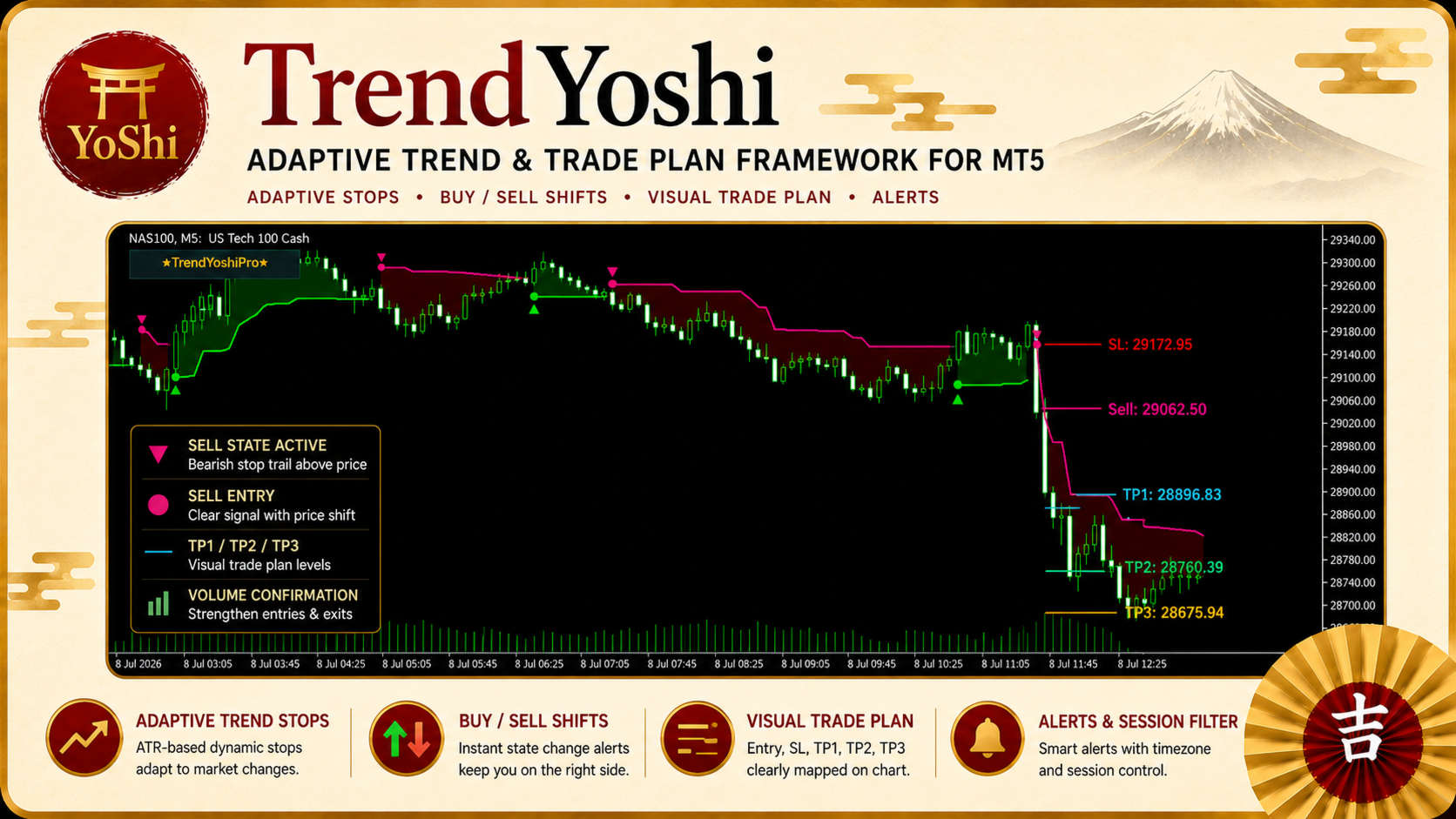
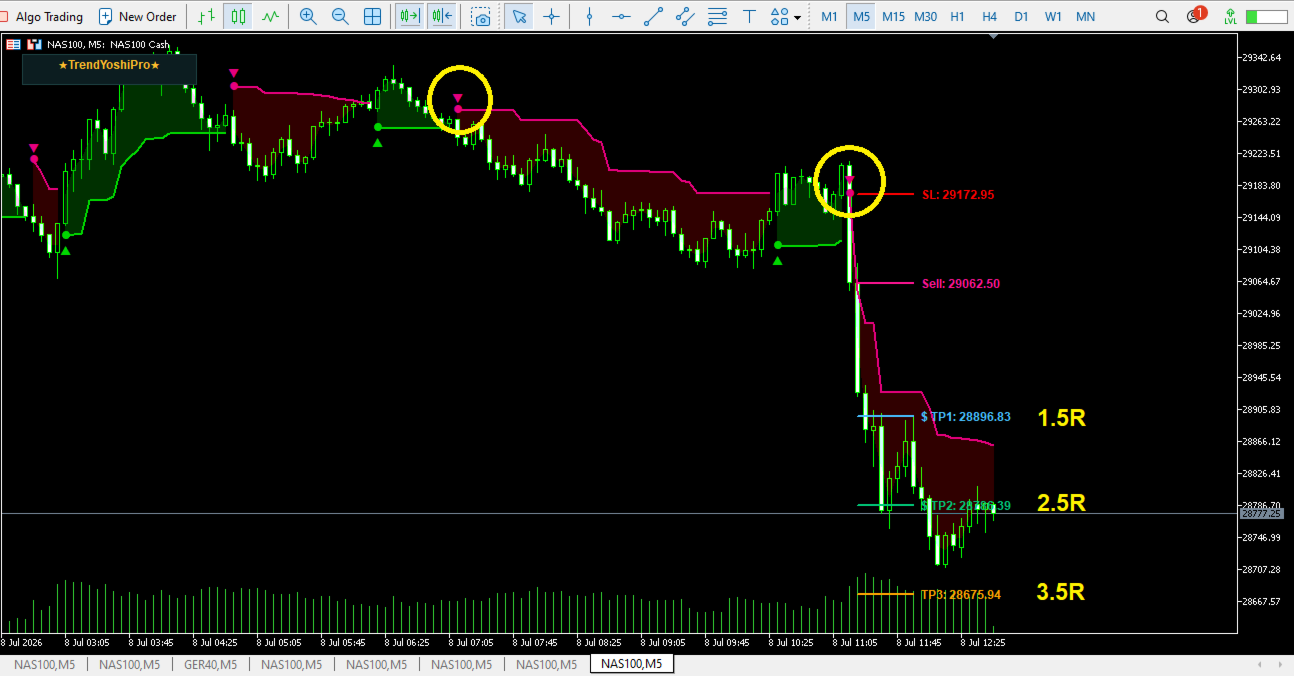
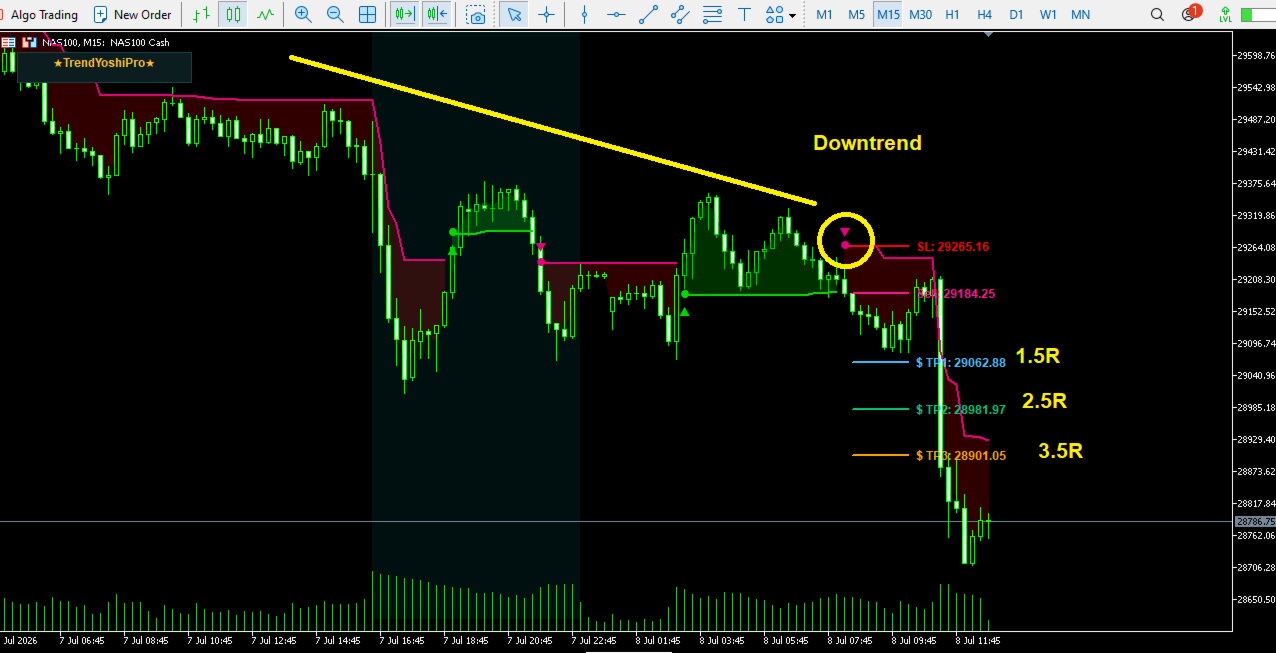
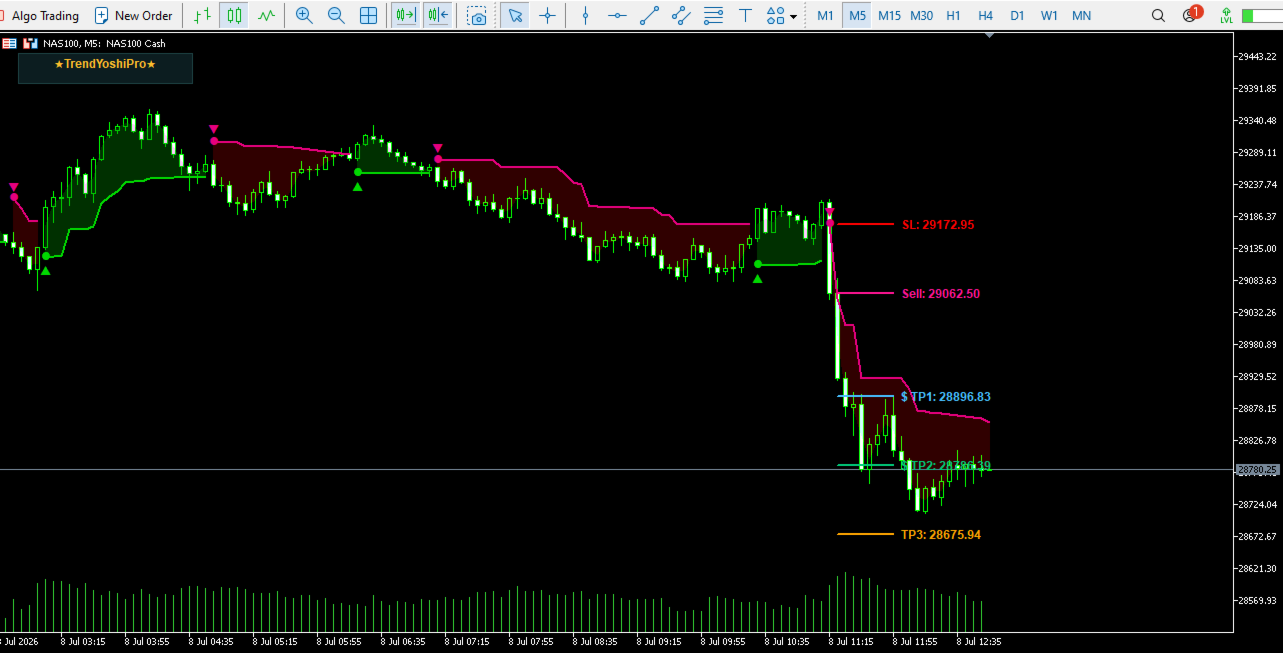
TrendYoshi is a chart-based trend-following indicator for MetaTrader 5. Its core engine uses volatility-adaptive stop levels to follow directional movement and identify transitions between bullish and bearish states. Buy and Sell markers show where the active state changes, while optional chart shading makes the current condition easier to read.
It is an indicator, not an Expert Advisor. It does not open, modify or close positions. Entry, Stop Loss and target levels are visual references for manual analysis and risk review.
Key Features at a Glance
· ATR-based adaptive Long and Short trend stops
· Buy/Sell dots with optional triangle markers at direction changes
· Optional bullish and bearish state highlighting
· Closed-bar Trade Plans using the next bar open as the entry reference
· Two Plan modes: configurable RR targets or exit on the opposite trend signal
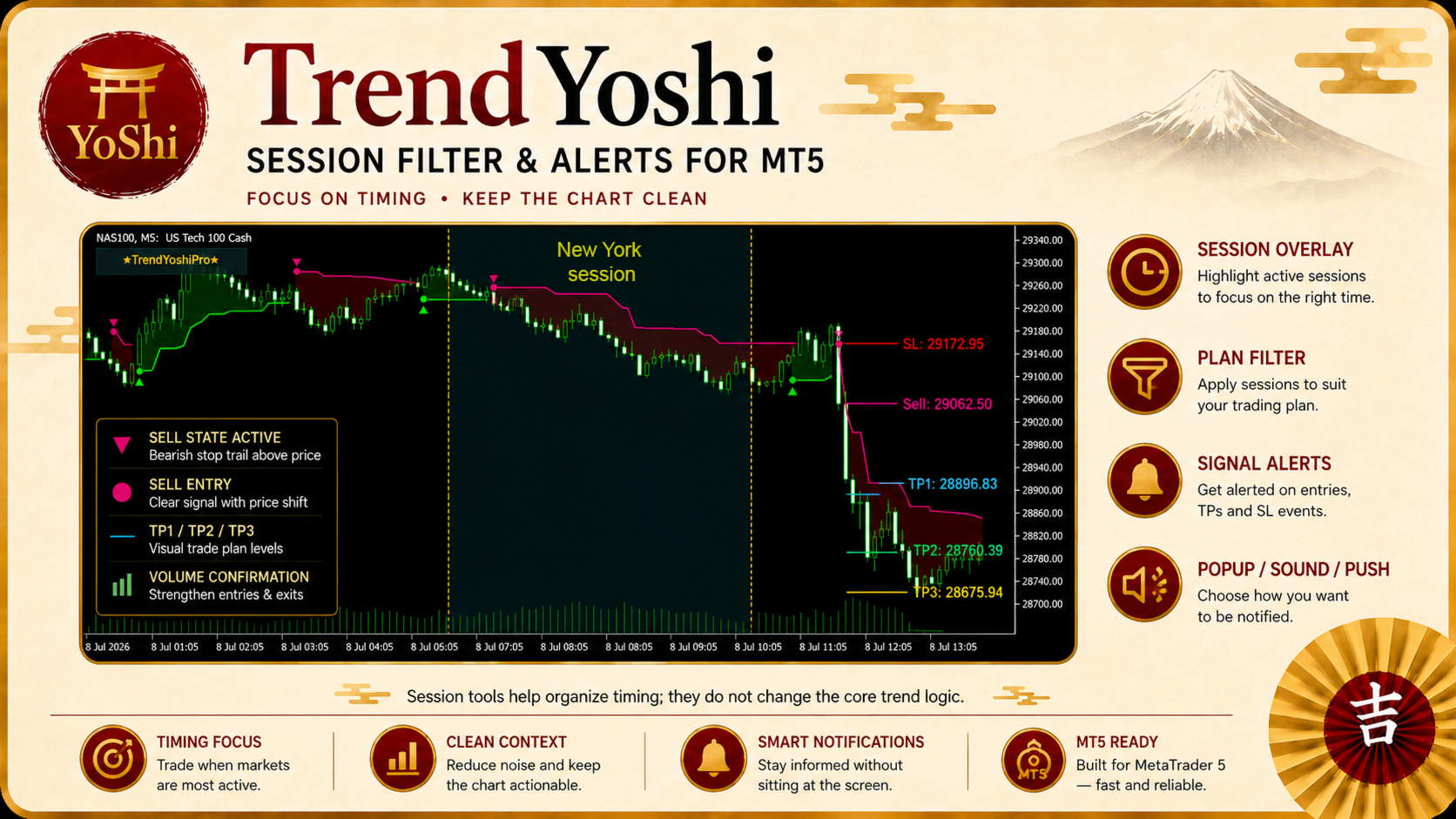
· New York, London, Tokyo and Custom session tools
· Popup, sound and mobile push notification options
· Information panel with optional broker-day setup statistics
How the Trend Framework Works
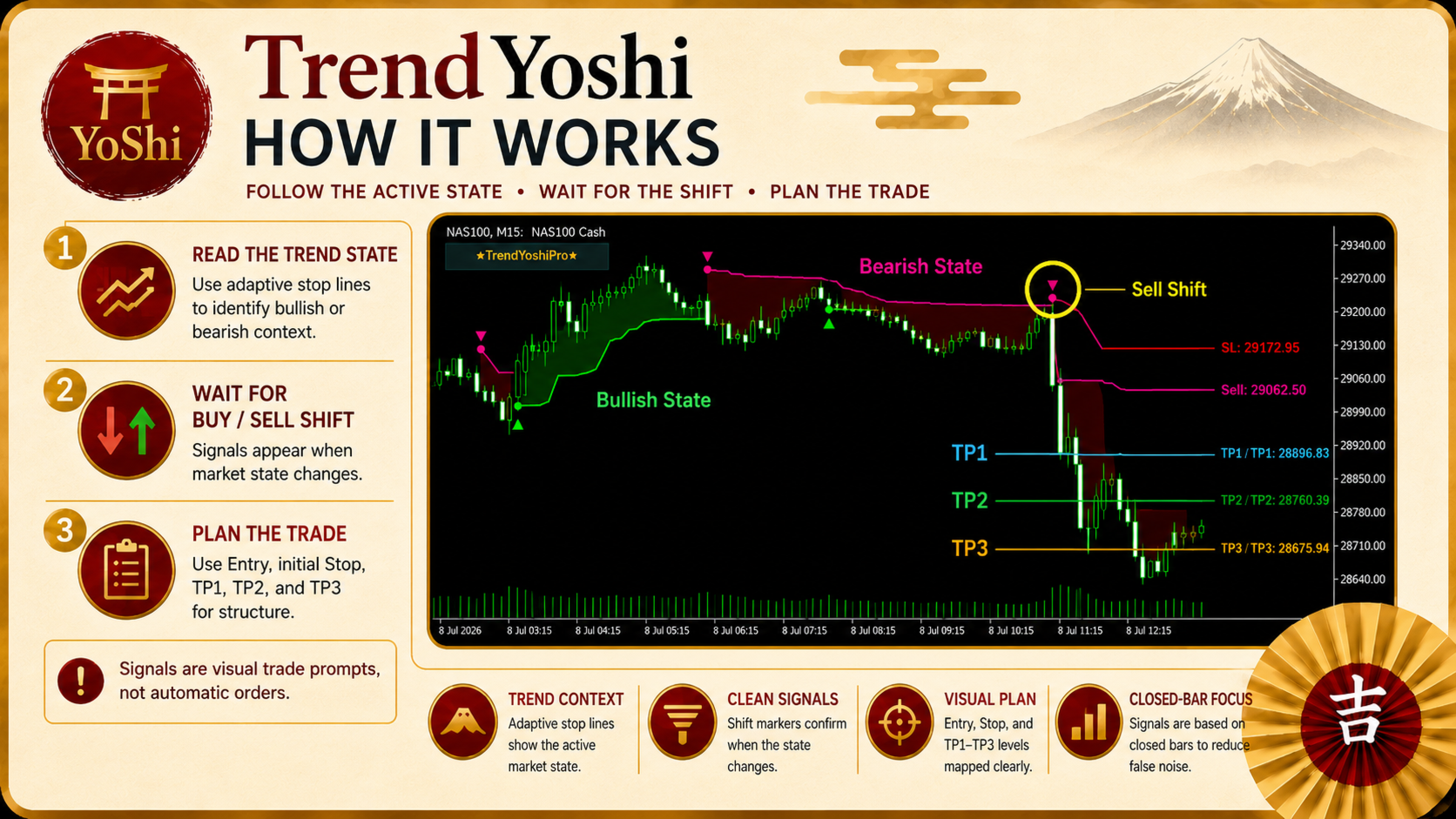
The indicator measures market volatility with Average True Range and combines it with recent price extremes. This creates a Long Stop below price during a bullish state and a Short Stop above price during a bearish state. The active stop moves with the prevailing trend rather than freely reversing with every candle.
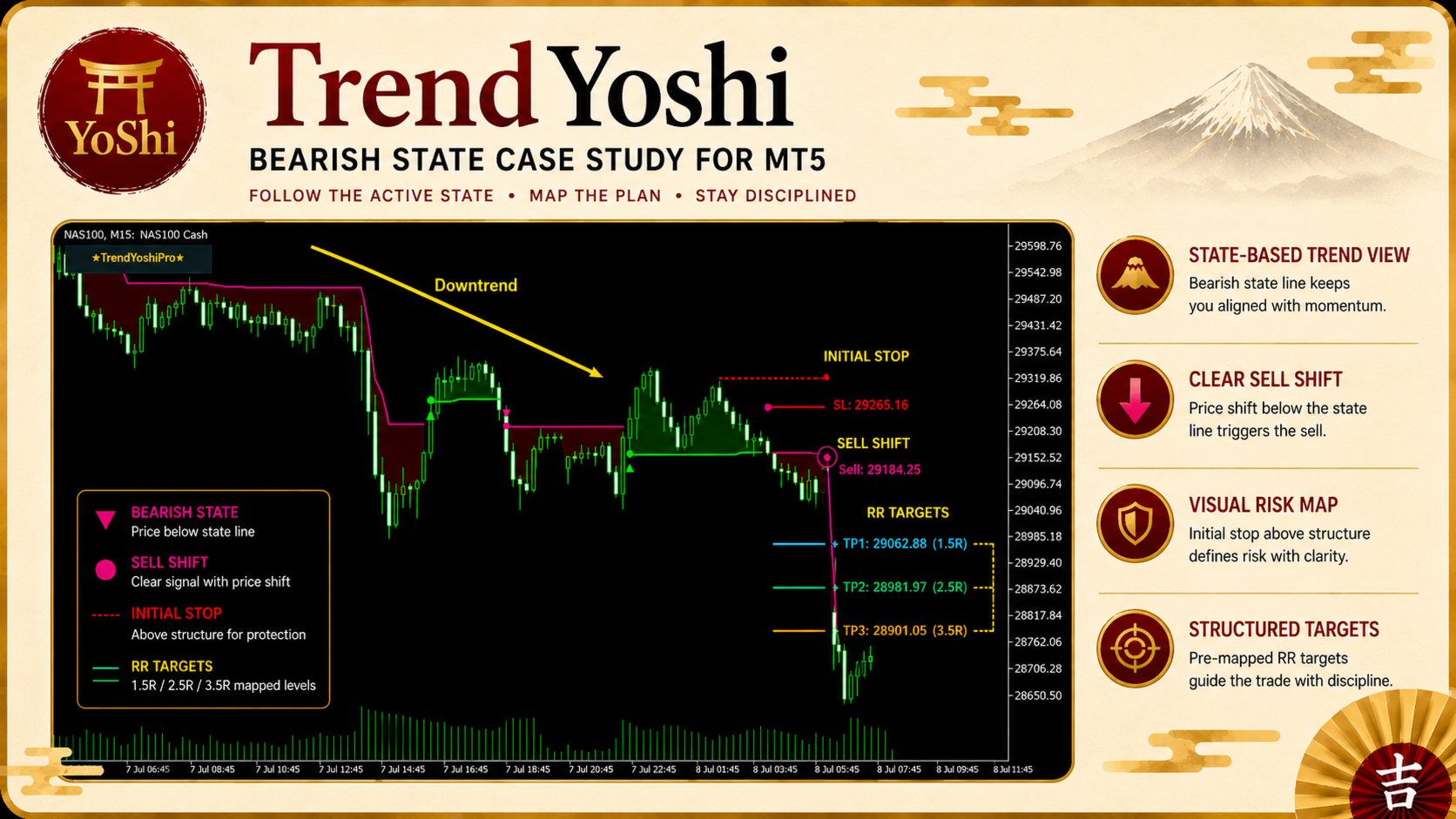
A Buy transition appears when price moves beyond the previous bearish stop and the state turns bullish. A Sell transition appears when price moves below the previous bullish stop and the state turns bearish. ATR settings and the choice of Close or High/Low extremes are adjustable.
As a trend-following method, signals react after price has moved enough to change state. Directional conditions are generally clearer; sideways markets can produce more frequent reversals, so broader structure and risk context still matter.
Structured Trade Plans
When Trade Plan is enabled, the system evaluates the completed signal candle and uses the next bar open as the visual entry reference. The signal candle's trend stop becomes the initial risk reference.
In Yoshi RR Plan mode, up to three configurable targets are projected. Defaults are 1.5R, 2.5R and 3.5R, and each target can be shown or hidden. Only one plan remains active at a time.
TrendYoshi Exit mode displays the initial trend stop for context and keeps the plan active until an opposite trend signal appears. It suits traders who prefer following the directional state instead of fixed targets.
All plan levels are chart references only. They do not place orders or manage an open position.
Session Context and Alerts
The session module displays New York, London, Tokyo or a custom window, with regular or extended hours, weekday controls and a customizable label.
The session filter applies specifically to Trade Plans. When enabled, a plan is accepted only when its signal falls inside the selected session. Raw trend states and Buy/Sell markers remain visible.
Alerts cover Buy/Sell transitions and new Trade Plans through terminal popup, sound, mobile push, or a combination. Signal alerts can wait for bar confirmation.
Practical Workflow
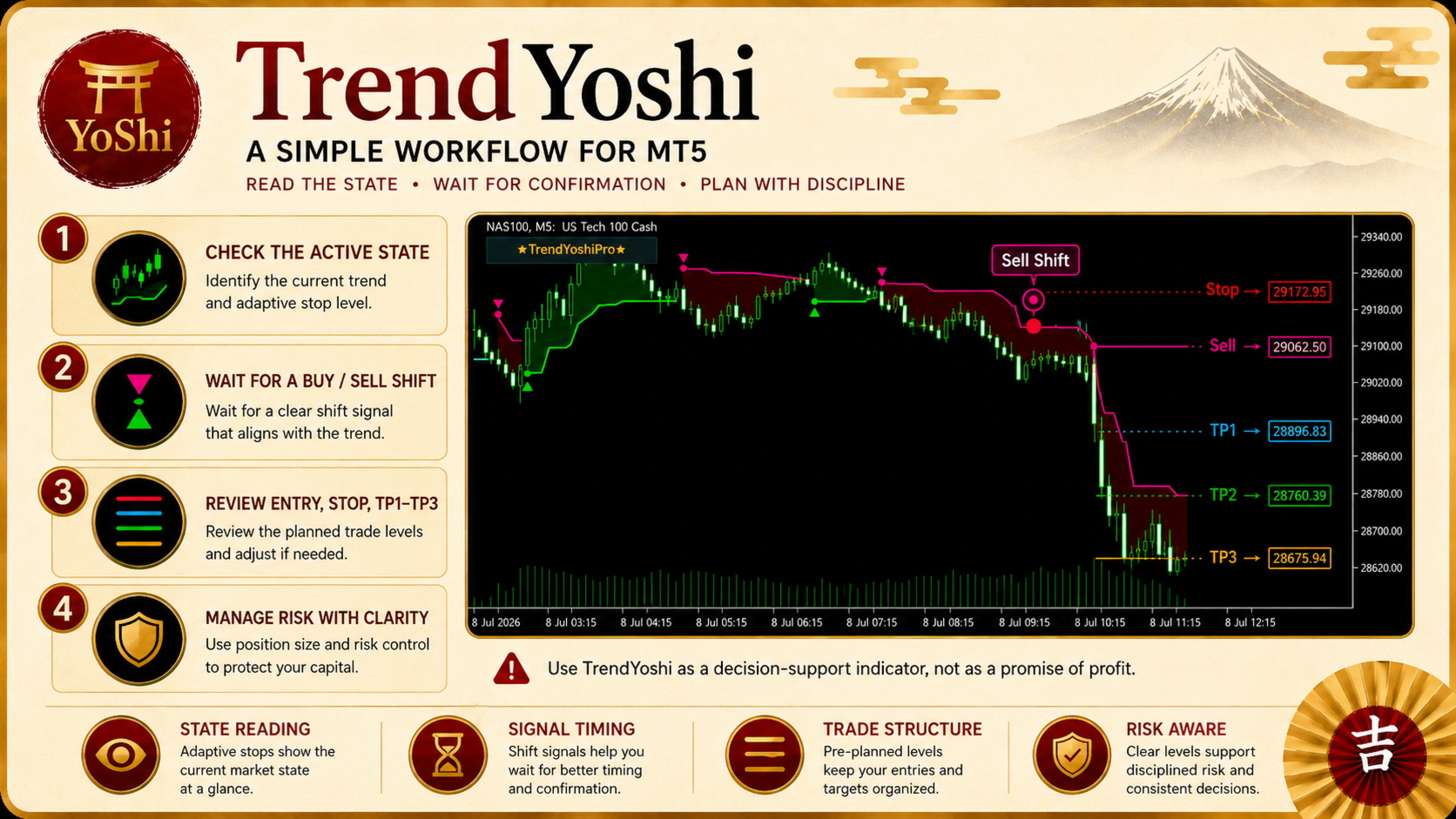
1. Select an ATR period and multiplier appropriate for the symbol and timeframe.
2. Choose the preferred Plan mode and decide whether session filtering is required.
3. Read the active trend stop, state shading and most recent direction change.
4. Review a closed-bar Trade Plan, including entry, initial risk and projected exit levels.
5. Compare the setup with market structure, volatility and personal risk limits before taking any manual action.
Who TrendYoshi Is For
TrendYoshi suits manual traders who want a cleaner trend-following workflow on MetaTrader 5, including visual stop references, reward-to-risk planning, session-based selection and configurable notifications.
It is not designed for automatic execution, exact tops or bottoms, or blind signal following. Behavior varies across symbols, timeframes, broker data and market conditions.
Important Notes
· Live-bar trend markers may change while the current candle is still forming.
· Trade Plans are created from completed signal candles and reference the next bar open.
· The session filter controls Plan eligibility; it does not remove the underlying trend signal.
· Daily panel statistics summarize the indicator's internal setup rules, not account performance.
· Trend-following systems may respond slowly to sudden reversals and can be less effective in ranging markets.
· Test settings on historical data and a demo account before considering live use.
Review the screenshots and test the demo to assess how the product fits your chart-reading and risk-management process.
Risk Disclaimer
Trading Forex, CFDs and other financial instruments involves substantial risk. TrendYoshi is an analytical tool and does not guarantee results or replace personal judgment. Past market behavior does not ensure future performance. Test the indicator carefully and use risk settings appropriate to your experience and financial situation.