RiskPad Pro
- ユーティリティ
- バージョン: 1.0
- アクティベーション: 5

Trade Safe. Stay Funded.
RiskPad is an MT5 order panel that helps you follow your own trading rules — tracking Daily/Total Drawdown, locking new orders after consecutive losses, and warning you before a trade could breach your risk limit. Whether you're taking on a prop firm challenge, protecting funded capital after passing one, or simply trading your own account, RiskPad keeps your risk rules in view and enforces them before emotions take over.
Drawdown Protection
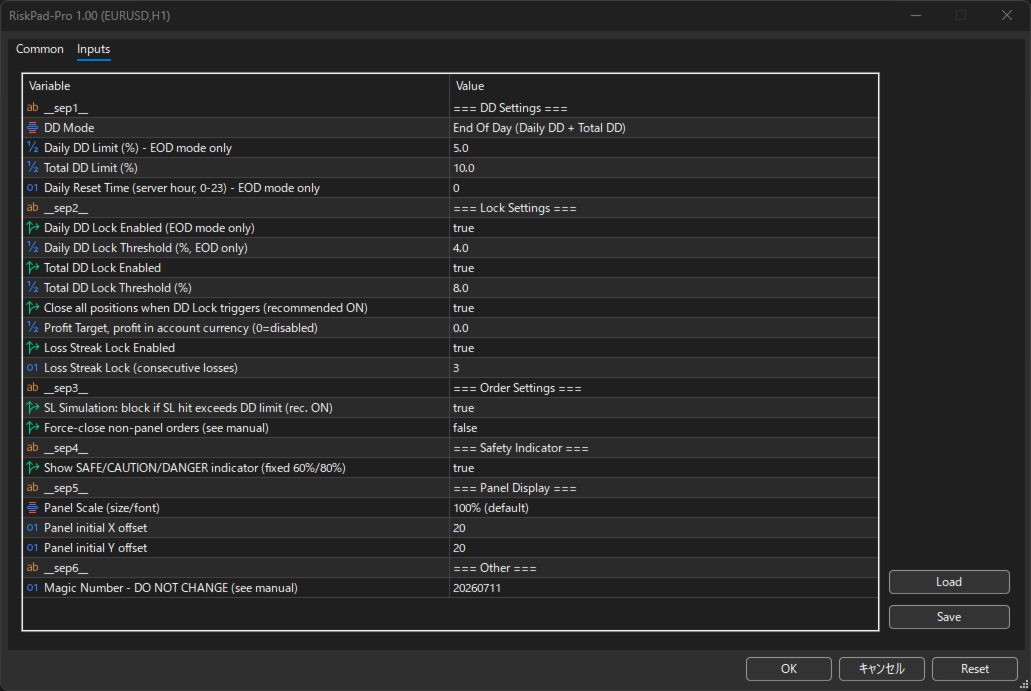
RiskPad tracks both Daily Drawdown and Total Drawdown in real time, based on your current Equity. Set your own limits to match your prop firm's rules (or your personal risk plan) — RiskPad does the rest.
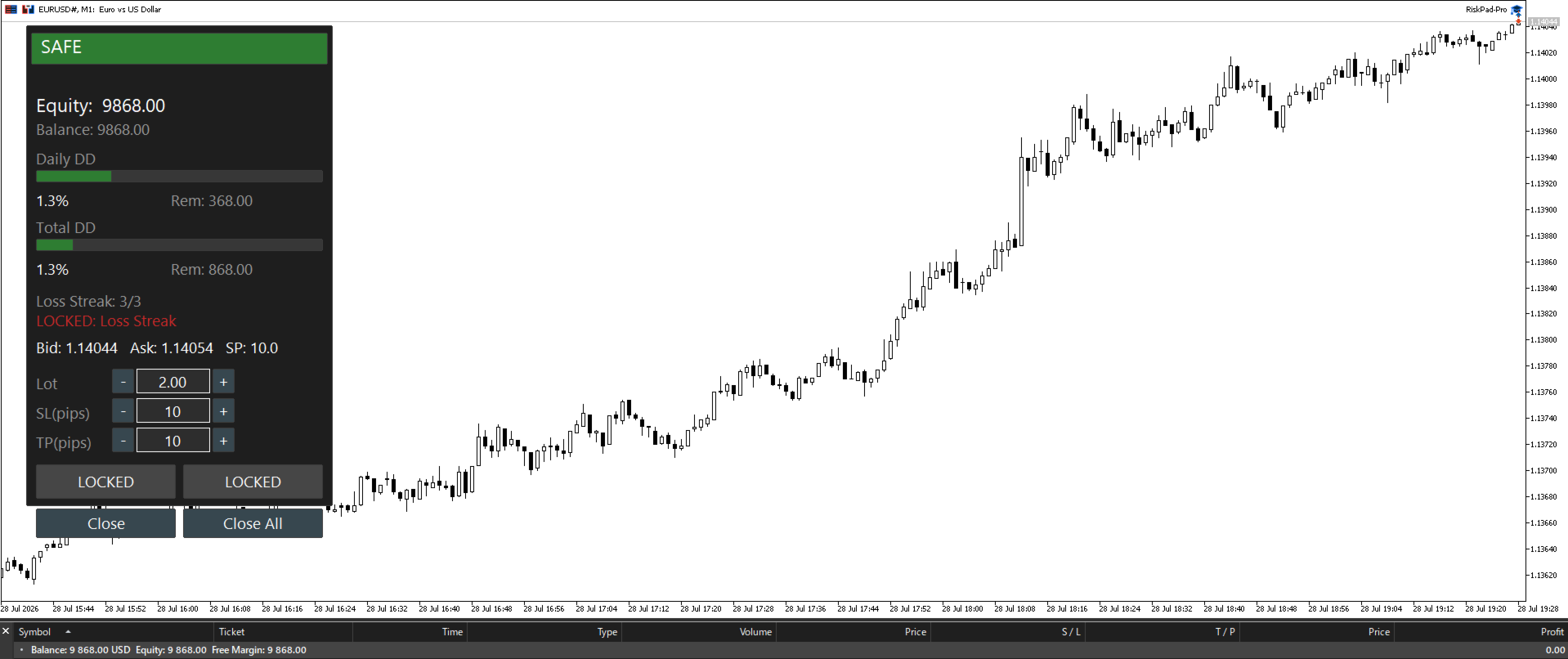
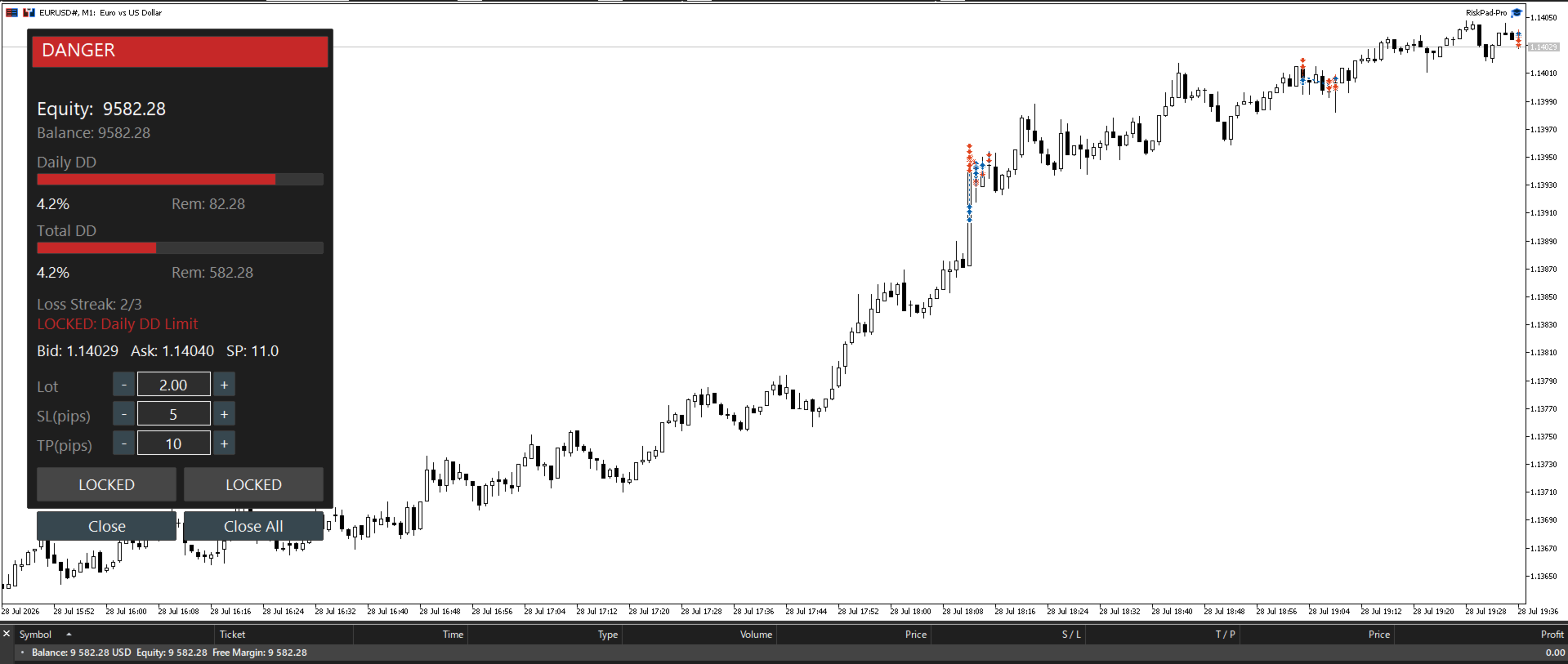
- DD Lock (early warning): Set an independent threshold for Daily and Total DD. When either is reached, RiskPad locks new orders before you get anywhere near your actual limit.
- SL Simulation (last line of defense): Before you place a trade, RiskPad simulates what your Equity would look like if the Stop Loss were hit — and blocks the order if it would breach your DD limit. This check can be switched to warning-only if you prefer.
- Lock reasons are always visible. If more than one condition is triggered, RiskPad shows all of them — no guessing why you're locked.
Loss Streak Lock
Three losses in a row is when discipline usually breaks down. RiskPad counts consecutive losing trades (break-even and partial closes are excluded from the count) and locks new orders once your configured streak limit is hit — resetting automatically at your account's daily rollover.
Profit Target
Set a target profit amount. The moment your Equity reaches it, RiskPad closes all open positions instantly. Useful for enforcing a daily profit goal or a challenge's target — no more "just one more trade" after you've already hit your number.
Safety Indicator
A simple status bar — SAFE / CAUTION / DANGER — gives you an at-a-glance read on how close you are to your Daily or Total DD limit, using whichever is more severe. No need to do the math yourself mid-trade. Can be hidden entirely if you'd rather not see it.
Quick Order Panel
Place market and pending orders directly from the panel:
- Lot, Stop Loss, and Take Profit fields, each with + / – quick-adjust buttons
- SL/TP entered in pips — no manual price calculation
- Your last-used Lot/SL/TP values are remembered automatically between sessions
Foreign Order Watcher
If a position is opened outside RiskPad on the same chart, RiskPad can automatically close it and warn you — helpful for staying disciplined about the only way you trade. This can be switched off if your prop firm enforces a minimum holding time.
Live Account Info
Equity and Balance are both shown on the panel at all times, alongside live Bid / Ask / Spread for the current symbol — so the numbers that matter are always in view, without switching windows.
Important to Know Before You Buy
- Foreign Order Watcher detects and closes orders placed outside the panel — it cannot prevent them from opening (a limitation of MT5 itself).
- Total DD Lock does not always release automatically the next day, since Total DD is measured against your account's original balance. If you ever need to release it — or prefer to rely on the visual DD display and make your own judgment calls — you can turn off Total DD Lock Enabled at any time. Full details are in the guide linked below.
- Settings do not sync automatically across charts — save your configuration with MT5's built-in .set file feature so you're never trading on default limits by accident.
- RiskPad's protections are active only while MT5 is running with the chart open. Your broker-side Stop Loss / Take Profit orders remain active independently, even if MT5 is closed.
- RiskPad requires "Algo Trading" to be enabled in MT5 to place orders — this is a standard MT5 setting, covered in the install guide.
- One panel per chart, by design — for multiple symbols, attach RiskPad to multiple charts.
- Panel position is fixed at setup (drag-to-move is not supported in this version).