
TradeSyncLive
- ユーティリティ
- バージョン: 1.0

TradeSyncLive - For MT5 Trade Analytics Dashboard
Automatically sync your MT5 trades to a web-based dashboard with real-time analytics and EA performance tracking. This app was made with AI assistance, it's not professional, don't expect something amazing, this is just a weekend project.
Setup
- Attach TradeSyncLive EA to any chart (one chart for each account you want to analyze)
- Set your Username in the EA inputs (pick whatever username, this is your login for the web app)
- Add the Supabase URL to: Tools -> Option -> Expert Advisors -> Allow WebRequest. The URL is : https://tvlfhoxgrzzzpkpihpcl.supabase.co
- Write a comment in the EA comment section here on MQL5 so I can activate your account on Supabase and mark it as done.
- Once your account is active, open the web app and login with the same username. App URL : https://mt5dashboard.vercel.app
- If your account is cent, you can click the small "c" icon next to the account to make it as cent account.
- Done
Remark : Since I'm using free Supabase, it's not possible to upload too much data, therefore Demo accounts are not allowed. Also, once I reach the limit in the database, I will stop accepting new users (sorry but I'm not going to pay for Supabase)
Web App features
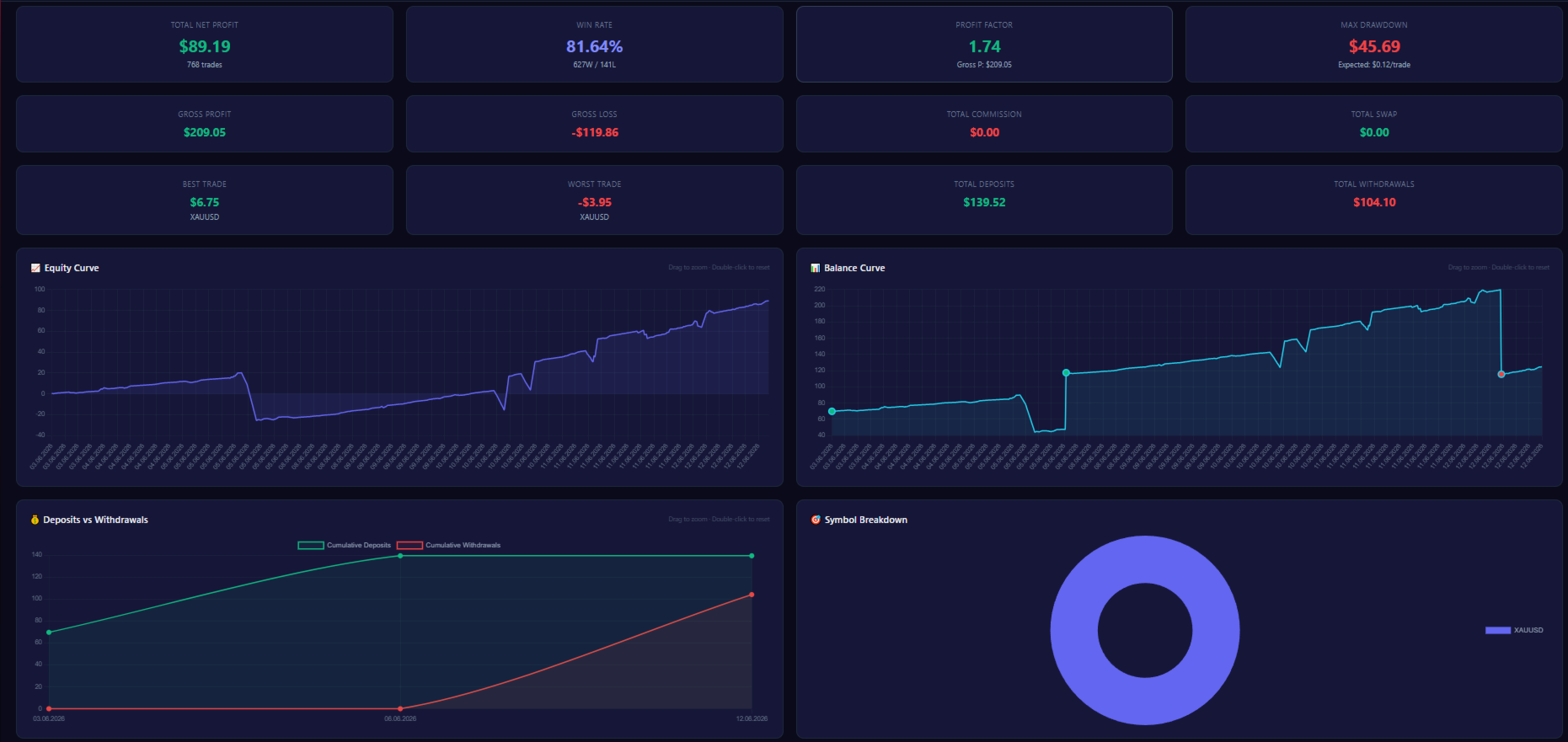
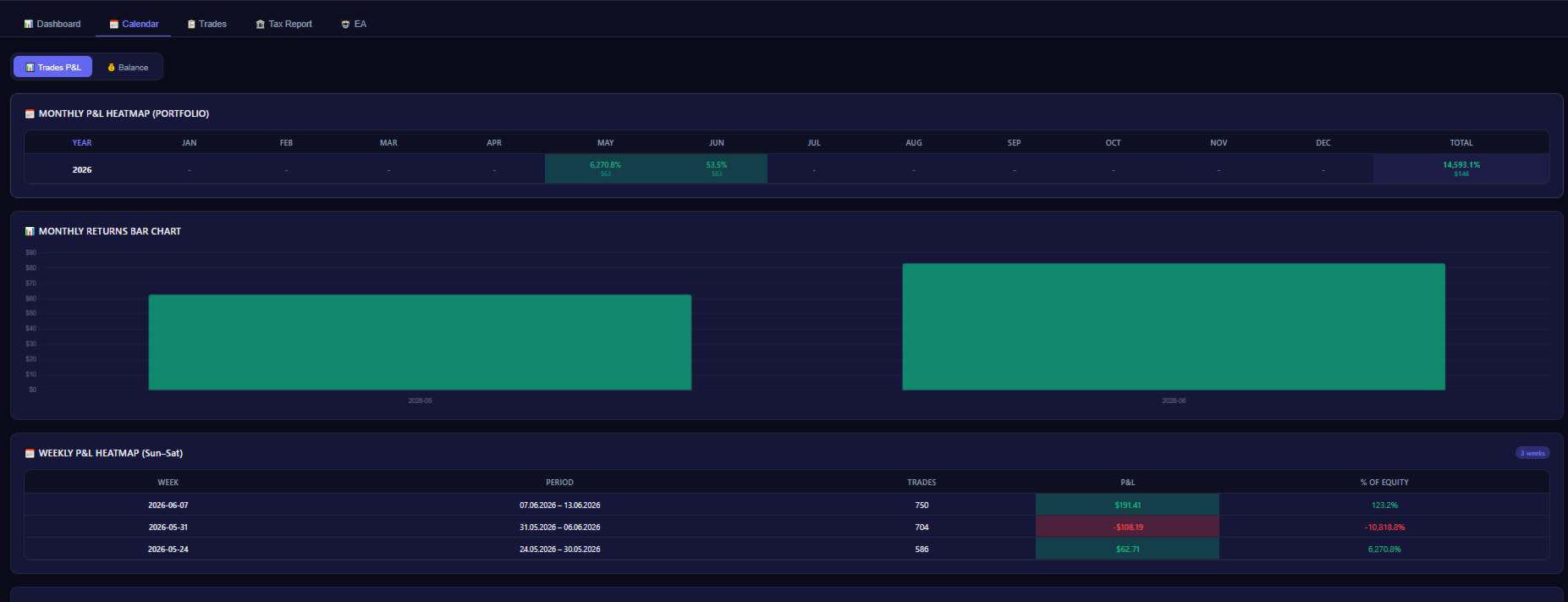
- Accounts Performance : P/L by day/week/month/year
- Balance Goals : Set targets per account with progress bars
- Multi-Account support : View all accounts combined or individually
- Monthly heatmap
- Daily returns
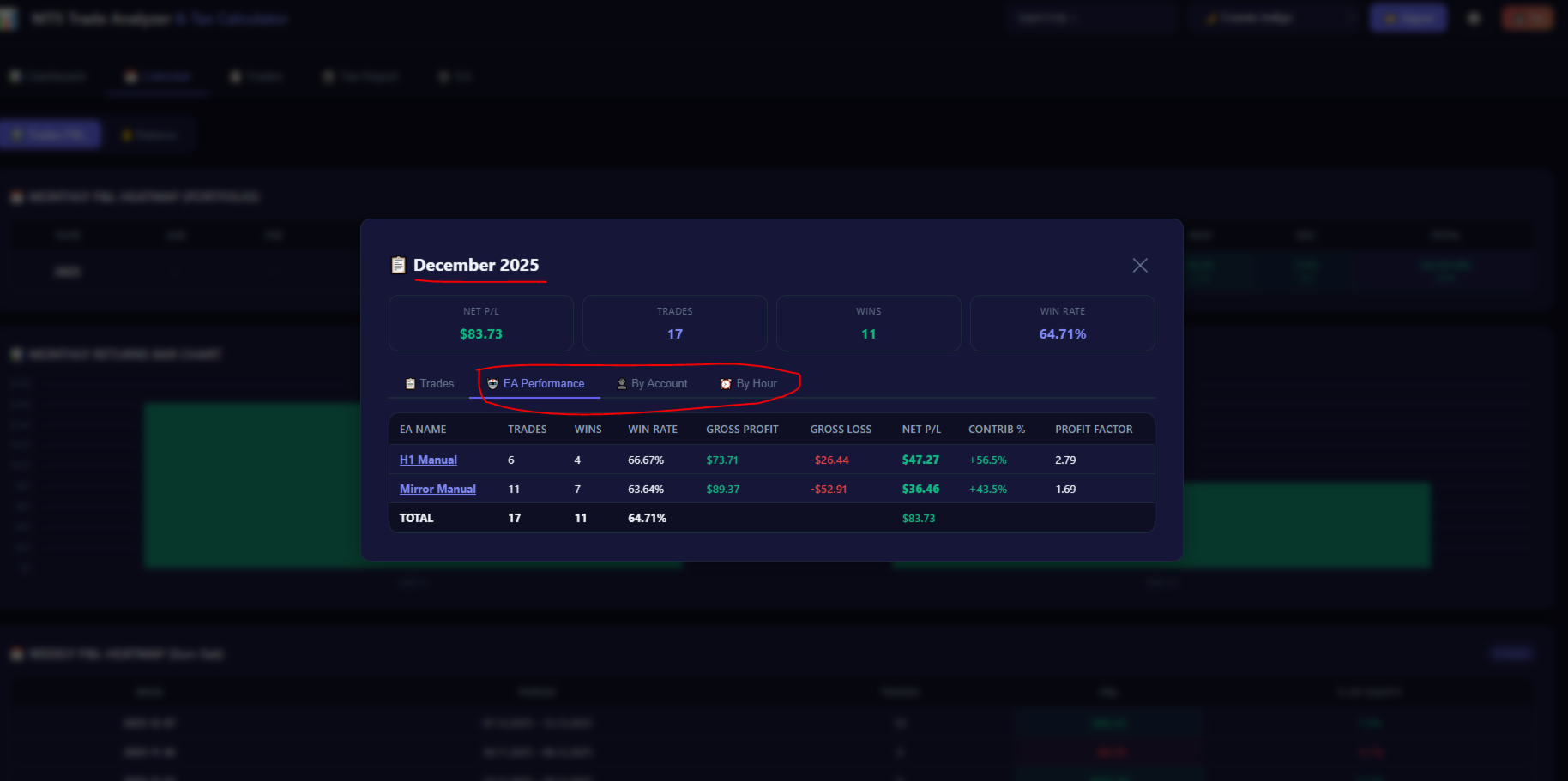
- Click any day/week/month : detailed breakdown by EA, account and hour
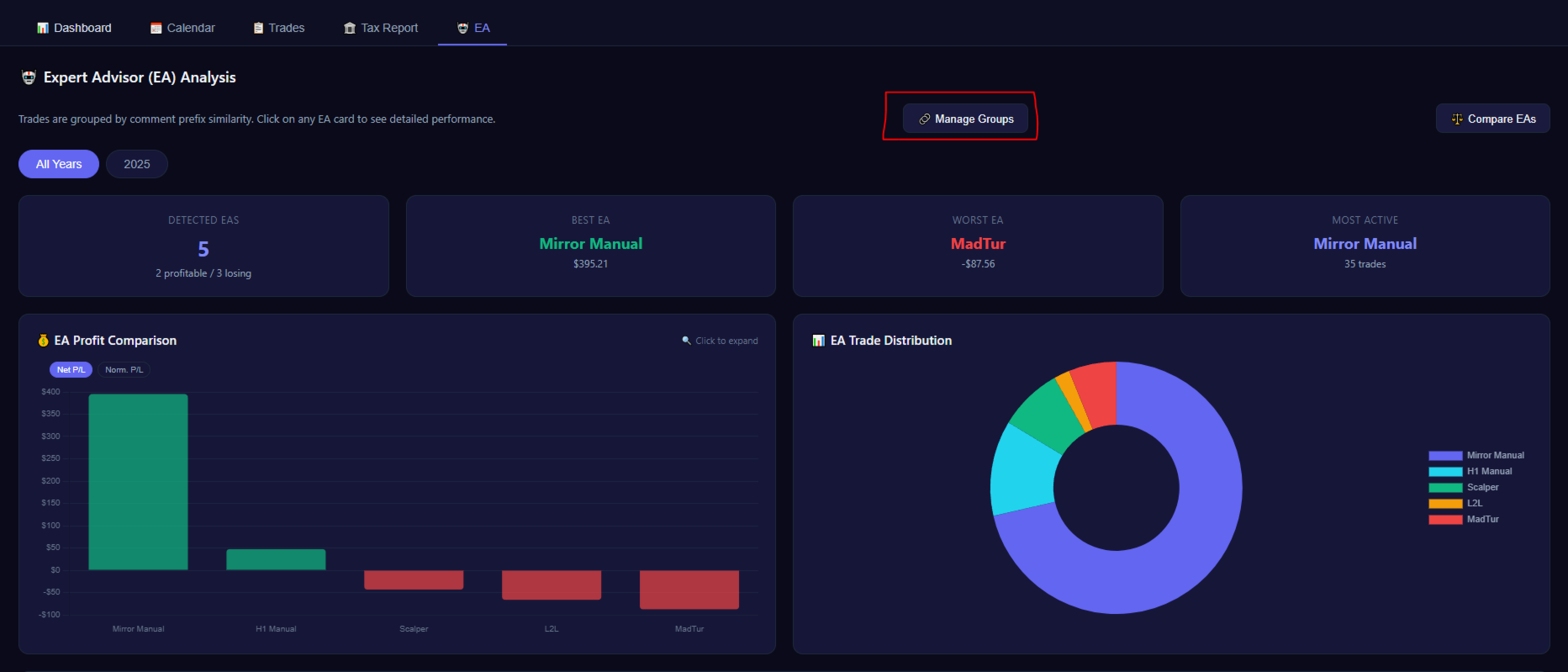
- Compare EAs (this is a random function that AI created ;) )
- Normalized P/L : Fair comparision across lot sizes
- EA cards : details for each EA
- Tax calculator : only for Germany
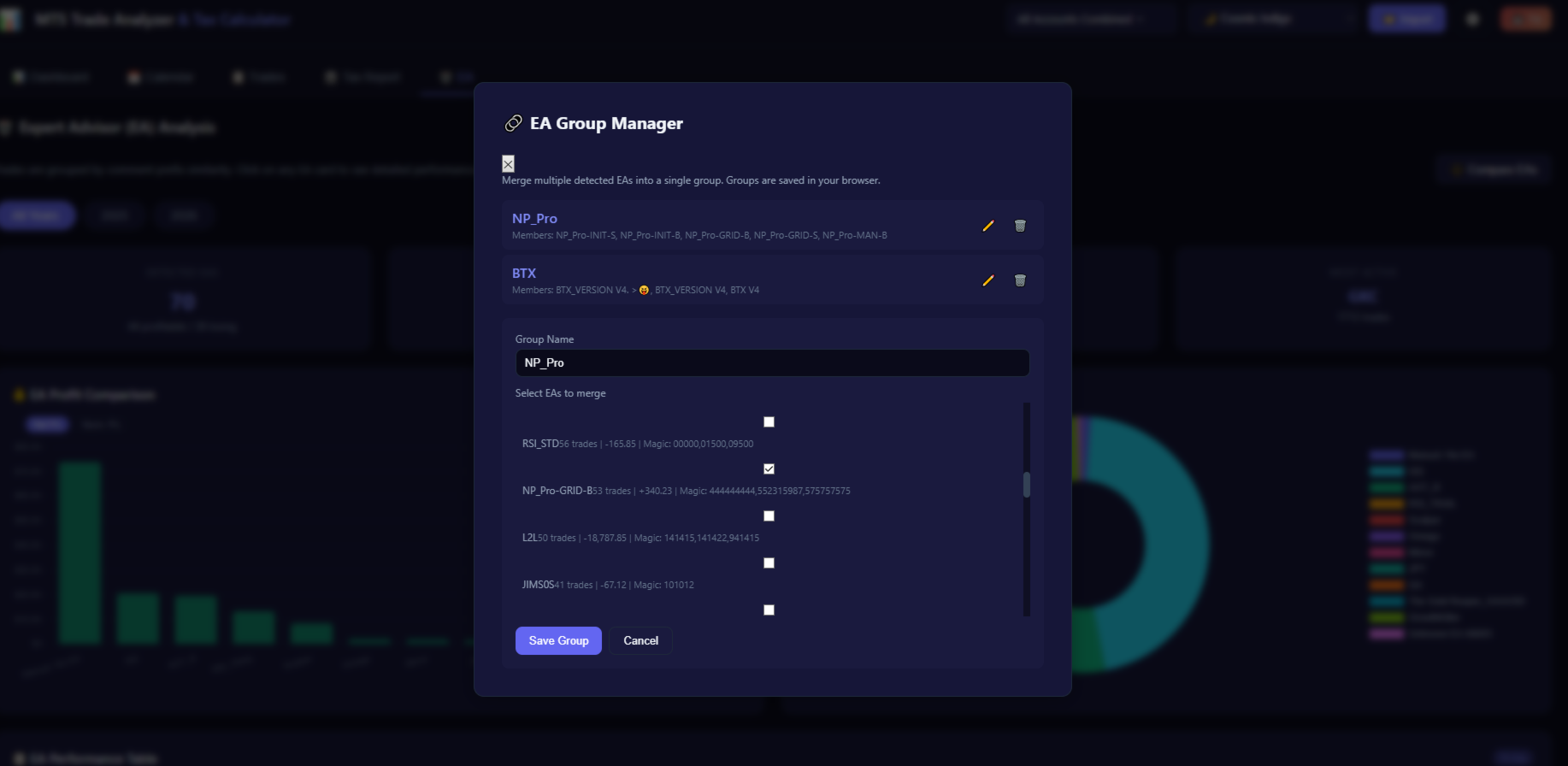
- EA grouping : Merge multiple detected EAs into one, give it a name and create the groups.











































Nice and compact!