Horizontal Ray Tool for MT5
- インディケータ
- バージョン: 2.5

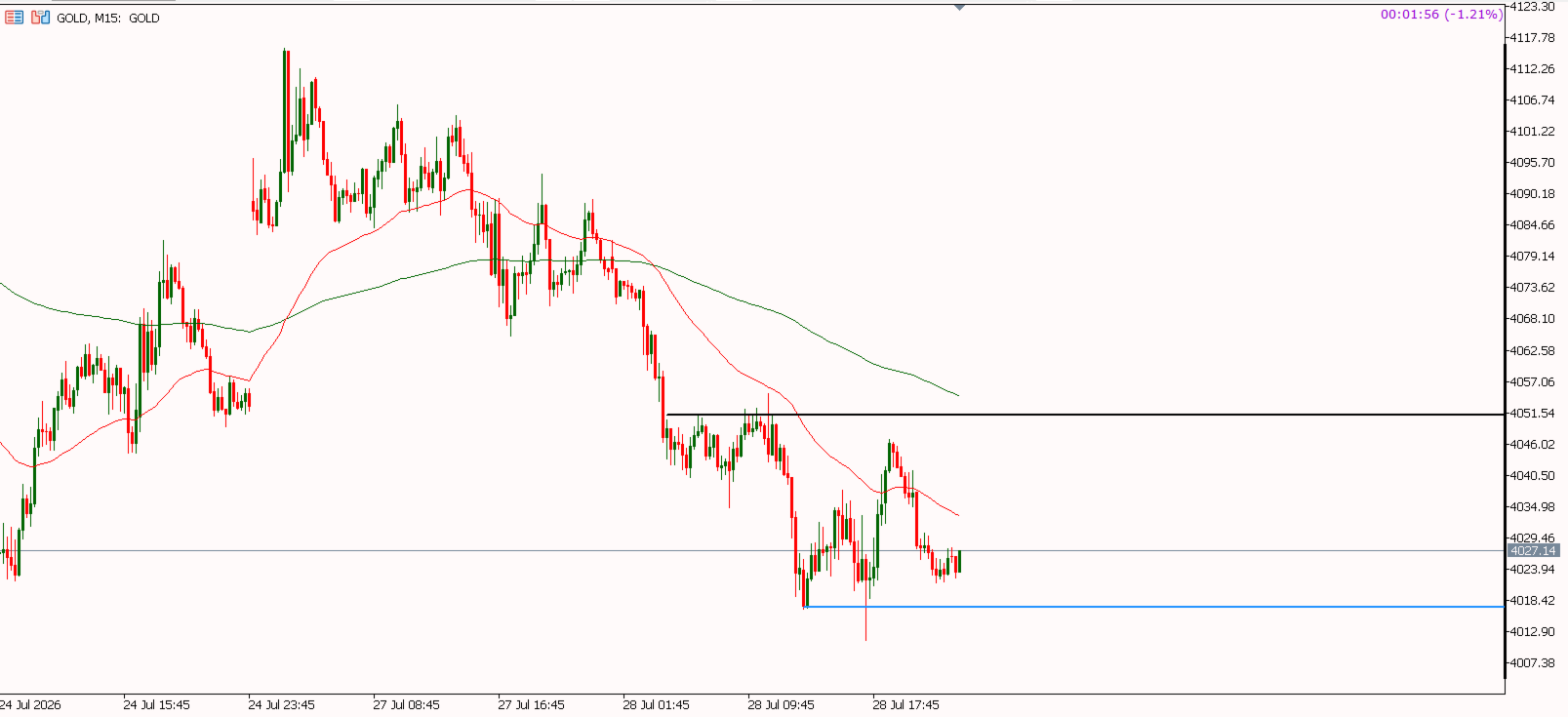
The Horizontal Ray Tool is a lightweight, professional charting utility designed to streamline support and resistance mapping on MetaTrader 5. It brings rapid, one-click horizontal level placement directly to your live chart, eliminating the workspace clutter associated with infinite horizontal lines or manually drawn trendlines.
Key Features:
- Interactive On-Screen Button: Spawns a clean, responsive "DRAW RAY" button docked directly on your chart canvas. A single click drops an independent horizontal level immediately.
- Infinite Independent Levels: Every ray generated uses a high-precision microsecond timestamp name, ensuring you can map endless key levels on a single asset without ever overwriting or deleting previous lines.
- Dynamic Price-Tag Tracking: This utility displays the exact price level right next to the line. If you click and drag a ray to a new position, the text label updates instantly upon release to reflect its new coordinates.
- Universal Multi-Timeframe Visibility: Hardcoded with absolute structural layout properties, all lines automatically adapt to remain visible when you switch between Minute, Hourly, Daily, or Weekly chart periods.
- Clean Right-Extension Layout: Project lines infinitely to the right side of the chart into future price action, leaving your historical chart data completely clean, organized, and un-cluttered.
- Fully Customizable Inputs: Traders can configure default parameters including custom line colors, line styles (solid, dashed, dotted), and custom line thicknesses to fit any charting layout template.
- How to Use:
- Attach the indicator to any live chart.
- Click the crimson "DRAW RAY" button in the upper-left area of your screen.
- Select and drag the line to your desired support or resistance level.
- Double-click any line to customize or remove it manually as needed.