TikiPip EA
- エキスパート
- バージョン: 1.30
- アクティベーション: 10

TikiPip EA – Total stability with controlled risk management
I developed TikiPip EA with traders in mind who value stability and responsible capital management. It doesn't seek to promise magical results, but rather to offer stable monthly returns, while maintaining control over capital.
It's a robust tool that operates 24/5, with adaptive intelligence based on volatility, allowing it to adapt to all types of markets.
Visit the TikiPip EA Channel here: TIKIPIP EA - CHANNEL
You can check results here: PERFORMANCE - TIKIPIP EA
Price
The price increases by $100 every time 10 units are sold.
Final price: $1,899
3-month rental: $499
For more advanced traders, I recommend running the EA in the visual tester and observing how it responds when a trade moves against you during a high-volume candle (such as during news events or periods of high volatility).
Despite having a predefined distance between trades, the EA features an intelligent adaptation system that can decide not to use that immediate distance and wait for the right moment to place subsequent orders, thus protecting your entry logic and capital.
Optimized for consistent results
The TikiPip EA is specifically designed and optimized for the EURUSD pair on the H1 timeframe, where it can accurately take advantage of market movements without overtrading.
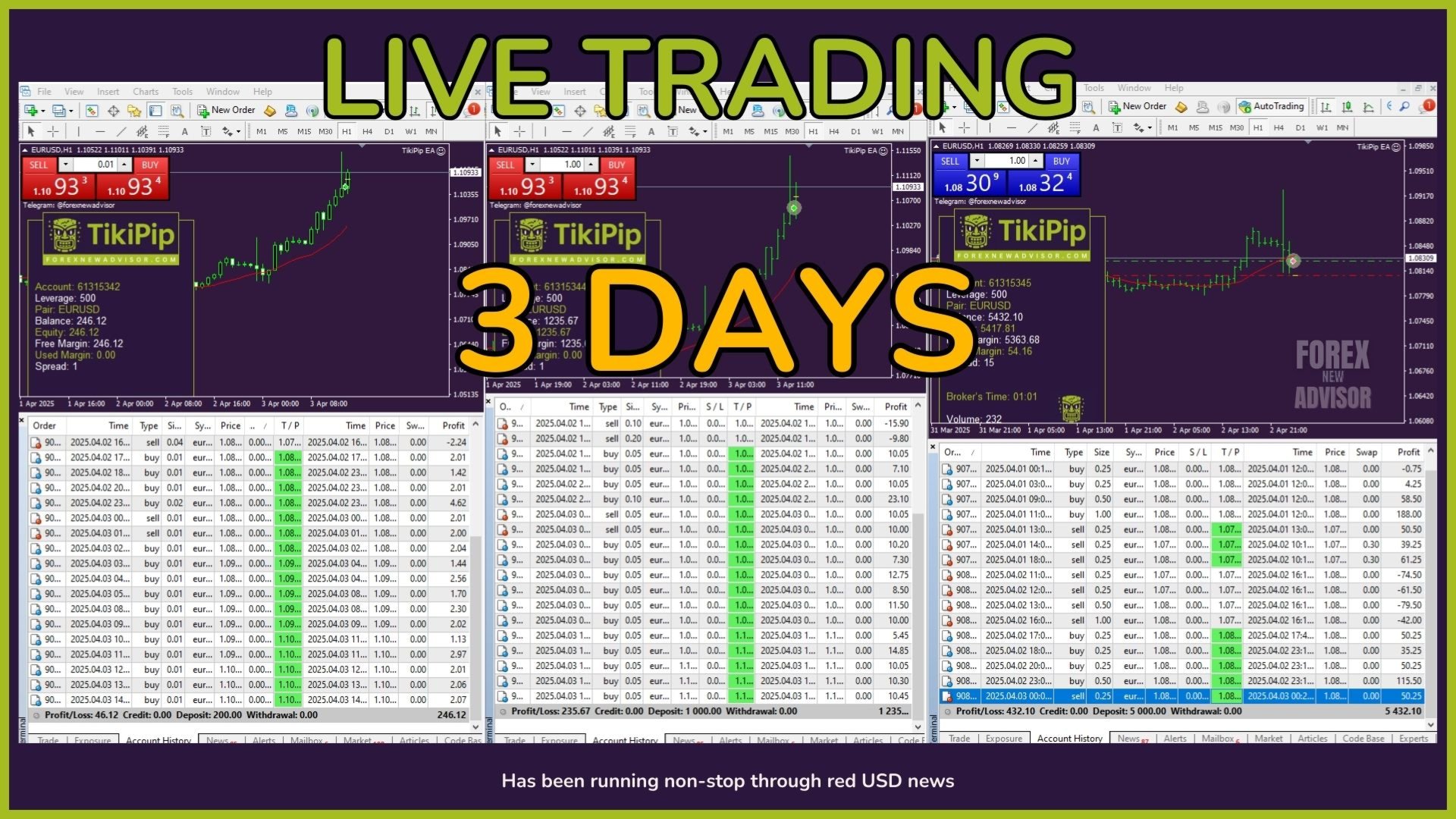
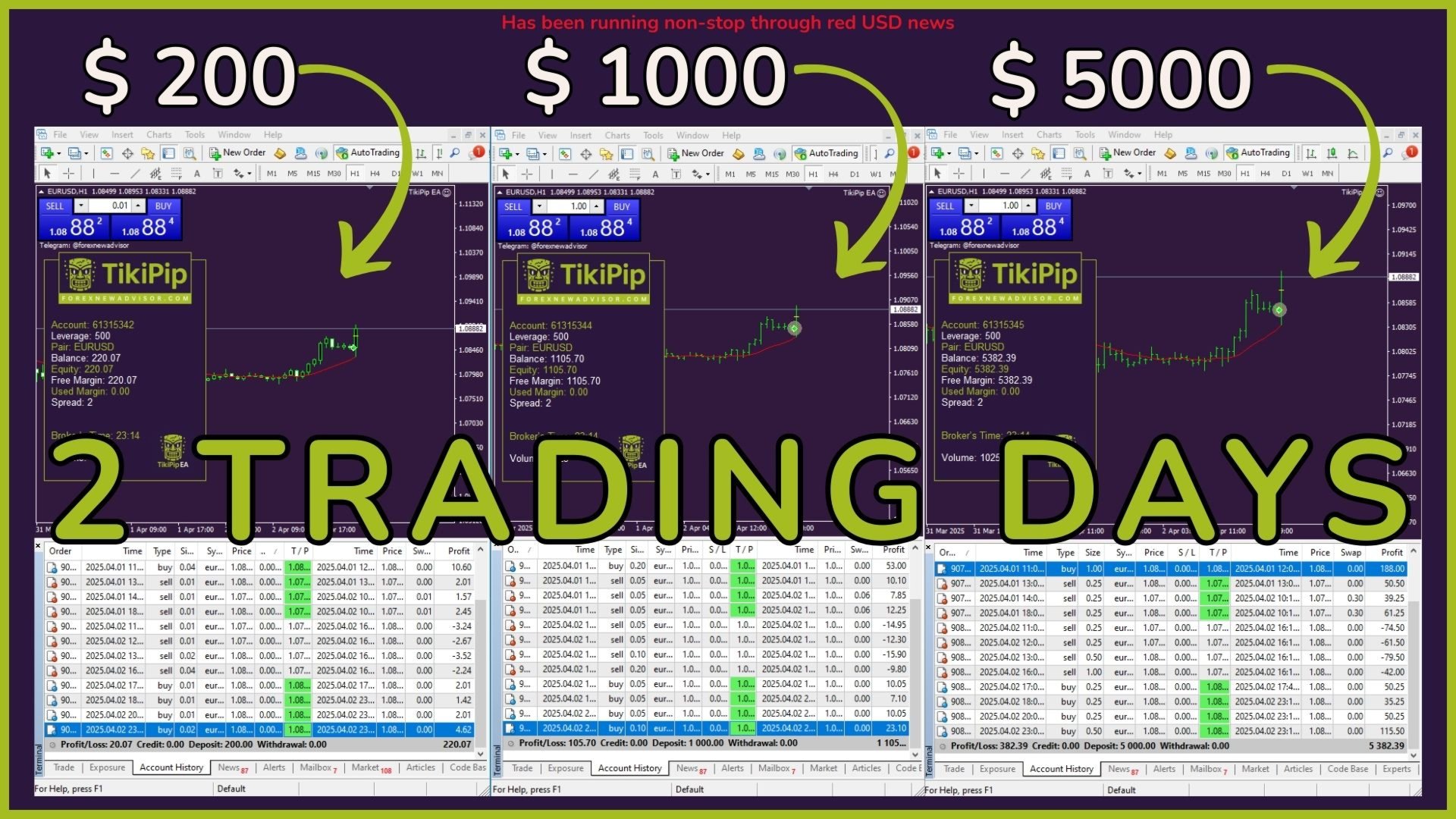
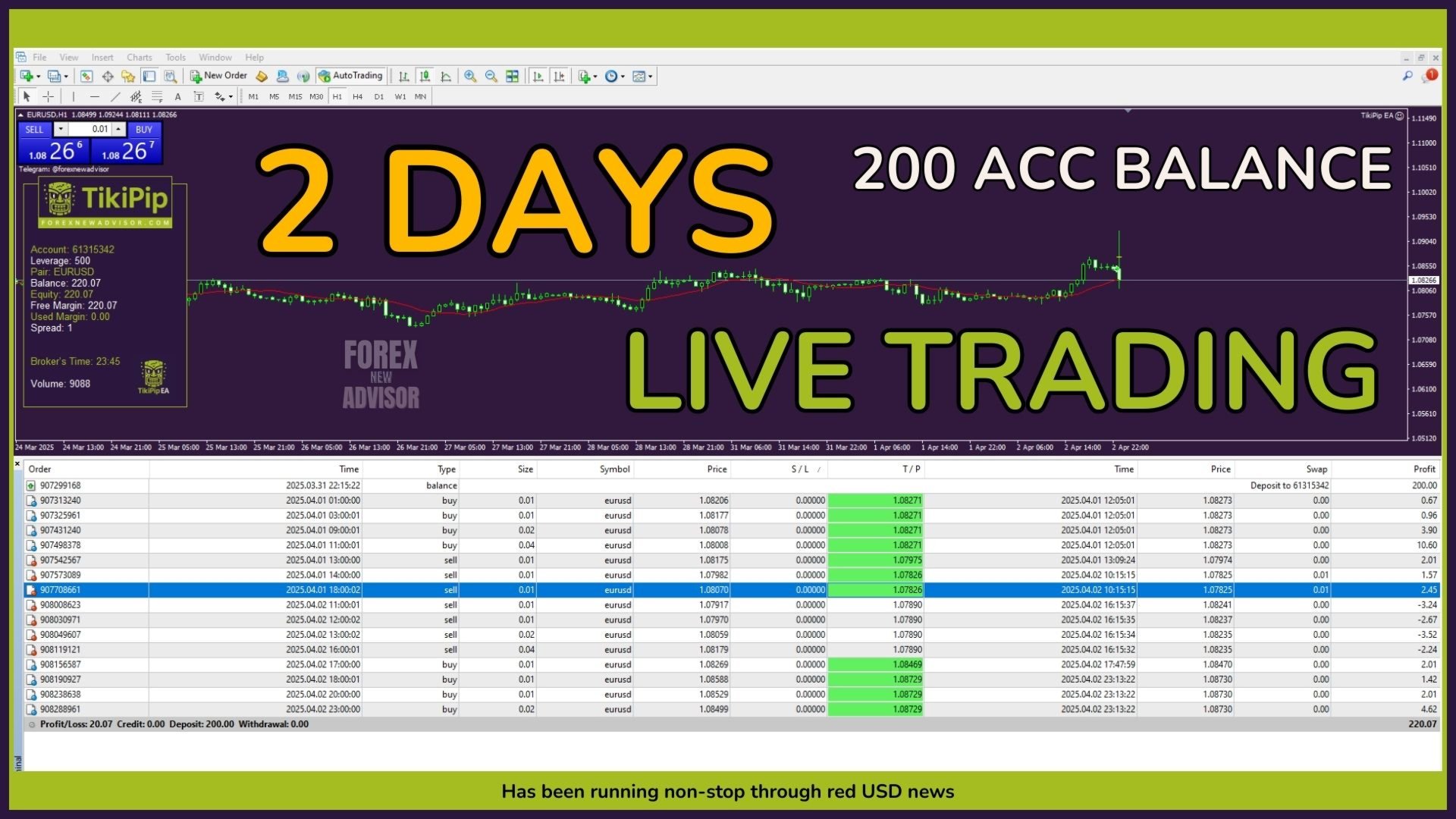
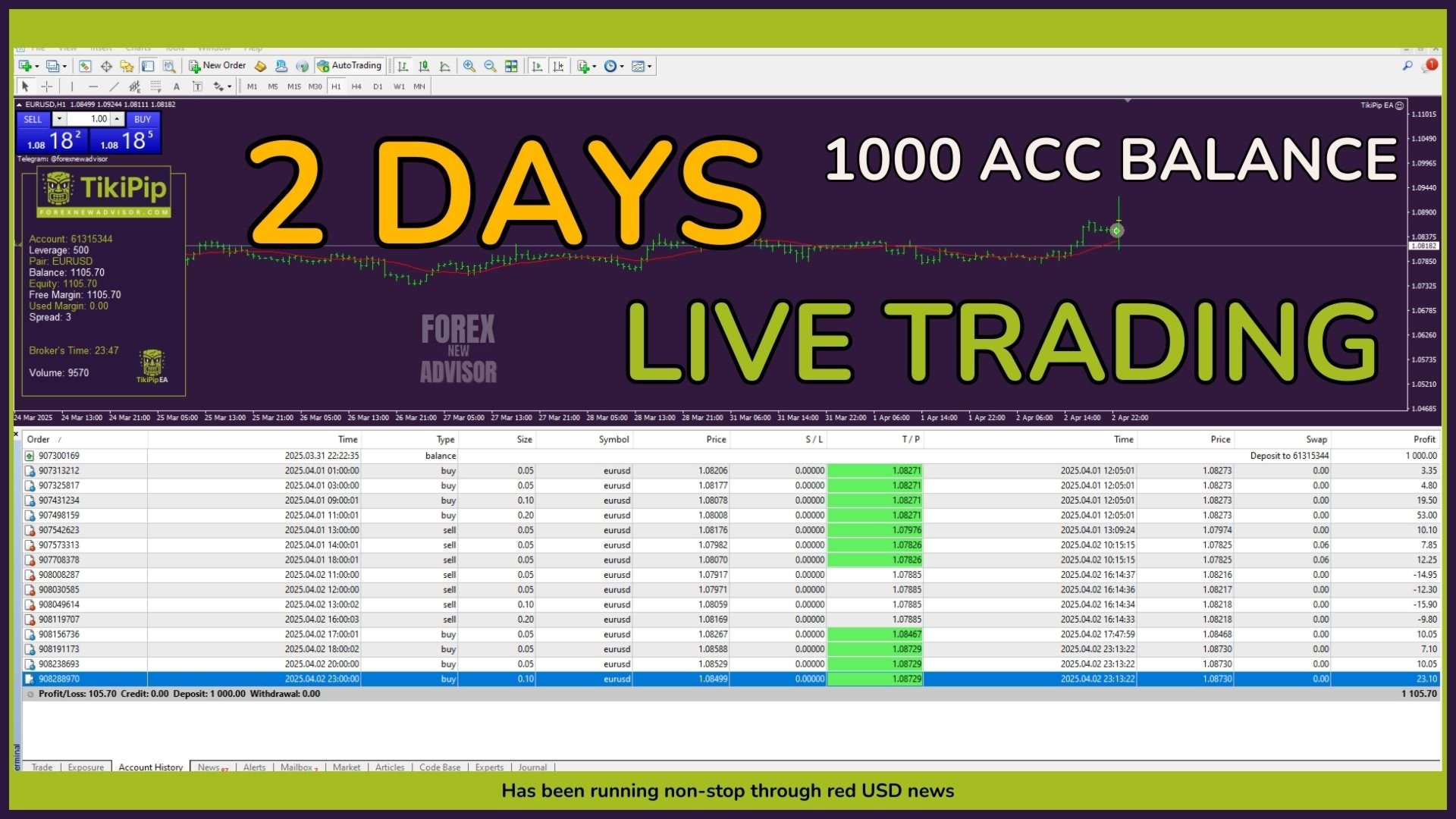
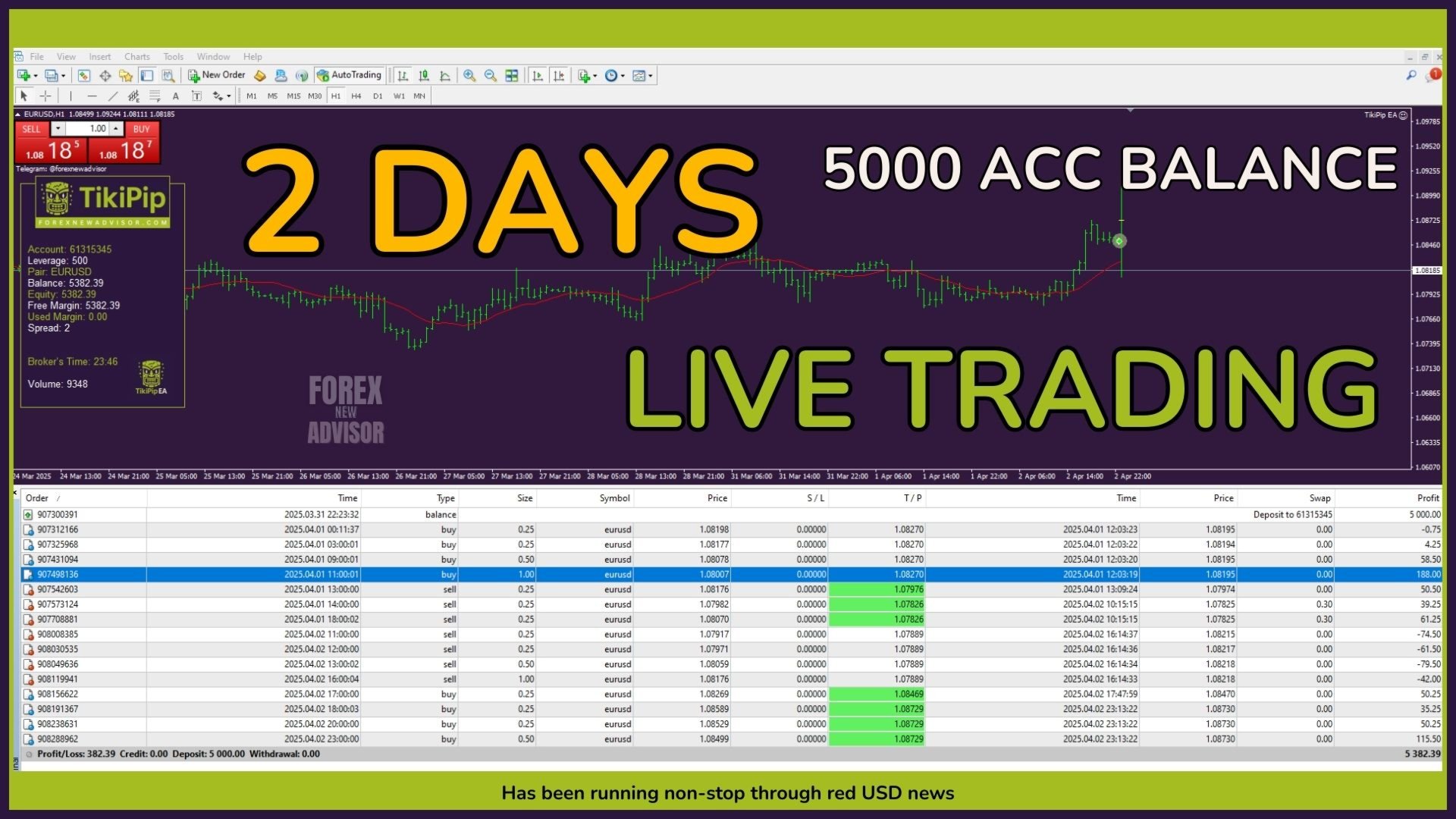
Its logic is designed to work especially well on small accounts, from $200 to $5,000, although it can easily scale to larger capitals. If you need to adapt it to larger amounts, you can write to me directly and I will explain how to configure it safely.
Plus, it operates with low drawdown, even in volatile market conditions, thanks to strict risk management that limits the total risk per trading cycle without compromising system stability.
Want to see how it works?
I recommend watching the explanatory video, where you'll find more details about how the EA works.
You can also follow daily statistics, MyFxBook, updates, and news from the official channel.
You'll also find the demo version there, so you can freely try out the TikiPip EA before making a decision.
Recommended Lot Settings
The TikiPip EA uses a fixed lot system, based on the available capital in the account.
This is the only parameter you'll need to manually modify, and the suggested ratio is 0.01 lots per $200 balance.
Practical examples:
➤ $200 → 0.01 lots
➤ $400 → 0.02 lots
➤ $600 → 0.03 lots
➤ $800 → 0.04 lots
➤ $1000 → 0.05 lots
➤ $2000 → 0.10 lots
➤ $3000 → 0.15 lots
➤ $4000 → 0.20 lots
➤ $5000 → 0.25 lots
If you want to use TikiPip EA with capital greater than $5000, please write to me and I will explain how to properly adjust the settings to maintain safe trading.
Take Profit (TP)
The Take Profit is preset at 200 pips by default and was specifically chosen for the H1 timeframe, as it represents a balanced target:
- It allows for capturing a good number of pips
- It is neither excessive nor unattainable within an H1 timeframe
- It promotes efficient exit without compromising risk control logic
Under normal conditions, each trade maintains its individual TP. However, the TikiPip EA includes adaptive exit logic that constantly evaluates whether to maintain or adjust these targets based on the market context.
For example, if there are multiple open trades with different lot sizes, the system may decide to prioritize profit on the highest-weighted trades and adjust the TPs of the first trades to close them with a small loss, if this represents an overall advantage.
This behavior is explained in more detail in the Multi section, as it is directly related to managing staggered lots.
Changing the TP is not recommended, as its current value is optimized to achieve a risk/reward ratio consistent with the EA's overall strategy.
Multi Parameter (Progressive Entry Multiplier)
The TikiPip EA uses banking buy/sell logic, similar to that used by some financial institutions: when the price moves against it, it opens new trades at different levels to achieve a more favorable average price.
The Multi parameter defines how much the volume of each new entry increases progressively.
This staggered behavior allows the system to efficiently close the set of trades when the price recovers, favoring exits with net profits even if some individual positions do not reach their full TP.
As mentioned in the Take Profit section, the system evaluates in real time whether to maintain individual TPs or make a dynamic adjustment.
This allows you, for example, to close trades with higher leverage in profit and take a small loss on the lighter ones, if that represents an overall advantage for the account.
This approach is not mechanical, but part of an adaptive logic based on volatility and market behavior.
Important:
Multi is designed to work in conjunction with NextStep, Moving, and EquityRisk.
It is not recommended to modify it, as any alteration may unbalance the scaling logic and affect the overall stability of the system.
NextTrades (Maximum number of trades per cycle)
This parameter defines the maximum number of trades the EA can open during a single entry cycle.
The default value is 10, which gives the system some flexibility to adapt to different market scenarios.
However, this does not mean it will always open 10 trades.
Thanks to the risk control implemented through the EquityRisk parameter, the EA generally does not open more than 4 or 5 trades, as this risk limit is reached before reaching the maximum defined in NextTrades.
Only in very specific cases—for example, if you set an extremely low lot size relative to your capital (such as 0.01 with $20,000, which is NOT a good idea)—could the EA reach the maximum of 10 trades, as the risk per trade would be negligible.
Therefore, if you use the recommended lot size based on your balance, you won't have to worry: the number of active trades will always be within a controlled and safe range.
Moving (Distance between Entry Levels)
The Moving parameter defines the minimum distance between the staggered trades the EA opens when the price moves against you.
Although this distance is fixed in terms of configuration, the EA features adaptive logic based on volatility, allowing it to temporarily modify this distance if it detects that the market is not in ideal conditions for continuing with new entries.
This is one of the system's most advanced features, and I recommend observing it in action from the visual tester.
You'll see how, during candles with high volume (such as news events), the EA decides not to open the next trade, even though the predefined distance has already been reached.
Instead of acting mechanically, it waits for the optimal moment to execute the next entry, always prioritizing risk control.
Moving works in conjunction with Multi, NextStep, and EquityRisk and is part of the EA's intelligence core.
Modifying this parameter is not recommended, as it could destabilize the progressive entry logic and affect the system's overall strategy.
-EquityStop and EquityRisk (Capital Protection)
These two parameters are critical to system stability, especially when working with small accounts or in unfavorable market conditions.
-EquityStop is set to TRUE by default and should remain so.
This parameter allows you to automatically limit losses by closing all open trades if a critical threshold is exceeded.
It is key to maintaining overall account stability and should not be disabled under any circumstances.
- EquityRisk defines the maximum percentage risk allowed in a trading cycle, calculated based on the total account balance.
The default value is 5%, and it is not a random number: it is strategically calculated based on the system's hit rate, the suggested lot size, and the behavior of the Multi parameter.
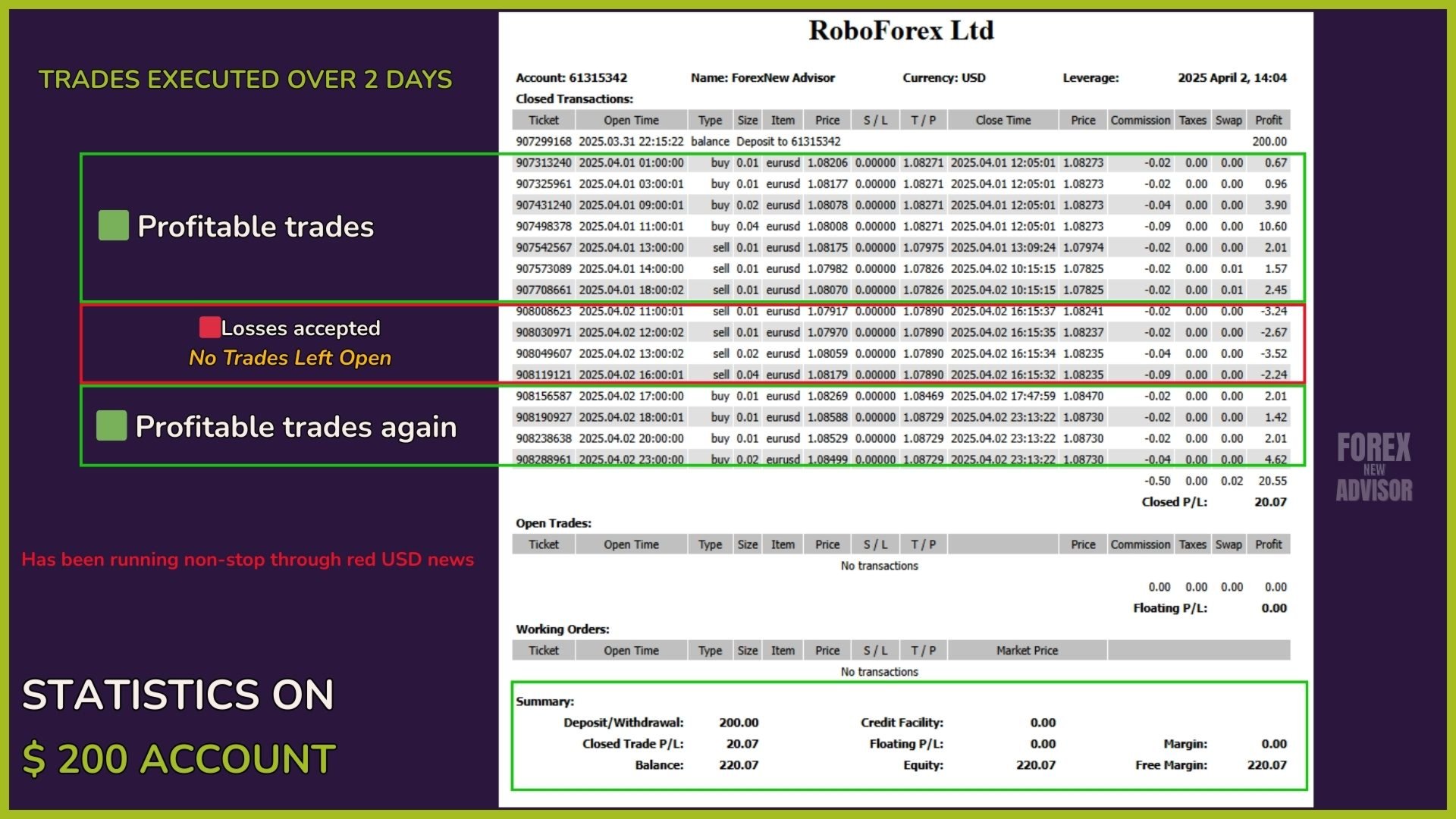
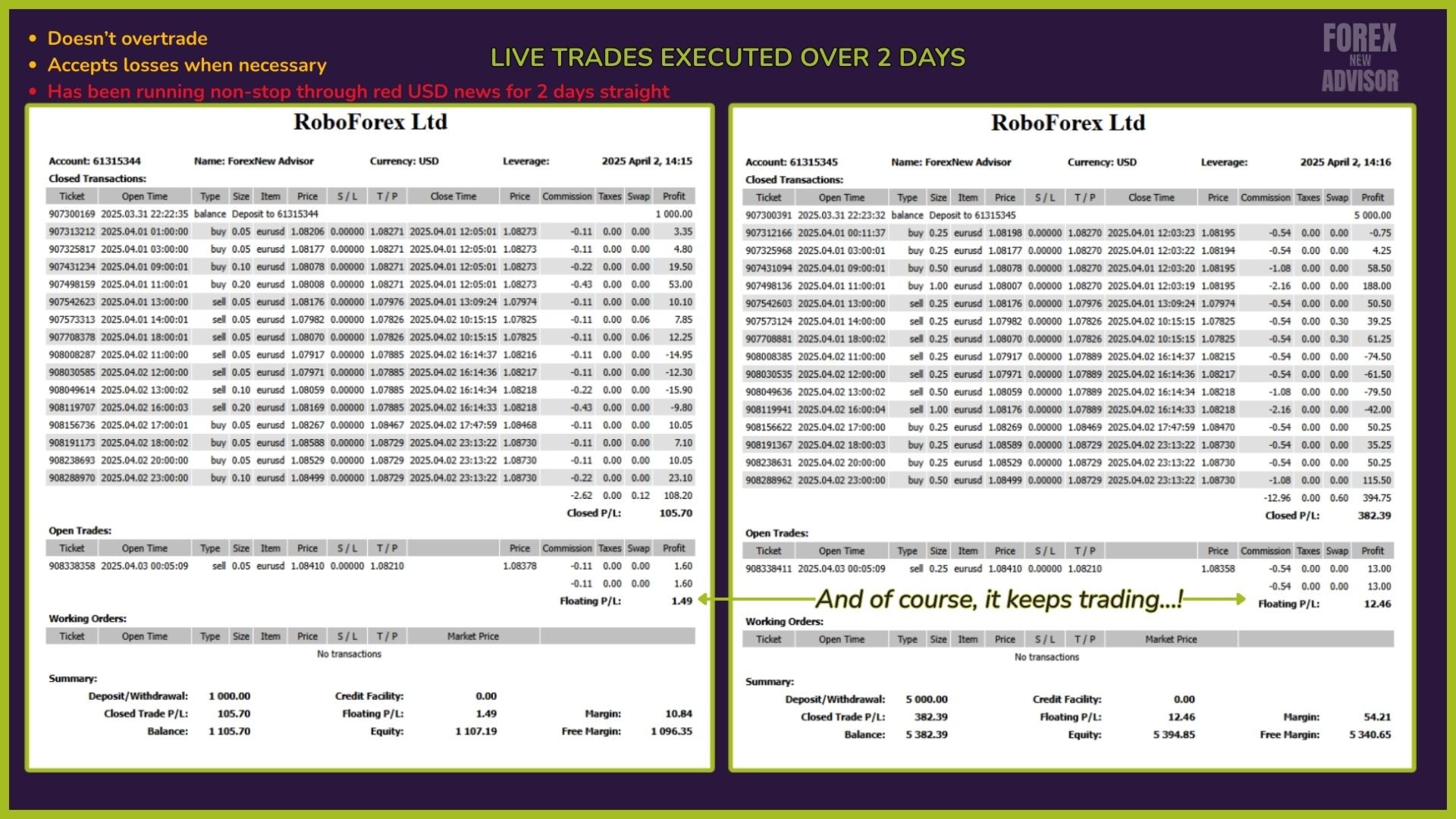
It is important to understand that accepting a controlled loss when appropriate is part of a healthy strategy.
Thanks to this control system, the TikiPip EA maintains low drawdown levels and stable monthly performance, without ever compromising capital.
This protective logic is what allows it to adapt safely to small accounts and remain stable even in the face of high volatility or prolonged adverse movements.
Open Hour / Close Hour (Daily Trading Hours)
These parameters allow you to define the time range in which the EA can open trades during the day.
Both Open Hour and Close Hour operate according to the broker's schedule, not that of your VPS or device.
OpenHour defines the start of daily activity.
CloseHour indicates the end of that period, after which the EA will no longer open new trades until the following day.
This feature is useful for adapting trading to your style, avoiding certain market times, or maintaining complete control over active hours, especially if you trade during specific sessions or want to limit exposure during more volatile times.
Trade on Friday / Friday Hour
TradeOnFriday allows you to enable or disable the EA's trading on Fridays.
It is set to TRUE by default, allowing normal trading until the defined time.
FridayHour sets the closing time to trade exclusively on Fridays.
This is useful for those who prefer to close the week without open positions, especially to avoid potential gaps over the weekend.
For example:
If you set FridayHour = 12, the EA will stop trading on Fridays at noon (according to the broker's schedule), although it will continue to operate from Monday to Thursday until the time defined in CloseHour.
This level of control allows you to adapt the EA to your personal risk management style without compromising the system's logic.
Use Daily Target
This parameter allows you to set a daily profit target.
By default, it is set to FALSE, but if you enable it (TRUE), the EA will stop opening new trades once the profit defined in DailyTarget is reached.
DailyTarget is expressed in your account currency (e.g., dollars or euros).
Once this amount is reached, the EA will pause trading until the next trading day begins.
Important:
The TikiPip EA should not be used on the same account as other systems.
Its risk control logic is based on the total account balance, and if another EA generates losses or changes that balance while TikiPip is trading, the consistency of the lot size and protection system is broken.
Therefore, it should always be used on a dedicated account, with the capital 100% controlled by the TikiPip EA.
Frequently Asked Questions (FAQ)
- Can I use the TikiPip EA on any pair or timeframe?
It is specifically optimized for H1, chosen for its stability and balance between signals and risk control.
Although it can work on other timeframes, you will need to configure it manually and perform all necessary testing.
My recommendation is to use it on H1 with the default parameters, which is where it was fine-tuned and validated.
- What type of account do I need?
An account with a low spread and low slippage. Ideally, an ECN account.
The broker isn't the most important thing: the important thing is the appropriate account type.
- Can I use it on a standard account if my EURUSD spread is low?
You can, but with caution. Even if the spread is low, standard accounts often have high slippage (invisible to the user), sometimes up to 10 pips.
Added to the 2–3 pip spread, this can affect performance.
It's not impossible to use, but if you have doubts, always try it first on a demo account with your current broker.
- Are there any recommended brokers?
I don't recommend specific brokers, only the account type: ECN is always preferable.
First, try it on a demo to see how the EA responds with your broker. If you have doubts, open a demo with another broker and compare.
- Does it work on small accounts?
Yes. It's designed to perform very well on accounts from $200 to $5,000, as long as you stick to the recommended lot size.
- Can it run on the same account alongside other EAs?
No. The TikiPip EA must be used on a dedicated account.
The risk logic is based on the total account balance, and the presence of other systems can disrupt lot consistency and loss control.
- Does it open trades every day?
Yes. The TikiPip EA trades almost constantly.
During the day, it usually finds buying or selling opportunities, unless the market is extremely flat.
- Does it need a VPS?
Like any EA, it requires a constant connection.
If you're using a home PC, there are risks: power outages, internet outages, etc.
Therefore, although it's not mandatory, I always recommend using a VPS to avoid interruptions.
- Which VPS should you use? Is there a recommended one?
The best option is the one offered by your broker. Consult with your broker's support team for access.
These VPSs typically have very low latency (2–10 ms).
Using a generic VPS can give you 120 ms, and connecting via remote desktop from home can raise latency to 220 ms or more.
The higher the latency, the slower any EA will react.
Can I contact you if I have questions or need help?
Of course! If you need help with the installation, the VPS, or have any technical questions, you can write to me privately whenever you want.
It doesn't matter if it's your first time, if your question seems basic, or if you feel like you don't understand anything: no one is born knowing, and we've all been there.
Whatever the reason, don't be shy about asking. I'm here to help.
See you in the charts! Leo.