 MetaTrader 5
 エキスパート
 インディケータ
 ライブラリ
ライブラリ
 ユーティリティ
 ウィジェット
 ルール
ルール
YouTubeにあるマーケットチュートリアルビデオをご覧ください
ロボットや指標を購入する
仮想ホスティングで
EAを実行
EAを実行
ロボットや指標を購入前にテストする
マーケットで収入を得る
販売のためにプロダクトをプレゼンテーションする方法
MetaTrader 5版新取引ユーティリティ - 6
 以下はMetaTrader5での取引を簡素化する取引プログラムです。ユーティリティにカーソルを合わせると、その説明と目的が表示されます。
Breakeven Trailing SL Manager;
This utility Manager is a simple utility that protects your manual trades automatically. Attach it to any chart and it watches all manual positions on your account, on every symbol. It does not open trades and it ignores trades opened by other Expert Advisors. How it works When a trade moves in profit by the Breakeven Price, the Stop Loss is moved to the exact entry price. When the price moves the same distance again, the Stop Loss is moved to entry plus that dist
FREE

# StopOut Auto Calculator — Pre-Trade Margin & Stop-Out Risk Simulator for MT5
**Never get liquidated before your Stop-Loss again.**
Are you tired of setting a strict Stop-Loss (SL) on your trades, only to have your broker forcefully liquidate (Stop-Out) your entire account before price even touches your SL line?
Most traders believe having a Stop-Loss guarantees risk control. **In reality, it doesn't.** Brokers enforce a **Stop-Out threshold (typically 50% or 20% Margin Level)**. When you h
FREE

Custom Trade Panel is a trading panel for all traders that you customise to suit your own style. Choose anywhere from 1 to 12 buttons, assign each one to any of fourteen functions, and arrange them in whichever layout fits how you trade.
Every trade is sized from the risk you choose. Set a percent of your equity, a fixed amount, or a fixed lot size, add your stop loss, and the panel works out the lot size for you.
All fourteen functions:
Open trades:
- Buy Market
- Sell Market
- Buy Stop
-

*Guardian PRO v11.0 DARK - Il gestore di trading definitivo per MT5*
Guardian PRO è un pannello di controllo professionale progettato per proteggere e gestire le tue operazioni direttamente sul grafico, con un design scuro e moderno. Dimentica i terminali MT5 standard: Guardian nasconde i tuoi livelli di Stop Loss e Take Profit al broker.
*CARATTERISTICHE PRINCIPALI:*
*1. I BROKER SMETTONO DI NASCONDERE LA TECNOLOGIA:* Guardian memorizza internamente i tuoi livelli SL/TP (Variabili Globali).

ExpertActions: manage all Expert Advisors of your terminal from one chart Running many EAs on many charts? ExpertActions lets you list, restart and remove them, load and save their inputs and close charts, all from one small panel, without opening each chart and each input dialog. You can also do it from your phone with your own Telegram bot. User guide and free demo: Guideline
The demo (demo accounts only) can be downloaded from the guide or directly here: download Free add-on for buyers: afte

• Please test the product in the Strategy Tester before purchasing to understand how it works.
• If you face any issues, contact me via private message—I’m always available to help.
• After purchase, send me a screenshot of your order to receive a FREE EA as a gift. Risk Percent Lot Sizer
WHAT IT IS Lot size from account risk percent and the stop distance you drag on the chart.
HOW IT WORKS A draggable stop line; the panel shows lots, money at risk, and the resulting margin, recalculated

• Please test the product in the Strategy Tester before purchasing to understand how it works.
• If you face any issues, contact me via private message—I’m always available to help.
• After purchase, send me a screenshot of your order to receive a FREE EA as a gift. Session Boxes Pro
WHAT IT IS Asia, London and New York drawn as boxes with their high, low and range.
HOW IT WORKS Zones defined in GMT and converted to the broker's clock, so the boxes sit where the session really was whateve

Garner Trade Pad EA is an MT5 Expert Advisor that brings trade planning and position sizing directly onto your chart. Position your Stop Loss and Take Profit, choose the amount you want to risk, and view the calculated lot size before placing an order.TP1 buy
The dark navy panel with blue accents provides a clear view of your proposed trade. It is a manually operated calculator and order-entry tool: you choose the direction, levels and timing of every trade.
## Movable chart panel
- Drag t

Overseer EA Guard pauses your Expert Advisors before important news and puts them back afterwards. It works with any EA - bought, free or your own - without changing a single line of its code. Most news filters can only "ask" an EA to stop trading (the EA must be programmed to listen), or they close the trades the EA opens during the news, which costs you the spread every time. Overseer EA Guard does neither. Before the news it takes the EA off its chart, exactly as you would by hand, and after

Smart News Shield MT5 is an advanced news filter designed to help traders manage risk during high-impact news events. It blocks trading before and after scheduled news, provides real-time alerts, and offers customizable impact filters and trading time settings. An optional auto-close feature helps manage open trades before major news releases. Compatible with MetaTrader 5 (MT5).

Pass the challenge by following the rules every day, even on the bad ones. EdgeProof Account Guardian watches your whole account in real time and enforces prop firm rules for you: daily loss, maximum drawdown, profit target, and your own trading rules.
ACCOUNT LIMITS - Daily loss limit as a percent of the day-start value (balance, or the higher of balance and equity at reset). - Maximum drawdown: static from the initial balance, or trailing from the highest equity, with an option to stop traili

A good backtest is not proof. It can come from luck, from a few outsized trades, from costs that are too optimistic, or from parameters fitted to the past. EdgeProof Lab takes the closed trades of any strategy and puts them through eight stress tests, then gives one clear robustness score from 0 to 100 with a grade from A to F.
THE TESTS - Monte Carlo drawdown: 2,000 resampled trade sequences. Shows the 95th percentile drawdown compared with the backtest, and the share of paths that end in pro

Every strategy stops working one day. The expensive part is finding out three months and many losses too late. EdgeProof Monitor compares the live trades of your strategy with its baseline (the backtest or the trades you trust) and tells you early, with statistics, when the live results are no longer consistent with the edge you tested.
HOW IT WORKS - The baseline trades are resampled 1,000 times (Monte Carlo) to build the range of results the strategy can normally produce after 10, 50 or 200

Trade your own plan in one click. TITAN T-Trade PRO calculates the stop-loss, three take-profit levels and the lot size for you, opens the trade, manages it – and sends it to your Telegram group with a chart screenshot.
Works on any symbol: gold, forex, indices, crypto. Hedging and netting accounts.
ONE-CLICK ENTRIES - MARKET, LIMIT or STOP – switch with one tab - ATR-based stop-loss, TP1 / TP2 / TP3 as multiples of the risk - Lot size from your risk % (or fixed lot), split into 1–3 legs - Ri

Push Trading EA Panel is an analysis and trading suggestion dashboard for MT5, displaying "Push" BUY/SELL signals alongside multi-timeframe trend data. PUSH TRADING v4.0 – Integrated One-Click Trading The latest update to Push Trading combines signal analysis with trade execution directly on your MT5 chart, making market monitoring and order management more convenient.
Usage Notes Push signals and the Entry/SL/TP lines serve as reference suggestions only; they do not automatically open trades

DeFoeji BTC OrderBook Gamma is an on-chart analysis dashboard for Bitcoin. It combines options gamma exposure (GEX) with a live perpetual order book from several exchanges, so you can see where liquidity and dealer positioning sit relative to price. "Trade what you see, not trade what you hope." IMPORTANT: this is an information tool. It never opens, modifies or closes orders. Attach it to a BTCUSD chart. What you get GEX levels drawn on the chart: Call Wall, Put Wall, +OI Wall, -OI Wall and Zer

Account Performance Report turns the history of your account into one HTML report that you open in any browser: balance and drawdown, the result of each Expert Advisor and each symbol, a daily P&L calendar, monthly returns and the usual statistics. The main figures are also shown on the chart, and the report is kept up to date while the terminal runs. How To Use Attach Account Performance Report to any chart of the account. It does not trade, so any symbol and timeframe will do. The report is wr
FREE

SemiAutoTrader 9.04 SemiAutoTrader is a manual trade execution and risk-management utility for MetaTrader 5. You remain in control of the trade decision, direction, and stop-loss placement. SemiAutoTrader calculates position size from your selected risk, helps validate broker trading restrictions, and provides hotkey-based order execution and trade management. It does not generate trading signals, predict market direction, or open trades autonomously. How It Works Choose a market or pending orde

LAUNCH OFFER $59 Lifetime — first 10 buyers or 14 days after release, whichever comes first. Regular price: $99 Lifetime
Annual rental: $49
EA Portfolio Control & Cloud Monitoring for MetaTrader 5 Your EAs manage trades. KONTROL_01 manages your EAs. A control system for traders running multiple Expert Advisors on the same account. Coordinate EA activity, manage trading risks and monitor your setup remotely. IN PRACTICE Multiple EAs. No coordination. Your EAs trade independently, unaware of ea

Coasyn Value Displacement is a manual decision-support utility for MetaTrader 5 , built to help traders understand how far price has moved away from its rolling value. The system creates a dynamic VWAP-based value field and measures price displacement through configurable extension tiers, high zones, extreme zones, and danger zones. It helps you monitor: • Rolling VWAP and dynamic value
• Price extension from value
• Configurable displacement thresholds
• High, extreme, and danger zones
• Re

Prop Rules Guard watches the whole trading account and keeps it inside the limits you set: daily loss, maximum drawdown, profit targets, economic news and trading hours. When a rule is reached it closes positions, deletes pending orders and keeps the account flat until the rule allows trading again. It is a utility, not a trading robot. It does not open trades and does not try to predict the market. One copy on any chart protects the entire account, including manual trades and trades of other Ex

ZeroLogics : Essential tool for trade execution, risk management, and planning—featuring visual levels, TPs, RR, lot sizing, and profit/loss calculation.
User Guide ZeroLogics — MetaTrader 5 (MQL5) • Official Manual 1. Real-Time Account Metrics TOTAL : Live consolidated floating P/L across all open positions on the active instrument. BALANCE : Consolidated account balance and account base currency. DAILY PROFIT : Closed net profit since 00:00 broker server time (includes intraday commissions
FREE

Drag the stop loss line to your level and the panel works out the lot size for the risk you set, from your broker's own contract size. FEATURES Entry, stop loss and take profit lines you drag. Lot size normalised to the broker's minimum, maximum and step. Risk as a percentage of balance or equity, fixed cash, or fixed lot. Live risk to reward ratio. HOW TO USE IT 1. Attach it to a chart and drag the three lines. 2. Set the risk basis and value in the inputs. 3. Read the lot size from the panel.
FREE

Shows the live spread, today's range against the daily ATR, the server time, GMT offset, the countdown and the open sessions. FEATURES Live spread in points and pips, colour coded tight, moderate or wide. Optional push alert. Today's range in pips, the daily ATR share, the server time, GMT offset, the countdown and the sessions. HOW TO USE IT 1. Attach it to any chart. 2. Set the spread limits for the symbol. 3. Choose the ATR period and corner. PARAMETERS InpCorner, InpOffsetX, InpOffsetY, InpS
FREE

PG Signal Sender sends every trade you take in MetaTrader 5 to your Telegram channel or group, automatically. You trade, your members get the signal in seconds. No copy and paste, no screenshots, no forgotten updates. WHAT IS SENT New trade: symbol, BUY or SELL, entry, Stop Loss, Take Profit and Risk:Reward. SL / TP update: sent as a reply to the original signal. Breakeven: "SL moved to breakeven" message as soon as you move the Stop Loss to entry. Closed trade: result in pips (or poin
FREE

Closes your positions and deletes your pending orders when the day's equity drawdown reaches your limit, and closes anything you open for the rest of that day. FEATURES On breach: closes every open position, deletes pending orders, locks the day. Panel: drawdown percentage, equity, state. HOW TO USE IT 1. Enable Allow Algo Trading. 2. Attach it to a chart and set the loss and warning levels. 3. Choose the breach actions. PARAMETERS InpDailyMaxLossPercent, InpDailyWarningPercent, InpAutoCloseOnBr
FREE

Coasyn Value Acceptance is a manual decision-support utility for MetaTrader 5 designed to help traders understand how price is participating relative to value. The system uses weekly and rolling VWAP-based value references to show whether price is holding around value, failing at value, accepting above or below value, or extending away from the field. Use it to monitor: • Weekly VWAP context
• Rolling session value
• Participation around value
• Repeated tests and holds
• Deviation and dista

полноценный советник для MetaTrader 5 на MQL5, который управляет защитными уровнями уже открытых позиций. Логика работы: Проверяет все открытые позиции на счёте, включая позиции, открытые вручную и другими советниками. Устанавливает Stop Loss на расстоянии 300 пунктов MT5 и Take Profit на расстоянии 600 пунктов MT5 от цены открытия. Заменяет существующие SL и TP заданными значениями. Учитывает минимальное расстояние до стопов ( SYMBOL_TRADE_STOPS_LEVEL ) и шаг цены инструмента. Повторяет проверк

PG Signal Sender Pro turns your MetaTrader 5 account into a Telegram signals channel. You trade, the tool posts every signal, update and result automatically, with designed image cards, reports and a FREE + VIP channel system. Launch price: the price will increase after the launch period. WHAT IS SENT New trade: symbol, BUY or SELL, entry, Stop Loss, Take Profit and Risk:Reward. Entry zone: show an entry range instead of one price (for example 4130 - 4134.5). Multiple targets: split one signal i

A risk-based trade panel with a built-in account guard. Set the risk, place the stop, click once: the lot size is worked out for you, the trade is managed in R, and daily and maximum loss limits are enforced on every position on the account.
It places no trade on its own. Every order starts with your click.
ORDER ENTRY
- Size by percent of balance or equity, by a fixed amount of money, or by fixed lots. - Stop loss in pips or points; take profit as a multiple of the stop (R) or as a distanc

Account-wide protection for MetaTrader 5: The Drawdown Limiter monitors the loss, margin level and equity of your account and, when a limit you have set is reached, closes positions and pending orders. Scope of function The Drawdown Limiter does not open positions itself. It runs alongside your other Expert Advisors or your manual trading and evaluates account data only. When the account reaches a configured limit, it sends a message to the MT5 app and, if you have set it up that way, closes th

Trade Manager Yasska — Discretionary Trading Assistant for MT5 Trade Manager Yasska is an on-chart control panel for manual and semi-automated trading. It doesn’t generate signals or trade on its own — it speeds up and standardizes the things a discretionary trader does by hand dozens of times a day, and removes the hesitation and mistakes that come with doing them manually under pressure. Why traders use it Speed at entry. One click sends a market Buy or Sell with your SL and TP already attache

Horus Auto SL TP Scalping manages existing MT5 positions with independent Auto SL, Auto TP and Profit Lock switches. It does not open trades.
By default it manages manual positions on the chart symbol. Initial SL uses closed M1 ATR(14), a 1.2 multiplier, spread clearance and broker distance constraints. Existing stops are never widened.
Profit Lock activates when executable price gain strictly exceeds the current spread. It trails a configurable share of price gain (default 70%), subject to

Boleta Pro is a one-click trade panel and risk manager for MetaTrader 5. Open market and pending orders, size every position automatically by risk, and manage the trade with break even, trailing stop and partial close — all from a clean panel on the chart. POSITION SIZE CALCULATOR (LOT CALCULATOR) Three lot modes: fixed lot, fixed money risk, or % of balance In risk mode the lot is calculated automatically from your stop loss distance Lot is rounded down to the symbol volume step, so the risk ne

The Strategy Tester runs one Expert Advisor at a time. If you run several EAs on one account, their separate reports do not tell you the combined drawdown, the margin they need together, or whether the account can carry them at all. Portfolio Backtest Combiner answers that from the reports you already have. How It Works Backtest each Expert Advisor as usual and save the report as HTML (Strategy Tester > Backtest tab > right click > Report > save as HTML) into the MQL5\Files folder of the termina

Trade Panel .
Pending Order - Lot size, Price, Stop Lost, Take Profit Partial Close - Lot size editing, 25% close, 50% close, 75% close Close All button
This panel make you easy to make trade and close position. Looks more interesting and the panel can be moved
*This expert not heavy for the chart. *There are many more parts of the next indicator. Also other indicators that help you in trading. You can get it in our store.

Holdout Prop Guardian watches your account on every tick and enforces the rules that funded and challenge accounts are judged by. When a limit is reached it closes all positions, deletes pending orders and keeps the account flat until the next reset, so a single bad session is far less likely to break your account's rules.
Why traders choose it
- Building this yourself means months of writing and debugging the code, handling every symbol and fill mode, and testing every limit. This is finished

This Dashboard will show at the chart and make you easy to predict price go.
Dashboard : Current Price Key Levels Scalping BUY & SELL Signal Swing BUY & SELL Signal Trend Overview News TO Watch Today - this signal is even more interesting because it show market prediction
*There are many more parts of the next indicator. Also other indicators that help you in trading. You can get it in our store.

Backtest Report Compare puts several Strategy Tester reports side by side on one HTML page: growth and drawdown curves on one chart, the main statistics in one table, the correlation of their daily results, monthly returns and results by weekday and hour. Use it to choose between Expert Advisors, between settings of one Expert Advisor, or to see which strategies lose on the same days. How To Use In the Strategy Tester, after each test: right click on the Backtest tab > Report > save it as HTML i
FREE

Know your lot size before you click Buy or Sell.
The Chart Mechanics Risk and Position Size is a free panel for MetaTrader 5. Set how much you want to risk and where your stop goes, and it shows the lot size to use and the money actually at risk in your account currency. It is an indicator, so it never opens, changes or closes trades.
WHAT IT SHOWS - Lot size, rounded DOWN to your broker's lot step, so you never risk more than you set - Money at risk after rounding, in your account currency -
FREE
Background Tool for MetaTrader 5 https://elitefx.store/ Personalise your MetaTrader 5 workspace with your own chart background images. Background Tool provides an on-chart control panel for switching images and adjusting their brightness.
Features Display your own background images on your chart. Browse images using Previous and Next. Adjust brightness with Lighter and Darker. Turn the background display on or off. Reload images and save your preferences. Manage backgrounds from a compact on-c

SecondsTicksChart displays seconds and tick candlestick charts in MetaTrader 5. Use fixed time intervals or a fixed number of ticks to examine price movement in more detail than a standard one-minute chart. SecondsTicksChart builds candles from your broker's tick data and displays them on the same chart through a custom symbol. No separate feeder chart is required. This is a charting utility implemented as an Expert Advisor. It is designed for display and analysis and does not place or manage or

Dealer's Panel
No signal decides anything here — a hand does. One click, and the panel calculates what's underneath: lot size from risk, target from a 30-step balance ladder that remembers exactly how far an account has climbed.
Toggle between market and pending without touching an input field. Set a stop, and the take-profit can write itself — a fixed share of the balance, translated into price with no arithmetic left for the trader to get wrong. One trade live at a time; it won't let a seco

The Patch
It never opens a trade. It walks behind the ones that did.
Every open position, every pending order — checked twice a second for the one thing that's easy to forget: a stop, a target. Found bare, it doesn't ask. It writes the missing number in, measured in points from wherever the position began, and moves on to the next.
No strategy, no opinion on direction. Just the quiet assumption that nothing should ever sit on the market unprotected — not because someone decided it shouldn't,

Floor Watch
One number, watched every thirty seconds: how far equity has fallen since the day began — or since its highest point, if it's told to trail the peak instead of the open.
Cross the line and it doesn't argue. Every open position closes, every pending order vanishes, and anything that slips through afterward gets shut the moment it appears. Not asked. Removed. The floor holds until the clock turns 5 AM Pakistan time — then, and only then, does the day start over.
One rule. No except

ご購入後は、まず私にご連絡ください MQL5 のプライベートメッセージでご連絡いただくと、PDF ユーザーガイド、オンライン講座、MQL5 チャンネルへのアクセス、個別の設定サポートを受け取れます。さらに Smart Universal Expert Advisor を無料でプレゼントします。特典一式の受け取りは、MQL5 で Issam にご連絡ください。プレゼントの受け取りは任意で、レビューの投稿は不要です。 Cynex Discord MT5 ご購入後、MQL5で私にメッセージをお送りいただくと、Smart Universal Expert Advisorを無料で受け取れるほか、オンライン講座、PDFマニュアル、非公開グループへのアクセスもご利用いただけます。 MetaTrader 5 とご自身の Discord ボットを双方向に接続します。対応する BUY/SELL シグナルを受信し、インジケーターシグナルや確定した取引イベントを配信し、専用の非公開チャンネルから対象取引を管理できます。 概要、インジケーター、Discord、執行、履歴、ヘルプをチャート上で操作できます。別の

Indicator Signal Trader Kb は、プログラミングなしでインジケーターを自動売買ロボットに変えます。MetaTrader 5 の内蔵インジケーター向けのすぐに使える設定から始めることも、お使いのインジケーターを接続することもできます。どのバッファが買い、どのバッファが売りを意味するかを指定すれば、プログラムがポジションを開き、管理します。 ユーザーマニュアル 完全版マニュアル(英語):設定、すぐに使えるレシピ、フィルター、トラブルシューティング すぐに使える設定から始める パラメータの最初の行は Ready setup です。下のリストから設定を選んで OK を押すと、インジケーター、ルール、フィルター、決済条件が設定されます。ロットまたはリスクはご自身で選んだ値のままです。購入前に動作を確認するには、このページの Free Demo を押し、ストラテジーテスターのパラメータですぐに使える設定を選んで Start を押してください。各設定はストラテジーテスターで2022-2024年のデータを使って調整し、その後、調整に使っていない2025-2026年のデータで検証

SAYON Orders Manager is a complete trade panel for MetaTrader 5.
Open, manage and close your trades from one clean panel, with every level drawn directly on the chart.
It works on any symbol: forex, metals, indices, crypto and stocks. Nothing runs on your account until you decide: all automatic rules start OFF. OPEN TRADES WITH CONTROL Risk in % of balance or equity, in money, or in fixed lots The lot size is calculated for you from the stop loss distance Drag SL, TP and entry lines on the chart

Plan it. Size it. Send it. Protect it.
Signal Forge Trader Hub is a trading panel for traders who decide their own entries. It does the boring and risky part for you: lot size, targets, break-even and account rules.
What it does • Risk your way — lots, cash or % of the account. The panel converts the other two for you. • Plan on the chart — BUY or SELL draws entry, stop loss and targets with clear tags (price, R, money). Drag a tag and everything updates live. • Up to 5 take profits — one cli

All In One Trade Management Panelは、MetaTrader 5を完全なトレーディングワークスペースに変えます。ドラッグアンドドロップのポジションツールで取引を計画し、パネルにリスクからすべてのロットを計算させ、オープン取引を管理および自動化し、日次制限でアカウントを保護し、構造、オーダーフロー、ニュースで市場を読み取ります。すべてチャート上の1つのパネルから。
裁量トレーダー、プロップファームのチャレンジトレーダー、すべての取引で一貫したリスクを求める人のために作られています。
デモ口座向けの無料トライアル版 – ライブチャートで試せます、時間制限なし。
チャート上で取引を計画 - New LongまたはNew Shortをクリックし、エントリーを配置してから、ストップロスとテイクプロフィットラインをあなたのレベルにドラッグします - ロットサイズは残高のパーセンテージまたは固定ロットから計算され、ブローカーのロットステップに丸められます - 最大10のテイクプロフィットレベル、それぞれがポジションの独自のシェアを持ちます - ドラッグ中に金額で

Prop Firm Drawdown Lock は、プロップファーム口座向けの MetaTrader 5 用リスクマネージャーです。日次損失上限と最大ドローダウンをリアルタイムで監視し、あとどれだけ失えるかをすべてのチャートに表示し、上限に触れる前に全決済して口座をロックします。たった一日の失敗でチャレンジや資金提供口座を失うことはもうありません。 FTMO 型のルール(日次最大損失、最大ドローダウン、利益目標)があるプロップファームのチャレンジ、検証、資金提供口座で取引するトレーダーのために作りました。注文は出さず、シグナルも出しません。裁量取引、トレードコピー、同じターミナル内の他の EA の上に重ねる安全層です。 ファームより先に止める プロップファームはティックごとに有効証拠金で違反を判定し、ポジションを閉じる注文自体にスプレッドとスリッページがかかります。上限ちょうどで閉じるのでは遅すぎます。この EA では公式上限の何 % で動くかをあなたが決め(例えば日次損失の 90 %)、パネルは常に「EA が動く水準まであといくら失えるか」を表示します。口座がすでに失われる水準ではあ

保有中のすべてのポジションに潜む相関リスクを可視化——チャート上でリアルタイムに、エクスポージャー上限と分かりやすいアラートとともに。
概要
多くのトレーダーは1回ごとの取引サイズを慎重に決めていますが、複数のポジションが同じ通貨に依存していたり同じ方向に動いたりするため、想定以上のリスクを抱えてしまうことがあります。EURUSD と GBPUSD を同時に買うことは、実質的にはほぼ1つの USD の取引です。逆相関の通貨ペアでの「ヘッジ」は互いに打ち消し合い、スプレッドが増えるだけの場合もあります。
Correlation and Overexposure Checker は口座内のすべてのポジションを確認し、取引中のシンボルがどのように連動しているかを測定して、全体像をチャート上の1つのパネルに表示します。分析ツールであり、取引を新規に建てることは一切ありません。
仕組み
1. ツールがどのチャートに設定されていても、口座内のすべてのポジションを読み取ります。
2. 確定した足をもとに、調整可能な期間(初期値30日)で監視対象シンボル間の相関を計算します。
3. 各ポジシ

発売記念価格:最初の10本は39 USDです。その後59 USD、最終価格は79 USDとなります。早期購入者は今後のすべてのアップデートを受け取れます。 MetaTrader 5用 Trade Panel Sextant – すべての取引のサイズをリスクから決めます。リスクにかける額を決め、チャートが示す位置にストップを置くと、Sextantがロットサイズを計算し、注文を送信し、取引を管理します。日次損失上限、日次目標、取引数の上限を備えた口座ガードが、悪い1日が悪い1か月になるのを防ぎます。 すべてはTRADE、MANAGE、GUARD、INFOのタブを持つ、落ち着いた1つのパネルにまとまっています。3種類のテーマ、すべての操作部のツールチップ、ホットキーを備え、すべての値はシンボルごとに記憶されます。 TRADEタブ 1取引あたりのリスク :残高の%、有効証拠金の%、金額、または固定ロットで指定します。ロットサイズは切り捨てられるため、ストップでの損失がリスクを超えることはありません。1ロットあたりの手数料も含められます。 ストップロス :ポイント、ATRの倍数、またはチャート上

Mentaris Trade Manager — MT5チャートから取引を管理
個別ポジションと段階的エントリーのバスケットを管理し、TP/SL水準の調整、部分決済のプレビュー、よく使う設定の保存を一つの作業画面で行えます。取引判断はご自身の戦略に基づいて行い、MentarisでMetaTrader 5チャート上から取引を管理できます。
複数のエントリーをバスケットとして管理
合計数量と数量加重平均エントリー価格を確認し、該当するScale Inポジションの共通TP/SL水準を管理できます。パネルからバスケット、エントリーグループ、個別ポジションを確認できます。 平均エントリー価格とバスケットの損益分岐点の計算には、手数料とスワップは含まれません。損益分岐価格でも、費用控除後に損失が出ないことは保証されません。
チャート上で水準を直接調整
FOCUSで取引を選択して管理水準を確認し、対応する水準を希望の位置へドラッグします。変更案をOKで確定するか、Xで取り消します。変更の適用にはブローカーの承認が必要です。
部分決済を実行前に確認
決済数量の選択、割合のショートカット

MAKO Helix — マルチタイムフレーム対応 マーケット構造ダッシュボード
こんなお悩みはありませんか? 相場の構造に沿ってトレードすると、判断が明確になることは誰もが知っています。しかし、その構造を確認するのは手間がかかります。M1、M5、M15、H1、日足、週足、月足とチャートを一つずつ開き、高値と安値を手作業でマークし、頭の中で比較しなければなりません。時間がかかり、読み違いも起こります。値動きが速いときは全体像を見失い、気づかないうちに上位足のトレンドに逆らってトレードしてしまうこともあります。
解決策 MAKO Helix は、その作業を1つのチャート上で代わりに行う分析ダッシュボードです。注文の発注や決済は一切行いません。トレードを自動で行うロボットではなく、相場を読むためのツールです。
更新のたびに、最大7つの時間足(M1、M5、M15、H1、D1、W1、MN)でスイング(高値と安値)を検出し、見やすい表に表示します。 • 各時間足の構造:Bullish(上昇)、Bearish(下降)、Ranging(レンジ) • 直近の高値と安値(価格つき) • 価格が高

VEXOR — MetaTrader 5 向け高度な取引パネルとリスク管理ツール VEXOR であらゆる取引をコントロールしましょう。精度、スピード、そしてより良い取引体験を重視するトレーダーのために設計された、MetaTrader 5(MT5)向けの最新取引パネルです。直感的なグラフィカルインターフェースを通じて、市場注文と指値注文を発注し、ポジションサイズを計算し、リスクを管理し、ストップロスとテイクプロフィットのレベルを設定できます。 MT4 Version 従来の取引パネルの硬直したレイアウトや古いインターフェースとは異なり、VEXOR は洗練されたダークデザイン、インタラクティブな操作、リアルタイムの価格情報、動的なリスク計算、チャートとの直接的な相互作用を一つの合理化されたワークスペースに統合しています。 MetaTrader 5 向け VEXOR とは? VEXOR は、手動取引を簡素化し、注文設定をより直感的にするために設計された高度な MT5 取引パネルです。チャート上の単一インターフェースから、ロットサイズ、注文タイプ、リスク設定、エントリー、ストップロス、テイクプ
FREE

Broker Basket Preflight 複数銘柄の戦略をテストする前に、ブローカーの正確な銘柄名を確認するための、読み取り専用の MetaTrader 5 診断スクリプトです。契約仕様と取引数量のルール、価格の刻み幅、気配値の経過時間、スプレッドを Experts ジャーナルに出力します。 2026年10月更新キット:設定、既定値、シミュレーション比較概要 . MT5 Setup Hub . デスクトップ版 MetaTrader 5 の Market から実行可能なバージョンを無料でインストールし、ナビゲーター → スクリプト → Market で Broker Basket Preflight を見つけて、別のチャートで実行してください。 ツールボックス(Ctrl+T)を開き、Experts タブを選択してレポートを確認してください。 バージョン 1.10 任意のローカルCSV監査で、重複、取得不可、古いデータ、制限、刻み不一致を含む各銘柄を1行で記録。 任意の逆方向価格変動シナリオをOrderCalcProfitでBUY/SELL別に計算。例示数量をブローカーの刻みに切り下
FREE

ChartX は、トレードセットアップの描画、チャート間の同期、オーダーマネージャーへの受け渡しを行う MetaTrader 5 ユーティリティです。TradingView スタイルの描画体験を MT5 上でネイティブに提供します。 ウェブサイト: https://chartx.quoc.app Youtube: https://youtu.be/olJ5i2ES6uI お問い合わせ: https://contact.quoc.app/ 主な機能 Long/Short のトレードセットアップを専用ポジションゾーンとしてチャート上に直接描画できます。 自動リスクラベル:描画しながら Entry、Stop Loss、Take Profit、R:R 比率を自動計算してチャートに表示します。 チャート間同期:同じシンボルの全チャートに描画を同期。M15 から D1 まで計画を常に一致させます。 5 つの描画ツール:トレンドライン、ライン、矩形、水平線、Long/Short ゾーン。MT5 の描画メニューを探す必要はありません。 完全なキーボード操作:1-5 でツール選択、6 でシンボルの描画を

手動 トレード・ リプレイツール 手動 トレード・ リプレイツール は、 MT5 Strategy Tester の ビジュアル モード で 手動 バック テスト を 行う ため に 設計 さ れ た トレード 支援 ツール です。 この ツール は 自動 売買 シグナル を 生成 する もの では ありま せん。 過去 の 相場 を 再生 し ながら、 実際 の 取引 と 同じ よう に 自分 で 相場 を 判断 し、 手動 で エントリー、 Stop Loss、 Take Profit の 設定、 ポジション 管理 を 行う こと が でき ます。 リプレイ 終了 後 は、 MT5 Strategy Tester の 公式 統計 レポート を 利用 し て、 自分 の トレード 戦略 が 長期 的 に プラス の 期待 値 を 持 って いるか を 確認 でき ます。 Price Action、 サポート/ レジスタンス、 チャート パターン、 トレンド フォロー、 スイング トレード、 ICT/ SMC、 移動 平均 線 戦略 など、 裁量 判断 が 必要 な さまざま な トレ
FREE

Watchlist Symbol Changer – ワンクリックでチャートの銘柄を切替、保有ポジションを損益で色分け
気配値表示の全銘柄にボタンを用意した無料のチャートパネルです。クリックするとチャートの銘柄が切り替わり、時間足はそのまま維持されます。このEAは取引を行いません。
機能 - 気配値表示の銘柄ごとに1つのボタン。現在の銘柄は水色の枠で強調されます。 - ページ送り(Prev / Next)と、気配値表示の変更後に使う更新ボタン。 - 保有ポジション:利益なら緑、損失なら赤。同じ銘柄の複数ポジションは合算され、スワップの加算も選べます。 - プレフィックスによる銘柄フィルター(任意)。 - 動作が軽い:タイマーはポジション色のためだけに動き、変化があった時だけ再描画します。
設定 表示コーナー、余白、ボタンサイズ、1行のボタン数(0 = チャート幅で自動)、フォントサイズ、全ての色、ポジション色分けのオン/オフ、スワップのオン/オフ、更新間隔、タイトルバーのオン/オフ、プレフィックスフィルター。
ご注意 - 1つのチャートに適用してください。銘柄切替のたびにパネ
FREE

Pulsar Panel MT5は、MetaTrader 5用の、チャート上で操作するトレードマネージャーです。ドラッグ可能なエントリーライン、決済逆指値(Stop Loss、SL)ライン、決済指値(Take Profit、TP)ラインで注文を計画し、最大4つのTPレベル、ブレークイーブン、トレーリングストップを設定して発注し、ポジションを管理し、1日の損失を制限し、統計を確認できます。 Pulsar Panelは、チャート上に直接パネルを描画するエキスパートアドバイザー(Expert Advisor、EA)です。外部アプリケーションのインストールは不要で、ダイナミックリンクライブラリ(DLL)も使用しません。 重要 - 動作条件。 Pulsar Panelはリアル口座とデモ口座のチャートで動作します。ストラテジーテスターでは何も実行しないため、マーケットのデモ版では動作をお見せできません。スクリーンショットをご覧ください。ターミナルと、EA設定の"Common"(全般)タブの両方でAlgo Trading(アルゴリズム取引)を有効にする必要があり、口座で自動売買が許可されている必要が

このアシスタントツールの利点 1 - 目標とする利益額(ドル)に達した時点で、すべてのポジションを決済します。 2 - 希望する価格で、ポジションの利食い(テイクプロフィット)レベルを瞬時に設定します。 3 - トレイリング・ブレークイーブン機能。 4 - ワンクリックですべての利食い設定を解除します。 5 - ワンクリックですべての損切り(ストップロス)注文を解除します。 6 - ワンクリックで、すべてのポジションをブレークイーブン(収支トントン)の状態に設定します。 7 - ワンクリックですべてのポジションを決済します。 8 - モニター上のスペースをほとんど取りません。 9 – ブレークイーブン価格を自動計算し、チャート上に表示します。 10 – アシスタントボックスに重要かつ有用な情報を表示します。 アシスタントボックスに口座の利益額を表示 アシスタントボックスに売りポジションの合計ロット数を表示 アシスタントボックスに買いポジションの合計ロット数を表示
各機能の詳細
1 - 目標とする利益額(ドル)に達した時点で、すべてのポジションを決済します。 ( 詳細はスクリー
FREE

MetaTrader 5 用のシンプルなリアルタイム情報パネルです。売買ロジックは一切含まれず、ポジションの新規・変更・決済は行いません。お使いの EA の動作にも影響しません。
時刻とセッション • サーバー時刻、ローカル時刻、GMT • シドニー、東京、ロンドン、ニューヨーク各セッションをリアルタイムで表示 • セッションの重複を検出し、次のセッションまでのカウントダウンを表示
マーケットデータ • 銘柄と時間足 • 現在・平均・最大スプレッド
口座 • 残高、有効証拠金、余剰証拠金、含み損益
アクティビティ • 保有ポジション、待機注文、市場での合計ロット
取引履歴 • 銘柄とマジックナンバーでグループ化 • 期間:Today / This week / This month / All time • Trades、Win%、P&L、MaxDD(1 回の取引での最大損失)で並べ替え可能 • 行が収まらない場合は自動的に銘柄のみでグループ化 • 最大 2 つのマジックナンバーでフィルター、手動取引の有無を選択可能
ニュースフィルター • MQL5 経済指標カレンダーを
FREE

トレードをゲームのように。 Confetti Trade Celebration は、テイクプロフィットのたびに小さなお祝いを演出します。チャートいっぱいに紙吹雪が舞い、結果を示すバナーが表示され、クラッカーの音が鳴ります。目標達成が、まるでポイントを獲得したような気分に。 実用的な通知ツールでもあります。「取引」タブを隠していても、別のチャートを見ていても、目標に到達したことをすぐに目で確認できます。 仕組み 任意のチャートにインジケーターを適用します。口座の決済済み取引を読み取るだけで、注文の発注・変更・決済は一切行いません。 ポジションがテイクプロフィットで決済されると(設定により、プラスで決済されたすべてのポジションでも)お祝いが始まります。 裁量取引とエキスパートアドバイザー(EA)の両方に対応し、ヘッジング口座とネッティング口座で動作します。 チャート上で C キーを押すと、いつでもテスト用の紙吹雪を発射できます。 機能 DirectX 11 による描画で数千枚の紙吹雪を表示。使用できない場合は、どのパソコンでも動作する CPU 描画に自動で切り替わります 5 種類の発射ス

口座の成績を EA ごとに分けて見せる自動トレード日誌です。インジケーターなので、EA が動いているチャートを含め、どのチャートにも設定できます。口座の履歴を読み込み、決済済みの取引がある EA ごとに専用の行を作ります。取引数、手数料とスワップを差し引いた純損益、決済済み結果の曲線が並び、手動取引も 1 行として表示されます。プロップファームのルールを設定すれば、各上限までの残り余地も表示します。取引は一切行いません。 入力作業は不要です。 MetaTrader がすでに保存している約定データをそのまま使うため、メモやタグ、スクリーンショットを追加する必要はなく、個別の取引一覧もありません。その一覧は MetaTrader の履歴タブそのものです。本ツールが加えるのは、MetaTrader が行わない分割です。すべての結果を EA 別に分け、選んだ期間について EA ごとの銘柄、コスト、時間帯、曲線を示し、さらにプロップファームの上限が今どこにあるかを表示します。 EA ごとに専用の行 マジックナンバー 1 つが 1 つの戦略です。パソコンやスマートフォンのアプリから手動で出した注文

Isobar Event Shield は MetaTrader 5 で経済指標ニュースからトレードを守るユーティリティです。ターミナル内蔵の経済指標カレンダーを読み込み、取引銘柄に影響する各発表までカウントダウンし、発表の直前に、お客様または他の EA がすでに保有しているポジションと待機注文へ選択した保護を適用します。自ら新規ポジションを建てることはありません。 クイックスタート ユーティリティを 1 つのチャートに適用し(ターミナルごとに 1 つ)、ツールバーで Algo Trading を有効にします。 チャート銘柄の基軸通貨と決済通貨は自動で監視されます。他の通貨は Extra Currencies to Watch に追加し(例:USD,EUR,JPY)、Protection Scope を Linked のままにすると、それらの通貨を使うすべての銘柄が保護されます。 Open Position Action とウィンドウの長さ(Window Opens と Window Closes、初期値 15 分と 10 分)を選びます。 パネルをチャートに表示したままにします。ウ

Daytime Auto Close MT5 Daytime Auto Close は、時間に基づいてポジションを管理するエキスパートアドバイザー(EA)です。指定した締め切り時刻以降に、保有ポジションの決済リクエストを自動送信します。毎日決済するモードと金曜日のみ決済するモードから選択でき、日次または週末の取引終了ルーティンに合わせて使用できます。 従来の取引ロボットとは異なり、このツールは新規取引を一切行いません。手動取引や他の EA が保有したポジションを含め、口座全体の既存の BUY・SELL ポジションを管理します。スケジュールにはブローカーのサーバー時刻を使用します。 主な機能 毎日決済モード:毎日、設定時刻以降にすべての保有ポジションの決済を自動的に試みます。 金曜日決済モード:金曜日にのみ決済スケジュールを適用します。 決済時刻の設定:希望する時と分を設定できます。初期設定の締め切り時刻は 23:55 です。 ブローカーのサーバー時刻:パソコンのローカル時刻ではなく、取引サーバーの時刻を使用します。 口座全体の管理:EA を設置したチャートだけでなく、すべての銘柄と B
FREE

Chart Line Trade Manager – ドラッグ可能なSL・TP・トレールラインとリスクベースのロット計算を備えたトレードパネル
Chart Line Trade Manager は裁量取引用のツールであり、自動売買ストラテジーではありません。チャート上のコンパクトなパネルから注文を出し、水平線をドラッグしてストップを管理します。ロットサイズは、ストップラインまでの距離と選んだリスクから、コストを含めて計算されます。
機能 - BUY / SELL:成行注文。ロットは「価格 → ストップライン」の距離とリスク(残高の%、有効証拠金の%、または固定額)から計算し、常に切り捨てます。オプション:リスクが小さすぎる場合は最小ロットで発注。ストップラインをドラッグしていない場合、注文は送信されません。 - BUY / SELL PENDING:エントリーラインでの待機注文。指値か逆指値かはラインの位置で決まります。 - ストップロス/テイクプロフィットライン:ラインをドラッグすると、その方向のすべてのポジションと待機注文のSL / TPがそのラインに移動します。その方向の新

Indicator Signal Alerts Kb は、インジケーターを監視し、買いまたは売りのシグナルが出たときにポップアップ、スマートフォンへのプッシュ通知、メールでお知らせします。MetaTrader 5 の内蔵インジケーター向けのすぐに使える設定から始めることも、お使いのインジケーターを接続することもできます。最大4つの追加インジケーターをフィルターとして各シグナルの確認に使えます。プログラミングは不要です。 ユーザーマニュアル 完全版マニュアル(英語):設定、すぐに使えるレシピ、フィルター、トラブルシューティング すぐに使える設定から始める パラメータの最初の行は Ready setup です。下のリストから設定を選んで OK を押すと、インジケーター、ルール、フィルターが設定され、次のシグナルでアラートが届きます。 1. Alligator + EMA 200 trend, H4 (EURUSD, GBPUSD, USDJPY, XAUUSD) 2. Awesome Oscillator + EMA 200 trend, H4 (EURUSD, GBPUSD, USDJP
FREE
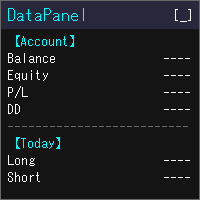
DataPanel は、口座の状態をチャートの上にまとめて表示するEAです。 注文は一切出さず、DLLも使いません。 もともとは、他のEAを動かしている口座の様子をひと目で見たくてClaude Codeで作成しました。 いろいろ追加した結果情報量が多くなりましたが、必要な情報のみ表示できるので必要に応じて設定で変更してください。
見られるもの 残高、有効証拠金、評価損益、証拠金維持率 残高と有効証拠金のドローダウン(最大値と発生した時刻)。入出金とクレジットはドローダウンに含めません 今日・今週・今月・今年・全期間の損益(ロング/ショート別)と成長率 勝率、プロフィットファクター、期待値、連勝・連敗、平均保有時間、スワップや手数料などのコスト マジックナンバー別・通貨ペア別の損益と、取引した通貨ペアの割合 ポジション一覧、損益分岐レート、ロスカットまでの余裕 経済指標(国や重要度を選べます)、当日の祝日、レート一覧、通貨の強弱、市場セッション 同じPCで動いている他のMT5も含めた、リアル口座の損益の合計(他のMT5でもDataPanelを起動している必要があります) 使い勝手 金額は
FREE
MetaTraderマーケットは、他に類のない自動売買ロボットやテクニカル指標の販売場所です。
MQL5.community ユーザーメモを読んで、取引シグナルのコピー、フリーランサーによるカスタムアプリの開発、支払いシステムを経由した自動支払い、MQL5Cloud Networkなど、当社がトレーダーに対して提供するユニークなサービスについて詳しくご覧ください。

取引の機会を逃しています。
- 無料取引アプリ
- 8千を超えるシグナルをコピー
- 金融ニュースで金融マーケットを探索