 MetaTrader 5
 Experts
 Indicadores
 Bibliotecas
 Utilitários
 Widgets
 Regras
Conheça o Mercado MQL5 no YouTube, assista aos vídeos tutoriais
Como comprar um robô de negociação ou indicador?
Execute seu EA na
hospedagem virtual
hospedagem virtual
Teste indicadores/robôs de negociação antes de comprá-los
Quer ganhar dinheiro no Mercado?
Como apresentar um produto para o consumidor final?
Novas ferramentas de negociação para MetaTrader 5 - 6
 Abaixo estão os programas de negociação que simplificam o trading no MetaTrader 5. Passe o mouse sobre um produto para ler uma descrição mostrando seu propósito.
Northvale Prop Guard watches every trade on your account, from any EA or done by hand, and steps in before you break a prop firm rule. Protection Daily loss limit, measured from your challenge size (FTMO style) or the day’s starting balance Maximum loss, static or trailing Profit target lock: closes everything when your target is reached, so a good day can’t turn into a failed challenge Safety buffer: acts before the firm’s limit, not after When a limit is reached , Prop Guard closes all positio
FREE

TPS Risk Manager MT5 — Trader Protection System Proteja sua conta de trading com um sistema completo de gerenciamento de risco para MetaTrader 5. O TPS Risk Manager foi desenvolvido para ajudar traders a controlar automaticamente os principais limites operacionais da conta, evitando que decisões emocionais ou excesso de operações comprometam o gerenciamento de risco. ️ Principais recursos • Limite de perda diária
• Limite de perda semanal
• Limite de perda mensal
• Meta de lucro diária
• L
FREE

PROP RULE SHIELD - PROP FIRM RISK GUARD
One bad day can end a challenge or a funded account. Prop Rule Shield watches your equity in real time and steps in before you hit your firm's limits.
It does not open trades. It runs alongside any EA or your manual trading and protects the account.
KEY FEATURES
- Daily loss guard Equity-based, so floating profit and loss count. Choose the daily reference (start-of-day balance, start-of-day equity, or the higher of both) and measure the limit as a p

Dealer's Panel
No signal decides anything here — a hand does. One click, and the panel calculates what's underneath: lot size from risk, target from a 30-step balance ladder that remembers exactly how far an account has climbed.
Toggle between market and pending without touching an input field. Set a stop, and the take-profit can write itself — a fixed share of the balance, translated into price with no arithmetic left for the trader to get wrong. One trade live at a time; it won't let a seco

ProTrade Console is a manual trading panel for MetaTrader 5.
It never trades on its own. Every order starts with your click, and the panel is built to show you what you risk and what you can gain before the order is sent. Market zone SELL and BUY buttons with live bid / ask. Lot bar with -1 / -0.1 / -0.01 and +0.01 / +0.1 / +1 steps, or type the lot directly. Dynamic SL: drop a stop-loss line on the chart and set the maximum amount you accept to lose. The next BUY or SELL is sent with that stop

PEPITO MANUAL ASSISTANT
A trading panel for MetaTrader 5 for traders who decide their own entries. You choose when to buy or sell; the panel sizes the trade, places the stops, manages the open positions and shows you where support and resistance are.
It does not open trades by itself. Every entry is your click.
Pepito Agent Assistant helps traders identify and evaluate potential opportunities. It does not automatically open trades if is not enable from trade panels. Trading decisions remain u

Smart Basket Manager Overview Smart Basket Manager is a trade management utility for MetaTrader 5. It is designed for traders who open several positions on a symbol and want to manage them together as one basket. It does not open trades and does not generate entry signals. It manages positions that already exist, according to the rules below. What it does Basket profit protection. When the combined profit of the managed positions reaches a start level, the utility locks a percentage of the highe

Coasyn Value Acceptance is a manual decision-support utility for MetaTrader 5 designed to help traders understand how price is participating relative to value. The system uses weekly and rolling VWAP-based value references to show whether price is holding around value, failing at value, accepting above or below value, or extending away from the field. Use it to monitor: • Weekly VWAP context
• Rolling session value
• Participation around value
• Repeated tests and holds
• Deviation and dista

полноценный советник для MetaTrader 5 на MQL5, который управляет защитными уровнями уже открытых позиций. Логика работы: Проверяет все открытые позиции на счёте, включая позиции, открытые вручную и другими советниками. Устанавливает Stop Loss на расстоянии 300 пунктов MT5 и Take Profit на расстоянии 600 пунктов MT5 от цены открытия. Заменяет существующие SL и TP заданными значениями. Учитывает минимальное расстояние до стопов ( SYMBOL_TRADE_STOPS_LEVEL ) и шаг цены инструмента. Повторяет проверк

PG Signal Sender Pro turns your MetaTrader 5 account into a Telegram signals channel. You trade, the tool posts every signal, update and result automatically, with designed image cards, reports and a FREE + VIP channel system. Launch price: the price will increase after the launch period. WHAT IS SENT New trade: symbol, BUY or SELL, entry, Stop Loss, Take Profit and Risk:Reward. Entry zone: show an entry range instead of one price (for example 4130 - 4134.5). Multiple targets: split one signal i

A risk-based trade panel with a built-in account guard. Set the risk, place the stop, click once: the lot size is worked out for you, the trade is managed in R, and daily and maximum loss limits are enforced on every position on the account.
It places no trade on its own. Every order starts with your click.
ORDER ENTRY
- Size by percent of balance or equity, by a fixed amount of money, or by fixed lots. - Stop loss in pips or points; take profit as a multiple of the stop (R) or as a distanc

Account-wide protection for MetaTrader 5: The Drawdown Limiter monitors the loss, margin level and equity of your account and, when a limit you have set is reached, closes positions and pending orders. Scope of function The Drawdown Limiter does not open positions itself. It runs alongside your other Expert Advisors or your manual trading and evaluates account data only. When the account reaches a configured limit, it sends a message to the MT5 app and, if you have set it up that way, closes th

Trade Manager Yasska — Discretionary Trading Assistant for MT5 Trade Manager Yasska is an on-chart control panel for manual and semi-automated trading. It doesn’t generate signals or trade on its own — it speeds up and standardizes the things a discretionary trader does by hand dozens of times a day, and removes the hesitation and mistakes that come with doing them manually under pressure. Why traders use it Speed at entry. One click sends a market Buy or Sell with your SL and TP already attache

Blade Position Manager Pro – MT5 Trade Management Utility Take Control of Your Trades with One Professional Dashboard Blade Position Manager Pro is a MetaTrader 5 trade management utility designed to help traders manage open positions, control risk, protect floating profits, and simplify everyday trading operations. Whether you trade Gold (XAUUSD), Forex, indices, or other supported instruments, Blade Position Manager Pro provides practical tools for managing your trades from a compact, easy-to-

RISK SIZER PRO v3.2 - Professional Risk & Position Manager
Stop guessing your lot size! RiskSizer Pro automatically calculates the exact lot size based on your risk percentage and dynamic Stop Loss, allowing you to execute trades with one click.
KEY FEATURES: • Dynamic Lot Calculation: Adjusts lot size instantly as you drag SL/TP lines. • Auto SL/TP Flip: Automatically corrects SL/TP levels when switching between BUY and SELL. • Interactive Chart Lines: Drag & Drop Entry, SL, and TP line
Background Tool for MetaTrader 5 https://elitefx.store/ Personalise your MetaTrader 5 workspace with your own chart background images. Background Tool provides an on-chart control panel for switching images and adjusting their brightness.
Features Display your own background images on your chart. Browse images using Previous and Next. Adjust brightness with Lighter and Darker. Turn the background display on or off. Reload images and save your preferences. Manage backgrounds from a compact on-c

SecondsTicksChart displays seconds and tick candlestick charts in MetaTrader 5. Use fixed time intervals or a fixed number of ticks to examine price movement in more detail than a standard one-minute chart. SecondsTicksChart builds candles from your broker's tick data and displays them on the same chart through a custom symbol. No separate feeder chart is required. This is a charting utility implemented as an Expert Advisor. It is designed for display and analysis and does not place or manage or

Floor Watch
One number, watched every thirty seconds: how far equity has fallen since the day began — or since its highest point, if it's told to trail the peak instead of the open.
Cross the line and it doesn't argue. Every open position closes, every pending order vanishes, and anything that slips through afterward gets shut the moment it appears. Not asked. Removed. The floor holds until the clock turns 5 AM Pakistan time — then, and only then, does the day start over.
One rule. No except

Após a compra, entre em contato comigo primeiro Envie uma mensagem privada no MQL5 para receber o guia em PDF, o curso online, o acesso ao canal MQL5 e ajuda personalizada na configuração. Você também recebe Smart Universal Expert Advisor GRÁTIS como presente. Fale com Issam no MQL5 para solicitar o pacote completo. O presente é opcional; não é necessário publicar uma avaliação. Cynex Discord MT5 Após a compra, envie-me uma mensagem no MQL5 para receber Smart Universal Expert Advisor GRÁTIS, alé

Indicator Signal Trader Kb transforma um indicador em um robô de trading sem programação. Comece com uma configuração pronta para um indicador embutido do MetaTrader 5 ou conecte o indicador que você já usa: você informa ao programa qual buffer significa compra e qual significa venda, e ele abre e gerencia as posições. Manual do usuário Manual completo (em inglês): configuração, receitas prontas, filtros, solução de problemas Comece com uma configuração pronta A primeira linha dos parâmetros é R

SAYON Orders Manager é um painel de trading completo para MetaTrader 5.
Abra, gerencie e feche suas operações em um único painel, com cada nível desenhado diretamente no gráfico.
Funciona com qualquer símbolo: forex, metais, índices, cripto e ações. Nada é executado na sua conta até você decidir: todas as regras automáticas começam desativadas. ABRA OPERAÇÕES COM CONTROLE Risco em % do saldo ou do equity, em dinheiro ou em lotes fixos O tamanho do lote é calculado para você a partir da distância

Após a compra, entre em contato comigo primeiro Envie uma mensagem privada no MQL5 para receber o guia em PDF, o curso online, o acesso ao canal MQL5 e ajuda personalizada na configuração. Você também recebe Smart Universal Expert Advisor GRÁTIS como presente. Fale com Issam no MQL5 para solicitar o pacote completo. O presente é opcional; não é necessário publicar uma avaliação. Cynex Copier MT5 Após a compra, envie-me uma mensagem no MQL5 para receber Smart Universal Expert Advisor GRÁTIS, além

All In One Trade Management Panel transforma o MetaTrader 5 em um espaço de trabalho de negociação completo. Planeje operações com uma ferramenta de posição de arrastar e soltar, deixe o painel dimensionar cada lote a partir do seu risco, gerencie e automatize operações abertas, proteja sua conta com limites diários, e leia o mercado com estrutura, fluxo de ordens e notícias, tudo de um painel no seu gráfico.
Feito para traders discricionários, traders de desafios de prop firms e qualquer um q

My Trade History PRO Revise suas operações — o primeiro passo para se tornar um trader de sucesso. Traders de sucesso não apenas operam. Eles revisam. Eles analisam. Eles aprendem com cada posição. My Trade History PRO torna esse processo de revisão simples, visual e poderoso. Seja você um trader manual, seguidor de sinais ou usuário de EA — este indicador oferece um histórico completo das suas operações diretamente no gráfico, com análises profissionais. PRINCIPAIS RECURSOS 1. Três modos de v

O Tandem é um copiador de operações local para MetaTrader. Ele copia operações entre terminais que rodam no mesmo computador ou VPS: de MT4 para MT4, de MT4 para MT5, de MT5 para MT5 e de MT5 para MT4. Há uma versão para cada plataforma, e as duas funcionam juntas. Eu o construí com um único Expert Advisor para os dois lados. Você coloca o EA em um gráfico de cada terminal, clica em MASTER na conta que opera e deixa SLAVE nas contas que devem acompanhá-la. Enquanto usarem o mesmo número de canal
FREE

Cynex Telegram MT5 Após a compra, envie-me uma mensagem no MQL5 para receber Smart Universal Expert Advisor GRÁTIS, além do curso online, do manual em PDF e do acesso ao grupo privado. Para dúvidas sobre o produto, orientação de configuração ou suporte técnico, envie-me uma mensagem diretamente aqui no MQL5. Publique sinais. Receba mensagens compatíveis. Controle as operações gerenciadas pela ferramenta. O Cynex Telegram MT5 conecta o MetaTrader 5 a um bot dedicado do Telegram por meio de um pai

Detecte todo pico de spread, slippage e inconsistência da corretora — com provas exportáveis e com registro de data e hora.
Visão geral
ExecutionProof Auditor é um utilitário de monitoramento passivo e registro de evidências para o MetaTrader 5. Ele rastreia continuamente a qualidade real de execução — comportamento do spread, slippage das ordens e a diferença entre o spread anunciado pela corretora e o real — em toda a sua lista de símbolos, e transforma cada desvio relevante em uma evidência

Preço de lançamento: 39 USD para as primeiras 10 cópias. Depois 59 USD, preço final 79 USD. Quem compra cedo mantém todas as atualizações futuras. Trade Panel Sextant para MetaTrader 5 – cada trade dimensionado a partir do seu risco. Você define quanto quer arriscar, coloca o stop onde o gráfico indica, e o Sextant calcula o tamanho do lote, envia a ordem e gerencia o trade. Uma proteção de conta com limite de perda diária, meta diária e limites de trades evita que um dia ruim vire um mês ruim.

Easy Manager – Um assistente de negociação simples e prático para MetaTrader Visão geral O Easy Manager é um assistente de negociação leve, projetado para tornar a execução de ordens, o gerenciamento de risco e a análise de gráficos mais convenientes diretamente no MetaTrader. Ele combina ferramentas essenciais de negociação em uma interface limpa e compacta, ajudando os traders a gerenciar posições, planejar negociações potenciais, monitorar a exposição da conta e identificar níveis de preço im

Mentaris Trade Manager — Gerencie suas operações pelo gráfico do MT5
Gerencie posições individuais e cestas de entradas graduais, ajuste níveis TP/SL, visualize fechamentos parciais antes de executá-los e salve configurações frequentes em um só espaço. O Mentaris leva o gerenciamento de operações ao gráfico do MetaTrader 5, enquanto você toma decisões com base na sua própria estratégia.
Gerencie várias entradas como uma cesta
Acompanhe o volume total e o preço médio de entrada ponderado pelo

MAKO Helix — Painel de Estrutura de Mercado Multi-Timeframe
A DOR Todo trader sabe que operar a favor da estrutura de mercado traz mais clareza às decisões. O problema é que confirmar essa estrutura dá trabalho: é preciso abrir gráfico por gráfico (M1, M5, M15, H1, diário, semanal e mensal), marcar topos e fundos manualmente e comparar tudo de cabeça. Isso consome tempo, gera erros de leitura e, em um movimento rápido, você pode perder a visão do conjunto e acabar operando contra a tendência m

Broker Basket Preflight Script de diagnóstico do MetaTrader 5 somente leitura para verificar os símbolos exatos da corretora antes de testar uma estratégia com vários símbolos. Mostra as regras de contratos e volumes, os incrementos de preço, a idade das cotações e o spread no diário Experts. Kit de outubro de 2026: configuração, valores padrão e comparação de simulações . MT5 Setup Hub . Instale gratuitamente a versão pronta para uso pelo Market no MetaTrader 5 para computador, depois encontre
FREE

Ferramenta de Replay para Trading Manual A Ferramenta de Replay para Trading Manual é uma utilidade desenvolvida especialmente para backtests manuais no modo visual do MT5 Strategy Tester. Seu objetivo não é gerar sinais de negociação automaticamente. Ela permite que o trader analise o mercado histórico, abra operações manualmente, configure Stop Loss e Take Profit e gerencie posições como em uma situação real de trading. Após concluir o replay, é possível utilizar as estatísticas oficiais do MT
FREE

ChartX é um utilitário do MetaTrader 5 para desenhar configurações de trading, mantê-las sincronizadas entre gráficos e entregá-las a um gerenciador de ordens. Experiência de desenho estilo TradingView, nativa no MT5. Site: https://chartx.quoc.app Youtube: https://youtu.be/olJ5i2ES6uI Contato: https://contact.quoc.app/ Recursos principais Desenhe configurações de negociação Long e Short diretamente no gráfico, com zonas de posição dedicadas. Rótulos automáticos de risco: Entry, Stop Loss, Take P

GTM EA Bot Studio
Construtor de Expert Advisors de arrastar e soltar para MetaTrader 5 · v1.42 GTM EA Bot Studio é um construtor de robôs que funciona dentro do MetaTrader 5. Você cria o seu próprio Expert Advisor arrastando blocos coloridos para uma área de trabalho no gráfico, depois testa nesse mesmo gráfico e executa em conta real. Sem código, sem MetaEditor, sem compilar. Guia do usuário: o guia completo passo a passo (PDF em inglês e cingalês) está no meu post do blog: Como funciona - trê

Benefícios de utilizar este assistente 1 - Fecho automático de todas as posições ao atingir o lucro desejado.
2 - Definição rápida dos níveis de take-profit para as suas posições ao preço desejado.
3 - Ajuste do ponto de equilíbrio (Trailing Break-Even) 4 - Remoção de todos os níveis de take-profit com um único clique.
5 - Remoção de todas as ordens de stop-loss com um único clique.
6 - Com um único clique, todas as posições são definidas para o ponto de equilíbrio.
7 - Fecho automático de

Dual Symbol Bars
desenha um segundo símbolo em velas na sua própria subjanela, no mesmo período e no mesmo eixo de tempo do gráfico. Mostra qualquer segundo símbolo em velas numa janela separada, alinhadas ao tempo do gráfico. Útil para o ouro ao lado do índice do dólar, ou qualquer outro par oferecido pela corretora. Dual Symbol Bars adiciona um segundo gráfico de velas por baixo do principal. As duas janelas usam o mesmo período e a mesma hora de abertura, para comparar dois instrumentos sem a
FREE

Transforme seu trading em um jogo. Confetti Trade Celebration transforma cada take-profit em uma pequena comemoração: uma explosão de confete no gráfico, um banner com o resultado e o som de um lança-confete. Atingir seus alvos passa a ser como marcar um ponto. Também é uma ferramenta prática de notificação: você recebe uma confirmação imediata e visível de que um alvo foi atingido, mesmo com a aba Negociação oculta ou olhando outro gráfico. Como funciona Anexe o indicador a qualquer gráfico. El

O Spread Profile by Hour monta a distribuição do spread de um símbolo para cada hora do dia do servidor a partir do histórico de ticks da sua própria corretora, e a desenha como 24 barras. A parte sólida de uma barra é o spread mediano daquela hora; o topo mais claro vai até o percentil 90. Informe o tamanho de stop que você normalmente usa e cada barra recebe um rótulo com o seu spread mediano como fração desse stop, para que o custo fique na mesma unidade do seu risco. É uma ferramenta de medi
FREE

O Repaint Inspector mede se um indicador repinta, em vez de aceitar essa afirmação na confiança. Você o anexa a um gráfico, informa qualquer indicador personalizado e a sua lista de parâmetros, e ele relê os buffers desse indicador em barras que já fecharam, contando cada valor que muda, cada valor que aparece e cada valor que desaparece, e também até que ponto para trás no histórico isso ainda acontece. É uma ferramenta de medição. Em um gráfico, ela nunca envia uma ordem. No Testador de Estrat
FREE

Propfirm Metrics é um painel simples e somente de leitura, criado para ajudar traders de prop firms a acompanhar as métricas mais importantes da conta diretamente no MetaTrader 5.
O painel mostra de forma clara o estado atual da conta, incluindo saldo, equity, lucro/prejuízo flutuante, resultado diário, drawdown diário e total restante, consistência, dias de negociação e progresso até à meta de lucro.
Basta inserir as regras da sua conta de prop firm e o Propfirm Metrics calculará e apresenta
FREE

O Symbol Spec Auditor reúne num único painel no gráfico a parte da especificação de contrato de um símbolo que determina o tamanho da posição e o custo de negociação: valor do ponto, custo do spread, margem, swap, regras de execução e sessões de negociação. Os valores brutos da especificação são convertidos em dinheiro por 1,00 lote na moeda da conta, e as configurações da corretora que quebram silenciosamente o código de cálculo de lote são listadas como avisos. Um botão exporta a mesma auditor
FREE

RSI Auto Close MT5 O RSI Auto Close é um Expert Advisor (EA) utilitário projetado para garantir lucros e proteger seu capital, liquidando posições abertas automaticamente quando o Índice de Força Relativa (RSI) atinge níveis extremos de sobrecompra ou sobrevenda. Diferente dos robôs de negociação convencionais, este utilitário nunca abre novas operações . Ele monitora o gráfico em tempo real a cada tick e fecha instantaneamente as posições manuais em andamento assim que o limite do RSI é atingid

Stochastic Auto Close MT5 O Stochastic Auto Close é um Expert Advisor utilitário projetado para garantir lucros e proteger o capital, liquidando posições abertas automaticamente no momento em que o oscilador estocástico atinge níveis extremos de sobrecompra ou sobrevenda. Diferente de robôs tradicionais, este utilitário nunca abre novas ordens. Ele monitora o gráfico em tempo real a cada tick e encerra posições manuais em andamento quando o mercado atinge níveis de exaustão cíclica. Ideal para t

Trade Desk é um painel de trading ( trade panel ) e um gestor de operações ( trade manager ) para o MetaTrader. Planeje a entrada no gráfico, calcule o tamanho com uma calculadora de lotes ( lot size calculator ) e gerencie as posições abertas ( open positions ) no mesmo painel: stop loss , vários alvos ( multiple take profit ), ponto de equilíbrio ( break even ) e trailing stop . Instruções adicionais: Versão de teste para contas demo — Trade Desk para MetaTrader 4 Preço: O preço atual de $30

Um livro-razão da conta para o MetaTrader 5 que divide seus resultados por número mágico, símbolo, dia da semana e hora, mostra o L/P de preço, a comissão, o swap e as taxas em colunas separadas, e mede o spread pago em cada execução e o slippage em relação ao preço que você solicitou. Os totais são conferidos com o saldo da conta a cada atualização. Ele nunca opera em um gráfico. O que ele faz Anexe-o a um gráfico. Ele lê o histórico de negócios da conta, reconstrói cada posição a partir dos se

Barras de segundos (de 1 a 30 segundos), barras de ticks e barras de range para o MetaTrader 5, construídas a partir do histórico de ticks reais da corretora como um símbolo personalizado e atualizadas a cada tick. Qualquer indicador, template ou EA pode rodar no gráfico. Uma ajuda visual no gráfico mostra o horário real de cada barra. O EA nunca opera em um gráfico. O que ele faz Anexe o EA ao gráfico de um símbolo da corretora. Ele: cria um símbolo personalizado, por exemplo EURUSD_S5, com as

Isobar Event Shield protege suas operações contra notícias econômicas no MetaTrader 5. Ele lê o calendário econômico integrado ao terminal, faz a contagem regressiva até cada divulgação que afeta seus símbolos e, pouco antes de cada uma, aplica a proteção escolhida às posições e ordens pendentes que você ou outros Expert Advisors já possuem. Ele nunca abre operações próprias. Início rápido Anexe o utilitário a um gráfico (uma cópia por terminal) e ative o Algo Trading na barra de ferramentas. A

Daytime Auto Close MT5 Daytime Auto Close é um Expert Advisor de gerenciamento de posições baseado em horário que envia automaticamente solicitações para fechar posições abertas a partir do horário limite escolhido. Selecione o fechamento diário ou somente às sextas-feiras para adequá-lo à sua rotina de encerramento do dia ou da semana de negociação. Diferentemente dos robôs de negociação tradicionais, esta ferramenta nunca abre novas operações. Ela gerencia as posições BUY e SELL existentes em
FREE

Indicator Signal Alerts Kb acompanha um indicador e avisa quando ele dá um sinal de compra ou de venda: janela pop-up, notificação push no celular e e-mail. Comece com uma configuração pronta para um indicador embutido do MetaTrader 5 ou conecte o indicador que você já usa; até quatro indicadores adicionais podem confirmar cada sinal como filtros. Sem programação. Manual do usuário Manual completo (em inglês): configuração, receitas prontas, filtros, solução de problemas Comece com uma configura
FREE
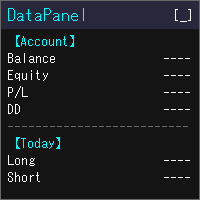
DataPanel mostra o estado da sua conta no gráfico, em um único painel. Ele não envia ordens e não usa DLL. Eu o criei originalmente com o Claude Code para ver de relance como estão as contas em que rodam meus outros EAs. Ele acabou mostrando bastante informação, mas você pode exibir só o que precisa: ajuste nas configurações. O que ele mostra Saldo, patrimônio líquido, resultado flutuante e nível de margem Drawdown de saldo e de patrimônio, com o máximo e o horário em que ocorreu. Depósitos, saq
FREE

Prop Risk Guard aplica automaticamente as regras de gestão de risco da sua conta. Basta adicioná-lo a um gráfico para que monitorize todas as posições da conta. Quando um limite é atingido, fecha as posições, elimina as ordens pendentes e bloqueia a negociação, impedindo que uma operação com prejuízo ou um EA descontrolado viole as regras da sua conta de avaliação ou conta financiada. Limite de perdas diárias Pode ser definido como percentagem, montante fixo ou ambos (aplica-se o limite mais rig

O que mata os challenges é o limite diário, não o alvo de lucro. Uma noite de alavancagem excessiva, um pending esquecido, um gap.
O PropFirm Shield Essential é o guarda gratuito que vigia A regra mais importante — e bloqueia antes da violação.
Em QUALQUER gráfico. Vigia toda a conta — símbolos, magics, manuais, copiadores, outros EAs.
- DAILY LOSS GUARD — o teu limite e a tua hora de reset. - LOCKDOWN — fecha posições, elimina pendentes, bloqueia novos até ao reset. - BUFFER — dispara antes
FREE

$500 pagos num challenge. Conta de $100.000 em jogo. Uma má noite — e acabou.
Não porque a estratégia falhou. Porque ninguém estava a ver às 04:07 quando o gap chegou, quando o pending esquecido foi executado, quando uma vela apagou três semanas de disciplina.
O PropFirm Shield é o guarda que nunca dorme.
Anexe a QUALQUER gráfico — monitora TODA a conta: todos os símbolos, todos os magics, trades manuais, copiadores, outros EAs. Se algo ameaça as regras, age ANTES da violação.
O QUE PROTEGE

SHORT DESCRIPTION: Um painel de trading de um clique feito para desafios de prop firms. Cada lote é calculado a partir da perda que você ainda pode ter hoje, e o painel fecha tudo antes que a sua regra de perda diária ou máxima seja quebrada.
FULL DESCRIPTION: A maioria dos desafios não é perdida por análise ruim. É perdida por uma operação grande demais, uma posição aberta esquecida ou uma perda diária calculada de forma diferente da firma.
O FirmPilot faz três coisas:
1. Calcula o lote par

SAYON Trade Copier copia operações entre contas MetaTrader no mesmo computador ou VPS: MT5 → MT5, MT4 → MT4, MT4 → MT5 e MT5 → MT4 .
Um único EA para os dois papéis: configure-o como Master na conta que envia as operações e como Slave nas contas que as copiam. O papel também pode ser trocado pelo painel. A versão MT4 é GRÁTIS. Copiar entre MT4 e MT5 custa uma única licença: instale esta versão MT5 nos terminais MT5 e a versão MT4 gratuita nos terminais MT4. Rápido e confiável: o copier trabalha

MGA – Manual Gold Assistant A Different Way to Manage Difficult XAUUSD Exposure What if a difficult position did not always have to be immediately realized as a loss, but could instead be frozen, reduced, and managed progressively when the market offers new opportunities? MGA – Manuel Gold Assistant is a complete manual trading environment developed primarily for XAUUSD . It combines, within a single interface: market analysis, position management, risk management, hedging, progressive exposure

ATS Trade Manager is the site foreman of your trades. Plan a trade on the chart with draggable lines and coloured zones, send it with the lot size worked out from your risk, and let the foreman look after it: break-even, trailing stop, up to three take-profit levels with a partial close at each, a daily loss lock and one panel to close groups of trades. It trades only when you press SEND. PLAN A TRADE ON THE CHART Press PLAN and the chart shows the trade before you take it: a blue line and zone
FREE

Conheça o símbolo da corretora antes de avaliar o EA. D7 Symbol Inspector é um utilitário gratuito e somente leitura para gráficos do MetaTrader 5. Ele reúne em um painel os campos do símbolo que muitas vezes decidem se um EA consegue dimensionar, enviar ou proteger uma ordem — sem enviar nem modificar trades. Para quem é Use antes de testar um Expert Advisor em um símbolo da corretora, principalmente quando houver sufixo, tamanho de contrato incomum, passos de volume diferentes ou spread que va
FREE

Telegram Trade and Pattern Tool
Full-functionality demo account with all features
Telegram Trade and Pattern Tool is a candlestick-pattern and margin monitoring panel with remote trading control through Telegram. It scans charts across multiple symbols and timeframes at once, sends alerts with screenshots — down to a real-time signal for an abnormally large candle — and lets you react right there, in the same chat: open a trade, close a position, set or move a stop, all without opening the ter

Guides and demo test: Installation guide | User guide | Demo account test | Panel and settings guide
DS Universal Trade Manager for MetaTrader 5
Compact trade planning, position management and optional indicator automation
The DS Universal Trade Manager combines the essential tools for manual trade planning and position management in one compact interface. Entry, stop-loss, take-profit, risk, break-even, trailing and partial targets can be planned, adjusted and monitored directly on the char

Account Center — Trading Journal and Account Dashboard for MetaTrader 5 Your platform shows how much you made or lost. It does not show why. Account Center turns one chart into a full-screen account center and trading journal: the chart hides, a clean panel takes its place, and every closed trade gets the human side next to the numbers — your emotion, your plan, your mistakes and your lesson. WHAT YOU GET Dashboard Equity, balance, floating P/L and today's result with your mood before the sessio

Copy Dog AI Trades Copier MT5 Copy Dog AI Trades Copier copies trades between MetaTrader accounts and lets you set the copying rules by talking in your language, or by typing your copying commands and account management on the chart panel in MT4 or MT5. Write or say what you want in plain words, for example: "Copy only gold from now on, half the sender's lot size, and trail each copy 200 points behind the price." Google Gemini turns your words into rules, explains them back to you in plain words
FREE

Painel de trade grátis para MT5: compra e venda em 1 clique na linha de preço e botões de Breakeven, Parcial, Inverter e Zerar em cada posição. DESCRIÇÃO: O TrendSync Trade Buttons é um painel de trade grátis e leve para quem opera manualmente no MetaTrader 5. Abra, reduza e feche posições direto do gráfico, sem caixas de diálogo e sem procurar tickets na aba Negociação. É uma ferramenta de execução, não um robô de sinais . Ele não abre operações sozinho. Toda decisão é sua; ele só transforma ca
FREE

LocalTimePlus — MT5 Local Time Correction × Custom Scale Extension Tool LocalTimePlus replaces MT5’s default time and price scales with a fully custom system featuring automatic local‑time correction , high‑precision crosshair display , intuitive zoom controls , and a transparent canvas rendering engine . It completely solves the “time‑offset problem” for scalpers, short‑term traders, and users trading on overseas servers. Overview LocalTimePlus overlays a transparent canvas on the MT5 cha
FREE

Order Flow Footprint Workspace is a read-only order-flow and market microstructure workspace for MetaTrader 5.
It transforms the tick data provided by your broker into an interactive session-based footprint view with price-level activity, profiles, historical navigation and diagnostics. The workspace automatically adapts to the information actually available in the broker feed and does not invent trade direction when the source data cannot support it.
MAIN FEATURES
• Footprint candles with S

# Ronin Copier - Tactical Prop Sync
**Zero-Latency, Zero-DLL Local Trade Copier Built for Serious Prop Traders.**
**EARLY ADOPTER PROMOTION (LIMITED COPIES):** - **First 10 copies:** **$59** (Current Stage) - **Next 10 copies:** **$99** - **Final Price:** **$199** *Price increases automatically as review milestones are reached.*
---
Managing multiple MT5 accounts across prop firms (FTMO, FundedNext, Alpha Capital, etc.) or private brokers? **Ronin Copier** provides seamless, millisecond-

Launch Special: $30 (First 10 copies only)
Ronin Scalp Tactical Cockpit is an ultra-slim, tactical HUD designed for disciplined scalpers, Gold (XAUUSD) traders, and Prop Firm candidates (FTMO, FundedNext, etc.).
Unlike bulky panels that clutter your chart, Ronin Scalp occupies only 118 pixels on the edge of your screen. Built for high-speed precision, it provides systematic risk management, instant execution protection, and panic defense when milliseconds determine your trade outcome.
======

Ronin Shield - Daily Loss Limiter & Account Guard (MT5)
When your loss limit is hit, your trading day is over. A utility built to stop the "just one more trade" moment during prop firm challenges.
Attach it to just one chart and it protects the whole account: every symbol and every position, including manual trades and other EAs. No need to open a chart for each symbol. No external DLLs. No web requests.
============================== THREE PROTECTION LINES ============================== 1.

StatsBoard — Account P&L Statistics Board
StatsBoard is a lightweight MT5 indicator that turns your entire trading history into a clear, on-chart statistics dashboard. No equity curve, no clutter — just the numbers that matter, organized by day, week, month, quarter, year, symbol, magic number, and comment.
**Key Features**
- **10 built-in tabs**: Summary, Day, Week, Month, Quarter, Year, Symbol, Magic, Comment, Account - **Full P&L breakdown per period**: lots, min/max lots, trade count, ne
O Mercado MetaTrader é o melhor lugar para vender robôs de negociação e indicadores técnicos.
Você apenas precisa desenvolver um aplicativo para a plataforma MetaTrader com um design atraente e uma boa descrição. Nós vamos explicar como publicar o seu produto no Mercado e oferecer a milhões de usuários MetaTrader.

Você está perdendo oportunidades de negociação:
- Aplicativos de negociação gratuitos
- 8 000+ sinais para cópia
- Notícias econômicas para análise dos mercados financeiros
Registro
Login
Você concorda com a política do site e com os termos de uso
Se você não tem uma conta, por favor registre-se