 MetaTrader 5
 エキスパート
 インディケータ
 ライブラリ
ライブラリ
 ユーティリティ
 ウィジェット
 ルール
ルール
YouTubeにあるマーケットチュートリアルビデオをご覧ください
ロボットや指標を購入する
仮想ホスティングで
EAを実行
EAを実行
ロボットや指標を購入前にテストする
マーケットで収入を得る
販売のためにプロダクトをプレゼンテーションする方法
MetaTrader 5版新取引ユーティリティ - 7
 以下はMetaTrader5での取引を簡素化する取引プログラムです。ユーティリティにカーソルを合わせると、その説明と目的が表示されます。
Watchman is a news filter and drawdown guard for MetaTrader 5. It pauses any Expert Advisor during high-impact economic news, closes or protects open positions, and enforces daily loss and maximum drawdown limits across the whole account. It works with any EA, including commercial products with no built-in news filter and no accessible source code. Attach Watchman to one empty chart. It finds every chart in the terminal running an EA, reads the MetaTrader economic calendar for events affecting t

Set your limits before emotions take over. RiskGuard by Cold Execution is a risk-management utility for MetaTrader 5 that helps you follow your trading rules. Configure daily loss limits and profit giveback protection to help control overtrading and enforce a break when your limits are reached. Main features Two-level daily loss limits: set separate Level 1 and Level 2 thresholds. Level 1 provides a configurable trading break. The Level 2 daily loss lock remains active until the next day in the

Precision Trade Manager
Precision Trade Manager is a professional trade and risk management utility designed for MetaTrader 5.
It provides traders with a convenient on-chart control panel for managing positions, calculating risk, protecting the trading account and performing common trade management operations from one interface.
The utility does not generate trading signals or use a trading strategy. It is designed to help traders manage their own manual positions efficiently and consistentl

Trading Journal Analyzer
Trading Journal Analyzer is a professional trade history analysis utility for MetaTrader 5.
It helps traders review their historical trading performance directly inside MT5. Instead of manually calculating statistics from account history, the utility analyzes completed trades and presents important performance metrics in a simple on-chart panel.
The program does not open, modify, or close trades. It is designed purely for trade history analysis and performance review

Trade Insight Pro
Trade Insight Pro is an advanced trading performance analytics utility for MetaTrader 5.
It transforms your MT5 trading history into clear and useful performance statistics directly on the chart. The utility is designed for traders who want to understand their historical results in greater detail, identify performance patterns, compare BUY and SELL behavior, and review their trading activity using objective data.
Trade Insight Pro does not generate trading signals and does

Chartkin - A Pixel Companion for MetaTrader 5 Chartkin adds a small animated pixel-art companion to your MetaTrader 5 chart. It is a cosmetic and account-monitoring utility. Chartkin does not open, close, or modify trades. It does not provide signals, predictions, or investment advice. Main Features Built-in orange cat named Mochi Four animated states: IDLE, WATCHING, CHEER, and SAD Reactions based on open positions and account profit or loss context Contextual dialogue when the pet is clicked

Average Exit Manager is a trade management tool for MT4 and MT5, designed to help manage exits by average price, profit, loss, points, money, or percentage of balance. You can manage buy and sell positions separately or combined using One Basket for money and percentage targets. The on-chart panel provides quick trade buttons, close controls, lot adjustments, live results, balance and equity display, delete pending orders, and reset to input values. Average Exit Manager supports real broker TP a

HCS Basket Exposure HCS Basket Exposure is a read-only MT5 position monitor that summarizes open-position exposure on the current chart symbol. It is designed for traders working with multiple entries, scaled positions, hedged positions, grids, Expert Advisors or manual multi-position trading. What it shows BUY and SELL position counts, total lots, weighted entry and floating profit/loss. Net lots, gross lots, combined floating profit/loss and a separate swap total. A one-sided basket entry basi

HCS EA Session Ledger HCS EA Session Ledger is a read-only MetaTrader 5 utility that groups today's recorded trading activity by Magic Number. It provides a compact view of EA activity and trade history alongside current open-position figures. Automatic Magic Number discovery Session Ledger automatically discovers Magic Numbers from currently open positions and today's deal history. You do not need to remember or manually enter an Expert Advisor's Magic Number. Select: ALL activity MAGIC 0 / UNA

HCS EA Deployment Monitor HCS EA Deployment Monitor is a read-only MetaTrader 5 utility that provides a compact terminal-wide view of which Expert Advisors are attached across your open MT5 charts. Instead of checking charts individually, Deployment Monitor automatically builds an inventory showing where EAs are attached and where no EA is present. Terminal overview The summary displays: Terminal Algo Trading ON/OFF Total open charts Charts with an attached EA Charts without an EA If Expert Advi

EZ Trading Assistant is an MT5 Expert Advisor that adds an on-chart control panel for preparing, opening, and managing trades - including Auto Lot sizing, Break Even, Trailing Stop Loss, and Partial Closes - across up to 5 independent trades at once. It applies a concept of preparing your buy or sell order before executing to prevent accidentally pressing the wrong button and opening a trade in the wrong direction. 1. Getting Started Attach EZTradingAssistant to a chart for the symbol you want t

RiskGuard Pro enforces a daily loss limit, a profit lock and a maximum drawdown on your account - across your manual trades and any other EA you run. It does not open trades and it does not predict anything. What it does RiskGuard Pro watches your account equity and enforces three limits you set: Daily loss limit - measured against your start-of-day equity. Daily profit lock - stop trading once the day has gone well enough. Maximum drawdown - measured from your account's peak equity, not from to

Trade Mirror Bridge mirrors a FOREX ONLY trading signal feed onto your own MT5 account, sized to your own equity -- never a copied lot size.
STATISTIC 67.4% fundamental edge 20% annualised avg profit avg in backtest
OBJECTIVE pass prop firm chalenge status: pending
WHAT IT DOES When the source strategy opens a position, yours opens too, automatically resized to your own account equity and risk tier. When the source closes, yours closes. No extra software required -- this is a single EA, nat

日本語に対応しました。 Strategy Ledger Pro は、MetaTrader 5 用の読み取り専用の口座分析パネルです。口座の成績をエキスパートアドバイザー(EA)、戦略、銘柄、マジックナンバーごとに分け、それぞれが実際にどれだけ貢献しているかを明らかにします。 パネルは 11 言語に対応しています:English、Français、Deutsch、Español、Italiano、Português、Русский、Türkçe、中文、日本語、한국어。 デモをダウンロードする前に。 Market では、有料製品のデモはストラテジーテスター内でのみ実行されます。このパネルはご自身の口座の取引を分析しますが、ストラテジーテスターには読み取る口座履歴がないため、デモは空のパネルで起動し、その旨を表示します。これはデモの仕組みによるもので、製品の制限ではありません。 この説明内の動画では、実口座でのパネルの動作をご覧いただけます。
すべての機能を解説した詳しい マニュアル (英語)と、情報交換やお知らせのための AureusAI Trading Suite グループをご用意し

That backtest looks great. But will it still be making money tomorrow, next week, next month?
EA Overfitter re-runs your EA on 100 price histories it has never seen. One score tells you if the edge is real.
A backtest tells you what an EA did on one price history — the one that happened to occur. What you cannot tell from it is how much of that result was the strategy and how much was the particular path.
EA Overfitter answers that. It builds up to 100 synthetic price histories your EA has n

MetaTrader 向けに売られているものは、ほとんどが方向を予測します。それが本当に可能なのかを、EURUSD と金の13年分のデータで検証しました。ウォークフォワード検証を行い、さらにラベルをランダムに入れ替えた対照実験も走らせています。 方向の的中率は48%から51%の間でした。金では、同じモデルが入れ替えたラベルに対して53.4%を出しています。つまり本物のデータより高い。過学習したシステムを内側から見ると、これがその姿です。バックテストの曲線が証拠にならない理由もここにあります。 明日どれだけ動くか、という問いは別物で、こちらには答えがあります。VolGuard はその答えの上に、それだけを土台にして作られています。 何をするのか 毎日、日足が確定したときに、VolGuard は明日の値幅を予測し、その予測を一つの数字に変えます。あなたのポジションサイズに掛けるべき係数です。 平常の2倍動くと予測された日はサイズが半分になります。そうすればリスクにさらす金額は、あなたが置いた場所にとどまり、黙って倍になったりしません。静かな日には少し多めになります。あなたが決めた上限を超え

Market Watch Bulk Loader スターター版:ティッカーのリストを貼り付けるだけで、ワンクリックで「気配値表示」に追加できます。1 回の読み込みで最大 5 銘柄。
ティッカーを 1 つずつ手入力する代わりに、クリップボードから「気配値表示」に追加しましょう。
これは Market Watch Bulk Loader のスターター版です。機能は完全版とまったく同じで、制限は 1 つだけ、1 回の読み込みで 5 銘柄までです。まずはご利用のブローカーの銘柄名を本ツールが正しく認識できるか確認するのにお使いください。
使い方
1. ティッカーのリストをクリップボードにコピーします(スクリーナー、表計算ソフト、チャットのメッセージ、プレーンテキストなど、どこからでも可)。 2. MetaTrader 5 でパネルの TXT ボタンを押します。入力欄が表示されます。 3. リストを貼り付けます(Ctrl+V または右クリック)。 4. Copy を押します。
本ツールは各ティッカーをご利用のブローカーが実際に提供している銘柄と照合し、一致したものを「気配値表示」に追
FREE

ApexForge Visual Pending Orders
## ビジュアル指値・逆指値注文|ドラッグ可能な価格ライン|マルチチャート同期|H ホストチャート|S/C 高速送信・キャンセル
ApexForge Visual Pending Orders は、MT5で手動取引を行うトレーダー向けに設計された、ビジュアル型の保留注文管理ツールです。
MT5の注文画面を何度も開き、価格を入力して確認する必要はありません。
保留注文モードを選択すると、EAが対応する価格ラインをチャート上に直接作成します。マウスでラインをドラッグしてエントリー価格を調整し、確認後そのまま注文を送信できます。
新バージョンでは、H(Host Chart)によるホストチャート指定、複数チャート間の双方向同期、S / C クイック操作ボタンを追加しました。
M1、M5、M15、M30、H1、H4 など、複数の時間足を同時に確認しながら注文位置を判断するトレーダーに特に適しています。 デモ版 製品版をご購入いただく前に、MT5のデモ口座で ApexForge Visual Pending Order

SinalTradeは、TelegramのトレードシグナルをMetaTrader 5で管理するためのプロフェッショナルプラットフォームです。 EAはMT5とSinalTrade Interfaceの間を接続する安全なConnectorとして機能します。ほとんどの設定はInterfaceから直接管理できるため、設定作業が簡単になり、Telegramプロバイダー、MT5口座、執行ルール、リスク管理を一元的に管理できます。 主な機能: • Telegramトレードシグナルの監視
• BUY/SELLシグナルの自動検出
• 成行、STOP、LIMIT注文
• エントリーレンジと複数エントリー
• 最大5つのTake Profitレベル
• Risk:Rewardに基づく自動TP
• Break EvenおよびTPベースの段階的保護
• Trailing Stop
• Percentage Risk、Fixed Lot、Fixed Moneyリスクモード
• Daily Loss、Drawdown、Equity保護
• 最大エクスポージャーと1日の最大取引数
• プロバイダーごとの戦略およびリス

NINJA SYMBOL PASSPORT MT5 PRO NINJA Symbol Passport MT5 Proは、ユーザー自身が取引判断を行う前に、ブローカーが提供する銘柄仕様と現在の執行条件をまとめて確認するための読み取り専用MT5ユーティリティーです。パネルと入力名は英語です。 SYMBOLSでは、取引時間、満期、Volume規則、スプレッドコスト、推定必要証拠金、Spread/ATR、Trade Mode、約定方式、注文方式、Stops/Freeze Level、Swap、Tick Value、Contract情報などを確認できます。 PREFLIGHTは、スプレッド、証拠金、価格更新の鮮度、Trade Mode、取引権限、銘柄仕様、設定したリスク条件など、実装済みの執行条件だけを非方向性で評価します。スコアは勝率や相場予測ではなく、減点理由を確認するための指標です。 PLAN LABでは、選択した銘柄に対してBUY/SELLのMarket、Stop、Limitを組み合わせた最大6種類の仮想リクエストを手動で作成し、その時点のOrderCheck結果、価格、Volume、

2つの月が同じ成績で終わることがあります。一方は落ち着いてその成績に到達し、もう一方は何日も-20%の含み損を抱えていました。ブローカーの取引報告書では、この2つを区別できません。 Trading Track Recordなら、MetaTrader 5のチャート上で区別できます。 Trading Track Recordは、口座履歴と保有中のポジションを読み取り、トレードの実際の結果を表示するパフォーマンスダッシュボードです。日・週・月・四半期・年ごと、銘柄・マジックナンバー・注文コメントごとに集計し、毎日の最大含み損と最大含み益もあわせて表示します。アカウントの作成は不要で、何もアップロードされません。すべてがお使いのターミナル内で行われます。 本インジケーターでできること 日々の本当のリスク。 パネルは含み損益を1秒間に2回取得し、日ごとの最大含み損と最大含み益を記録します。取引報告書に表示されるのは決済済みの結果だけです。 本当に利益を生んでいる戦略。 すべての数値を銘柄、マジックナンバー、注文コメント別に確認できます。フィルターを使えば、1つの銘柄で稼働する1つのEAだけを、手

Strategy Drift Pro は、稼働中のEA、コピートレード、またはシグナルの挙動が、想定される基準と引き続き一致しているかを監視します。EAの場合、基準は MT5 Strategy Tester レポートからインポートされます。MQL5 Signals およびコピートレードの場合は、公開されているシグナル統計を基に基準を設定します。 信頼していたバックテストどおりにEAが本当に動いているか、どうすれば分かるでしょうか? バックテストは、過去の条件下でストラテジーがどのように動作したかを示します。しかし、同じパフォーマンス特性が現在も続いていることを確認するものではありません。ボラティリティ、スプレッド、手数料、ブローカーの約定、ポジションサイズ、コピー条件、ストラテジーの更新は、いずれもライブ結果を変化させる可能性があります。 Strategy Drift Proは、Expert Advisor、コピーされた取引、MQL5シグナルに対応する、MT5内でローカル動作する読み取り専用のパフォーマンス監視ツールです。MT5ストラテジーテスターのHTML/HTMレポートを期待ベース

チャート上でトレードを組み立て、クリックする前に金額を確認し、すべてのポジションを1つのパネルに任せる。1つずつでも、ブック(建玉全体)としてまとめてでも。 無料です。有料版、試用期間、DLL、Web リクエストはありません。 種類 ユーティリティ(注文・ポジション管理) 銘柄 すべて 口座 ヘッジング(ネッティングは未検証、第9章を参照) 新規注文 ボタンを押したときだけ チャートに置きっぱなしにしたくなる理由 クリックの前に、いくら賭けるかが分かる。 ストップラインをドラッグすると、ロット、リスク金額、利益見込み、R:R がパネル上で更新されます。円建てを含め、口座通貨で表示します。 ラインで注文。 ENTRY、STOP、TARGET をドラッグするだけ。エントリーラインの位置に応じて指値か逆指値になります。ボタンを押すまで何も送信しません。2つの待機注文を OCO で組にできます。 管理はおまかせ。 段階的な利確、建値移動、トレーリング、そしてストップの無いポジションへの実際の保護ストップ。スマホから建てたポジションにも作用します。 複数のポジションを、1つの判断で。 合計目標
FREE

️ SMART PANEL TESTER — 戦略をテスト。リスクをコントロール。 SMART PANEL TESTER は、メインバージョンである SMART PANEL の機能を厳選したバージョンです。 Strategy Tester でトレード戦略を効率的かつ快適にテストするために設計されています。 最大の特徴は リスク管理 です。トレード戦略の成果は、優れたエントリーポイントだけで決まるものではありません。長期的なパフォーマンスには、各トレードのリスクを適切に管理することが重要です。 ️ 内蔵リスクマネージャー リスクを 口座残高に対するパーセンテージ として設定し、 Stop Loss を決定して、明確な資金管理ルールに基づいて戦略をテストできます。 自動 Risk/Reward 比率に素早く対応: 1:1 • 1:2 • 1:3 必要な比率を選択すると、対応する Take Profit レベルを自動的に設定できます。 バックテストに必要な主要機能 BUY / SELL — 成行注文を素早く実行; STOP / LIMIT ORDERS — さまざまなエントリーシ
FREE

Spread Control は、MetaTrader 5 のチャート上で現在のスプレッドとその変化を直接確認できるコンパクトなインジケーターです。 機能 リアルタイムのスプレッド表示 最近の値の履歴を表示する スプレッド変動チャート 表示期間における LOW / AVG / HIGH の計算 スプレッド状態のカラー表示: 通常レベル 警告レベル 危険レベル 現在のスプレッド値を示すビジュアルスケール 現在の Bid / Ask を表示 市場アクティビティ表示: LIVE — Bid/Ask が変動している状態 OFFLINE — 指定時間内に Bid/Ask の変化がない状態 現在のシンボルと時間足を表示 Full / Compact モード 設定 Position X — パネルの初期水平位置。
Position Y — パネルの初期垂直位置。
Refresh Interval — インターフェースの更新間隔。
Spread Sampling Interval — スプレッド値を履歴に記録する間隔。
Spread History Size — 保存するスプレッド履歴の件数。
War

PanelBuySell + GameHub MetaTrader 5用のワンクリックBUY/SELLパネルと、キー一つで開く隠しミニゲームハブを組み合わせたツールです。トレーディングツールは常にチャート上に表示され、Gキーを押すとプラットフォームを閉じずに25種類以上のミニゲームライブラリが開きます。 注文執行とポジション管理 ロットサイズとコメントを設定可能なワンクリックBUY/SELL 全決済(Close All)、建値決済(Break Even)、残高比率によるストップロス。それぞれ確認ウィンドウのオン/オフが可能 数字キー1〜9による部分決済(10%〜90%) ワンクリックでのポジション反転(Flip) リスクと注文ツール チャートをクリックしてストップロス(SL)とテイクプロフィット(TP)を移動 プレビュー距離とトレーリングストップを調整可能なストラドル(Buy Stop + Sell Stop) チャート上に描画されるストップアウトライン 通貨ペアごと、または全通貨ペアでのポジション数制限 注文失敗時の自動リトライ インターフェース 誤クリックを防ぐパネルロック ライト

1) 手動取引用のアシスタントモード、870以上のポジション管理機能を搭載、2) 45種類のストップロス + トレーリングSL、3) 10種類のテイクプロフィット + トレーリングプロフィット、4) 外部コントロールパネルはリアルトレードとテスターの両方で動作、5) 3種類のマネーマネジメント、6) ポジション数量を増加させる5種類の方法、7) 15種類のポジション管理、8) 8種類の保護フィルター、9) 9種類のシグナル確認方法、10) ビジュアル・ポジション・マネージャー、11) TPおよびSL用のポジション部分決済、12) ブレークイーブン、13) スケジューラーモード、14) 損失制限、15) 利益制限、16) RR% SLによる利益管理、17) 9種類のリスク管理、18) ヘッジ - ペア、19) MT5のすべての取引商品で動作:ゴールド - 暗号資産 - Forex - 株式 - 先物、20) 6種類の言語選択、21) 実際の注文発注モードおよびブローカーから隠された仮想注文発注モード、22) 注文リバース、23) ストップロスで決済された際のポジション反転、24) ブロー

EA Claim Consistency Checker は、手入力したEA販売ページの主張値が統計として内部整合しているかを確認する、ローカル動作のMT5ユーティリティです。
EAの販売ページや紹介文にある見出しの数値を、スクリプトの入力欄に直接入力します: Profit Factor、勝率、リワードリスク比または平均勝ち/平均負け、取引数、最大ドローダウン、月次リターン、主張期間、初期資金。本ユーティリティはレポートファイルも口座データも一切読み込みません。すべての入力は手動パラメータです。
単位は明示、欠測も明示
率の入力(勝率、最大ドローダウン、月次リターン)はすべて、rate-unit入力で選んだ1つの単位で読み取られます: percent(既定。例: 60% は 60)または fraction(例: 0.60)。単位の自動推測はありません。値 0 は「未入力」を意味します(月次リターンだけは -999 を使うため、本当に0%という主張も入力できます)。未入力の値は unknown または insufficient claim data として保持され、無理に結論へ変

Position Sizer Pro MT5 は、500回以上ダウンロードされた Position Sizer MT5 の機能拡張版です。 無料版はロット数を計算します。Pro版では、チャート上で取引全体を計画し、適切な取引数量を計算して、パネルから直接注文を出せます。 手計算も、別の注文ウィンドウも不要です。注文を送信する前に、エントリー価格(Entry)、損切り価格(SL)、利確価格(TP)、ロット数、実際のリスクを確認できます。 チャート上で視覚的に取引を計画 Entry、SL、TPはチャート上にラインで表示されます。 SLラインを動かすと、ロット数が自動的に更新されます。Pendingモードに切り替えてEntryラインを希望の価格に動かすと、適切な注文種別が自動的に判定されます。 Buy Stop Buy Limit Sell Stop Sell Limit ラインを移動するには、ダブルクリックで選択してから、希望の価格までドラッグします。Pendingモードに切り替えると、Entryラインは自動的に選択されます。 パネルから直接発注 BUYまたはSELLを選び、Marketま

BOLETA CHART PRO - TRADE PANEL | 데이 트레이딩을 위한 가장 빠르고 완벽한 패널 메뉴를 클릭하느라 기회를 놓치지 마세요. 차트에서 1클릭으로 매수, 매도, 보호 및 부분 청산하세요. 트레이더가 트레이더를 위해 만들었습니다. 무엇인가요?
Boleta Chart Pro는 차트에 고정되는 전문 트레이딩 패널(Trade Panel)입니다. 느린 MetaTrader 패널을 스마트하고 시각적이며 초고속 패널로 대체합니다. 필요한 모든 것 - 랏, 리스크, 목표 및 손절 본전, 부분 청산, 지정가 주문 - 을 보고 클릭 한 번으로 실행합니다. 누구를 위한 것인가요?
지수 및 달러 데이 트레이더
민첩성이 필요한 스캘퍼
외환, 주식, 암호화폐를 거래하고 빠른 보호가 필요한 분
감정적인 거래를 멈추고 자동 리스크 관리를 갖고 싶은 분 전체 기능 - 1클릭으로 모든 것: 즉시 실행
시장가 매수 - 사전 정의된 랏으로 즉시 진입
시장가 매도 - 즉시 매도 진입
밀리초 단위

T rade Heat Recorder MT5 は、ポジション保有中の動きを記録・分析する読み取り専用のMT5ユーティリティです。 最大逆行幅(MAE)、最大順行幅(MFE)、最高利益からの利益減少、純損益、利益捕捉効率、その他のトレード管理情報を追跡します。 ポジション開始時から監視された取引は LIVE 、ツール起動・再起動後に検出されたポジションは RECOVERED として明確に区別されます。 主な機能: MAE / MFEリアルタイム追跡 Giveback / From Peak 純損益 利益捕捉効率 初期リスク情報が利用可能な場合のR分析 LIVE / RECOVERED分類 管理イベントのフラグ 最近終了したトレードの表示 ローカルCSVエクスポート Magic Numberフィルター 再起動後の状態保持 完全な読み取り専用動作 Trade Heat Recorderが注文を発注・変更・決済することはありません。 DLL、WebRequest、外部API、サーバーは不要です。

Contract Change Watch は、この口座に接続されたブローカーの銘柄設定を読み取り、値が変わった瞬間に記録するツールです。予測も助言もしません。ログに残るのは、この口座のブローカーが実際に設定していた値が、少し前とは違っていたという事実だけです。
なぜ必要か: ブローカーはスワップ率・ストップレベル・出来高の刻み幅・証拠金要件など17項目のうち、他にも6項目を、いつでも予告なく変更できます。仕様ダイアログには常に「今の値」しか表示されません。変わる前から記録していない限り、いつ・どれだけ変わったのかを知る方法はありません。
セットアップ: 1. どのチャートでもよいのでEAをドラッグして取り付けます。銘柄も時間足も無関係です。稼働しているチャートではなく、Market Watch にあるすべての銘柄を読みます。 2. パネルが左上に表示されます。初回起動時はすべての監視対象銘柄のベースラインを保存し、「Changes recorded」が0と表示されます。 3. それ以降は60秒ごとに現在値をベースラインと比較します。変化は検知された瞬間に記録されます。 4. それ

Order Type Ledger は、この口座の取引履歴ではなく注文履歴を読み、出された注文がそれぞれどうなったかを数えるツールです。予測も助言もしません。損益は一切見ません。数えるのは結果だけです:約定(filled)・取消(cancelled)・期限切れ(expired)・拒否(rejected)。
なぜ必要か: ほとんどの取引ツールは、約定した取引だけを振り返ります。触れられずに期限切れになった指値注文、拒否された逆指値注文、約定するまで何時間も待たされた注文——これらは取引履歴の集計には一切現れません。取引にならなかったからです。注文履歴タブには1件ずつ並びますが、誰も合計しません。「先月出した指値注文の37パーセントは一度も約定しなかった」——これはこの口座がすでに持っている事実ですが、数えられたことがないだけです。
セットアップ: 1. どのチャートでもよいのでEAをドラッグして取り付けます。銘柄も時間足も無関係です。稼働しているチャートではなく、この口座の注文履歴全体を読みます。 2. パネルが左上に表示され、この口座自身の注文履歴から埋まっていきます。 3. 注文

Trade Duration Profile は、この口座自身のクローズ済み取引履歴を読み、ポジションを実際にどれくらいの時間持ち続けていたかを、平均値ひとつではなく分布として示すツールです。予測も助言もしません。取引の結果は一切見ません。見るのは時間だけです。
なぜ必要か: 「自分はだいたいスキャルパーだ」「わりと長めに持つほうだ」——多くのトレーダーはこの程度の感覚しか持っていません。裏付ける数字がないからです。口座の履歴タブは取引を1件ずつ並べるだけで、実際にどれくらい保有していたか、どの銘柄をいちばん長く持っているか、月曜の取引は金曜より長引くのか、といったことを合計してはくれません。「自分の保有時間の中央値は42分だが、XAUUSDだけ見ると3時間近い」——これはこの口座がすでに持っている事実であり、ただ一度も数えられたことがないだけです。
セットアップ: 1. どのチャートでもよいのでEAをドラッグして取り付けます。銘柄も時間足も無関係です。稼働しているチャートではなく、この口座のクローズ済み取引履歴全体を読みます。 2. パネルが左上に表示され、この口座自身の履歴から

Weekend Hold Report は、この口座自身のクローズ済み取引履歴を読み、ポジションが週末をまたいで保有された回数を数えます——単なる件数、銘柄別の内訳、そして週をまたいだポジションがどれくらいの時間保有されていたか、の3点だけです。判断も助言もせず、取引の結果は一切見ません。数えて時間を測るだけです。
なぜ必要か 週末をまたいでポジションを持ち越すことは、多くの場合「意図した戦略」ではなく、あとから気づくことです。口座の履歴タブは取引を1件ずつ並べるだけで、どれが土曜日をまたいだのか、何銘柄にわたっていたのか、その週跨ぎポジションが実際にどれくらいの時間開いていたのかを、フラグ付けしてくれません。「去年は17回、週末をまたいで持ち越した。うち9回はXAUUSDだった」——これはこの口座の履歴がすでに持っている事実であり、ただ一度も数えられたことがないだけです。
セットアップ 1. どのチャートでもよいのでEAをドラッグして取り付けます。銘柄も時間足も無関係です。稼働しているチャートではなく、この口座のクローズ済み取引履歴全体を読みます。 2. パネルが左上に表示され、

Partial Close Tracker は、この口座自身のクローズ済み取引履歴を読み、ポジションが何回かに分けて決済された回数を数えます——単なる件数、比率、そして分割決済が典型的に何ステップで行われたか、の3点だけです。判断も助言もせず、取引の結果は一切見ません。数えるだけです。
なぜ必要か 「一部だけ利確して、残りを持ち続ける」という習慣は、多くのトレーダーが守るつもりでいながら、実際に検算したことがありません。口座の履歴タブは取引を1件ずつ並べるだけで、どれが実際に段階的に決済されたのか、何ステップかかったのか、そもそもどれだけの割合が単純に一括決済だったのかを、フラグ付けしてくれません。「250件のクローズ済みポジションのうち196件が分割決済を使っていた——使用率78%」——これはこの口座の履歴がすでに持っている事実であり、ただ一度も数えられたことがないだけです。
セットアップ 1. どのチャートでもよいのでEAをドラッグして取り付けます。銘柄も時間足も無関係です。稼働しているチャートではなく、この口座のクローズ済み取引履歴全体を読みます。 2. パネルが左上に表示さ

Stop Distance Ledger は、この口座自身のクローズ済み取引履歴を読み、ポジションを建てたときに実際に損切り(ストップロス)や利確(テイクプロフィット)が設定されていたか、そしてそれが発注価格からどれくらいの距離(%)で置かれていたかを示します。判断も助言もせず、取引の結果は一切見ません。設定されていたものを測るだけです。
なぜ必要か 「エントリー前に必ずストップロスを入れる」と決めていても、実際に毎回守れているかを検算したことがある人は多くありません。口座の履歴タブは取引を1件ずつ並べるだけで、実際にストップロスが付いていたか、付いていなかったか、どれくらいの距離で置かれていたかを合計してはくれません。「931件のクローズ済みポジションのうち17件にストップロスが付いていた——設定率1.8%」——これはこの口座の履歴がすでに持っている事実であり、ただ一度も数えられたことがないだけです。
セットアップ 1. どのチャートでもよいのでEAをドラッグして取り付けます。銘柄も時間足も無関係です。稼働しているチャートではなく、この口座のクローズ済み取引履歴全体を読みます。

Superior WhatsApp Signals Copier MT5 automatically copies trading signals from your WhatsApp channels or groups straight to your MetaTrader 5 account. It reads the signal text, works out the symbol, direction, entry, stop loss and take-profit levels, sizes the position under your own risk rules, and sends the trade to MT5 within moments of the message arriving — no manual reading, typing or guessing during fast markets. The software is two parts working together: a desktop app that connects to D

Signal Bridge Pro connects any custom indicator to your trading account. It reads the indicator's buffers, applies your filters and risk rules, and executes the trades for you. No programming and no indicator source code are required. Please read first: this is a utility, not a trading strategy. It does not generate signals of its own. You need an indicator that already produces buy and sell values in its buffers. The quality of your results depends entirely on the indicator you connect. https:/

ReplayTrainerは、お使いのMT5をチャートリプレイ練習環境に変えるユーティリティです。 ブローカー履歴の好きな日付から、未来を隠した状態でチャートを再生し、本番さながらに練習取引ができます。しかも、 お手持ちのインジケータをそのまま表示したままで 。 リプレイ練習の意味 完成したチャートをスクロールで振り返るのと、実際にトレードするのは別物です。次に何が起きるか知っている状態では、判断の訓練になりません。ReplayTrainerは履歴を 1本ずつ、またはティック単位で 再生するので、すべての判断を 「先の見えない状態」 で行えます。 自由自在のリプレイ 再生/一時停止 、速度調整( 1秒あたり5〜1000ティック )、1/10/100本単位のステップ移動 巻き戻し自由 (ストラテジーテスターを使わないので、いつでも過去へ戻れます) 日時指定ジャンプ (カレンダー入力対応) 実ティック再生 : ブローカーの本物のティックで、実際のスプレッドと細かい値動きを忠実に再現。速度は「1秒あたりのティック数」で定義され、どの銘柄でもPCへの負荷が一定 更新ボタン : いつでもその場で

The Replay Trader Panel ULTRA MT5 is a free Expert Advisor developed to transform the visual mode of the MetaTrader 5 Strategy Tester into a practical environment for replay and manual training.
The panel uses the asset, timeframe, dates, and historical data selected directly in the Strategy Tester. It can be used in different markets, as long as the asset is available in the broker's MT5. See the gui de .
To begin, simply select the Replay Trader Panel as your Expert Advisor, choose the asse
FREE

Technical data preparation for MetaTrader 5 MT5 Tax Control Multiple MT5 accounts, historical HTML reports, and thousands of individual entries are processed through one guided annual workflow for traceable review and transfer to a tax adviser. Live MT5 + HTML - Multiple accounts - ECB reference rates - CSV + readable report - German + English - Never trades One guided annual workflow Accessible accounts are read directly through MT5. Complete MT5 HTML reports can be added for old or closed

Apex Terminal is a trade panel for MetaTrader 5 that sizes every position from your risk and manages it from entry to exit.
Set how much you accept to lose and where the stop-loss goes. Before you click, the panel shows the lot, the loss at the stop and the profit at the full target. One click opens the trade with the stop-loss and the whole take-profit ladder already in place.
TRADE - Position size from % of balance or equity, a fixed amount of money or a fixed lot. The lot is rounded down t
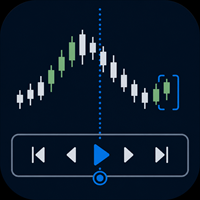
Practise your trading process with recorded broker history inside MetaTrader 5.
MT5 Backtesting Studio is a manual trading simulator for discretionary traders. It combines historical chart replay, simulated orders, strategy notes, session journaling, and detailed analytics without placing or modifying broker orders.
Use it to test intraday or swing-trading ideas, repeat a structured practice plan, and review what happened after each session.
Replay recorded history from your broker
The EA u

September Launch Offer: Get SwiftDraw Prime for $49 instead of $100 until September 30.
SwiftDraw Prime is a professional charting utility designed to make technical analysis faster, cleaner and more efficient. Built for traders who rely on manual chart analysis, SwiftDraw Prime brings essential drawing, multi-timeframe synchronization and trade-planning tools together through intuitive keyboard shortcuts, allowing you to create, edit and remove chart objects with minimal clicks. Whether you are

SmartTrade EA is a manual trading panel that docks on the chart. It brings order entry, position management, risk limits, statistics, the economic calendar and price alerts into one interface, so you can open, protect and close a trade without leaving the chart or opening a dialog.
It is a tool, not a strategy. It does not place trades on its own and does not generate signals. Every entry is yours. What it handles is the work after the click: moving stops, closing in parts, and keeping you ins

Check an MQL5 signal before you subscribe. A signal can look convincing on the provider page and still be a poor fit for your account. Different symbol names, minimum lots, leverage, hedging or netting, copy latency and a fixed monthly fee can materially change what happens on your account. MT5 Signal Sentinel is not a trading robot and not a signal. It does not trade. It analyzes available data and explains technical and historical risks in plain language. Why this tool was created Many problem

Are you tilting? Clicking many stupid buys and sells? But if PipQ used, this wouldn't be happened agan!
You specify a stop loss in points or a percentage of the price movement, and PipQ executes a click-through entry with a specified risk in currency or a percentage of the deposit. It can close positions in batches when an acceptable loss or profit target is reached, and it locks trading when a specified daily loss is reached.
Candlestick/fractal stop loss = deposit loss. Candlestick target = s

MT5取引執行のためのフライトレコーダー
Trade Lifecycle Forensicsは、読み取り専用の監視ユーティリティです。
監視したい取引が発生する前に1インスタンスをチャートへセットすると、手動取引や他のEAによって発生した口座全体のTradeTransactionを監視し、request、order、deal、position、pending orderに関連するEvidenceを追跡可能な記録として整理します。
本製品自身が注文の新規発注、変更、取消、決済を行うことはありません。取引ボタンや、他のEAを制御する機能もありません。
主な表示と記録
• request、order、deal ticketを関連付けたExecution Lifecycle • 設定時間内に観測された、類似する独立LifecycleのDuplicate Candidate • 対応可能なopen-to-close関係をまとめたPosition Journey • pending orderの発注、変更、取消、および観測可能な関連イベントを追跡するPending Order Jou

[Introduction] This panel serves as your tactical command hub, allowing you to design and execute diverse strategies and tactics — such as trend following, mean reversion, and defensive hedging — by combining specialized tactical lines. Smart Value: Operates based on the value entered in the Smart EditBox ([SE]). ABS(Value) = 0: Smart function disabled (Immediate execution via button click). ABS(Value) < Cutoff: Interpreted as a relative offset/delta from the current market price. ABS(Value)

LEGEND TERMINAL PRO — Trade Execution & Risk Management Panel for MetaTrader 5 Legend Terminal Pro is a manual trade execution, risk management and position management panel designed for MetaTrader 5. It brings the essential stages of discretionary trading into one interface: trade preparation, risk calculation, order execution, position management and performance analysis. Legend Terminal Pro does not generate trading signals and does not make trading decisions for you. The trader remains in fu

XAU Expansion Price Level Hourly XAU Expansion Price Level Hourly is a simple and practical tool designed to help traders measure and analyze hourly price expansion on Gold (XAU) . The indicator measures price movement starting from the opening price of each hour , allowing you to clearly see how far the market has expanded from the hourly opening level. You can choose which hourly period you want to analyze: Previous Hour Current Hour Next Hour This makes it easy to compare hourly price levels

SL Risk Manager Auto SL System SL Risk Manager Auto SL System is a practical and easy-to-use tool designed to help you manage your Stop Loss levels before and after opening a trade . With this tool, you can set your Stop Loss level before entering a position . Especially when trading Gold (XAU), you can easily define your Stop Loss based on a specific dollar amount , giving you better control over the risk of each trade. You can also use the panel to automatically open trades according to the ra

TrendSync AutoSL Guardian
Trade and manage manual positions at the speed of a keystroke — every order protected the instant it opens. TrendSync AutoSL Guardian turns manual trading on MetaTrader 5 into a fast, disciplined workflow. Open, protect, scale and close positions straight from the chart or the keyboard — no order dialogs, no hunting for tickets. It is a trade-management and execution tool, not a signal EA : you make the decisions, it makes them instant and safe. Perfect for discretion

DELTA ATLAS Orderbook Order-Flow Visualization Dashboard for MetaTrader 5 Futures
A unified, full-screen dashboard for discretionary futures traders that turns the raw order flow into one clear picture. Every executed trade is rendered as volume bubble scrolling across a live liquidity heatmap, read against a real depth-of- market ladder, a live footprint, the session volume profile and cumulative delta — the whole auction, drawn in real time. On top of the tape sits a graded Analyst and a fam

"Manual trading panel for MT5: trailing stop, daily targets and risk management in one click."
TradePanel Single is a professional manual trading panel for MetaTrader 5, built for traders who want speed, organization and automatic position protection, without juggling multiple tools or complex setups.
Everything you need lives in a single panel: one-click buy/sell, point-based stops and targets, trailing stop, and real-time daily/weekly/monthly results.
===== KEY FEATURES =====
- ONE-CLICK Q
FREE

BUSTER CALL — the EA that does not trade. It BRAKES.
A whole-account guardian on one chart: a daily loss limit for prop-firm rules, an equity kill-switch, per-EA jails, a news lockdown, and a built-in trade copier with your own private relay. Every EA, every manual trade, one bouncer at the door.
It opens zero trades of its own. It sits on ONE chart and guards the WHOLE account — every EA, every manual trade, every pending order. No magic numbers to configure. You draw the lines; it enforces t

Legend Terminal is a manual trade execution and risk management panel for MetaTrader 5. Designed to provide a clear and structured trading workflow directly from the chart, it combines order execution, position sizing and risk calculations in one interface. Order Types • Buy
• Sell
• Buy Limit
• Sell Limit
• Buy Stop
• Sell Stop
• Buy Stop Limit
• Sell Stop Limit Risk Management • Fixed lot position sizing
• Percentage risk position sizing
• Automatic volume calculation
• Risk amount calculation

Stop Guessing Your Lot Size. Trade With Defined Risk. Order Management Script is a FREE risk-management utility that automatically calculates your lot size, Entry, Stop Loss, and Take Profit based on your predefined trading rules. No manual position-size calculations.
No repeated SL/TP calculations.
Just define your risk and trading setup. KEY FEATURES Automatic Lot Size Calculation
Calculate the correct position size using: • Fixed monetary risk
• Percentage of account equity Multip
FREE

AK Strategy Creator ( STC ) enables traders to create, edit and save their own strategies using MT5 standard and custom indicators. Attach your strategy's indicators or load your chart template. Add/Remove indicators and modify their settings as needed. Once satisfied, save as chart template. Give the template a specific name as it will be needed for demo/live trading. To backtest the strategy in Strategy Tester, save the template also under the name "tester". If it's already available, overwri

トレードレポートtoCSV — 取引履歴を、パッと開ける1枚のCSVに MT5標準のレポートに物足りなさを感じていませんか?このスクリプトなら、エントリーから決済までの情報を1トレード=1行にまとめて、Excelでそのまま使えるCSVとして出力できます。 出力項目
エントリー時間・タイプ(BUY/SELL)・ロット・通貨ペア・エントリー価格・決済逆指値・決済指値・決済時間・決済価格・手数料・スワップ・損益額・損益pips・マジックナンバー・保有時間・決済理由(SL/TP/手動/EA)・コメント 特長 出力言語を日本語/英語からその場で選択可能。 手数料・コメントも、エントリー側と決済側を突き合わせて正確に反映 期間指定に対応。「先月分だけ」「特定の1ヶ月だけ」など自在に絞り込み可能 ️ チャートにドラッグ&ドロップするだけで実行、追加設定は不要 CSVの保存場所:MT5のファイル→データフォルダを開く→MQL5→File
裁量トレードの振り返りにも、EAの運用ログ分析にも。今日から使える、実務目線のシンプルなツールです。
より詳細はこちらから

History Integrity Scanner MT5
分析や開発に利用する前に、現在のMT5ターミナルで実際に利用可能な確定バー履歴を確認するための、読み取り専用Utilityです。
第一の購入理由は、terminal-native, direct, read-only, multi-symbol/timeframe closed-bar history inspectionです。
設定したsymbol × timeframeの組合せをターミナル内で直接走査し、同期状態、要求本数と取得本数、期間、timestamp整合性、OHLC整合性、0以下の価格、zero tick volume、interval candidateを一覧化します。
historical-data CSVを入力として読み込む製品ではありません。CSVはsnapshot出力専用です。
また、tick data qualityの分析やStrategy Tester mode / test rangeの推奨は行いません。
主な機能
• Current symbol / Market Watch /

Chart Context Keeper MT5
時間足を変えても、確認していた履歴時刻を見失わないためのMT5 Indicatorです。
一度チャートへ設定した後は、MT5標準の時間足操作をそのまま使います。Dedicated Dashboard、毎回のボタン、modal、confirmationはありません。
履歴上では対象時刻を新しい時間足の画面内へ戻し、live edgeでは何もしません。
主な特徴
• 既存EAを置換しないIndicator型 • 古い履歴を保護する必要がある時だけAuto Scrollを一時停止 • Endでlive edgeへ戻ると元のon状態を復元 • trade requestなし • DLL / WinAPI / WebRequest / 外部serviceなし
重要な動作
同じbar数やpixel位置を保証する商品ではありません。
時間足が大きい場合は対象時刻を含むbarの開始時刻となり、near-liveでは対象が右端寄りになる場合があります。

Chart View Slots MT5
Chart View Slots MT5は、MT5チャート上に3つの見た目Viewを追加するコンパクトなUtilityです。
Chart Propertiesを開いたりTemplateを読み込んだりせず、Focus / Trade / Reviewを1クリックで切り替えられます。
現在の見た目を各Slotへ保存し、Active chartまたは開いている全chartへ適用できます。適用直前の見た目へ戻すUndoも備えています。
基本操作
1. Indicatorをchartへ追加します。 2. Focus / Trade / Reviewをクリックします。 3. SCOPE: ACTIVEまたはSCOPE: ALLを選びます。 4. 必要ならUndoで直前の見た目へ戻します。 5. 使用しないときはVIEWS tabへcollapseできます。
自分のViewを保存
SAVE VIEWをクリックし、続けてFocus / Trade / Reviewの保存先をクリックします。
対応する見た目設定はTerminal内へ保存され

AP PROFITRADE is a hybrid tool for MT5 that combines the ALEKSEEV PROFIT robot and the AP HELPER indicator in a single panel. It allows simultaneous viewing of market analysis and order management. Can be used as a panel for manual trade setup with full analytics — two tools in one interface. Analysis includes volume, RSI, Stochastic, MACD, ATR, support and resistance levels, price projection, stop loss and take profit. Differs from the AP HELPER indicator in that it allows not only viewing a

One click to open. One click to protect. SMART PANEL is a minimalist panel for disciplined trading: no extra noise — only what a trader really needs every day: order placement, risk control and profit protecti 1. Fast order placement BUY / SELL buttons with MARKET / LIMIT / STOP menu. Entry, stop and take-profit lines — draggable right on the chart. Ready ratios 1:1 · 1:2 · 1:3 — one click, risk is already set. −% / +% buttons — risk per trade adjusted in a second. 2. Built-in

One job, maximum flexibility: the expert watches all activity on your trading account and sends you a Telegram message and/or chart screenshot for any chosen event type. Every event, message template and filter is user-configurable. What it is for You trade manually and want to know instantly about your trades in Telegram (openings, closings, TP/SL, trailing, breakeven, partial close). You run EAs — have a single notification channel for every trade on the account without opening t

TradePanel Pro - Manual Trading Panel with Grid, Trailing, and Targets
"Complete manual trading panel for MT5: grid, trailing stop, smart breakeven, daily targets and risk management in one click."
TradePanel Pro is a professional manual trading panel for MetaTrader 5, built for traders who want speed, organization and automatic position protection — without juggling multiple tools or complex setups.
Everything you need lives in a single panel: one-click buy/sell, point-based stops and targe

Quant Desk Pro An R-native trade manager for MetaTrader 5. It manages the trades you have already opened: it measures what each one is really risking, protects it, scales out of it on a plan you set, trails what is left, and stops the whole book when the day has gone far enough wrong. Read this first. Quant Desk Pro does not open trades and has no signal. And it ships in VIEW ONLY : it will not send a single order until you set I understand the risks to true in the inputs. Until you do

One-click risk-based trading with draggable SL/TP and a live risk readout.
Full description DocFX Trade Manager is a lightweight, always-on trading panel that handles the full lifecycle of a discretionary trade. It handles lot sizing, entry, stop management, break-even, trailing, and partial exits; all without manual lot-size math or switching away from your chart. Complete with strategy tester support.
Key features One-click buy/sell with your choice of Risk % of balance (with 1%/2%/5% prese
MetaTraderマーケットは自動売買ロボットとテクニカル指標を販売するための最もいい場所です。
魅力的なデザインと説明を備えたMetaTraderプラットフォーム用アプリを開発するだけでいいのです。マーケットでプロダクトをパブリッシュして何百万ものMetaTraderユーザーに提供する方法をご覧ください。

取引の機会を逃しています。
- 無料取引アプリ
- 8千を超えるシグナルをコピー
- 金融ニュースで金融マーケットを探索