ZoneCompass
- ユーティリティ
- バージョン: 1.0
- アクティベーション: 5

Level and zone mapping for US index traders: index futures (ES, NQ, YM, RTY and the micros MES, MNQ, MYM, M2K) and index CFDs (US500, NAS100, US30).
Utility: a manual tool that never trades by itself.
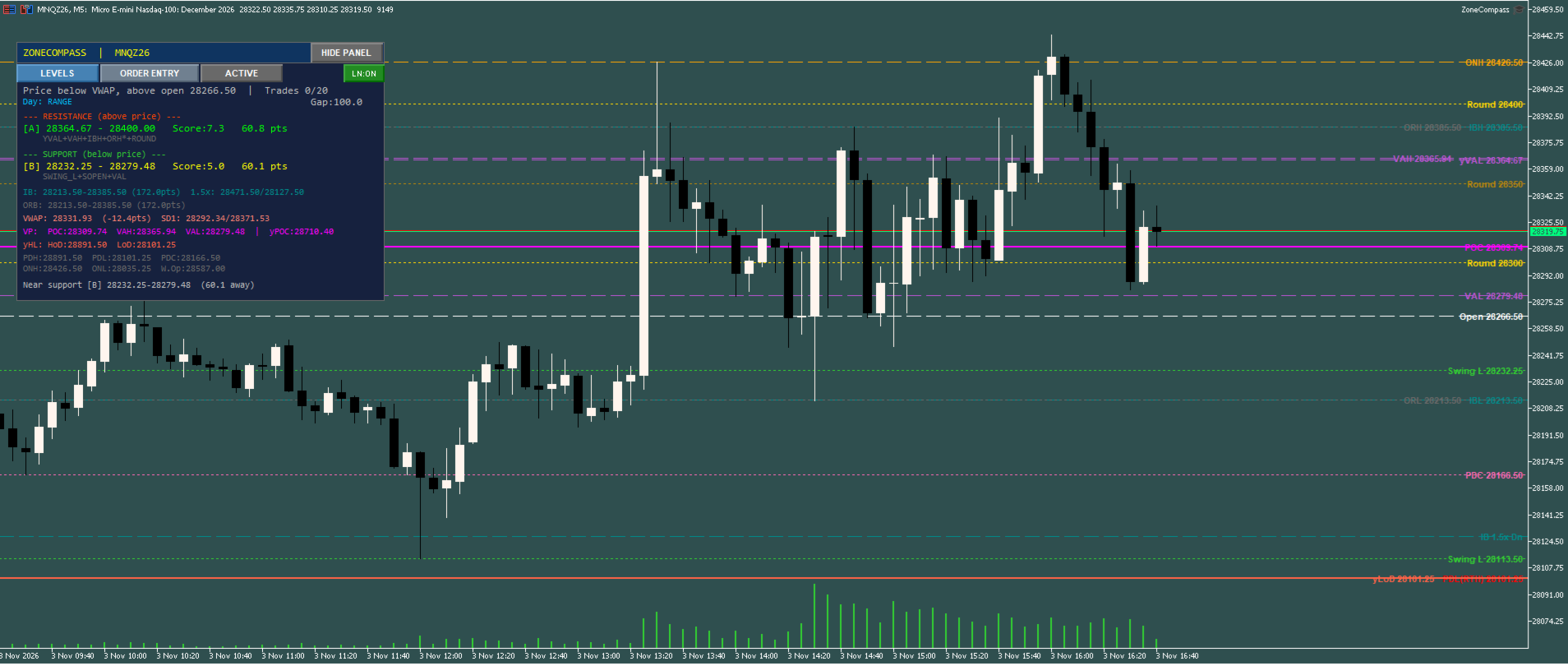
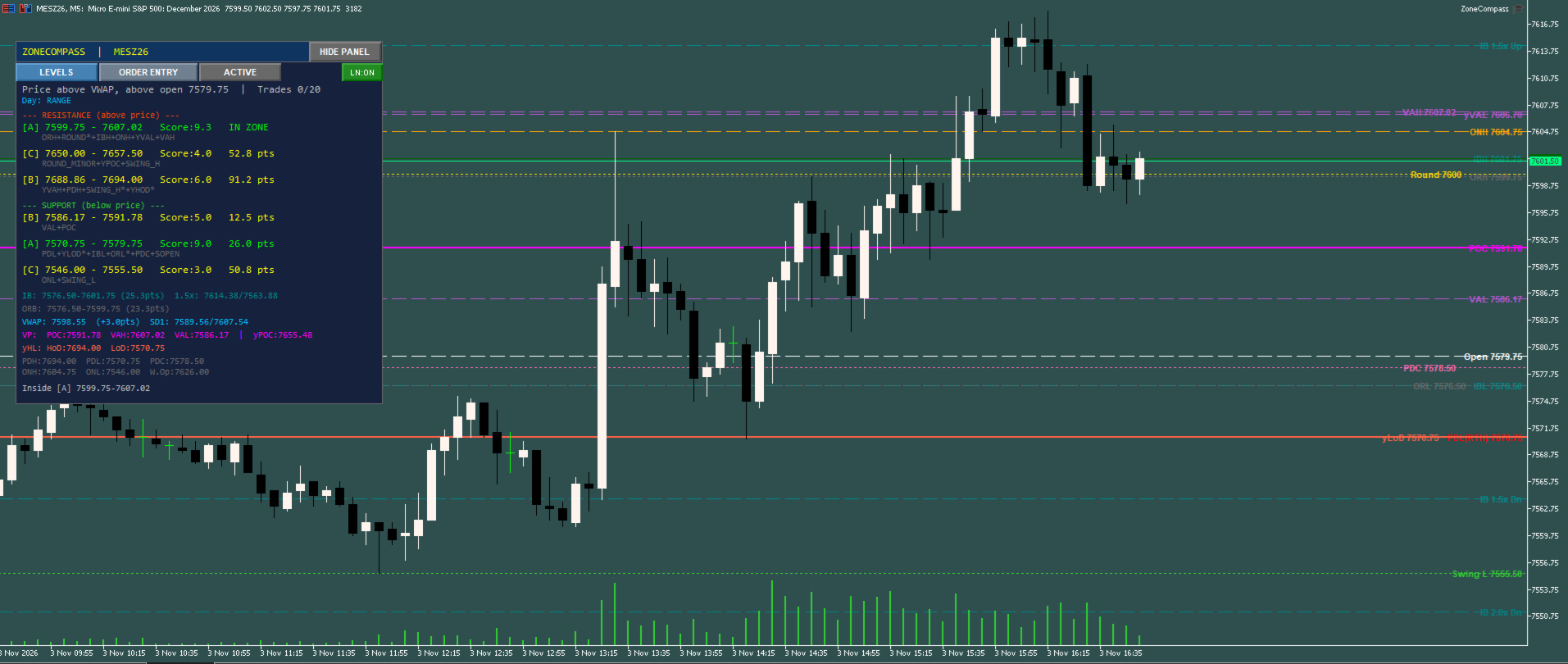
ZoneCompass is a level-mapping and order-entry panel for intraday traders on MetaTrader 5. It is built around the US cash session: prior-day range, overnight range, Initial Balance, opening range, session VWAP and volume profile.
It draws the levels many intraday traders mark by hand each morning, groups the ones that sit close together into zones, and grades each zone by how many levels meet there. When you decide to trade, its order panel takes your risk in dollars, shows where the stop lands, and checks the order before it is sent.
ZoneCompass never trades by itself. It does not pick direction, entry, stop, target or size. Every order is placed by you pressing BUY or SELL.
LEVELS IT DRAWS
- Prior day high, low and close (regular session or full day)
- Overnight high and low
- Initial Balance high and low, with 1.5x and 2.0x extensions
- Opening range
- Session open
- Session VWAP with standard-deviation bands
- Volume profile: point of control and value area, today and yesterday
- Swing highs and lows from a timeframe you choose
- Major and minor round numbers
ZONES AND GRADES
- Levels within a distance you set merge into one zone
- Each zone is graded A, B, C or D by the levels inside it
- Resistance above and support below are listed nearest first
- Optional popup and phone alerts when price nears a zone of the grade you choose, with a cooldown
CONTEXT, SHOWN AS INFORMATION
- Tape bias from M5 closes against a 10-period EMA, confirmed over 3 bars
- Day character: TREND, RANGE or CHOPPY
- Gap-day detection
ORDER ENTRY
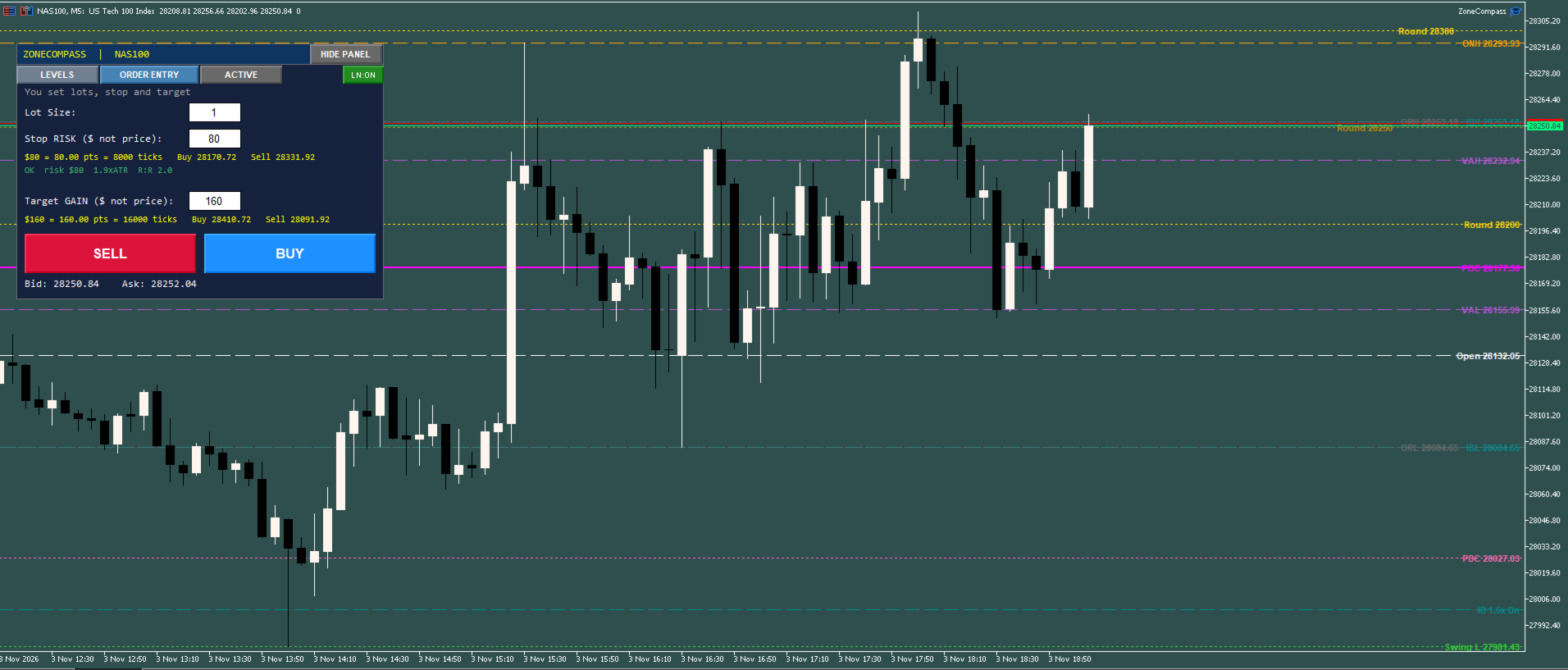
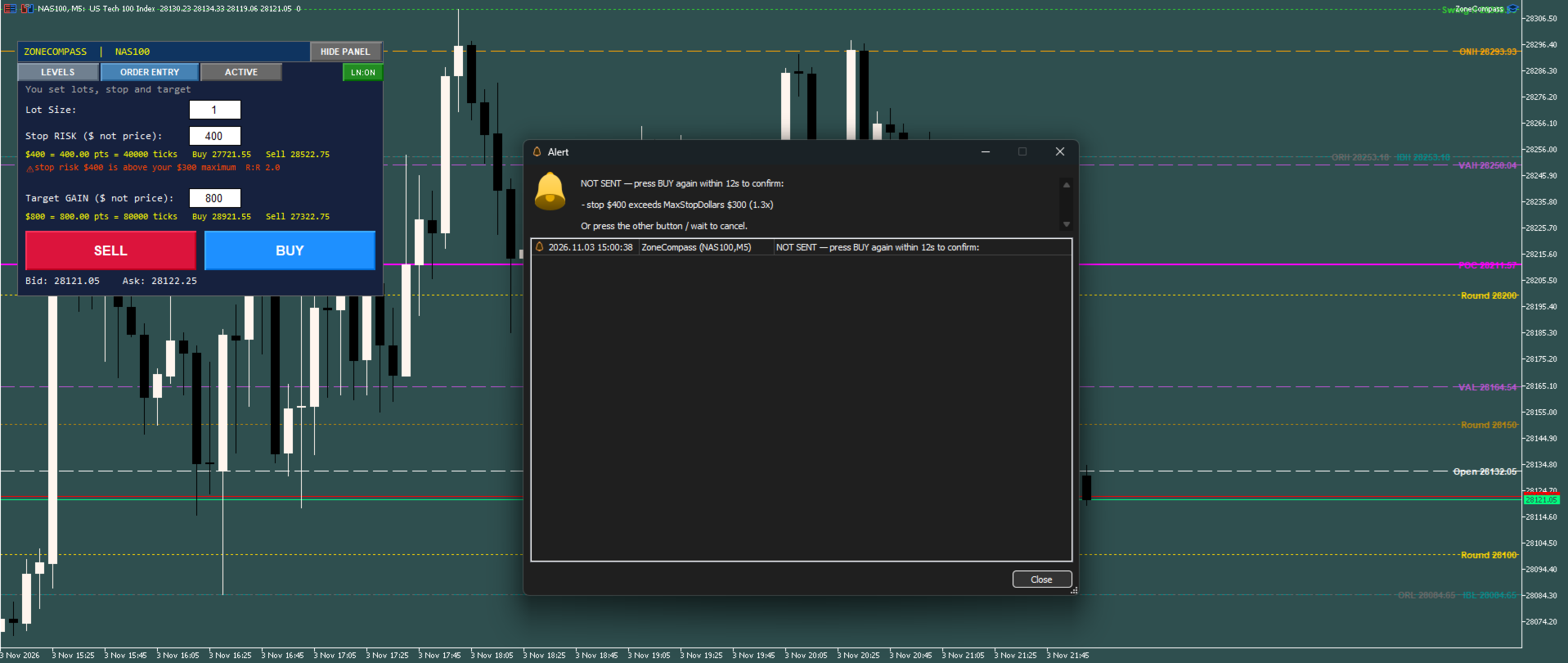
- Type lots, stop risk in dollars and target gain in dollars; the panel converts dollars to a price distance from the symbol's tick value and shows it
- Warnings on the panel before you send: a stop that costs too little or too much, a stop that is tight or wide against M5 ATR, and a reward-to-risk ratio below your minimum
- A stop above your dollar cap, or buying inside resistance / selling inside support, needs a second press within 12 seconds to send
- Orders are refused, with the reason shown, when the stop is far beyond your dollar cap (usually a price typed into a dollar box), the lot size is off the broker's limits or step, the daily loss limit or trade cap is reached, the spread is too wide, trading is not allowed, free margin is short, the stop or target is inside the broker's minimum distance, or the symbol's volume limit would be exceeded
- Daily loss and trade counters survive a terminal restart
FOR PROP-FIRM TRADERS
- Built-in daily loss limit (percent of the day's starting balance, open losses included) and a daily trade cap; both survive a terminal restart
- Every order is checked before it is sent: lot limits, margin, broker stop distance, spread, and a hard refusal for a stop far beyond your dollar cap
- Check these settings against your firm's own rules; ZoneCompass does not know them
ACTIVE TRADE VIEW
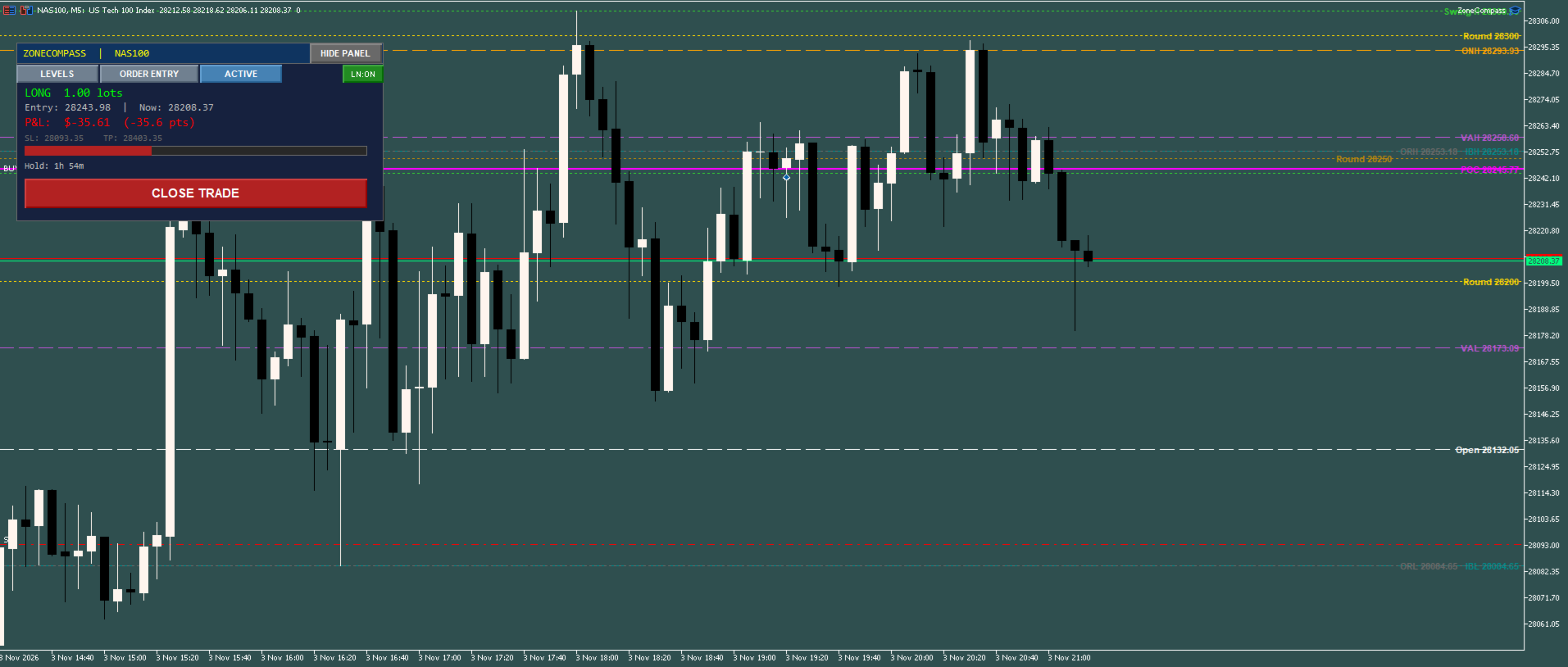
- Entry, current price, running profit or loss, stop, target, time in trade and a progress bar from stop to target
- One-click close
CHART
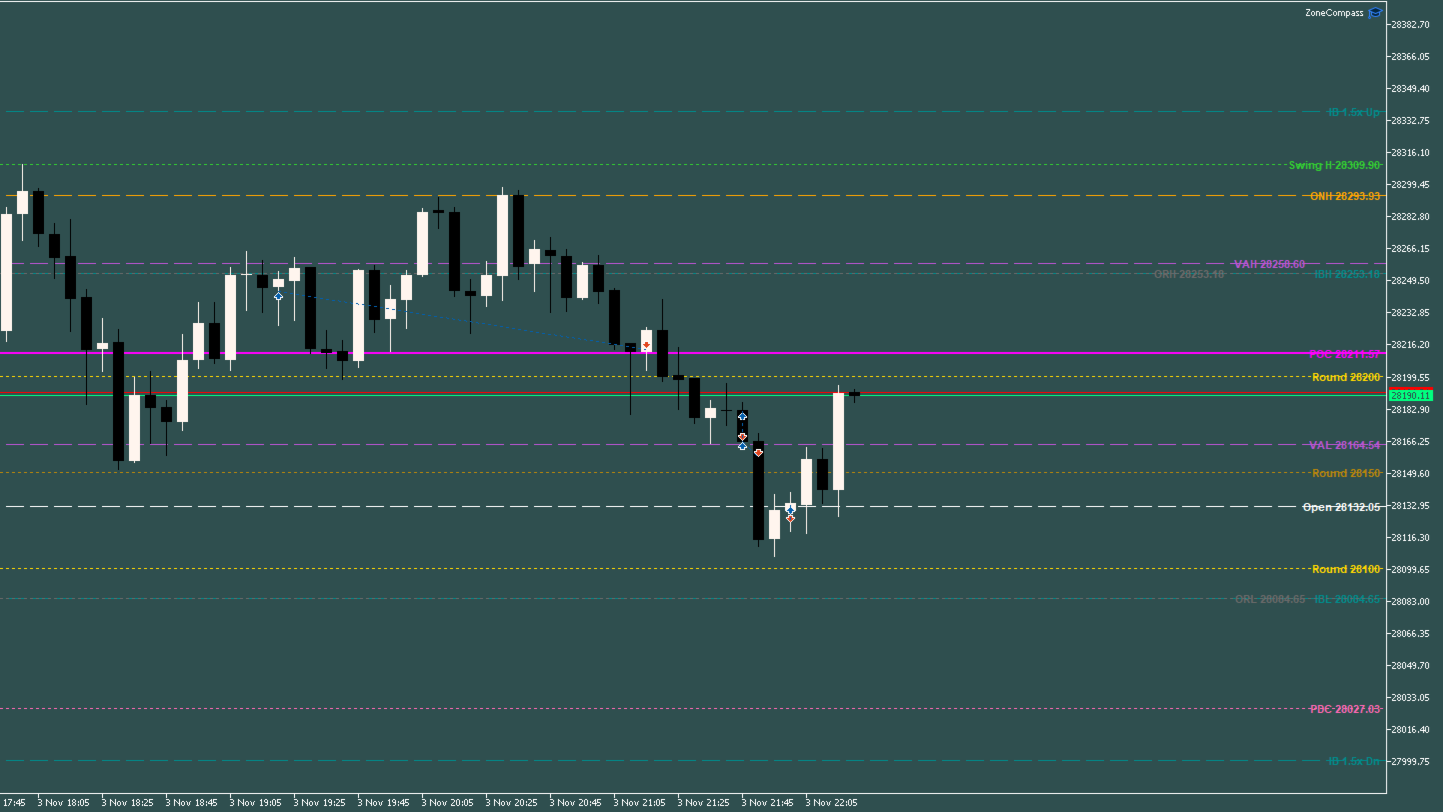
- Each level drawn as a line, styled by importance
- Labels stay on their own line and sit side by side when levels are close, so they stay readable when you zoom or scroll
- Hover a line to see its name
WORKS WITH
- US index futures on MT5 brokers that offer CME futures (ES, NQ, YM, RTY, MES, MNQ, MYM, M2K)
- Index CFDs (US500, NAS100, US30 and similar)
- Forex and crypto, with session handling for each
- Any broker; you set the cash-session hours in your broker's server time
- SETUP below lists the settings for each of these symbols
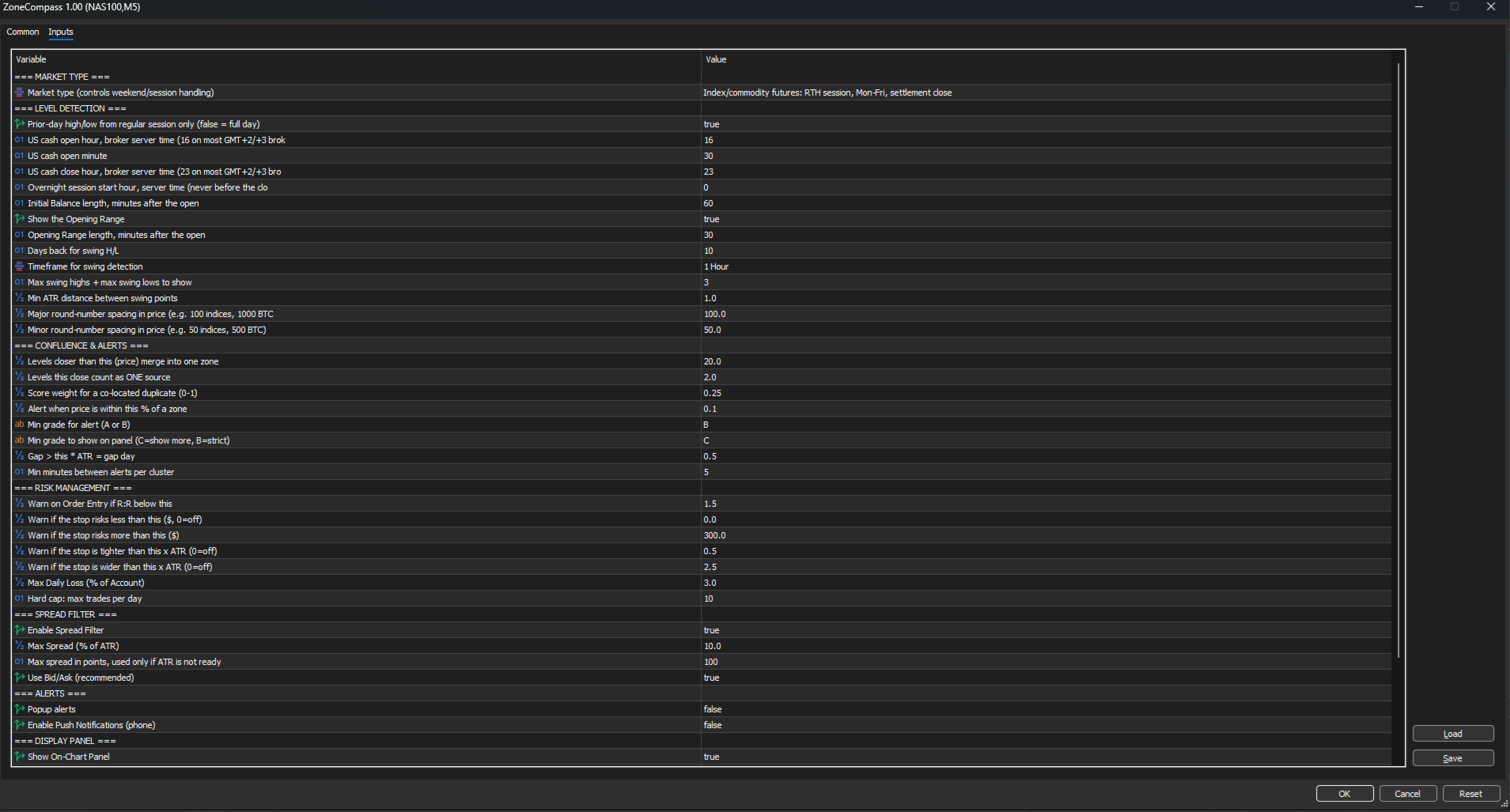
MAIN INPUTS
- Market type: futures, forex or crypto (weekend and session handling)
- US cash open / close hour and minute: in your broker's server time (defaults 16:30 / 23:00 suit most GMT+2/+3 brokers)
- Initial Balance and Opening Range length: minutes after the open (default 60 and 30)
- Round-number spacing: major and minor, in price
- Zone distance: levels closer than this merge into one zone
- Alert distance, minimum alert grade, cooldown: for zone alerts
- Min / max stop in dollars, min / max stop in ATR, minimum reward-to-risk: panel warnings
- Max daily loss (%) and max trades per day: hard limits
- Spread filter: maximum spread as % of M5 ATR
- Panel position, width, font and line spacing; chart label font size
SETUP
- Open an M5 chart of your symbol, drag ZoneCompass onto it, tick Allow Algo Trading on the Common tab, and make sure the Algo Trading button on the toolbar is on.
- On the Inputs tab, set US cash open hour / minute and US cash close hour in your broker's server time:
Re-check the hours in March and November, when clocks change.Broker server clock Open Close GMT+2 winter / GMT+3 summer (most CFD brokers) 16:30 23:00 UTC (common for futures brokers), November to March 14:30 21:00 UTC, March to November 13:30 20:00 Any other Open = your broker's clock at 9:30 New York time; close 6.5 hours later - Set the zone and round-number values for your symbol:
Symbols Levels closer than this merge into one zone Levels this close count as ONE source Major round-number spacing Minor round-number spacing NQ, MNQ, NAS100 50 2 100 50 ES, MES, US500 10 1 100 50 YM, MYM, US30 40 4 500 100 RTY, M2K 8 1 50 10 BTCUSD (Market type: Crypto, hours 0:00 to 23:00) 100 10 1000 500 - Set Warn if the stop risks more than this ($) to what you risk per trade, and check Max Daily Loss (% of Account) and Hard cap: max trades per day.
- Press Save on the Inputs tab to keep these settings, and Load them next time.
- Attach it before the US cash open and leave it running: day character and gap detection are built while it watches the session live.
Ready-made presets for MNQ, MES, MYM, M2K, NAS100, US500, US30 and BTCUSD, and the full user guide, are in the Comments tab.
PLEASE NOTE
ZoneCompass is a charting and order-entry tool. Its levels, grades and checks describe the market; they do not predict it and are not advice. Trading leveraged products carries a high risk of loss. Test on a demo account first.