 MetaTrader 5
 エキスパート
 インディケータ
 ライブラリ
ライブラリ
 ユーティリティ
 ウィジェット
 ルール
ルール
YouTubeにあるマーケットチュートリアルビデオをご覧ください
ロボットや指標を購入する
仮想ホスティングで
EAを実行
EAを実行
ロボットや指標を購入前にテストする
マーケットで収入を得る
販売のためにプロダクトをプレゼンテーションする方法
MetaTrader 5版新取引ユーティリティ - 9
 以下はMetaTrader5での取引を簡素化する取引プログラムです。ユーティリティにカーソルを合わせると、その説明と目的が表示されます。
Arixis Backtest Inspector — Go Beyond the Final Profit
Arixis Backtest Inspector is a professional MetaTrader 5 analysis tool designed to help traders understand the real structure behind historical trading results. Instead of focusing only on net profit, win rate or profit factor, it examines how results are distributed over time and how dependent a strategy may be on a small number of exceptional trades or trading days. The tool analyzes trade performance, winning and losing streaks, closed-e
FREE

Arixis Spread Monitor — Understand the Real Cost of Trading
Arixis Spread Monitor is a lightweight real-time MetaTrader 5 utility designed to measure, record and analyze the spread of your trading instruments. Instead of showing only the current spread, it builds a historical profile that helps you understand how transaction costs change throughout the trading day. The system records Bid and Ask information and calculates spread statistics including current spread, mean, median, P75, P90, P95,
FREE

Arixis EA Comparator — Compare Two Trading Systems Side by Side
Arixis EA Comparator is a professional MetaTrader 5 analysis tool designed to compare the observable historical performance and trading behavior of two Expert Advisors or strategies on the same account. Using Magic Numbers, the application separates the activity of two systems and presents their statistics side by side under the same analytical framework. Compare number of trades and campaigns, net results, gross profit and loss, P
FREE

Arixis Grid Risk Calculator — Understand Grid Exposure Before Trading
Arixis Grid Risk Calculator is a professional mathematical analysis tool for traders who use grid, recovery or progressive position-sizing systems. Configure the initial lot size, distance between entries, maximum number of levels and position-sizing progression to visualize how exposure evolves as additional positions are added. The calculator generates a detailed level-by-level representation including individual lot size,
FREE

Stop switching to the calendar tab every few minutes. TlgNews monitors the economic calendar for you and sends a clear summary straight to your Telegram before the event happens, so you never miss what's coming while you stay focused on your charts. How it works You choose which events matter to you (High, Medium, or Low importance) and how many seconds in advance you want to be notified. When an event matching your filter is about to be released, you receive a message in your Telegram chat with
FREE

Plan it on structure. Size it to the cent. Protect it like a funded account. PQ Trade Assistant is a free trade planner and manager with a market-structure engine built in. You decide the trade. The assistant places the stop and target on real structure, sizes the position from your risk, checks it against your account rules, and manages it once it is live. It never trades on its own. No other product is needed. Plan on structure PLAN BUY / PLAN SELL draws entry, stop and target lines with risk
FREE

One missing stop-loss. One oversized position. One revenge trade after a bad morning. That is all it takes to lose a funded account.
AxiomSuite Enterprise enforces your risk plan on every position of your MetaTrader 5 account — automatically, in real time — and Axiom AI explains every decision in plain language.
It does not trade for you and gives no signals. It makes sure your own rules are respected. Every time.
WHAT IT ENFORCES

Burning Teko Trading Companion is an on-chart trading panel for MetaTrader 5. It was built for one job: practising and backtesting your own manual strategy in the Strategy Tester (visual mode), with the same one-click controls you would use on a live chart.
The Strategy Tester does not normally let you click trade buttons while a test is running. This panel works around that, so you can open, hedge and close positions by hand while the test plays, and see exactly how your decisions would have p

SMC Bias Trade Panel MT5 SMC Bias Trade Panel combines two tools in one Expert Advisor: a fast one-click trade panel and a multi-timeframe bias analyzer based on Fair Value Gaps and market structure. It tells you which direction to trade, where to look for an entry and what has already happened today - and lets you execute without leaving the chart.
BIAS ANALYZER
The analyzer reads the market top-down, the way SMC / ICT traders prepare their day: - HTF (D1, or MN when D1 has no active FVG) ->

Many prop firm challenges are lost in one bad day, not by a bad strategy. PropGuardian watches your whole account every second and enforces your firm's daily loss, max loss, news and weekend rules for you, even on manual and mobile trades. Free demo: run it in the Strategy Tester and watch it lock the account when the daily limit is hit. Launch price: 49 USD, one-time. No monthly subscription. The price will increase after the first reviews. Or rent 1 month for 30 USD to try it during your

OrderBook Pro: Professional Order Book & Time & Sales Panel for MetaTrader 5 OrderBook Pro adds a clean, modern Depth of Market panel directly on your chart, with a live Time & Sales tape alongside it. It is a visual analysis tool: it does not place, modify or close any trades. Key features Order book ladder : up to 50 levels per side, with size, cumulative depth and price grouping (automatic or manual). Chart-synced grouping (LOCK) : one click makes each book row match the price range of a char

TAQ Magic Keys v6.0 Auto Trade Manager is an advanced trade management tool for MetaTrader 5 (MT5) , featuring one-click trade management functions and an integrated Position Size Calculator . New Feature In V6.0 — FNR1R1 Function Key The new FNR1R1 Function Key provides an automated 1:3 Risk Reward trade management system , allowing traders to manage an open position through three predefined profit targets. Set your initial Stop Loss, and the system automatically calculates: TP1 = 1:1 Risk R

Painel Inteligente B3 – Monitoramento e Troca Rápida de Ativos para MetaTrader 5 O Painel Inteligente B3 é um utilitário essencial para quem opera no mercado brasileiro (Ações, FIIs, BDRs, ETFs e Contratos Futuros). Ele foi projetado para otimizar o acompanhamento do mercado em tempo real e agilizar a navegação entre ativos diretamente na tela do seu MetaTrader 5. Com uma interface moderna e altamente personalizável, o painel elimina a necessidade de trocar manualmente o símbolo do gráfico ou ab

Mentoria Individual — Manual Trade Execution and Risk Management Mentoria Individual is a free manual trade execution and risk management tool for MetaTrader 5, developed by Gean Patrick. It combines lot size calculation, order preparation, visual Stop Loss and Take Profit adjustment, and position management in an interactive panel directly on the chart. The tool is designed for traders who want to maintain full control over their trading decisions. It does not provide trading signals or execut
FREE

Coming soon: short GIFs showing how to use every part of this manager. I am working on them - please bear with me, they are on the list right after "put the kettle on".
Trade manually, manage automatically. Break even, trailing stops, partial closes and an equity guard - all from one clean panel. Free - no DLL, no internet, no subscription.
A ton of work has gone into this to make it the best I can make it, and it is free - not a trial, not a lite version - and it always will be. I am still d
FREE

Risk Lot Manager MT5 V1.07 English Product Description
Risk Lot Manager MT5 V1.07 is a risk-based lot size calculator and trade management utility designed for manual MetaTrader 5 traders.
It combines risk control, position sizing, visual trade planning, market order execution, pending orders, reward-to-risk planning, R-based management, partial closing, and mobile pending-order takeover in one chart-based interface.
This utility does not predict market direction and does not generate tradin

cara trading forex agar bisa profit secara konsisten
Di video kali ini, kita akan membahas sebuah topik yang jadi impian setiap trader: bagaimana cara trading forex agar bisa profit secara konsisten
kirim screnshot berbagi, beserta nama akun trading anda ke : gunawangroup1982@gmail.com
Tag NB : Video ini hanyalah informasi dan tontonan, apapaun hasil pada setiap individu bisa berbeda beda. Video ini bersifat gratis, dan semua keuntungan dan kerugian adalah tangging jawab masing-masing, jad

NVR Trade Manager is a professional manual trade management panel for MetaTrader 5. It combines risk calculation, order preparation, visual Entry / Stop Loss / Take Profit management and open-position management in one compact interface. The product is designed for traders who make their own trading decisions and want to execute them faster and more precisely in MetaTrader 5. Main Features • Market orders: Buy Market and Sell Market
• Pending orders: Buy Limit, Sell Limit, Buy Stop and Sell Sto

APL Trade Engine Draw your analysis, plan your trade and manage its lifecycle directly in MetaTrader 5. APL Trade Engine connects chart analysis with interactive order execution and rule-based position management. You choose the trading idea, entry and stop loss. The EA applies your predefined risk amount, split-order structure and protection settings. From chart analysis to interactive execution Draw directly on your MT5 chart using trend lines, horizontal lines, channels, paths, rectangles, s

Run one strategy across every account you trade. Revanche Miroir Local Copier is a free local trade copier that mirrors trades between MetaTrader 5 accounts on the same computer, in real time. One program plays both parts: set it as the Master on the account you trade, and as a Slave on each account that should follow. A complete copier, free. It copies on any symbol, in any account currency, and between different brokers. If the master falls silent, open trades are held rather than closed, and
FREE

Fast Local Trade Copier MT5 Fast Local Trade Copier MT5 is an ultra fast, lightweight, and reliable All-in-One local trade replicator for MetaTrader 5. It is designed specifically for professional traders and account managers running multiple MT5 accounts on the same PC or Virtual Private Server (VPS). With its All-in-One architecture , a single copy EA file serves as both the Master (Signal Sender) and the Slave (Signal Receiver). Simply select the role in the input parameters and start copy

Portfolio Monitor for MT5 Live Account Dashboard, Risk Guardian & Strategy Attribution Panel Portfolio Monitor is an all-in-one Expert Advisor (EA) that runs on any MT5 chart to give you complete visual control over your trading account. It aggregates every open position across all symbols and strategies into a clean, real-time dashboard. Note: Portfolio Monitor is a dedicated monitoring, risk management, and manual-mitigation tool—it does not place entry trades or run predictive signals. Five
FREE

Easy Signal Multiplier MT5 Easy Signal Multiplier is a utility Expert Advisor designed to automatically scale up trade volumes from Trade Signals, external EAs, or manual trades. By continuously monitoring active account positions, it dynamically opens supplementary orders, synchronizes Stop Loss and Take Profit levels, and manages position exits in real time to achieve your exact target position size multiplier. Product Features Custom Exposure Multiplier: Specify your target total exposure fac
FREE

RiskCompass Panel MT5 1. The Problem and the Approach You have a position idea, and the first real question is always the same: how much of this account am I about to put at risk, and can the account carry it. The information that answers that question is scattered across half a dozen windows. Balance is on one tab. Margin level is somewhere else. The spread you just paid is visible only if you look at the instrument row. The server day, which decides whether your daily loss limit has already be
FREE

Dashboard Premium Pro – Account Dashboard & Close All Panel for MT5 Dashboard Premium Pro puts everything you need to monitor your account in one clean panel on your chart: floating profit, daily results, buy/sell exposure, your last closed trade and real-time drawdown. One click closes every position, and a pause switch lets your own Expert Advisors know when to stop opening new trades. What the dashboard shows Floating P/L Current open profit or loss for the whole account, in large green or re
FREE

XAUUSD BREAKOUT STRATEGY 1HR TF EA for MT5 Professional Breakout Trading System for Forex, Gold, Crypto & Indices XAUUSD BREAKOUT STRATEGY 1HR TF EA is a fully automated Expert Advisor designed to trade breakout opportunities using a proven range-box methodology. The EA automatically identifies market consolidation zones, places pending breakout orders, and manages trades using intelligent risk management, breakeven protection, trailing stop, and time-based exits. The system is suitable for trad

Inspect one bot. One symbol. Or the entire account. BotInspector by TraceVerity is a non-trading risk analysis utility for MetaTrader 5. It can inspect the observed trading behavior of the entire account, one symbol, or a specific Expert Advisor identified by Magic Number . BotInspector does not read another EA's source code and does not need to run on the same chart as that EA. It analyzes the trading evidence available in MetaTrader 5: live positions, pending orders, deal history, volume chang

Risk Guard for Funded Accounts - Protect your FTMO / The5ers / FundedNext challenge from breaking prop firm rules. This utility sits on the same chart as your EA and monitors your account in real-time. If any prop firm rule is breached, it auto-closes all positions and blocks new trades - so you never fail challenge on daily DD. Built for XAUUSD Gold, BTCUSD, US30 and Forex - Works with ANY MQL5 EA. FEATURES:
Daily Drawdown Guard (%, $ or Amount) - auto close all + block trading till next
Trader Diary is an AM QuantLab expert advisor for MetaTrader 5. It reads trades that are already closed and shows how the period turned out. It does not place orders or close positions. After launch it opens in its own full-screen window, off the price chart. Periods: 7 days, 30 days, 90 days, or one year. Languages: Russian, English, German, Spanish, French, and Chinese. Overview. Twelve cards: result, number of trades, win rate, profit factor, average win, average loss, result per trade, time

Smart Trade Assistant Virtual is a trading panel for manual traders. It calculates the lot size from your risk, places market and pending orders with one click, and manages your open trades: break-even, partial close, trailing stop, profit lock and OCO. SL/TP and pending orders can also be virtual , which means they are kept by the panel and hidden from the broker. The panel never opens a trade by itself. You decide when to trade, and the panel handles the parts that are easy to get wrong. The f

The WB Traders Entry Assistance Key Advantage & Features This utility helps you to manage your trades the easy way, it does not place an entry but the moment you execute an entry or pending order is activated, it Automatically put a stop loss & trail. Ultra-Fast Execution via OnTradeTransaction The Feature: Instead of waiting for the next market tick to occur (OnTick), the EA hooks directly into MT5’s internal transaction pipeline. The Advantage: It assigns your Stop Loss within milliseconds o

Fenix Trade Manager es una herramienta profesional de ejecución y gestión de operaciones para MetaTrader 5, diseñada específicamente para operar con el par XAUUSD (oro) .
Proporciona a los operadores un panel operativo centralizado para ejecutar y gestionar posiciones rápidamente, manteniendo al mismo tiempo un control de riesgos estructurado durante toda la operación.
CARACTERÍSTICAS PRINCIPALES
• Compra y venta con ejecución rápida • Gestión de riesgos basada en porcentajes • Ejecución d

MCR OneShot Anti-Martingala — descripción para MetaTrader 5 Script de ejecución única para ADAUSD. Aplica una progresión anti-martingala: utiliza una exposición objetivo de 5.000 USD como base y la eleva hasta 10.000 USD solo si la última operación propia cerró con beneficio; tras una pérdida, vuelve al nivel base. La compra o venta requiere confirmación expresa. Antes de enviar la orden, el script verifica la cuenta, el servidor, la cotización y las condiciones de volumen del bróker, y calcula

Trade Panel Four Eighty Eight es un panel de control interactivo y gestor de riesgo avanzado para MetaTrader 5, diseñado para traders manuales que buscan ejecutar, gestionar y proteger sus operaciones con la máxima precisión.
NOTA IMPORTANTE: Este programa NO es un robot de trading automático ni genera señales de entrada autónomas. Es una Utilidad / Panel de Control ("Trade Manager") que ejecuta únicamente las órdenes ordenadas por el usuario y automatiza la protección y gestión de la cuenta (

ClearEdge Daily Candle
New York-close daily candle on any timeframe, with candle countdown, live spread and volatility information.
Overview
ClearEdge Daily Candle draws the current day's candle next to the live price on any chart timeframe. On the 1-minute, 5-minute, 15-minute, 1-hour or higher charts, you can see where the trading day opened, how far price has moved in both directions, and whether the day is currently bullish or bearish, without switching to the daily (D1) chart.
Why bro

Trade Growth Farm Visual trading dashboard for MetaTrader 5
Trade Growth Farm presents your trading activity as a visual farm. Configure a plant for a symbol, an EA magic number, or a magic prefix, and follow its profit relative to your chosen target.
Use it alongside your existing trading approach to organize current positions, review recorded results and access an optional manual group-close control. The utility does not generate entry signals or open trades automatically.
Features - Up to

Trade Anomalo Telegram Report Trade Anomalo Telegram Report is a professional administrative utility designed for MetaTrader 5 that aggregates daily trading performance across multiple symbols and delivers a comprehensive summary report directly to your private Telegram channel, group, or a dedicated Forum Topic. Whether you run single-asset robots, multi-chart Expert Advisors, or manual strategies, this tool scans closed deal history, compiles net profits (including swaps and commissions), eval

Kestrel is a one-click order book for scalping. A button stays on the price chart. The book opens in its own full-screen window. Each ticker has a buy and sell ladder, a live price, and a small chart of your own orders. Left click places a limit, right click cancels it. The green price buys at market, the red price sells. Open positions sit at the bottom: one cross closes that trade, Close all flattens every Kestrel position.

OneClick RiskSizer: One-Click Trading Panel with Percentage-Risk Position Sizing Stop calculating lot sizes by hand. OneClick RiskSizer sizes every position automatically from your risk % and Stop Loss, for faster, more reliable execution than manual math or third-party tools. Key features One-click BUY and SELL buttons, always visible on the chart. Lot size calculated automatically from your risk % and SL distance, via OrderCalcProfit/OrderCalcMargin, not a rough points estimate. Draggable SL a
FREE

Institutional-Grade Trade Execution & Dynamic Risk Management Utility for MetaTrader 5 Overview FxNeel Trade Engine Pro is a comprehensive, institutional-grade trade execution and risk management utility designed natively for MetaTrader 5 . Built specifically for active price action, scalping, intraday, and prop-firm traders, it replaces manual lot calculation and slow order entry with an interactive, on-chart visual management system. With one-click trade preparation, drag-and-drop Stop Loss t
FREE

Entry Guard MT5 A trading discipline tool by BEDESYDA. Designed to help you avoid entering too early.
Entry Guard MT5 is a trading discipline utility for discretionary traders who want to wait for their planned entry zone before making a trading decision.
It does not provide BUY or SELL signals, execute trades automatically, or decide whether you should enter the market.
You choose the Target. Entry Guard helps you wait for it.
How it works
1. Set your Target
Enter the price level you are

786 AUREX EXPERT ADVISOR Contact for Set files or see the Screen Shots
WhatsApp: Text only +447716409196
Best for XAUUSD on All Brokers
Minimum and Safest Balance is 500$ at medium Risk
What it does Automatic daily levels — At a chosen time, the EA scans a configurable look-back window (e.g. 180 minutes) and draws the highest high and lowest low as clean horizontal lines, with an optional visual range box. Two entry modes — Choose between a straightforward Level Breaker (trade any candle clos
FREE

Aura Lot Calculator – know your exact position size in one second.
Stop guessing your lot size. Set your risk, place your stop loss, and Aura Lot Calculator instantly shows the correct lot – so every trade risks exactly what you planned, nothing more.
HOW IT WORKS - Choose your risk: % of balance or a fixed money amount (one click to switch) - Enter your stop loss in points – or turn on the SL Line and simply drag it on the chart - The calculator detects BUY or SELL automatically from the lin
FREE

# LBU Trading Console
LBU Trading Console is a unified MetaTrader 5 utility for visual trade planning, position management, equity protection and multi-symbol RSI monitoring. Its tabbed interface keeps four practical workflows in one chart and one EX5 file.
## Main modules
### Trade
- Draw and drag Entry, Stop Loss and Take Profit levels directly on the chart. - Calculate volume from the selected account risk percentage. - Support market, limit and stop orders. - Validate volume, margin and
FREE

Record your MetaTrader 5 trading to your SureInsight journal automatically, including the stop loss you actually set.
SureInsight Journal Sync is the official MetaTrader 5 companion for SureInsight. It watches your account and sends each closed trade to your journal, so your record is built from platform data rather than from memory.
Important
This is not a trading robot, signal provider, copy-trading service or automated strategy.
It does not open, close, modify or manage trades.
Its onl
FREE

Overview Telegram Portfolio and Connection Monitor
Your server in safe hands — Keep an eye on your MT5 accounts anytime, anywhere.
Why we built this: As a trader running automated systems on a VPS, your biggest concern isn't just the trading strategy itself—it’s the hidden technical risks . Internet disconnections, broker outage spikes, unexpected VPS reboots, or leaving your account unmonitored while away from the screen can turn a winning strategy into an unmanaged disaster. The Telegr

Fahmi Trade Manager is a fast, clean one-click trading panel that handles position sizing and trade management for you, so you can focus on your analysis. Order execution One-click BUY / SELL with live prices on the buttons Automatic lot size based on risk % of balance, or fixed lot mode Stop loss in points and take profit by Reward:Risk ratio Live preview of lot size and money at risk before you enter Bulk actions Close All / Close Buys / Close Sells Close Profitable / Close Losing positions Cl

1. Overview Trading Email Alert monitors the trading account and automatically sends an email whenever a buy or sell position is opened and/or closed on the symbol (instrument) it is attached to. The email subject line is fully configurable, along with several filters that determine which events trigger a notification. Key features: • Separate email subject line for trade opening and trade closing. • Filter to notify only openings, only closings, or both. • Filter to notify only buy trades, onl

Daily Limit Guard watches an account and enforces the exit rules you set for it. It does not decide what to trade and it does not open positions. It works on positions that are already there, whoever opened them: your own click, another Expert Advisor, or a copier.
What it does
- Attaches a protective stop to any managed position that has none. The distance is a multiple of ATR measured on that position's own symbol, so the same setting behaves sensibly on a fast index and a slow currency pa

Smart Trader Bridge turns TradingView webhook alerts into real orders on your MetaTrader 5 account, and then keeps the broker in step with your strategy. Most TradingView-to-MT5 tools send an order and forget it. Smart Trader Bridge tracks every position your strategy holds, executes partial take-profits, moves the real broker stop-loss as targets are hit, and repairs positions that drift out of sync. That is what prop-firm accounts with open-risk limits need. How it works TradingView sends an a

FlemingoFx Scalper Pro - Smart On-Chart Execution & Risk Management Utility
FlemingoFx Scalper Pro is an intuitive, fast-execution trading utility engineered for scalpers, day traders, and prop firm traders who demand millisecond execution precision without manual calculation errors.
Designed directly for on-chart trade management, FlemingoFx Scalper Pro automates position sizing based on strict cash risk, dynamic R:R targets, spread compensation, and partial exits all accessible from a compa
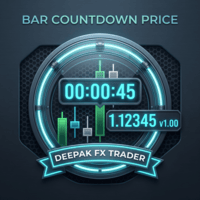
Bar CountDown Price - Dynamic Candlestick Timer
Only for Today Offer EA: Overlap King Gold
The Bar CountDown Price indicator is a lightweight, essential visual tool designed for precision traders who rely on candlestick closing times for their entry and exit strategies. Unlike traditional countdown indicators that hide the timer in the corner of the chart, this utility anchors the countdown directly next to the live current price. This ensures your eyes remain focused on the price action whe

Prop Firm Manager Pro is a comprehensive, automated risk-management and equity-protection Expert Advisor (EA) designed for MetaTrader 5. Built specifically for proprietary firm traders and disciplined retail traders, this utility acts as a failsafe against daily drawdown violations and emotional trading by strictly enforcing your predefined risk parameters and profit targets. After purchasing any of our products, you will receive lifetime free upgrades and updates from us. You will also receive

AI QUANT SYSTEM EA — Institutional Neural Engine (v52.0) Fully Automatic Trading EA Please Note:- First that this is an EXPERT ADVISOR, not a Utility. However, due to certain restrictions, I have to publish this EXPERT ADVISOR under the Utilities category. We are Provided including a FREE OpenAI API key with this product, so you do not need to purchase AI API KEYS one separately, With Lifetime FREE Upgardes in Future.
The AI Quant System EA is a next-generation, high-frequency quantitative

MORE FREE TOOLS ON THE WAY - LEAVE A REVIEW AND I WILL SEND THEM TO YOU FIRST. I am building a set of these and publishing them free. Supply and demand zones, structure tools, risk utilities - all free, all on this profile. Leave a review on this one and message me, and I will send you each new tool the day it is ready, before it goes on the Market. Reviews are the only way a free tool gets found here, so it genuinely helps - and it takes thirty seconds. Elysium Support and Resistance draws the
FREE

MORE FREE TOOLS ON THE WAY - LEAVE A REVIEW AND I WILL SEND THEM TO YOU FIRST. I am building a set of these and publishing them free. Session levels, structure tools, risk utilities - all free, all on this profile. Leave a review on this one and message me, and I will send you each new tool the day it is ready, before it goes on the Market. Reviews are the only way a free tool gets found here, so it genuinely helps - and it takes thirty seconds. Elysium Supply and Demand marks the zones price ac
FREE

NeonPanel is a compact dark trade panel for manual traders who want speed without clutter. Execution One click Buy and Sell with lot, stop loss and take profit presets in points. On hedging accounts the levels are measured from the actual fill price. Modify sets stop loss and take profit from each position's entry price. A field set to 0 keeps the current level, and the panel asks before widening a stop. Breakeven with an offset to cover fees, optional automatic breakeven, and a trailing stop wi
FREE

MORE FREE TOOLS ON THE WAY - LEAVE A REVIEW AND I WILL SEND THEM TO YOU FIRST. I am building a set of these and publishing them free. Supply and demand zones, session levels, structure tools - all free, all on this profile. Leave a review on this one and message me, and I will send you each new tool the day it is ready, before it goes on the Market. Reviews are the only way a free tool gets found here, so it genuinely helps - and it takes thirty seconds. Elysium HUD puts the four numbers you che
FREE

TraderMusic Плеер на графике. Показывает карточку фонового плеера Windows: название трека, исполнителя и обложку. Под треком идёт лента зелёных и красных свечей. Управление мышью: играть и пауза, предыдущий и следующий трек, громкость. Панель можно скрыть и снова открыть, перетащить по графику. Язык интерфейса: русский и английский. Карточка и обложка приходят из фонового плеера Windows. Пока плеер молчит, на панели написано, что трек ещё не пришёл.
FREE

Trade Reporter isn't a trading robot. It watches your account and posts what happens to your Telegram chats or channels and your Discord server. It never opens, closes or modifies a trade.
It's for signal providers, prop-firm traders sharing their progress, trading groups, and anyone who wants their trades on their phone as they happen.
WHAT IT POSTS - Open: side, symbol, entry, stop and target (with distance in pips), lot size, and the risk at the stop in money and % of balance. - Stop / tar

Manual Trade Manager for MT5 This is not auto trade ea. It Manage your manually opened trades from one simple chart panel. Monitor your positions in real time and act on multiple layers with a single click. Features CLOSE ALL: Sends fast asynchronous close requests for managed manual positions. BE ALL: Checks each layer individually and sets its stop loss only when that layer has reached your chosen profit threshold. BE SET: Applies your current BE step setting to eligible layers. Optional Avera

Key Features Real-time P&L in $ Running P&L in Pips P&L converted to INR BUY / SELL direction Lot size Entry price Separate display for each open position Supports multiple open positions Works independently on multiple charts Follow Current Price mode Stay At Entry Price mode Adjustable vertical spacing in pixels Adjustable distance below the Bid price Adjustable candle offset Customizable text size and font Profit, loss and breakeven colors Automatic removal when a position is closed
FREE

Stop losing prop-firm evaluations over one bad moment. You know the feeling. The challenge is going fine, and then one spread spike, one surprise news candle, or one revenge trade pushes you past the daily loss limit by a few dollars. The evaluation fee is gone. I coded this because I needed it for my own evaluations. It is not a trading robot. It is a safety net that watches your whole account and acts before your emotions or the market can break the rules for you. What it does Attach it to one

Signalator Charts MT5 は、複数の代替チャート、プロフェッショナルなチャートスタイル、実用的なトレードツールを1つのインターフェースに統合した MetaTrader 5 用のチャート・トレードユーティリティです。 Signalator Charts MT5 では、Renko、Point & Figure、Kagi、Heikin Ashi、および標準 MT5 チャートを1つのパネルから利用できます。チャート構築、外観、履歴、分析オーバーレイは外部ソフトウェアを使用せず、チャート上から直接設定できます。 設定と機能の詳細 — 高度な Renko、Kagi、Point & Figure、Heikin Ashi、ローソク足パターン、Renko Market Structure、トレードツールなど。
メインの Charts セクション: - Renko チャート - ローソク足チャート - Point & Figure チャート - Heikin Ashi チャート - Kagi チャート - バーチャート - ラインチャート
Renko では、Fixed、Percent

Lotwise Trade Manager MT5 Risk Calculator は、MetaTrader 5 用のシンプルなトレードパネル兼ロット計算ツールです。
リスクにさらす金額を選び、ストップロスを動かすだけで、パネルがロットサイズ(ポジションサイズ)を自動計算します。固定ロットの方が好みなら、それも使えます。 その後、ワンクリックでトレードの保護・管理・決済ができます:建値ストップ(ブレイクイーブン)、トレーリングストップ、部分決済など。
パネルを自分仕様に - 「#」をクリックするとすべてのボタンが表示されます。ボタンは Order、Aggressive Trade、Close、Manage、Risk の5グループに分かれています。 - 不要なボタンはオフにできます。パネルが小さくなり、必要なツールだけが表示されます。 - パネルは設定を記憶します。 - パネルはチャート上の好きな場所に移動でき、アンカーボタンで固定できます。 - 「x」をクリックするとパネルが小さな「LW」ボタンになります。「LW」をクリックすると元のパネルに戻ります。
リスクの設定 - 口座残高

RelicusRoad CopyTrader は MetaTrader 5 向けの無料のトレードコピーツール( trade copier )です。同じパソコン上のMT5端末間でトレードをコピーするので、1つの口座で取引し、他の口座にはそれぞれ独自のロット数とリスクで追従させることができます。 フルバージョンで、機能制限も試用期間もありません。 1つの口座で取引し、残りは追従させる。 MetaTrader 4: RelicusRoad CopyTrader MT4 仕組み 1つの端末が リーダー (Leader)として動作し、保有しているオーダーを共有します。任意の数の端末が フォロワー (Follower)として動作し、それらをミラーリングします。端末は チャンネル 名でペアリングされるため、同じマシン上で複数の独立したコピーグループを同時に運用できます。 コピー処理は200ミリ秒のタイマーで実行されるため、フォロワーは自分のチャート上のティックを待たずに新しいオーダーに反応します。 セットアップ手順 1. すべての端末を 同じパソコン または同じVPS上で実行してください。異なる2台
FREE

Strifor Chart Sync — MetaTrader 5でチャートとテクニカル分析を同期 Strifor Chart Sync は、複数のチャートを同期し、同一銘柄のマルチタイムフレーム分析を効率化するために設計されたMetaTrader 5用Expert Advisorです。 開いているすべてのチャートで銘柄を手動で変更する代わりに、 Master チャートの銘柄を変更するだけで、接続されているすべての Slave チャートが自動的に同じ銘柄へ切り替わります。各チャートのタイムフレームはそのまま維持されます。 例えば、以下のような構成で分析できます。 D1 — 市場全体の状況 H1 — 現在の市場構造 M5 — トレードセットアップ M1 — エントリーポイント Masterチャートの銘柄を US500 から XAUUSD に変更すると、接続されているすべてのチャートが自動的にXAUUSDへ切り替わります。 D1はD1のまま H1はH1のまま M5はM5のまま M1はM1のまま これにより、体系的なマルチタイムフレーム環境を構築し、各チャートを個別に更新することなく銘柄を切
FREE

MetaTrader 5 用プラクティスシミュレーターは、ストラテジーテスターでのシミュレーション練習と、同じインターフェースを使用した実際の取引を組み合わせたものです。過去の市場データを使って戦略を練習した後、同じインターフェースでリスク管理ツールや取引管理ツールを備えた実際の取引を行うことができます。 MT5用プラクティスシミュレーターには、MT5 AIアシスタントと連携する LiveAI が搭載されています。市場の状況、保有ポジション、エントリー、エグジットについて、平易な言葉で質問できます。アシスタントは現在のチャート情報を読み取り、プラクティスシミュレーターの情報と機能を使用して応答します。取引データはエクスポートして、MT5 AIアシスタントや AI Judgement などの生成型AIサービスで分析することも可能です。 詳細については、 「セットアップとユーザーガイド」をご覧ください。 主な機能 ライブ取引 – ワンクリックで成行注文、指値/ストップ注文、ドラッグ&ドロップでTP/SLラインを設定、一括決済などを行い、リアルタイムで取引できます。 LiveAI – MT5

IMD Fibo EA IMD Fibo EA は MetaTrader 5 用のトレーディングユーティリティです。取引ゾーンの検索、市場方向の分析、階層型 Fibonacci レベルに基づくトレードプランの作成を支援します。 主な機能: 複数銘柄スキャナー EMA / MACD / ADX による方向分析 3段階の Fibonacci 構造 Entry / Stop Loss / Take Profit の計算 手動で指値注文を配置するトレードパネル 仮想統計 IMD Fibo EA は完全自動売買ロボットではありません。 ユーザーの確認なしに取引を開始することはありません。分析とプラン作成を支援し、注文するかどうかはトレーダーが決定します。 用途 以下の作業を効率化します。 複数銘柄のスキャン テクニカルフィルターによる方向判定 Fibonacci による市場構造の確認 トレードプラン作成 パネルからの手動指値注文 Fibonacci 構造 F1 — メインレンジ 市場全体の基本構造。 F2 — ネストレンジ 現在価格が存在する F1 内部の構造。 F3 — ワーキングゾーン よ
FREE

Visual Strategy Backtester – MT5用マニュアルバックテストツール コーディング不要で、ヒストリカルチャート上で任意の取引戦略を手動でバックテストできます。 Visual Strategy Backtester は、ヒストリカル価格データを使用してポジションボックスによる高速なビジュアルバックテストを可能にします。戦略の条件が満たされた場所にポジションボックスを配置し、ストップロスとテイクプロフィットのレベルを調整するだけで、Profit Factor、Expected Payoff、Maximum Drawdown、エクイティカーブを含む完全なバックテスト統計を即座に取得できます。MetaTrader 5のStrategy Testerと同等の結果を、完全にビジュアルかつ手動で得られます。 主な機能: ヒストリカルチャート上に無制限のポジションボックスを配置 SLとTPレベルを自由にドラッグ Strategy Testerスタイルの完全な統計 すべてのシミュレーション取引のエクイティカーブ 柔軟なリスク設定(固定金額または残高の%) カスタマイズ可能な色
MetaTraderマーケットはMetaTraderプラットフォームのためのアプリを購入するための便利で安全な場所を提供します。エキスパートアドバイザーとインディケータをストラテジーテスターの中でテストするためにターミナルから無料のデモバージョンをダウンロードしてください。
パフォーマンスをモニターするためにいろいろなモードでアプリをテストし、MQL5.community支払いシステムを使ってお望みのプロダクトの支払いをしてください。

取引の機会を逃しています。
- 無料取引アプリ
- 8千を超えるシグナルをコピー
- 金融ニュースで金融マーケットを探索