Account Nuclear
- ユーティリティ
-
Putu Hery Siswanto
 Hello, I am Putu Hery - Founder of Dua Putra International Foreign Exchange and Product Owner of algorithmic trading systems for MetaTrader 5.
I don’t sell dreams. I provide experience.
The market is not mine, and I do not control it. - バージョン: 1.1
FOX CUSTOMER BENEFITS
Verified customers with qualifying MQL5 Market purchases may be eligible for complimentary FOX commercial Expert Advisors.
Learn more about the FOX Customer Benefits Program:
https://www.mql5.com/en/blogs/post/774575
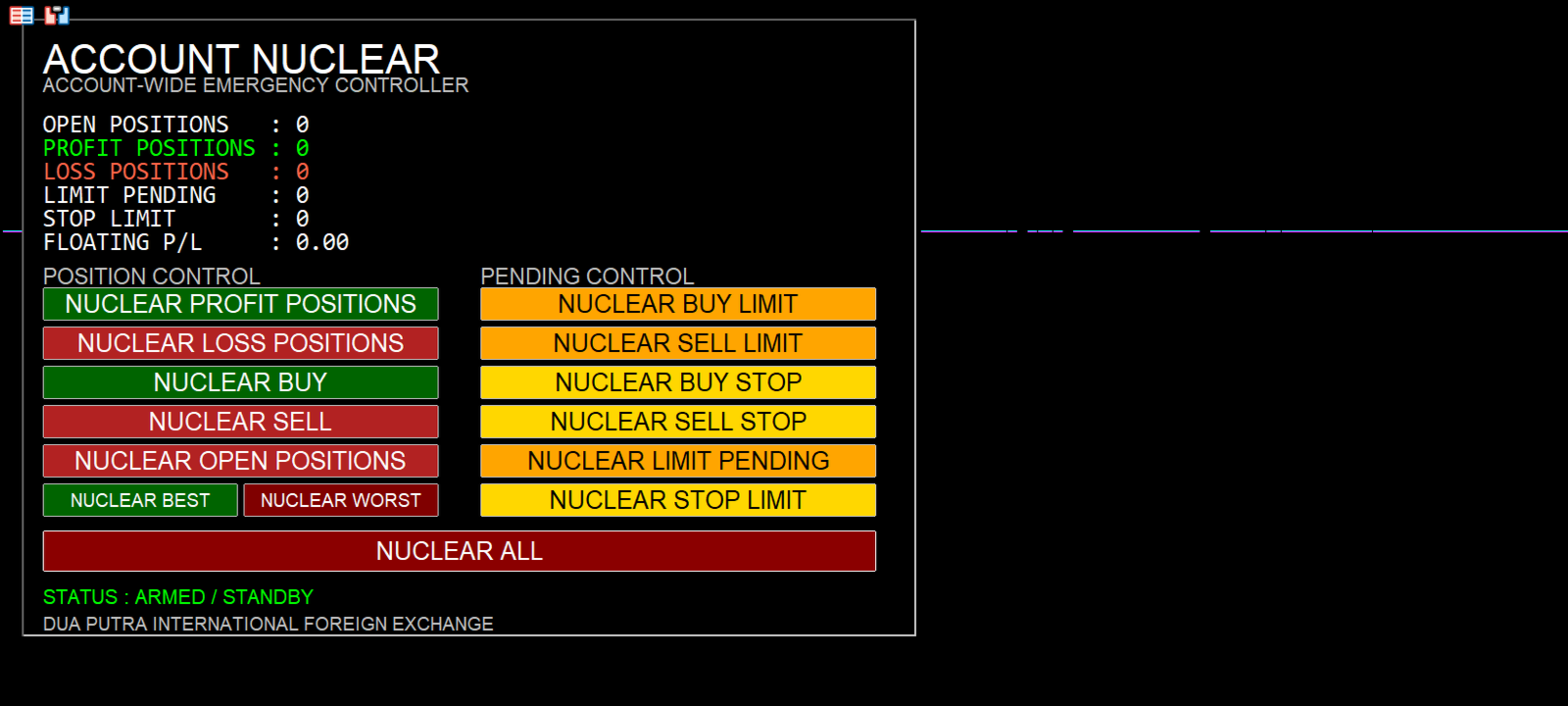
ACCOUNT NUCLEAR
One account. One control panel. Full manual authority when you need it.
Account Nuclear is a free MetaTrader 5 utility built for traders who manage multiple positions, pending orders, manual trades or several Expert Advisors on the same account.
Sometimes you do not want to open another trade.
You just want control.
Maybe you want to close every BUY position but leave SELL positions untouched. Maybe only the losing positions need to go. Maybe you want to remove all LIMIT orders without touching STOP orders. Or perhaps the situation calls for one decision: clear everything.
That is what Account Nuclear is made for.
Account-Wide Control
Account Nuclear works at account level, not only on the symbol where the utility is attached.
Its controls include:
-
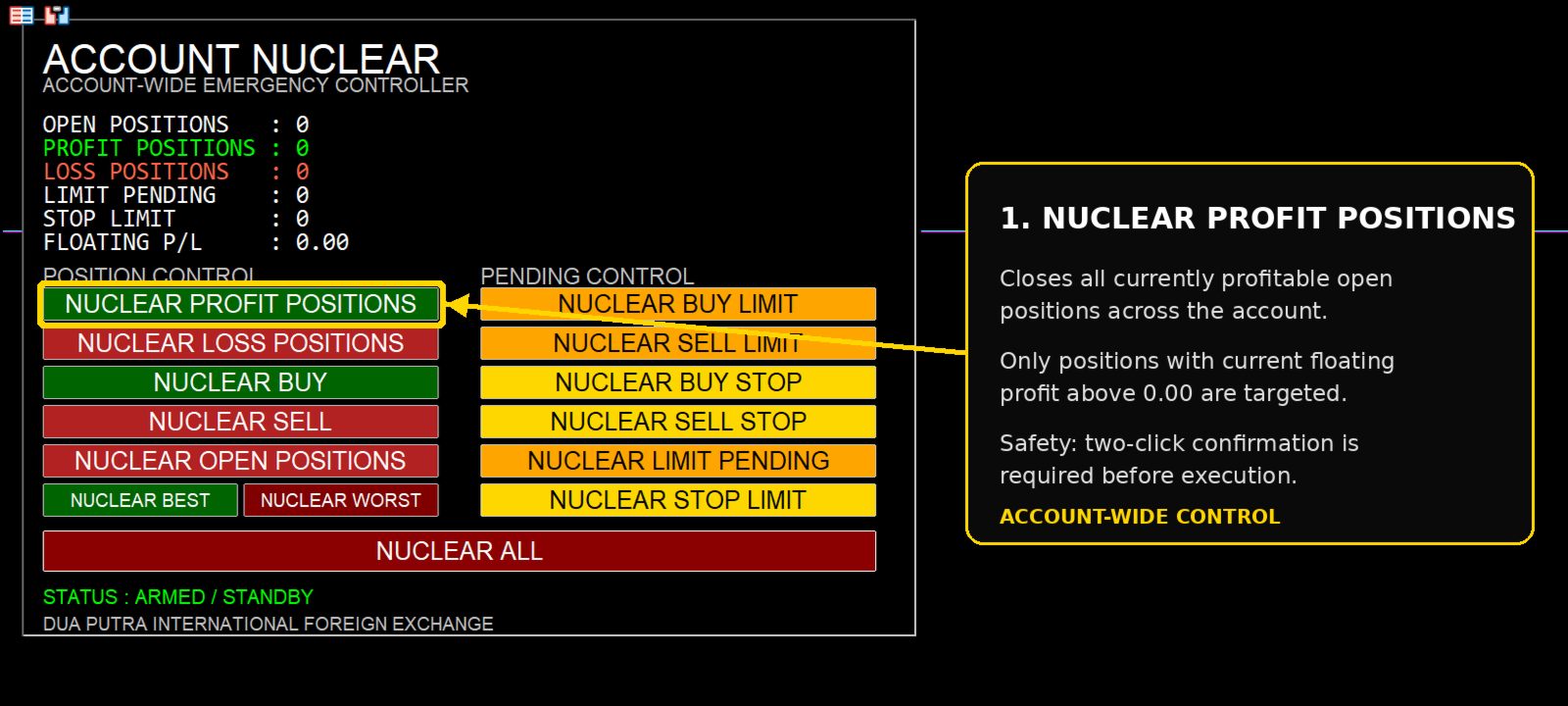
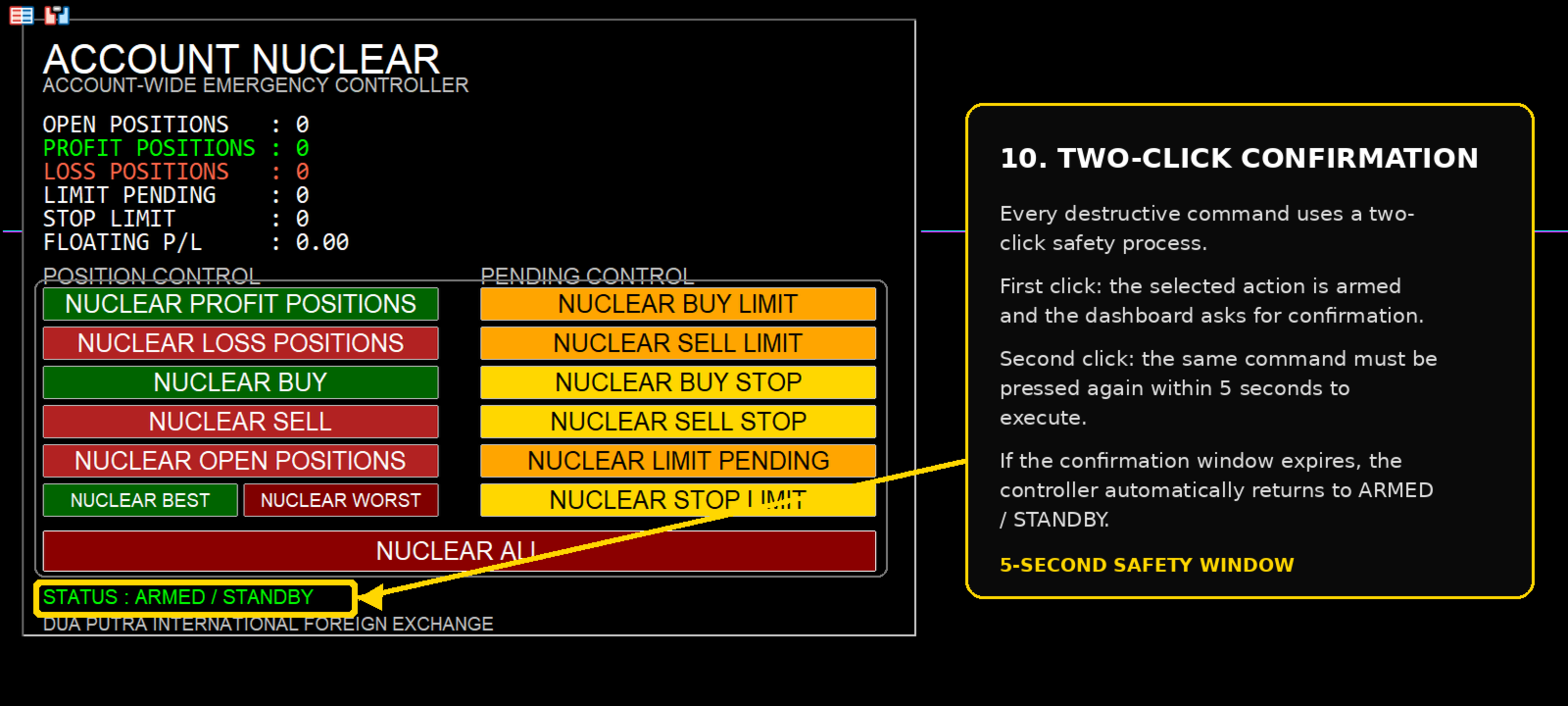
NUCLEAR PROFIT POSITIONS — closes all currently profitable open positions.
-
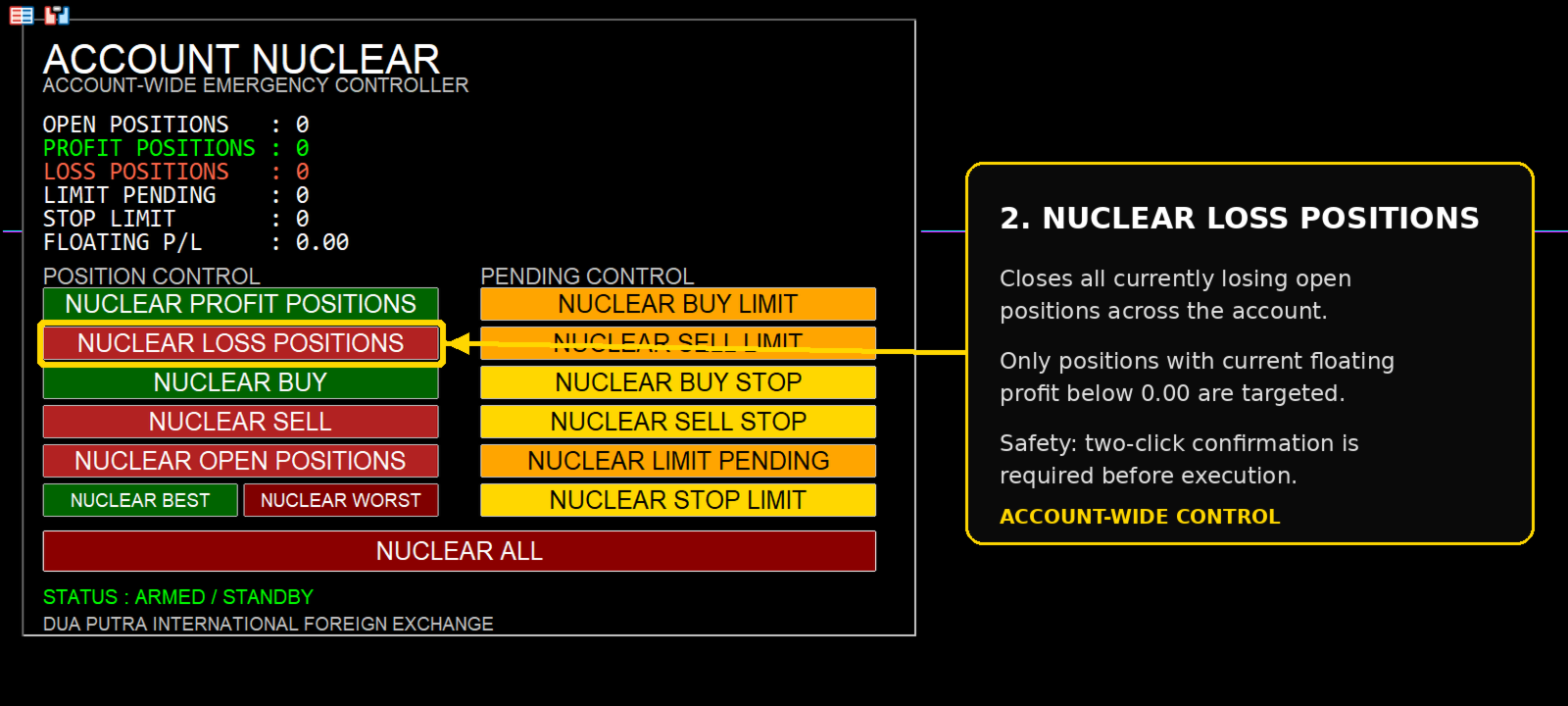
NUCLEAR LOSS POSITIONS — closes all currently losing open positions.
-
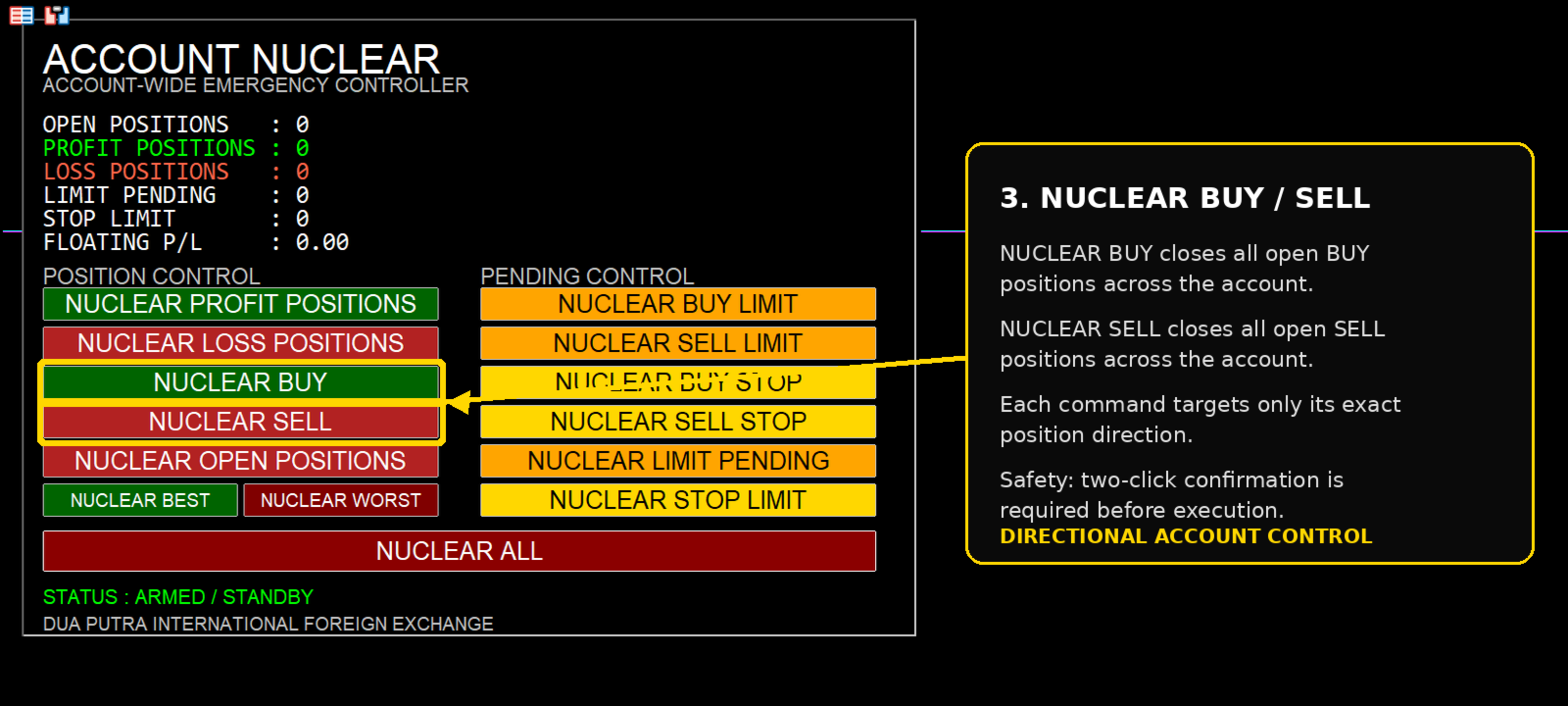
NUCLEAR BUY — closes all open BUY positions.
-
NUCLEAR SELL — closes all open SELL positions.
-
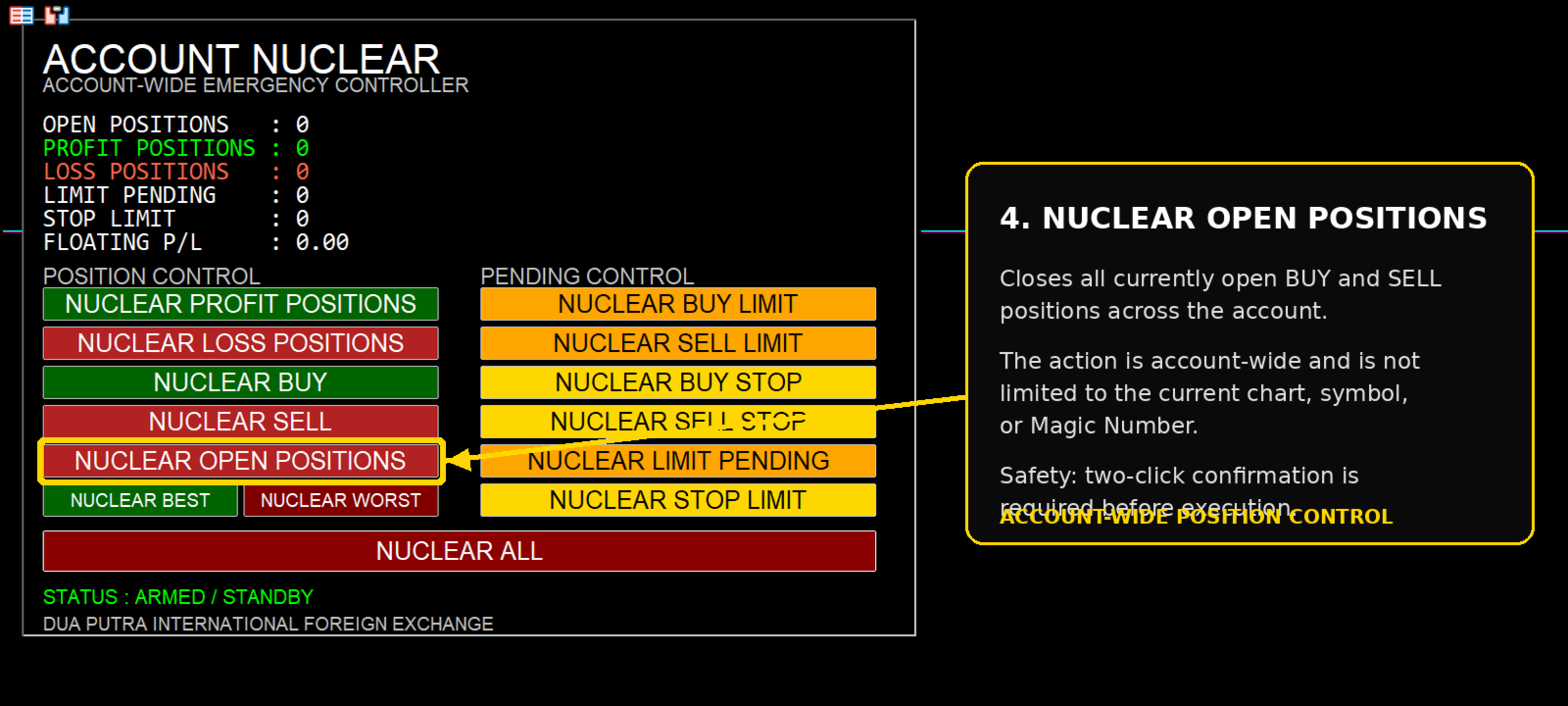
NUCLEAR OPEN POSITIONS — closes all BUY and SELL positions.
-
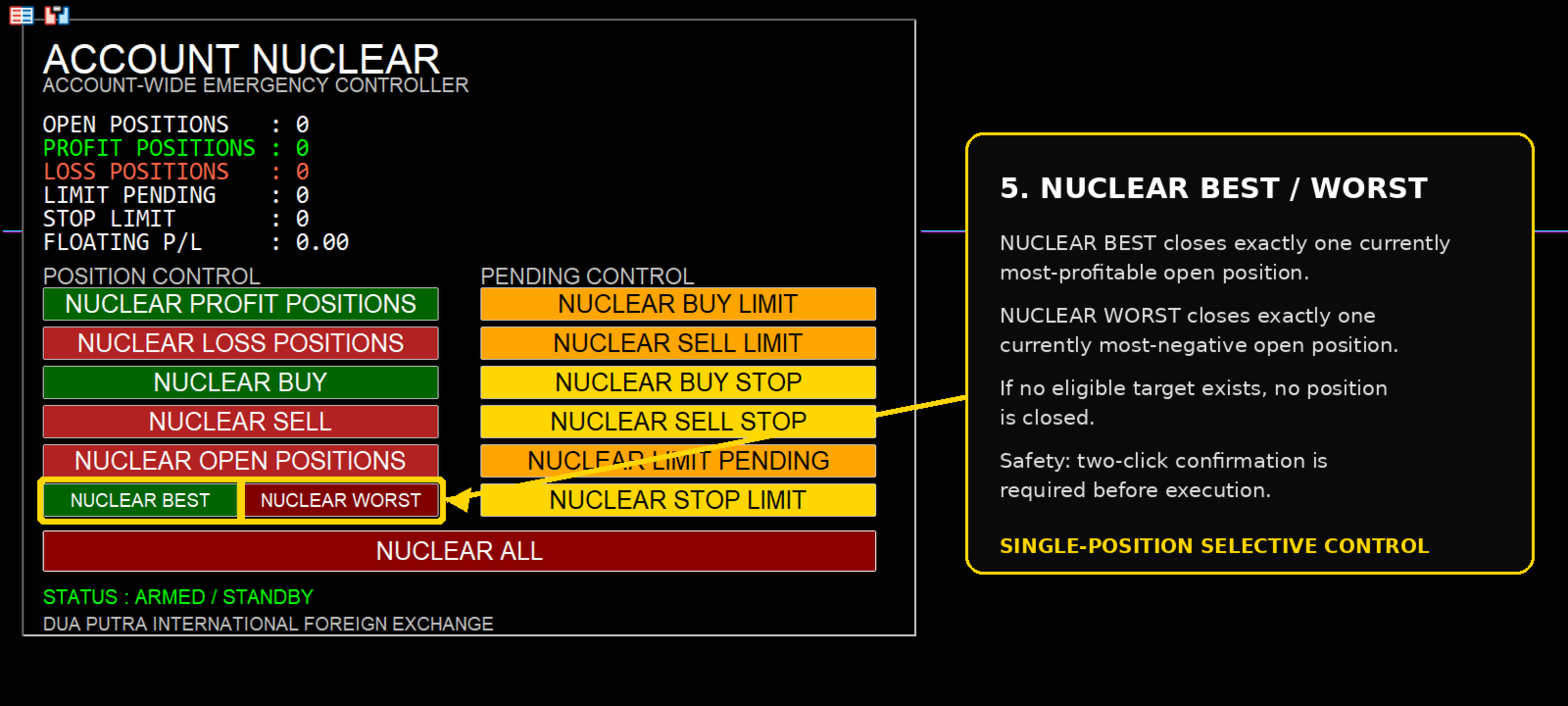
NUCLEAR BEST — closes exactly one currently most-profitable position.
-
NUCLEAR WORST — closes exactly one currently most-negative position.
-
NUCLEAR BUY LIMIT / SELL LIMIT — removes the selected LIMIT pending-order type.
-
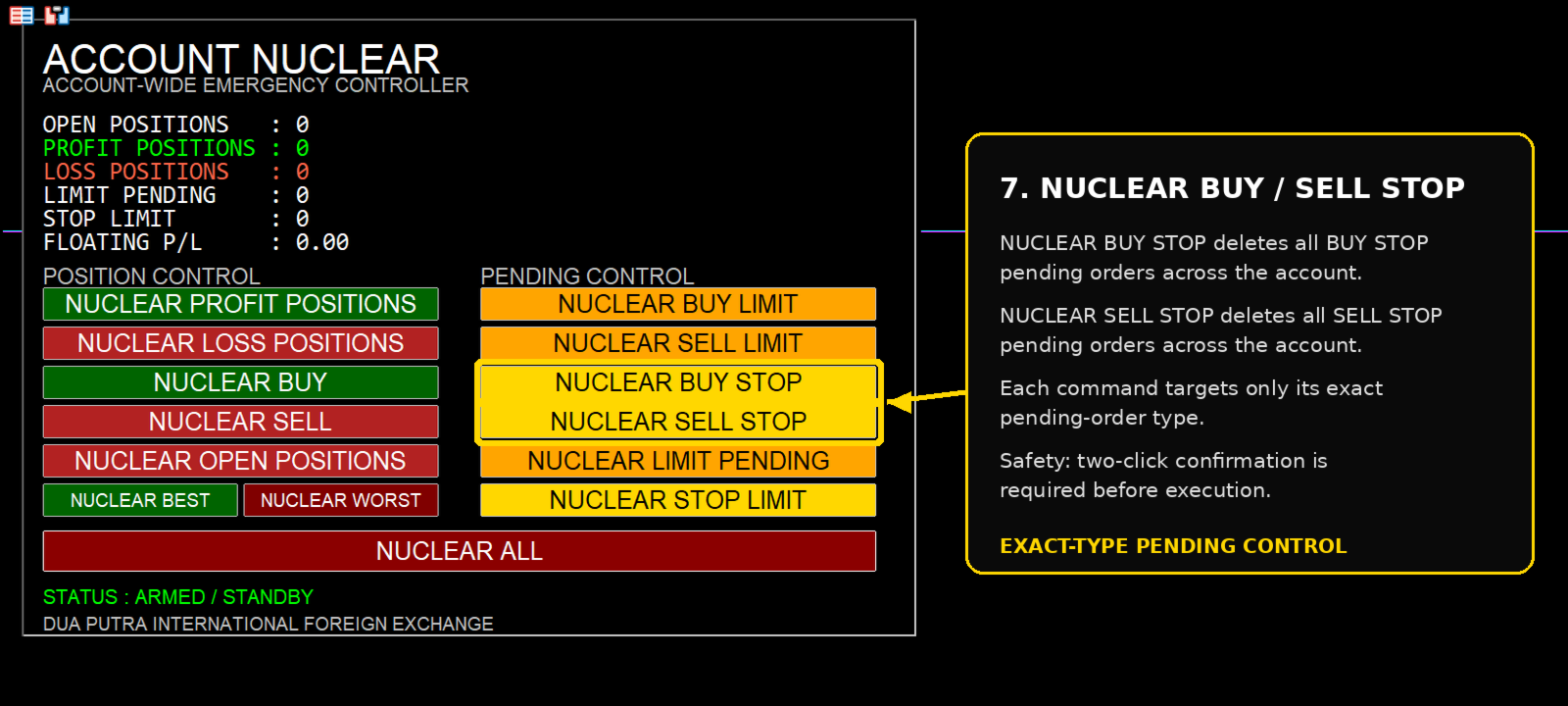
NUCLEAR BUY STOP / SELL STOP — removes the selected STOP pending-order type.
-
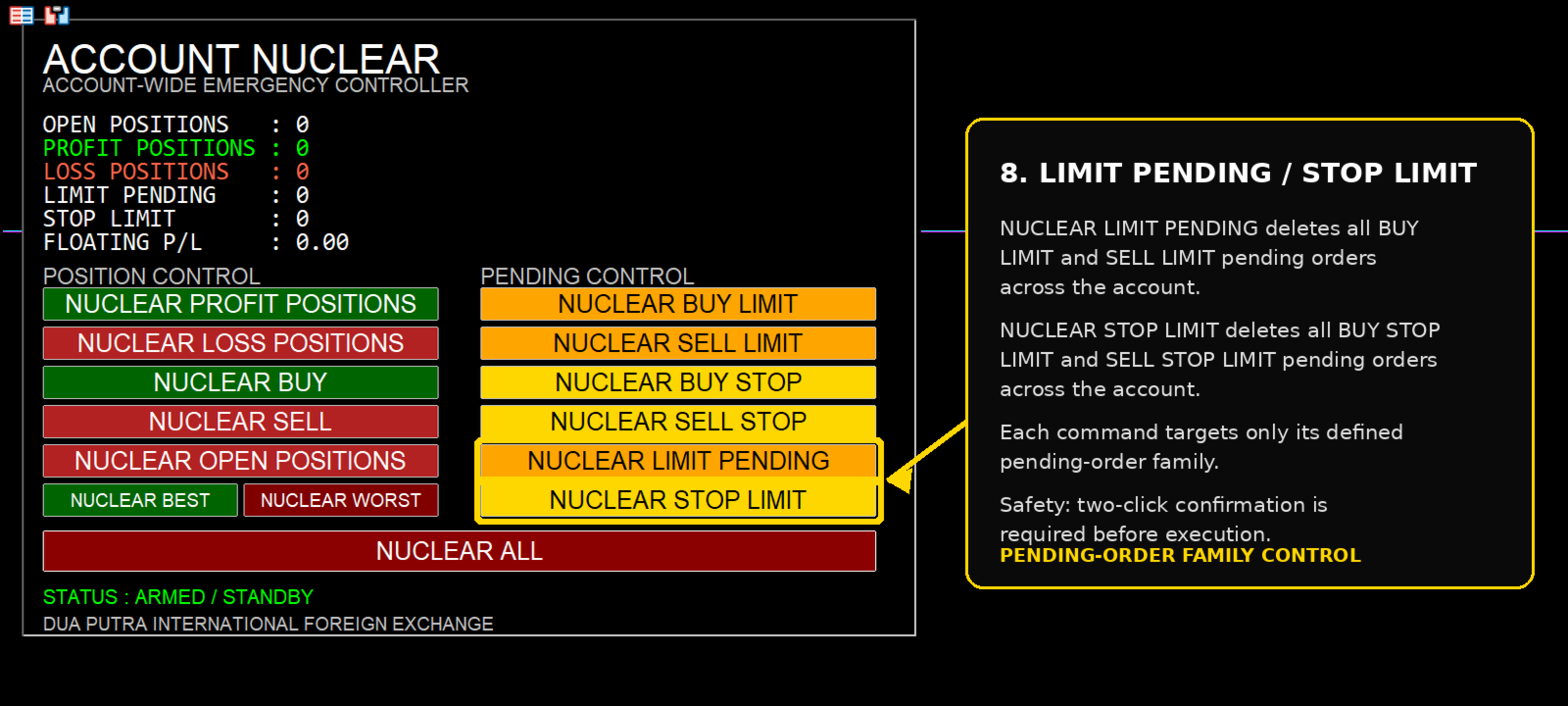
NUCLEAR LIMIT PENDING — removes all BUY LIMIT and SELL LIMIT orders.
-
NUCLEAR STOP LIMIT — removes BUY STOP LIMIT and SELL STOP LIMIT orders.
-
NUCLEAR ALL — the master emergency command: clears supported pending orders and then closes all open positions.
Built for Deliberate Action
Account Nuclear does not generate trading signals and does not open trades.
It does not decide when you should buy or sell.
The trader remains in control.
Every destructive command uses a two-click confirmation system. The first click arms the selected action. The same command must then be confirmed again within 5 seconds before execution begins.
If confirmation is not completed, the utility returns to standby.
This helps reduce the chance of an accidental one-click account-wide action.
See the Account Before You Act
The dashboard continuously shows:
Open Positions
Profit Positions
Loss Positions
Limit Pending
Stop Limit
Floating P/L
The idea is simple: see what is currently on the account, choose exactly what you want to remove, confirm it, and let Account Nuclear handle that command.
NUCLEAR BEST & NUCLEAR WORST
These two controls are intentionally selective.
NUCLEAR BEST closes only one position: the currently most-profitable eligible position.
NUCLEAR WORST closes only one position: the currently most-negative eligible position.
If there is no eligible position, nothing is closed.
Useful when you do not want to liquidate an entire group and only want to remove one extreme position.
NUCLEAR ALL
This is the master control.
When confirmed, Account Nuclear attempts to remove the supported pending-order types and close all open positions across the account.
The utility performs bounded rescans during the process to check whether targeted positions or orders remain.
Because this command is account-wide, use it deliberately.
Important
ACCOUNT-WIDE means account-wide.
The utility is not restricted to the current chart symbol and is not designed to protect positions based on a specific Magic Number.
If several EAs, strategies or manual positions are running on the same trading account, Account Nuclear can act on those positions when they match the command you selected.
Before using NUCLEAR ALL, consider stopping other automated entry systems if you do not want them creating new positions or pending orders while you are clearing the account.
Simple by Design
There are no entry settings to optimize.
No trading strategy to configure.
No signal filters to understand.
Attach Account Nuclear to a chart, keep the control panel available, and use it only when you need manual account-wide position or pending-order control.
ACCOUNT NUCLEAR
Account-Wide Emergency Controller
DUA PUTRA INTERNATIONAL FOREIGN EXCHANGE