 MetaTrader 5
 エキスパート
 インディケータ
 ライブラリ
ライブラリ
 ユーティリティ
 ウィジェット
 ルール
ルール
YouTubeにあるマーケットチュートリアルビデオをご覧ください
ロボットや指標を購入する
仮想ホスティングで
EAを実行
EAを実行
ロボットや指標を購入前にテストする
マーケットで収入を得る
販売のためにプロダクトをプレゼンテーションする方法
MetaTrader 5のためのエキスパートアドバイザーとインディケータ - 144
 自動売買ロボットとインジケータを使用して、外国為替取引の収益性を高めます。 自動売買ロボットを使用すると、取引の開始と終了を自動化でき、インジケータは市場の行動をより正確に予測するのに役立ちます。
このページには、MetaTrader5アプリケーションのカタログが掲載されています。
自動売買ロボットとインジケータを使用して、外国為替取引の収益性を高めます。 自動売買ロボットを使用すると、取引の開始と終了を自動化でき、インジケータは市場の行動をより正確に予測するのに役立ちます。
このページには、MetaTrader5アプリケーションのカタログが掲載されています。 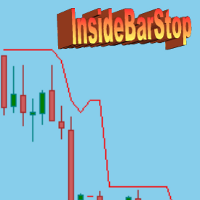
InsideBarStop Indicator for MT5
This indicator can be used to show and evaluate the trailing stop algorithm "Trailing Stop with Inside Bars" that was proposed by the famous German trader and author Michael Voigt ("Das grosse Buch der Markttechnik") to capture robust gains when trading strong price moves. The trailing stop price is shown as a red line. You can start the trailing stop anywhere on your chart (bars or candles) by setting the "initialBarDateTime" input parameter to the open time of
FREE

Elsna Alert (MT5 EA) is a lightweight Expert Advisor that monitors your trading account in real time and alerts you whenever a trade is opened or closed . It uses MetaTrader 5’s built-in OnTradeTransaction event to instantly detect any new executed deals—manual or automated—and plays a custom sound for each event.
You can choose whether it tracks all symbols or only the chart’s symbol . Key features: Instant audio alert when a trade opens or closes. Works with both manual and EA-driven trades. O
FREE

## Japanese
# MQL CS Trade Assistance
MQL CS Trade Assistance は、自動で取引を行う戦略型エキスパートアドバイザーではありません。
このユーティリティは、チャート上で直接使用できるプロ仕様の取引補助パネルと高度な取引管理ツールを求める裁量トレーダー向けに設計されています。
このパネルにより、トレーダーはより素早く取引を実行および管理でき、Stop Loss、Take Profit、ブレイクイーブン、トレーリングストップ、指値注文、逆指値注文、適応型の取引保護をサポートします。
本製品の目的は、裁量取引を好む MetaTrader 5 ユーザーに対して、シンプルで効率的な取引補助ツールを提供しながら、高度な管理機能も利用できるようにすることです。
## 主な機能
### 裁量取引用パネル
* BUY と SELL の成行実行ボタン * 1回のボタン操作で複数ポジションを発注可能 * パネル上で直接操作できるロットサイズセレクター * 保留注文ボタン * BUY LIMIT * SELL LIMIT * BUY
FREE

This minimalist indicator enables you to switch between timeframes using hotkeys, while displaying the symbol and the time remaining until the candle closes. You can customise the layout, font size and colours.
JustOnTime is a simple yet indispensable indicator
It displays the current symbol and timeframe Shows a real-time countdown to the close of the current candlestick
7 customisable slots: enter the timeframe and the key you want to assign to it (e.g. ‘H4’ → ‘4’)
Default hotkeys: 1 → M5,
FREE

This indicator shows ratios between extremes on the chart. You can specify your own ratios (e.g. Fibonacci).
Parameters Most important Density - how much in details to search ratios in extremes. Bigger number means less details, smaller number means more details. Base unit is 1 bar on the chart. History - how far to go in history while searching. When you set -1, the indicator processes all bars from history. Base unit is 1 bar on the chart. Range - how far search ratios from given extreme. Bas
FREE

QuantumFX Trade Manager Advanced Order & Risk Control Utility for MT5 QuantumFX Trade Manager is a powerful, professional-grade trade management utility designed for traders who want absolute control over execution, risk, and position handling — directly from an intuitive on-chart panel. Built for manual, semi-automated, and discretionary traders , QuantumFX transforms MetaTrader 5 into a precision trading workstation , allowing you to manage trades faster, safer, and smarter. What
FREE
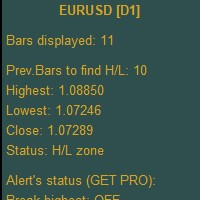
Higher Timeframe Chart Overlay will display higher timeframe candles, including the number of candles high/low you specify.
You no longer need to switch timeframes to check the candles. Everything can be shown in one chart. Get Full Version - https://www.mql5.com/en/market/product/115682 Please feel free Contact me if you have any questions regarding this tool.
FREE

Leprechaun EA — XAUUSD Scalping Expert Advisor Find your edge in gold — every tick.
*Best settings I've found is current default settings for XAUUSD 1M TIMEFRAME* The Leprechaun EA is a professional-grade Expert Advisor built specifically for XAUUSD scalping on the M1 timeframe. It combines EMA trend alignment, Break of Structure (BOS) confirmation, and ATR-based volatility filtering to enter only when the market structure supports a move — then locks in profits through a powerful, fully-con

One Trade Risk Selector with Order Type and Trail(MT5) One Order Risk Selector with Order Type and Trailing stop, as optional (MT5) is a powerful, smart and simple execution Expert Advisor (EA) designed to provide precise risk management for MetaTrader 5 traders. It allows for a single trade with selected risk, order type , configurable stop loss, optional take profit and optional trailing stop settings, making it ideal for disciplined traders who want to keep accurate risk per trade. Key F
FREE

Non-proprietary study of Joe Dinapoli used for trend analysis. The indicator gives trend signals when the fast line penetrates the slow line. These signals remain intact until another penetration occurs. The signal is confirmed at the close of the period. It is applicable for all timeframes. Inputs lnpPeriod: Period of moving average. lnpSmoothK: %K period. lnpSmoothD: %D period. ********************************************************************************
FREE
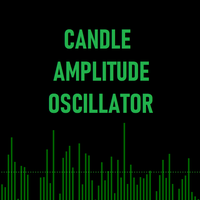
キャンドル・アンプリチュード・オシレーター (Candle Amplitude Oscillator) キャンドル・アンプリチュード・オシレーターを使えば、市場のボラティリティを極めて明確に把握できます。この軽量かつ効率的なツールは、単なる価格分析を超え、各ローソク足に秘められた真のエネルギーを可視化し、より情報に基づいた取引判断をサポートします。 市場が活発か閑散かを推測する代わりに、このインジケーターはボラティリティを正確かつ標準化された方法で測定します。あらゆる金融商品と時間足で機能します。
キャンドル・アンプリチュードとは? キャンドル・アンプリチュードは、一本のローソク足が高値から安値まで動いた総距離を測定します。インジケーターは、その値幅を普遍的なパーセンテージ値に変換します。これにより、例えば動きの少ないFX通貨ペア(EUR/CHFなど)から、ボラティリティの高い暗号資産(ビットコインなど)まで、全く異なる金融商品のボラティリティを標準化された方法で比較できるという、決定的な利点が生まれます。2%の振幅バーは、どの市場でも同じ意味を持ちます。
インジケーターの仕組み
FREE

SignalPulse — MT5 → Telegram — Buy/SellアラートをTelegramグループへ送信 すべての取引を、購読者向けの即時かつプロフェッショナルなTelegramアラートに変換。チャート上に搭載されたワンタップ操作パネルから、取引を直接コントロールできます。 SignalPulseはMT5口座を監視し、Buy、Sell、決済、または建玉をブレークイーブンへ移動した瞬間に、Telegramへリアルタイムで通知します。 さらに、チャート上の操作パネルからBUY、SELL、CLOSE ALL、カスタムメッセージをワンクリックで実行できます。 購読者に表示する通知タイプも自由に選択可能。シグナル配信者が大量の通知でチャンネルを埋めることなく、必要な情報を1つの明確なメッセージとして届けるために設計されています。 トレーダーやシグナル配信者がSignalPulseを選ぶ理由: 同じメッセージをリアルタイム更新。通知スパムを防止。 同一シンボルで短時間に部分決済やSL変更などが発生した場合、新しいメッセージを送るのではなく既存のメッセージを更新します。 決済時の正確な
FREE

To get started, subscribe to the RealTrend Telegram channel. t.me/RealTrendFree
RealTrend is an EA that facilitates trading for expert users.
The user's aim is to identify the right business trend
and let RealTrend suggest the placement of pending orders in strategic points
where the price will retrace and then continue its trend.
RealTrend is very simple to use and includes a single user-defined stoploss input and an intuitive chart panel.
The takeprofit is placed directly by the Bot.
risk l
FREE

The indicator draws horizontal lines based on the RSI indicator's overbought and oversold levels. The closing prices of the bar are selected when it exits the overbought zone or when the RSI indicator first crosses the 50% line. For more information, you can enable the display of RSI values for the most recently closed bars in the upper left corner. It also displays information about whether the RSI indicators are in the overbought or oversold zone. All timeframes are available. Can be enable
FREE
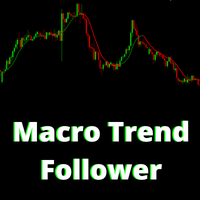
The Indicator assists in decision making along with the user's market reading. By drawing the trend, this indicator becomes very useful on days of high volatility in the market, that is, it offers strategic insights on days of economic data, news or pronouncements. On flat market days it becomes usual to identify possible market reversals. Follow Youtube to understand the most suitable scenarios for its use.
FREE

Trade live dollar movement currency futuristic currency moving in horizontal Stop loss Showing currency value in dollar show enter price line show SL horizontal line
Label Colors Entry Line Color SL Color Override (if not auto) TP Color Override (if not auto) Highlight Background Color Highlight Tod Color = Layout Label Offset (points) Label Font Size Label Font Name Label Style = Lines Show Entry Price Line Show SL Horizontal Line Show TP Horizontal Line Horizontal Line Width (1-5) Hor
FREE

BTMM Continuation Sessions + Re-Entry Indicator (MT5) is a chart visualization tool designed to make continuation trading clearer and faster.
It draws session boxes (Asian, London, New York) and marks continuation entry + re-entry opportunities during active sessions.
Works on Forex pairs and XAUUSD (depending on broker symbols).
This is an indicator (not an EA). It does not place trades automatically.
Key Features
Session Boxes Asian, London, New York boxes Custom colors, opacity,
FREE

This indicator show color of trend. And combined with the average line, but be used on the hightest price and the lowest of the 26 period. The target entry at the level and the point of the route between 2 line for entry and exit position This is a first version, many problems is not supported and fine. Expected a contected from your friends To continue to follow the good products
FREE

Advanced Trend Builder is a trend indicator using the original calculation algorithm. ATB can be used on any data and timeframe. My recommendation use for calculation numbers 4 - 16 - 64 - 256 and so on ..., but this is only recommendation. The middle of the trend wave is a special place where market behavior is different, when developed ATB was main idea to find the middle of the wave trend. Input parameters: Bars will be used for calculation - number of bars used for a trend line calculation.
FREE

Indicador Volume Range Spread O Volume Range Spread é um indicador desenvolvido para analisar a força do mercado por meio da combinação entre volume negociado , amplitude do movimento de preço e spread . Seu objetivo é ajudar o trader a identificar regiões onde há maior participação dos participantes do mercado, possíveis absorções, desequilíbrios, rompimentos e pontos de exaustão. O indicador observa a relação entre o volume acumulado em determinado intervalo de preço ou tempo e o tamanho do ra
FREE

MQT Prop Guard DD は、プロップファーム口座を1日の損失上限および合計 ドローダウンの超過から保護します。有効証拠金を毎秒監視し、チャレンジの 1日上限に達する前にすべてを決済し、その後、次回の日次リセットまで取引を ロックします。FTMO、The5ers、FundedNext などのプロップファームのルールに 対応しています(各社の正確なリセット時刻と上限を必ず確認してください)。 動作の仕組み(ロジックの概要): 設定したリセット時刻(サーバー時間)に当日の基準値を記録します:残高、 有効証拠金、またはその大きい方(既定は保守的な値)。 毎秒、現在の有効証拠金(含み損を含む)を基準値から1日上限(%または 固定金額)を引いた値と比較します。 設定可能な警告水準(既定は上限の80%)で1日1回警告します:ポップアップ、 ジャーナル、任意のプッシュ通知。 上限を超えると、全銘柄の全ポジションを決済し、待機注文を削除し、次回 リセットまで取引をロックします。ロック中に開いたものは即座に決済されます。 任意の合計ドローダウン上限(初期残高基準)が2つ目の安全網になります。
FREE

Brekaut, a powerful and intuitive trading indicator designed to take your trading experience to the next level. Built to simplify market analysis and provide timely insights, Brekaut offers traders a reliable way to identify key breakout opportunities across various asset classes, including stocks, forex, and cryptocurrencies.
Brekaut cuts through the noise by highlighting potential breakout points where the market is poised for strong movement. This allows traders to make informed decisions a
FREE

opnMAX Moirai: Indicator Overview opnMAX Moirai is an indispensable, sleek Heads-Up Display (HUD) utility designed for MQL5 traders who require absolute precision in timing and volatility monitoring. While visually non-intrusive, Moirai runs on a high-performance, second-by-second background timer engine. This ensures that clocks and countdowns tick smoothly and remain perfectly accurate even during periods of low liquidity when price ticks are sparse. Essential synergy for opnMAX EAs Moirai wa
FREE
TrendFollowMT is a fully automated trading system which is using large time frame to determine the trend and use small time frame to find the entry point. Once the trend changed to opposite side, the system will wait for another entry point to recover with bigger lot size. Moreover, the target profit will be moved up when more position had been opened. The aim is to cover the cost of waiting time and risk.
Free version will only trade on buy signal and locked the initial Lot size (0.01). Paid v
FREE

FRONTIER PIVOTS - Geometric Levels Indicator This indicator plots support and resistance levels/ranges on the chart using mathematical calculations. It helps traders identify potential price reaction zones based on geometric patterns. Main Features: Automatically calculates and displays key price levels Plots both support and resistance lines Uses daily price data for level calculation Clean visual presentation with different colors for different level types No repainting - levels remain static
FREE

Dynamic Range Pro – Indicator Dynamic Range Pro is a technical indicator designed to visualize key market zones by plotting a dynamic channel based on price extremes. Main Features: Dynamic channel calculated using the highest highs and lowest lows over a specified period. Midline representing price equilibrium. Compatible with multiple instruments and timeframes. Inputs: PeriodPR: Sets the number of bars used for channel calculation. Functionalities: Highlights potential breakouts when price mo
FREE
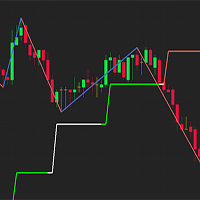
Simple indicator used in technical strategies to analyze tops, bottoms and reversal or continuation points. Developer information:
Line values and colors:
Buffer 0 : ZigZag line value;
Buffer 1 : ZigZag color value;
Buffer 2 : Median line value;
Buffer 3 : Median color value; Buffer to get the values of each top and bottom. Buffer 4 : Top value;
Buffer 5 : Bottoms value;
Buffer that returns the type of the last direction.
Buffer 9: 0 = Not updated, 1 = High, -1 = Low;
This indic
FREE

The Tick Data Record is a multi-symbol multi-timeframe Expert Advisor that records tick data for later graphical representation and analysis. General Description The Tick Data Record offers a(n) alternative/complement to the online/offline price charts displayed through the MT4/MT5 platform. The Expert Advisor permits to write and save the current/history values of Time, Bid, Ask, Spread, Last and Volume to a text file (“.txt”). The idea is to copy/open the obtained register to/in a spreadshe
FREE

Here is the full professional description for your indicator, rebranded as Institutional Trend Candles (ITC) . You can use this text for your Market documentation, user manual, or simply to understand exactly how your tool functions. Institutional Trend Candles (ITC) v1.0 Overview Institutional Trend Candles (ITC) is a specialized trend-following system designed to filter out "retail noise" and visualize the true directional flow of the market. Built specifically for high-volatility assets like
FREE

Aurum Flow Matrix is an advanced XAUUSD volume intelligence indicator that detects buying, selling, and absorption zones. It displays zone strength, estimated flow, confidence, retest status, market bias, and the nearest active zone through a clean professional dashboard.
post Aurum Flow Matrix is a professional volume intelligence indicator developed for XAUUS
FREE

MT5 to MT4 Trade Copier (Master)
SHORT DESCRIPTION Copies trades from MetaTrader 5 to MetaTrader 4 on the same PC/VPS. You also need the EA "MT5 to MT4 Trade Copier I Slave" from the Market. If you have any questions, problems, or suggestions for improvement, feel free to send me a message or leave a comment.
KEY FEATURES Market execution copying (fast, stable) Multi-symbol filter (copy only selected symbols) Symbol mapping (master symbol -> receiver symbol) Lot multiplier (scale lots on rec
FREE

HiperCube DonChian へようこそ Darwinex Zero 20%割引コード: DWZ2328770MGM_20
このインジケーターは、価格が上がるか下がるかを示す非常に便利な価格情報を提供します。
機能: メイン ウィンドウのインジケーター キャンドルの色をカスタマイズ インジケーターの期間をカスタマイズ パラメーターの設定とオフの設定
解釈方法: 上昇トレンド: 上部バンドでキャンドルが上がる場合、強気相場が来る可能性があることを意味します。 下降トレンド: 下部バンドでキャンドルが下がる場合、弱気相場が来る可能性があることを意味します。 中間バンド: TP または SL として予測するために使用できる上部と下部の平均です... 間違いなく、これは他の分析と組み合わせることで、取引の成長の鍵となる強力なインジケーターです。
FREE

Product Title: IQ Expected Move SAR SuperTrend Stop Guessing Volatility Boundaries – Trade Inside the Institutional Football Field! Do you know where the institutional boundaries of your asset are for today? Most retail traders place their stops and targets based on gut feeling, running straight into the traps of market makers. Institutions look at the mathematical expected range of the day to define their playground. The IQ Expected Move SAR SuperTrend engine calculates this institutional vo
FREE
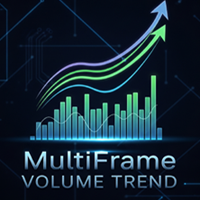
MultiFrame Volume Trend (MFVI) is a powerful VWAP-based indicator that displays volume trends across multiple timeframes in a clean, easy-to-read dashboard directly on your chart. Instantly capture the overall market direction in just seconds. Features Multi-timeframe VWAP analysis from M1 to MN1. Dashboard panel shows the trend state of each timeframe at a glance. Plots VWAP line and buy/sell arrows directly on the chart. Fully customizable: colors, line width, panel position, arrow symbols. Bu
FREE
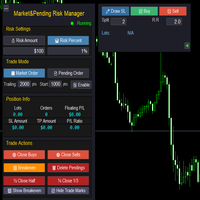
Market & Pending Risk Manager EA Operation Manual Market & Pending Risk Manager is a professional MT5 trading panel EA that integrates multiple functions such as market order trading, pending order trading, risk management, and trailing stop loss, providing traders with a comprehensive trading solution. Core Advantages Intelligent Dual-Mode Trading Market Order Mode: One-click buy/sell for fast execution Pending Order Mode: Precise entry to wait for the optimal timing Seamless Switching:
FREE

Precision Entries. Intelligent Risk. Complete Control. Saturn Vortex Prime is a fully automated trading system that combines proprietary volume analysis with intelligent market efficiency calculations to identify high-probability trade setups. Unlike black-box systems, this EA gives you complete transparency and control over every aspect of its operation through clearly organized, user-friendly parameters. ️ IMPORTANT – PLEASE READ FIRST
ONCE YOU DOWNLOAD , MESSAGE ME FOR SET FILES
FREE

TradeMasterPanel — One-Click Manual Trading Panel for MT5 TradeMasterPanel is a professional one-click trading assistant for MetaTrader 5, designed to help traders execute, manage, and protect positions directly from the chart. All settings can be adjusted on-chart and are automatically saved for each trading symbol, eliminating the need to reopen the Inputs dialog or reattach the EA. The interface is fully scalable and DPI-aware for modern high-resolution displays. 1. Market Order Entry Open B
FREE

Session Indicator Pro is a MT5 session indicator designed to display forex trading sessions and Fair Value Gaps (FVGs) directly on your chart. It helps traders clearly visualize market structure by highlighting session ranges, highs/lows, and imbalances within each session. Key Features Displays major trading sessions: Sydney, Tokyo, Frankfurt, London, New York, plus one custom session Fully customizable session times and colors Clean session boxes (border only, no fill) to keep charts reada
FREE

The X-21 TrendSync Elite is an advanced indicator designed for traders seeking precise trading decisions based on multiple technical indicators. Operating in a separate window, it integrates Stochastic, RSI, and CCI indicators (in two variants: Trigger CCI for entries and Trend CCI for trends) to provide clear visual signals for buying, selling, or waiting. With support for nine timeframes (M1, M5, M15, M30, H1, H4, D
FREE

AUC - Super Trends は、価格の動きに基づいた視覚的なラインで市場の方向を示すインジケーターです。 このインジケーターは、価格追跡システムを使用して上昇局面と下降局面の変化を示します。ラインは市場の変動に応じて自動的に調整されます。 Forex、指数、ゴールドなどのさまざまな金融商品や複数の時間足で使用できます。 ----------------------------------------------------
機能 市場方向の可視化 価格変動の変化の識別 トレンド分析の補助
----------------------------------------------------
特徴 上昇および下降局面の視覚的表示 価格への自動適応 シンプルで分かりやすい表示 複数の時間足に対応 さまざまな金融商品で使用可能 注意
本インジケーターは分析を補助するツールであり、リスク管理や意思決定の代替ではありません。
FREE

SeasonalEA is an Expert Advisor for MetaTrader 5 that allows a trader to buy (or sell) symbols with timing rules. For example, the trader can add rules to buy on Monday at 10:00 am and sell on Tuesday at 5:00 pm. This software is useful for traders that: study seasonal patterns on Forex and CFD study intraday seasonals rules study timing trading rules This EA accepts up to 6 symbols rules (but if a trader wants to trade only one pair, they can do it simply by setting other lots to zero).
Inputs
FREE
Reverse Engineered RSI Introduction Reverse Engineered RSI transforms the way traders use the RSI indicator.
Instead of displaying RSI in a separate oscillator window, this tool projects the key RSI levels — 30, 50, and 70 — directly onto the price chart . This allows traders to see where overbought, oversold, and equilibrium zones align with actual price levels — without switching charts or guessing momentum conditions.
You get precise RSI-derived support and resistance levels right on the c

Friends, join us!
Ask questions and connect with like-minded traders: MetaCOT Public Group
MetaCOT Information Channel: news, CFTC reports, and signals: MetaCOT Channel
Here’s to successful trading and new profitable signals for us all! Attention! Recently, certain countries have been blocking access to the cftc.gov website. As a result, users in these countries are giving the product low ratings. MetaCOT has always adhered to the highest quality standards and is in no way associated with th
FREE
This indicator combines RSI(14) and ADX(14) to find out the signal that price moves strongly. When it appears signal (represent by the yellow dot), and price is going down, let consider to open a SELL order. Otherwise, let consider to open a BUY order. In this case, the strength of moving is strong (normally after sideway period), so we can set TP by 3 times of SL .
FREE

In trading, capital protection is everything. A single trade without a Stop Loss can wipe out profits, breach a funded account, or cause unnecessary emotional and financial damage within seconds. Even experienced traders can forget to place an SL during volatile market conditions or while managing multiple trades simultaneously. Since many Prop Firms enforce strict mandatory Stop Loss rules, one missing SL can instantly violate account conditions regardless of position size. STOP LOSS MONITOR is
FREE
================ // Average period ma_Sma, // Simple moving average ma_Ema, // Exponential moving average ma_Smma, // Smoothed MA ma_Lwma // Linear weighted MA =============== // Average method // Turn alerts on? // Alert on current bar? // Display messageas on alerts? // Play sound on alerts?
FREE
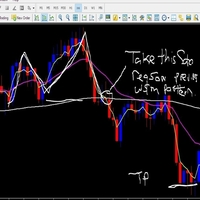
About. This indicator is the combination of 3 Exponential Moving averages, 3,13 and 144. it features Taking trades in the direction of trend, and also helps the trade to spot early trend change through Small moving averages crossing Big Moving averages Product features 1. Have built in Notification system to be set as the user desires (Alerts, Popup notification and Push Notification to Mobile devices) so with notification on, you do not need to be at home, or glued to the computer, only set and
FREE

Double Line Donchian Channel MT5/Meta Trader 5 Indicator, this is customized Indicator to show only 2 Lines of Highest and Lowest PRICE line where you can add a MA (MOVING AVERAGE) for center line. What is Donchian Channel?
Donchian Channels are three lines generated by moving average calculations that comprise an indicator formed by upper and lower bands around a midrange or median band. The upper band marks the highest price of a security over N periods while the lower band marks the lowest p
FREE
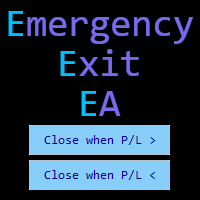
Emergency Exit is an MT5 expert advisor I developed to solve a specific problem: monitoring and managing overall account risk across multiple positions. Unlike traditional EAs that focus on entry signals or complex trading algorithms, Emergency Exit has one job - to watch your total floating P/L and take action when your predefined thresholds are hit.
The main functionality revolves around two simple conditions:
Close when P/L >: Triggers when profit exceeds a value (take profit) OR when loss
FREE
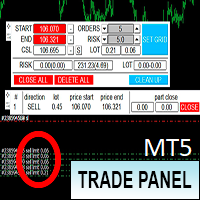
Торговая панель предназначена для установки сетки ордеров с различными параметрами. Добавлено все что есть у версии для МТ4. Предназначена для форекс счетов с хеджированием. Имеет несколько основных функций по установке ордеров в заданном диапазоне и с заданным риском, закрытию части ордеров из сетки, переносом в безубыток, закрытие части по профиту на определённом уровне, а также отображает информацию по текущему риску и отображает все сетки которые были выставлены по определённой паре при этом
FREE
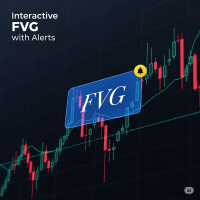
FVG Indicator with Alerts Description: This is a simple and effective indicator for identifying and displaying Fair Value Gaps (FVGs) on any timeframe. The indicator helps you see important price imbalances and provides powerful interactive tools for your analysis. Key Features: Detects FVGs: Clearly identifies and draws boxes around Bullish and Bearish Fair Value Gaps. Midline Level: Displays the 50% equilibrium level inside each FVG box, a critical point of interest. Complete Alert System: Rec
FREE
CLICK HERE TO JOIN OUR WHATSAPP GROUP.
This trading indicator Automatically identifies and plots contract blocks, which are essential zones marked by significant levels of support and resistance. This powerful tool provides traders with a clear and intuitive visualization of critical market points where prices are likely to bounce or reverse. The contract blocks, represented by distinct colored rectangles, highlight support zones (at the bottom) and resistance zones (at the top), enabling trad
FREE
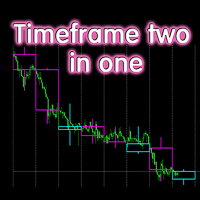
The indicator displays candlesticks of a given senior timeframe, on smaller timeframes
TF_Bar - selection of the senior timeframe, based on which candlesticks on the current one will be displayed.;
Number_of_Bars - the maximum number of bars up to which the indicator will be calculated.;
Color_Up - color display of bullish candlesticks;
Color_Down - color display of bearish candlesticks;
Widht_lines - the thickness of the indicator lines.
Other useful free and paid products can be viewed
FREE
The Adaptive Trend Indicator is a dynamic trend-following tool that adjusts its sensitivity based on market volatility,
offering a more responsive alternative to classic moving averages.
It supports both SMA and EMA modes and changes color based on trend direction or crossovers, giving a clear visual cue for potential entries or exits. Read about recommended usage for different markets, timeframes and trading styles: Adaptive Trend Indicator
Features ATR-based period adaptation for responsive
FREE

Trend View is a simple indicator that shows in a text the trend of the current currency in the timeframe you choose. Inputs are: Color: color of the text. Timeframe: timeframe for calculations. Trend can be: UP: bullish trend. DOWN: bearish trend. ---: trend not defined. You can use this indicator to show the main trend of a bigger timeframe helping you to choose your trades. Note: text is draggable.
FREE

The Volume Heatmap indicator visually shows the INTENSITY of the volume taking into account the concept of standard deviation. Purpose of the Indicator: High volumes are common where there is a strong consensus that prices will increase. An increase in volume often occurs at the beginning of a new upward trend in the price of an asset. Some technical analysts do not rely on trend confirmations without a significant increase in volume. Low volumes usually occur when an asset is heading for a down
FREE

Purse Guard v1.00 — User Manual 1. What Purse Guard Does Purse Guard is a trailing stop manager, Stop Loss manager, trade manager, and position-management utility for MetaTrader 5. It provides practical risk management for existing trades by managing Stop Loss on open positions with two conventional trailing methods: Points Trailing — a fixed-distance points trailing stop that follows price by a selected number of MetaTrader 5 points. Candle Trailing — a candle trailing stop that follows the st
FREE
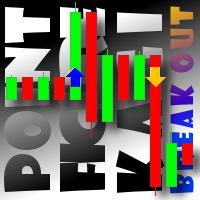
This indicator displays breakouts on Point-And-Figure-like or Kagi-like custom symbol charts, generated by special expert advisers, such as PointFigureKagiCharts . This indicator is applicable only for custom instruments generated in appropriate way (with time-invariant bars which are multiples of a predefined box size). It makes no sense to apply it to other charts. The breakouts in up or down direction are marked by arrows. The breakout price is found at crossing of one of imaginary lines of
FREE

Currency Strength Heatmap with Meter Overview Currency Strength Heatmap is a professional multi-currency strength indicator designed for MetaTrader 5. It analyzes the relative strength of the eight major currencies (EUR, USD, GBP, JPY, AUD, CAD, CHF, and NZD) in real time and presents the information through an advanced Heatmap Matrix and Currency Strength Meter. Instead of relying on a single currency pair, the indicator evaluates all 28 major currency combinations to identify the strongest and
FREE

MT4 version Overview The Lowess Channel indicator is a smoothed trend-following tool designed to help traders identify the direction of the trend , detect flat or ranging markets , and spot breakouts from consolidation zones. It creates a central smoothed line with upper and lower channel boundaries, adapting to market noise while maintaining clarity. How It Works The indicator builds a channel around a smoothed price line. The central line reflects the current trend. The upper and lower bounda
FREE

This Indicator gives you on chart your Automated Trading Journal instantly. It fetches your your trading history according to your date range and gives on dashboard your full trading analytical to your trading pattern, trading behaviour, account statistics , performance and metrics .
This is a must have Indicator for every trader in its arsenal. This tool shows your past and your future at the same time.
Stop trading in the dark. Transform your MetaTrader5 terminal into an institutional-
FREE
本製品はインジケーター/シグナルツールから情報を受信し、特定の条件が満たされた場合に矢印や通知を表示します。
たとえば、MA25 と MA50 がクロスしたとき、SAR が反転したとき、MACD プラスマイナスが変化したとき、終値がボリンジャーバンドをクロスしたときなどに矢印が表示され、通知されます。
具体的な設定についてはサンプル設定画像をご参照ください。
詳細なマニュアルと設定ファイル: https://www.mql5.com/en/blogs/post/755082
様々な設定で矢印を表示させることができ、アイデア次第で組み合わせも無限です。 シグナルツール やインディケーターと連携する設定方法が分からない場合は、サポートしますのでご連絡下さい。
個別でご依頼いただければ、スマホへのプッシュ、メール、Slack、Line、Discord通知などへの通知、パラメタの8個まで追加、または個別でインディケータとの連携なども対応します。 お手持ちのシグナルツールの補助として、またイベントの通知機能としてもお使い頂けます。 https://www.mql5.com/en/us
FREE
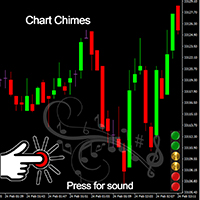
Chart Chimes のご紹介 - 取引を音の交響曲にする MT4/MT5 インジケーター! 一日中チャートを見つめるのにうんざりしていませんか? 取引中に気分を高揚させるために、ちょっとした気晴らしが必要ですか? まあ、Chart Chimes があなたをカバーしてくれます!
チャート チャイムを使用すると、そのボタンを押すたびに楽しい音が聞こえ、あなたの顔が笑顔になり、足元がスキップされます。 勝利を収めたトランペットや穏やかなハープの音を背景に取引をすることを想像してみてください - それはあなた自身の個人的なオーケストラがあなたを応援しているようなものです!
しかし、Chart Chimes は楽しい気晴らしだけではありません。取引中に集中して関与し続けるのに役立つ強力なツールです。 サウンドをカスタマイズする機能により、取引スタイルや好みに合った独自のサウンド環境を作成できます。 あなたのストップロスに固執するためのちょっとしたリマインダーが必要ですか? 審判の笛を模した音を設定してみませんか。 または、花火の音で取引の成功を祝いたいと思うかもしれません - 可能性
FREE

Optimize your trading management with Breakeven Bot, the essential tool for active traders managing multiple positions at once. No more wasting time manually adjusting your stops—one click is all it takes to secure your profits! Main Feature:
️ "BREAKEVEN" Button – Instantly set all profitable positions to breakeven and protect your gains quickly. ️ Customization Options:
Set breakeven in pips or currency, depending on your preference.
Choose whether breakeven should be at the entr
FREE

Stay in sync with the market. New Bar Alert MT5 is a lightweight and practical multi-timeframe utility designed for traders who want to know when a new bar begins — without constantly watching the chart. Whether you wait for a candle to close before analyzing the market, manage several timeframes in your workflow, or simply want a reliable reminder when the next bar starts, New Bar Alert MT5 keeps the process simple. Install it on a chart, choose the timeframes you want to monitor, configure you
FREE

Grazia Matrix Pro 全時間足のトレンドを瞬時に可視化。迷いを断ち切る究極の羅針盤。 「期間限定!無料」
【こんなトレーダーにおすすめ】 環境認識に時間をかけすぎて、チャンスを逃している方。 上位足の方向に逆らったトレードで損失を出している方。 シンプルかつプロフェッショナルなチャート環境を構築したい方。 【製品概要】 「マルチタイムフレーム(MTF)分析は重要だが、チャートの切り替えが煩わしい……」 そんなトレーダーの悩みを解消するために開発されたのが Grazia Matrix Pro です。 本インジケーターは、1つのチャート上に主要な6つの時間足(M5〜D1)のトレンド状態をリアルタイムでマトリックス表示します。独自のアルゴリズムにより、移動平均線(MA)とRSIの相関関係を分析し、現在の市場が「真のトレンド」にあるのか、それとも「調整局面」にあるのかをひと目で判別可能です。 【主な機能と特徴】 6-Timeframe Matrix : M5, M15, M30, H1, H4, D1のトレンドを一画面で監視。 Perfect Order Alert :
FREE

Convenient tool for measuring the number of points between the prices directly on the chart. Displays in the measurement between points in percentage, points (financial) and time (bars ). Compatible with all graphical timeframes. When fixed on the chart is displayed in all timeframes. Press Ctrl, click the first point, move the mouse and will now display the measurement. Click again and fix. Very fast tool that does not occupy much space. Input Parameters Line Color Line Style Text Color Text Si
FREE

Rhino PDF Trade Report — MT5の取引履歴をPDFにエクスポート MetaTrader 5 の口座取引履歴を、見やすく印刷可能なPDFレポートに変換します。日付範囲、取引数、または銘柄を選択して、取引日誌、パフォーマンス分析、投資家向けレポート、記録保存に使用できるレポートを作成できます。 パフォーマンス概要 1ページ目には、選択した期間の取引パフォーマンスの概要が表示されます。 パフォーマンス指標: 純損益、取引数、勝率、プロフィットファクター、期待値、総取引量。 エクイティカーブ: 対象取引の累積損益を表示します。 取引の内訳: 勝ちトレード/負けトレード、およびBUY/SELLの分布。 曜日別の結果: 曜日ごとの取引結果を確認できます。 銘柄別の結果: 異なる取引銘柄のパフォーマンスを分析できます。 完全な取引履歴 2ページ目以降には、決済済み取引の詳細な一覧が含まれます。各取引は1行で表示され、以下の情報を含みます。 ポジションチケット オープン時間とクローズ時間 銘柄と方向(BUY / SELL) 数量、エントリー価格、決済価格 ストップロスとテイクプ
FREE

The M Extensions are variations of the Golden Ratio (Fibonacci Sequence). It is the World's first technique developed for Candle Projections.
Advantages:
Easy to plot. Candle anchoring; High and accurate precision as support and resistance; Excellent Risk x Return ratio; Works in any timeframe; Works in any asset / market. The M Extensions are classified into:
M0: Zero point (starting candle) RC: Initial candle control region M1: Extension region 1 M2: Extension region 2 M3: Extension regi
FREE
516/5000 Average volume indicator to calculate the average volume for a given period. Useful as a filter to measure the strength of a trend, or false breaks in support or resistance.
It does not give a signal to buy or sell, it only acts as a filter to avoid entering into transactions with a drop in volume, or below-average volume, which may indicate disinterest in trading at the price level.
It has only the parameters of period, method of calculating the average and type of volume.
It h
FREE
MetaTraderマーケットが取引戦略とテクニカル指標を販売するための最適な場所である理由をご存じですか?宣伝もソフトウェア保護も必要なく、支払いのトラブルもないことです。これらはすべて、MetaTraderマーケットで提供されます。

取引の機会を逃しています。
- 無料取引アプリ
- 8千を超えるシグナルをコピー
- 金融ニュースで金融マーケットを探索