 MetaTrader 5
 エキスパート
 インディケータ
 ライブラリ
ライブラリ
 ユーティリティ
 ウィジェット
 ルール
ルール
YouTubeにあるマーケットチュートリアルビデオをご覧ください
ロボットや指標を購入する
仮想ホスティングで
EAを実行
EAを実行
ロボットや指標を購入前にテストする
マーケットで収入を得る
販売のためにプロダクトをプレゼンテーションする方法
MetaTrader 5のためのエキスパートアドバイザーとインディケータ - 149
 自動売買ロボットとインジケータを使用して、外国為替取引の収益性を高めます。 自動売買ロボットを使用すると、取引の開始と終了を自動化でき、インジケータは市場の行動をより正確に予測するのに役立ちます。
このページには、MetaTrader5アプリケーションのカタログが掲載されています。
自動売買ロボットとインジケータを使用して、外国為替取引の収益性を高めます。 自動売買ロボットを使用すると、取引の開始と終了を自動化でき、インジケータは市場の行動をより正確に予測するのに役立ちます。
このページには、MetaTrader5アプリケーションのカタログが掲載されています。 
Мультивалютный индикатор в отдельном окне отображает движение валютных пар в пунктах с расхождением от начала дня. Во время работы, динамически возможно включать и отключать различные пары прямо на графике. При первом запуске, возможно, потребуется продолжительное время, пока загрузиться история для основных валютных пар. Для валют CAD, CHF, JPY - график перевернут.
При повторном открытии, все настройки индикатора восстанавливаются автоматически.
FREE

Portfolio Aggregator - one dashboard, total clarity across all your trading accounts Portfolio Aggregator unifies account data from multiple brokers and currencies into a single, transparent dashboard, giving real-time visibility into equity, margin, P&L, and risk metrics so traders can maintain control and confidence across diversified strategies. It converts all values into a chosen base currency using live FX rates, and displays equity, balance, unrealized P&L, margin usage, and open position
FREE
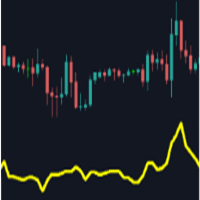
Main purpose: This indicator calculates the average of previous candles (a half of candle points). This value represent the strength of market (buy/sell) in each candle.
Parameters: . Period: indicating previous candles to calculate average . Shift: draw line at a shift on chart.
Tip: We can use this value to consider TP and SL of a position before opening.
FREE

ForexFanclub(FFC) : For detailed instructions and our official website, please visit my profile !
NapWela — High-Precision Candle Timer & Spread Display
NapWela shows you exactly how much time is left until the current candle closes, in a clear minutes:seconds countdown. It also displays the live spread right on your chart, so you always know your trading conditions at a glance. It works on all timeframes from M1 to W1.
NapWela is a display-only indicator. It does not open, modify, or close
FREE

Introducing Revolutionary Self-Learning EA with Monte Carlo Simulation
This Expert Advisor (EA) combines advanced trading strategies with state-of-the-art risk management. With integrated Monte Carlo simulation, it elevates your trading to a whole new level of safety and profitability.
Main Features and Benefits
Adaptive Trading Strategy Dynamic threshold values: EA automatically adjusts its trading parameters based on market conditions.
Multi-indicator filtering: Uses ADX, ATR, RS
FREE

This MT5 script calculates and displays the total lot sizes traded on your account. This is useful as a quick visual summary for VPS promotions from brokers. The script outputs directly onto the chart. This is broken down by symbol and by three customisable time periods: today this week this month Font sizes can be adjusted The summary will appear in your chart
To update the display after new trades, simply run the script again.
FREE

A complete copy trading EA suite that automatically replicates trades across MT4 and MT5 platforms. Supports all four combinations — MT4→MT4, MT4→MT5, MT5→MT4, and MT5→MT5 — in a single package. Uses the FILE_COMMON shared folder method for fast, reliable signal delivery within the same PC or VPS.
Overview
CopyTrading EA Suite is a utility package that automatically replicates trades between MetaTrader 4 and MetaTrader 5 platforms. A single Sender EA can broadcast signals to multiple Receive
FREE

ExportTradingDeals is a MetaTrader 5 script that exports your complete deal history to a CSV file. The file is consumed directly by the Trading Stats desktop application to produce charts and statistics about your trading performance. Trading Stats is a free, open-source application; pre-built Ubuntu / Debian and Windows packages are available on the project releases page (search: alinsoare/trading-stats on GitHub). What it does When you run the script, it reads all deals from your account histo
FREE
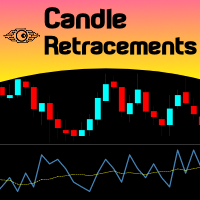
Do you want to know how much, how frequent and at what level a candlestick retraces over the previous one, just drop Candles Retracement over your chart and see it visually! Just choose your desired timeframe and the indicator will show it graphically. As simple as that... In addition you have the option to calibrate a Moving Average over this sub-window chart monitor. This indicator could be used to study candle retracements levels so you can comfortably expect during a trade what to expect fro
FREE

Limiter Drawdown EA – Automatic Account Protection for MetaTrader 5
Description
Limiter Drawdown EA is a lightweight risk management tool for MetaTrader 5.
It monitors your account drawdown in real time and will automatically close all open trades once the threshold you define is reached. This provides a reliable safeguard for any trading strategy. Main Functions Monitors equity versus balance continuously Closes all positions when your chosen drawdown percentage is reached Optionally removes
FREE

ManualRecoveryBETrailingXAUUSD is a semi-automatic trade management tool designed to manage positions using a grid-averaging and basket-closure algorithm. This utility can be used for manual trades or in conjunction with other Expert Advisors to handle drawdown recovery. The EA is optimized for high-volatility symbols like XAUUSD (Gold) . Once an initial trade is opened, the EA manages subsequent recovery orders based on user-defined parameters to reach a combined profit target. Technical Featu
FREE

Lion Tech — For Traders Who Prefer Logic Over Hype This isn’t a holy grail, and it doesn’t promise perfect charts. If you’re chasing flawless equity curves, this probably isn’t for you. But if you value well-defined strategy, risk control, and real-world performance—Lion Tech might be what you're after.
Installation Note Once you’ve purchased Lion Tech, send a screenshot via private message to receive the installation manual.
How Lion Tech Works Lion Tech is designed specifically for USDJPY on
FREE

MBL Daily Candle Digital Timer MBL Daily Candle Digital Timer is a clean and precise countdown tool designed to help traders monitor candle time and daily price movement directly on the chart. It provides a real-time candle countdown, timeframe label, and daily percentage change in a clear digital-style display. Key Features • Live Candle Countdown
Displays the remaining time for the current candle with flexible format options: HH:MM:SS MM:SS Total Seconds • 3-Level Color System
The timer
FREE

The Quarter System Ilian Yotov の理論に基づく市場アーキテクチャ The Quarter System は、単なるテクニカル指標ではなく、プロフェッショナル仕様の機関投資家向けマーケットマップです。Ilian Yotov(イリアン・ヨトフ)のメソッドを実践するトレーダーのために設計されたこのツールは、価格変動を精密な数学的単位に分解し、主要なサポートおよびレジスタンスゾーンの特定における曖昧さを排除します。 高頻度アルゴリズムが支配する現在の環境において、「スマートマネー」はあらかじめ定義された心理的節目を中心に動いています。このシステムにより、機関投資家が注文を集中させる正確なポイントを可視化することが可能になります。 The Quarter System が選ばれる理由 単に静的で冗長なラインを描画する従来のツールとは異なり、このシステムは価格の階層構造を厳格に遵守するインテリジェントな検知ロジックを搭載しています。 ユニバーサル・アダプティブ・アルゴリズム : US30やNAS100のようなボラティリティの大きい株価指数か、あるいは小数点単位で動くF
FREE

Global Equity Manager Global Equity Manager is an account-level risk management tool designed to protect your trading capital by monitoring the entire account equity in real time and acting immediately when your predefined limits are reached. It works independently of any trading strategy and manages all open positions together as one basket . Key Advantages Full Account Protection
Monitors total account equity instead of individual trades. Works with Any Strategy
Compatible with manual
FREE

Moving Average Colored
A very simple indicator, but one that cannot be missed when carrying out your operations. Considered one of the oldest and indispensable indicators to have on your chart now with coloring to make your operations even easier. Configuration Parameters: Time course Averaging Method
Come and see our mql5 signals too https://www.mql5.com/pt/signals/914535?
FREE

One-Click Trade Manager for MetaTrader 5 The Close Manager Buttons EA is a powerful utility designed to give you full control of your open positions and pending orders with just one click.
Forget about manually closing trades one by one during fast market moves—this EA does it instantly, safely, and efficiently. Key Features Close All Trades – instantly close every open position Close Only Buy Trades – exit only BUY positions while keeping SELL trades running Close Only Sell Trades – exit only
FREE

https://www.sendspace.com/file/hrxcew - REPORT TEST DOWNLOAD
TESTED ON GBPUSD/ AND EURUSD
LOGIC:
Moving Averages Crossover, Macd Historigram and Adx
TRADING SIZE LOTS: (MARTINGALE)
OPENING LOTS START: 0.10
ADD/WINING POSITION: 0.05
PROTECTED ALWAYS WITH STOPLOSS, MAX STOPLOSS LIMITS AND TRAILING STOPS
TRADE WITH RIGHT RULES
/////N!%Drawdown??
///// really ?? you will want something like that for sure.... ALWAYS TRYING CHANGE THE MOTHERFUCKER GAME ...... by: WeeDFoX4_20PT fire like ALWA
FREE

Discover. Analyze. Get Notified. Master price action trading with PatternVision Pro , an advanced candlestick scanner for MetaTrader 5 that transforms pattern recognition into actionable insights and data-driven analysis. Whether you're studying a single Doji , tracking a 20-candle formation, or monitoring sharp price movements, this tool helps you systematically analyze market behavior with a percentage-based approach and real-time notifications.
Complete Documentation Included Step-by-step
FREE

Historical Equity Flow Indicator (HEFI)
Description HEFI is an indicator for MetaTrader 5 that visualizes the dynamics of account balance and floating balance in real time. It helps traders analyze the historical effectiveness of their trading, as well as assess the current state of open positions.
What is it intended for?
Account balance tracking, taking into account closed transactions for the selected period.
Displaying a floating balance (balance + uncovered profits/losses).
Analysis o
FREE

Th is i ndicator is a versatile MetaTrader 5 tool that calculates and displays Average True Range (ATR) levels on your chart. It draws horizontal lines representing price levels based on ATR multiples from the daily opening price, helping traders identify potential support and resistance zones. 1. Multiple ATR Levels ATR1 : Standard ATR level (default: 1x ATR) ATR2 : Intermediate level (default: 2x ATR) ATR3 : Extreme level (default: 3x ATR) Each level displays both upper (High) and lower (L
FREE

Free for a limited time... BDB EA is a structured mean reversion trading system designed for the 1H timeframe, combining market conditions with a controlled grid approach to capture price retracements efficiently. Built for stability and consistency, the EA opens positions based on market conditions and manages them as a basket, targeting a unified take profit across all trades.
Results Verified live results available here:
https://www.mql5.com/en/signals/2366129 Running on EURUSD and EURGBP
FREE

Ritz Klik Trading Panel
In today’s fast-paced financial markets—ranging from highly volatile cryptocurrencies like BTCUSD to traditional forex pairs—execution speed, bulletproof risk management, and real-time capital awareness are the ultimate deciders of a trader's profitability. Ritz Klik Trading Panel is an institutional-grade, ultra-responsive One-Click Trading Dashboard designed exclusively for MetaTrader 5 (MT5). Built for scalpers, day traders, and aggressive layerers, this Expert Adviso
FREE

Simple. Informative. Instantly Visible on Your Chart. Alwinson Active Trades Info is a lightweight indicator that displays a summary of currently open positions directly on the chart. It removes the need to switch to the Terminal window to check which symbols are active and what volume is involved. An MT4 version of this indicator is also available among my products.
Key Features: Lists all symbols that currently have open positions in the trading account. Shows the dominant position type (BUY
FREE

MT5 Data Bridge MT5 Data Bridge は、 MetaTrader 5 向けの軽量なデータブリッジツールであり、取引データをリアルタイムで外部システム(HTTP / Webhook)へ送信することを目的としています。
これにより、独自のトレーディング監視、アラート、およびリスク管理システムを迅速に構築できます。 本ツールは MT5 内で Expert Advisor(EA)として動作し、追加のインフラは不要です。
口座情報、マーケットデータ、ポジション情報を構造化された形式で任意のバックエンドへ出力できます。 主な機能 リアルタイムデータ送信(タイマー駆動、低レイテンシ) 複数銘柄のマーケットデータ取得(カスタマイズ可能) ポジションおよび未約定注文のエクスポート 口座スナップショット(残高、純資産など) JSON形式による標準化データ出力 API Key による認証対応 コア価値:カスタムアラートシステム MT5 Data Bridge の価値は単なるデータ取得ではなく: 独自ロジックによる完全カスタマイズ可能なアラートシステムの構築 例:
FREE

Thank you for your interest in The Tail.
I have been trading since 2018. Or rather, it’s not me who trades, but the army of my robots, which I constantly develop. Tail is one such candidate.
This robot works on moving averages, filters trades by RSI.
The robot provides the functionality of volume and position control.
Combine different approaches. I recommend using it in a group of 3-5 of the same robots on different instruments for the best result.
I recommend keeping a high value of the
FREE

MultiTrend Commander - Automated Trading System What is it? An automated trading software that:
Intelligently identifies market trends
Makes decisions based on multiple timeframes
Automatically manages risk
What does it do? Identify Trends Analyze the market in real time
Combine signals from different time frames (15 min, 1 hr, 4 hr)
Confirm the trend direction before entering
Protect Your Capital Automatically calculates stop losses
Adjusts trade size to your risk
Stops trading if
FREE

The indicator has only one parameter - the number of bars for analysis. The indicator calculates statistics for when the market was moving down, when it was moving up, and the number of bars for each movement. From this data, the average number of bars is calculated, which is displayed in the indicator window. If the indicator values sharply decrease, then the market is preparing for an upward movement. If the indicator values persist at high levels for an extended period, then the market is pre
FREE

It adds the symbols listed on Binance Spot to the Metatrader5 market clock. With this free file you can list the entire list in seconds. You can easily upload it to your demo account. It is the first file uploaded for Binance Spot Tick and is available for free. Tools menu / Options / Expert Advisors / You need to select Use WebRequest for listed URL You can watch videos to add Metatrader.
FREE

QuickExecEA – The Manual Trading Panel by ML Trading QuickExecEA is a professional, freely draggable trading panel for MetaTrader 5, designed to execute manual trades quickly, precisely and with minimal effort directly from the chart.
Features:
Entry, Stop Loss and Take Profit are placed as interactive lines directly on the chart and can be repositioned via drag & drop.
All values synchronize automatically with the panel in real time. The EA automatically detects the order type: Market Order, B
FREE

HCS MarketWatch is a free, read-only MetaTrader 5 indicator that displays current spread, ATR, and spread relative to ATR in one compact chart panel.
The Spread/ATR ratio provides context for current spread relative to recent market movement.
The panel displays:
• Latest terminal Bid/Ask spread in points • MT5 ATR in points • Spread/ATR percentage • LEVEL: LOW, MEDIUM, or HIGH • Average spread during the current indicator run • Maximum spread during the current indicator run
The ATR timefra
FREE

Position Story MT5 answers a practical history question: what happened inside this position?
Select a position from the account history and the panel rebuilds its story from the recorded deals. You can see the opening deal, partial exits, reversals or close-by events, their order, and the values MT5 recorded for each one.
What it shows
• Position summary with symbol, position ID, deal count, recorded entry/exit volume when that split is knowable, and coverage state. • Ordered deal sequence wi
FREE

Eldry extreme is an efficient oscillator that gives good entries points. Similar to stochastic but more powerful. Follow trends with high accuracy signals giving by crossover. Makes your tades positions with more confidence. Adaptable to all timeframes and charts.Just paste the file into MQL5/Indicators on mt5 and enjoy. Don't hesitate to contact me.
FREE

This indicator displays the Daily Range of a selected pair directly on your chart, providing a clear and concise view of the pair’s movement for the day. It simplifies tracking how far a pair has moved, offering traders a practical advantage in analyzing market activity. This feature is especially useful for making faster and more accurate trading decisions. Whether you’re a beginner or an experienced trader, it helps streamline your strategy by highlighting key market insights in real-time.
FREE

This system is a semi- automatic trend following system that operates during the days of highest probable market volatility aiming to capitalize on major retracements and reversals that occur midweek. It can operate on full autopilot, act as just a signal generator, or any customized user preference based on the needs of the user and the functionality of the program. It is capable of risk management with an inbuilt lot size calculator with adjustable risk pecentage to suit the user's unique apet
FREE

you can close all your positions in profit or lost when you use this robot. 1.you set your max profit and max lost for all your positions. 2.the robot show you in a window beside your chart. 3.when your equity reach your target close all your positions. 4.you can use one of them or both (profit or lost)togather. 5.this robot close all your positions. ((if you have any idea or want somthing i can help you)) i hope you win in all your times of life. best regard
FREE

This indicator closes the positions when Profit. This way you can achieve a goal without determine Take Profit.
Parameters: Profit: the amount of Dolllars you want to close when profit.
Just determine Profit section and open new positions. If Any of your positions reaches above Profit , Indicator will close automatically and you will recieve your Profit.
FREE

This indicator helps keep track of the number of trades taken in the day. It shows losses and potential profit then the total profits which is, profits - losses. Then total profit for the week and month. Soon the indicator will be sharing some trading tips based on your trading. It really does put necessary pressure and helps you to set a goal for yourself for the day. Familiarise yourself to draw your analysis on the same chart with the indicator because it will have to alert you if price brok
FREE

The Trail Stops Point indicator shows the deviation from the current price by a certain distance. It has been developed as an additional indicator for Trail Stops by Custom Indicator , to provide a simple trailing of a position stop loss at a specified distance in points.
Indicator Parameters Distance - trailing stop distance in points. Buffer numbers: 0 - Support, 1 - Resistance.
FREE

Main Features Automatically closes open positions at a specified time. Symbol filter: close positions only for a selected instrument (or leave blank to affect all). Magic number filter: close only positions with the specified magic number (or all, if set to -1). Displays operational status and parameters directly on the chart . ...and many other interesting features
FREE

あなたに代わって、あなたの正確なエントリーおよびエグジット条件でトレードできるトレーディング ボットがあるかどうか疑問に思ったことはありませんか。心配する必要はありません。Pebble がここにあります!
RSI トレーディング パネルでトレード パラメータを設定し、[トレード開始] を押すだけで完了です。残りの作業は Pebble が行います。
Pebble を使用する利点は次のとおりです:-
トレードから人間の感情を排除します。
24 時間年中無休でアクティブであり、トレード条件を検索します。
自動的に注文を出し、ストップ ロスを損益分岐点に移動します。
ポジションは、SL と TP だけでなく、RSI 条件に基づいて終了することもできます。 RSI 期間をパネルから直接変更します。
サブウィンドウ 1 に緑と赤の線を配置して、それぞれ購入レベルと販売レベルを簡単に視覚化できるようにします。
FREE

MT5 EMA Trend Indicator Smart trend indicator that uses three EMAs to identify clear market direction. Description:
The Triple EMA Trend Detector is a powerful yet simple indicator for MetaTrader 5 that defines the current market trend using three Exponential Moving Averages (EMA).
It shows you visually when the trend is UP , DOWN , or NEUTRAL directly on the chart — no guesswork. When the fast EMA crosses above the medium and both stay above the slow EMA, the indicator signals an
FREE

An essential utility for continuous background downloading and synchronization of quote history across all 21 MetaTrader 5 timeframes. This tool is indispensable for traders and developers working with market structures (Market Structure, Smart Money Concept, Price Action). The utility ensures there are no gaps or missing bars in the history, which is critical for accurate multi-timeframe analysis and the correct operation of indicators. Input parameters: Synchronization interval (in minutes) —
FREE

Basket Take-Profit Utility Lite is a free on-chart trade management tool for MetaTrader 5 that lets you close groups of trades the moment their combined profit target is reached — something MetaTrader cannot do natively. All settings are controlled directly from the interactive panel on your chart. No need to detach and re-attach the EA to change your target. Features: Group trades by: All open positions · Specific symbol · Magic number Three target types selectable from the panel:
- F
FREE

Trade Risk Desk answers one question at the moment you need it answered: what volume makes this stop cost exactly what you decided to risk. Drag the stop line to where it belongs on the chart and the panel prints the volume, the money behind it, and the margin the position will hold. What It Answers Set the risk as a percent of balance or as a fixed amount in account currency. Put the stop where your idea says it belongs. The panel reads the symbol settings your broker publishes and prints: the
FREE
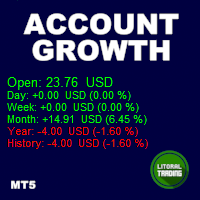
Tired of calculate every weekend and the end of the month to know how much you've earned and how much your capital has grown?
Then this indicator will help you! It informs you how much your capital has grown in money and percentage in the day, week, month, year and in history, plus show how much volume ou used, how much trades you did and how much comission and swap you paid. Alo the open positions result are showed in money and percentage. Note: The amount of trades displayed may differ from

Cyclic Trend is a MetaTrader 5 indicator that presents a confirmed market bias and an adaptive price zone. It processes price data through a proprietary cycle-detection framework and outputs two visual elements: a trend label (BULLISH, BEARISH, or NEUTRAL) and a dynamic channel that appears on the relevant side of price (lower band during bullish phases, upper band during bearish phases). Visual Output A text label in a user‑selectable corner, with customisable font, size, colour, and offset. A
FREE

Description The indicator based on Average True Range (ATR) is designed to accurately determine the possible range of price fluctuations on a selected timeframe. This tool is ideal for both beginner traders and experienced professionals looking to effectively plan their trades. Key Features: Displays possible price fluctuation levels on the chart, simplifying visual analysis. Utilizes the power of the ATR algorithm to calculate precise volatility values. Adapts to any timeframe, providing releva
FREE

SR Zones & Pivot Panel EA - All-in-One Trading Tool SR Zones & Pivot Panel EA is a powerful hybrid tool that combines automatic Support/Resistance Zones , Daily Pivot Points , and a Compact Trading Panel into one interface. It helps traders visualize key price levels on any timeframe while executing trades quickly and efficiently. Designed for precision and speed, this tool keeps your chart clean while providing all the data you need for intraday trading. Key Features 1. Automatic Support
FREE
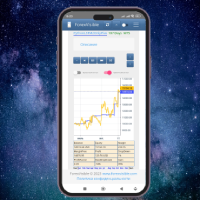
This client utility is intended for sharing and copying signals, as well as for monitoring your Expert Advisor on the site https://forexvisible.com . The Android version of the site can be downloaded here The version for the MT4 terminal can be downloaded here https://www.mql5.com/en/market/product/106509 There are many reasons to use this application in your trading, and these are: 1. If you have many trading advisors and many accounts, it is very difficult to track them and monitor everythin
FREE

[Description] Panel Anywhere is a groundbreaking EA panel, being the first in the market to support browser operations. It addresses a pain point for all MT5 traders, offering a solution that has been lacking in the past. Additionally, the EA itself provides a comprehensive interface to meet all regular operational needs.
[Features] Browser Support: - View EA panel information from the browser, allowing you to manage your account anywhere, unrestricted by a computer or RDP. - WebEA URL: ht
FREE
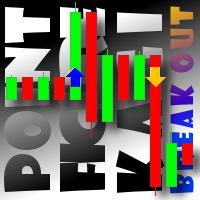
This indicator displays breakouts on Point-And-Figure-like or Kagi-like custom symbol charts, generated by special expert advisers, such as PointFigureKagiCharts . This indicator is applicable only for custom instruments generated in appropriate way (with time-invariant bars which are multiples of a predefined box size). It makes no sense to apply it to other charts. The breakouts in up or down direction are marked by arrows. The breakout price is found at crossing of one of imaginary lines of
FREE

Simple And Unique Trade Journal SAU Trade Journalは、自身のパフォーマンスを真剣に考えるトレーダーのために設計されています。その中心にあるのは損益カレンダーで、ユーザーが日ごとに取引履歴を振り返り、どこで利益を得て、どこで損失が生じ、その理由は何かというパターンを把握できるようにします。その隣には、シンプルで洗練されたデザインのジャーナル本体があります。邪魔にならないよう設計されており、各取引後の考えを記録し、後から振り返って経験を積むための専用スペースをトレーダーに提供します。アドバイザー機能はさらに踏み込み、過去の取引データを分析して、何が機能していて何が機能していないかについての具体的な洞察を提示します。これにより、トレーダーは結果の背景にあるメカニズムを感覚ではなく理解として捉えられるようになります。さらに、複利計算機が一 貫 したパフォーマンスがどこへ向かうかの明確な見通しを提供します。SAU Trade Journalのすべては、一つの目標に向けられています。それは、トレーダーが過去を深く理解することで、将来においてより的確な
FREE
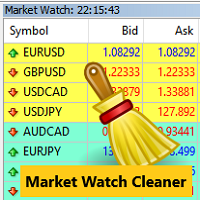
Clean up Market Watch from unused symbols.
If you use multiple advisors and terminals on the same account your Market Watch windows may get filled with unused symbols from orders and positions opened on other terminals. Every symbol in the Market Watch consumes cpu power and bandwidth to get constantly updated and if you are on a vps you want to minimize resources consumption. Market Watch Cleaner helps you with that by periodically cleaning your Market Watch window from unused symbols.
Param
FREE

Timezone Filter EA: Precision Trading with Session Control The Timezone Filter EA is an essential tool for traders looking to refine their trading strategy by restricting trade execution to specific trading sessions. Designed for precision and discipline, this EA allows traders to filter which trading sessions they want to engage in—such as Asian, London, or New York sessions —while ensuring that no trades occur outside the defined time periods. Key Features: Customizable Trading Sessions Tra
FREE
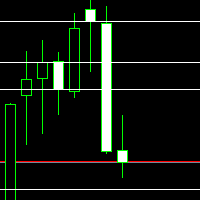
Daily Key Levels Indicator
Spot the market’s key price levels from the daily session at a glance!
This indicator automatically plots the important daily price levels , helping you quickly identify strategic zones for entries and exits. Features: Automatic display of important daily market levels. Fully customizable : Choose the number of levels to display. Set the line color to match your personal or chart style. Works on all instruments and all timeframes (Forex, indices, commodi
FREE

️ TradeGuard by Brian_Breyli_Vana Your Trading Co-Pilot for MetaTrader 5 TradeGuard is a professional manual trading assistant for MetaTrader 5, designed for traders who want to stay in control of every trading decision while letting the EA handle the repetitive, time-consuming, and error-prone parts of trade management. Built for Price Action, Support & Resistance, Breakout, Swing, and Day Trading, TradeGuard combines fast execution, visual risk management, automated protection, session-based
FREE

【秒足シリーズ】SecModeADX 概要 本インジケーターは、通常の1分足では絶対に見えない
「秒足レベルの内部構造」 をリアルタイムで可視化する
【秒足シリーズ】の一部です。 一般的なインジは
1分に1回しか情報が更新されません。
しかし本ツールは独自の秒足エンジンにより、 1分間に60回(または指定秒数ごと)更新 内部の勢い・圧力・転換点をリアルタイム描画 TF(通常足)と Sec(秒足)のズレを視覚化 カスタムシンボル不要で秒足を扱える という、従来のインジでは不可能な“高解像度の相場認識”を実現します。 特徴 ① カスタムシンボル不要の秒足エンジン 一般的な秒足インジは、 カスタムシンボル作成 秒足データの保存 データ破損時の再生成 MT5が重くなる といった手間が必要です。 本ツールは カスタムシンボルを一切使いません。
ティックデータから内部的に秒足を生成するため、 設定が簡単 チャートが汚れない MT5が軽い VPSでも安定動作 という大きなメリットがあります。 ② TF × Sec の2ライン構成(先行性が見える) 通常足(TF)と秒足
FREE

THIS IS DEMO VERSION AND ONLY WORKS ON
* GOLD
* EURUSD
* NASDAQ
FULL VERSION : BUY HERE
----------------------
Trading Dashboard by Ash_TheTrader The all-in-one scalper's control panel for MetaTrader 5 Stop switching between the New Order window, a calculator, and your own willpower. Trading Dashboard puts every decision a scalper makes — size, risk, entries, exits, and discipline — into one draggable, collapsible, fully editable panel that lives right on your chart. Built for traders
FREE

FJD Lot Calculator & Risk Manager EA is an all-in-one, high-performance trading assistant for MetaTrader 5. Designed for manual traders, scalpers, and prop firm challenge accounts, this tool combines dynamic position sizing, interactive order placement (Market & Pending Orders), and a real-time Account Risk Dashboard into a sleek, draggable on-chart interface. Stop making volume calculation errors or struggling with lot size formulas. Simply drag your Stop Loss or Entry lines on the chart, let
FREE
Moving Average Color - Indicador Inteligente para MT5 Descrição Geral O Moving Average Color é um indicador avançado que combina média móvel tradicional com sistema visual inteligente de cores. O indicador muda automaticamente as cores da média móvel e das velas (candlesticks) baseado na posição do preço em relação à média, oferecendo uma análise visual clara e instantânea da tendência do mercado. Principais Características Funcionalidades Principais: Média Móvel Configurável : Suporte a
FREE

The Bull DCA DowJones Signal – Premium Trend & Swing Indicator (WinWiFi Robot Series) Overview: Unlock the full potential of Index trading with the latest innovation from the WinWiFi Robot Series . "The Bull DCA DowJones Signal" is a precision-engineered indicator designed to conquer global Indices, Energy, and Forex markets. Optimized for the H4 Timeframe , this tool filters out market noise and delivers clear, actionable signals for Trend Following, Breakouts, and Pullbacks.
Key Features & S
FREE

See your whole trading month on a single chart. miK Account Report transforms your entire chart into a clean, full-month calendar view of your trading account. Each cell is a single day, each row is a week (starting Monday), so you can review a full month of activity at a glance. What each day shows Lots traded (opening volume) Profit / Loss for the day Deposits Withdrawals Only values that actually changed are displayed, keeping every cell clean and easy to read. Numbers use thousands separator
FREE

Colors generated according to the Height and Depth parameter.
The analysis is carried out following the direction of the price and volume traded if the traded value exceeds the calculation base the system changes the color to green, informing you that the price direction is strong to buy, if the traded value is less than the calculation base the system changes to red, indicating that the price is strong for sale.
FREE
This indicator collects and systematizes the data about the spread. Its code was profiling several times and optimized in such a way that despite the presence of graphics not to slow down the work of the MT5 terminal. In addition, the indicator provides for the mode of complete invisibility (while the indicator continues to collect data and save it). Having returned to the visual display mode, you can see the work done by him.
Advantages and capabilities of the SpreadFix indicator: 1. Collects
FREE

See exactly how close your account is to your prop firm's daily-loss and max-drawdown floors - live, on the chart, with the real rule math of each firm.
Most traders track their daily limit with mental math, and the daily-loss breach is the most common way evaluations end. Breach Radar draws the actual floors:
- Daily-loss bar: the exact floor level, the dollar distance remaining, and the percent of today's budget already used - Max-drawdown bar: static or trailing (including trailing that loc
FREE

Hard Scalping Assistant is a semi-automatic Expert Advisor for MetaTrader 5 created for traders who want to keep making their own decisions, but with a much more advanced, organized and professional execution. It does not enter the market on its own: you choose the direction, define the trade idea and adjust the zone directly on the chart, while the assistant automatically calculates the risk, lot size and the full execution structure.
With just a few clicks, you can prepare BUY or SELL trades
FREE
Мультивалютный индикатор в отдельном окне отображает движение валютных пар в пунктах с расхождением от начала дня. Во время работы, динамически возможно включать и отключать различные пары прямо на графике. При первом запуске, возможно, потребуется продолжительное время, пока загрузиться история для основных валютных пар. Расчет всех кроссов происходит на основе мажоров. Для валют CAD, CHF, JPY - график перевернут. При повторном открытии, все настройки индикатора восстанавливаются автоматически.
FREE
Hi Traders,
Simple, clear, and essential for every trader. It helps keep your chart clean and informative.
// In case you open multiple positions, your chart becomes crowded and messy. Then, you may want to hide "Trade levels" and only concern about the averaging buy or average sell level. // In case you want to know at which price your account would reach the broker’s stop-out threshold (i.e., the price at which your account would be “burned”). //You may also want to get your account's PnL an
FREE

Скрипт для быстрого закрытия рыночных и отложенных ордеров. Этот зацикленный скрипт гарантированно закроет все выбранные ордера. Он будет работать, пока не закроет все выбранные позиции и удалится когда сделает свою работу. Если у Вас много открытых позиций этот скрипт поможет вам. Интуитивно понятный интерфейс 1) Просто бросьте его на график. 2) Выберите ордера, которые надо закрыть. По умолчанию выбраны все! 3) нажмите кнопку "Close". Если вы забыли включить Авто торговлю, будет выдано сообщен
FREE
MetaTraderマーケットが取引戦略とテクニカル指標を販売するための最適な場所である理由をご存じですか?宣伝もソフトウェア保護も必要なく、支払いのトラブルもないことです。これらはすべて、MetaTraderマーケットで提供されます。

取引の機会を逃しています。
- 無料取引アプリ
- 8千を超えるシグナルをコピー
- 金融ニュースで金融マーケットを探索