 MetaTrader 5
 エキスパート
 インディケータ
 ライブラリ
ライブラリ
 ユーティリティ
 ウィジェット
 ルール
ルール
YouTubeにあるマーケットチュートリアルビデオをご覧ください
ロボットや指標を購入する
仮想ホスティングで
EAを実行
EAを実行
ロボットや指標を購入前にテストする
マーケットで収入を得る
販売のためにプロダクトをプレゼンテーションする方法
MetaTrader 5のためのエキスパートアドバイザーとインディケータ - 145
 自動売買ロボットとインジケータを使用して、外国為替取引の収益性を高めます。 自動売買ロボットを使用すると、取引の開始と終了を自動化でき、インジケータは市場の行動をより正確に予測するのに役立ちます。
このページには、MetaTrader5アプリケーションのカタログが掲載されています。
自動売買ロボットとインジケータを使用して、外国為替取引の収益性を高めます。 自動売買ロボットを使用すると、取引の開始と終了を自動化でき、インジケータは市場の行動をより正確に予測するのに役立ちます。
このページには、MetaTrader5アプリケーションのカタログが掲載されています。 
FIBONACCI DAILY EA - GOLD ONLY v2.0 Professional Automated Trading Robot ️ IMPORTANT: Disable Test Mode After Installation Please disable Test Mode immediately after downloading this EA. How to disable: Open EA settings/inputs Set Test Mode to FALSE What is Test Mode? Test Mode is exclusively designed to pass MQL5 Market validation requirements . It is NOT intended for ac

Trend indicator based on the ADX / ADXWilder indicator
The indicator shows trend areas using ADX or ADXWilder indicator data.
How the indicator works: if PDI is greater than NDI, then it`s bullish movement; if PDI is less than NDI, then it`s bearish movement; if ADX is less than or equal to the filter value specified in the parameters, then there is no movement state.
Input parameters of the indicator: Calculate Timeframe - timeframe for calculation; ADX Type - type of ADX calculation based
FREE

R.E.A. Automatic Risk Monetary (MT5) – Per-symbol manager for manual entries & pending orders Summary (hero) Automate risk management for manual trades (magic 0) and pending orders on the chart’s symbol : SL/TP by % of balance or fixed amount , BreakEven and Trailing (for positions), with instant reaction on order placement/execution. What it does Locked to the symbol where you attach it, this EA manages only: Your manual positions on that symbol. Your pending orders on that symbol (limit/stop/s
FREE
Mystic Pulse V2.0 is a trend-strength indicator built on the Directional Movement System (DI+ / DI−). It counts how many consecutive candles show increasing bullish or bearish momentum. Rising DI+ builds a Positive Count (uptrend pressure), while rising DI− builds a Negative Count (downtrend pressure). These counts reset when momentum weakens, giving a clear visual view of trend persistence and potential reversals. This MQL5 version is a conversion of the original TradingView script by chervolin
FREE

Daily PnL Dashboard is a clean, draggable on-chart panel that shows your real trading results at a glance — no more digging through the account history tab.
What it shows: - Today's result — big and clear, with the number of closed trades. - Daily breakdown for the week: each of the last 7 days (or the current week from Monday) with a proportional bar per day, so you instantly see your best and worst days. - Weekly and all-time totals, including the all-time result as a percentage of your net d
FREE

Account Profit & Loss Killer
Full Account-Level Intelligent Risk Management EA (MT5)
⸻
Product Introduction
Account Profit & Loss Killer is a true "overall account control and risk management tool".
It does not participate in any trading strategy; it focuses on only one thing:
When the total floating profit or total floating loss of all positions in the account reaches your set amount, it immediately and within milliseconds forcibly closes all orders in the account.
This is a true "
FREE

Indicator offers flexible fractal configuration, including the number of candles to the left and right, and the ability to filter based on sorted high/low values.
Key Features • Detects upward or downward fractals • Configurable number of candles on both sides • Optional sorting checks for high/low values • Arrow drawing on the chart
Parameters
1. Main (B) • Fractal Type (InpFractalType): Up / Down • Arrow Code (InpArrowCode): Unicode symbol for arrow • Arrow Color (InpArrowColor): Color for
FREE
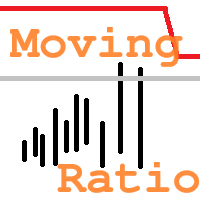
"Moving Ratio Candle" is used to check the distance of a candle to a theoretical pressure point. Furthermore, we have two points of interest, the first for the mean and the second for the median. This indicator uses the shape of bars and the line that crosses the bar from left to right is based on the calculation of the closing price for both sides. The rest follows a more standard calculation. The same could be done as a line, but I want to know the behavior of this indicator in relation to the
FREE
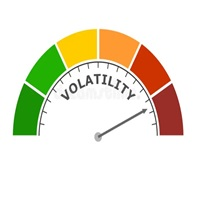
This indicator allows us to identify unusual volatility conditions.
If the ATR line is below the middle bollinger line, volatility is assumed to be below average. If the ATR line is above the middle bollinger line, volatility is assumed to be above average.
If the ATR line breaks the upper bollinger band, volatility is assumed to be high. If the ATR line breaks the lower bollinger band, volatility is assumed to be low.
FREE
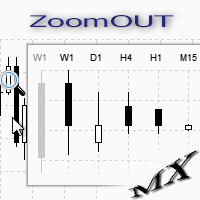
ZoomOUT allows you to have a quick look at a selected bar on a higher timeframe in a pop-up window. After the launch, the indicator works in the background mode occupying no place in the chart and consuming no resources. When activating the indicator by Shift + o (customizable), a pop-up window with a chart displaying bars of higher timeframes is created. To hide a pop-up window, left-click on any clear place on the chart. The indicator is simple and requires no settings.
FREE
DLMACD - Divergence Local (Wave) MACD . The indicator displays divergences by changing the color of the MACD histogram. The indicator is easy to use and configure. It was created as an addition to the previously published DWMACD . For the calculation, a signal line or the values of the standard MACD histogram can be used. You can change the calculation using the UsedLine parameter. It is advisable to use a signal line for calculation if the histogram often changes directions and has small val
FREE

PHOENIX MEASURED BOX DASHBOARD, engineered specifically for Phoenix Au Trading to provide "No dreams, just the tools" for high-precision institutional-style trading. 1. THE INDICATOR DEFINITION The Phoenix Measured Box is a multi-dimensional analysis tool designed for SMC (Smart Money Concepts) and ICT-style traders. It combines time-segmented price action with real-time volume metrics and automated target projections. Key Components: 15m Range Boxes: Automatically identifies and boxes every 15
FREE
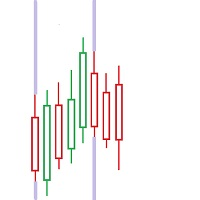
FIRST: I am NOT a coder ! I am a TRADER that was forced to code, because i needed some special tools! So i am sorry for minor graphic-bugs and so on...
this little free tool allows you to set 5 vertical lines at specific time. you can use it to mark london open / asia open / comex open and so on... it draws the lines in the future space - so you wont miss an important time / candle
you can select color..thickness of the lines you can select only 2 or 3 of the 5 max. lines - you dont have to us
FREE
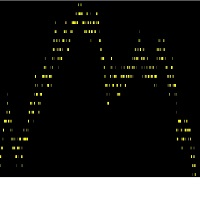
grafico de media os dados são exibidos pela media aritimetica dos negocios realizados, evitando as distorções dos outros graficos. A forma de operação e pela busca de padrões. o parametro e para reduzir as distorções, diminuindo as interferências, quanto menor for o valor mais alinhado o grafico fica. ativos mais lentos são o ideal, atualmente estou usando no dollar canadense.
FREE

Funciona como bandas de bollinger normais. Criado por Joe Ross, é um setup de maior risco por ser contra-tendência. Pode ser usado para Day Trade, Swing Trade e Position. Para identificar, é necessário inserir no gráfico as Bandas de Bollinger, com uma Média Móvel Simples de 20 períodos e largura (desvio) 2. Verifica-se um fechamento de determinado candle abaixo da banda inferior de Bollinger. Se o próximo candle fechar dentro das Bandas, marca-se a máxima dele. O rompimento dessa máxima será o
FREE

The utility opens an order in the opposite direction from already open positions on the currency pair on which it is launched, creating a lock of orders. The utility has a simple interface and is easy to use. MT4 version of the utility - https://www.mql5.com/en/market/product/78127 If you like this utility, take a look at my other products - https://www.mql5.com/en/users/nina_yermolenko/seller
FREE

The Pirates MACD is a Momentum Indicator that shows us not just the Classical MACD, it also shows us high priority trades. the user has an option of selecting among several options the best settings that suits their trading style, even if one has no trading style, Pirates always find a way to survive hence the Pirates MACD is equipped with easy to understand tools. that reduce the strain on ones analysis giving them visual advantages over classical MACD techniques.
This product is made as an e
FREE

Помощник для торговой системы SystZ . Чертит трендовые линии по соседним экстремумам зигзага. Условие для линии сопротивления - правый должен быть ниже левого. Для линии поддержки - правый выше левого. Не допускается, чтобы между экстремумами, по которым проводится трендовая линии были другие. Экстремумы, удовлетворяющие этим условиям, отмечены символом фрактала. Закрытие свечи за линией - сигнал для открытия позиции.
FREE

YenGuard AI is a professional trading robot, which does not need to configure parameters. You only need to decide the size of the lot you will use. The robot is fully automatic and does not require any human intervention. It trades on the basis of moving averages and is able to trade in Forex USDJPY currency pairs and M15 time frame.
It has a smart algorithm which detects the trend. The expert creates orders on trend direction.
Input and output orders are given by a combination of two indicat
FREE

The Three Candle Types Label Name Condition 1 Inside Bar High ≤ prev High AND Low ≥ prev Low 2 Directional Bar Higher High XOR Lower Low (one, not both) 3 Outside Bar High > prev High AND Low < prev Low Additional Failed type 2FU (red, above) = Higher High but candle closed red (bearish) → Failed Up 2FD (red/orange, below) = Lower Low but candle closed green (bullish) → Failed Down
FREE

The EMA Engulfing Cross indicator is an indicator for the MetaTrader 5 platform that signals potential buy and sell opportunities based on an engulfing candle pattern after a recent exponential moving average cross. You can adjust how recently the trend change must have occurred using the PASTemaCROSS input. The RSI oversold/overbought function is used to confirm the signals generated by the moving averages. It takes into account the previous bar before the engulfing bar, and it is best used wi
FREE

Green Indicator by Quant Atlas Creator: https://www.quant-atlas.com/ Green Indicator is a clean reversal focused trading tool designed to highlight potential turning points using momentum pressure and directional slope behavior. The indicator studies the relationship between momentum position and momentum direction. When market pressure reaches an extended condition and begins to shift, the indicator plots green triangle signals directly on the chart. Both bullish and bearish signals use the sa
FREE

Symbol Spec Auditorは、シンボルの契約仕様のうちポジションサイズと取引コストを左右する部分を、チャート上の一つのパネルにまとめて表示します:ポイント価値、スプレッドコスト、証拠金、スワップ、執行ルール、取引セッション。仕様の生の値は口座通貨での1.00ロットあたりの金額に換算され、ロットサイズを計算するコードを気づかないうちに狂わせるブローカー設定は警告として一覧表示されます。ボタン一つで、気配値表示のすべてのシンボルについて同じ監査をCSVファイルにエクスポートできます。 これはチェック用のツールです。注文は一切出さず、DLLもWebRequestも使用せず、あなたが指示したCSVエクスポート以外のファイルは書き込みません。 このツールが必要な理由:あるブローカーで動くコードが、誰も確認していなかった仕様の細部のせいで、次のブローカーでは誤動作することがよくあります。契約サイズが100 ozではなく1 ozのゴールド、残高とティック値がセント単位のセント口座、価格に近いストップロスを拒否するストップレベル、ポイントと異なるティックサイズ、一日の終わりに削除される未決
FREE

Title Prop Firm Risk Guardian Short description (one line) Real-time daily-loss and max-drawdown protection that automatically closes your trades and locks trading before you breach your prop firm limits. Full description Passing a prop firm challenge is hard enough — losing a funded account to a single careless trade is worse. Prop Firm Risk Guardian watches your account in real time and steps in before your daily-loss or maximum-drawdown limit is breached. It sits on your chart as a clean, mod
FREE

Spread Profile by Hourは、ブローカー自身のティック履歴から、一つのシンボルのスプレッド分布をサーバー時間の一日の各時間帯ごとに作成し、24本のバーとして描画します。バーの塗りつぶし部分はその時間帯のスプレッドの中央値で、明るい色の上部(キャップ)は90パーセンタイルまで伸びています。普段使っているストップの幅を入力すると、各バーに中央値スプレッドがそのストップに占める割合が表示されるため、コストをリスクと同じ単位で把握できます。 これは測定ツールです。注文は一切出さず、DLLもWebRequestも使用せず、あなたが有効にしたCSVエクスポート以外のファイルは書き込みません。 このツールが必要な理由:デイトレードやスキャルピングのルールでは、エッジが残るかどうかを決めるのは、エントリーシグナルではなくスプレッドであることが少なくありません。ターミナルが表示するのは現時点のスプレッドであり、バー履歴はバーごとに一つのスプレッド値しか保持しないため、その時間内に何が起きたかは見えません。同じルールでも、閑散とした時間帯では機能し、日次ロールオーバーやセッション開始時に
FREE

El indicador técnico Non Lag MA (Non-Lagged Moving Average) es una variante de la media móvil que busca reducir el retraso inherente a las medias móviles tradicionales.
Pros: - Menos retraso: Al estar diseñado para reducir el retraso, el Non Lag MA puede proporcionar señales más rápidas que las medias móviles tradicionales. - Tendencias claras: Las líneas del Non Lag MA muestran claramente las tendencias alcistas y bajistas, lo que facilita la interpretación de la dirección del mercado. - Pers
FREE

Manage Positions is an MT5 script designed with five distinct options for efficiently managing open positions. It offers versatile functionality, allowing for both global impact across all currency pairs and localized influence on specific pairs of interest. Additionally, users can target particular currency pairs to tailor their actions accordingly. For instance, leaving the "LEAVE BLANK to Manage Positions for ALL Symbols" field empty enables closing all positions universally, while specifyin
FREE
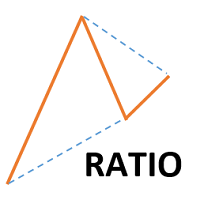
This indicator shows ratios between extremes on the chart. You can specify your own ratios (e.g. Fibonacci).
Parameters Most important Density - how much in details to search ratios in extremes. Bigger number means less details, smaller number means more details. Base unit is 1 bar on the chart. History - how far to go in history while searching. When you set -1, the indicator processes all bars from history. Base unit is 1 bar on the chart. Range - how far search ratios from given extreme. Bas
FREE

Break-Even Pro * 3 BE modes: - RewardRisk_Single for single trade (only valid for positions with SL) - Points_Single for single trade - Points_DCA for multiple DCA trade * Start Value: value of RR or # points to start SL moving * Offset: distance in points between BE level & entry * Symbol Filter: Select All or a specific symbol * Partial Close (%): Close % initial volume when moving SL to BE (0 for no partial close) Join my telegram channel here for more useful free EAs. Thank you!
FREE
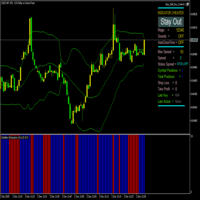
Volatility Exhaustion インジケーター ユーザー向け説明 Volatility Exhaustionは、特殊なボラティリティ分析技術を使用するユニークなインジケーターです。現在の市場活動が履歴データに対して極端なレベルに達した重要な瞬間を識別します。 主な特徴: 解釈の容易さ :インジケーターはバイナリーシグナルシステムを使用
汎用性 :あらゆる時間枠と商品で動作
効果性 :レンジ相場とトレンド相場で特に有用
視覚的明瞭さ :明確な色分けによるシグナル表示 視覚的表示: 青色ヒストグラムバー(高さ10) :市場活動増加シグナル - エントリー好機
赤色ヒストグラムバー(高さ10) :低活動期間 - 取引控推奨
バーなし :分析データ不足 技術仕様 入力パラメータ: 期間(デフォルト:14) :分析履歴期間の長さ(デフォルト分析14バー) 係数(デフォルト:1.5) :シグナル感度係数(1.5閾値感度レベル) インジケーターバッファ: バッファ0(青色) :シグナル発生時値10、非発生時値0 バッファ1(赤色) :シグナル非発生時値10、
FREE

交易数据分析助手 : 这是一款交易数据统计分析工具,数据图表较多可供分析参考 . 语言: 支持语言的选择切换(目前支持中文和英文 主动识别不用人工选择) 主窗口显示: 余额显示 总盈亏显示 现在持仓盈亏金额显示 现在持仓盈亏比例显示 买单卖单总单量,总手数,以及盈亏情况显示. 仓位使用比例显示 按照目前持仓能够承受的亏损点数预计 (点击右下角可缩放)每日订单单量,手数,盈亏情况统计 (点击右下角可缩放) 当周盈亏数据
(点击右下角可缩放) 当月盈亏数据
(点击右下角可缩放) 当年盈亏数据
交易数据统计区: 详细订单统计,(可以选择按日,周,月,季度,年)(按品种,识别码)(现有持仓详细统计) 盈亏/手数/交易次数 柱状图 多/空持仓时间/获利水平情况 多货币盈利次数/盈利水平分布情况 余额净值曲线/余额曲线/盈利曲线等(注:加载余额净值曲线可能需要一定的数据处理时间,请耐心等待加载完成...) 每次订单盈亏利润柱状图 多货币对盈利曲线图 数据统计分析报告 关于版本更新 有任何问题,建议,欢迎交流.
FREE

Pi Cycle Projectionsとは? Pi Cycle Projectionsは、MetaTrader 5向けの包括的なトレーディングシステムであり、2つの利点を提供します。それは、現在の市場における 高確率なエントリーシグナル (移動平均線のクロス)を識別するだけでなく、 市場の将来のシナリオの視覚的な地図 を描き出します。 これは、2-in-1のシステムとして考えてください。 いつ 行動すべきかを教える インテリジェントなシグナルジェネレーター (Pi移動平均線のクロス)。 価格が どこへ 向かう可能性があるかを示す 戦略的なサイクルプロジェクター 。 両方の機能は、強力な「Pi」サイクルの概念に基づいていますが、ノイズを減らすための複数の オプションフィルター によって強化されています。(フィルターを有効にすると、いずれかの条件を満たさない場合、予測線は消えます。) コンポーネント1:Pi移動平均線クロスによるシグナル生成(「今」) 通常、Piシグナルは移動平均線のクロスで生成されます。しかし、このインジケーターは、 厳格な4層の検証プロセス に従うため、 買いや売りの
FREE

Position Closer MT5は、チャート上に直接表示され、ポジションクローズを迅速かつ効率的に管理できる便利な取引ユーティリティです。個々のポジションを一つずつクローズする代わりに、一つのボタンですべてをクローズできます。 仕組み: パネルは2つの大きな情報ボタンで構成されています。 緑色の「Close BUY」ボタン — 現在のシンボルの未決済買いポジションの数とその総損益を表示します。 茶色の「Close SELL」ボタン — 現在のシンボルの未決済売りポジションの数とその総損益を表示します。 ボタンの情報は、市場状況の変化に応じてリアルタイムで自動更新されます。 機能: インスタントクローズ:「Close BUY」ボタンをワンクリックすると、現在のシンボルの全ての買いポジションがクローズされます。売りポジションも同様です。 マジックナンバーフィルタリング:入力パラメータで指定されたマジックナンバーと一致するポジションのみがクローズされます。これにより、他のエキスパートアドバイザーと併用しても、それらのポジションに影響を与えません。 現在のシンボルのみ:パネルは、インスト
FREE

Overview? The **Pivot Points On Custom Timeframe** indicator for MetaTrader 5 calculates and displays traditional pivot levels (P, S1–S3, R1–R3) based on a higher timeframe of your choice, regardless of the current chart's timeframe. It is designed to help traders identify potential support and resistance zones using classic pivot formulas, calculated from user-defined periods such as D1, W1, H4, etc.
This indicator can optionally show price labels and trigger alerts when price crosses the piv
FREE

Stop Loss Magic Number Description All offsets in this utility are calculated in USD. A reliable Stop Loss manager for loss protection, auto trailing and profit locking. Suitable for both beginners and advanced traders thanks to simple and extended modes. Fully automates trade management and helps eliminate emotional decision-making. Utility Features
Default Mode — simple mode
Designed for quick and easy use. Includes basic trade management logic: • loss protection (Loss Protection Offset)
FREE

The indicator is based on readings of two oscillators: Bulls Power and Bears Power. It clearly shows the balance of buyers and sellers power. A signal for entering a deal is crossing the zero line and/or a divergence. When the volume filter is enabled, yellow histogram bar shows low trading volume (below average for 50 previous bars). Input Parameters: Period - calculation period, 13 on default; CalculatedBar - number of bars for displaying a divergence, 300 on default; Filter by volume - volume

WHO IS THIS FOR?
→ Manual traders who want to track performance without leaving MT5 → EA developers who need quick visual feedback on strategy results → Fund managers who want a clean, presentable performance overview → Anyone serious about understanding their trading edge
WHAT MAKES IT DIFFERENT
Most trading dashboards show you numbers. This one shows you the
FREE

CFD Stocks(主にNASDAQのAmazon/Google/Netflixなど)を、マーチンゲール法やボリンジャーバンドといった手法は使用せずに取引を行うEAです。 局所的チャートの変動に基づいてエントリーポイントを決定し、長期的な安定稼働を目的としています。 初期証拠金は1000USD以上が望ましいです。
特徴: エントリーポイントは以下の基準で決まります。 - 下がった→下がった→現時点で基準の値よりより変動値が大きい = BUYエントリー - 上がった→上がった→下がった→上がった+基準の値より変動値が大きい = SELLエントリー
たったこれだけのシンプルなものです。
[Input Parameter] EA name :: 編集不要です magic number :: 編集不要です Lots :: (無効) BUY TP value :: tp設定poi
FREE

Aureus Quant Edge (AQE) is a professional-grade, strictly algorithmic mean-reversion engine designed for MetaTrader 5. Moving away from traditional retail "black-box" trading, AQE utilizes a transparent, mathematics-driven Z-Score anomaly detection core combined with institutional-grade risk management. Built for the quantitative trader, AQE does not rely on hazardous grid or martingale systems. Instead, it identifies statistical exhaustion points in the market using dynamic standard deviations,
FREE

製品名: StopAndTake — シンプルで高速・正確なSL/TP管理スクリプト 製品説明: StopAndTake は、ポジション管理においてスピード、正確性、信頼性を重視するトレーダーのために設計された軽量で直感的なスクリプトです。このツールを使用することで、選択したチャート上のすべてのポジションに対して、**ストップロス(SL) と テイクプロフィット(TP)**のレベルを瞬時に更新することができます。操作は非常に簡単です。 メリットと利点: シンプルさ: 初心者にもわかりやすいミニマルなインターフェース。 超高速: すべての操作が数秒で完了します。 高精度: SL/TPのレベルをミリ単位の精度で設定。 簡単操作: スクリプトをチャートにドラッグするだけで、自動的に作業を完了。 信頼性: 変更を加える前にすべてのデータを検証し、エラーや意図しない動作を防ぎます。 主な機能: 自動SL/TP調整: 現在のシンボルのすべてのポジションに対してレベルを瞬時に更新。 多様なトレードタイプに対応: BUYとSELLの両方のポジションを管理。 シンプルなロジック: BUYポジションではS
FREE

VWAP FanMaster: 正確なプルバック戦略をマスターしよう!
VWAP FanMaster は、 正確なエントリーポイント と 効率的なプルバック を求めるトレーダーのための究極のインジケーターです。 VWAP(出来高加重平均価格) と フィボナッチファンライン を組み合わせ、市場での重要な価格ゾーンを明確にマッピングします。 主な機能 シンプルかつ強力 : 垂直線を動かすだけで、自動的に VWAP と フィボナッチファンライン を描画します。
賢いトレーディング戦略 : 描かれたゾーンに価格が戻るのを待ち、 完璧なプルバック をサポートとレジスタンスのレベルで捉えます。
高度なビジュアルツール : 価格のコンフルエンスエリア を即座に見つけて、迅速な意思決定をサポートします。 VWAP FanMasterを選ぶ理由 初心者にも使いやすい 。
2つの強力な分析ツール を組み合わせることで、取引精度を向上させます。
リスク管理を改善 し、明確で一貫した価格予測を提供します。 VWAP FanMasterでトレード戦略を最適化
FREE
The Stretch is a Toby Crabel price pattern which represents the minimum average price movement/deviation from the open price during a period of time, and is used to calculate two breakout levels for every single trading day. It is calculated by taking the 10 period SMA of the absolute difference between the open and either the high or low, whichever difference is smaller. This value is used to calculate breakout thresholds for the current trading session, which are displayed in the indicator as
FREE

Th is i ndicator is a versatile MetaTrader 5 tool that calculates and displays Average True Range (ATR) levels on your chart. It draws horizontal lines representing price levels based on ATR multiples from the daily opening price, helping traders identify potential support and resistance zones. 1. Multiple ATR Levels ATR1 : Standard ATR level (default: 1x ATR) ATR2 : Intermediate level (default: 2x ATR) ATR3 : Extreme level (default: 3x ATR) Each level displays both upper (High) and lower (L
FREE
Bohr Breakout Scalper: Adaptive Wave Trading Tool for Automated Markets Designed for traders seeking a dynamic approach to navigating price fluctuations, Bohr Breakout Scalper integrates multiple market-proven wave trading methodologies into a cohesive, adaptive system. It operates as a strategy integrator rather than a simple order executor, leveraging precision algorithms to identify favorable trading points amid market volatility—without relying on rigid, one-size-fits-all rules. Signal:
MT
The Scaled Awesome Oscillator (SAO) represents a refined adaptation of the Awesome Oscillator, aimed at establishing consistent benchmarks for identifying market edges. Unlike the standard Awesome Oscillator, which records the variation in pips across different commodities, the only unchanging reference point is the zero line. This limitation hampers investors and traders from pinpointing specific levels for trend reversals or continuations using the traditional Awesome Indicator, a creation of
FREE

How to run the script in MT5. Open MetaTrader 5. Press Ctrl + N to open the "Navigator" window. Locate the "Scripts" folder. Drag and drop RR Control Pro onto the chart with the open trade.
How it works.
Automatic detection: Once you drag the script onto the chart, it automatically identifies the most recently opened position on your trading account. Direction detection: The script checks whether the trade is a BUY or a SELL to calculate distances correctly. Formula: The ratio is calculated a
FREE

The Quick Style utility is designed for facilitation and acceleration of working with the properties of graphical objects. Left-click a graphical object while holding the Shift key to open the quick access window for configuring the object properties. In the window, you can change the color, style and line width with one click, including those of other graphical objects. All changes are displayed immediately. To close the Quick Style , simply click the free space on the chart. The utility is eas
FREE

GMG KILL ZONE DISCIPLINE ENFORCER — FREE =========================================
The free discipline and risk management EA for MetaTrader 5 — for prop firm traders who trade the New York Kill Zone (ICT-style) manually, and need their rules enforced automatically.
You know the rules. One trade per session. Trade only the window. Be flat before the close. The problem was never knowing the rules — it is keeping them at the exact moment the market moves against you. This EA keeps them for you.
FREE

Trade Sentiment or trade assistant is a MT5 Indicatior. That show buy or sell signal of different indicator to assist to take trades. That will help you to take right trades or to get confirmation for your trade. You don't need to have this indicators. Including indicators like RSI , STOCH , CCI. And the signals are Based on different Timeframes like 5M , 15H , 1H and 4H.
FREE

Consistency Guard MT5 — your best trading day, and your best single trade, as a share of total profit, against the cap you set.
Drawdown is visible: equity moves and the platform shows it moving. Consistency is a property of the distribution of results across a whole evaluation, and MetaTrader computes nothing of the kind.
THE ARITHMETIC
best day = largest single trading day's net realised result best trade = larges
FREE

==================================================== ENGLISH DESCRIPTION - MQL5 MARKET COMPLIANT ====================================================
GoodVibe EA is a trade management utility designed to assist traders in managing open positions automatically. It does not open trades on its own. All entry decisions remain with the trader.
The EA runs in the background and applies the configured management rules to positions that are already open — either on the current chart symbol or across
FREE

A indicator for detecting FVGS
I hope this helps you scalp and generate money for yourself
NOTE BETTER:
Trading is risky and you can lose all your funds , use the money you are willing to lose
NOTE BETTER:
Trading is risky and you can lose all your funds , use the money you are willing to lose
NOTE BETTER:
Trading is risky and you can lose all your funds , use the money you are willing to lose
FREE

"Driver Road Bands" indicator that is designed to be used in the 1H, 4H and 1D timeframes in the most ideal way. If we compare timeframes to roads and streets; main streets and highways with high traffic volume are similar to high-time timeframes in technical analysis. If you can interpret the curvilinear and linear lines drawn by this indicator on the graphic screen with your geometric perspective and develop your own buy and sell strategies; you may have the key to being a successful trader.
FREE

Introducing Revolutionary Self-Learning EA with Monte Carlo Simulation
This Expert Advisor (EA) combines advanced trading strategies with state-of-the-art risk management. With integrated Monte Carlo simulation, it elevates your trading to a whole new level of safety and profitability.
Main Features and Benefits
Adaptive Trading Strategy Dynamic threshold values: EA automatically adjusts its trading parameters based on market conditions.
Multi-indicator filtering: Uses ADX, ATR, RS
FREE

Metis Risk Guardian is an account protection utility for MetaTrader 5. It watches your equity in real time and, when a limit you set is reached, it closes every open position, deletes every pending order and keeps the account flat until you lift the lock. If you would rather stay in control, an alert-only mode warns you and touches nothing. What it protects you from
Most accounts are not lost in a single bad trade. They are lost in the hour after one, when the decision to stop has already been
FREE
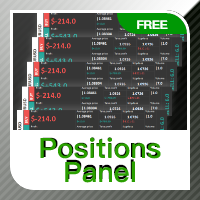
Positions panel
This is a panel for counting current icon holdings. Convenient traders at any time to view the position and profit and loss situation. Perfect for traders who like to hold multiple orders at the same time. Main functions: Position statistics Total profit Average price calculation TP price calculation ST price calculation Positions valume
FREE

UZFX Professional Trader Panel v1.0 – Your Complete Trade Monitoring Solution Stop juggling between multiple charts and terminal tabs. Get a complete bird's-eye view of your entire trading portfolio in one elegant, real-time dashboard. Transform your chart into a professional trading command center. Monitor all open positions, account health, and floating P&L at a single glance. If you are Looking Best indicators in Mql5 Market. Check these out!
SSS Scalping Smart Signals MT5 Indicator
Scalpi
FREE

Order Book, known also as Market Book, market depth, Level 2, - is a dynamically updated table with current volumes of orders to buy and to sell specific financial instument at price levels near Bid and Ask. MetaTrader 5 provides the means for receiving market book from your broker in real time. The expert OrderBook Recorder records market book changes and stores them in local files for further usage in indicators and expert adviser, including testing in the tester. The expert stores market book
FREE

Trend direction of up to 10 timeframes of your choice, in one panel — non-repainting, with configurable sync alerts. 100% free. TrendSync MTF Dashboard shows you the trend direction of up to 10 timeframes of your choice — from M1 to MN1 — in a single clean panel on your chart, so you always know whether the timeframes agree before you take a trade. Trading against the higher timeframe is one of the most common (and most expensive) mistakes in manual trading. This dashboard makes multi-timeframe
FREE

Regime Radar — Market Regimes + Bias Stops (MT5) Regime Radar shows the current market regime — Range, Weak Trend, Strong Trend, or Shock — and draws ATR-based stop lines on the chart. It also provides a compact panel with regime, direction, confidence and optional RSI/Bollinger suggestions. This is an analysis tool; it does not provide trading signals and does not guarantee any profit. Main functions Regime detection in four states (Range, Weak Trend, Strong Trend, Shock). Bias indicator with
FREE

Overview This trading robot is designed specifically for the ONLY GBPCAD currency pair , leveraging a combination of technical and algorithmic strategies to maximize profitability while maintaining a controlled level of risk. It operates under predefined parameters, ensuring consistency, efficiency, and optimized trade execution. Minimum Capital Requirement The minimum deposit required to operate this trading bot is $100 . However, a higher capital allocation results in larger absolute profits
FREE

AverageHighLow — Simple and Smart Signal Indicator AverageHighLow is a lightweight and intuitive custom indicator that plots the average of the High and Low prices for each candle — forming a dynamic support/resistance-like line across the chart. It also includes real-time Buy and Sell signal alerts when price crosses this average level.
Features: Plots a smooth line based on (High + Low) / 2 Signals generated when price crosses the average: Buy Signal : Price crosses above the line Sell
FREE

️️️CandleIntelligence MTF MA Combined Pro v3.22 ️️️ - Professional Japanese Candlestick Analysis System What Is This Indicator? CandleIntelligence MTF MA Combined Pro is an advanced educational tool combining candlestick pattern analysis with Moving Average context across multiple timeframes. The indicator recognizes 11 key Japanese candlestick formations and presents them in the context of market trend, Swing High/Low levels, and position relative to moving averages. Main Features
FREE

NeuraVault Pro v1.0 - Professional RSI Reversal Trading System Overview NeuraVault Pro is a professional automated trading system based on RSI (Relative Strength Index) reversals. It is designed to capture reversal opportunities in overbought and oversold zones, equipped with advanced filters and comprehensive risk management features. Trading Logic Core Strategy: RSI Reversal The EA captures reversal opportunities when the market reaches overbought or oversold zones: BUY Signal: RSI value drops
FREE

Friends, join us!
Ask questions and connect with like-minded traders: MetaCOT Public Group
MetaCOT Information Channel: news, CFTC reports, and signals: MetaCOT Channel
Here’s to successful trading and new profitable signals for us all! Attention! Recently, certain countries have been blocking access to the cftc.gov website. As a result, users in these countries are giving the product low ratings. MetaCOT has always adhered to the highest quality standards and is in no way associated with th
FREE

The Big Short (Smart Money)
The Big Short (Smart Money) is a professional chart analysis indicator for MetaTrader 5, designed to help traders read market pressure, absorption zones, flow behavior, and important reaction areas directly on the chart.
This indicator was created for discretionary traders who want a clearer visual view of buy and sell pressure without using multiple separate indicators.
It is especially useful for fast chart reading on lower timeframes such as M1, and is suitab
FREE

日常の取引から抜け出し、魔法の世界に少しの間飛び込む機会があります。私はあなたの注意を引くためにゲームを提示します-カードトリック。 mql言語では、エキスパートアドバイザー、インジケーター、スクリプトだけでなく、そのような小さなゲームも作成できます。 私はトレーダーでありプログラマーであるだけでなく、自由な時間にカードトリックを見せたいと思っています。それが起こったので、お気に入りのトリックの1つをデジタル化することにしました。焦点に多くのメンタリズムが含まれていることを考えると、それは簡単ではありませんでした。 トリックは、珍しいカードのデッキによって示されます。これらは優れた紙のカード「ロシア風」です。 1903年2月に冬宮殿で開催された、コートボールの参加者の衣装を繰り返した、衣装を着た人物が描かれたこのトランプのデッキ。カードのスケッチは、1911年にドイツのカードゲームDondorf(Frankfurt am Main)の工場で開発されました。王、婦人、ジャックの服は17世紀のスタイルで作られています。エース-古代ロシアの武器と鎧に囲まれた盾の画像。カード自体はサンクトペテ
FREE

Binanceは世界的に有名な暗号通貨取引所です!暗号化されたデジタル通貨市場のリアルタイムデータ分析を容易にするために、プログラムは分析のためにBinanceリアルタイムトランザクションデータをMT5に自動的にインポートできます。主な機能は次のとおりです。
1.通貨セキュリティ部門でのスポット取引ペアの自動作成をサポートします。また、利益通貨と基本通貨を別々に設定することもできます。たとえば、ProfitCurrencyが空の場合、すべての取引エリアを意味します。オプション:USDT、BTC、DAI、およびBinanceでサポートされているその他の取引エリア(契約取引は現在サポートされていません)。BaseCurrencyは空で、すべての通貨を示します。BNBおよびETCも可能です。個別に設定するBinanceでサポートされている暗号通貨を待ちます。 2. Binanceの各通貨の価格精度、取引量の精度、および最大取引量を同期します。
3. WebSocketを介してBinanceをリンクすると、すべてのトランザクションをMt5にプッシュして市場を更新できます。
4.すべての
FREE

Add Logo Watermark – Showcase Your Signals with Clarity This indicator allows you to display a clean and customizable watermark on your chart, helping your audience easily identify what symbol you're currently trading. Display the current symbol as a watermark
Add current symbol text and customize its color
Choose to show only the logo, only the symbol, or both
Add your own custom watermark by placing custom.bmp in the MQL5 > Files directory Perfect for signal providers, educators, and
FREE

Stonehill Forexでは、2025年3月にStonehill Forexのウェブサイトで紹介した、初の自社開発インジケーターを公開します。オリジナルバージョンはMetaTrader 4 (MT4) 用に開発され、その後、コミュニティの関心の高さを踏まえてMT5とTradingView向けにも開発されました。このインジケーターは無料で提供され、私たちのライブラリーの第一弾となります。
これは2本の線でクロス価格を表示するオーバーレイで、2本の加重移動平均線を非常に洗練されたフィルターに通して表示します。その結果、非常に正確なシグナルが読み出されます。3年間にわたってテストを行い、その結果はブログ(こちら)でご覧いただけます。さらに、使い方を説明したテクニカル分析ビデオもご用意しています。ビデオはブログに埋め込まれているので、分かりやすく便利です。
設定は2つあります。
StartLen:データの収集を開始する開始点。デフォルト値は2です。
「StartLen」の設定に関して、2つの注意点があります。
「StartLen」設定変数は0未満にしないでください。
「St
FREE
MetaTraderマーケットはトレーダーのための自動売買ロボットやテクニカル指標を備えており、 ターミナルから直接利用することができます。
MQL5.community支払いシステムはMetaTraderサービス上のトランザクションのためにMQL5.comサイトに登録したすべてのユーザーに利用可能です。WebMoney、PayPal または銀行カードを使っての入金や出金が可能です。

取引の機会を逃しています。
- 無料取引アプリ
- 8千を超えるシグナルをコピー
- 金融ニュースで金融マーケットを探索