 MetaTrader 5
 エキスパート
 インディケータ
 ライブラリ
ライブラリ
 ユーティリティ
 ウィジェット
 ルール
ルール
YouTubeにあるマーケットチュートリアルビデオをご覧ください
ロボットや指標を購入する
仮想ホスティングで
EAを実行
EAを実行
ロボットや指標を購入前にテストする
マーケットで収入を得る
販売のためにプロダクトをプレゼンテーションする方法
MetaTrader 5のためのエキスパートアドバイザーとインディケータ - 117
 自動売買ロボットとインジケータを使用して、外国為替取引の収益性を高めます。 自動売買ロボットを使用すると、取引の開始と終了を自動化でき、インジケータは市場の行動をより正確に予測するのに役立ちます。
このページには、MetaTrader5アプリケーションのカタログが掲載されています。
自動売買ロボットとインジケータを使用して、外国為替取引の収益性を高めます。 自動売買ロボットを使用すると、取引の開始と終了を自動化でき、インジケータは市場の行動をより正確に予測するのに役立ちます。
このページには、MetaTrader5アプリケーションのカタログが掲載されています。 
Prop Firm Smart Margin Calculator Know your lot size. Know your margin. Trade with precision. The Prop Firm Smart Margin Calculator is a practical MT5 trading tool designed to help you determine your position size and understand the estimated margin required before placing a trade . Simply enter your desired risk amount and stop-loss distance, and the calculator determines the appropriate trading volume based on your symbol's specifications. It also calculates the estimated margin required for
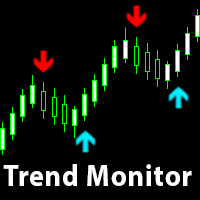
The indicator generates early signals basing on ADX reading data combined with elements of price patterns. Works on all symbols and timeframes. The indicator does not redraw its signals. You see the same things on history and in real time. For better visual perception signals are displayed as arrows (in order not to overload the chart).
Features The best results are obtained when the indicator works on two timeframes. For example: M30 – the indicator shows the main trend; M5 – the indicator gen

input group "General Settings" input long MagicNumber = 1000; // Magic number for this EA input bool PrintDebugLogs = false; // Print detailed logs true/false
input group "Risk Settings" input double IndexMaxDrawdownInPercentage = 0.45; // 0.45 means 45 percent
input group "Grid Settings" input long MinDistance = 3500; // Distance to open the next order (points) input double MinDistanceMultiplier = 2.5; // Distance multiplier for each additional order
input group "Targe
FREE

LAUNCH OFFER: $35 (Limited Time) Standard Price: $69 Current Price: $35 (Save 50%) We are offering this Breakout Vector MTF Indicator at an entry-level price to build our initial user base. The price will increase back to $69 soon. Grab the full Professional MTF Levels System for the price of a standard indicator.
Breakout Vector MTF Indicator with Mobile and Desktop Alert The Institutional Roadmap for MetaTrader 5 Most traders struggle because they focus too closely on lower timeframes. Th
The selective pin bar is designed to identify reversals. To use the selective pin bar effectively, traders typically look for Strong Rejection: The tail of the pin bar should extend significantly beyond the surrounding price action. It indicates that there was a sharp rejection of higher or lower prices during the trading period. A strong rejection suggests that the market sentiment may be changing.
FREE

The indicator takes the last closed bar from three timeframes (daily, weekly, monthly) and draws Fibonacci levels based on the high and low prices of that bar. Depending on the opening and closing prices, the high and low are reversed. That is, if the candle is bullish, the low price is used as the starting price; otherwise, the high price is used. There's a second drawing option. Two opposing Fibonacci levels are drawn, each colored differently. Coincident levels and levels within the 0-100 ra
FREE

アカウントダッシュボードの統計
これは、アカウントの損益を把握するために集中的に表示するのに役立つツールであり、それを追跡することができ、また、得られるリスクを知るためのドローダウン分析も提供します。 アカウントにダウンロードしてアクティブ化した後、EURUSD H1 などの任意のシンボルに添付する必要があります。その後、この瞬間からツールが統計の監視を開始します。
パネルは完全に高度になっており、非表示にしたり、好きな場所に移動したりできます アカウント操作に基づく主な特徴は次のとおりです 毎日の期間(毎日の利益と損失は毎日更新されます) 毎週の期間 (毎週更新される週ごとの利益と損失) 毎月の期間(毎月の損益は毎月更新) 年間期間 (年間の損益は毎年更新) 最大ドローダウン(残高に基づいて最大リスクに達するのを毎秒監視して制御) たとえば、残高が 1000 米ドルで、引き出しが 10% をマークしている場合、ある時点でアカウントの合計リスクが 100 米ドルに達したことを意味します。
FREE
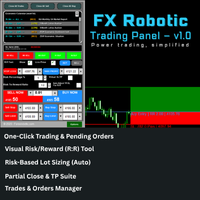
FX Robotic Trading Panel — v1.0 by Forex Robotic All-in-one MT5 panel for one-click execution, visual R:R control, risk-based lot sizing, partial closes (incl. virtual TPs), news, and MA signals—right on your chart. Overview FX Robotic Trading Panel is a professional, on-chart control center for MetaTrader 5 that blends lightning-fast trade execution , visual Risk/Reward management , auto lot sizing from risk% , staged partial take-profits (real or virtual ), an economic calendar , and a multi
FREE

Professional Trading Panel Professional Trading Panel (EA) Take your trading to the next level with a powerful execution and risk management panel directly on your chart. ️ Important:
This is an Expert Advisor (EA) — MetaTrader 5 allows only one EA per chart .
If you use other EAs, you must run them on separate charts. Panel Features (EA): Fast execution: Market & Limit orders (Buy/Sell) Automatic Stop Loss based on risk ($) Take Profit using RR presets (1:1, 1:2, 1:3, 1:5) Smart partia
FREE

DataExporter saves the price history from your MetaTrader 5 terminal as text files with comma separated values (CSV). The files open directly in Excel, Google Sheets, Python, R or any other analysis tool. Instead of exporting one symbol at a time through the Symbols window, you choose a list of symbols and timeframes and export them all in one run. You can also export every symbol in your Market Watch window at once. Main features Several symbols and several timeframes in one run. Update mode: a
FREE
Time Dashboard MT5 is a powerful and user-friendly MetaTrader 5 indicator designed to provide real-time time zone and clock information directly on your trading chart. Ideal for forex traders and global market participants, this tool displays server time, local time, and the time difference between them, enhancing your ability to manage trades across different time zones. Key Features : Real-Time Time Display : Shows current server time, local time, and their respective time zones with precise o
FREE

Session Breakout Master is a high-performance trading tool designed to capture explosive moves following the breakout of major trading session ranges (Asia, Europe, and USA). It automatically visualizes volatility zones and utilizes a Moving Average filter to ensure you stay on the right side of the market trend. Key Features: Automated Session Mapping: No more manual drawing. The indicator identifies and plots Asia, Europe, and USA session boxes automatically. Trend Filtering: Built-in MA filte
FREE

Overview Anchor VWAP Multi is a professional-grade MetaTrader 5 indicator that solves a common problem for traders who work with Anchored VWAP: the need to see multiple anchored VWAPs simultaneously without opening several chart windows or running multiple indicator instances. You can now plot up to 10 independent Anchored VWAP lines on one chart, each anchored to its own bar, with its own color and — optionally — its own pair of standard-deviation envelopes. Anchors are placed directly on the c
FREE

TrendBite v1.5 - プロフェッショナルトレンド追跡インジケーター 開発者: 8aLt4 バージョン: 1.5 プラットフォーム: MetaTrader 5
概要 TrendBite v1.5 は、市場のトレンドの変化を検知し、投資家に明確な売買シグナルを提供するために設計された、高度なテクニカル分析インジケーターです。ボリンジャーバンドのアルゴリズムに基づいて、トレンドの転換を正確に捉えるこのツールは、初心者にも経験豊富なトレーダーにも最適です。
主な機能 トレンドの検知 自動トレンド分析:市場の上昇トレンドと下降トレンドを瞬時に検出 ボリンジャーバンドベース:信頼性の高い数学的モデルに基づく計算システム 視覚的な明瞭さ:緑(上昇)と黄色(下降)のヒストグラムバーでトレンド状況を明確に表示 売買シグナル 緑色の矢印(↑):買い機会を示します 赤色の矢印(↓):売り機会を示します 明確な視覚化:トレンドラインにより、ポジションの方向を簡単に追跡できます ヒストグラム表示:トレンドの強さを視覚的に評価可能 警告システム 音声警告:新しいシグナルが発生すると自動
FREE

Tops & Bottoms Indicator FREE Tops abd Bottoms: An effective indicator for your trades
The tops and bottoms indicator helps you to find ascending and descending channel formations with indications of ascending and/or descending tops and bottoms. In addition, it show possibles opportunities with a small yellow circle when the indicator encounters an impulse formation.
This indicator provide to you more security and speed in making entry decisions. Also test our FREE advisor indicator:
FREE

Breakout based strategy, generates market entry signals when the price crosses a border of a certain price range. To create the strategy, we have used the history data with 99,9% quality for the last 15 years. The best signals had been selected and the false signals have been filtered out. The Expert Advisor performs technical analysis and considers only the breakouts that show the best result.
It uses a system of filtering false signals. The EA uses adaptive trailing stop. The EA uses a ver

The Kijun-Sen Envelope is a powerful trend-following indicator based on the Kijun-Sen line from the Ichimoku Kinko Hyo system. This tool creates dynamic upper and lower bands around the Kijun-Sen, forming an envelope that helps traders identify market trends, potential reversals, and overbought/oversold conditions.
Key Features: • Trend Confirmation – Helps determine whether the market is in a strong uptrend, downtrend, or ranging phase. • Support & Resistance Zones – The envelope acts as
FREE

TOKYO NIGHTS EA v2.62 — 商用グレード JPY通貨ペア向けマルチ戦略アジアセッションハンター Victorious Creations Labs by Victor Hamilton
価格: $47.99
無料PDFマニュアル提供中 — 購入前または購入後にメッセージをお送りください。 戦略図解と設定ガイドを含む17ページの総合ユーザーマニュアルをお届けします。
FREE

VWAP WAVE [Riz] - MT5 Indicator Advanced VWAP Divergence Detection System
VWAP Wave is a professional-grade Volume Weighted Average Price indicator with built-in divergence detection system. It identifies high-probability reversal and continuation signals by analyzing price-VWAP relationships across multiple timeframes.
FREE

重要:このエキスパートはデータダウンロード専用であり、いかなる取引操作も実行しません。 エキスパートアドバイザーの機能:正確に、正しく、迅速に過去データをダウンロードします。 必要性:時々、図形、グラフィック、線、矢印を含む特定のインジケーターがチャートに配置されたり、時間枠を切り替えたりする際に奇妙な動作をすることがあります。図形や線がメイン画面で不自然に動くことがあります。この問題は、一部のインジケーターが必要とするデータが不足しているために発生します。
使用手順: 新しいウィンドウで新しい通貨ペアを開きます。 エキスパートアドバイザーを新しい通貨ペアにドラッグします。 短時間で必要な過去データがダウンロードされます。
プラットフォーム画面の下部にあるToolBoxセクションのExpertsタブ(説明画像に示されている通り)に、メッセージと通知が表示されます。ダウンロードが成功したことを示す確認メッセージが表示されます:
「通貨ペアが正常にダウンロードされました。」 終了したらウィンドウを閉じてください。
重要な警告:
エキスパートアドバイザーの設定には、DownloadAllSy
FREE

どのトレーダーにも覚えのある手順があります。インジケーターの設定を開き、数値を変え、OKを押し、チャートを凝視し、違うと判断して、また設定を開く。Stochastic はどのオシレーターよりもこれが厄介です。3つの期間と2本のレベル、つまり合わせ込むべき数値が5つあり、組み合わせを変えるたびに設定ダイアログを往復することになります。Stochastic Live Tuner はその往復を終わらせます。 本製品は、 チャート上でそのままリアルタイムに 調整できる、2本ライン方式の古典的なスロー Stochastic(%K と %D)です。チャート上には5つのスライダーを備えた小さなパネルが表示されます。%K 期間、%D 期間、Slowing、そして2本のレベルです。どれをドラッグしても、インジケーターは目の前で即座に再計算・再描画されます。5,3,3 か 14,3,3 か、80/20 か 75/25 か——その答えはフォーラムのスレッドではなく、ご自身のチャート上で数秒で得られます。 %D の平滑化方法はボタン1つ。 SMA、EMA、SMMA、LWMA をパネルから直接切り替えられます。
FREE

Overview Alignment Lab is a backtest-only quantitative data collection and statistical analysis Expert Advisor for MetaTrader 5. It is not a live trading system — it is a precision instrument for studying trade sequence behavior, streak patterns, and volume progression strategies under controlled backtesting conditions. What It Does Alignment Lab simulates structured trade sequences and collects granular statistical data on outcomes, helping traders answer questions like: How often do win/loss
FREE

Liquidity Sweep MTF is a professional multi-timeframe liquidity sweep indicator for MetaTrader 5 designed for traders who use Smart Money Concepts, ICT methodology, liquidity analysis, and institutional price action trading. The indicator automatically detects buy-side and sell-side liquidity levels, tracks liquidity sweeps, and displays them directly on the chart across multiple timeframes. Pricing Launch Price : $30 Incremental Price Increase : The price will increase by $10 after every 10 p
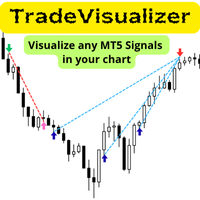
Trade Visualizer インジケーターは、取引データを視覚化し、MT5チャート上にすべての取引履歴を直接表示します。自分のパフォーマンスを分析する場合も、MQL5のシグナル提供者の取引を研究する場合も、このツールは生データを分かりやすいビジュアルに変換します。各トレードはエントリーとエグジットの矢印、接続ライン、価格・利益・ロット数・pipsなどのツールチップで示されます。 注: インジケーターをダウンロードした方は、メールアドレスを添えてご連絡ください。 Trade Visualizer Template を無料でお送りします。 特徴:
• 最新版 ProTrading Analytics Excel Template v1.7 と完全連携。
• 複数トレーダー・戦略を同一銘柄上で比較可能。
• 売買ごとの色・線のスタイル・矢印サイズを自由に設定。
• CSVとブローカーのGMT差を自動調整。
• 複数ブローカーのシンボル接尾辞に対応。
• 戦略ロジックやエントリー精度の可視分析に最適。
FREE

SmartRSI Pro – 賢いトレーダーのためのインテリジェントRSIシグナルインジケーター
SmartRSI Proは、RSIをベースにした次世代インジケーターで、トレーダーにチャート上で直接使いやすく信頼性の高い売買シグナルを提供します。人気の相対力指数(RSI)を基に、マーケットノイズをフィルタリングし誤ったシグナルを減らすスマートなロジックを追加しています。初心者から上級者まで幅広く利用可能です。 主な特徴:
自動売買矢印
カスタムRSI閾値に基づくはっきりと見える上下矢印(リペイントなし)。 リセットロジック付きスマートシグナルフィルター
RSIがリセットされた時にのみシグナルを発動し、過剰取引やノイズを回避。 カスタマイズ可能なRSIパラメーター
RSI期間、レベル、タイムフレームを選択可能で戦略に合わせて調整可能。 ミニマリストデザイン
余計なものがなく、正確な矢印シグナルとシンプルなラベルのみ。 全シンボル&タイムフレーム対応
Forex、指数、金属、暗号通貨などに対応。M1から日足まで利用可能。 動作原理:
買いシグナル
FREE

EA Brian Breyli Vana — Smart Breakout ATR Automated Breakout Trading with ATR-Based Risk Management & Optimized Performance EA Brian Breyli Vana is a professional MT5 Expert Advisor designed for automated XAUUSD breakout trading on H1 . The EA combines breakout detection, trend confirmation, ATR-based trade management, dynamic position sizing and multi-layer risk protection into one automated trading system. Designed for traders who want structured automated trading without Martingale, Grid or A
FREE

GOLDEN TUT – Scalping PRO v10.054 Added Exness Compatibility READ THIS BEFORE USING
This EA is not designed to generate dozens of trades per day. If you judge the quality of a trading system by the number of trades it executes, expect frequent trading activity, or are looking for a robot that reacts to every market movement, then this EA may not be the right choice for you. The approach behind this EA is fundamentally different. The system is designed to be selective and patient . It does no
The Daily Highs and Lows Indicator is a versatile tool that combines support and resistance levels with real-time market dynamics. By incorporating previous daily highs and lows, it provides valuable insights into market psychology and identifies potential areas of price reversals or breakouts. With its ability to adapt to changing market conditions and customizable options, traders can stay ahead of trends and make informed decisions. This indicator is suitable for various trading styles and ti
FREE

Bollinger Band Swing Detector
This indicator detects market swings based on the relative position of the price to the upper, lower, and middle bands of the Bollinger Bands indicator. It allows traders to visualize market structure based on volatility rather than fixed point distances. The indicator includes a dashboard panel that displays multi-timeframe trend information and active support and resistance levels. Swing Detection Unlike standard ZigZag indicators that use fixed points or percenta
FREE

The Hon Heiken Ashi Trend Sniper is a professional-grade, strictly non-repainting indicator designed to catch high-probability trend entries while keeping you safe during flat, ranging markets. By combining the smoothed price action of Heiken Ashi candles, the directional bias of dual Exponential Moving Averages (EMAs), and the momentum detection of the Average Directional Index (ADX), this indicator provides clear, actionable BUY and SELL arrows only when the market is genuinely moving. Whe
FREE

Trading Cockpit is a free, complete trading control panel for MetaTrader 5: watchlists, price & trend alerts, and automatic liquidity levels, all in one compact side panel without leaving your chart. Try everything at no cost.
WATCHLISTS & SYMBOL BASKETS - Unlimited symbols across several lists in one dropdown selector: a live mirror of your Market Watch, a Favorites list, and your own custom lists. - Predefined baskets by correlation cluster - US, Europe, Forex, Metals, Energy, Crypto - that w
FREE

When executing an order, whether through the Metatrader ticket on a computer or the Metatrader app on a mobile device, either manual or pending,
Easy Trade will automatically set the take profit and stop loss levels, as well as a limit order with its respective take profit and stop loss levels. It follows the trading strategy for market open (US30, US100, US500), but it can be applied to any market asset.
FREE

TrendSync MACD Pro
Zero Lag MACD signals, synchronized with the higher-timeframe trend, with a live multi-timeframe panel. Non-repainting. For MetaTrader 5.
The classic MACD lags, so its crossovers often arrive after a move has already started. TrendSync MACD Pro rebuilds the MACD with a Zero Lag smoothing technique for earlier, cleaner crossovers, and then synchronizes those signals with the higher-timeframe trend so you stay on the right side of the dominant move. A built-in multi-timeframe
FREE

Index Trend Monitor is a MetaTrader 5 indicator designed to measure directional strength on index CFD symbols and other active markets. Core idea: the indicator combines EMA structure, ATR-normalized movement, impulse and persistence logic to build a clean trend score, while also exposing a hidden regime buffer for Expert Advisors and custom tools. Quick Summary Product type MetaTrader 5 indicator Main focus Directional strength, trend score and regime classification Visual output Bullish and b
FREE

VOLUMEPRESSURE NAVIGATOR MT5 Buying and Selling Pressure Dashboard
TAGLINE
Measure who is in control—buyers or sellers.
PRODUCT OVERVIEW
VolumePressure Navigator MT5 is a multi-timeframe pressure-analysis indicator for MetaTrader 5. It estimates whether buyers or sellers are dominating current market behavior by analyzing the relationship between tick volume and candle direction.
The indicator is designed to simplify market-participation analysis for traders who want more information than
FREE

A simple script which will trigger a download of your broker's tick data for a specific trading instrument.
Simply add to your chart and it will start the process. You may add the script to multiple charts, enabling you to download tick data for more than one instrument at a time After a short period, the script will stop running and remove itself from your chart. Following this, it may take a few more minutes to finish downloading the tick data.
The Tick Data folder can be found via MetaTrad
FREE

You may find this indicator helpfull if you are following a session based strategy. The bars are colored according to the sessions. Everything is customisable.
Settings: + Asia Session: zime, color, high, low + London Session: zime, color, high, low + US Session: zime, color, high, low
Please feel free to comment if you wish a feature and/or give a review. Thanks.
FREE
Next Arrival : Flip or Die Trading Arena. Flip a trading account: https://flipordie.com/chapter-1-thirteen-doublings-double-a-trading-account/
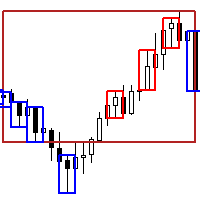
The Expert Advisor for this Indicator can be found here: https://www.mql5.com/en/market/product/116472 Introducing the Rejection Candle MT5 Indicator, a robust tool designed to revolutionize your trading experience on the MetaTrader 5 platform. Built to pinpoint potential reversals with precision, this indicator offers unparalleled insights into market
FREE

TRUE TIMER - Candle Countdown Real-time countdown timer (MM:SS) showing seconds until candle close on any timeframe. Features hint messages that alert you on new candles. Key Features: Precise server-time countdown. Auto color detection (light/dark backgrounds). Smart "New Candle" & timing alerts on huge movements. Works on all timeframes M1 → Monthly. Perfect for: Scalpers & precise entry timing. PRO TRADING TIP: Need to manage your active positions faster? Pair this timer with Bulk Order
FREE

SizeInPips Indicator – Visualize Candle Size with Ease!
Unlock the power of price action analysis with the SizeInPips Indicator ! This simple yet powerful tool is designed for traders who want to quickly measure and visualize the size of each candle (bar) in pips, helping you make informed trading decisions with confidence. Whether you're a beginner or an experienced trader, SizeInPips is the perfect addition to your MetaTrader 5 toolkit.
What Does It Do? The SizeInPips Indicator calculates
FREE

This version is a basic iteration, click the link below to access the full version: https://www.mql5.com/en/market/product/110060 "ICT, short for Inner Cycle Trade, revolutionizes your Forex trading experience by focusing on the intricacies of inner market dynamics. Built upon the principle of understanding and capitalizing on short-term market fluctuations, ICT utilizes advanced AI algorithms to provide traders with real-time insights into emerging opportunities within the Forex market. By com
FREE

BARAK MEGA EA is a fully automated trading Expert Advisor designed for traders who demand total control, strategic flexibility, and advanced risk management within a single system. This EA functions as a true strategy builder , allowing you to combine multiple technical indicators and custom rules to adapt to any market, asset, or timeframe. Unlike traditional robots with fixed logic, BARAK MEGA EA features a modular architecture where every component can be independently enabled, disabled, and
FREE

Reborn — A Trend Robot With Strategies Built In
Reborn is a trend-following trading robot built on the Investment Castle Indicator, with several ready-made strategies inside so you can match it to your style — from straightforward stop-loss and take-profit to kill-and-switch direction changes with recovery.
What it does for you Multiple built-in strategies: choose the approach that fits your market and risk appetite. Trend-driven entries: powered by the Investment Castle Indicator. Smart recov
FREE

MT4 MT5 Trade Bridge for MetaTrader 5 is the MetaTrader 5 component of the MT4 MT5 Trade Bridge system. It allows a MetaTrader 5 terminal to work either as a Master or as a Slave in a local bridge connection with MetaTrader 4. When configured as Master , the MT5 component reads trading activity from the MetaTrader 5 terminal and writes structured trade data into a local bridge file. The connected MT4 component can then read this data and mirror the trading activity according to its selecte
FREE
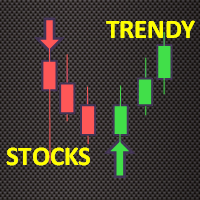
Trendy Stock is a price following indicator that uses Stochastic to show when the price is out of the oversold or overbought areas. The algorithm allows you to stay longer in a trend where the bulls or bears are in control. The indicator changes color immediately the price exits oversold/overbought state. In short, the downtrend [red] bars start to paint when the buying pressure decreases while the uptrend [green] bars form as the buy pressure kicks in. For MT4 version, follow :: https://www
FREE

WickAndBody Volume Flow v5.2 Order Flow Analysis through Candle Segmentation The WickAndBody Volume Flow is an advanced diagnostic tool for MetaTrader that allows traders to "see" inside every Japanese candlestick. Unlike conventional volume indicators, this algorithm utilizes Multi-Timeframe (MTF) technology to break down real volume and determine exactly how much capital was traded in the wicks versus the candle body . Key Features Volume Detection: Uses lower timeframe data (M1/M5) to reconst
FREE
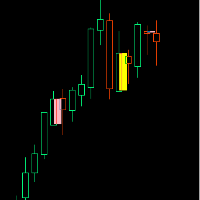
If you like this product, please give it a 5 star rating as a token of appreciation.
Inside Bar: A candle that is completely contained within the high-low range of the previous candle
Outside Bar: A candle that completely engulfs the high-low range of the previous candle (also called an "Engulfing Bar")
Inside Bars Consolidation Signals : Indicates market indecision/compression Breakout Setup : Often precedes significant price moves Continuation Patterns : Can signal pause in trend before con
FREE

Chart Object Cleaner for MetaTrader 5 Clean up your MetaTrader 5 charts with this powerful script designed to remove graphical objects from the main chart and sub-windows effortlessly. Perfect for traders who need a clutter-free workspace and speed to focus on their strategies. This script, created by @LouisMattFX (version 1.02), allows you to selectively delete graphical objects based on your preferences. Whether it's annotations, trendlines, or other indicators on the main chart or s
FREE

Sweeper PRO – Advanced Candle Sweep Detector (3-in-1) WhatsApp Support: Contact1 Money.transporter@gmail.com
Overview Sweeper PRO is a powerful and fully customizable indicator designed to detect three unique types of candle sweeps — smart entry and reversal patterns commonly used by professional price action traders.
It automatically identifies potential fakeouts, liquidity grabs, and continuation signals , helping you anticipate market reversals and confirm strong directional moves

Live Risk Dashboard MT5 EA Monitor your account risk clearly and trade within your limits Live Risk Dashboard MT5 EA is a practical account-monitoring utility for MetaTrader 5. It displays your most important trading and risk information directly on the chart, helping remove the "math anxiety" of managing open positions. Instead of repeatedly checking different MT5 windows or manually calculating floating profit, drawdown usage, and remaining limits, you can view everything in one clean, compact
FREE
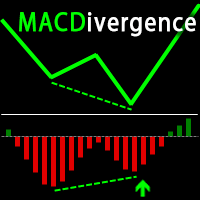
Advanced ideas of the popular MACD indicator: It detects and displays classic and reverse divergences (two methods of detecting divergences). It uses different color to highlight an uptrend and a downtrend. Two methods of determining a trend: а) MACD crosses the 0 level (classic signal); б) MACD crosses its own average (early signal). This is a multi-timeframe indicator: it can display MACD data from other timeframes. Two methods of drawing: classic histogram and line. It generates sound and vis

DaySpread MinMax — spread indicator with daily Min/Max What it shows: Current spread (Cur) Minimum spread for the current day (Min.day) Maximum spread for the current day (Max.day) How it works: Every 1 second the indicator reads Bid/Ask for the current symbol. Current spread is calculated as (Ask − Bid) / Point (in points). Min.day/Max.day are tracked during the day and reset when a new trading day starts (D1). The values are displayed on the chart as a compact text panel. You can drag the pan
FREE

TickVelocity with Smart Alert : Real-Time Buyer vs Seller Speed Dominance **️ Discover the raw energy of the market with the TickVelocity with Smart Alert indicator. Go beyond standard volume and price action to measure the speed and momentum of price changes, revealing the true underlying dominance of buyers or sellers in real-time. This essential tool provides a clear, separate-window view of market dynamics and features a sophisticated Smart Alert System to catch explosive moves early!
FREE

Relevance Zones Indicator — Price Structure and Price Action Concept An indicator designed for Swing Trading analysis , based on price structure, support and resistance, and average price movements , applying the concept of moving averages within a Price Action framework. Its purpose is to identify and highlight, through horizontal lines , price regions where the market has demonstrated relevant behavior throughout its historical movement. These regions are displayed as areas of attention , all
FREE

RITZ QAFo's – Quantum Adaptive Fractal Oscillator Ritz QAFo's is an advanced adaptive oscillator designed to identify high-probability BUY and SELL signals by combining momentum, trend strength, and volatility into a single, clear visual framework. The indicator automatically adapts to changing market conditions, helping traders reduce noise and avoid false signals during ranging or unstable markets. KEY FEATURES Adaptive oscillator with dynamic market response Clear BUY / SELL arrows
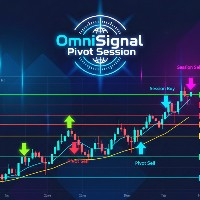
OmniSignal Pivot Session combines two powerful trading concepts— Daily Pivots and (NY, London and COMEX) Session Opening Levels —into one clean, intelligent signal indicator. It's designed to identify key market levels and provide clear, non-repainting entry signals based on a robust 3-candle confirmation pattern , helping you filter out market noise and trade with more confidence.
Suggested Symbols: XAUUSD, US30, DE40
(might have some bugs if you are using it with any Forex Pair!)
Core Fea
FREE

テーマスイッチャー - 取引ターミナルをカスタマイズ 概要 テーマスイッチャー は、MetaTrader 5 のチャートの配色を素早く変更できるインタラクティブなパネルです。快適でパーソナライズされた視覚環境を求めるトレーダーのために設計されたこのインジケーターは、ブランド、映画、プロフェッショナルなデザインにインスパイアされた様々なテーマスタイルを提供します。 使用方法 パネルを開く : インジケーターをチャートに追加するだけで、異なるテーマのボタンが表示されたウィンドウが現れます。 テーマを選択 : 利用可能なスタイルをクリックすると、チャートが瞬時に変更されます。 閉じて完了 : 好みのテーマを選択したら、 X をクリックしてパネルを閉じ、快適で自分のスタイルに合った視覚環境でテクニカル分析を続けます。 利用可能なスタイル AMD : ゲーマーやテクノロジーの美学にインスパイアされた、鮮やかなコントラスト。 Batman (バットマン) : ダークでエレガントなデザインで、豪華さと洗練された雰囲気が漂います。 Bloomberg Dark (ブルームバーグダーク) : プロのトレ
FREE

GOM Trade Manager helps you execute trades the way you want it. Works on all instruments Forex, Commodities, & Crypto.
It helps you with lot calculations, spread addition and balance calculations so you can just focus on actual trading.
For full automatic planned management, stackable triggers and spread widening protection >> check out GOM Trade Manager Pro .
------------------------------------------NOTABLE FEATURES------------------------------------------ You set everything based on bid
FREE

ATOM Smart PA Alert is a high-precision, noise-free Price Action indicator designed to detect high-probability Engulfing and Pin Bar (Hammer/Shooting Star) patterns without cluttering your trading charts. By integrating an adaptive Bollinger Bands filter , this indicator eliminates false signals that occur in neutral zone consolidation and focuses solely on extreme key reversal levels. Key Features A+ Price Action Setup: Focuses strictly on high-winrate patterns: Bullish/Bearish Engulfing and Ha
FREE

1. The Expert Adviser is built with a basic, simple and stable trading strategy with a touch of Price Action Principle that is highly effective and accurate for a sniper entry system. The EA have a good money management System.. 2. The expert advisor works best as from 5minutes time frame and above, The higher the time frame, the more accurate is the signal.... 3. The expert advisor work with all broker all currency pair and synthetic indices... 4. Use a reasonable lot size and correct settings
FREE

Trade Panel Manager — Master all trades in one dashboard Stop calculating volume manually, stop worrying about forgetting to set SL/TP. TTrade Panel Manager transforms MetaTrader 5 into a professional trading command center — drag and drop a few lines on the chart, the EA automatically calculates lot sizes according to your desired risk level, displaying SL/TP in pips and currency in real time, right before you press the button.
Why download now?
Accurate lot size calculation based on risk pe
FREE

SPECIAL OFFER: FREE FOR A LIMITED PERIOD To celebrate our February 2026 launch, we are offering the Phoenix Trade Planner for FREE to the first 500 users. Download now and secure your lifetime access to the most intuitive planner on the market! Why Phoenix Trade Planner? Most traders fail because they enter trades without knowing their exact £/€/$ risk. The Phoenix Trade Planner changes the game by allowing you to draw your trade on the chart before you commit. 1. Intuitive "Drag-to-Trade
FREE

TradePanel Pro v1.0 – Professional Manual Trading Panel for MT5 TradePanel Pro v1.0 is a professional, high-performance manual trading panel built exclusively for the MetaTrader 5 platform. Designed for speed and precision, it allows traders to execute trades instantly with a single click directly from the chart, eliminating the need for manual order calculations and repetitive trading dialogs. Featuring a modern, elegant dark-themed interface with fully adjustable scaling, TradePanel Pro maxim
FREE

このEAは、RSI指標を活用し市場の買われ過ぎや、売られ過ぎのタイミングを見極めることで、エントリーとエグジットの計算をします。 利用者は、ロットサイズやストップロス、テイクプロフィットの設定値を自由に設定し、さらに内部パラメータ(x0からx7)を調整することで、自身のトレーディングスタイルや市場の条件に合わせたパーソナライズが可能です。このEAは、あらゆる市場環境に柔軟に対応するために、3桁または5桁の価格設定に自動調整し、多種多様な通貨ペアに適応します。
すべての取引にはストップロスとテイクプロフィットがありますが、リスクを最小限に抑え、各取引の可能性を最大化するために、トレーリング ストップロスとトレーリング テイクプロフィットも使用します。
以下のような通貨ペアと時間足の組み合わせをおすすめします。 EURUSD on the 5-minute GBPUSD on the 5-minute
FREE

Apply to the 5 minute timeframe against the major USD forex pairs. AUDUSD EURUSD GBPUSD USDCAD USDCHF USDJPY Highlights the PropSense Book Levels Turn on/off for Sydney, Asia, London and New York Sessions Shows the Tokyo and London Fixes Turn on/off for Tokyo and London Configure how many historical fixes to show Shows the Sessions Turn on/off visible indication for sessions (supports 4 sessions) Visibly shows the sessions (out of the box configuration for Sydney, Tokyo, London and New York) Hig
FREE
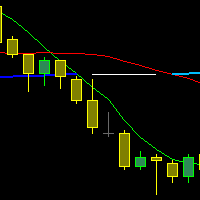
The indicator draws three Moving Averages. Two short ones cross a long one.
At the same time, the long MA changes color: If both short MAs are above the long one - first color; If both short MAs are below the long one - second color; If the two short MAs are on opposite sides of the long one - third color. All three MAs are based on closing prices with a smoothing method of "simple."
cross MA cross 3 MA cross three Moving Average across Moving cross Moving crossing MA crossing MA across MA
FREE

TradeStats Pro – Lot & Risk Analytics Panel for MT5 TradeStats Pro is an analytics panel for MetaTrader 5 that displays trading history and account statistics in a structured, readable format directly on the chart. Account Overview The panel shows real-time account data including balance, equity, margin, free margin, floating profit/loss, win rate, profit factor, and maximum drawdown in both value and percentage. Lot Exposure Tracking Total buy lot, sell lot, and net lot exposure from open posi
FREE

THE>>>>>>___IIIREX_CLAW_vs_CLUSTER_EAIII___<<<<<< Set1: Price Offset 100, Stopp Loss 100-1000, Take Profit 2000
Set2: Price Offset 200, Stopp Loss 100-1000, Take Profit 2000
Set3: Price Offset 100, Stopp Loss 100-1000, Take Profit 1000
Set4: Price Offset 200-500, Stopp Loss 100-1000, TakeProfit 1000
Set5: PriceOffset 100-1000 (Recomment 200) higher is lower Risk, Stopp Loss 500 Take Profit 1000, 2000, 3000 it is the same Target
Set it to your Moneymanagement
Indize: DE40
“IC Market” R
FREE

Algorion Bias Master Professional Multi-Timeframe Market Bias Indicator for MetaTrader 5 Algorion Bias Master is a professional multi-timeframe market bias indicator for MetaTrader 5 that helps traders identify the dominant market direction before entering a trade. Instead of generating simple Buy or Sell signals, the indicator evaluates market structure using multiple technical factors, including trend direction, trend strength, volatility, momentum, and breakout conditions, to produce a struc
FREE
This indicator allows to hide ZigZag indicator (on all MT4 timeframes) from a date define by the user with the vertical line. This indicator can be use with other "Hidden Indicators". Indicator Inputs: Depth Deviation Backstep Information on "ZigZag" indicator is available here: https://www.mql5.com/en/articles/1537 ************************************************************* Hey traders!! Give me your feeds! We are a community here and we have the same objective.... make some money from th
FREE
MetaTraderマーケットは、開発者がトレーディングアプリを販売するシンプルで便利なサイトです。
プロダクトを投稿するのをお手伝いし、マーケットのためにプロダクト記載を準備する方法を説明します。マーケットのすべてのアプリは暗号化によって守られ、購入者のコンピュータでしか動作しません。違法なコピーは不可能です。

取引の機会を逃しています。
- 無料取引アプリ
- 8千を超えるシグナルをコピー
- 金融ニュースで金融マーケットを探索