 MetaTrader 5
 エキスパート
 インディケータ
 ライブラリ
ライブラリ
 ユーティリティ
 ウィジェット
 ルール
ルール
YouTubeにあるマーケットチュートリアルビデオをご覧ください
ロボットや指標を購入する
仮想ホスティングで
EAを実行
EAを実行
ロボットや指標を購入前にテストする
マーケットで収入を得る
販売のためにプロダクトをプレゼンテーションする方法
MetaTrader 5のための無料のエキスパートアドバイザーとインディケータ - 92
 自動売買ロボットとインジケータを使用して、外国為替取引の収益性を高めます。 自動売買ロボットを使用すると、取引の開始と終了を自動化でき、インジケータは市場の行動をより正確に予測するのに役立ちます。
このページには、MetaTrader5アプリケーションのカタログが掲載されています。
自動売買ロボットとインジケータを使用して、外国為替取引の収益性を高めます。 自動売買ロボットを使用すると、取引の開始と終了を自動化でき、インジケータは市場の行動をより正確に予測するのに役立ちます。
このページには、MetaTrader5アプリケーションのカタログが掲載されています。 
Plus Color Candles — MetaTrader 5 用カラーローソク足 Plus Color Candles は、各期間の方向に応じてローソク足を自動的に色分けして表示します。 終値が始値と同じかそれより高い上昇ローソク足は緑色で表示されます。終値が始値より低い下降ローソク足はピンク色で表示されます。 このインジケーターは始値、高値、安値、終値の完全な情報を保持し、価格の動きをすっきりと直接的に確認できる表示を提供します。 特徴: 上昇ローソク足と下降ローソク足を異なる色で表示; 始値と終値に基づいて色を自動的に決定; ローソク足の実体とヒゲを完全に表示; 各ローソク足の方向を素早く確認; さまざまな銘柄と時間足に対応; 自動更新; MetaTrader 5 のストラテジーテスターに対応; Replay 環境向けの専用ビジュアル処理; 自動売買を実行しません。 Plus Color Candles はテクニカル分析を補助するための視覚的ツールです。このインジケーターは金銭的な結果を保証するものではなく、ご自身の分析基準および適切なリスク管理と併用してください。
FREE

Closed All Positions Closed All Positions is a simple and efficient MetaTrader 5 trade management utility designed to close open positions quickly with a single click. The utility provides a clear CLOSE ALL POSITIONS button directly on the chart, allowing traders to exit multiple open positions without manually closing them one by one. Main Features One-click close - close all matching open positions with one button press. Fast Close Mode - designed to dispatch closing requests quickly when mult
FREE
ToolBot Probabilistic Analysis - FREE An effective indicator for your negotiations
The toolbot indicator brings the calculation of candles and a probabilistic analysis so that you have more security on your own.
Also test our FREE tops and bottoms indicator: : https://www.mql5.com/pt/market/product/52385#description Also test our FREE (RSI, ATR, ADX, OBV) indicator: https://www.mql5.com/pt/market/product/53448#description
Try our EA ToolBot for free: https://www.mql5.com/market/prod
FREE

In which direction should I trade today? For “TREND followers”, we need to determine the TREND . This indicator determines the Trend based on the price High, Low and Close of every bar, for a given period and timeframe. Calculating and plotting the Trend UP and Trend DOWN lines. If the: “Trend UP” line (Green) is above the “Trend DOWN” line (Red), then it is a BULLISH Trend (see "Screenshots" tab). “Trend DOWN” line (Red) is above the “Trend UP” line (Green), then it is a BEARISH Trend (see "
FREE

Risk Basket Planner Risk Basket Planner は MetaTrader 5 用の手動バスケットリスク計画ツールです。複数のエントリー価格、テクニカルストップロス、各レイヤーのロットサイズと実際のリスクを、手動注文の前に確認できます。 主な機能 1~5 レイヤー のエントリー計画。 BUY / SELL の方向選択。 口座 Equity に対する割合でリスクを設定。 L1-L5 の価格を入力、またはチャート上でドラッグ可能。 全レイヤー共通の Technical Stop Loss 。 Auto SL 80% / 100% / 120% プリセット。 正確な価格を指定できる Manual SL モード。 エントリー、SL、リスク%、方向、レイヤー数変更後に自動再計算。 各レイヤーへ均等リスク配分を試み、 ブローカーの最小ロット・ロットステップ反映後の実際のリスク を表示。 各レイヤーのロット、リスク%、リスク金額、合計ロット、目標リスク、実際のバスケットリスクを表示。 現在のスプレッドと最も近い SL までの距離を表示。 SL がスプレッドやブローカー制
FREE

STO & ZeroMaxシステム:正確な決済と最大限の利益を実現する革新的なアルゴリズム 市場の急落時に利益を失ってしまうことにうんざりしていませんか?早すぎる決済ではなく、最大の勢いを捉えるためにトレードを決済するタイミングを推測することに疲れていませんか?
ZeroMaxプロフェッショナルトレーディングシステムの一部である、高精度なベースメントフェーズ&モメンタムオシレーター「STO」をご紹介します。この次世代分析ツールは、金(XAUUSD)のようなボラティリティの高い資産において、利益確定と反転ポイントの特定に絶対的な精度を求めるトレーダーのために設計されています。
STOインジケーターの秘密とは?
STOの最大の特徴は、モメンタムの減衰を正確に追跡し、買われすぎと売られすぎの状態を正確に検出できることです。多くのトレーダーは感情に流され、損失を被る調整局面に留まったり、早すぎる決済をしてしまう傾向がありますが、STOは理想的な決済のための明確な数学的シグナルを提供します。
このインジケーターは市場の局面変化に瞬時に反応し、価格が急激な反落に入る前に、動
FREE
Swing High & Low Trendline Indicator is a professional tool that automatically identifies swing points on your chart and draws trendlines for easy visualization.
No need to manually scan candles, the indicator highlights key highs and lows based on your chosen settings, helping you analyze market structure and trade with confidence. Features: Automatically detects swing highs & swing lows Draws clean trendlines directly on the chart Works on all symbols (forex, indices, crypto, stocks,
FREE

COT Dashboard Basic — スマートマネーの動きをMT5チャートで直接確認。リアルタイムCFTCデータ、手動作業ゼロ。
この版には3銘柄(EUR、ドル指数、ゴールド)と4週間の履歴が含まれます。アップグレード前のテストに最適です。
含まれる機能 - CFTC公式APIからライブデータ——自動更新 - 3銘柄:EUR、DXY(ドル指数)、ゴールド - 銘柄あたり4週間の履歴データ - ロング、ショート、ネット、週間変化(CHG.L / CHG.S) - RANK% — ネットポジションのパーセンタイル - FLIP — 偏向指標 | BIAS — 強気/弱気/中立 - 平均超過変化のカラーハイライトボックス - 日付クリックでその週の高値/安値をチャートに投影
フルバージョンの追加機能 - 49銘柄(金属、エネルギー、穀物、ソフト、畜産、通貨、指数、債券、ビットコイン) - 最大52週間の履歴 - ダイバージェンスアドバイザー:価格とポジショニングの乖離を検出 - 銘柄の折りたたみ/展開 - カスタムブローカーキーワード - ペア両
FREE

— 専用チャートインジ「 Super Fast Second Chart 」と連携する、超短期トレード特化AI判定ツール — 本製品は、 専用チャートインジと完全連携するAI自動判定システム です。 チャートのスクリーンショットを保存するだけで、 AIが 多タイムフレーム総合判断+方向性+確信度+反転条件+次のチャンス を 数秒で返します。 専用チャートインジと組み合わせることで、 画像では読み取れない CSV(10〜20バーの数値データ) をAIに渡すことができ、 精度は“別次元”へと進化します。 専用チャートインジとの完全連携 専用チャートインジは以下の情報をAIに提供します: 15s〜30mの多TF構造 ALMA(短期・長期) 独自CCI MACD(ヒストグラム) 回帰チャネル(reg_upper / reg_lower) 多項式回帰(polyreg) ATR TrueTL 直近10バーの陽線/陰線/同値 CSVによる正確なOHLC・レンジ・実体サイズ・ボラティリティ 秒足の揺れや細かい値動き これらをAIが統合し 「5分足ベースで今足の残り方向(陽線/陰線)」 を高精度
FREE

SuperTrend Indicator for MetaTrader 5 The SuperTrend Indicator is a classic trend-following tool designed to help traders identify the current market direction with clarity and precision. Based on Average True Range (ATR), it dynamically adapts to price volatility to outline potential support or resistance levels in trending markets. Key Features Trend Visualization
Displays color-coded trend lines directly on the chart:
• Uptrend – green line
• Downtrend – red line Signal Arrows
Shows arrows
FREE

RMI • Position Size Pro V1.3 Precision Risk Management & Advanced Position Sizing for MetaTrader 5 Overview RMI • Position Size Pro is a professional-grade trading tool designed to give traders full control over risk, execution, and trade management directly on the chart. Built for precision and simplicity, this tool calculates optimal position sizes based on your defined risk parameters and provides an integrated dashboard to manage trades efficiently in real time. Whether you are a discretion
FREE

SigmaFarm Dashboard UI Pro - The Ultimate Multi-Symbol Multi-Timeframe Trading Solution 1. Introduction / Overview Tired of juggling multiple charts and EAs? SigmaFarm Dashboard UI Pro is a powerful and intuitive Expert Advisor designed to revolutionize your trading experience. This all-in-one solution allows you to effortlessly monitor, analyze, and manage trades across multiple symbols and timeframes from a single, dynamic dashboard. With advanced signal generation, robust risk managem
FREE

Prop Firm Guardian Prop Firm Guardian is a MetaTrader 5 utility designed to help traders monitor the most important limits of a funded account in a clear, visual, and organized way. The panel displays key real-time metrics such as daily drawdown , maximum drawdown , profit target , balance , equity , open P&L , and basic historical account statistics. It can be useful for traders looking for a prop firm dashboard , drawdown monitor , risk monitor , or funded account control panel inside MetaTrad
FREE

RetraceMG Multi SMA 200 ATR RR2 – Smart Trend Retracement EA RetraceMG Multi SMA 200 ATR RR2 is a professional trend-following Expert Advisor designed for traders who want high-probability retracement entries inside strong trends . If this EA is helpful, please leave a review. It helps improve future updates and support.
The EA combines multi-moving average trend detection, momentum confirmation, smart retracement entries, and ATR-based risk management to capture market pullbacks while avoidi
FREE

RiskCockpit - real-time risk advisor for prop-firm and funded accounts (FundedNext, FTMO, E8, The5ers, MyFundedFX) and personal/demo accounts. It is an INDICATOR (an advisor): it shows and proposes; it never opens, modifies or closes a trade.
THE PROBLEM IT SOLVES
Funded accounts are rarely lost to a bad strategy - they are lost to a single careless click: one lot too big, a stop-loss left off, a trade inside a news window, a daily-loss line crossed by accident. The rules sit in a PDF; your ris
FREE
Adaptive Grid Elite Pro Indicator - Professional Trading Signal Indicator Transform Your Trading with Intelligent Divergence Detection and Grid Strategy Guidance AGE Pro MT5 EA https://www.mql5.com/en/market/product/144042 Adaptive Grid Elite Pro Indicator is a sophisticated technical analysis indicator that combines advanced divergence detection with intelligent grid trading guidance. This indicator provides professional-grade signal generation with complete visual guidance for grid trading st
FREE

Triple Trend Core (EMA 50, 100, 200): * Dynamic trend tracking across three timeframes. * Ultra-thin visualisation to avoid overlapping with candlesticks. Thermal Fibonacci Retracement (Dynamic Heat Map): * Temperature Levels: Retracements are intuitively coloured. Shallow levels (0% - 23.6%) in Red/Orange indicate high-tension zones and quick continuation, while deep levels (76.4% - 100%) in Blue signal cooling zones or extreme value. * Dynamic Adaptation: Automatically calculates the maximum a
FREE

Shows min and max of last M5 Candle. Can be used to trade breakouts of last M5 candle. The M5 Candle Breakout Strategy avoids to stay too long in a sindways phase. See documentation on @swisstrader3713, where you can follow my live trading. The only parameters are the color of the lines defining the M5 stretch. Best use the indicator in M1 timeframe. The M5 Breakout Strategy has helped me to reduce overtrading.
FREE

パラボリックのデータをもとにトレンドの方向性を1分足から月足まで表示します。 1分足から 月足 まで表示されているので今どの方向に価格が動いているのかがすぐに分かります。
更新はティク毎ではなくディフォルトでは1秒毎、もちろん変更も可能なのでチャートの表示が遅くなるようなことはありません。
機能:
どの通貨でも表示可能になります。
アイコンの色を指定することが可能になります。
表示位置(X軸、Y軸)が変更可能 になります。
表示位置 (左上 、 右上 、 左下 、 右下) が 指定 が可能 になります。
フォント を指定することが可能になります。
フォントサイズ が 変更可能 になります。
アイコンのサイズ が 変更可能 になります。
週足、 月足 の非表示 が 可能 になります。
FREE
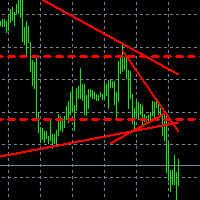
Что показывает на графике индикатор TrendBreak? 1 — рисует линию тренда до максимальных максимумов в 100 баров. 2 — рисует линию тренда до максимальных максимумов в 30 баров. 3 — рисует линию тренда до максимальных минимумов в 100 баров. 4 — рисует линию тренда до максимальных минимумов в 30 баров. И эти линии указывают на сжатие тренда. Также индикатор выбирает 100-й бар и рисует ровную линию к максимуму и минимуму.
FREE

K's Synapse is a market structure indicator designed to provide a clear visual reading of bullish pressure, bearish pressure, and uncertainty directly on the price chart. Creator: https://www.quant-atlas.com/ The indicator evaluates recent price structure across multiple reference points and converts the results into colored dots, rolling market surety percentages, and high intensity triangle signals. Dot Structure • Blue dots represent bullish price structure
• Red dots represent bearish price
FREE

The Cybernetic Cycle Oscillator for MetaTrader 5 is an indicator designed to reduce the lag inherent in traditional indicators. This MT5 version is a direct adaptation of the classic CyberCyclesOscillator found on the Thinkorswim platform, whose mathematical logic is based on John Ehlers' developments presented in his book Cybernetic Analysis for Stocks and Futures . Mathematical Foundations and Code Structure Unlike conventional oscillators, which tend to react late to trend changes because the
FREE
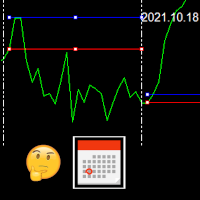
This indicator draws the high intraday price and the low intraday price of the first n minutes of the day. The chart shows the days with vertical lines and two horizontal lines to indicate the max and the min close price of the n first minutes of the day. The max/min lines start and end with the day calculated. With this indicator you can see how starts the day compared with the previous days. It is valid for any market inasmuch as the start time is calculated with the data received.
Parameter
FREE
高精度な統計解析とダイナミックな資金配分の世界へようこそ先進的なツール「PCA Arbitrage 3X」。本インジケーターは、エリートトレーダーが市場の潜在的なパターンを抽出するために用いる手法である Principal Component Analysis(PCA)をベースに開発されました。ヤコビ(Jacobi)アルゴリズム(ML)を使って固有値および固有ベクトルを算出し、複雑な過去のデータを分かりやすいシグナルへと変換します。このアプローチを採用することで、慎重な意思決定が可能になり、不確実性を最小限に抑え、リスクと成果のバランスを改善できます。
主成分分析(PCA)メソッドが履歴データでどのように機能するかを確認するには、無料でテストすることができます
エキスパートアドバイザー(EA):Principal Component Analysis(PCA)ベース
インジケーターの使い方(取引手順) 〈注意〉本バージョンは無料でツール使用に制限があります。インジケーターはデモンストレーション目的のみで提供されています。 インジケーターを EURUSD のチャートにセットし
FREE
The Trendline Automatic indicator is an advanced technical analysis tool specifically designed to assist traders in identifying critical levels in the financial markets through the automatic drawing of support and resistance trendlines on price charts. With its automatic capabilities, this indicator saves traders time and effort in analyzing price movements, allowing them to focus on making better trading decisions. Key Features : Automatic Drawing of Trendlines : This indicator allows traders t
FREE

(Multiple Close All) for MT5 a lightweight and efficient utility designed to help traders close their open positions and pending orders directly from the chart.
It provides a clean panel with interactive buttons, allowing quick closing of opened trades and deleting the Pending Orders with one click. Key Features: Close all BUY , SELL , or ALL positions with one click. Close only profitable trades or only losing trades . Close trades filtered by Magic Number or Ticket Number . Perform par
FREE

Average Price Calculator is an MT5 trade management utility for calculating the volume-weighted average entry price and maintaining a common Take Profit for multiple positions opened on the same symbol and in the same direction. BUY and SELL positions are processed as separate baskets. The utility calculates the average entry price according to the volume of every position and sets a common Take Profit at the specified distance from that average. It can also calculate a suggested additional volu
FREE

ForexFanclub(FFC) : For detailed instructions and our official website, please visit my profile ! BreakLine - Advanced Breakout Alert Tool BreakLine is a powerful and intuitive indicator designed to elevate your technical analysis. It automates the process of identifying key market levels and instantly notifies you when the price breaks through them, ensuring you never miss a critical trading opportunity. Key Features Automatic Line Drawing: Instantly detects swing highs and lows to plot obj
FREE

Account Statistics – MetaTrader 5のためのトレーディング統計ダッシュボード
Account StatisticsはMetaTrader 5向けの分析およびレポートツールです。取引口座の主要な指標をチャート上に直接表示し、さまざまな期間にわたるパフォーマンスを体系的に評価することができます。 本製品は、結果を体系的に分析し、明確に記録したいトレーダー向けに設計されています。 機能 統合されたダッシュボードは、主要な取引指標をリアルタイムで表示します。これには損益、勝率、プロフィットファクター、その他の統計データが含まれます。表示は日次、週次、月次、年次、および全期間の統計など、さまざまな期間に切り替えることが可能です。 さらに、このツールは自動レポート機能を備えています。レポートは指定した時刻に作成され、プラットフォームの通知機能を通じて送信されます。日次レポートと定期的なサマリーを組み合わせることも可能です。 プログラムは週次、月次、年次の切り替えなどの重要な期間を自動的に認識し、それに応じてレポートを補完します。 リスク管理のために、最大ドローダウン
FREE

Product Name: MY DASHBOARD (v1) – Smart Trading Panel for MT5 MY DASHBOARD is a professional-grade trading utility designed to streamline your MT4 workspace. It integrates essential portfolio data, risk metrics, and market insights into a single, clean interface—allowing you to focus on trading while the dashboard handles the calculations. Key Featured - Real-Time Market Info: - Symbol Display: Clearly identifies the current trading instrument. - Dynamic Spread Monitor: Visual alerts when sp
FREE

MaxStack GBPUSD ENTRY Simple. Focused. Risk-Controlled Entry. MaxStack_GBPUSD_ENTRY is a lightweight version of our premium EA " MaxStack_GBPUSD_PREMIUM ", built for precision entries on the GBPUSD 15-minute chart. Designed for traders who want a taste of smart automation with controlled risk exposure, this EA offers dependable trade execution with essential features unlocked. Key Features Built for GBPUSD M15 – plug, set, and run. Automatic trade execution using our proven entry logic.
FREE

ONLY DEMO ACCOUNT Live Versión Here : https://www.mql5.com/en/market/product/170738 ADX System is an advanced trend-strength and momentum confirmation indicator built on ADX and Directional Movement logic. It transforms traditional ADX data into a structured visual system that helps traders identify: • Trend initiation
• Strength acceleration
• Buy/Sell confirmation phases
• Momentum shifts
• Continuation zones The indicator features a two-step confirmation process (Alert → Confirmation), a
FREE
Product Name: LTS TradeDashboard
Short Description: The ultimate visual trading assistant. Drag and drop lines to trade, calculate risk automatically, and execute orders with a single click. Full Description: LTS TradeDashboard allows you to stop calculating lot sizes manually and start trading directly from the chart. Designed for traders who need speed and precision, this tool turns your chart into a professional trading cockpit. Simply drag the Visual Lines (Entry, Stop Loss, Take Profit) to
FREE

Highlights a specific candle after a designated time interval. This feature is particularly useful for evaluating the potential profitability of breakout strategies that are triggered at specific candle intervals. It allows traders to visually assess whether a breakout strategy, set to activate at a certain candle, would have been successful in past market conditions.
FREE

Swiss CandleTime What ist CandleTime for This indicaor just displays the remaining time for a candle to build. It is best used if you trade with timframes from 3 minutes. I use it in M3 to keep postions. If I have two following red candles i usually liquidate the position. Timeframes M1 to H1 Inputs Arrow displayed => Edit your arrow string Arrow for waiting conditions => Arrow if chart is offline Text Color => color of the text Tell if there is a trend change => tells you, if the two preciding
FREE

Proton Strength Matrix MT5
OVERVIEW Proton Strength Matrix MT5 is an indicator for MetaTrader 5 that analyzes and displays market strength metrics across multiple timeframes simultaneously. The indicator quantifies buying and selling pressure for the current symbol on selected timeframes and presents this information in a dashboard format on the chart.
PRIMARY FUNCTION The indicator analyzes price action patterns and generates strength values representing buying pressure (positive) and sellin
FREE

The Phoenix FVG & S&R Toolkit is a professional-grade visual engine designed to pinpoint institutional liquidity and market imbalances with surgical precision. By automating the detection of Fair Value Gaps (FVG) and Support & Resistance (S&R) zones, this tool removes the guesswork from technical analysis and helps you focus on high-probability "Smart Money" setups. The indicator identifies areas where price has moved too quickly, leaving behind "unmitigated" gaps that act as magnets for future
FREE
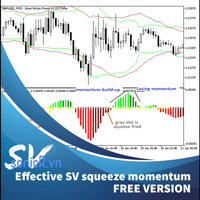
This is addition of Effective SV squeeze momentum that add bolliger band and Keltner channel to chart window. Squeeze momentum introduced by “John Carter”, the squeeze indicator for MT5 represents a volatility-based tool. Regardless, we can also consider the squeeze indicator as a momentum indicator, as many traders use it to identify the direction and strength of price moves. In fact, the Tradingview squeeze indicator shows when a financial instrument is willing to change from a trending ma
FREE

Nexa Gold Relative is a professional Gold trading indicator designed for XAUUSD traders who prefer cleaner and more selective trade signals.
The indicator combines a Gold-focused price calculation engine with RSI confirmation, ATR-based trade zones, candle confirmation, session filtering, signal cooldown, and mobile alerts.
Nexa Gold Relative is built to help traders identify structured BUY and SELL setups directly on the chart, with clear Entry, Stop Loss, and Take Profit areas.
Main Featur
FREE

The PromptGen AI is a utility that generates AI prompts that are specific to your account, trading history and market context. WORKS WITH ALL LLMs. No more generic trading advice from AI agents, get custom trade ideas, trade management recommendations and even historical trade analytics and improvement advice that is relevant and specific to you, using expertly designed prompt templates that use your account details like Balance, Equity, Net Exposure, Price Quotes, Historical Trades and even tra
FREE
This indicator shows both GMT time and your broker's time on the chart.
Simply attach the indicator to a chart, and you will see the GMT time and your broker's time displayed in the top left corner, as shown in the screenshot. By using this indicator, you can always stay informed about your broker's time, which is especially useful during daylight saving changes.
You won't have to worry about whether your broker follows the US or EU schedule, as the indicator automatically adjusts to reflect any
FREE

Features at a Glance Multi-Band System: 4 bands above and below a center line, creating 9 distinct layers ALMA-Based Center Line: Smooth, responsive moving average that filters noise effectively Volatility Bands: Automatically adjusts to market volatility using Standard Deviation Keltner Channel Integration: Blends ATR-based channels with standard deviation for robust band placement Alert System: Get notified when price crosses key band levels
Read in detail with screenshots in blogpost: https:
FREE

English Description Title: Chart Cleaner (Eye Tool) Subtitle: Clean your charts instantly with 1 click while preserving your technical analysis. Inspired by TradingView's eye tool. Description: Have you ever wanted to look at clean price action without cluttering your chart with trendlines, support/resistance levels, and Fibonacci studies? Deleting and redrawing everything takes too much time. Chart Cleaner (Eye Tool) is designed to solve this exact problem. Featuring a minimalist design—a small
FREE

QuickTrade Control (Free Version) The QuickTrade Control is a powerful and flexible Expert Advisor designed to give you complete control over your trades in MetaTrader 5. This free version includes a comprehensive set of tools and features that simplify decision-making and trade management. You can find more free products HERE . If you're looking for a low risk EA , check the Silent Pressure EA . Features: Instant closure of all open positions:
Close all active positions with a si
FREE

All-in-One Dashboard for Trend, Momentum & Volatility Indicators Info Panel is a compact yet powerful MT5 tool that summarizes the most important market metrics directly on your chart.
It reads built-in MT5 indicators (no custom calculations) and displays real-time data about trend strength, volatility, momentum and multi-timeframe direction — all in one clean panel. Ideal for traders who want a fast overview of market conditions without opening multiple sub-windows. ️ Main Features Display
FREE
Breakout Shift Trader – MT5 Indicator Trade Like the Market Architects — Not the Victims. Most traders are fighting blind against a rigged game. Market makers engineer false breakouts, liquidity grabs, and “stop hunts” that wipe out retail accounts in seconds. Breakout Shift Trader flips the script. This MT5 indicator decodes the footprints left by institutional manipulation and aligns your trades with the power brokers driving real price action. Proven Results – Tested, Verified, Relentless N
FREE
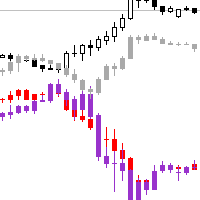
Necessary for traders: tools and indicators Waves automatically calculate indicators, channel trend trading Perfect trend-wave automatic calculation channel calculation , MT4 Perfect trend-wave automatic calculation channel calculation , MT5 Local Trading copying Easy And Fast Copy , MT4 Easy And Fast Copy , MT5 Local Trading copying For DEMO Easy And Fast Copy , MT4 DEMO Easy And Fast Copy , MT5 DEMO
Can set the cycle for other varieties of K line graph covered this window, fluctuations obser
FREE

Versión Beta El indicador técnico Non Lag MA MTF (Non-Lagged Moving Average Multi-Time Frame) es una versión avanzada del Non Lag MA que permite visualizar la media móvil en varios marcos temporales simultáneamente. Pros: - Visión integral: Proporciona una visión más completa al mostrar la media móvil en diferentes marcos temporales en un solo gráfico. - Anticipación de tendencias: Ayuda a anticipar cambios de tendencia al observar la convergencia o divergencia de las medias móviles en distint
FREE

Sandwich Candle Scanner Pro Sandwich Candle Scanner Pro is a high-precision price action tool specifically engineered to detect Sandwich (Three-Method) candlestick patterns automatically. This indicator is a powerful asset for traders focusing on high-probability reversals and trend continuations, particularly effective on volatile assets like XAUUSD (Gold) , Indices, and Major Forex pairs. Stop hunting for patterns manually. Let this professional scanner do the heavy lifting, ensuring you never
FREE

http://www.tradepositive.lat
Eleva tu Journaling al Nivel Institucional. Olvídate de registrar tus operaciones a mano, de los errores de cálculo y de la recolección tediosa de datos. TPI Notion Sync es la herramienta definitiva desarrollada por el Trade Positive Institute, diseñada para conectar tu plataforma MetaTrader directamente con tu base de datos de Notion en tiempo real. Diseñado originalmente para los traders del ALGO Smart Flow Model , este puente tecnológico extrae la matemática pur
FREE

Transform your MetaTrader 5 chart into a professional trading cockpit. Apex Dashboard is a high-performance utility designed for serious traders who need complete situational awareness. It moves beyond simple monitoring by providing a comprehensive overview of your account's solvency, performance, and risk exposure in real-time. Unlike standard indicators, Apex Dashboard features a Persistent Data Engine . It records your historical Peak Drawdown to a local file, ensuring your risk metrics r
FREE
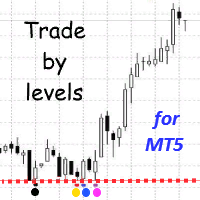
The Trade by levels for mt5 indicator is designed to automatically determine the formation of a model for entering the market on the chart of the selected instrument.
Definitions: ⦁ BFl is the bar that formed the level. ⦁ BCL1 and BCL2 bars, confirming the level.
The graphical model: ⦁ levels high\low the bars BFL and BCL1 must match the accuracy to the point ⦁ there can be any number of bars between BFL and BCL1. ⦁ between BCL1 and BCL2 intermedi
FREE

The "Smart Partial TP & Daily Loss Limit Manager" is a versatile and powerful MQL5 indicator designed to help traders manage their trades more effectively. It combines two essential features that improve trading discipline and profitability: partial take-profit (TP) closing based on risk-reward ratios and a fixed daily loss limit to protect your capital. Key Features: Partial Take-Profit (TP) Close: This feature allows traders to set a percentage for partial TP closure (e.g., 50%). Once the pric
FREE

Colors generated according to trading volume and market direction.
The analysis is carried out following the direction of the price and volume traded if the traded value exceeds the calculation base the system changes the color to green, informing you that the price direction is strong to buy, if the traded value is less than the calculation base the system changes to red, indicating that the price is strong for sale.
FREE

# MiniBull Board
**Version 1.14 — MetaTrader 5 indicator (separate window)**
**11 languages: English, Turkish, Russian, Chinese, Spanish, Portuguese, Japanese, German, French, Italian, Korean** — automatically in the language of your MetaTrader terminal, or chosen with a single input.
MiniBull Board is a compact watch-list dashboard for MetaTrader 5. For every symbol you choose it shows where the price stands today, this week and this month: the current price, the day / week / month opening
FREE

Your balance tells you where you are. It does not tell you how close you came to the edge.
Kingdom Guard is a free, read-only panel that puts the numbers that actually decide survival on your chart:
REAL DRAWDOWN, RIGHT NOW How far your equity sits below its own historical peak - not below your deposit. The single number most traders never watch.
YOUR LOSING STREAK - CURRENT AND WORST EVER When you are four losses deep it matters enormously whether your worst streak was five or fifteen. Know
FREE
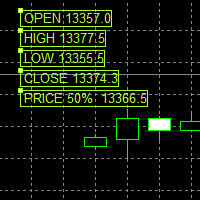
This Price indicator aid you to read prices of a bar without using native MT5 instuments like crosshair.
The indicator gives you the OPEN HIGH LOW CLOSE and 50% bar prices of the current or one of the previous bar.
Parameter setting are: TimeShift: Used for bar selection (0 stand for current 1 for previous 2 for 2 bars ago) Other parameter are using for esthetics. Each Label can be moved away from its initial position.
FEEL FREE TO REPORT BUG AND REVIEW THIS INDICATOR. THANKS
FREE

これは、現在のMT5ビルドに合わせて再構築・拡張され、積極的にメンテナンスされているリリースです。
移動平均線の雲が広がったり狭まったりする様子には、トレンドの強さやその勢いの衰えに関する重要な情報が込められています。しかし、バーごとに雲の幅や傾きを、目視だけで一貫して判断することは、信頼性を持って行うのが困難です。
Phoenix Moving Average Meterは、高速/低速MAの雲の角度と幅を読み取り、それぞれを直近の平均値と比較して分類するため、現在のトレンドが加速しているか、横ばいになっているか、あるいは伸びきっているかを一目で確認できます。
トレンドの読み取り方法
- スロープゲージ:MAの角度を-90(下降)から+90(上昇)まで表示
- 「幅ゲージ」:直近の平均値と比較して、5つのゾーン(非常に狭い~非常に広い)に分類
- 高速/低速MAの期間、計算方法、適用価格をカスタマイズ可能
- 強気/弱気のステータスを統合して表示
アラート
クロスオーバー、急激なトレンド変動、トレンドの弱まり、およびトレンドの過伸展(伸び
FREE

Correlation Monitor は銘柄間の関係を素早く検出するためのインジケーターです。強い正 / 負の相関を持つペアの発見、ダイバージェンスの把握、ヘッジ・ペアトレード・バスケット取引における判断をより確かなものにします。 Meta traider 4. 主な機能 • 相関マトリクスとコンパクトなリスト:選択したシンボル間の関係強度を即座に表示し、色分けで読み取りやすくします。 • 相関銘柄のミニチャート:メインチャートの可視範囲と同期し、動きの比較を直感的に行えます。 • Top‑5 モード:最も強い正相関と負相関を強調表示し、素早く注目できます。 • マルチタイムフレーム:期間別に評価でき、計算ウィンドウ(バー数)を設定可能。 • 「気配値表示( Market Watch )」の任意のシンボルに対応(カスタム銘柄も可)。 • リソース最適化:シンボル数が多い場合でも余計な負荷をかけずに丁寧に更新します。 • 50 以上の言語に対応する多言語インターフェース。端末の言語を自動検出してメッセージや見出しをローカライズします。 • チャート変更時はデータを迅速に更新。 Corr
FREE
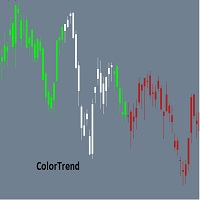
Combining the best of Price Action , Directional Movement , and Divergence / Convergence analysis, the Candle Color Trend is the easy and reliable way to identify the direction of the trend. The indicator automatically paints the candles according to the premise that the upward trend is defined by prices that form a series of ascending tops and bottoms. On the other hand, the downward trend is defined by prices that form a series of descending tops and bottoms.
Color Trend is certainly one of
FREE

İŞLEM GİRİŞ KOÇU - Ücretsiz MT5 Eğitim Göstergesi Trade Entry Coach, MetaTrader 5 kullanıcılarının trendleri, destek ve direnç seviyelerini ve mum çubuğu onaylarını daha yapılandırılmış bir şekilde değerlendirmelerine yardımcı olmak için geliştirilmiş ücretsiz bir eğitim göstergesidir. Bu gösterge, mevcut grafik zaman dilimindeki piyasa koşullarını analiz eder ve sonuçları kompakt bir bilgi panelinde görüntüler. Otomatik olarak işlem açmaz veya kullanıcı adına işlem kararları almaz. ANA ÖZELLİK
FREE

Broker Basket Preflight 複数銘柄の戦略をテストする前に、ブローカーの正確な銘柄名を確認するための、読み取り専用の MetaTrader 5 診断スクリプトです。契約仕様と取引数量のルール、価格の刻み幅、気配値の経過時間、スプレッドを Experts ジャーナルに出力します。 2026年10月更新キット:設定、既定値、シミュレーション比較概要 . MT5 Setup Hub . デスクトップ版 MetaTrader 5 の Market から実行可能なバージョンを無料でインストールし、ナビゲーター → スクリプト → Market で Broker Basket Preflight を見つけて、別のチャートで実行してください。 ツールボックス(Ctrl+T)を開き、Experts タブを選択してレポートを確認してください。 バージョン 1.10 任意のローカルCSV監査で、重複、取得不可、古いデータ、制限、刻み不一致を含む各銘柄を1行で記録。 任意の逆方向価格変動シナリオをOrderCalcProfitでBUY/SELL別に計算。例示数量をブローカーの刻みに切り下
FREE
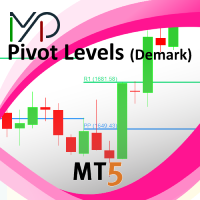
This indicator is stand alone version from MP Pivot Levels (All in one) containing Demark's Pivots.
Calculations: PP = X / 4 R1 = X / 2 - LOWprev S1 = X / 2 - HIGHprev Uses: When the pair currency price may change the direction of movement. Possible constraints of support and resistance that creates plateaus for the currency pair prices. Tendency identification by comparing the present prices according to current day's pivot point and also the prior day's pivot points. ____________
FREE

AutoPilot Trading Service for MetaTrader 5 is an advanced application designed to enhance the MT5 platform by automating and optimizing both manual and algorithmic trading activities. By integrating seamlessly into the (recommended but not mandatory) <terminal_directory>\MQL5\Services directory, this service not only supports the automation of trading strategies but also improves the execution of trades, whether they are initiated manually or through Expert Advisors (EAs). The AutoPilot Trading
FREE

Volatility Channel Indicator Ride the Waves of Market Volatility with Precision ... please leave a 5 star rating if you love this product The Indicator is free. The source code is available for just 30usd.
Are you tired of entering trades too early or too late? Missing breakouts? Getting caught in false signals? The Volatility Channel Indicator transforms chaotic price action into crystal-clear trading opportunities. What You Get (MT4 & MT5) Smart Channel Bands that
FREE

Elevate your trading with this Metatrader 5 expert – the Position Volume Calculator. This tool takes the guesswork out of risk management and profit optimization. Simply input your desired stop-loss points with dragging the stop-loss line, and let the expert advisor compute the optimal position volume for your trade. Plus, with customizable reward ratios, it's easier than ever to set your take-profit points for maximum gains. Trade with confidence and precision. Try the Position Volume Calculat
FREE

BreakEven Finder は、スキャルパーやデイトレーダーのために設計された、無料かつ軽量な MetaTrader 5 用インジケーターです。リアルタイムで保有ポジションを分析し、チャート上に損益分岐点を視覚的に表示することで、迅速かつ的確な判断をサポートします。 主な特徴: 複数ポジションの損益分岐価格を自動で計算 各エントリーポイントを平均化し、現在価格との関係を示す 見やすく整理されたデザインで、過度な情報表示を排除 あらゆる通貨ペアと時間足に対応可能 システムに負荷をかけずにスムーズに動作 おすすめのユーザー:
超短期売買を行うスキャルパー、1日複数回取引するデイトレーダー、損益の細かい変動を意識するリスク管理重視のユーザーに最適です。 トレードの精度を高めるためのツールとして、日々の取引に活用する価値があります。
FREE

️ SMART PANEL TESTER — 戦略をテスト。リスクをコントロール。 SMART PANEL TESTER は、メインバージョンである SMART PANEL の機能を厳選したバージョンです。 Strategy Tester でトレード戦略を効率的かつ快適にテストするために設計されています。 最大の特徴は リスク管理 です。トレード戦略の成果は、優れたエントリーポイントだけで決まるものではありません。長期的なパフォーマンスには、各トレードのリスクを適切に管理することが重要です。 ️ 内蔵リスクマネージャー リスクを 口座残高に対するパーセンテージ として設定し、 Stop Loss を決定して、明確な資金管理ルールに基づいて戦略をテストできます。 自動 Risk/Reward 比率に素早く対応: 1:1 • 1:2 • 1:3 必要な比率を選択すると、対応する Take Profit レベルを自動的に設定できます。 バックテストに必要な主要機能 BUY / SELL — 成行注文を素早く実行; STOP / LIMIT ORDERS — さまざまなエントリーシ
FREE

CandlePatternDetector v2.0 MT5 Custom Indicator — Full Description & User Guide What This Indicator Does CandlePatternDetector is a MetaTrader 5 chart indicator that automatically scans every closed bar on your chart and identifies 8 key candlestick reversal patterns in real time. When a pattern is found, it places a coloured arrow directly above or below the signal candle — green for bullish signals, red for bearish signals. Every signal is context-aware : the indicator reads the current market
FREE

1. The principle of ImbalanceEurUsdCad3 intelligent trading system: The three currency hedge unbalanced arbitrage is the extension and continuation of the triangle arbitrage. As a common arbitrage method, triangle arbitrage has been used by many investors in foreign exchange trading. Triangle arbitrage is based on cross exchange rates, which is the basis of triangle arbitrage. The so-called cross exchange rate refers to the price of a non-US dollar currency expressed by another non-US dollar c
FREE
MetaTraderマーケットはトレーダーのための自動売買ロボットやテクニカル指標を備えており、 ターミナルから直接利用することができます。
MQL5.community支払いシステムはMetaTraderサービス上のトランザクションのためにMQL5.comサイトに登録したすべてのユーザーに利用可能です。WebMoney、PayPal または銀行カードを使っての入金や出金が可能です。

取引の機会を逃しています。
- 無料取引アプリ
- 8千を超えるシグナルをコピー
- 金融ニュースで金融マーケットを探索