Portfolio Risk Monitor Panels MT4

  • Utilità
  • Norbert Hubert Pajak
    Norbert Hubert Pajak
    My professional career and interests are connected to the financial markets. For over a decade, I have attended almost every trading session.
    I create automated trading algorithms (robots, bots), known as Expert Advisors, in MQL4 and MQL5. I can also assist with conversions from Pinescript.
  • Versione: 1.0
  • Attivazioni: 10

Portfolio Risk Monitor is a utility for MetaTrader 4 that measures the risk of all open positions on the account. It counts every position, whatever the magic number, the symbol or the way it was opened: by hand, by another Expert Advisor or from the mobile terminal. For each position, each instrument, each asset class and the whole account it shows how much capital would be lost if the price fell to zero, and how much if the price fell by the historical drawdown from the peak.

Portfolio Risk Monitor does not open, close or modify any orders. It only reads the account and draws two panels on the chart. Panels, journal and alerts are available in English, German, Spanish and Polish.

Two risk scenarios

The tool calculates every open position in two scenarios:

  1. Scenario A, the price falls to 0. A long position loses its whole value from the open price, a short position gains. The result of an instrument is the sum of its long and short positions.
  2. Scenario B, the price falls by the drawdown from the peak. The drawdown is the largest historical drop of the instrument from a peak to the following low, plus a 10% reserve, or a drawdown in percent that you set. The history is the longest available of D1, W1 and MN1, or a number of D1 bars that you set. The level of the scenario is the peak minus the drawdown. The peak is the highest of three prices: the historical peak, the current price and the highest entry of a long position. When a position was opened below this level, the drawdown is measured from its entry price.

Every result is shown in the account currency and in percent of the balance or the equity. The tool also shows how much more could be lost from the current price and what equity would remain after the scenario. When the equity would fall to zero, the panel says so in red. Accrued swap can be included in the results. Optionally the Stop Loss of a long position and the Take Profit of a short position stop the price move, so the position is counted as closed at that price.

ACCOUNT RISK panel

The ACCOUNT section shows the balance, the equity, the result of the open positions, the margin and free margin, the margin level and the number of BUY and SELL positions. Below it, each scenario shows the result of the long positions, the result of the short positions, the net total, the further loss from the current price and the equity after the scenario.

The table RISK BY INSTRUMENT CLASS adds up the risk for Forex, Indices, Stocks, Crypto, Commodities, ETF, Bonds, Futures, CFD and Other. The class is taken from the sector of the symbol, from its folder in the Market Watch or from the way the broker calculates the contract.

The table RISK BY INSTRUMENT shows each instrument in three rows: Longs, Shorts and TOTAL. Each row has the number of positions, the lot, the current result, the loss to 0 with the percent of capital, the drawdown in percent, the price level of scenario B and the loss to that level with the percent of capital. A row marked "+min" shows what one more long position with the minimum lot of the broker, opened now at the Ask price, would lose to 0 and to the level of scenario B, together with its spread cost. The ALL rows give the totals of the account. Rows whose loss in scenario B reaches 20% of capital are orange, from 50% they are red.

Tick data

For every instrument with positions the tool finds the tick size and the tick value of 1 lot in the account currency. It takes them from the broker. When the broker gives no value, it uses the profit calculation of the terminal, and after that the contract size multiplied by the tick size and by the exchange rate of the profit currency to the account currency. The exchange rate is searched in all symbols of the broker, also through USD or EUR.

The table TICK DATA at the bottom of the panel shows these values and their source. Values found by the tool are grey and read only. When a value cannot be found, the box is yellow: enter the value from the symbol specification and press Enter. Entered values are kept after a restart of the terminal. At start and when a position on such an instrument appears, an alert explains where to find the value and how to calculate it. A new instrument is added to the table as soon as a position on it is opened and stays there until the tool is removed from the chart.

POSITIONS panel

The POSITIONS panel lists every open position grouped by instrument: ticket, symbol, type, lot, open price, magic number (shown as "manual" for positions opened by hand), current result, result at price 0, price level of scenario B and result at that level.

Both panels can be moved with the mouse, collapsed and scrolled, and keep their position and state after a restart. They are refreshed every few seconds and at once after every change of the positions.

Language

The first input, "EA language (panels, journal, alerts)", selects English, German, Spanish or Polish. The choice changes the panels, the journal and the alerts. The calculations are the same in every language, and set files work in all of them. Input names in the MetaTrader window stay in English.

Quick start

  1. Attach Portfolio Risk Monitor to any chart. One chart is enough, the tool reads the whole account.
  2. Choose the language in "EA language (panels, journal, alerts)".
  3. In "Scenario B: drawdown calculated as" choose "Historical drawdown x 1.1 (10% reserve)" or "Set drawdown in % (input below)" and enter the drawdown in "Scenario B: set drawdown in % from the peak".
  4. In "% of capital based on" choose Balance or Equity.
  5. Check the TICK DATA table. If a box is yellow, enter the value from the symbol specification.
  6. Read the scenarios and the tables. The panels update by themselves when positions change.

Requirements

MetaTrader 4, any account type (hedging or netting), any symbols of the broker. Scenario B uses the daily, weekly and monthly history of each instrument from the server of the broker. For a new instrument this history may take a moment to load, and until then the panel shows the scenario B values as not yet known.

Portfolio Risk Monitor does not trade and does not protect the account. Its results are estimates based on the current prices, exchange rates and history of the broker. Commissions, price gaps and a stop out by the broker are not included, and a future drop can be larger than any historical drawdown. This description is not investment advice.

Prodotti consigliati
DepoControl
Evgeniy Zhdan
DepoControl – Full Control Over the Deposit Closers   Expert Advisor controls the overall account status and closes ALL market orders on the account when certain conditions occur. The trading robot closes ALL orders on the account in the following cases (by profit): Close ALL orders by a total profit on the account   in monetary terms . For example, suppose that the settings specify that   positions should be closed when profit of 100 is reached. In this case, the Expert Advisor closes all mark
Trades Time Manager è un pianificatore di operazioni per MetaTrader. Scegli l'azione, il simbolo e la data e l'ora del server, e lo strumento fa il resto: apre ordini, inserisce ordini pendenti, chiude operazioni, sposta lo stop loss a pareggio, modifica il take profit o cancella gli ordini pendenti. Non fornisce segnali: esegue solo le attività che aggiungi. Usalo per entrare con le notizie o all'apertura della sessione, chiudere tutto prima del weekend o spostare le tue operazioni a pareggio a
One Click Trader is a tool designed for MetaTrader 4 platform, which enables you to take your trading to the next level. It enables you to open, manage and close your trades in simple an efficient way by just one click of your mouse button. Up arrow minimizes the OCT panel Down arrow maximizes the OCT panel Right arrow displays the next panel with additional features Left arrow hides the panel with additional features Red SELL button enables you to open short market orders Red SELL STOP button e
"Support or Resistance Alert Broken" is a simple and very intuitive tool that allows you to create or eliminate horizontal and trend supports and / or resistances with a simple click. When the support or resistance line is broken by the closing price at the end of the current candle, the "Support or Resistance Alert Broken" tool will send an alert with sound, as well as a notification to the MT4 or MT5 mobile application. This tool can send alerts from multiple pairs at the same time. Utility
Title : Trade Assistant Manager for MT4 Trade Assistant Manager   — See your risk before you click Trade Assistant Manager is a MetaTrader 4 chart utility for discretionary   traders who want a clear, visual way to size positions . Place your Entry, Stop Loss, and Take Profit directly on the chart. The panel shows the lot size, the money at risk, the profit target in money, and the reward-to-risk ratio — updated as you move the lines. What you gain   Faster decisions   : - Automatically   calcu
FREE
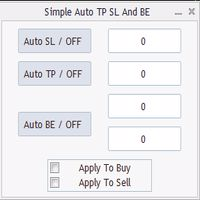
Program for automatic placement of stop loss and take profit orders. Values are calculated as points distance from open price. BreakEven option is also included. all options could be applied to BUY, SELL separately or together. Enter values ​​in points in the fields on the right side of the menu and press dedicated button to aplly your settings. If in doubt, The instruction is displayed in the tooltip.
FREE
Symbol Cost Monitor è un’utilità di analisi professionale per MetaTrader 4, progettata per monitorare rapidamente i costi di trading di più strumenti contemporaneamente. Lo spread e lo swap influiscono direttamente sul risultato finale delle operazioni. Questo aspetto è particolarmente importante nello scalping, nel trading intraday attivo, nel mantenimento delle posizioni per diversi giorni e nel lavoro simultaneo con più simboli. L’interfaccia standard di MetaTrader 4 non consente di confronta
FREE
Trades Manager MT4
Yohana Parmi
5 (3)
What Trades Manager can do for your trades . Collect all order positions into one chart (pict. 1). All orders will be grouped by pair symbol , sum of order positions, lots, running pips, and profit/losses. All orders will be summarized and displayed at the bottom of the panel. You can set target profit, stop loss and placing stop-profit automatically to each order (pict. 4). From one chart, it will be easier to monitor and manage all orders without moving to another chart. The green color is sur
GMT Time
Oeyvind Borgsoe
This indicator shows both GMT time and your broker's time on the chart. Simply attach the indicator to a chart, and you will see the GMT time and your broker's time displayed in the top left corner, as shown in the screenshot. By using this indicator, you can always stay informed about your broker's time, which is especially useful during daylight saving changes. You won't have to worry about whether your broker follows the US or EU schedule, as the indicator automatically adjusts to reflect an
FREE
Telegram ChartSnap is an utility tool to bridge your MetaTrader 4 activities to your Telegram chat/group/channel. It will screen shot your MetaTrader 4 chart and send it to your dedicated Telegram chat/group/channel through a Telegram bot. The whole process will keep repeating based on a time cycle that predetermined by the user. It is a convenient tool for those who like to get access to their favorite system/dashboard that only available at MetaTrader Desktop. Beside that, trader can easily s
KFX Dashboard EA
Peter Kariuki Thande
** Automatically Adds to your existing trades that you open ** KFX Dashboard EA monitors Price Action using Candle Direction + Moving Average on Multiple currency pairs (selected by you) and on Multiple Timeframes (selected by you). The dashboard also reveals Currency Strength of pairs based on your Moving Average selection. KFX Dashboard EA option to set Stop Loss(SL) and Take Profit(TP) based on your selected Timeframe and ATR / Points settings. Trailing stop by ATR / Points also available (s
Rehoboth TradeGate Manager
George Rotimi O Olulana
Rehoboth TradeGate Manager — MT4 Execution Validation & Trade Management TradeGate Manager places a validation layer between your trading decision and the market. TradeGate Manager is currently available for MetaTrader 4. The MetaTrader 5 version is in final testing and coming soon. Before an order is sent, TradeGate checks the instrument, spread, stop protection and market conditions against limits you define. If a required condition fails, the order is refused and the panel tells you what f
Nour Copier MT4
Mohamed Nour Tarek Zakarya
5 (1)
Nour Copier MT4 is a simple and flexible trade copier for copying trades between multiple MT4 accounts on the same computer or VPS. Main Features Copy Buy, Sell and Pending Orders Copy Stop Loss and Take Profit Copy all symbols or selected symbols only Fixed Lot or Lot Multiplier Reverse Trade option Symbol Mapping for different brokers Basic risk and spread controls One Master can copy to multiple Slave accounts No DLL required Arabic & English Support Available For installation help, configur
FREE
This indicator allows you to monitor the vitals of your account and notifies of some events, in accordance with user settings. Keep your finger on the pulse of trading. Control elements Main panel of the indicator shows the following values: chart symbol, bid/ask prices, spread, free margin, equity, total number of orders and total profit/loss. There are also two buttons: "Alarm" and "Mute". "Alarm" button starts up a timer, which will notify user in a period of time, defined in the settings. I
FREE
Install as an EXPERT ADVISOR for it to work. This product will not work in strategy tester because it requires trades to be opened first.   Therefore, the 1 month rental option for $10 is included for you to test the product. That is the lowest price allowed by the website. The trailing stop loss (TSL) on MetaTrader 4 only works on set ranges. For example, if the TSL is set at 20 pips or 200 points, the trailing SL will move to sell/buy price only once 20 pips/200 points are gained. It does not
ZyloFx Prop Guard Manager MT4
Rosa Lina Martinez Jimenez
IMPORTANT: After purchasing this product, please send me a private message to receive the installation guide, setup instructions, and direct product support. ZyloFx Prop Guard Manager MT4 is a professional account protection utility for MetaTrader 4, designed for traders who need disciplined control over daily and overall drawdown. This Expert Advisor does not open trades, does not provide entry signals, and does not use any trading strategy. Its purpose is to work as a protective layer on you
Trade History Exporter automatically exports trade history to a CSV (comma separated values) file. Trade History Exporter: - automatically exports trade history every time a trade is closed - allows you to manually force an export by using the "W" key on your keyboard - can use Order Comments as Magic Numbers - useful for instance when using a Trade Copier - calculates the Net Profit per trade
The only drawdown guardian that stops your other EAs from digging you deeper. PropMarshal monitors your account equity in real time and instantly closes all positions the moment a drawdown or profit target threshold is breached. But it doesn't stop there — it closes every chart on your platform too, cutting off any other Expert Advisors before they can open new trades and compound the damage. The Problem   PropMarshal   Solves Most prop firm traders run multiple EAs across multiple charts. When
FREE
Spread Control MT4
Nikita Chernyshov
Spread Control è un indicatore compatto per MetaTrader 4 che consente di monitorare lo spread attuale e la sua dinamica direttamente sul grafico dello strumento. Funzionalità Spread attuale in tempo reale Grafico delle variazioni dello spread con lo storico degli ultimi valori Calcolo di LOW / AVG / HIGH per il periodo visualizzato Indicazione a colori dello stato dello spread: livello normale; livello di avviso; livello critico Scala visiva del valore corrente Visualizzazione dei valori attuali
UMNi-CMND  UMNi-Cmnd — MT4 Remote Trade Command and Control UMNi-Cmnd turns Telegram into a full remote control panel for your MetaTrader 4 terminal. Send commands from your phone to open trades, manage positions, query account status, and receive complete trade telemetry — all without touching the platform. KEY FEATURES • Full remote trade execution via Telegram • Open, close, and manage positions by command • Move SL/TP, set breakeven • Live status, account, and positi
MT4 Local Trade Copier A file-based trade copying system for MetaTrader 4 that synchronizes trades between Master and Client terminals on the same computer or network. Key Features Master/Client Architecture : One Master terminal broadcasts trades, multiple Client terminals can receive and replicate them File-Based Communication : Uses shared folder system for reliable inter-terminal communication Flexible Lot Management : Copy exact lot sizes or use fixed lot sizes on client accounts Customizab
Market Monitor
Rodrigo Rethka Goncalves
Market Monitor – Smart Asset Performance Dashboard for MT4 Turn your MetaTrader 4 into a professional trading intelligence center! Market Monitor is a powerful monitoring tool that displays, in real time, the most relevant performance metrics of each symbol being traded — helping you make faster, smarter, and more strategic decisions. What Does This Indicator Do? Market Monitor scans all open and historical orders, consolidates the data by symbol, and displays everything in visual pa
Spread Record
Konstantin Kulikov
4 (3)
This utility allows to record the spread value to the file, which is equal to or greater than the value specified in the settings, at the specified time. The utility also displays useful information on the symbol's chart: current spread value in points, name of account holder, name of trading server, leverage, the size of the swap for buy orders, the size of the swap for sell orders, day of the week for accruing triple swap, the size of a point in the quote currency, the minimum allowed level of
FREE
Script CloseAll SELL
Raudhah Hayatun Nufus
Close All SELL Orders for MT4 script   - closes absolutely all orders, whether pending or market ones. Orders are closed at the current profit/loss indicators at the time of closing. The script is suitable for moments when you need to quickly close all orders at the current indicators. The script is very easy to use, just drag the script onto the chart and it will do its job. Add me as a friend, I have many other useful products.
FREE
Heaven Assistant: Simplify Your MT4 Management Simplify the management of the MetaTrader 4 (MT4) platform with the Heaven Assistant . This Expert Advisor (EA) is a robust tool that allows you to control and customize your trading environment in an efficient and user-friendly manner. Key Features: Multiple Pairs Opening: Quick access to most currency pairs, both major and minor, plus exotic pairs. The ability to open indices, metals, and cryptocurrencies with a single click. Template Change: Easi
Close All Orders for MT4 script - closes absolutely all orders, whether pending or market ones. Orders are closed at the current profit/loss indicators at the time of closing. The script is suitable for moments when you need to quickly close all orders at the current indicators. The script is very easy to use, just drag the script onto the chart and it will do its job. Add me as a friend , I have many other useful products.
ACCOUNT GUARDIAN MT4 – PROFESSIONAL CAPITAL PROTECTION SYSTEM Account Guardian is a specialized risk management tool designed to protect your trading account from uncontrolled losses. The system continuously monitors your open positions and account equity, automatically intervening when predefined risk thresholds are reached. MAIN FEATURES • Automatic
FastMove
Adrian Ferreyra
FastMove is a panel with 5 buttons, a notification area and a text entry. Its goal is to enable quick and simple execution. Buttons: MOVE - Move the interface BUY - Start of buy process SELL - Start of sell process L - Select quantity of lots % - Select quantity of percent of balance Keyboard inputs ' ESC ' - Cancels the operation or return to the previous stage. ' F ' - Lock or unlock interface to prevent accidental executions. M - Move the interface. P - Exchange between pending orders or mark

This version only supports orders with a single order transaction count of<1. If the single order transaction count is>1, please subscribe to a higher version This EA is not actively profitable, but only uses trading time to increase trading frequency and achieve the goal of saving swap fees. Working principle: This EA will generate MQL4 Experts Orderhis before the trading deadline of the day_ The today.csv file is used to record the information that has been opened on the current day, generat
All Pending Orders with StopLoss opens any combination of Buy Stop, Sell Stop, Buy Limit and Sell Limit pending orders and closes all existing pending orders. If boolSL = true then this Script will calculate one common StopLoss value as the StopLoss for a first/last orders and put this value in all pending orders. Input Parameters Before placing all pending orders, the input window is opened allowing you to modify all input parameters: DeleteAllPendings : if true , then all pending orders (for
Gli utenti di questo prodotto hanno anche acquistato
Forex Trade Manager MT4
InvestSoft
4.98 (447)
Benvenuto a Trade Manager EA, lo strumento definitivo per la gestione del rischio , progettato per rendere il trading più intuitivo, preciso ed efficiente. Non è solo uno strumento per l'esecuzione degli ordini, ma una soluzione completa per la pianificazione delle operazioni, la gestione delle posizioni e il controllo del rischio. Che tu sia un principiante, un trader avanzato o uno scalper che necessita di esecuzioni rapide, Trade Manager EA si adatta alle tue esigenze, offrendo flessibilità s


Exp COPYLOT CLIENT for MT4
Vladislav Andruschenko
4.69 (65)
Copiatore professionale di operazioni per MetaTrader 4 Un copiatore di operazioni veloce, affidabile e professionale per MetaTrader 4 . COPYLOT consente di copiare operazioni Forex tra i terminali MetaTrader 4 e MetaTrader 5 , offrendo una sincronizzazione flessibile per diversi tipi di conto e modalità operative. La versione COPYLOT MT4 supporta: MetaTrader 4 → MetaTrader 4 MetaTrader 5 Hedge → MetaTrader 4 MetaTrader 5 Netting → MetaTrader 4   Versione MT5 Descrizione completa + DEMO + PDF Com
Local Trade Copier EA MT4
Juvenille Emperor Limited
4.96 (111)
Local Trade Copier EA MT4 è un trade copier rapido e flessibile per copiare e gestire operazioni tra più conti MetaTrader 4 sullo stesso computer Windows o Windows VPS. Combina la sincronizzazione locale delle operazioni con controlli lato Receiver per dimensione del lotto, gestione del rischio, filtraggio delle operazioni, mappatura dei simboli, gestione delle operazioni e protezione del conto. Configura i terminali Transmitter e Receiver in circa 1 minuto e copia operazioni manuali o aperte d
Trade Assistant MT4
Evgeniy Kravchenko
4.43 (197)
It helps to calculate the risk per trade, the easy installation of a new order, order management with partial closing functions, trailing stop of 7 types and other useful functions. Additional materials and instructions Installation instructions   -   Application instructions   Line function -   shows on the chart the Opening line, Stop Loss, Take Profit. With this function it is easy to set a new order and see its additional characteristics before opening.   Risk management  - The risk calcu
Trade Dashboard MT4
Fatemeh Ameri
4.96 (55)
Trade Dashboard simplifies how you open, manage, and control your trades, with built-in lot size calculation. It allows you to execute trades, manage risk, and control positions directly on the chart, with tools such as partial close, breakeven, and trailing stop. Designed to reduce manual work and help you stay focused on your trading decisions. A demo version is available for testing. Detailed explanations of features are provided within the MQL5 platform. Installation instructions are include
Ultimate No Nonsense FX Backtester - You can Run Forward Test Simulation with this tool! Do Not Download the Demo Here, Please Read Below! Step by Step Manual Guide PDF for this backtester PDF List of Commands(Shortcuts) for this backtester Ultimate NNFX Backtester is a powerful utility tool that significantly reduces the length of backtesting process for NNFX followers.  As well as for Forex traders that operates their entries and exits at the close of a candle and manage the risk using ATR.
The product will copy all telegram signal to MT4   ( which you are member  ) , also it can work as remote copier.  Easy to set up, copy order instant, can work with almost signal formats, image signal, s upport to translate other language to English Work with all type of channel or group, even channel have "Restrict Saving Content", work with  multi channel, multi MT5 Work as remote copier: with signal have ticket number, it will copy exactly via ticket number. Support to backtest signal. How to
Simple button panel of trade on your chart with OneClick VZ . This trade panel will make it easier for you. Equipped with several functions that make it very easy for you. You can try Trial Version OneClick V1 in here . This version includes: Open Order Buy Open Order Sell Open Pending Order [Buy Limit - Buy Stop - Sell Limit-Sell Stop] Close ALL orders Close Order Buy Close Order Sell Delete Pending Order [Buy Limit - Buy Stop - Sell Limit-Sell Stop] Order Management: Stop Loss Take Profit Tra
Trade Indicator Assistant is a powerful MT4 utility designed to turn indicators into automated trading systems. Its main feature is the ability to automatically detect an indicator’s   BUY and SELL signal buffers , without requiring you to know the buffer numbers, search through indicator settings, or modify the indicator source code. Bonus Indicator: After purchasing Trade Indicator Assistant, contact me to receive Trade Signal Pro completely free as a bonus indicator. [Download Demo Version]
News Filter EA MT4
Rashed Samir
5 (10)
News Filter EA: Advanced Algo Trading Assistant News Filter EA is an advanced algo trading assistant designed to enhance your trading experience. By using the   News Filter EA , you can integrate a Forex economic news filter into your existing expert advisor, even if you do not have access to its source code. In addition to the news filter, you can also specify   trading days   and   hours   for your expert. The News Filter EA also includes   risk management   and   equity protection   features
Trailing Stop and Breakeven Manager - Trail Architect MT4 Auto Trailing Stop and Breakeven Manager for MT4. Protect profit with automatic break even, then trail your stop loss using Classic, Step, ATR or Candle trailing - all from one professional panel. Every trader knows the pain: a winning trade turns into a loss because the stop loss was never moved. Watching the chart all day just to move your stop to break even and trail the stop loss by hand is exhausting - and one missed move can wipe o
TradePanel MT4
Alfiya Fazylova
4.84 (95)
Trade Panel è un assistente commerciale multifunzionale. L'applicazione contiene più di 50 funzioni di trading per il trading manuale e permette di automatizzare la maggior parte delle attività commerciali. Istruzioni per l'applicazione : https://www.mql5.com/it/blogs/post/762331 Versione di prova dell'applicazione per un conto demo: https://www.mql5.com/it/blogs/post/762419 Come installare l'applicazione: https://www.mql5.com/it/blogs/post/762362 Come testare l'applicazione in modalità visuale:
Grid Manual MT4
Alfiya Fazylova
4.71 (17)
Grid Manual è un pannello di trading per lavorare con una griglia di ordini. L'utilità è universale, ha impostazioni flessibili e un'interfaccia intuitiva. Funziona con una griglia di ordini non solo nella direzione delle perdite, ma anche nella direzione dell'aumento dei profitti. Il trader non ha bisogno di creare e mantenere una griglia di ordini, lo farà l'utilità. È sufficiente aprire un ordine e il manuale di Grid creerà automaticamente una griglia di ordini per esso e lo accompagnerà fino
DoIt Trade Manager - Risk Panel and EA Position Manager for MT4 Finding an entry is only half the job. Many execution mistakes happen in position sizing, partial exits, breakeven, trailing and account protection. DoIt Trade Manager puts the complete workflow on the chart. Plan the risk before entry, execute the order and apply consistent management rules to your manual trades and selected positions opened by other EAs. Full setup guide + how the free version works and where PRO starts :  https:/
Black Week: acquisto a 69.99 USD. L'offerta termina venerdì 27 novembre. Telegram to MT4 Multi-Channel Copier   copia automaticamente i segnali di trading dai tuoi canali Telegram e Discord direttamente su MetaTrader 4. Niente bot, niente estensioni del browser, niente copia manuale. Il segnale arriva su Telegram o Discord e l'EA apre l'operazione nel tuo terminale in pochi secondi. E prima di copiare un canale, il backtester integrato ti mostra cosa avrebbe fatto quel canale sul tuo conto. Il p
Trade copier MT4
Alfiya Fazylova
4.62 (37)
Trade Copier è un'utilità professionale progettata per copiare e sincronizzare le transazioni tra conti di trading. La copiatura avviene dal conto/terminale del fornitore al conto/terminale del destinatario, che sono installati sullo stesso computer o vps. Prima di acquistare, puoi testare la versione demo su un account demo. Versione demo qui . Istruzioni complete qui . Funzionalità e vantaggi principali: Supporta la copia degli ordini: MT4> MT4, MT4> MT5, MT5> MT4, inclusi i conti di compensaz
RS Trade Copier
Boris Sedov
5 (1)
RS Trade Copier - il local trade copier ultra-veloce con una vera interfaccia grafica. Smetti di inserire i numeri di conto manualmente. Addio alle interminabili liste di oltre 200 parametri nelle impostazioni. Uno strumento affidabile e flessibile per copiare operazioni di trading tra multipli terminali MT4 e MT5. È adatto sia a trader esperti e servizi di segnali, sia a investitori privati. Permette di sincronizzare il trading da uno o più Fornitori a uno o più Clienti con elevata precisione e
Telegram to MT4 Coppy
Sergey Batudayev
4.09 (11)
Da Telegram a MT4: la soluzione definitiva per la copia del segnale Semplifica il tuo trading con   Telegram su MT4   , l'utility all'avanguardia progettata per copiare i segnali di trading direttamente dai canali e dalle chat di Telegram sulla tua piattaforma MetaTrader 4, senza bisogno di DLL. Questa soluzione affidabile garantisce un'esecuzione impeccabile dei segnali con una precisione e opzioni di personalizzazione senza pari, risparmiando tempo e aumentando la tua efficienza. [ Instruction
Trading History MT4
Siarhei Vashchylka
5 (9)
Trading History - A program for trading and money management on the history of quotes in stratagy tester. It can work with pending and immediate orders, and is equipped with trailing stop, breakeven and take profit functions. Very good for training and testing different strategies. Manual (Be sure to read before purchasing) Advantages 1. Allows you to test any trading strategy in the shortest possible time 2. An excellent simulator for trading training. You can gain months of trading experience
Exit Manager
Victor Christiaanse
5 (2)
Close every trade at the right moment, automatically. Most traders spend their energy on the entry and then close too early, too late, or on a feeling. Exit Manager takes the exit off your hands. Open a trade the way you always do, by hand or with any Expert Advisor, and Exit Manager watches it and closes it, fully or partly, when the indicator signal you chose appears. You can see it working on the chart. A clean panel on your chart shows, for every open trade, which rule will close it next, ho
Forex Sentiment Trader PRO EA
Salvador Martinez Ramos
5 (2)
I have created this  MT4 Tool EA to test if it is more profitable to trade in favor of the mass sentiment of traders or it is better to go against it. Remember to authorize Myfxbook url in WebRequest options in MT4 .  Features: Market Sentiment update every 30 minutes SL TP BreakEven Trail SL Daily Target Profit Max Daily DrawDown (Useful for prop firm) Max Spread Filter Time Filter Custom Trade Comments Protection in case a pair is not read correctly from the web (Prevents improper closing or o
Drawdown Minimizer for MetaTrader 4 - your EAs pay in, old losers get paid off. This utility runs next to your other Expert Advisors and never opens a trade. It keeps a savings book of the net realized profit of your whole account and uses it to close the oldest losing positions of the EAs you choose - slice by slice, oldest first. WHY IT EXISTS Made by traders, for traders. One of our grid EAs got stuck in drawdown for months. The old positions did not come back, and they paid swap every single
RiskManager
Roman Zhitnik
5 (4)
Risk Manager MT4   is an account protection Expert Advisor for traders who want strict risk control inside MetaTrader 4. The utility monitors your account equity, daily and weekly results, drawdown, open positions, trade count, consecutive losses, and trading hours. When a configured limit is reached, it can automatically close positions, cancel pending orders, stop other EAs, send notifications, or close the terminal. Instead of relying on discipline during a stressful trading session, you defi
Az OrderGun
Jose Antonio Valle Magana
AZ_OrderGun MT4 - Professional 1-Click Trading Panel AZ_OrderGun is the all-in-one panel to execute and manage your trades without wasting time setting up SL/TP. KEY FEATURES: 1. 4 INSTANT ENTRIES: Buy SLL - Buy with SL on Low of previous candle Sell SLH - Sell with SL on High of previous candle Buy SLO / Sell SLO - SL on Open of previous candle > Fully configurable % Risk 2. ADVANCED VISUAL MANAGEMENT: Draggable lines for Pending and Market orders Auto calculation of Lot Size, $ Ri
Take a Break
Eric Emmrich
5 (32)
Take a Break pauses your Expert Advisors when trading is a bad idea: before news, after a daily loss, outside your trading hours, or when a rule you wrote yourself says so. When the pause is over, your EAs simply continue. Account protection for all your EAs in one tool: news filter, drawdown and equity protection, time filter and custom rules. One EA on one chart protects the whole account, the free indicator gives every chart its own rules on top. Free demo | What is new in 26.09 | Support Ass
Copiatrice->Interazione dell'interfaccia comoda e veloce, gli utenti possono utilizzarla subito       ->>>> Si consiglia di utilizzarlo su computer Windows o VPS Windows Caratteristiche: Impostazioni di copy trading diversificate e personalizzate: 1. È possibile impostare diverse modalità di lotto per diverse fonti di segnale 2. È possibile impostare diverse fonti di segnale per il copy trading forward e reverse 3. I segnali possono essere impostati con commenti 4. Se calibrare il lotto in base
Price Action DashBoard
Chantal Sala
3.86 (7)
The Price Action Dashboard is an innovative tool to help the trader to control a large number of financial instruments. This tool is designed to automatically suggest signals and price conditions. The Dashboard analyzes all major Time Frame suggesting price action conditions with graphic elements. The Dashboard can suggest you the strength of the trend identifying directional movement, it is an indispensable tool for those who want to open position themselves using market trends identifiers. The
Trade Manager MT4 DaneTrades
Levi Dane Benjamin
4.09 (11)
Trade Manager per aiutarti a entrare e uscire rapidamente dalle operazioni calcolando automaticamente il tuo rischio. Incluse funzionalità che ti aiutano a prevenire l'eccessivo trading, il vendetta trading e il trading emotivo. Le operazioni possono essere gestite automaticamente e i parametri di performance del conto possono essere visualizzati in un grafico. Queste caratteristiche rendono questo pannello ideale per tutti i trader manuali e aiuta a migliorare la piattaforma MetaTrader 4. Suppo
Partial Closure EA MT4
Juvenille Emperor Limited
5 (4)
Partial Closure EA MT4 ti consente di chiudere parzialmente qualsiasi operazione sul tuo conto, manualmente tramite una percentuale scelta della dimensione del lotto e/o per numero di ticket, oppure automaticamente a percentuali specifiche dei livelli di TP/SL, chiudendo una percentuale della dimensione iniziale del lotto su un massimo di 10 livelli di take profit e 10 di stop loss. Può gestire tutte o alcune delle operazioni nel tuo conto specificando o escludendo determinati numeri magici, co
Il MT4 to Telegram Signal Provider è uno strumento facile da usare e completamente personalizzabile che consente l'invio di segnali a Telegram, trasformando il tuo account in un fornitore di segnali. Il formato dei messaggi è completamente personalizzabile! Tuttavia, per un uso semplice, puoi anche optare per un modello predefinito e abilitare o disabilitare parti specifiche del messaggio. [ Dimostrativo ]  [ Manuale ] [ Versione MT5 ] [ Versione Discord ] [ Canale Telegram ]  New: [ Telegram To
Altri dall’autore
MultiAsset SuperTrend Trader Pro is an Expert Advisor that trades a portfolio of up to 10 instruments from one chart. It follows the trend with the SuperTrend indicator, confirms each signal with up to three filters and keeps the risk of the whole portfolio within one common limit. Each instrument has its own slot with its own lot size, minimum profit, Take Profit and optional hedge. The EA works on netting and hedging accounts and in any account currency. The interface is available in English,
MultiAsset SuperTrend Trader  is an Expert Advisor that trades a portfolio of up to 10 instruments from one chart. It follows the trend with the SuperTrend indicator, confirms each signal with up to three SuperTrend filters on higher timeframes and keeps the risk of the whole portfolio within one common limit. The EA is available for MetaTrader 4 and MetaTrader 5, works in any account currency and has an interface in English, German, Spanish and Polish. User guide with a description of every inp
Wave Trader US100 MT4
Norbert Hubert Pajak
Wave Trader US100 is an Expert Advisor for MetaTrader 5 that trades intraday upward waves. It has been specifically developed for the US100 (Nasdaq 100) index. User Guide Download : User Guide (EN, DE, ES, PL) It waits until the daily trend confirms the direction, enters when the SuperTrend indicator turns up at the end of a correction, sizes every position from the risk and protects the capital with a Stop Loss or a hedge. Three strategies with different characters, selected in wide research o
MultiAsset SuperTrend Trader Pro is an Expert Advisor that trades a portfolio of up to 10 instruments from one chart. It follows the trend with the SuperTrend indicator, confirms each signal with up to three filters and keeps the risk of the whole portfolio within one common limit. Each instrument has its own slot with its own lot size, minimum profit, Take Profit and optional hedge. The EA works on netting and hedging accounts and in any account currency. The interface is available in English,
ETF Portfolio Trader
Norbert Hubert Pajak
ETF Portfolio Trader — ETF portfolio automation for MetaTrader 5 Build an ETF portfolio once. Let the EA buy it, keep the weights and — if you want — step aside when trends break. ETF Portfolio Trader runs a portfolio of ETFs (or any exchange-traded instruments). You decide two things: how the portfolio is built (your own weights for up to 10 slots, or the EA picks the best performers from your watch lists (equity, bond and other ETFs, up to 20 in total) — across all classes or separately for eq
Wave Trader US100
Norbert Hubert Pajak
Wave Trader US100 is an Expert Advisor for MetaTrader 5 that trades intraday upward waves. It has been specifically developed for the US100 (Nasdaq 100) index. User Guide Download : User Guide (EN, DE, ES, PL) It waits until the daily trend confirms the direction, enters when the SuperTrend indicator turns up at the end of a correction, sizes every position from the risk and protects the capital with a Stop Loss or a hedge. Three strategies with different characters, selected in wide research o
MultiAsset SuperTrend Trader  is an Expert Advisor that trades a portfolio of up to 10 instruments from one chart. It follows the trend with the SuperTrend indicator, confirms each signal with up to three SuperTrend filters on higher timeframes and keeps the risk of the whole portfolio within one common limit. The EA is available for MetaTrader 4 and MetaTrader 5, works in any account currency and has an interface in English, German, Spanish and Polish. User guide with a description of every inp
Portfolio Risk Monitor is a utility for MetaTrader 5 that measures the risk of all open positions on the account. It counts every position, whatever the magic number, the symbol or the way it was opened: by hand, by another Expert Advisor or from the mobile terminal. For each position, each instrument, each asset class and the whole account it shows how much capital would be lost if the price fell to zero, and how much if the price fell by the historical drawdown from the peak. Portfolio Risk Mo
Filtro:
Nessuna recensione
Rispondi alla recensione