EasyCloser
- Utilità
- Versione: 1.0
- Attivazioni: 5

1. Close Button
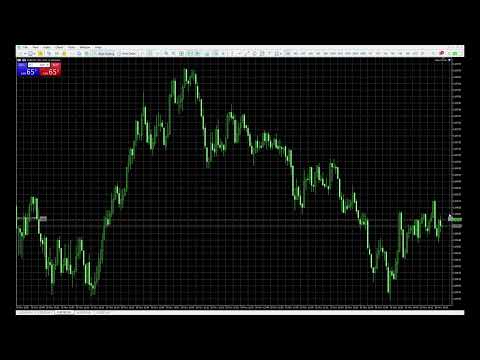
Displays a close button at the right edge of each position.
When the chart is shifted, the position's open date and time are displayed on the button.
2. All Close Button
Displays a "All Close" button at the average breakeven price for both buy and sell positions.
3. Stop Loss Button
Displays a Stop Loss button (SL button) for each position to close it at breakeven.
When the button is turned "ON", it monitors the current price and automatically closes the position as soon as it reaches breakeven, even within the stop level where Take Profit (TP) or Stop Loss (SL) orders cannot be placed.
Once the price moves outside the stop level, a TP or SL is automatically placed at breakeven.
Whether a TP or SL is set depends on the current price relative to breakeven.
Example: For a buy position, if the current price is above breakeven, a Stop Loss (SL) is set. If it is below, a Take Profit (TP) is set.
When turned "OFF", the TP/SL at breakeven is cleared, while any TP/SL set at other price levels remains intact.
Notes:
When within the stop level, the EA constantly monitors the price to check if it reaches breakeven. Please note that it cannot monitor or execute trades if MetaTrader is closed, or if your PC is turned off or in sleep mode.If your PC wakes from sleep or restarts, any SL button that was turned "ON" will be reset to "OFF" to prevent unintended closures. However, any TP or SL already placed on the server will remain active.
Since a market order is executed when the current price reaches breakeven, execution at the exact breakeven price is not guaranteed due to slippage.
Because this utility executes trades directly, it operates as an Expert Advisor (EA) rather than an indicator. Please make sure to enable "Algo Trading" (AutoTrading).
Input Parameters
| Wake up duration from sleep (seconds) | The duration threshold used to detect that the PC has woken from sleep. This setting is required because MetaTrader cannot natively detect when a PC wakes from sleep mode. |
| Slippage | Sets the maximum allowed slippage (in points) when closing a position. |
| Show button timestamps in device time | Sets whether to display your local device time on the close button timestamps. true: Displays local device time. false: Displays broker server time. |