Ballast Prop Rules Checker MT4

Would your trading have passed a prop-firm challenge? Checks your closed trades against the daily loss, max loss, profit target and minimum trading days, and shows every day that broke a rule.

Drop Ballast Prop Rules Checker on any chart, enter the rules of your firm, and in a second it replays your account history day by day the way a prop firm judges it:

  • Verdict: PASSED, FAILED (which rule, on which day and hour), or still running.
  • Daily loss limit: how many days broke it and how many came within 80% of it. The firm's day can start at any server hour.
  • Worst day: the date, the loss in money and in % of the start balance, and how much of the daily limit it used.
  • Max loss — static (from the start balance) or trailing (from the highest balance): the deepest drawdown and the day it was broken.
  • Profit target and minimum trading days.
  • A list of the days that broke the daily limit, and a full day-by-day table in MQL4\Files\PropCheck.txt.
  • Consistency rule (new in 1.20): your best day as a % of the total profit, which day it was, and how much more profit would fix it. Enter your firm's limit (e.g. 30, 40 or 50%), or leave 0 to see the share only.

Use it before you buy a challenge (would my usual trading pass?), during one (how close am I?), or after a failed one (what exactly broke it?).

Tested

  • Three one-year tests in the MT4 Strategy Tester (EURUSD with daily limits of 2% and 3%, static and trailing max loss, day start at 00:00 and 01:00; Gold for seven months) with random trades and 2,710 partial closes. A separate tracker recorded the closed balance on every tick: 635 days compared, 631 identical, and the same 89 days found to break the daily limit. The 4 differences were stop-losses filled at the Sunday open, where the tester stamps the close on a different day than the tick it happened on.
  • Works with an empty history and with deposits or withdrawals during the period (they are not counted as results).
  • 1.20 consistency rule: 7 more one-year runs (4 on MT5, 3 on MT4): every day's result and the best day matched the independent tracker exactly (0 mismatches).

Honest notes

  • MT4 reads only the trades shown in the Account History tab: right-click it and choose All History before running the checker. A trade closed in parts is handled correctly (the remainder is not a new trade).
  • The history contains closed results only. A trade that was deep in loss during the day but closed later does not show that dip, so a real prop firm, which watches equity, can be stricter. The checker shows the lowest closed balance of each day: if that already breaks the rule, the real account certainly did.
  • Firms differ in details (balance or equity, reset time, what counts as a trading day). Set the inputs to your firm's rules.

Inputs

  • Challenge start balance — 0 = balance before the first trade in the period
  • Check the last N days — 0 = all history
  • Max daily loss (% of start) / day starts at server hour — 5 / 0
  • Max total loss (% of start) / static or trailing — 10 / static
  • Profit target (% of start) — 10
  • Minimum trading days — 4
  • Consistency: best day max % of total profit — 0 = off (the best day's share is still shown)
  • Panel font size — 9

Next step

If the checker shows broken or nearly broken days, Ballast Prop Guard fits every stop to the loss you have left and closes and locks just before the daily or total limit — on the live account, in real time.

  • This is the MT4 version. The MT5 version is a separate product on the Market.
Prodotti consigliati
MerkaStudent is a basic version of an expert advisor that allows us to understand part of the behavior of a chart in historical time. It uses some basic parameters in trading, which allows us to understand mathematically how a chart moves and thus know what is our mathematical expectation in the historical period analyzed. Starting from a mathematical logic, we can create a strategy to evaluate its results.
FREE
Automated Timeframe cycling with Symbols centered.  Force every timeframe onto one clock window, so the story you see on Daily is the same story you are slicing on H4, H1, and M1.  Traders usually flip timeframes and lose the span. A Daily chart shows a few weeks, then M15 shows a few hours, and the eye treats them as different markets. This indicator locks the window to N bars of the highest enabled timeframe — default 10 Daily — and maps every lower timeframe to that same stretch. You stay ins
FREE
Close_All_Trades_with_TP_SL is a reliable and efficient MQL4 Expert Advisor designed to simplify and automate trade management for all open positions on your MT4 account. This EA is especially useful for traders who open multiple trades quickly or use high-frequency strategies where manual TP/SL placement becomes difficult and time-consuming. The primary purpose of the EA is to ensure that every open trade—whether Buy or Sell—always has a predefined Take Profit (TP) and Stop Loss (SL) applied. M
FREE
Profitstat free
Tonny Obare
4 (2)
Profitstat is a free indicator that scans your history and displays it on the chart. The free version shows the number of trades and profit made on the current and previous day. The data is updated instantly as soon as a trade closes. Simply attach it to any chart and it gives the account data irrespective of the chart currency nor timeframe.
FREE
Exp4 Tester PAD for Strategy Tester
Vladislav Andruschenko
4.9 (20)
L'utilità ti consente di testare manualmente le tue strategie nel tester di strategia. Trading con un clic sul grafico di visualizzazione. L'ultima versione dell'utilità offre funzionalità avanzate che consentono ai trader di testare manualmente le proprie strategie di trading. Con il tester di strategia ora puoi valutare l'efficacia delle tue strategie di trading in un ambiente simulato. Questa funzionalità ti consente di analizzare le prestazioni delle tue tecniche di trading e di perfezionarl
FREE
Grid Assistant Pro
Alessandro De Cristofaro
Grid Assistant Pro – Utility for Managing Grid Strategies on MetaTrader 4 Grid Assistant Pro is a professional utility that helps traders manage and monitor unidirectional grid strategies directly from the MT4 chart. It provides a visual dashboard , clear controls, and automated risk protection features for precise and efficient grid operation. Key Features Visual Dashboard Real-time metrics: Balance, Equity, Floating P/L, Drawdown %, Free Margin Grid status: active and pending or
FREE
Lot Calculate
Maksim Neimerik
This simple but useful script calculates the lot in % of the deposit. It is indispensable for risk management. There is only one customizable parameter: MaxRisk - risk in % for lot calculation. The product works as a standard script. Launch it once on an appropriate chart and start trading using the calculated lot value. Genious is simplicity! Happy trading!
FREE
Free automatic Fibonacci is an indicator that automatically plots a Fibonacci retracement based on the number of bars you select on the BarsToScan setting in the indicator. The Fibonacci is automatically updated in real time as new highest and lowest values appears amongst the selected bars. You can select which level values to be displayed in the indicator settings. You can also select the color of the levels thus enabling the trader to be able to attach the indicator several times with differe
FREE
High Low Open Close MT4
Alexandre Borela
4.81 (21)
Se ti piace questo progetto, lascia una recensione a 5 stelle. Questo indicatore disegna i prezzi aperti, alti, bassi e di chiusura per i specificati periodo e può essere regolato per un determinato fuso orario. Questi sono livelli importanti guardati da molti istituzionali e professionali commercianti e può essere utile per voi per conoscere i luoghi dove potrebbero essere più attivo. I periodi disponibili sono: Giorno precedente. Settimana precedente. Mese precedente. Precedente trimestre. A
FREE
Macd Martin
Roman Yablonskiy
2.5 (2)
Double Breakout   is an automatic expert advisor with two separate strateges that uses martingale. The MACD indicator with adjustable parameters is used as inputs for each flow of orders. The specified takeprofit and stoploss levels are used to exit the position.  General recommendation The minimum recommended deposit is 1000 cents. Spread is recommended not more than 3 points. It is better to use trend currency pairs. The martingale parameter can be set from 0.1 to any value. When martingale i
FREE
SL and TP Setter
Giacomo Barone
4 (1)
Puoi aprire un trade manualmente (one click) e questo EA penserà a posizionare SL E TP. SL e TP vengono inseriti in base ai Pips che specifichi nella schermata di input. Puoi anche scegliere SL e TP monetari. SL e TP vengono definiti in base al prezzo medio ponderato (PMC), quindi se apri una nuova operazione SL e TP verranno aggiornati in base al nuovo PMC. Il PMC non è unico, ma differenziato tra operazioni buy e operazioni sell (informazione utile solo se apri operazioni di segno opposto sul
FREE
NAS100 Auto Sl And TP
Moustapha Boulouz
5 (2)
Vi presentiamo NAS100 Auto SL e TP Maker per MT4: Non perdete mai più l'impostazione di StopLoss e TakeProfit con il nostro NAS100 Auto SL e TP Maker, un assistente indispensabile per i trader che navigano sul mercato del Nasdaq 100 su MetaTrader 4. Questo strumento è stato progettato per coloro che cercano una soluzione perfetta per automatizzare la gestione dei livelli di StopLoss e TakeProfit. Questo strumento è stato progettato per coloro che cercano una soluzione perfetta per automatizzare
FREE
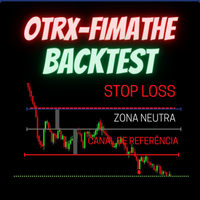
OTRX Fimathe Backtest is a tool for the Trader or Enthusiast who uses the Fimathe technique created by Trader Marcelo Ferreira to carry out his training and validate if he can obtain profitability. In this tool you will be able to: 1. Define whether you are looking for a buy or sell entry. (Trend). 2. Define by clicking twice on the horizontal lines where your Reference Zone and your Neutral Zone will be. 3. Monitor the entry, subcycle and exit of the trade. 4. Trading Summary, Daily, Week
FREE
PZ Trade Pad EA
PZ TRADING SLU
4.29 (31)
This simple visual expert advisor allows you to trade easily from the chart. It handles risk management for you and can perform several useful tasks with your existing trades, saving time and making risk-management for each individual trade easier.  [ Installation Guide | Update Guide | Troubleshooting | FAQ | All Products   |  Get Help ] Trade easily from the chart Trade with precise risk management, hassle free Trade pending order with drag and drop price selection Set SL and TP levels with
FREE
SnowyOwlFree
RODION SLOTIN
3 (2)
The free version of the snowyowl trend adviser, which is based on determining combinations of candle patterns. A virtual trailing stop tracks each open order and groups open orders to close them simultaneously. In the free version, you can only work on one timeframe, while in the paid version, opening orders on the selected TF is a signal to open orders on lower TF.
FREE
Order Management Script Tool
Christianiel Robles Faustino
5 (1)
Stop Guessing Your Lot Size. Trade With Defined Risk. Order Management Script  is a   FREE risk-management utility   that automatically calculates your   lot size, Entry, Stop Loss, and Take Profit   based on your predefined trading rules. No manual position-size calculations. No repeated SL/TP calculations. Just define your risk and trading setup. KEY FEATURES   Automatic Lot Size Calculation Calculate the correct position size using: • Fixed monetary risk • Percentage of account equi
FREE
Lot by Risk
Sergey Vasilev
4.83 (24)
Il pannello di trading Lot by Risk è progettato per il trading manuale. È un mezzo alternativo per inviare ordini. La prima caratteristica del pannello è la comoda emissione di ordini utilizzando linee di controllo. La seconda caratteristica è il calcolo del volume della transazione per un determinato rischio in presenza di una linea stop loss. Le linee di controllo sono impostate utilizzando i tasti di scelta rapida: take profit-tasto T predefinito; price-tasto P predefinito; stop loss-tasto
FREE
This is a DEMO version of the Smarter Trade Manager Smarter Trade Manager  is an advanced trade management tool that can monitor and manage your manual and EA trades according to the settings you choose. It works as an Expert Advisor (EA), it does not open any trades but it closes trades as per the auto closing settings or when manually pressing any of the close buttons. FEATURES: Three-dimensional  interactive  view of your trades Trade Summary, P/L, Alerts, Closure by  Currency Trade Summary,
FREE
EasyGRID MT4
Nina Yermolenko
5 (8)
The utility places a grid of pending orders. You can select the number of orders in the grid, the step between orders, multiplier for the order size, SL and TP levels and the magic number. If you use a   profit bucket , please note that it applies to all orders on the current currency pair with the current magic. If you want to use several grids with independent profit buckets at the same time, run several copies of the utility and specify different magics in the settings. MT5 version of the ut
FREE
Smart Trend Tool
Smaylle Rafael Coelho Mariano
5 (1)
Strumento Smart Trend Filter per MetaTrader 4 (MT4) Questo strumento è progettato per garantire che qualsiasi Expert Advisor (EA) che opera all'interno di MetaTrader 4 (MT4) apra solo posizioni che si allineano con il trend di mercato prevalente. Funziona analizzando il trend su uno o più grafici, scrivendo le informazioni sul trend in un file e applicando specifici modelli (SMARTLONG.tpl per un trend lungo e SMARTSHORT.tpl per un trend corto). Lo strumento opera in un loop continuo in backgro
FREE
Account Protector MT4
Vladimir Mametov
4.5 (10)
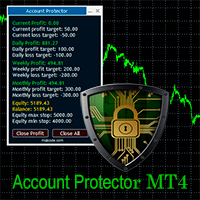
The Expert Advisor is designed to protect the account, fix profit (loss) and display current information about the account. Trading account protection is carried out by closing all open orders in the terminal and/or closing all charts. When running the Expert Advisor with default parameters, it will only display your account information and will be reduced in size. Next, you can set the conditions under which your trading account will be protected. Profit and loss limits can be set for daily pro
FREE
一键平仓小工具,可以针对买单、卖单和挂单进行批量操作,可以操作当前图表订单和所有订单,简单高效。 第一行第一个按钮是关闭当前图表 品种 所有买单,第二个按钮是关闭当前图表品种的所有卖单,第三个按钮是关闭当前图表 品种 的所有订单; 第二行 第一个按钮是删除当前图表 品种 所有买单挂单,第二个按钮是 删除 当前图表品种的所有卖单 挂单 ,第三个按钮是 删除 当前图表 品种 的所有 挂单 ; 第三行第一个按钮是关闭所有 品种的全部买单,第二个按钮是关闭所有 品种的全 卖单,第三个按钮是关闭所有 品种的全部订单; 第四行第一个按钮是删除所有 品种全部买单挂单 ,第二个按钮是 删除 全部品种 的全部卖单挂单 ,第三个按钮是删除 全部品种 的全部挂单 。 希望此程序能对您有用
FREE
IceFX TradeInfo
Norbert Mereg
4.77 (44)
IceFX’s TradeInfo is an utility indicator which displays the most important information of the current account and position. Displayed information: Information about the current account (Balance, Equity, Free Margin). Current spread, current drawdown (DD), planned profit, expected losses, etc. Number of open position(s), volume (LOT), profit. Today’s and yesterday’s range. Remaining time to the next candle. Last day profit information (with integrated IceFX ProfitInfo indicator). Risk-based LOT
FREE
When executing an order, whether through the Metatrader ticket on a computer or the Metatrader app on a mobile device, either manual or pending, Easy Trade will automatically set the take profit and stop loss levels, as well as a limit order with its respective take profit and stop loss levels. It follows the trading strategy for market open (US30, US100, US500), but it can be applied to any market asset.
FREE
ATC Alert Manager MT4
Kassim Abdela Banko
ATC Alert Manager ti permette di impostare allarmi di prezzo direttamente sul grafico e gestirli da un piccolo pannello. Ogni allarme è mostrato come una linea sul grafico che puoi trascinare su un nuovo prezzo. Un allarme scatta una volta, nel momento in cui il prezzo attraversa il tuo livello, con un avviso popup, un suono e una notifica push opzionale sul tuo telefono. Un prezzo già oltre il livello non lo attiva, quindi non ricevi mai avvisi ripetuti a ogni tick. Questo strumento fa anche p
FREE
Эксперт  MACD_LevelTrader создан для торговле валютной пары XAUUSD. Данная версия это наработки того, что можно извлечь  из  индикатора MACD и Moving Average.   Важно перед тестированием изменить настройку с 1000 на 5000                       Offset in points UP from SMA200 for sell            5000                       Offset in points DOWN from SMA200 for buy        5000   Тайм фрейм  М5. Два варианта логики, П араметр  true=вход по уровню  MACD + SMA200, false=вход по MACD  Тестируйте на демо
FREE
Harvest FX
Sayan Vandenhout
4.56 (9)
Harvest FX USES THE TREND WAVE INDICATOR AND IT CAN IDENTIFY THE BEGINNING AND THE END OF A NEW WAVE TREND MOVEMENT. AS AN OSCILLATOR, THE INDICATOR IDENTIFIES THE OVERBOUGHT AND OVERSOLD ZONES. IT WORKS GREAT TO CATCH THE SHORT TERM PRICE REVERSALS AND USES A MARTINGALE STRATEGY TO CLOSE ALL TRADES IN PROFIT. USE DEFAULT SETTINGS ON H1 OR HIGHER TIME FRAME ON ANY PAIR FOR MORE ACCURATE TRADES WHY THIS EA : Smart entries calculated by 3 great strategies The EA can be run on even a $30000 a
FREE
Safety
Sergey Ermolov
5 (2)
Penso che tutti conoscano una regola di gestione del denaro come "Sicuro". Per coloro che non lo sanno, safe comporta la chiusura di metà della posizione dopo che i profitti dell'operazione sono stati livellati alla dimensione del piede. Quindi, anche se il prezzo si gira e si blocca, non perderai più denaro, perché esattamente lo stesso margine di profitto è stato ottenuto quando una parte della posizione è stata chiusa in precedenza. Safety Advisor ha solo un'impostazione: il lotto di chiusu
FREE
Confirmation Entry
Fawwaz Abdulmantaser Salim Albaker
Dear Valuable Friends ,   This New Free EA works as below : - waiting the M15 diagram to show the reverse or continuing of the trend - confirm  signal on H4 Diagram . - wait till the entry strategy is being extremely true  - put direct entry point (sell or Buy ) and put Pending Orders (P.O) in grid   All these will be Active after manually set in common parameters that u fully controlled . Check the pics to recognize .. for any Question write to me directly .. Best Luck  Best Luck  
FREE
Zigzag Extremum points
Oleg Popov
4.82 (33)
New version 8.00 is available. In this version, I tried to take into account the wishes of the user. Each of you can also take part in the improvement of this advisor. In the default settings, the adviser opens trades when the extremum point is broken       standard indicator       Zigzag. When the upper point of the zigzag extremum is broken, it opens a buy deal, and when the lower point of the zigzag extremum is broken, it opens a sell deal. In addition to the standard ZigZag indicator, which
FREE
Gli utenti di questo prodotto hanno anche acquistato
Forex Trade Manager MT4
InvestSoft
4.98 (447)
Benvenuto a Trade Manager EA, lo strumento definitivo per la gestione del rischio , progettato per rendere il trading più intuitivo, preciso ed efficiente. Non è solo uno strumento per l'esecuzione degli ordini, ma una soluzione completa per la pianificazione delle operazioni, la gestione delle posizioni e il controllo del rischio. Che tu sia un principiante, un trader avanzato o uno scalper che necessita di esecuzioni rapide, Trade Manager EA si adatta alle tue esigenze, offrendo flessibilità s
Exp COPYLOT CLIENT for MT4
Vladislav Andruschenko
4.69 (65)
Copiatore professionale di operazioni per MetaTrader 4 Un copiatore di operazioni veloce, affidabile e professionale per MetaTrader 4 . COPYLOT consente di copiare operazioni Forex tra i terminali MetaTrader 4 e MetaTrader 5 , offrendo una sincronizzazione flessibile per diversi tipi di conto e modalità operative. La versione COPYLOT MT4 supporta: MetaTrader 4 → MetaTrader 4 MetaTrader 5 Hedge → MetaTrader 4 MetaTrader 5 Netting → MetaTrader 4   Versione MT5 Descrizione completa + DEMO + PDF Com
Local Trade Copier EA MT4
Juvenille Emperor Limited
4.96 (111)
Local Trade Copier EA MT4 è un trade copier rapido e flessibile per copiare e gestire operazioni tra più conti MetaTrader 4 sullo stesso computer Windows o Windows VPS. Combina la sincronizzazione locale delle operazioni con controlli lato Receiver per dimensione del lotto, gestione del rischio, filtraggio delle operazioni, mappatura dei simboli, gestione delle operazioni e protezione del conto. Configura i terminali Transmitter e Receiver in circa 1 minuto e copia operazioni manuali o aperte d
Trade Assistant MT4
Evgeniy Kravchenko
4.43 (197)
It helps to calculate the risk per trade, the easy installation of a new order, order management with partial closing functions, trailing stop of 7 types and other useful functions. Additional materials and instructions Installation instructions   -   Application instructions   Line function -   shows on the chart the Opening line, Stop Loss, Take Profit. With this function it is easy to set a new order and see its additional characteristics before opening.   Risk management  - The risk calcu
DoIt Trade Manager - Risk Panel and EA Position Manager for MT4 Finding an entry is only half the job. Many execution mistakes happen in position sizing, partial exits, breakeven, trailing and account protection. DoIt Trade Manager puts the complete workflow on the chart. Plan the risk before entry, execute the order and apply consistent management rules to your manual trades and selected positions opened by other EAs. Full setup guide + how the free version works and where PRO starts :  https:/
News Filter EA MT4
Rashed Samir
5 (10)
News Filter EA: Advanced Algo Trading Assistant News Filter EA is an advanced algo trading assistant designed to enhance your trading experience. By using the   News Filter EA , you can integrate a Forex economic news filter into your existing expert advisor, even if you do not have access to its source code. In addition to the news filter, you can also specify   trading days   and   hours   for your expert. The News Filter EA also includes   risk management   and   equity protection   features
Telegram to MT4 Multi-Channel Copier   copia automaticamente i segnali di trading dai tuoi canali Telegram e Discord direttamente su MetaTrader 4. Niente bot, niente estensioni del browser, niente copia manuale. Il segnale arriva su Telegram o Discord e l'EA apre l'operazione nel tuo terminale in pochi secondi. E prima di copiare un canale, il backtester integrato ti mostra cosa avrebbe fatto quel canale sul tuo conto. Il prodotto include due componenti: un'applicazione Windows che ascolta i tuo
TradePanel MT4
Alfiya Fazylova
4.84 (95)
Trade Panel è un assistente commerciale multifunzionale. L'applicazione contiene più di 50 funzioni di trading per il trading manuale e permette di automatizzare la maggior parte delle attività commerciali. Istruzioni per l'applicazione : https://www.mql5.com/it/blogs/post/762331 Versione di prova dell'applicazione per un conto demo: https://www.mql5.com/it/blogs/post/762419 Come installare l'applicazione: https://www.mql5.com/it/blogs/post/762362 Come testare l'applicazione in modalità visuale:
Trade Indicator Assistant is a powerful MT4 utility designed to turn indicators into automated trading systems. Its main feature is the ability to automatically detect an indicator’s   BUY and SELL signal buffers , without requiring you to know the buffer numbers, search through indicator settings, or modify the indicator source code. Bonus Indicator: After purchasing Trade Indicator Assistant, contact me to receive Trade Signal Pro completely free as a bonus indicator. [Download Demo Version]
Trading History MT4
Siarhei Vashchylka
5 (9)
Trading History - A program for trading and money management on the history of quotes in stratagy tester. It can work with pending and immediate orders, and is equipped with trailing stop, breakeven and take profit functions. Very good for training and testing different strategies. Manual (Be sure to read before purchasing) Advantages 1. Allows you to test any trading strategy in the shortest possible time 2. An excellent simulator for trading training. You can gain months of trading experience
Trade Dashboard MT4
Fatemeh Ameri
4.96 (55)
Trade Dashboard simplifies how you open, manage, and control your trades, with built-in lot size calculation. It allows you to execute trades, manage risk, and control positions directly on the chart, with tools such as partial close, breakeven, and trailing stop. Designed to reduce manual work and help you stay focused on your trading decisions. A demo version is available for testing. Detailed explanations of features are provided within the MQL5 platform. Installation instructions are include
Livelli GEX in tempo reale da dati opzioni CBOE. ES, NQ, RTY, Gold. Aggiornamento ogni 2 minuti. Full description: GammaOrderBook — EA tutto-in-uno che scarica e visualizza dati GEX live direttamente sul grafico. Nessun indicatore separato necessario. Cosa viene visualizzato • GEX Bars — Livelli gamma Call/Put come barre orizzontali, divisi per fonte ETF/Index • Zero Gamma Line — Livello critico di cambio direzione copertura • Panorama V4 — Posizionamento gamma multi-timeframe • Supporto/Res
Trade copier MT4
Alfiya Fazylova
4.62 (37)
Trade Copier è un'utilità professionale progettata per copiare e sincronizzare le transazioni tra conti di trading. La copiatura avviene dal conto/terminale del fornitore al conto/terminale del destinatario, che sono installati sullo stesso computer o vps. Prima di acquistare, puoi testare la versione demo su un account demo. Versione demo qui . Istruzioni complete qui . Funzionalità e vantaggi principali: Supporta la copia degli ordini: MT4> MT4, MT4> MT5, MT5> MT4, inclusi i conti di compensaz
The product will copy all telegram signal to MT4   ( which you are member  ) , also it can work as remote copier.  Easy to set up, copy order instant, can work with almost signal formats, image signal, s upport to translate other language to English Work with all type of channel or group, even channel have "Restrict Saving Content", work with  multi channel, multi MT5 Work as remote copier: with signal have ticket number, it will copy exactly via ticket number. Support to backtest signal. How to
Trade Autopilot MT4
Sergio Marquez Uroz
Trade Autopilot gestisce le operazioni che apri a mano, da PC o da telefono. Aggiunge uno stop loss se manca, lo porta a pareggio, chiude parte dell'operazione e segue il resto con un trailing. Tutto è misurato in R, il tuo rischio iniziale, e in ATR, così la stessa impostazione funziona su oro, indici e forex. Prezzo di lancio: 30 USD, 50% di sconto sul prezzo normale di 60 USD. Decidi tu quando entrare. Da lì in poi dell'operazione si occupa Trade Autopilot. Non apre operazioni e non dà segnal
Grid Manual MT4
Alfiya Fazylova
4.71 (17)
Grid Manual è un pannello di trading per lavorare con una griglia di ordini. L'utilità è universale, ha impostazioni flessibili e un'interfaccia intuitiva. Funziona con una griglia di ordini non solo nella direzione delle perdite, ma anche nella direzione dell'aumento dei profitti. Il trader non ha bisogno di creare e mantenere una griglia di ordini, lo farà l'utilità. È sufficiente aprire un ordine e il manuale di Grid creerà automaticamente una griglia di ordini per esso e lo accompagnerà fino
ATTENTION: The Indicator cannot be backtested, as it is generated exclusively from live intraday calculations based on options flow. GEX Level Converter – Gamma Exposure Mapping for CFD Charts NASDAQ-100 edition — for US100 · NDX · NAS100 · USTECH and every Nasdaq-100 CFD equivalent Instantly see professional options-market levels directly on your MetaTrader Nasdaq-100 CFD chart. The GEX Level Converter translates the daily Gamma Exposure (GEX) zones of the NDX options market into precise pri
CloseIfProfitorLoss with Trailing
Vladislav Andruschenko
4.88 (32)
Close If Profit or Loss with Trailing per MetaTrader 4 — chiusura automatica per profitto totale o perdita totale Un’utilità pratica per MetaTrader 4 che chiude automaticamente le posizioni quando il profitto totale o la perdita totale raggiunge il livello impostato. L’Expert Advisor monitora le operazioni aperte, calcola il risultato flottante, può usare Trailing Profit e aiuta a gestire le posizioni più rapidamente rispetto a una reazione manuale. MetaTrader 4 è ancora molto utilizzato da tra
Alerts to Telegram
Alexander Pekhterev
5 (15)
Alerts to Telegram   The utility sends Alerts of all your indicators or advisers to a telegram channel (group or personal message). Benefits: 1. There is no need to be at the terminal waiting for an alert from your indicator or advisor; 2. Simple setup. Currently works with terminal languages: 1.Russian; 2.English. If it is necessary to add your language please let me know. The utility works together with the AlertToFile indicator (put the indicator in the Indicators folder) Indicator:   Alert
Telegram to MT4 Coppy
Sergey Batudayev
4.09 (11)
Da Telegram a MT4: la soluzione definitiva per la copia del segnale Semplifica il tuo trading con   Telegram su MT4   , l'utility all'avanguardia progettata per copiare i segnali di trading direttamente dai canali e dalle chat di Telegram sulla tua piattaforma MetaTrader 4, senza bisogno di DLL. Questa soluzione affidabile garantisce un'esecuzione impeccabile dei segnali con una precisione e opzioni di personalizzazione senza pari, risparmiando tempo e aumentando la tua efficienza. [ Instruction
Serve supporto? Come configurarlo? Hai domande? Chiedi qui nella tua lingua, risposta rapida: https://www.mql5.com/en/market/product/139089/comments Scarica la versione di prova funzionante Copy Cat More (Gatto Copione) — Copiatore di Trade (Trade Copier) MT4 non è solo un semplice copiatore locale di trade; è un framework completo di gestione del rischio e di esecuzione (risk management and execution framework) progettato per le sfide di trading di oggi. Dalle challenge delle prop firm alla
RS Trade Copier
Boris Sedov
5 (1)
RS Trade Copier - il local trade copier ultra-veloce con una vera interfaccia grafica. Smetti di inserire i numeri di conto manualmente. Addio alle interminabili liste di oltre 200 parametri nelle impostazioni. Uno strumento affidabile e flessibile per copiare operazioni di trading tra multipli terminali MT4 e MT5. È adatto sia a trader esperti e servizi di segnali, sia a investitori privati. Permette di sincronizzare il trading da uno o più Fornitori a uno o più Clienti con elevata precisione e
Il MT4 to Telegram Signal Provider è uno strumento facile da usare e completamente personalizzabile che consente l'invio di segnali a Telegram, trasformando il tuo account in un fornitore di segnali. Il formato dei messaggi è completamente personalizzabile! Tuttavia, per un uso semplice, puoi anche optare per un modello predefinito e abilitare o disabilitare parti specifiche del messaggio. [ Dimostrativo ]  [ Manuale ] [ Versione MT5 ] [ Versione Discord ] [ Canale Telegram ]  New: [ Telegram To
Equity Protect Pro: Il tuo esperto di protezione del conto completo per un trading senza preoccupazioni Se stai cercando funzionalità come protezione del conto, protezione del capitale proprio, protezione del portafoglio, protezione multi-strategia, protezione dei profitti, raccolta dei profitti, sicurezza del trading, programmi di controllo del rischio, controllo automatico del rischio, liquidazione automatica, liquidazione condizionale, liquidazione programmata, liquidazione dinamica, trailin
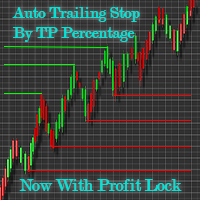
Automatic Trailing Stop Based on Take Profit Percentage with Profit Lock EA MT4   Lock in your profits and "let your winners run" past your 100% take profit target with this EA.  This Expert Advisor automatically adjusts your Stop Loss based on up to 4 user-defined Take Profit Target Percentages, locking in your profit.  If price pushes past your 100% take profit target, the EA will automatically trail the price by user-defined pips, so you won't miss that runaway train again.   EA Features The
Exit Manager
Victor Christiaanse
5 (2)
Close every trade at the right moment, automatically. Most traders spend their energy on the entry and then close too early, too late, or on a feeling. Exit Manager takes the exit off your hands. Open a trade the way you always do, by hand or with any Expert Advisor, and Exit Manager watches it and closes it, fully or partly, when the indicator signal you chose appears. You can see it working on the chart. A clean panel on your chart shows, for every open trade, which rule will close it next, ho
Forex Sentiment Trader PRO EA
Salvador Martinez Ramos
5 (2)
I have created this  MT4 Tool EA to test if it is more profitable to trade in favor of the mass sentiment of traders or it is better to go against it. Remember to authorize Myfxbook url in WebRequest options in MT4 .  Features: Market Sentiment update every 30 minutes SL TP BreakEven Trail SL Daily Target Profit Max Daily DrawDown (Useful for prop firm) Max Spread Filter Time Filter Custom Trade Comments Protection in case a pair is not read correctly from the web (Prevents improper closing or o
Drawdown Minimizer for MetaTrader 4 - your EAs pay in, old losers get paid off. This utility runs next to your other Expert Advisors and never opens a trade. It keeps a savings book of the net realized profit of your whole account and uses it to close the oldest losing positions of the EAs you choose - slice by slice, oldest first. WHY IT EXISTS Made by traders, for traders. One of our grid EAs got stuck in drawdown for months. The old positions did not come back, and they paid swap every single
TradeMirror è uno strumento locale di copia degli ordini progettato per le piattaforme MT4/MT5, con supporto alla sincronizzazione delle operazioni in tempo reale. Tutorial Clicca sul link Tutorial di Trademirror per visualizzare altri tutorial. Vantaggi del Prodotto In linea con gli elevati standard di sicurezza, stabilità e privacy per i software finanziari, abbiamo ottimizzato tre aspetti fondamentali: Interfaccia grafica intuitiva per un utilizzo semplificato Protezione rafforzata della priv
Exp Averager
Vladislav Andruschenko
4.82 (22)
Averager per MetaTrader 4 — sistema professionale di recupero posizioni e gestione di serie di operazioni Un Expert Advisor progettato per i trader che vogliono gestire in modo intelligente posizioni in drawdown, migliorare il prezzo medio di entrata e controllare l’intero paniere di operazioni come una struttura unica e coordinata. Averager non è un semplice strumento di mediazione. È una soluzione pratica per ricostruire posizioni in perdita, riorganizzare il prezzo medio e portare l’intera s
Altri dall’autore
Stop-loss and take-profit levels sized from the expected daily range, with the lot that risks exactly your chosen % of balance. To open a trade with this lot and an automatic stop in one click, use Ballast Risk Panel ; for prop-firm accounts, Ballast Prop Guard keeps every stop inside the daily loss limit. A stop that is too tight gets hit by normal noise; a stop that is too wide makes the lot tiny. Ballast Stop Sizer sizes the stop from how much the market is expected to move today. Expected da
FREE
Stop-loss and take-profit levels sized from the expected daily range, with the lot that risks exactly your chosen % of balance. To open a trade with this lot and an automatic stop in one click, use Ballast Risk Panel ; for prop-firm accounts, Ballast Prop Guard keeps every stop inside the daily loss limit. A stop that is too tight gets hit by normal noise; a stop that is too wide makes the lot tiny. Ballast Stop Sizer sizes the stop from how much the market is expected to move today. Expected da
FREE
Shows where your account loses money: trades without a stop-loss, worst symbols, weekdays, hours and holding times. New in 1.10: the report ends with What would have helped — for each problem it found (trades without a stop, a few oversized losses, one very bad day) it names the fix and the Ballast tool that does it: Ballast Risk Panel (lot from risk, a stop on every trade, daily loss lock) or Ballast Prop Guard (prop-firm rules). Drop Ballast Loss Finder on any chart. In a second it reads your
FREE
Would your trading have passed a prop-firm challenge? Checks your closed trades against the daily loss, max loss, profit target and minimum trading days, and shows every day that broke a rule. Drop Ballast Prop Rules Checker on any chart, enter the rules of your firm, and in a second it replays your account history day by day the way a prop firm judges it: Verdict: PASSED, FAILED (which rule, on which day and hour), or still running. Daily loss limit: how many days broke it and how many came wit
FREE
Shows where your account loses money: trades without a stop-loss, worst symbols, weekdays, hours and holding times. New in 1.10: the report ends with What would have helped — for each problem it found (trades without a stop, a few oversized losses, one very bad day) it names the fix and the Ballast tool that does it: Ballast Risk Panel (lot from risk, a stop on every trade, daily loss lock) or Ballast Prop Guard (prop-firm rules). Drop Ballast Loss Finder on any chart. In a second it reads your
FREE
Direct translation of blackcat's L3 Banker Fund Flow Trend Oscillator. Get push notifications on your phone app when a signal bar has formed. Historical signals are shown with buy/sell arrow right on the main chart. Indicator uses two data calculations to check for a cross below 25% level (a signal to go long) and above 75% level (a signal to short). For any further questions  feel free to contact me directly. Including requests for product improvements.
Two lines are being drawn in a separate window. And both are representing an angle of a trendline. One trendline is measured going across two price highs, but the other is measured across two lows. You get to choose the period from which the first price high and first price low is being determined. The second high and low comes from identical time period preceding the first one. Feel free to experiment with the period count until you get the confirmation you are looking for.
Line1: simple calculation of change in closing price for the chosen input period - named Velocity. Line2: simple calculation of change in velocity for the chosen input period - named Acceleration. Feel free to play with the input periods to find a profitable combination. For faster results it is best to do it in MT Optimizer. Can assist in either manual or automatic trading.
This is an Expert that gives you a control panel with two buttons - 'Hide Stops' and 'Show Stops'. With a click of a button you can hide your stoploss and takeprofit levels from your broker and restore them if necessary. When levels are hidden Expert tracks orders in the background and closes them as soon as the price exceeds hidden levels. It is not opening new orders just working with existing ones, only stoploss and takeprofit levels are not visible to the market. Choose zero as magic number
Keeps your prop-firm challenge inside its rules: fits every stop to the loss you have left, closes and locks before the daily or total limit, locks a reached profit target. Launch price until 3 December 2026: 35 USD (then 49 USD). A prop-firm challenge is usually lost to one rule: the maximum daily loss or the maximum total loss. Ballast Prop Guard watches the whole account — manual trades and every EA — and makes those limits very hard to break. What it does Fitted stops — every open trade gets
One-click trading that sizes every lot from your risk %, adds a stop-loss to any trade without one, and locks trading after your daily loss limit. Most accounts are not lost by a bad strategy. They are lost by one trade without a stop, one oversized lot, or one bad day that turns into revenge trading. Ballast Risk Panel stops all three. 1. Buy / Sell with the right lot size Press BUY or SELL. Ballast Risk Panel calculates the lot so that the stop-loss loses exactly your chosen % of balance (defa
Manages your open trades for you: break-even, partial profit, ATR trailing stop and time exit — measured in R, never loosening a stop. Opening a trade is the easy part. Ballast Exit Manager handles the rest, the same way every time, for manual trades and trades from other EAs. Everything is measured in R = the trade's initial risk (the distance from entry to the first stop-loss). A trade at +1R has made as much as it risked. Break-even — at +1R (default) the stop moves to the entry price plus a
Closes all your trades together when their combined profit or loss reaches your target — in money or % of balance — with an optional trailing profit lock. Many trades open at once — from you, from several EAs, or a grid/basket strategy. Ballast Equity Target watches their combined result and closes them all together: Profit target in money and/or % of balance (the first one reached wins). Loss limit in money and/or % of balance. Trailing profit lock — once the basket is up X%, it may give back a
Hidden stop-loss and take-profit: your levels stay in the EA, not at the broker. Drag the lines to move them; a wider emergency stop stays as insurance. Ballast Stealth Stops keeps your stop-loss and take-profit inside the EA. When price reaches a level, the trade is closed at market. The broker sees only a much wider emergency stop (or nothing, if you choose). Takes over existing broker stops/targets, or sets hidden levels (fixed points or ATR multiple, target as a multiple of the stop). Drag t

One-cancels-other for MT4: when one pending order fills, the others are deleted at once. One-click straddle with stop, target, expiry and a risk-based lot. MetaTrader 4 has no built-in OCO. Place a buy stop above and a sell stop below before the news, one of them fills, and the other one is still waiting to open a second trade against you. Ballast OCO Orders deletes it for you. What it does OCO for any pending orders — buy/sell stop, buy/sell limit. Placed by hand, from the one-click button, or
One line at the price where all your open trades on the symbol together are at zero — swaps and commission included — plus lines for your basket profit target and loss limit. Three buys at different prices, one sell, a few EAs on the same chart: where is the price at which all of it together is back at zero? MT4 does not show it. Ballast Break Even draws that price as one line and keeps it up to date on every tick. What it shows Break-even line — the Bid price at which all open trades on the sym
Asia, London and New York session boxes, with statistics from the symbol's own history: average ranges, how often London breaks the Asian range, when the day's high and low form. Session boxes show where each session traded. Ballast Session Ranges also tells you what usually happens next on the symbol you are looking at, measured on its own history. On the chart Boxes for the Asian, London and New York sessions, with the range of each session in points. Session hours are inputs (server time), in
Shows what your open trades really add up to: net long/short per currency, index and metal exposure, and the money lost if every stop is hit. Buy EURUSD, buy EURJPY, buy USDJPY — three different trades? Not really: you are long EUR twice and short JPY twice. Ballast Exposure Meter adds up every open trade on the account and shows the real picture. Net exposure per currency — long or short, the amount in that currency and its value in your account currency, largest first. Indices, metals, stocks,
Your account on your phone: push notifications for equity drops, low margin, trades without a stop, AutoTrading switched off, lost connection, every trade and a daily summary. Running EAs on a VPS, or leaving a manual trade open while you are away? Ballast Account Alerts watches the whole account and tells your phone (MetaTrader mobile app push), the terminal (alert) or your e-mail. Alarms Equity down X% since the start of the day (default 5%), or below a fixed amount. Margin level below X% (def
Averaging grid with a worst case you know before you start: a real broker stop on every trade, lots sized so all levels filled plus the stop = your chosen % of balance. Launch price until 3 December 2026: 35 USD (then 49 USD). Averaging grids win often and lose rarely, but when they lose, many accounts are gone. The cause is almost always the same: no stop, and lots that grow until the margin runs out. Ballast Grid Manager keeps the useful part of a grid and removes the unlimited part. How it wo
Copies trades between MT4 terminals on one PC or VPS — opens, partial closes, closes, stop-loss and take-profit — and to or from the MT5 version. Launch price until 3 December 2026: 41 USD (then 59 USD). Run TradeCopier as MASTER on the account you trade, and as SLAVE on every account that should follow. All terminals must run on the same computer or VPS. Copies new trades, partial closes , full closes, stop-loss and take-profit changes . MT4 and MT5 together: the MT4 and MT5 versions use the sa
L3 Banker Fund Flow Trend Oscillator v5 is a simple translation of blackcat's work from pine script (language used by TradingView platform) to mql5. It generates buy and sell signals when two calculated buffers cross over each other in the oversold and overbought oscillator territory. Current version does not offer any changable inputs, but could be easily added in the modified version if requested.
Keeps your prop-firm challenge inside its rules: fits every stop to the loss you have left, closes and locks before the daily or total limit, locks a reached profit target. Launch price until 3 December 2026: 35 USD (then 49 USD). A prop-firm challenge is usually lost to one rule: the maximum daily loss or the maximum total loss. Ballast Prop Guard watches the whole account — manual trades and every EA — and makes those limits very hard to break. What it does Fitted stops — every open position g
One-click trading that sizes every lot from your risk %, adds a stop-loss to any trade without one, and locks trading after your daily loss limit. Most accounts are not lost by a bad strategy. They are lost by one trade without a stop, one oversized lot, or one bad day that turns into revenge trading. Ballast Risk Panel stops all three. 1. Buy / Sell with the right lot size Press BUY or SELL. Ballast Risk Panel calculates the lot so that the stop-loss loses exactly your chosen % of balance (defa
Manages your open trades for you: break-even, partial profit, ATR trailing stop and time exit — measured in R, never loosening a stop. Opening a trade is the easy part. Ballast Exit Manager handles the rest, the same way every time, for manual trades and trades from other EAs. Everything is measured in R = the trade's initial risk (the distance from entry to the first stop-loss). A trade at +1R has made as much as it risked. Break-even — at +1R (default) the stop moves to the entry price plus a
Closes positions and blocks trading around important news, using MT5's built-in economic calendar. Protects manual trades and other EAs. Big news (interest rates, jobs reports, inflation) can move price more in one minute than in the whole day before it, with wide spreads and slippage. Many prop firms forbid holding trades through it. Ballast News Shield handles it for you. Reads the built-in MT5 economic calendar — no DLL, no web requests, no settings to allow URLs. A set number of minutes befo
Closes all your positions together when their combined profit or loss reaches your target — in money or % of balance — with an optional trailing profit lock. Many trades open at once — from you, from several EAs, or a grid/basket strategy. Ballast Equity Target watches their combined result and closes them all together: Profit target in money and/or % of balance (the first one reached wins). Loss limit in money and/or % of balance. Trailing profit lock — once the basket is up X%, it may give bac
Hidden stop-loss and take-profit: your levels stay in the EA, not at the broker. Drag the lines to move them; a wider emergency stop stays as insurance. Ballast Stealth Stops keeps your stop-loss and take-profit inside the EA. When price reaches a level, the position is closed at market. The broker sees only a much wider emergency stop (or nothing, if you choose). Takes over existing broker stops/targets, or sets hidden levels (fixed points or ATR multiple, target as a multiple of the stop). Dra

Your account on your phone: push notifications for equity drops, low margin, trades without a stop, Algo Trading switched off, lost connection, every trade and a daily summary. Running EAs on a VPS, or leaving a manual trade open while you are away? Ballast Account Alerts watches the whole account and tells your phone (MT5 mobile app push), the terminal (alert) or your e-mail. Alarms Equity down X% since the start of the day (default 5%), or below a fixed amount. Margin level below X% (default 2

Shows what your open trades really add up to: net long/short per currency, index and metal exposure, and the money lost if every stop is hit. Buy EURUSD, buy EURJPY, buy USDJPY — three different trades? Not really: you are long EUR twice and short JPY twice. Ballast Exposure Meter adds up every open position on the account and shows the real picture. Net exposure per currency — long or short, the amount in that currency and its value in your account currency, largest first. Indices, metals, stoc
Filtro:
Nessuna recensione
Rispondi alla recensione