Magic Number Trade Copier
- Utilità
- Versione: 1.20
- Attivazioni: 10

Magic Number Trade Copier copies trades between MetaTrader 5 terminals on the same computer or VPS. One EA covers both roles: run it as Master on the source account and as Slave on each receiving account. On the Slave, you choose exactly which strategies to copy by entering their magic numbers on the chart dashboard.
HOW IT WORKS
- Master: publishes every trade of its account on all symbols: entries, SL/TP changes, partial and full closes, pending orders. It works with the investor (read-only) password.
- Slave: copies only the magic numbers you add. Magic 0 means manual trades. Each strategy has its own name, lot multiplier, maximum positions, reverse option, pause and remove buttons.
- One chart per terminal. The EA runs on a timer and handles all symbols from that chart.
MAIN FEATURES
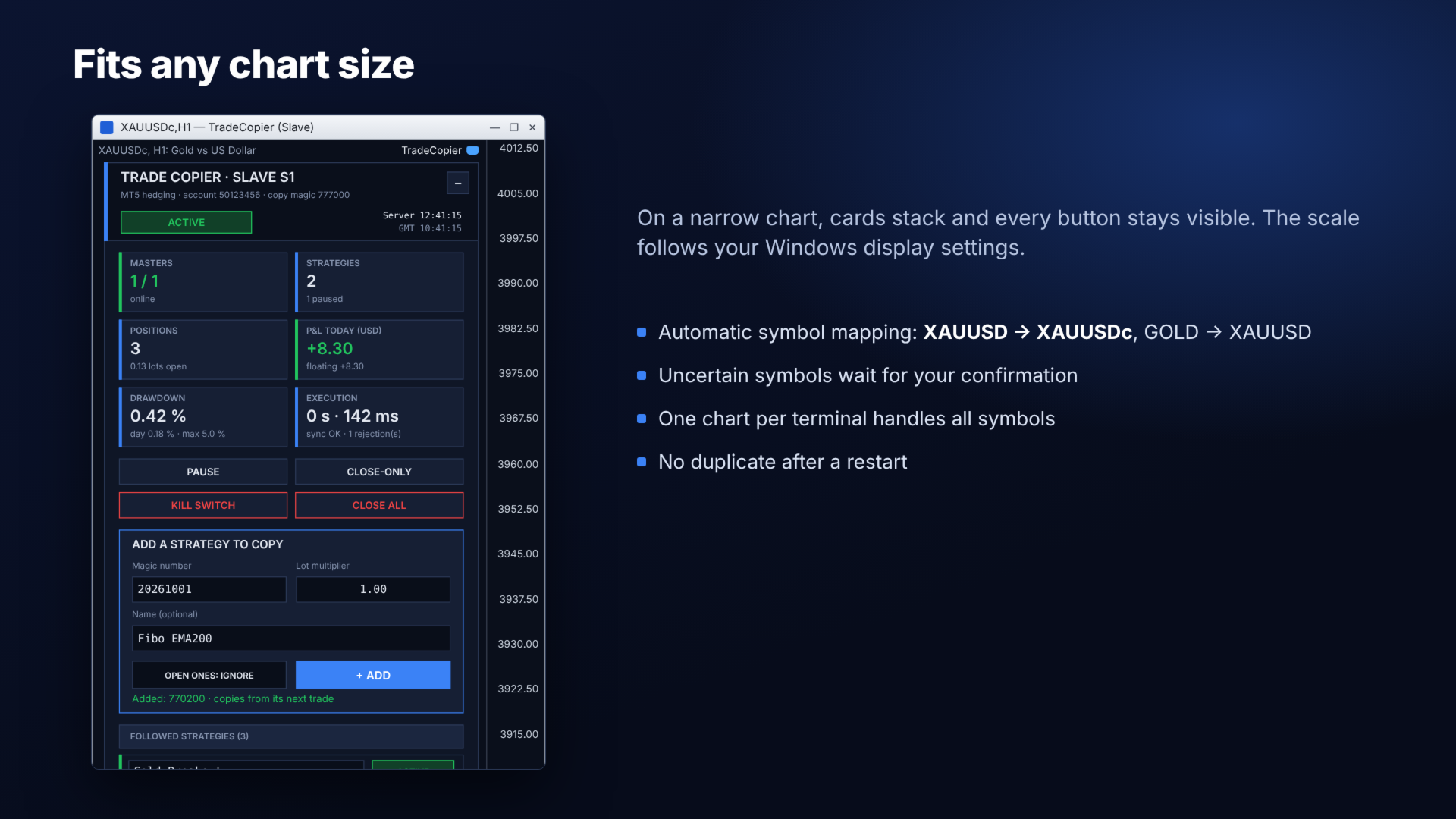
- Strategy selection by magic number on a clickable dashboard (Add, Pause, Remove).
- Automatic symbol mapping: account suffixes (XAUUSDm to XAUUSDc) and aliases (GOLD/XAUUSD, US30/DJ30, NAS100/USTEC, GER40/DE40). Uncertain matches wait for your confirmation.
- 17 lot sizing modes: same lot, fixed lot, multiplier, balance or equity based, Slave/Master ratio, risk percent by stop loss, ATR, equity tiers, fixed notional, symbol x strategy table.
- Pending orders (limit and stop), partial closes, SL/TP changes, reverse copy.
- No duplicates after a restart: every copy stays linked to its Master trade.
- Recovery of missed trades while the price is still close to the Master entry.
- Capital protection calculated on copier trades only: daily loss, drawdown, daily target, maximum positions, exposure, margin check, circuit breaker, kill switch. Other EAs on the same account do not trigger these limits.
- Filters by magic, symbol, comment, direction, order type, volume, hours and days.
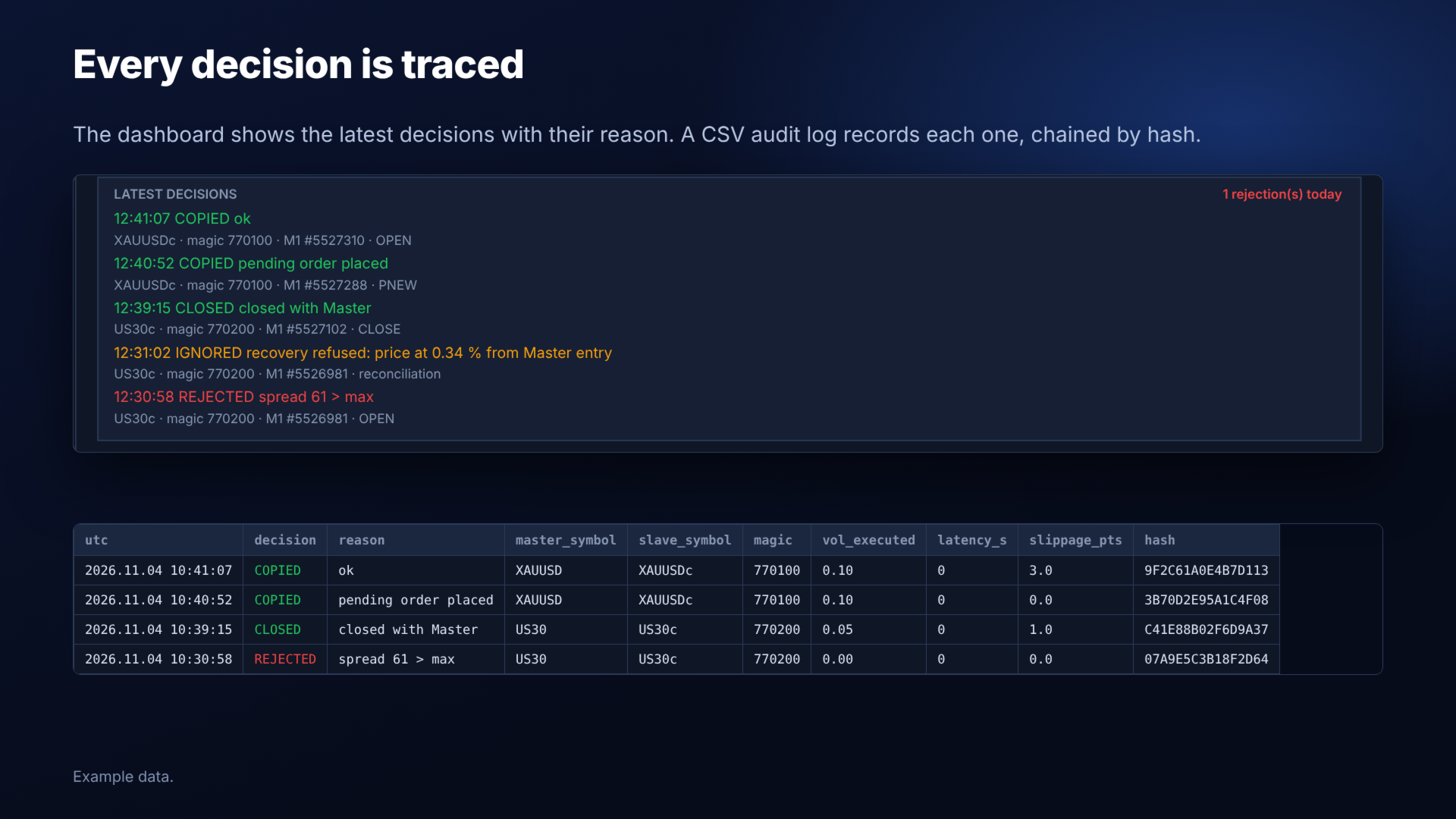
- CSV audit log of every decision, with reason, latency and slippage.
- Alerts by push notification, e-mail and optional Telegram.
- Simulation mode to check your settings without trading.
QUICK START
1. Attach the EA to one chart of the Master terminal. Set Role = Master and a MasterID, for example M1.
2. Attach the EA to one chart of each Slave terminal. Set Role = Slave.
3. Use the same ProtocolKey on all terminals.
4. On the Slave dashboard, enter a magic number and click ADD.
5. Enable Algo Trading in every terminal.
REQUIREMENTS AND LIMITS
- Master and Slaves must run on the same computer or VPS. They exchange data through the common folder of the terminals.
- Use a dedicated chart for the Slave: the dashboard hides the candles behind it (input PanelCleanChart).
- Stop-limit orders are not copied. Reverse copy does not apply to pending orders. On MT5 netting accounts, the Slave copies the net position without SL/TP.
- Between standard and cent accounts, adjust the lot multiplier to the contract size.
- The Strategy Tester has no Master terminal, so the EA cannot copy there. It runs a small demonstration trade cycle instead.