DataExporter MT5
- Utilità
- Versione: 1.1
- Aggiornato: 14 ottobre 2026

DataExporter saves the price history from your MetaTrader 5 terminal as text files with comma separated values (CSV). The files open directly in Excel, Google Sheets, Python, R or any other analysis tool.
A Pro version with automatic updates and indicator export is planned — comment if you’d use it.
Instead of exporting one symbol at a time through the Symbols window, you choose a list of symbols and timeframes and export them all in one run. You can also export every symbol in your Market Watch window at once.
Main features
- Several symbols and several timeframes in one run.
- Update mode: a later run adds only the bars that are new since the previous run.
- Only finished bars are exported. The bar that is still forming is skipped by default.
- Optional export of ticks for a chosen number of days.
- Choice of separator, time format and optional spread and volume columns.
The script waits for the terminal to download missing history before it exports a symbol. It does not use external libraries and does not connect to the internet.
Typical uses
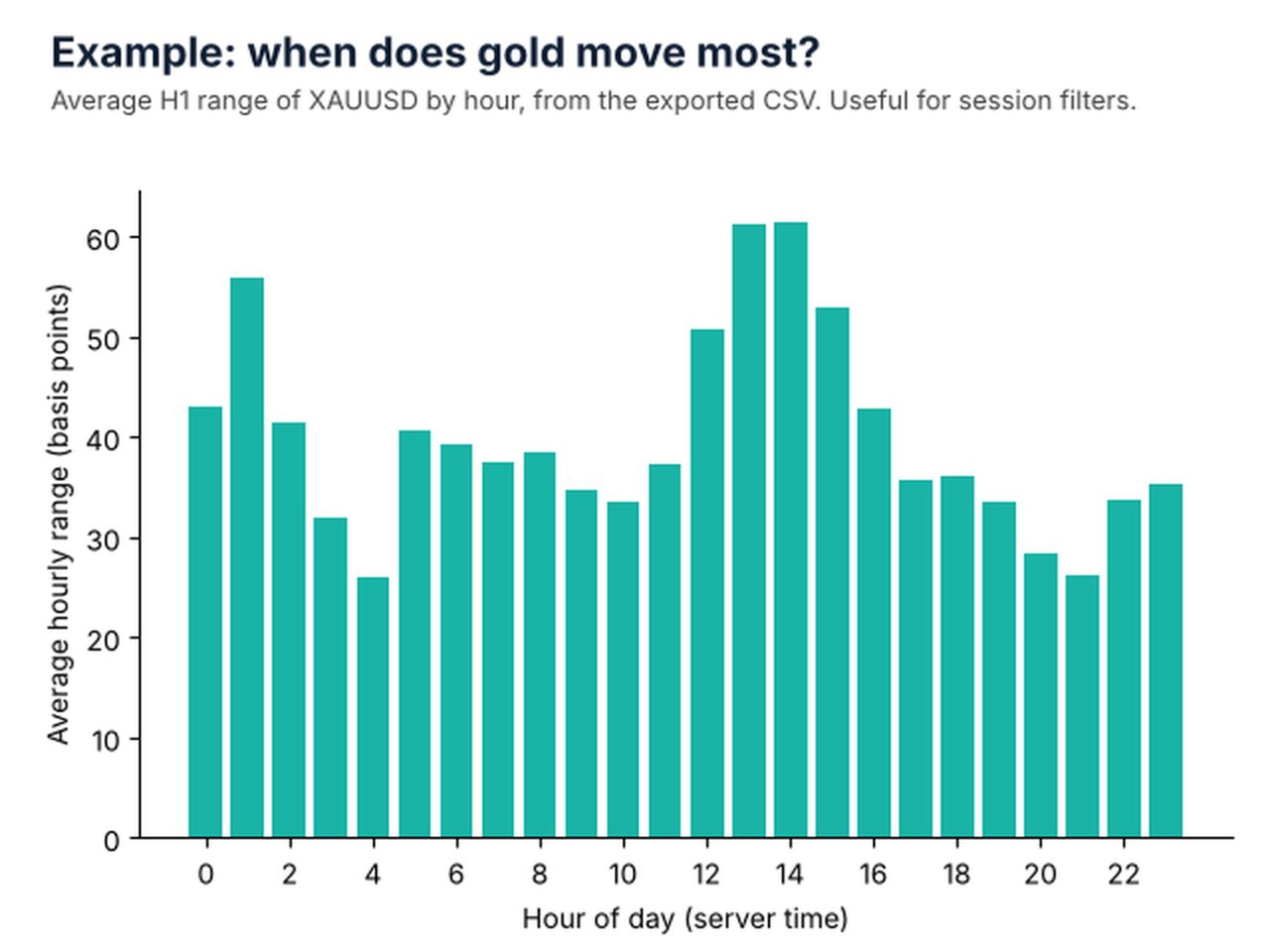
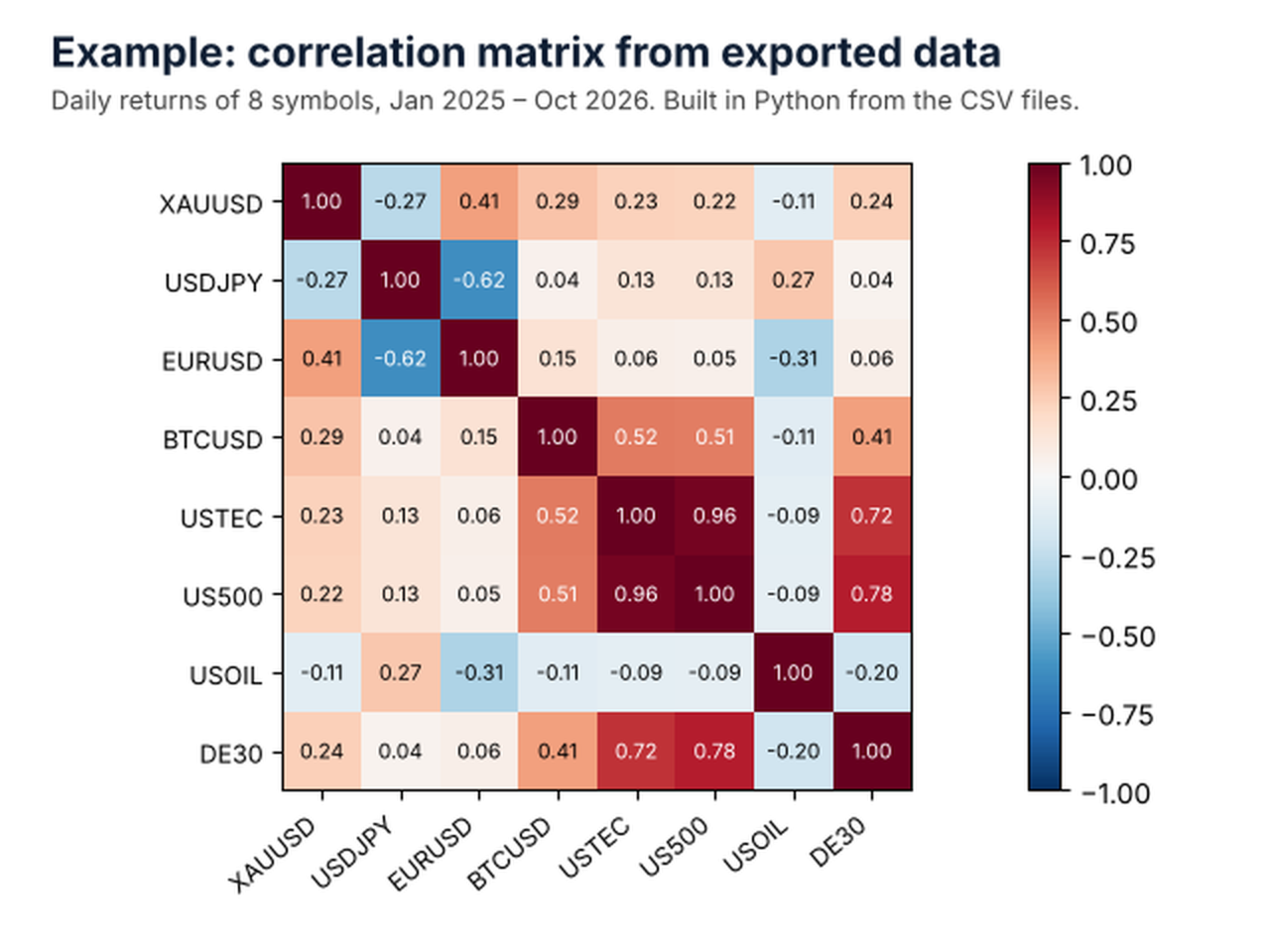
Traders use the exported data to test strategy ideas in a spreadsheet or in Python, to study correlation, seasonality and volatility between instruments, to compare price history between brokers, and as input for trading journals and dashboards. Some of the screenshots show examples of such studies made with the exported files.
How to use
- Drag DataExporter from Navigator, Scripts onto any chart. A chart where an Expert Advisor is running is fine.
- On the Inputs tab, choose the symbols, timeframes and date range, then press OK.
- Progress is shown on the chart. The Experts tab shows one line per file and a summary at the end.
- Open the files through File, Open Data Folder, then MQL5\Files\export.
Output
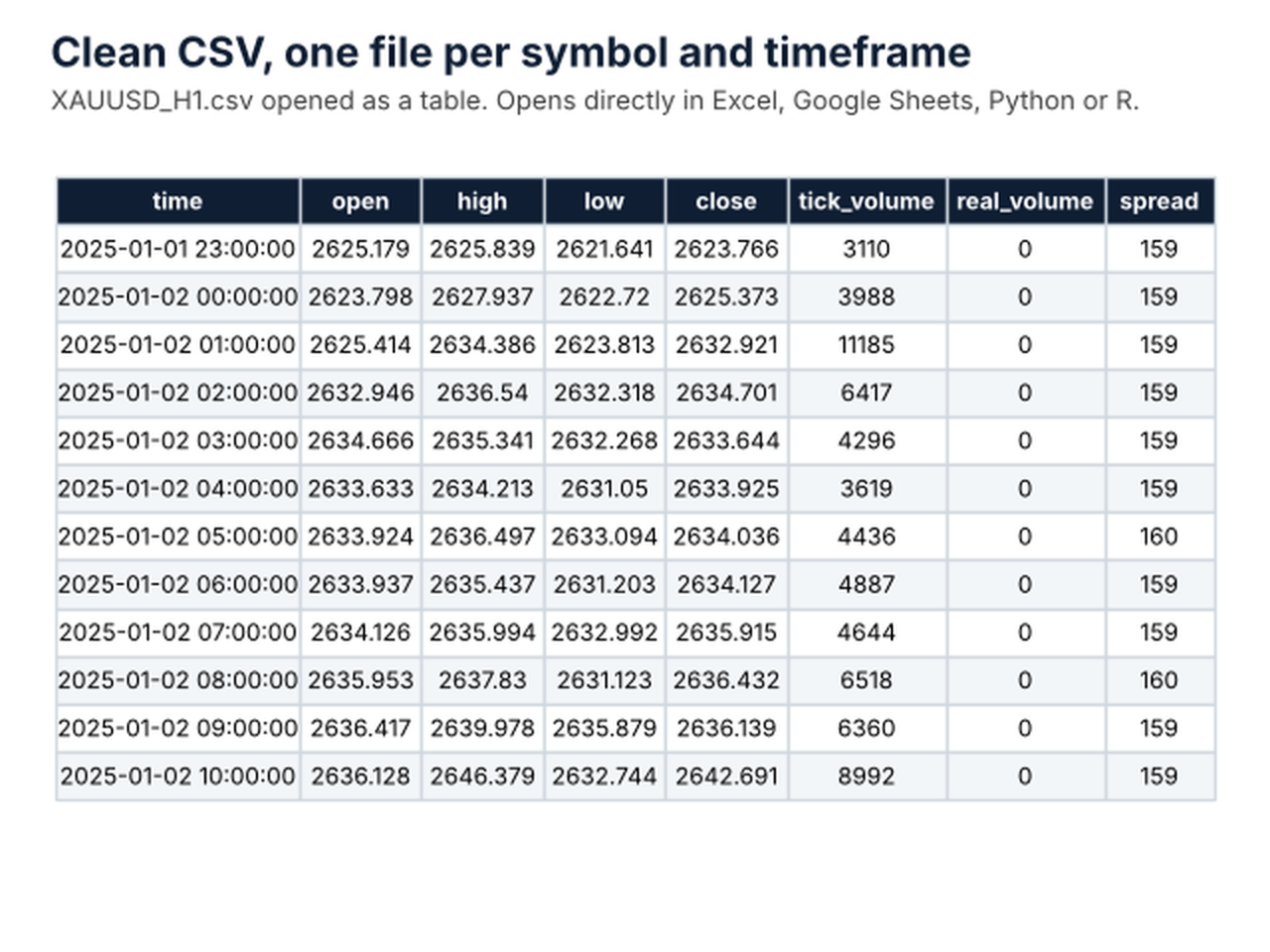
The script creates one file per symbol and timeframe, for example XAUUSD_H1.csv, with the columns time, open, high, low, close, tick volume, real volume and spread. Ticks are saved in a separate file per symbol, for example XAUUSD_ticks.csv.
Input parameters
What to export. Symbols: enter MW for all Market Watch symbols, or a list such as EURUSD;XAUUSD. Timeframes: one or more timeframes, for example M15;H1;D1.
Date range. The start date, and either export up to the current time (default) or up to a chosen end date. A start date older than the available history exports everything the broker provides.
Export mode. New export replaces existing files. Update adds new bars to existing files. Optionally include the bar that is still forming.
File format and location. Folder name inside MQL5\Files, or the Common folder that is shared by all terminals. Column separator: comma, semicolon or tab (use semicolon if your Excel uses a decimal comma). Time format: MetaTrader style, international date style or Unix seconds. Spread and volume columns can be switched off.
Ticks and advanced. Export ticks and the number of days of ticks. Maximum waiting time per symbol for the history download.
Notes
The amount of history depends on your broker. Exports of many symbols on the M1 timeframe or with ticks can take a few minutes and create large files.
Questions and suggestions for new features are welcome in the comments.