MT4 Script Loader History
- Utilità
- Versione: 1.0

History Pre-loader — MT4
History Pre-loader is a utility script for traders who want to prepare and inspect MetaTrader price history before running a Strategy Tester, reviewing an older market period or using tools that depend on a deeper historical range.
The script works from the symbol of the chart where it is attached. Open a chart for the exact broker symbol you want to prepare, attach the script, select the target oldest date and let the terminal request the available history.
What the script does
- Requests older history for M1, M5, M15, M30, H1, H4 and D1.
- Checks the first and last available dates for each timeframe.
- Calculates history coverage against the selected target date.
- Estimates the required Max Bars setting with a configurable safety buffer.
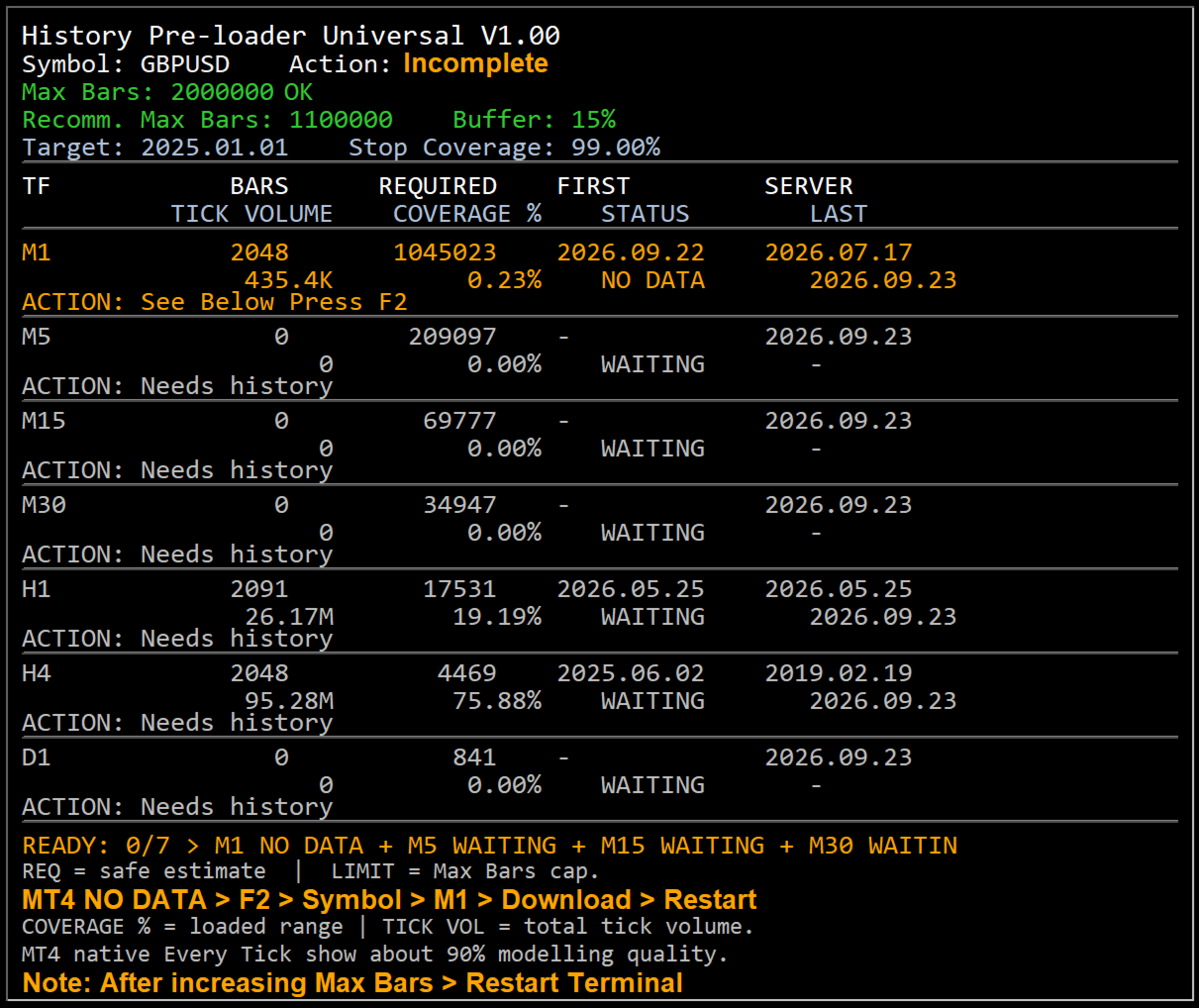
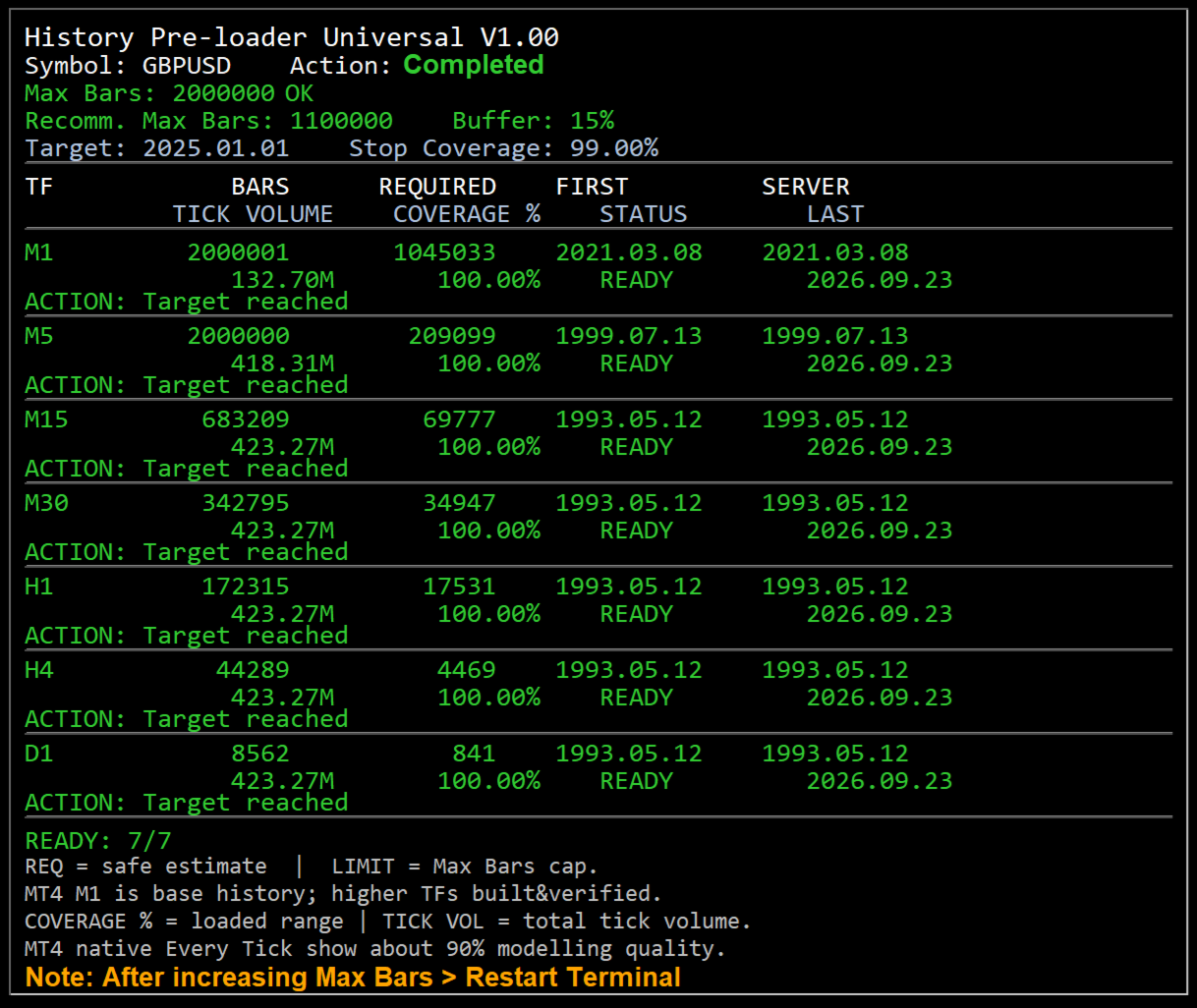
- Shows bar count, required bars, server first date, tick volume, coverage, status and action on an on-chart dashboard.
- Reports clear status states including READY, BUILT, LOADING, LIMIT, NO DATA, STALLED and ERROR.
Why history preparation matters
A historical test can only use the data that is available to the terminal. If the required period has not been downloaded, the terminal may work with a shorter range than expected or spend time synchronizing data when the test begins. History Pre-loader provides a separate preparation step so you can inspect the available range before starting the main test or analysis.
MT4 workflow
MT4 keeps local chart history and uses terminal limits for the amount of history retained and displayed. The script gives special attention to M1 history. When sufficient M1 data is available, the MT4 build path can create the standard higher timeframes and then ask the terminal to refresh and verify them.
- Open File → Open Data Folder → MQL4 → Scripts and place the MT4 script there.
- Open a new chart for the exact broker symbol whose history you want.
- Attach History Pre-loader from Navigator → Scripts.
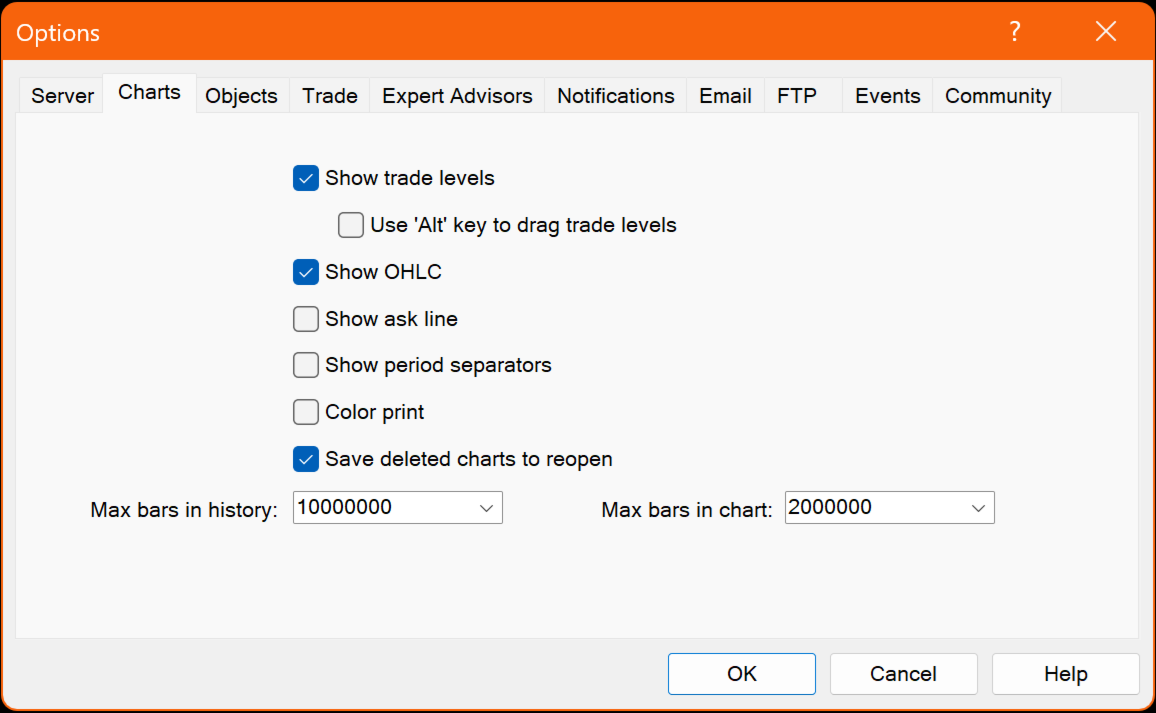
- If the dashboard shows Max Bars LOW, increase the value under Tools → Options → Charts, restart the terminal and rerun the script.
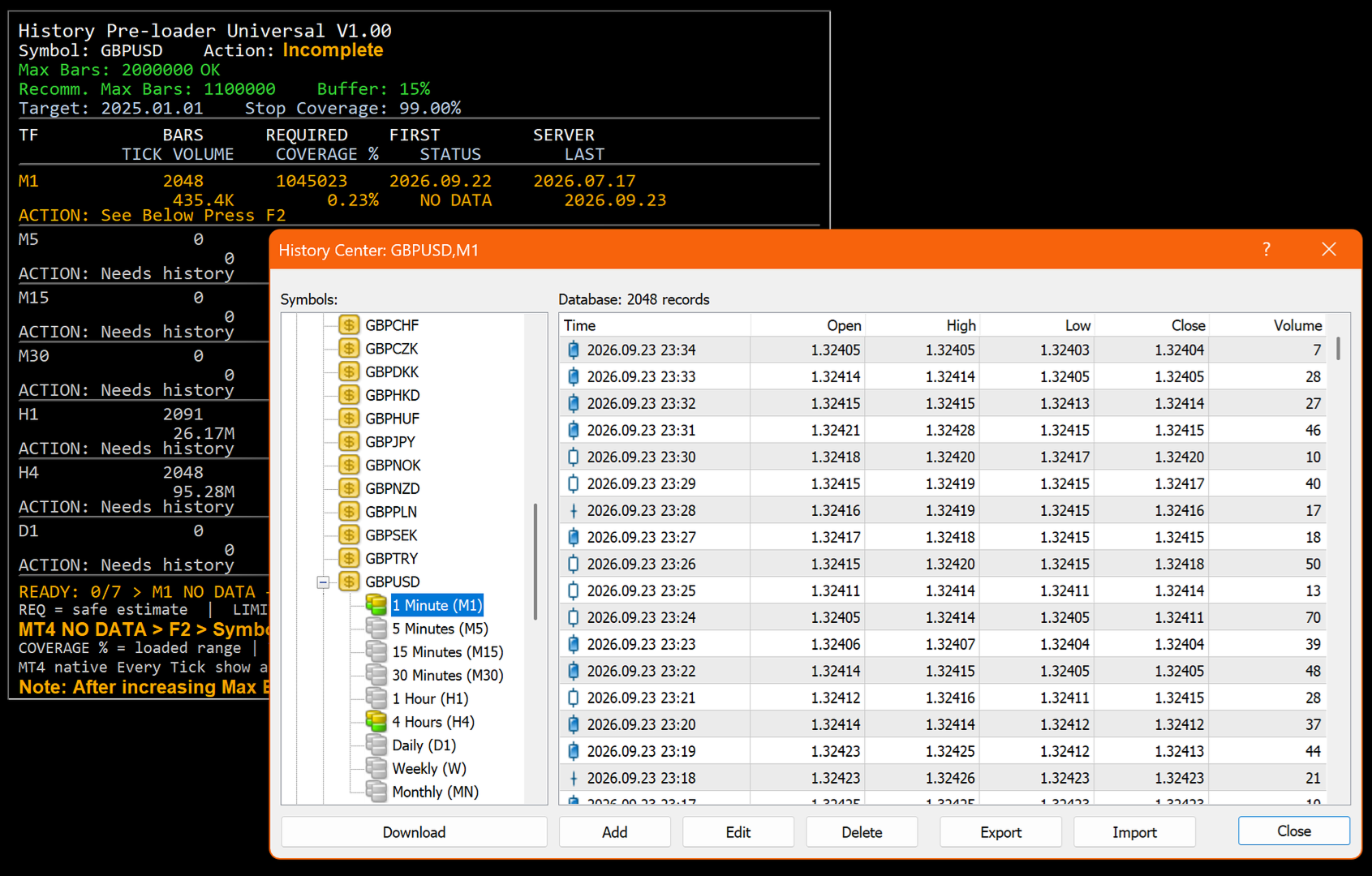
- If M1 history is unavailable, use F2 → History Center → symbol → 1 Minute (M1) → Download, restart MT4 and rerun.
MT5 workflow
MT5 stores quote history as one-minute bars and creates higher timeframes from the minute history. The script requests and checks the terminal series while showing the loaded date range and coverage on the chart.
- Open File → Open Data Folder → MQL5 → Scripts and place the MT5 script there.
- Open a new chart for the exact broker symbol whose history you want.
- Attach History Pre-loader from Navigator → Scripts.
- If the dashboard shows Max Bars LOW, increase Max. bars in chart under Tools → Options → Charts, restart MT5 and rerun.
- If more broker history is required, use the MT5 Symbols → Bars → Request function for that symbol.
Dashboard status guide
- READY — the selected target date or coverage goal has been reached.
- BUILT — MT4 higher-timeframe history was built from M1 and is being refreshed or verified.
- LOADING — the terminal is currently requesting or synchronizing history.
- LIMIT — Max Bars is restricting the requested range.
- NO DATA — the required range was not returned by the terminal/server and may require a manual history request.
- STALLED — no additional history progress was detected within the retry window.
- ERROR — an operation failed; check the dashboard Action field and the Experts/Journal message.
Broker history availability
The script can request and prepare history that is available through the MetaTrader terminal and the connected broker server. If the broker's earliest available data starts later than the selected target date, the script reports the available range rather than creating market data that the server does not provide.
Preparation utility only
History Pre-loader does not open or manage trades. Its role is to prepare, inspect and report historical chart data so the user can move into backtesting or historical analysis with a clearer view of what data the terminal currently has.