Prop Trade Manager Pro
- Utilità
-
BRAINGRAIN TECHNOLOGIES LLP
 MT5 / MQL5 developer. I build indicators, Expert Advisors and utility panels from a written spec — every rule an input, 0 errors / 0 warnings, verified in the Strategy Tester before handover.
- Versione: 1.4
- Aggiornato: 7 ottobre 2026
- Attivazioni: 5
Prop Trade Manager Pro is not a trading strategy. It never opens a position on its own: every order comes from a button you press, and every rule is an input you set. Attach it to one chart and it sizes your trades, manages what is open, and enforces the limits that funded accounts and prop-firm challenges (FTMO, The5ers, MyFundedFX, E8 and the rest) live or die by.
It is built for the trader who can find the entry but loses the account to one oversized trade or one bad day.
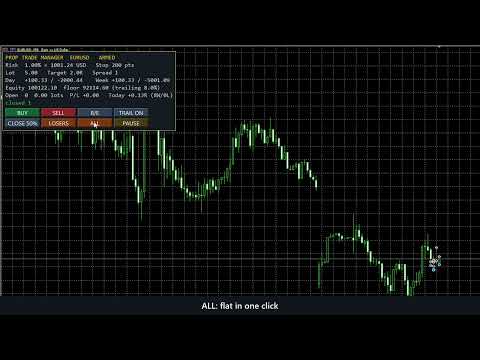
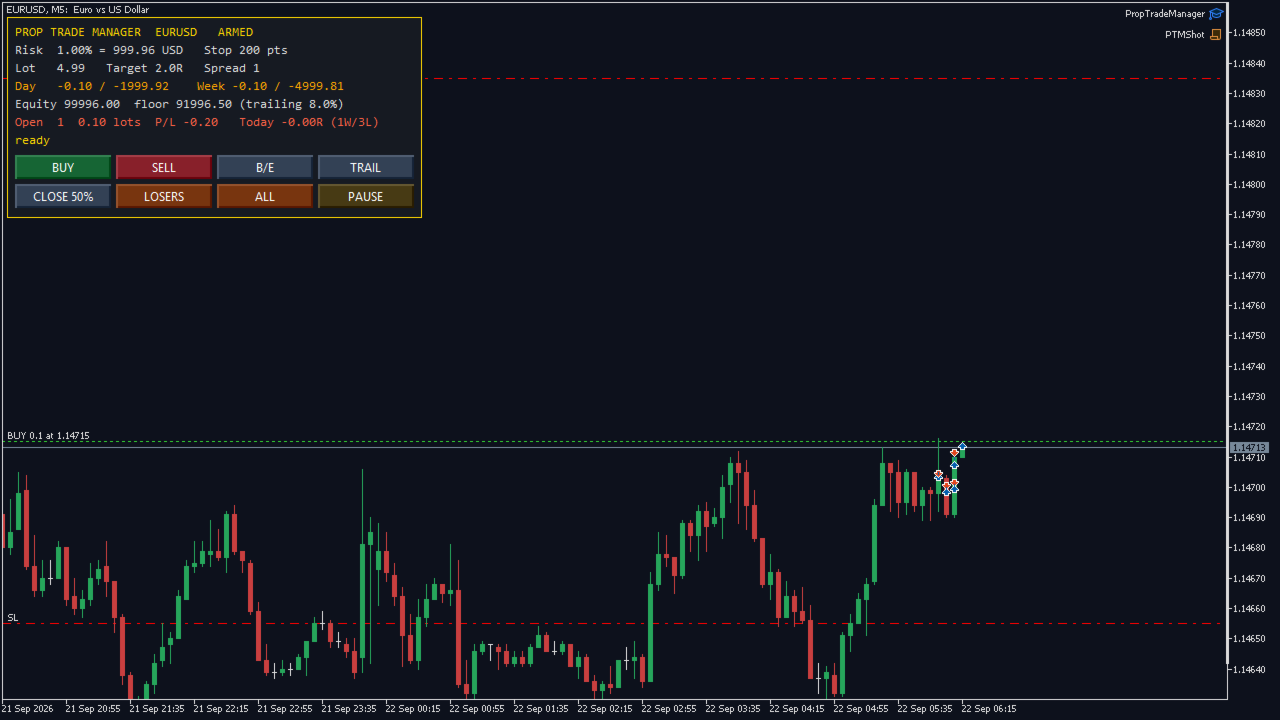
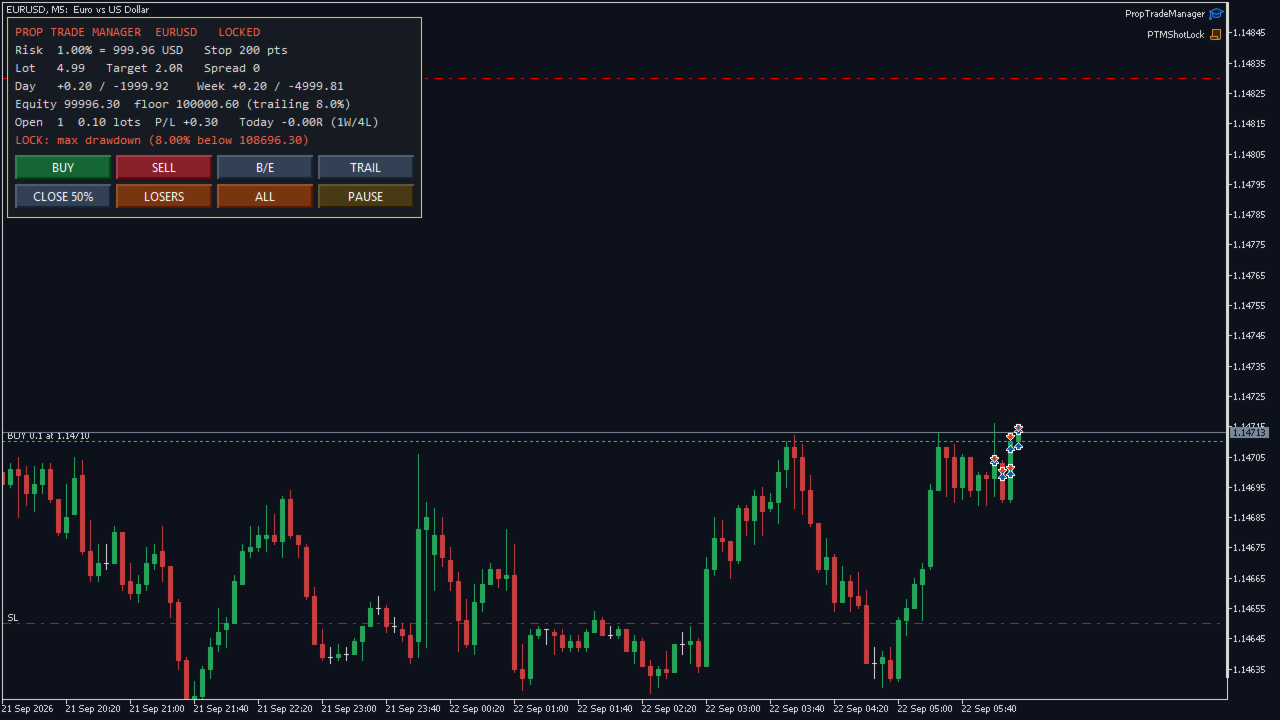
Screenshots are real. Shot on a live MetaQuotes-Demo chart with a real position open, not mocked up. The second screenshot shows the drawdown lock tripped and the panel refusing a new entry.
— NEW in 1.04: Challenge presets, the firm's own numbers —
Pick FTMO 2-Step Phase 1, Phase 2, FTMO 1-Step, or Custom, and the panel runs the challenge the way the firm measures it:
• Every limit is a percent of the initial balance, not of today's balance. At 110,000 on a 100,000 account, a 5% daily limit is 5,000, not 5,500.
• The daily floor is set at the firm's reset (FTMO: midnight Prague time, daylight saving included), from the balance, the equity, or the higher of the two.
• The max loss floor is static, trails the end-of-day balance (FTMO 1-Step), the closed balance, or equity; it can stop trailing at the initial balance.
• The profit target counts only with no open position, after the minimum trading days, and (when the firm has one) within the best-day rule.
• Safety buffer: entries lock, and optionally every position on the account closes, when equity comes within the buffer (default 0.5% of the initial balance) of the higher floor.
• Entry sizing never risks more than the room left above the floor.
• The whole account counts: every symbol, every EA, as the firm sees it. The state survives a restart.
• Two panel rows show the status, the target, the days, the best-day share, both floors and the room left.
The preset is Off by default, so existing settings behave exactly as before. Presets were taken from FTMO's published trading objectives on 3 October 2026. Firms change their rules; check yours. Not affiliated with any prop firm.
— Entry, sized to your risk — Set risk as a percent of balance and the stop distance you trade with; the panel shows the exact lot for the chart symbol from its tick value, tick size and volume step — correct on gold, indices and crypto CFDs, not only forex. BUY and SELL open at market with the stop and the target already attached (target is a multiple of the stop, or off). The lot is rounded down to the volume step, clamped by the broker's volume limit and by free margin, and stops respect the broker's minimum stop and freeze level.
— Management, on buttons, never automatic — • Break-even — lock the stop a set number of points into profit. • Trailing stop — start after a set profit, trail a set distance behind price. • Partial close — close a set share of each position. • Close losers / Close all — flatten the losing side, or everything. • Manage only this chart, every symbol, or only positions this panel opened.
— Prop-firm rules, every one an input, every one optional —
Daily loss lock — percent of the day's opening balance. Counts closed plus floating P/L; lasts until the next server day.
Weekly loss lock — percent of the week's opening balance; lasts until Monday.
Maximum drawdown — static from the starting equity, or trailing from the equity high-water mark, which is how most challenges measure it. The high-water mark is stored, so it survives restarts.
Profit-target lock — stop trading once up your target on the day, so a good day stays a good day.
Breach-aware entry — a new trade whose own risk at its stop would break the daily lock is trimmed to what is left, or refused, before it is sent — not caught after.
Flatten on lock (optional) — close everything the instant a lock trips.
Position and lot caps — max open positions, hard lot cap, max total lots, max spread.
— Trading window — Allow entries only inside your hours (server time), with an optional Friday cut-off so you are not holding into the weekend.
— Restart-proof — The day base, week base, equity high-water mark and challenge state survive a terminal restart, so a lock cannot be dodged by reloading the chart.
— Alerts — Popup, push to the mobile terminal, and e-mail when a lock trips — each optional. Every action is written to the Experts log.
Self-test in the Strategy Tester (MetaQuotes-Demo, EURUSD M15): 21 of 21 checks passed with FTMO 2-Step Phase 1 and with FTMO 1-Step, 15 of 15 with the preset Off — lot sizing, stop and target attached, partial close, break-even and trailing, paused panel refuses entry, drawdown lock refuses entry, buffer lock and close, close-all leaves nothing open. The challenge rule engine matches 20 of 20 hand-worked cases.
— Troubleshooting —
• "in the buffer above the daily floor": equity is within the buffer of the firm's floor. Entries stay locked until the next reset raises the floor, or equity recovers.
• Attached mid-challenge: set the initial balance input to the account size. The panel cannot see days traded before it was attached; the day count starts from there.
• Starting a new challenge on the same login: change the preset or the initial balance and the challenge restarts.
• Panel says LOCKED right after attaching: a stored lock from a previous session still applies, which is the lock doing its job across a restart. To start fresh on a new account, remove the PTM_<login>_* global variables (Tools → Global Variables).
— Free version — The lot calculator and one-click entry are free on CodeBase as One-Click Trade Manager (code 77538). This paid version adds all management buttons, the full prop-firm rule set, challenge presets, the trading window, restart-proof locks and alerts. Try the free one first; if the sizing is right for your broker, the paid one uses the same engine.